صغر حجم الشركة المصنعة طابعة نفث الحبر

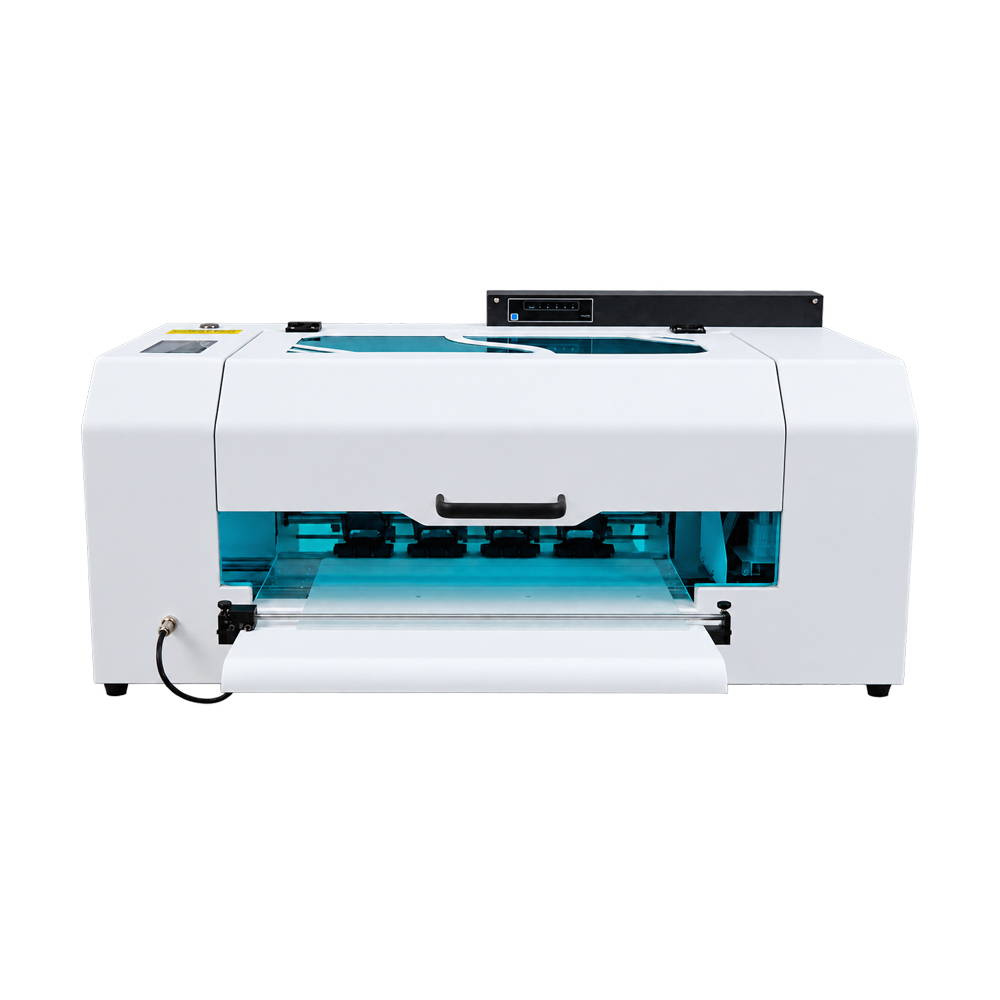
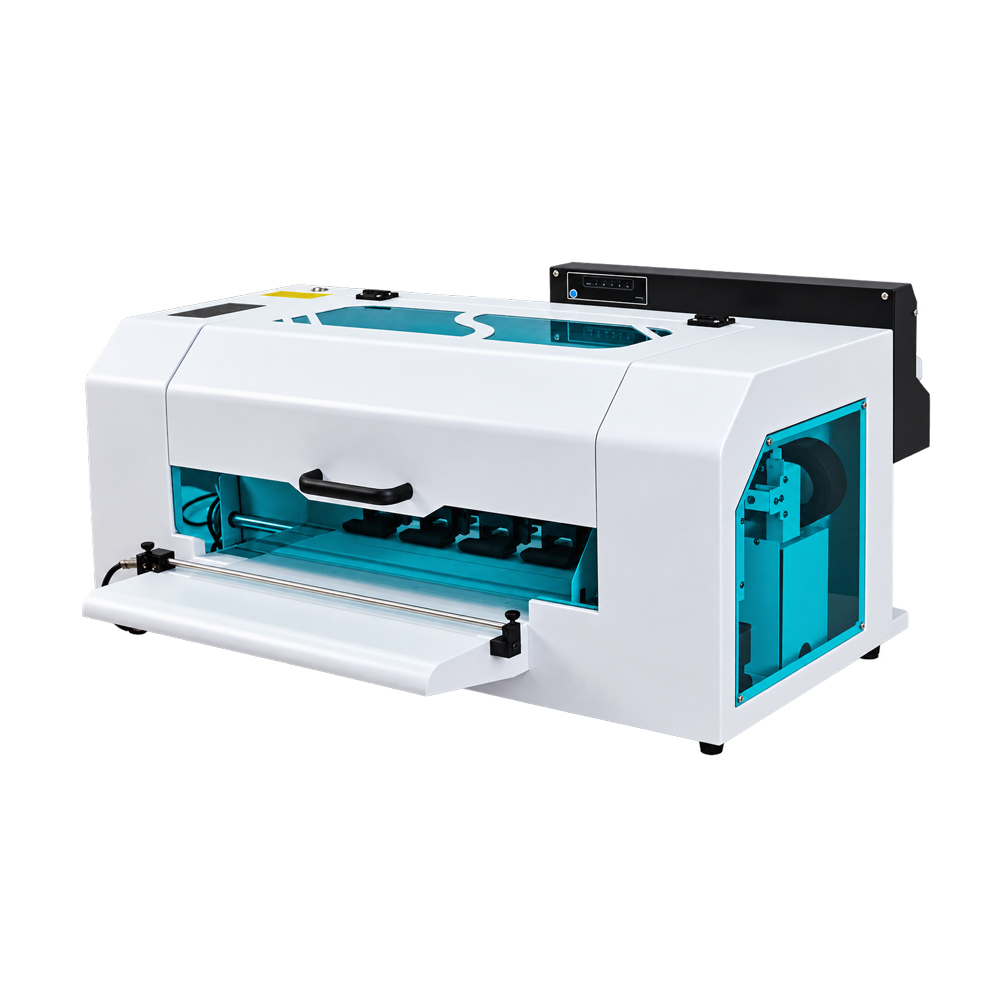
EraSmart A2 Fluorescent DTF Printer
EraSmart A2 Fluorescent DTF Printer for Apparel Customization Studios
Build Your Fluorescent Apparel Offering Around the Graphics You Print
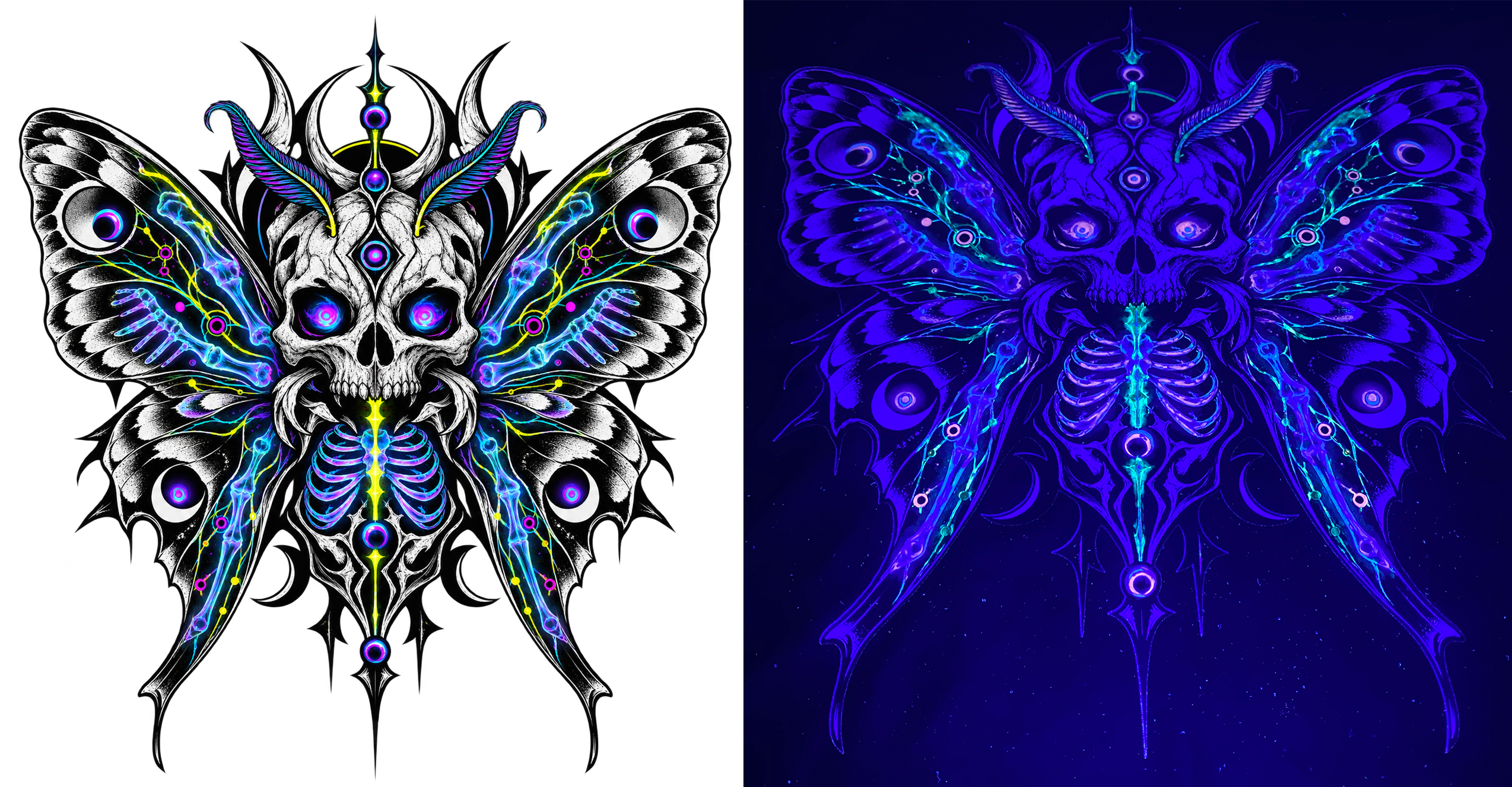
The EraSmart A2 Fluorescent DTF Printer gives apparel customization studios a 450 mm printing width for developing fluorescent garment transfers. It combines I3200HD and I1600 printheads with CMYK, fluorescent inks and white ink, supporting designs that show a distinct fluorescent effect under suitable UV lighting in dark surroundings.
For studios adding fluorescent work to an existing service, the starting point is the customer’s artwork: its dimensions, the target fabric and the lighting where the garment will be worn. The A2 provides a configuration to evaluate against those requirements, with roll and sheet PET film support and a specified printing speed of 1–1.5 m²/h at 8 pass.
Configuration at a Glance
- Maximum printing width: 450 mm
- Dual printheads: I3200HD + I1600
- Ink configuration: CMYK + FY FM FG FO + WWWW
- Dedicated software configuration for fluorescent printing
- Automatic printhead cleaning
- Timed white ink circulation
- Equipment dimensions: 825 × 650 × 400 mm
- وصف
EraSmart A2 Fluorescent DTF Printer for Apparel Customization Studios
Build Your Fluorescent Apparel Offering Around the Graphics You Print
The EraSmart A2 Fluorescent DTF Printer gives apparel customization studios a 450 mm printing width for developing fluorescent garment transfers. It combines I3200HD and I1600 printheads with CMYK, fluorescent inks and white ink, supporting designs that show a distinct fluorescent effect under suitable UV lighting in dark surroundings.
For studios adding fluorescent work to an existing service, the starting point is the customer’s artwork: its dimensions, the target fabric and the lighting where the garment will be worn. The A2 provides a configuration to evaluate against those requirements, with roll and sheet PET film support and a specified printing speed of 1–1.5 m²/h at 8 pass.
Configuration at a Glance
- Maximum printing width: 450 mm
- Dual printheads: I3200HD + I1600
- Ink configuration: CMYK + FY FM FG FO + WWWW
- Dedicated software configuration for fluorescent printing
- Automatic printhead cleaning
- Timed white ink circulation
- Equipment dimensions: 825 × 650 × 400 mm
Discuss Your Artwork · Request an A2 Quote
Start with Your Largest Graphic
Printer selection should begin with the dimensions of the transfers you intend to produce.
The A2 supports printing up to 450 mm wide. Review your largest garment graphic at its final size, including any spacing needed within the usable print area. For several smaller designs, check their actual arrangement on the film before estimating how many will fit across a layout.
| Design Requirement | ما يجب التحقق منه |
|---|---|
| Chest logos and small graphics | Individual dimensions and spacing between transfers |
| Front or back garment designs | Full-size artwork width within the available print area |
| Text and decorative elements | Final size, placement and fluorescent areas |
| Mixed customer artwork | Layout efficiency using the actual design files |
This review helps establish whether the A2 fits your regular work or whether a wider model deserves consideration.
Develop a Sample Your Customer Can Approve
A fluorescent sample needs to answer two questions: does the transfer work on the chosen garment, and does the effect match the intended lighting environment?
Begin with representative artwork. Identify the lettering, logo or graphic areas that should receive fluorescent treatment, then prepare the file using the dedicated fluorescent software configuration.
Print and transfer the sample onto the intended fabric. Review its placement, adhesion and appearance before checking the fluorescent effect under suitable UV lighting in dark surroundings.
Under ordinary lighting, the fluorescent colors do not stand out. Their distinctive effect becomes apparent under suitable UV illumination in a dark environment. Once the UV lamp is switched off, the print does not continue glowing.
For customer approval, use the lighting planned for the finished garment whenever practical.
Choose Where Fluorescent Detail Adds Value
The A2 can support sample development for several types of apparel projects:
Custom Lettering and Logos
Apply fluorescent treatment to selected words, brand marks or symbols. Confirm the artwork treatment with the customer before producing a full order.
Themed Garment Collections
Develop coordinated graphics for T-shirts and other compatible garments intended for UV-lit parties, performances or themed activities.
Stage Costume Details
Test decorative elements under the planned stage lighting. Evaluate the effect at the distance from which the audience will see the garment.
Matching Textile Accessories
Consider compatible canvas bags and other textile pieces as part of a coordinated collection. Each material should pass transfer and performance testing before production.
Use Software Prepared for the Fluorescent Ink Setup
The fluorescent version requires dedicated software configured for its fluorescent ink setup. Its software configuration differs from that used for CMYKW printers.
The listed software is الراين. Use the dedicated fluorescent configuration supplied for the A2 and follow the model-specific instructions for artwork preparation and printing.
During purchasing, confirm the software package, setup guidance and operator instruction included with the equipment. File compatibility alone does not establish that a design has been prepared correctly for fluorescent printing.
From Approved Artwork to Finished Transfer
The A2 prints the design onto PET film. Powder application, curing and heat pressing complete the transfer process.
- Prepare the file using the dedicated fluorescent software configuration.
- Print the transfer with the specified color, fluorescent and white ink settings.
- تطبيق مسحوق لاصق according to the selected consumables’ instructions.
- Heat-cure the transfer using the recommended process conditions.
- Heat-press onto the garment and follow the applicable peeling instructions.
- Inspect the finished result before approving the production settings.
Confirm compatible film, ink, powder and fabric as a complete combination. Establish pressing conditions and garment care guidance through representative testing.
Plan the Work Area Around the Complete Process
The printer measures 825 × 650 × 400 mm. Use these dimensions when planning its position, while allowing additional space for media handling, maintenance access and operation.
Powder application, curing and heat pressing also need suitable equipment and working space. Confirm the proposed package contents before arranging the production area.
The A2 supports both roll and sheet PET film and includes media suction. Select the media format and operating procedure according to the job and the supplied instructions.
Match Print Settings to the Production Plan
The listed printing modes are:
| Mode | دقة |
|---|---|
| 4 pass | 720 × 1200 dpi |
| 6 pass | 720 × 1800 dpi |
| 8 pass | 720 × 2400 dpi |
The specified speed for 8 pass is 1–1.5 m²/h. Use this as a printing-stage reference when planning jobs. Powder application, curing, pressing and handling require additional time.
Automatic printhead cleaning and timed white ink circulation assist routine equipment care. Follow the maintenance schedule for nozzle checks, cleaning and white ink management.
Choose the Width That Fits Your Work
The A2 and A1 fluorescent models share several listed configuration features, including I3200HD + I1600 dual printheads and the CMYK + FY FM FG FO + WWWW ink configuration. Their printing widths and specified 8 pass speeds differ.
| Selection Point | A2 Fluorescent DTF Printer | A1 Fluorescent DTF Printer |
|---|---|---|
| Maximum Printing Width | 450 mm | 620 ملم |
| Printing Speed at 8 Pass | 1–1.5 m²/h | 1.5–2 m²/h |
| Printhead Configuration | I3200HD + I1600 | I3200HD + I1600 |
| تكوين الحبر | CMYK + FY FM FG FO + WWWW | CMYK + FY FM FG FO + WWWW |
| Main Width Consideration | Artwork and layouts within 450 mm | Artwork or layouts requiring additional width |
Consider the A2 when your graphics fit its printable area and its stated speed suits your production schedule. Review the A1 when individual designs require more than 450 mm of printing width, or when wider layouts would better accommodate your work.
Use actual artwork to compare layouts. A wider print area does not automatically produce a fixed number of additional transfers or a guaranteed reduction in film consumption.
المواصفات الفنية
| غرض | مواصفة |
|---|---|
| اسم المنتج | EraSmart A2 Fluorescent DTF Printer |
| نموذج | A2 (I3200HD + I1600) |
| رؤوس الطباعة | I3200HD + I1600 |
| Number of Printheads | 2 |
| تكوين الحبر | CMYK + FY FM FG FO + WWWW |
| نوع الحبر | DTF ink + fluorescent ink |
| Maximum Printing Width | 450 mm |
| 4 Pass Resolution | 720 × 1200 dpi |
| 6 Pass Resolution | 720 × 1800 dpi |
| 8 Pass Resolution | 720 × 2400 dpi |
| سرعة الطباعة | 1–1.5 m²/h at 8 pass |
| طباعة وسائل الإعلام | Roll and sheet PET film |
| Listed Ink Tank Capacity | 250 مل |
| برمجة | RIIN; dedicated fluorescent configuration required |
| نظام التشغيل | ويندوز 7/8/10/11 |
| Controls | Button control system |
| واجهة | واجهة الشبكة |
| Media Suction | المدعومة |
| تنظيف رأس الطباعة | التنظيف التلقائي |
| تداول الحبر الأبيض | Timed white ink circulation |
| Operating Temperature | 15-30 درجة مئوية |
| الرطوبة النسبية | 40-60% |
| الجهد االكهربى | 220V/110V |
| القوة المقدرة | 250 W |
| تنسيقات الملفات | TIFF, JPEG, JPG, PNG, PDF |
| Equipment Dimensions | 825 × 650 × 400 mm |
| Transfer Substrates | Compatible textiles, including cotton, linen, canvas and synthetic fabrics; leather requires compatibility testing |
Confirm ink tank capacity allocation and the supplied equipment package in the quotation.A2 fluorescent DTF printer
الأسئلة المتداولة
How do I know whether 450 mm is enough for my designs?
Check the widest artwork at its final printing size and allow for the spacing required by the layout. For multiple small transfers, arrange the actual files within the printable area. If a single graphic requires more than 450 mm of printing width, consider the A1 model.
Does the A2 print directly onto garments?
No. It prints onto PET transfer film. The design is then processed with adhesive powder, heat-cured and heat-pressed onto compatible fabric.
Will customers see a strong fluorescent effect in normal room lighting?
The fluorescent colors do not stand out under ordinary lighting. A noticeable fluorescent effect appears when suitable UV lighting illuminates the print in dark surroundings.
Does the print keep glowing after the UV lamp is turned off?
No. It does not continue glowing after the UV light is removed. This is different from a glow-in-the-dark effect that persists after the light source is switched off.
Can I use my existing CMYKW printer software configuration?
The fluorescent version requires dedicated software configured for its fluorescent ink setup. Use the configuration supplied for the A2 and follow its artwork preparation and operating guidance.
What speed should I use when planning an order?
The specified printing speed is 1–1.5 m²/h at 8 pass. Allow additional time for the remaining transfer stages. Speeds for 4 pass and 6 pass have not been specified.
What should I test before accepting a new fabric?
Check heat tolerance, transfer adhesion, finished appearance and wash performance. Also inspect the fluorescent effect under the intended UV lighting. Approve representative samples before committing to production.
Does the printer include powder application and curing equipment?
Package contents should be confirmed in the quotation. Ask EraSmart to identify the printer, software, consumables and any powder application or curing equipment supplied, along with the heat press requirements.
Send Your Artwork for an A2 Configuration Review
Share your maximum graphic dimensions, target fabrics, expected order quantities and intended lighting conditions. EraSmart can discuss whether the A2’s 450 mm printing width fits your work and help identify the software, consumables and supporting equipment required.
Request an A2 Fluorescent Sample
Get a Printer and Equipment Quote
Related Products
- طابعة EraSmart A1 فلورسنت DTF — Compare the 620 mm model when your artwork or layouts need additional width.
- DTF Powder Shaker and Dryer — Discuss equipment compatibility for the transfer workflow.
- DTF Film and Adhesive Powder — Confirm consumables for the selected fabric and process.
- Compatible Fluorescent DTF Inks — Request inks matched to the A2 fluorescent configuration.
سؤال
قد تكون كما تفعل أيضا
حقوق الطبع والنشر 2020 © Erasmart. | خريطة sitemap