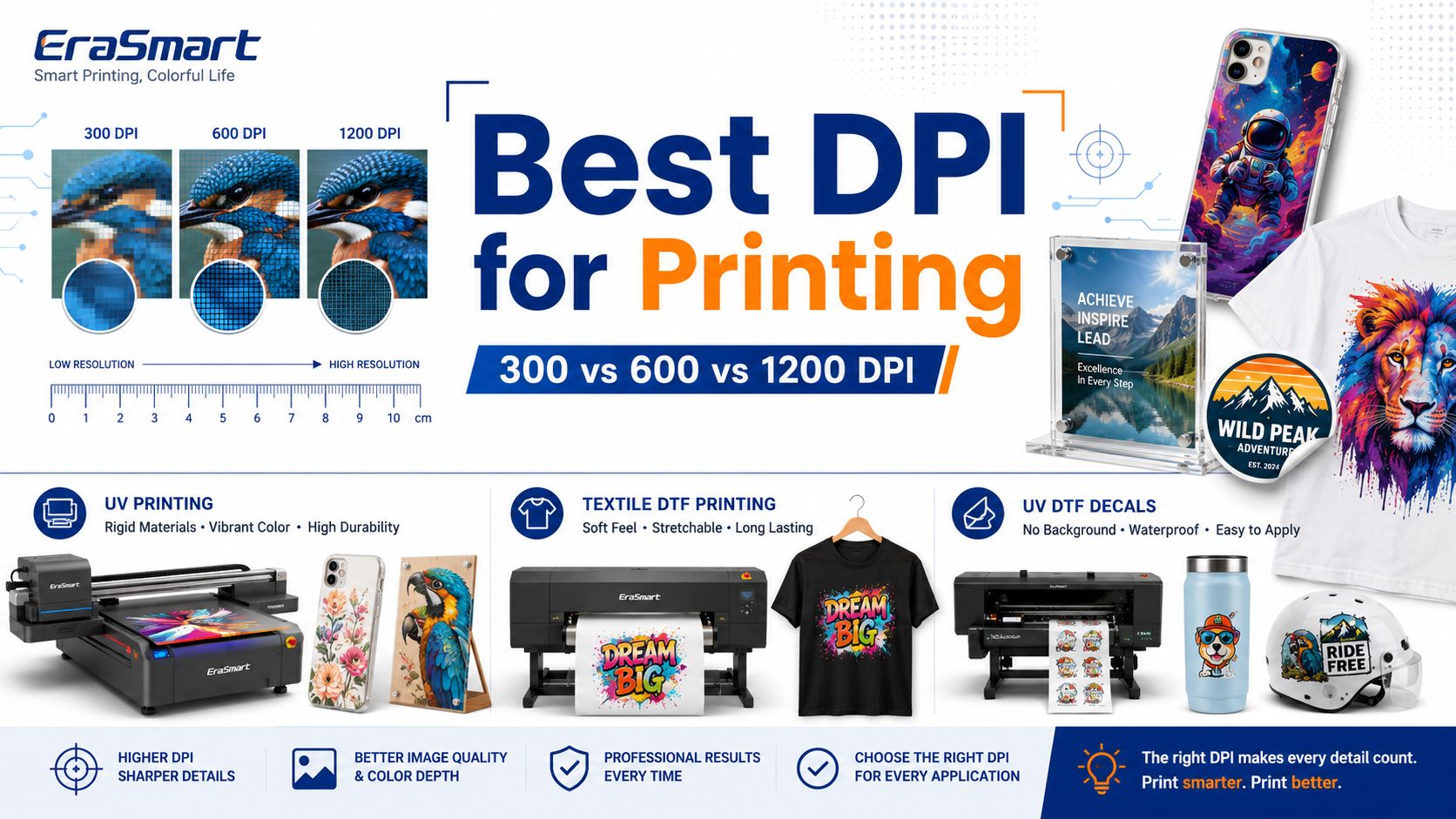
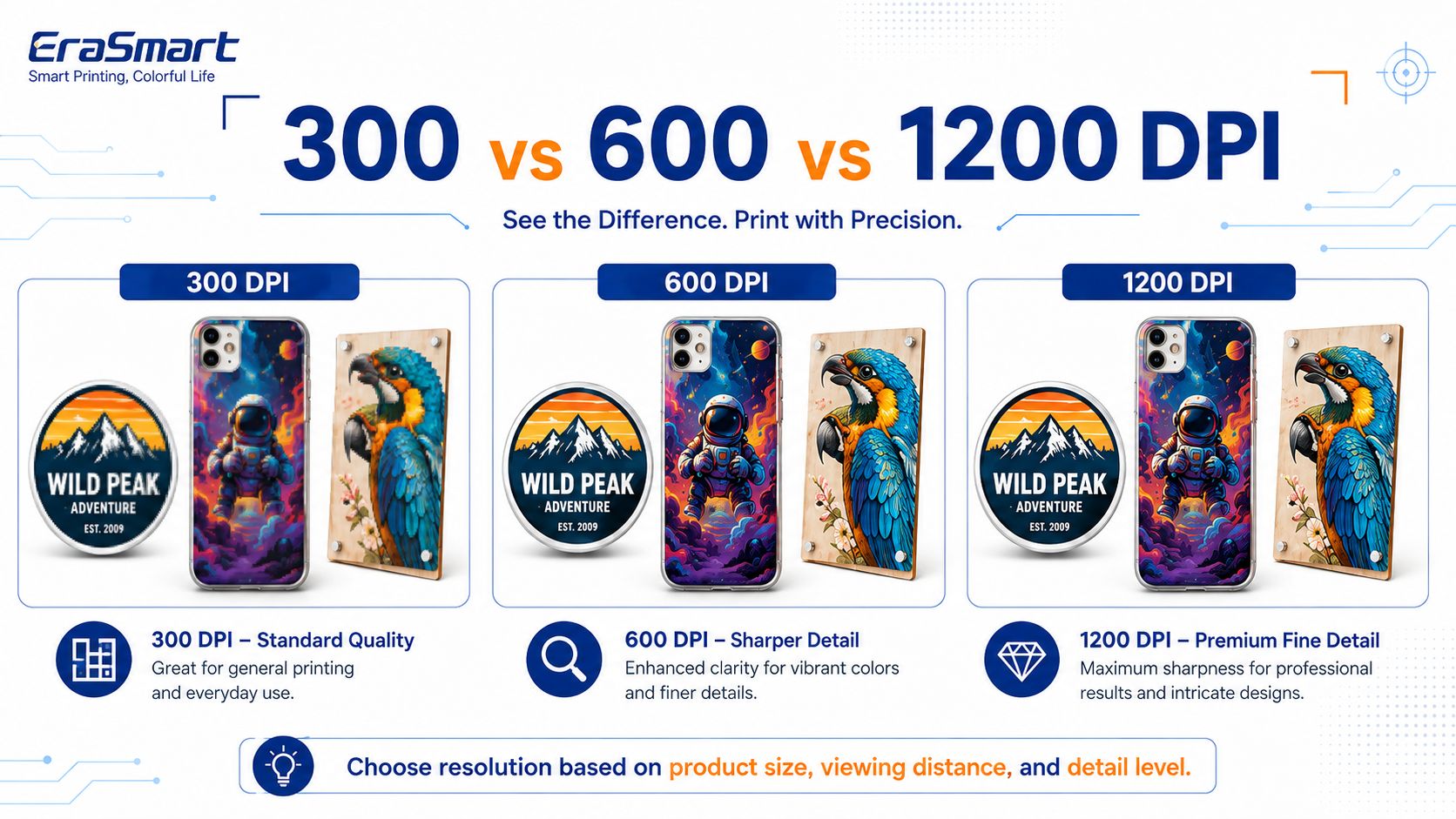
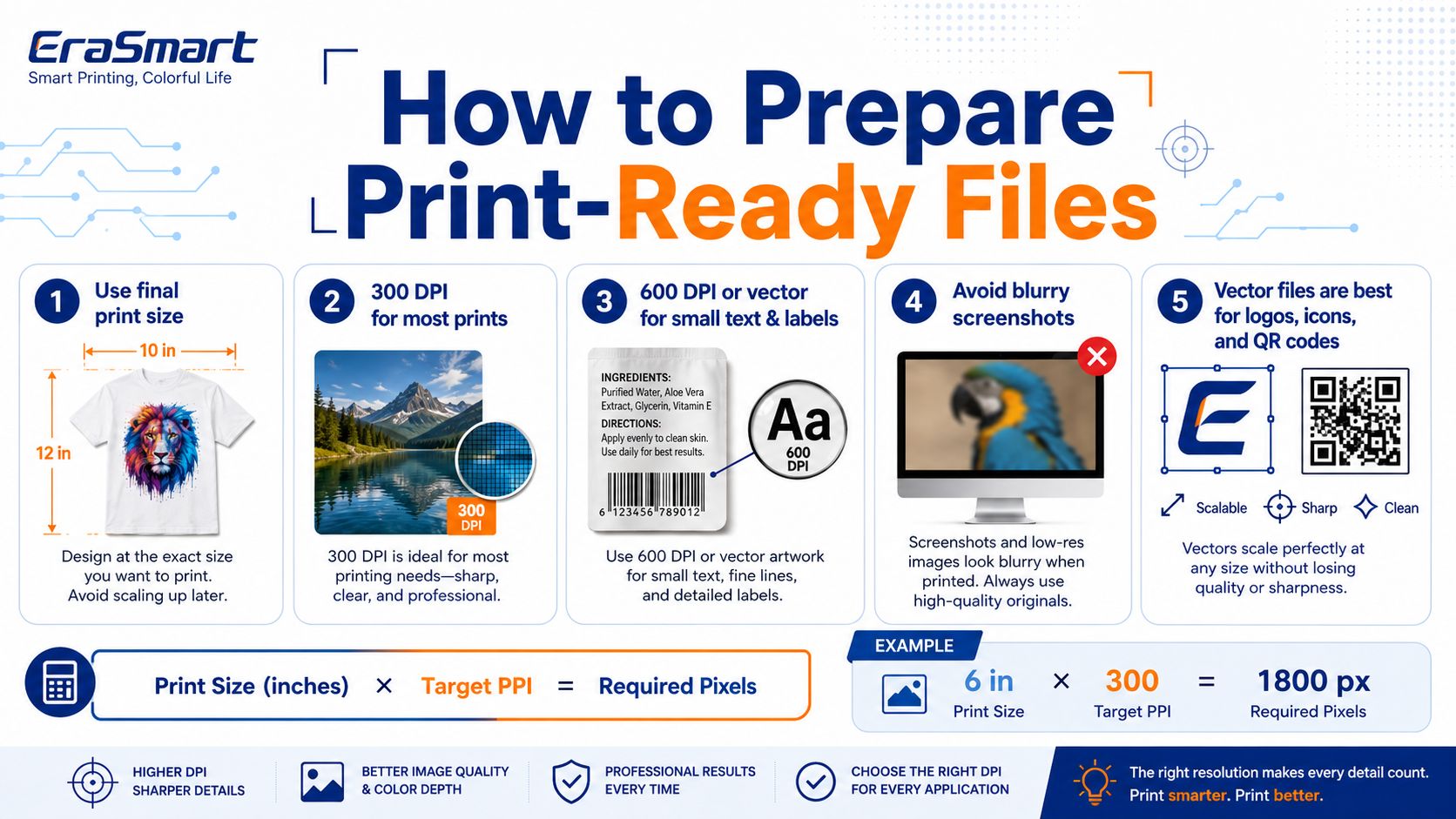
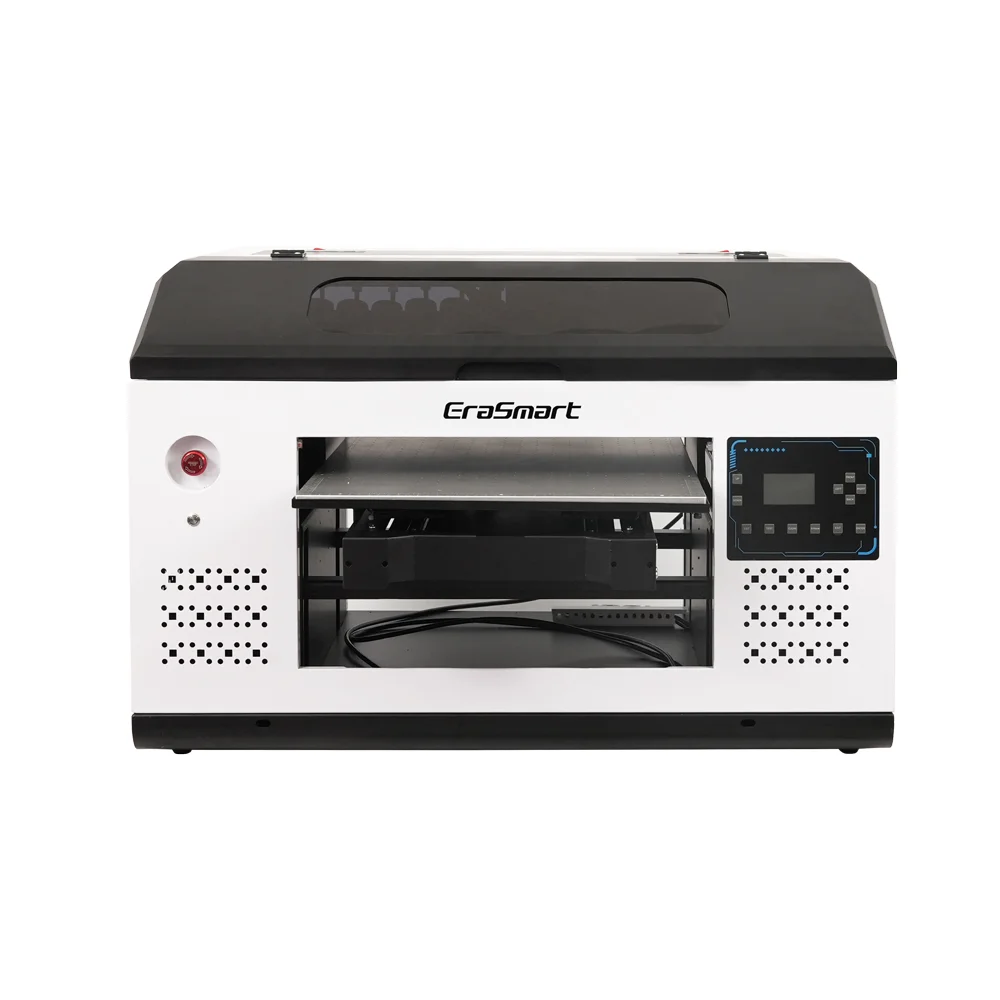
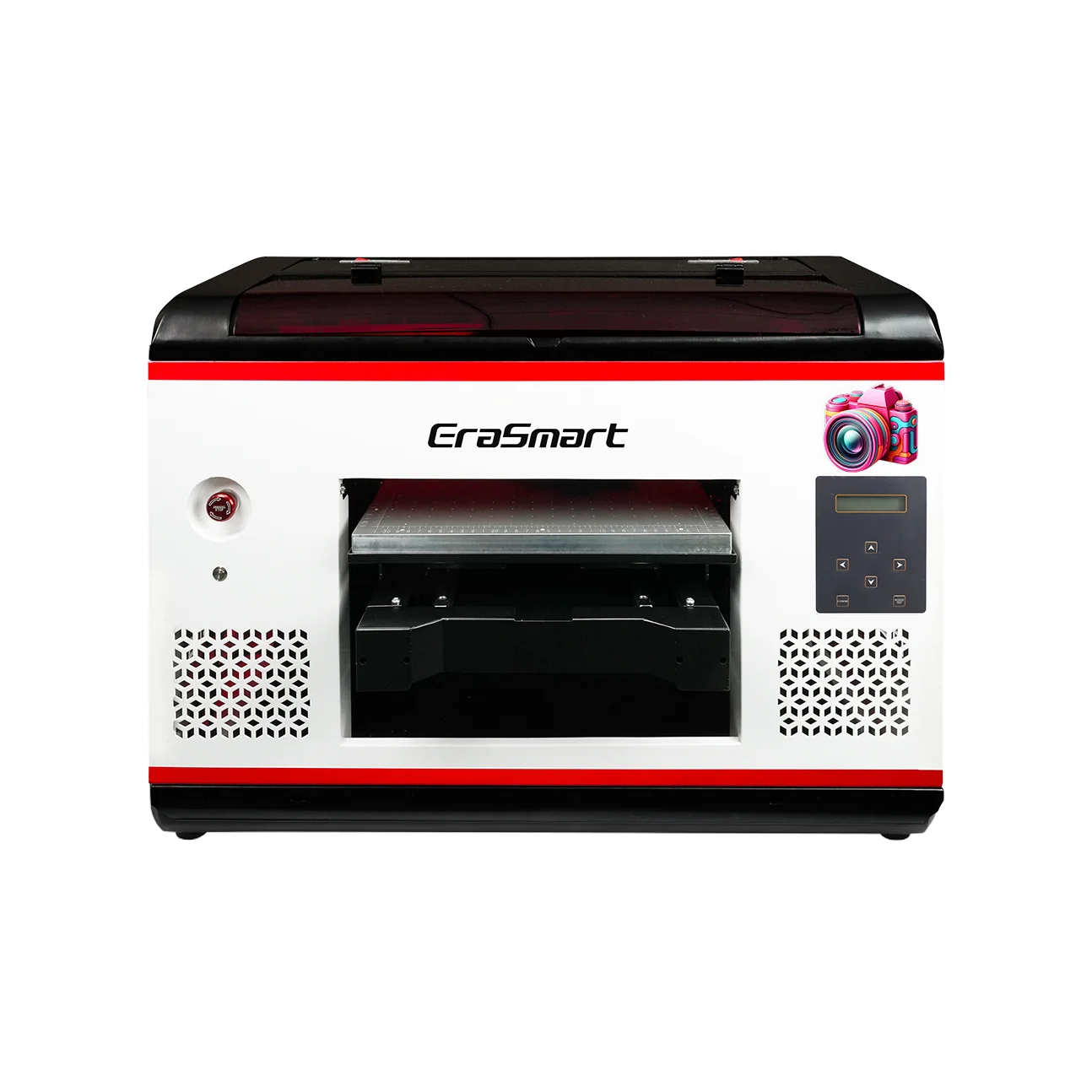
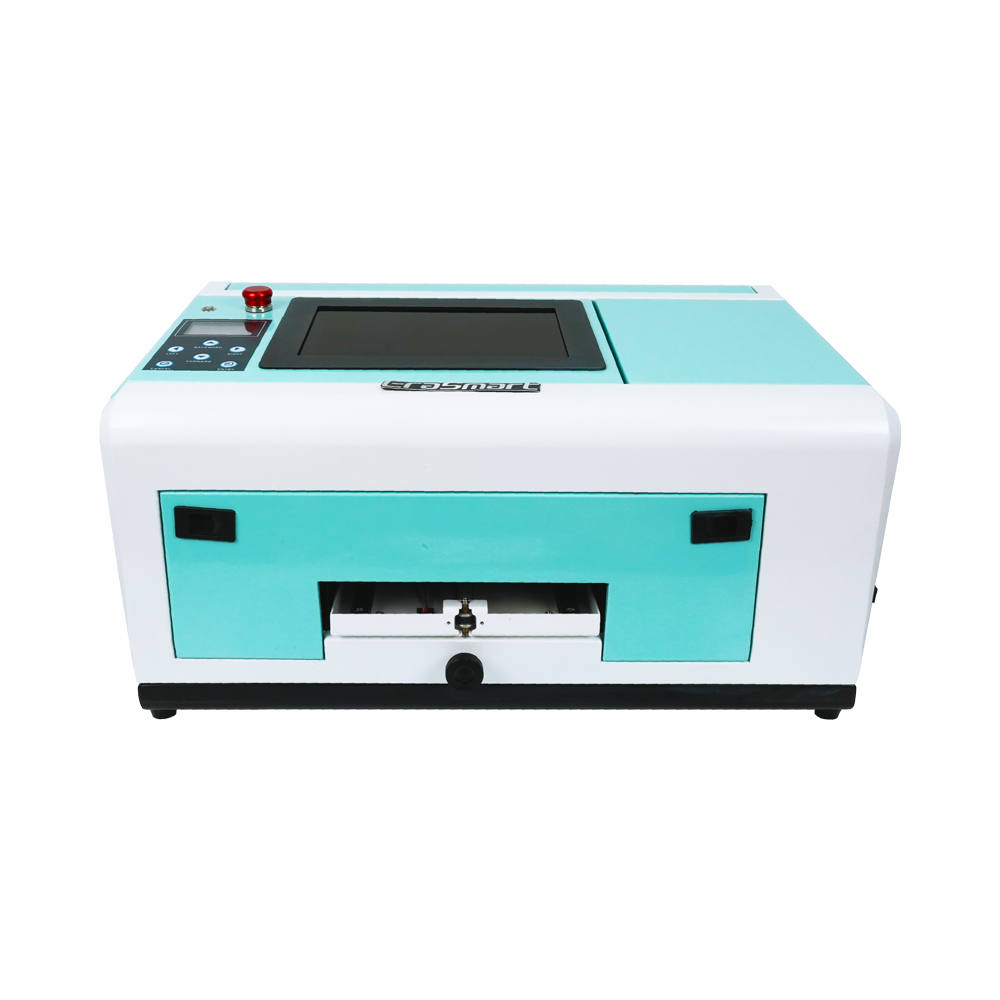
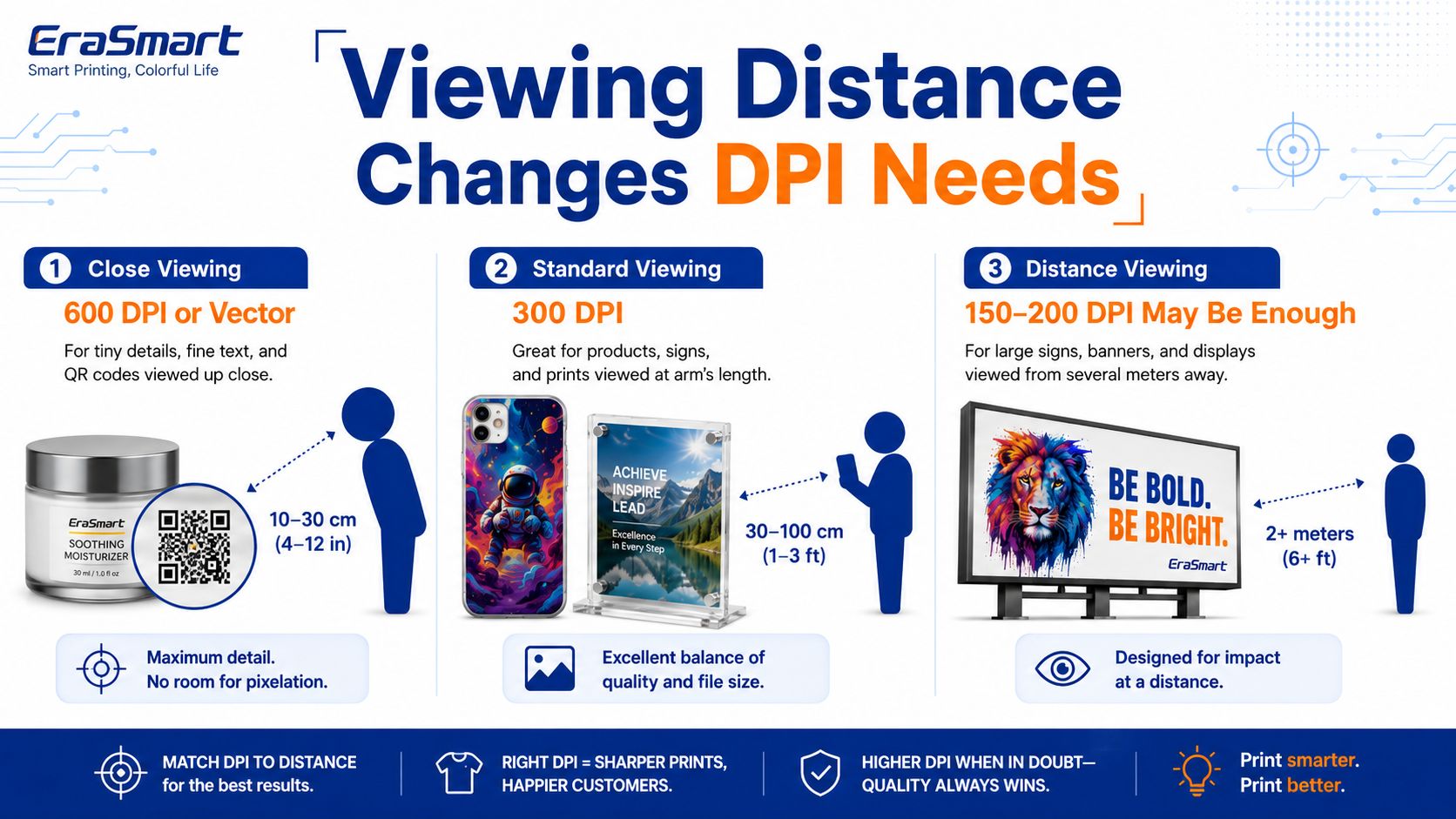
The best DPI for printing depends on what you are printing, how large the product is, how close the customer will view it, and what printing technology you use. For many standard product images, labels, photos, and custom graphics, 300 DPI at the final print size is a practical starting point. For small text, fine lines, QR codes, premium labels, UV DTF decals, acrylic signs, and high-detail product decoration, 600 DPI or higher source quality can be helpful. For large signs or products viewed from a distance, lower image resolution may still look acceptable because the viewer does not inspect the print closely.
Epson’s official image-resolution guidance gives a useful baseline: 300–360 DPI is commonly recommended, but the right level depends on viewing conditions; prints viewed up close need higher resolution than prints viewed from far away.
For EraSmart customers, the key point is simple: do not judge print quality by DPI alone. A sharp UV print or DTF transfer also depends on artwork quality, final print size, RIP settings, ink coverage, white ink setup, pass mode, material surface, curing, and maintenance.
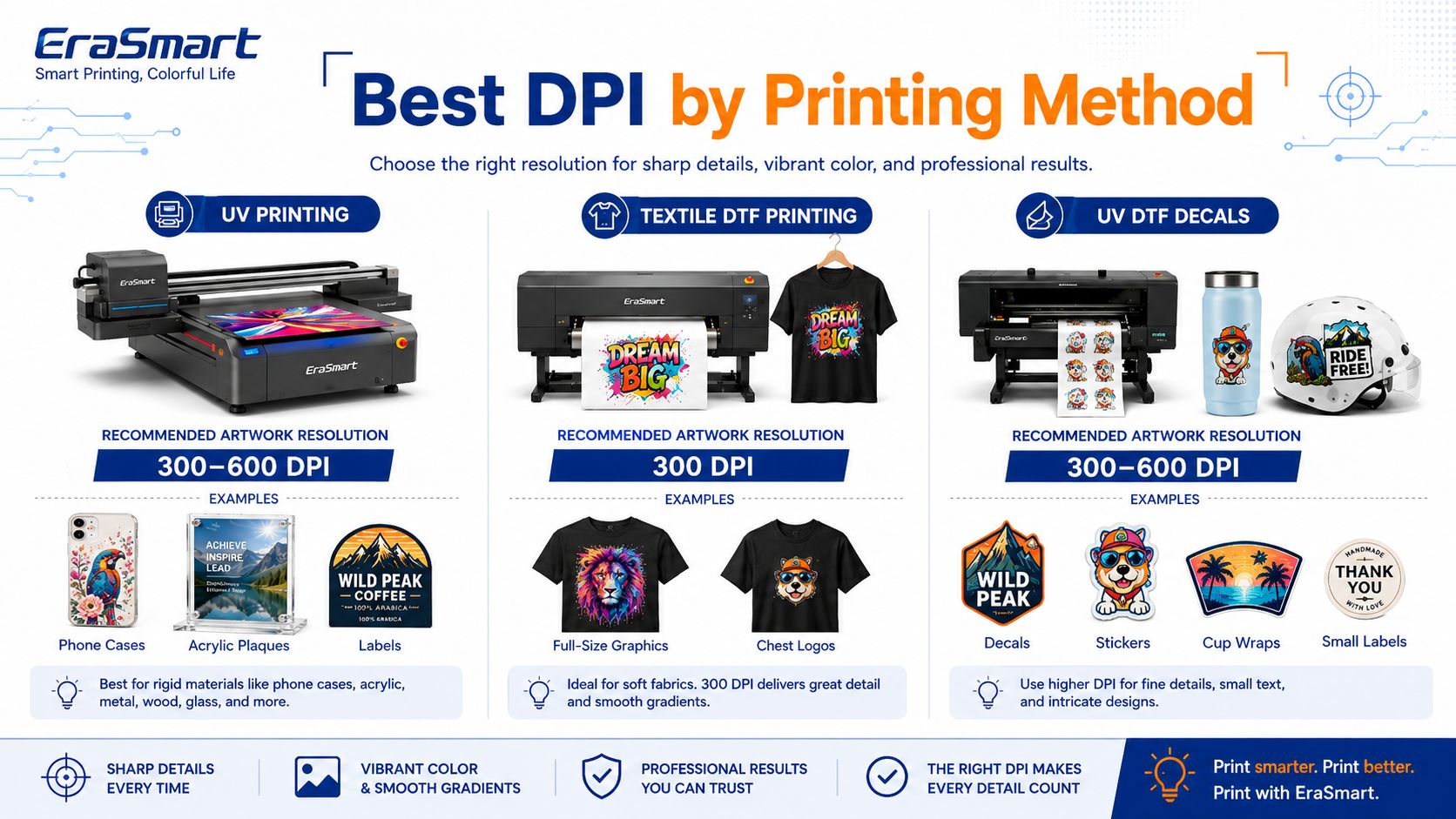
| Print Application | Recommended Artwork Resolution | Note |
|---|---|---|
| Standard product photos | 300 DPI | Good starting point for close-viewed prints |
| Custodie telefoniche | 300–600 DPI | Use higher quality for small details |
| Acrylic plaques | 300–600 DPI | White ink layer may affect final sharpness |
| Labels and stickers | 300–600 DPI | Small text and QR codes need cleaner source files |
| UV DTF decals | 300–600 DPI | Fine edges, varnish, and white ink need accurate artwork |
| Campioni di imballaggio | 300 DPI minimum | 600 DPI useful for fine typography |
| Large signs | 100–200 DPI may be enough | Depends on viewing distance |
| Fine art / premium detail | 600 DPI or higher | Useful for detailed artwork and close inspection |
| Vector logos and text | Vector preferred | Scales cleanly without pixelation |
The safest practical rule is: prepare artwork at 300 DPI at final size for normal products, and use vector files or higher-resolution artwork for small text, logos, QR codes, labels, and premium detail.

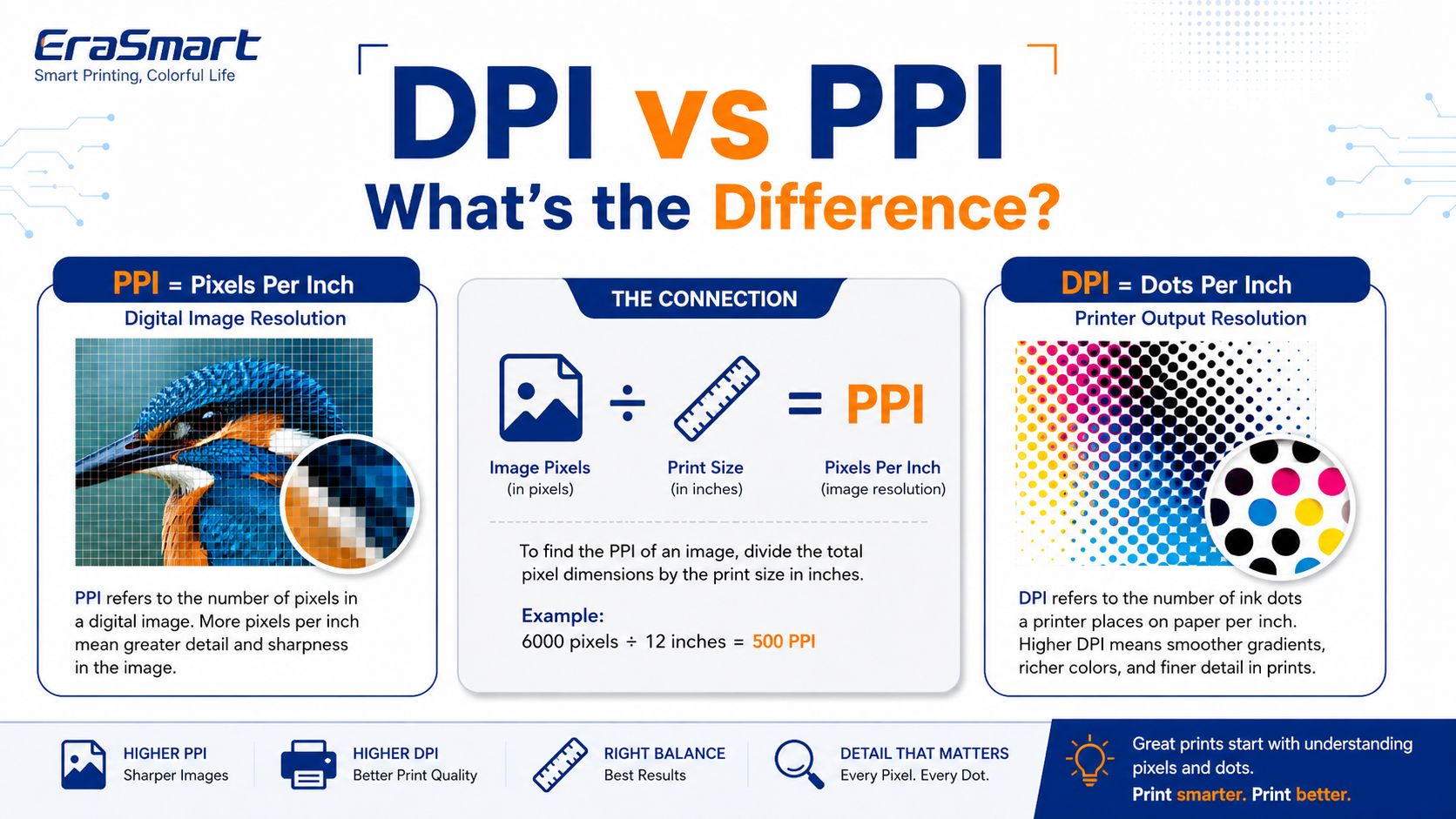
DPI means dots per inch. It describes how many ink dots a printer can place in one inch.
PPI means pixels per inch. It describes how many digital pixels exist in one inch of an image at a defined print size. Adobe explains the PPI calculation simply: image pixels divided by image size in inches equals pixels per inch.
In daily printing conversations, people often say “DPI” when they actually mean “image resolution.” For example, when a customer says “Is this file 300 DPI?” they usually want to know whether the image has enough pixels for the final print size.
For print production, this distinction matters:
PPI tells you whether the image file has enough pixel detail.
DPI describes printer output capability.
Final print size determines whether the file will look sharp or blurry.
A 2000 × 2000 pixel image can look sharp if printed small, but blurry if printed large. The file did not change. The final size changed.

300 DPI became a common print standard because it works well for many close-viewed products, photos, brochures, labels, packaging, and small custom items. At normal viewing distance, 300 DPI usually provides enough detail for the human eye to see a sharp image.
For UV printing businesses, 300 DPI is often enough for:
normal phone case graphics
product logos
placche acriliche
photo gifts
campioni di imballaggio
prodotti promozionali
regali in vetro e metallo
standard stickers and decals
However, 300 DPI only works when the file is prepared at the final print size. A small 300 DPI image cannot be enlarged forever. If the artwork is too small and then stretched, it will still look blurry.
You may need 600 DPI or higher source quality when the design includes very fine details.
Use higher-resolution artwork for:
small typography
Codici QR
barcode labels
fine line art
miniature product labels
detailed illustrations
premium UV DTF decals
confezione cosmetica
small icons
sharp logo edges
close-viewed acrylic and glass gifts
White ink and varnish can make a product look more premium, but they do not fix poor artwork. If the original logo is low-resolution, printing it at a higher machine setting will not turn it into a clean vector-style graphic.
Not every print needs 300 DPI. Large products viewed from a distance can use lower effective resolution.
Per esempio:
large wall signs
exhibition boards
outdoor panels
large display graphics
decorative backdrops
retail posters viewed from several meters away
Epson’s guidance notes that if a print is viewed from far away, slight detail loss is less important; if it is viewed up close, higher resolution is required.
This is why a large sign may still look acceptable at 150 DPI, while a small cosmetic label may need 600 DPI artwork. The customer’s eyes are much closer to the label.

For UV printing, 300 DPI at final size is a good baseline for most products, while 600 DPI or vector artwork is better for small text, sharp logos, QR codes, and premium detail.
UV printing quality depends on:
artwork resolution
printer output resolution
material surface
print height
ink droplet control
white ink layer
varnish layer
pass mode
curing strength
nozzle condition
RIP settings
Many professional UV printers advertise maximum resolutions around 1200–1440 DPI depending on model and configuration.
But maximum machine DPI does not mean every job should be printed at the highest mode. Higher-resolution modes may improve detail, but they can also take more time and use more ink. The right setting should match product value and customer expectation.
| UV Product | Recommended Artwork Resolution |
|---|---|
| Custodie telefoniche | 300–600 DPI |
| Acrylic plaques | 300–600 DPI |
| Regali di vetro | 300–600 DPI |
| Targhette in metallo | 300–600 DPI |
| Segni di legno | 200–300 DPI |
| Campioni di imballaggio | 300–600 DPI |
| Small labels | 600 DPI or vector |
| Large signs | 150–300 DPI |
| Codici QR | Vector or very high resolution |
For textile Stampa DTF, 300 DPI artwork is usually enough for most T-shirt and hoodie designs. Larger apparel graphics are not inspected as closely as small product labels, and fabric texture also affects perceived sharpness.
Use 300 DPI for:
T-shirt graphics
hoodie designs
sportswear logos
full-front apparel prints
fashion graphics
custom merch
Use higher-resolution or vector files for:
small chest logos
sleeve prints
tiny text
sharp brand marks
label-style transfers
detailed illustrations
For apparel, artwork cleanliness matters more than chasing extreme DPI. A clean vector logo will usually print better than a low-quality raster image artificially enlarged to 600 DPI.
UV DTF decals and stickers often need more careful artwork preparation because the products are usually small and viewed up close.
For UV DTF, use:
300 DPI for standard decals and graphics
600 DPI or vector for small text, logo edges, labels, and fine lines
vector files for icons, logos, QR codes, and typography when possible
UV DTF also uses white ink and varnish, so artwork layers should be clean. If the white layer is misaligned or the design edges are rough, the final decal may look less professional.
EraSmart’s UV DTF product direction focuses on decals, labels, cup wraps, gadget skins, and hard-surface transfers, where close-up appearance and edge quality are important. For these products, artwork quality directly affects perceived product value.
Packaging and labels often need higher detail because they include small text, ingredient lists, icons, barcodes, QR codes, brand marks, and fine borders.
Recommended artwork setup:
| Packaging Element | Recommended Setup |
|---|---|
| Main product artwork | 300 DPI |
| Small text | Vector preferred |
| Logo | Vector preferred |
| QR code | Vector or high-resolution black-and-white image |
| Barcode | Vector or barcode-native file |
| Fine border lines | Vector |
| Product photos | 300 DPI at final size |
If your packaging sample will be shown to a client, investor, or retail buyer, do not rely on low-resolution screenshots. Use vector artwork and print-ready files.

Many buyers think higher DPI automatically means better results. In real production, DPI is only one part of print quality.
A sharp print also depends on:
A blurry source image cannot become sharp just because the printer is set to high DPI. Always start with clean artwork.
A file that works for a phone case may not work for a large sign.
Glossy acrylic, coated metal, leather, wood, glass, ceramic, and plastic all show detail differently.
White ink can improve opacity on dark or transparent materials, but poor white-layer setup can reduce edge quality.
Varnish adds gloss and texture, but it should be used carefully around small details.
Pass mode, color profile, layer settings, ink limit, and print direction all affect final results.
Nozzle condition, ink flow, capping station care, and daily cleaning affect print sharpness more than many beginners expect.
Changing a file from 72 DPI to 300 DPI does not automatically add real detail. The pixel dimensions must be large enough for the final print size.
Screenshots are often too low-resolution for product printing, especially for labels, packaging, or UV DTF decals.
300 DPI only means something when connected to final dimensions. A 300 DPI image at 2 inches wide is not enough for a 12-inch product.
Small text should be vector whenever possible.
Highest DPI mode may be slower and unnecessary for basic products. Match the setting to product value.
Use this simple formula:
Required Pixels = Print Size in Inches × Target PPI
Example:
If you want to print a 6-inch wide image at 300 PPI:
6 × 300 = 1800 pixels wide
If you want to print a 6-inch wide image at 600 PPI:
6 × 600 = 3600 pixels wide
Adobe’s PPI explanation uses the same basic logic: pixel dimensions divided by print size equals pixels per inch.
| Final Print Size | 300 PPI File Needed | 600 PPI File Needed |
|---|---|---|
| 2 × 2 in | 600 × 600 px | 1200 × 1200 px |
| 4 × 4 in | 1200 × 1200 px | 2400 × 2400 px |
| 6 × 6 in | 1800 × 1800 px | 3600 × 3600 px |
| 8 × 10 in | 2400 × 3000 px | 4800 × 6000 px |
| 12 × 18 in | 3600 × 5400 px | 7200 × 10800 px |
For logos, text, icons, and QR codes, vector files are usually better than raster files because they scale cleanly.
For EraSmart customers, the best DPI depends on the product category.
| Tipo di prodotto | Recommended File Quality |
|---|---|
| Custom phone cases | 300–600 DPI |
| Acrylic plaques | 300–600 DPI |
| Regali di vetro | 300–600 DPI |
| Metal plates | 300–600 DPI |
| Segni di legno | 200–300 DPI |
| UV DTF decals | 300–600 DPI |
| Cup wraps | 300–600 DPI |
| Cosmetic labels | 600 DPI or vector |
| Campioni di imballaggio | 300 DPI minimum, vector for text |
| T-shirt DTF transfers | 300 DPI for most designs |
| Large signage | 100–300 DPI depending on viewing distance |
The professional approach is not “always use the highest DPI.” The professional approach is: match image resolution, machine setting, material, viewing distance, and product value.

For most close-viewed printed products, 300 DPI at final size is a strong starting point.
For small text, labels, QR codes, fine lines, UV DTF decals, premium packaging, and detailed product graphics, 600 DPI or vector artwork is better.
For large signs or products viewed from a distance, lower effective resolution can still work.
The most important rule is this: a high-DPI printer cannot fix low-quality artwork. Start with clean, correctly sized files, use vector artwork where possible, choose the right printer setting, and match the resolution to the product’s real viewing distance and value.
Need help preparing artwork for UV printing, DTF transfers, or UV DTF decals? Share your product size, material, artwork file type, and expected print result with EraSmart. Our team can help you choose the right resolution, ink layer, print mode, and workflow for professional custom products.
stampante UV
Stampante DTF
Stampante DTG
Macchina per pressione di calore
Stampante pubblicitaria
Forno DTF
Pressa calda
Macchina intagliata
Trasferimento di calore della tazza
Macchina per laminazione
Inchiostro da stampa
Custodia per cellulare
Prodotto di vetro
Fluido di pulizia
Tampone di cotone
WhatsApp : +8618566233796
WeChat : +8618566233796
Mobile : +8618566233796
Web :www.erasmart.com
Negozio:www.erasmartmall.com
Scrivici su WhatsApp
Fornisci solo alcuni dettagli e ti aiuteremo a ottenere citazioni veloci!