
シングル XP600 DTF プリンタとデュアル XP600 DTF プリンタ: どちらのセットアップがあなたのビジネスに適していますか?
シングル XP600 とデュアル XP600 は同じプリントヘッド ファミリを使用できますが、まったく異なる生産目標に対応できます。 最も有用な比較は、「1 つの頭と 2 つの頭」を個別に比較することではありません。プリントヘッド数がどのように機能するかです 機械のプラットフォーム、生産量、納期の予想、メンテナンスのルーチン、および成長計画。
簡単な回答
単一の XP600 セットアップを選択してください コンパクトな A3 制作プラットフォームが必要な場合は、初期値を低くしてください 中程度の注文量に対する投資と簡単な毎日のワークフロー。
デュアル XP600 セットアップを選択してください 定期的な注文の場合、納期が短縮され、継続的に注文が継続される場合 生産により、追加のプリントヘッド容量が貴重になります。
- 2 つの XP600 プリントヘッドで可能 ない 自動的に印刷幅が 2 倍になることを意味します。
- 2 つのプリントヘッドが行う ない 自動的に正確に 2 倍の速度を意味します。
- 印刷品質は、人数だけではなく、ワークフロー全体に依存します。
- 利用可能な印刷幅はマシンのプラットフォームによって決まります。
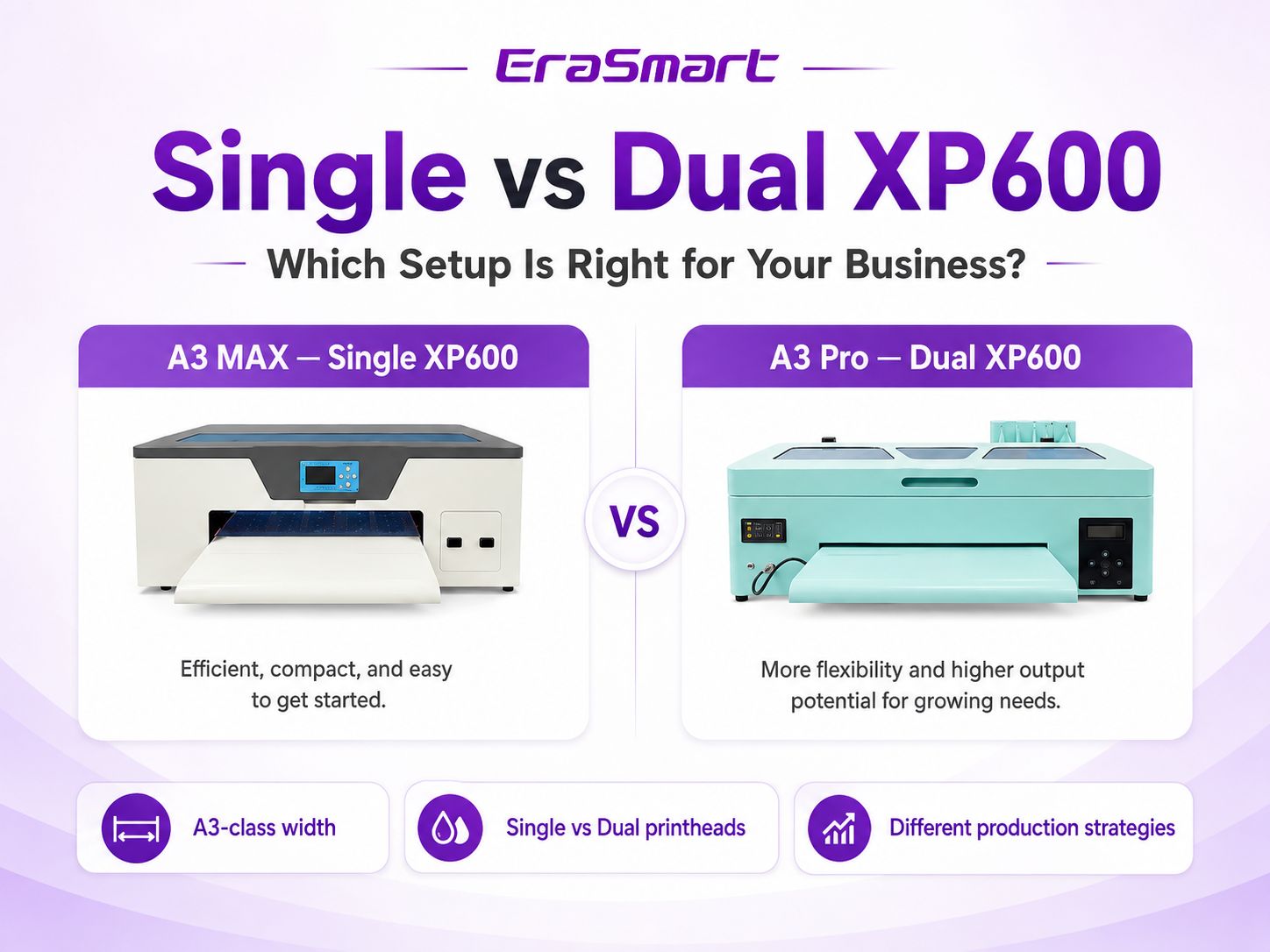
2 番目の XP600 プリントヘッドを追加すると実際に何が変わりますか?
2 番目のプリントヘッドにより、生産能力と、プリンタが印刷タスクを分割する方法が変わります。再定義はしません マシンのあらゆる仕様。幅、メディアの取り扱い、インク管理、シャーシの設計は依然として プラットフォーム自体。
1シングル XP600
シングルヘッド マシンには 1 台の XP600 が印刷作業を実行します。小さな店にとって、それは利点になる可能性があります: ヘッド関連のコンポーネント、メンテナンス ルーチンの簡素化、エントリ ポイントの削減。
- スタートアップや小規模スタジオの制作に最適
- 注文が安定しているが、常に列に並んでいるわけではない場合に適しています
- ヘッドのメンテナンスとモニタリングがより簡単に
- システムの複雑さが軽減された低容量のワークフロー
2デュアルXP600
デュアルヘッド マシンは 2 つの XP600 プリントヘッドを使用します。プリンタの設計に応じて、カラー チャネルと白チャネルを使用できます。 生産効率を高め、成長する工場の生産能力を高めるために 2 つのヘッドに割り当てられます。
- 定期的な注文や一括注文に適しています
- 持続的な生産のためのヘッド容量の増加
- 納期により販売が制限され始める場合に役立ちます
- より一貫したメンテナンス規律が必要
A3 MAX シングル XP600 と A3 Pro デュアル XP600
現実世界の比較に役立つのは、EraSmart の比較です。 A3 MAX シングル XP600 対 A3プロデュアルXP600。 どちらも A3 クラスの DTF プラットフォームであるため、購入の決定は、より幅広いフォーマットへの移行ではなく、主に制作戦略に基づいて行われます。
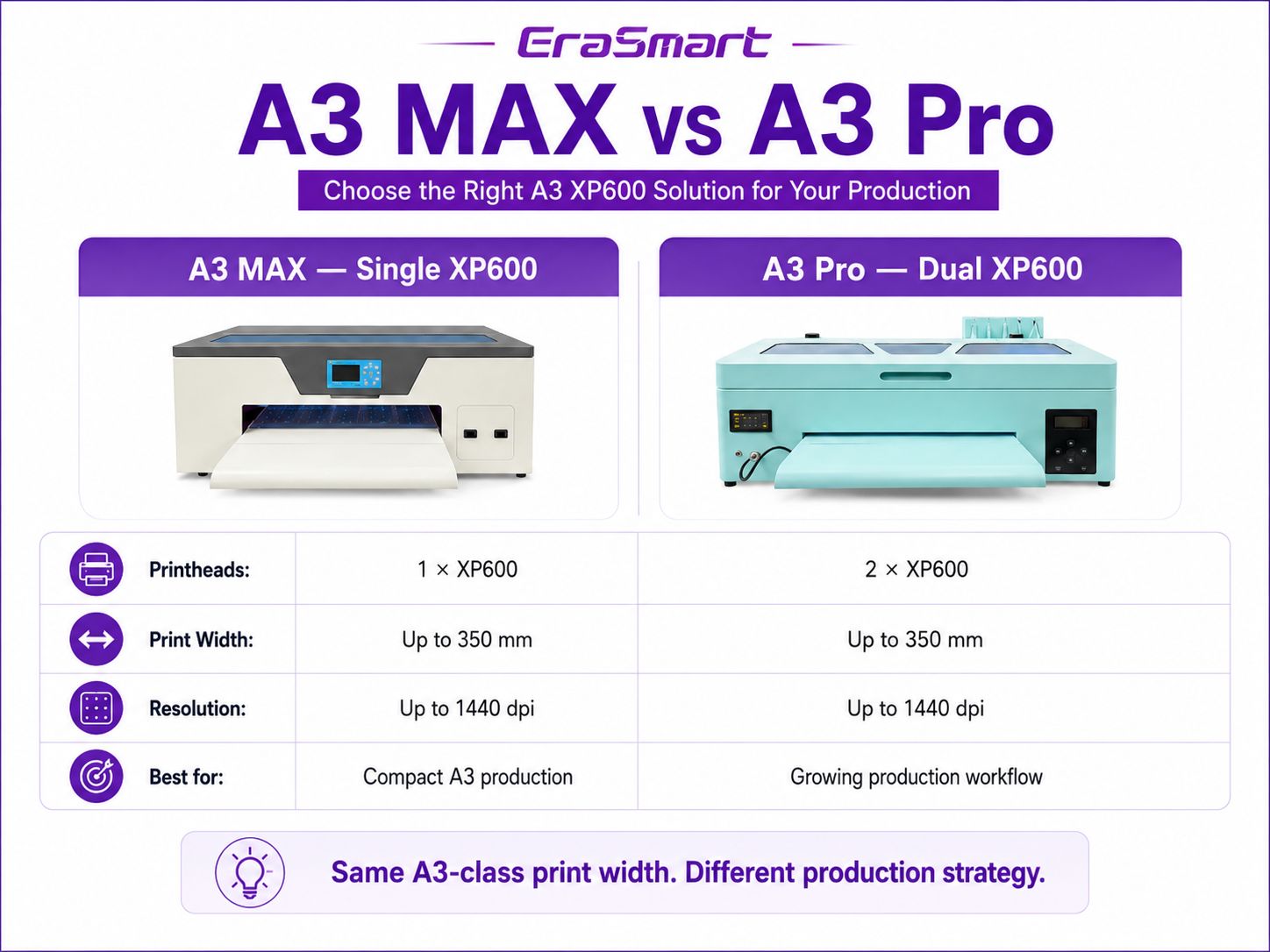
| 購入要因 | A3 MAX — シングル XP600 | A3 Pro — デュアル XP600 |
|---|---|---|
| プリントヘッドの構成 | 1×XP600 | 2×XP600 |
| 最大印刷幅 | 350mmまで | 350mmまで |
| 解決 | 最大1440dpi | 1440dpi |
| ワークフローの重視 | コンパクトなA3制作 | A3 生産能力の向上 |
| ベストフィット | スタートアップ、POD 販売者、小規模スタジオ | 成長するショップ、定期的な注文、バッチ作業 |
| メンテナンス需要 | 1 つのヘッドで監視および保守が可能 | 2 つのヘッドにはより多くのメンテナンスが必要です |
実際の出力は、アートワーク、パス モード、RIP 設定、インク構成、および動作条件によって異なります。
デュアル XP600 はより広い DTF プリンタを意味しますか?
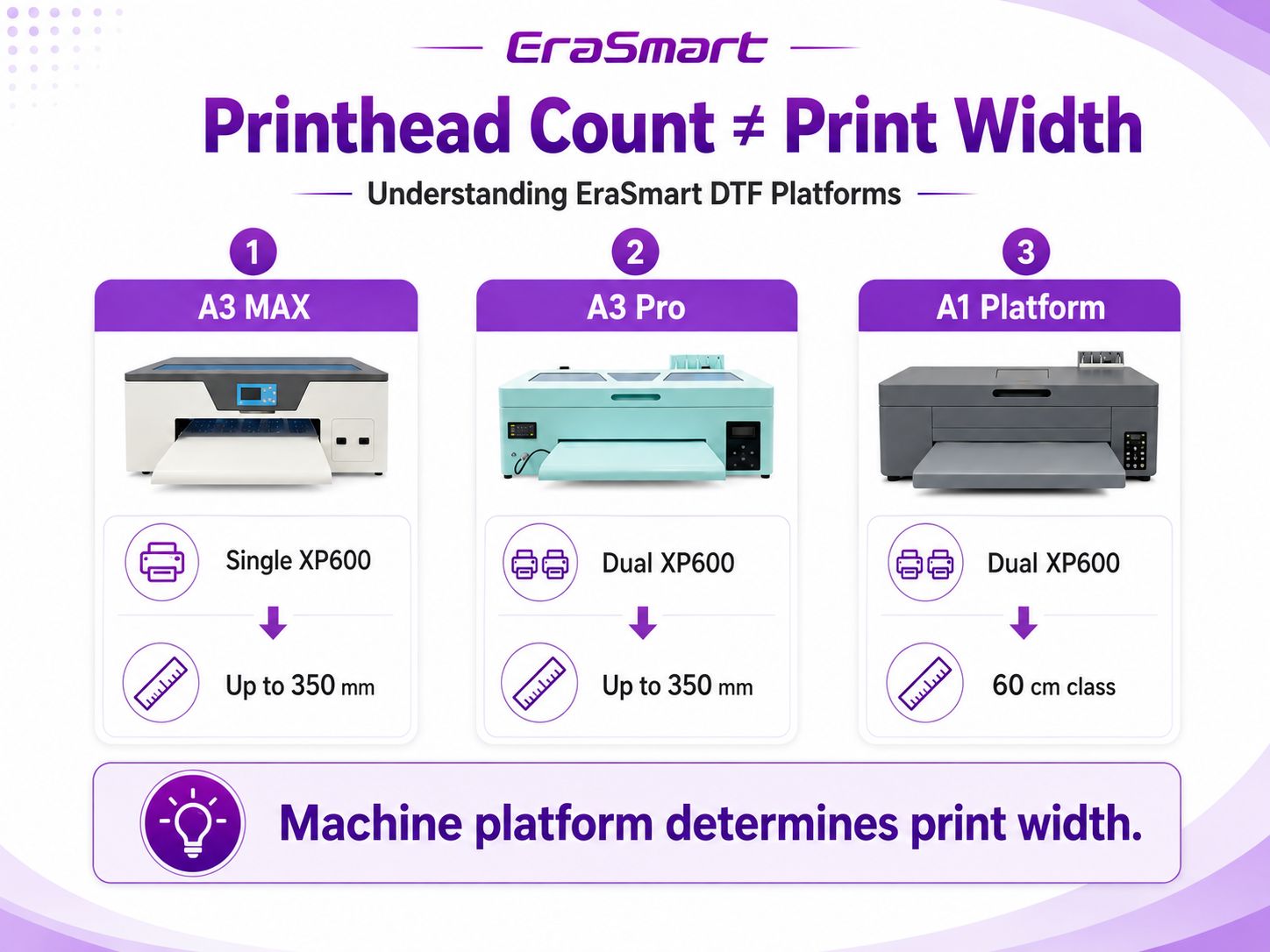
いいえ、これは購入プロセスにおける最も重要な違いの 1 つです。プリントヘッド数は何個かを表します プリントヘッドが取り付けられている。印刷幅は、マシン プラットフォームがメディアと印刷を処理できる幅を表します。 これらは、プリンタ設計のさまざまな部分に関連しています。
EraSmart の A3 シリーズでは、A3 MAX Single XP600 と A3 Pro Dual XP600 は両方とも最大 350 mm の印刷幅をサポートします。 要件が 60 cm クラスの DTF ワークフローである場合は、A1 プラットフォームを前提とするのではなく、A1 プラットフォームを比較する必要があります。 デュアル XP600 モデルは自動的にワイドフォーマットになります。
デュアル XP600 は印刷速度が 2 倍になることを意味しますか?
必ずしもそうとは限りません。プリントヘッド数を 2 倍にしても、単純な「速度 2 倍」の計算式は作成されません。実際のスループットが影響を受ける パス数、RIP 構成、白インク戦略、キャリッジの動き、アートワークの範囲、メディアの処理、および プリンターの全体的なプラットフォーム設計。
デュアルヘッドの実際的な利点は、次のように説明するのが適切です。 生産能力の向上と柔軟性の向上 持続的な作業負荷の下で。ジョブがキューに入っている場合、顧客が短いリードタイムやショップを期待している場合、それは重要です 一日中バッチを生産する必要があります。
継続的な注文待ち行列のない新しいショップの場合、未使用の容量は追加の利益を生み出さない可能性があります。成長するお店のために、 ただし、印刷幅よりも前に、生産能力がボトルネックになる可能性があります。
ワークフローの変化: 小規模バッチと定期的な生産
この場合、個別の仕様を比較するよりも、シングルかデュアルかを決定する方が役立ちます。
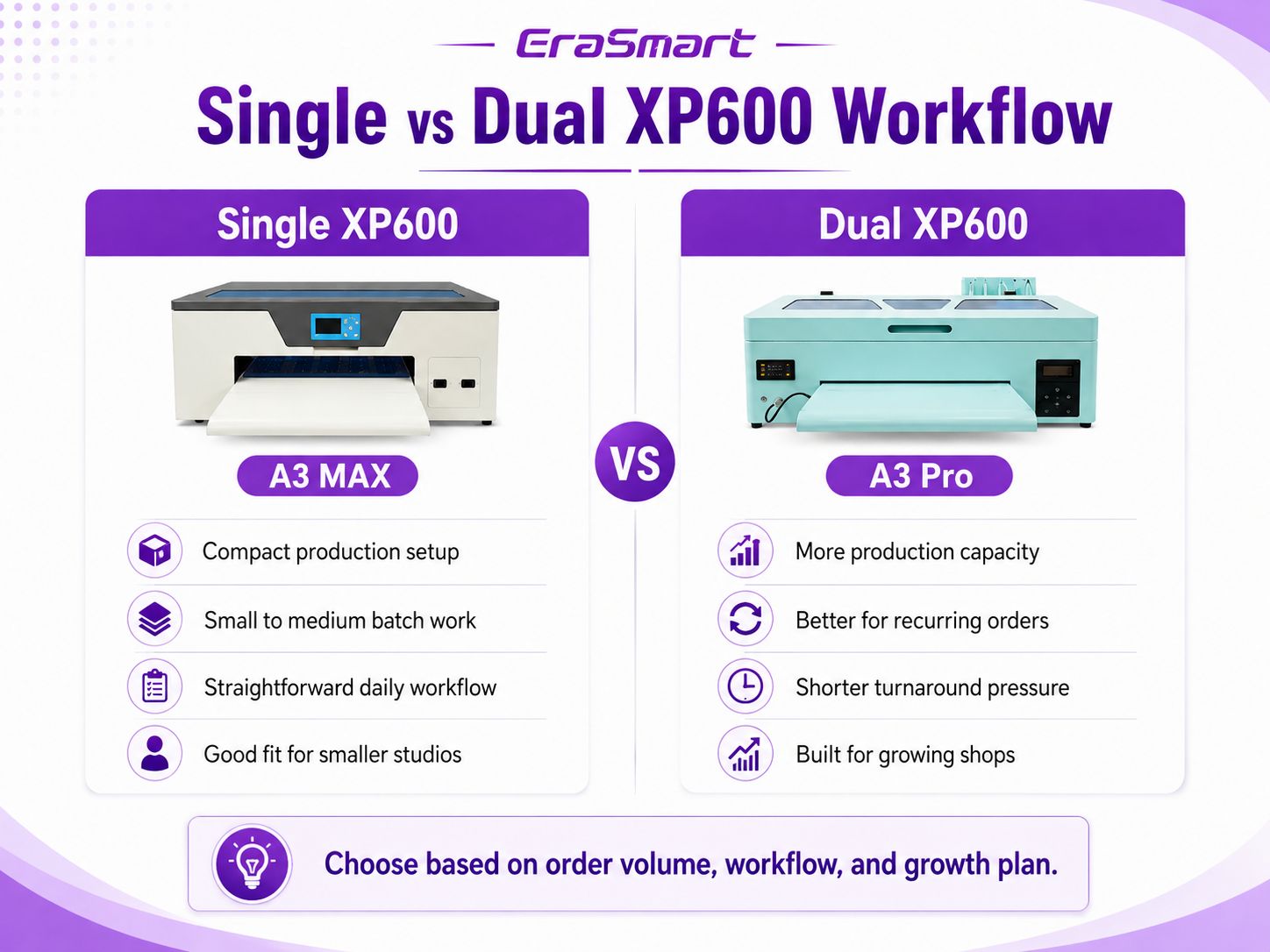
単一の XP600 ワークフロー
シングルヘッドセットアップをコンパクトな生産ステーションとして考えてください。注文が管理可能な範囲で到着するとうまく機能します バッチとオペレーターは、最大の生産能力よりも単純なルーチンを重視します。
- カスタム T シャツと POD の起動オーダー
- アパレルの短納期とパーソナライズされたアイテム
- 一人または無駄のないチームによる生産
- 企業はまだ需要を検証中
デュアル XP600 ワークフロー
印刷が一時的なジョブではなく、定期的に行われるジョブになると、デュアルヘッド セットアップがさらに魅力的になります。 生産タスク。遅延が発送時間や売上に影響を及ぼし始めると、生産能力がより重要になります。
- 通常の電子商取引の注文キュー
- アパレルやイベントグッズのバッチ販売
- リピート顧客の仕事の頻度が増える
- 一日の販売量の増加に向けて準備を進めている店舗
プリンター単体ではなく、生産チェーン全体を調べたい場合は、 DTF 制作ワークフロー ガイド。
印刷品質: Dual XP600 は自動的に優れていますか?
いいえ、人数は単純な印刷品質のランキングではありません。 A3 MAX と A3 Pro はどちらも高解像度 DTF 用に設計されています 出力。最終的な転写の品質は、アートワークの準備、カラー管理、白インクの濃度、PET フィルム、 ホットメルトパウダー、硬化、ヒートプレス設定、日常的なプリンターの状態。
デュアルヘッド構成により生産の柔軟性が高まりますが、期待するだけでデュアルヘッドを購入することはできません。 明らかに鮮明なグラフィックスは間違った判断基準です。画像の詳細が気になる場合は、解像度を評価してください。 RIP ワークフロー、インクの動作、および完全な転送プロセスの品質。
メンテナンスと運用の複雑さ
DTF プリンタは顔料を豊富に含む白インクで動作するため、どちらの構成でもメンテナンスの規律が重要になります。の 違いは、デュアルヘッド マシンには、監視、クリーニング、および良好な動作状態を維持するための 2 つのプリントヘッドがあることです。
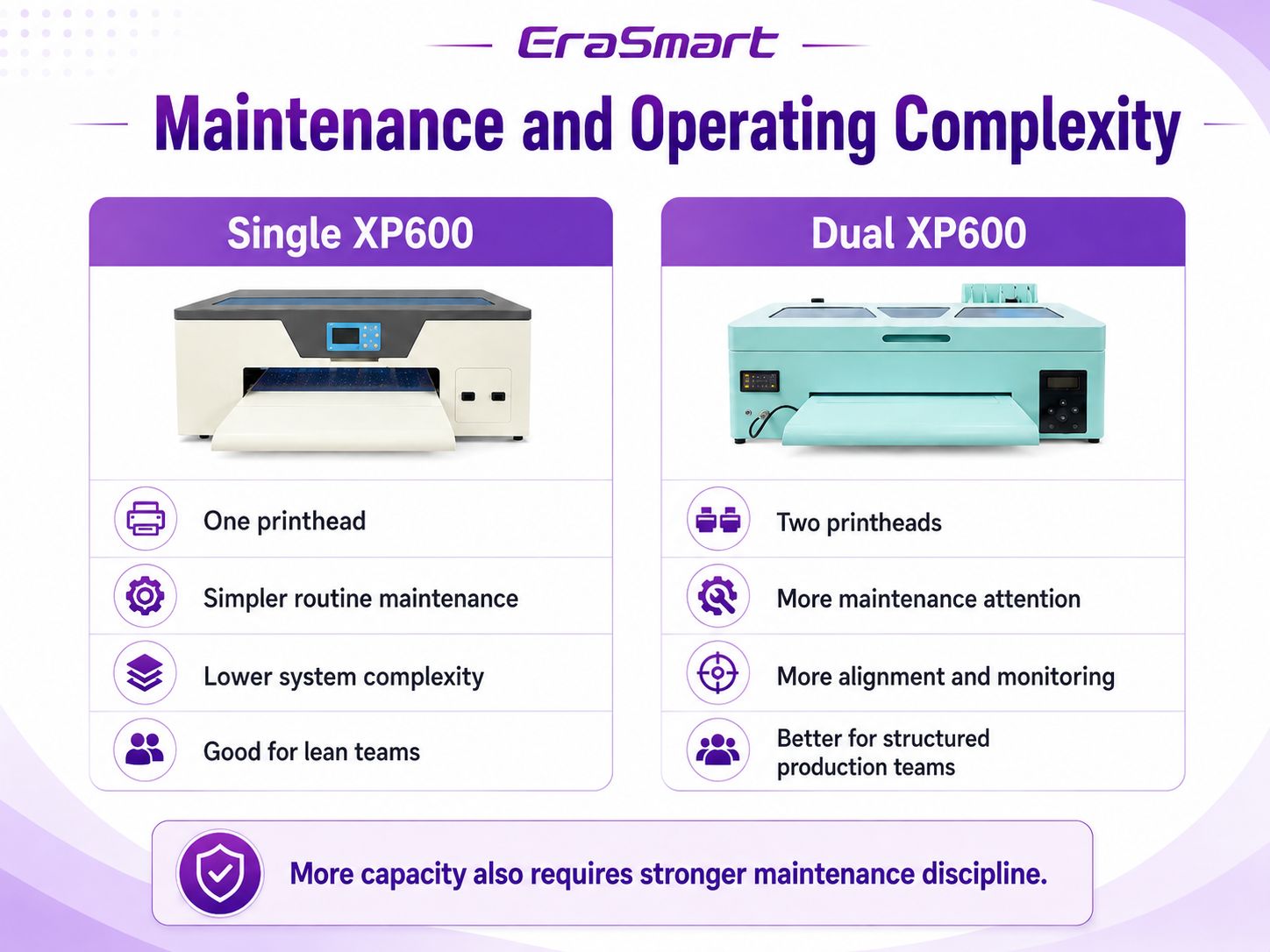
XP600 1 台の場合
- 注目すべきプリントヘッド関連コンポーネントが少ない
- 初めてのオペレーターのためのより簡単なルーチン
- ヘッド関連の問題のトラブルシューティングにおける複雑さの軽減
XP600 ヘッド 2 個付き
- 定期的な注意が必要なヘッドコンポーネントが増加しました
- アライメントと一貫したメンテナンスがより重要になる
- 体系化された生産ルーチンに従うことができるユーザーに最適
実際のメンテナンス スケジュールについては、 EraSmart DTF メンテナンスガイド。
あなたのビジネスに適した XP600 セットアップはどれですか?
どの構成が「優れている」かを問うのではなく、どちらがビジネスにおける最大の制約を取り除くかを考えてください。
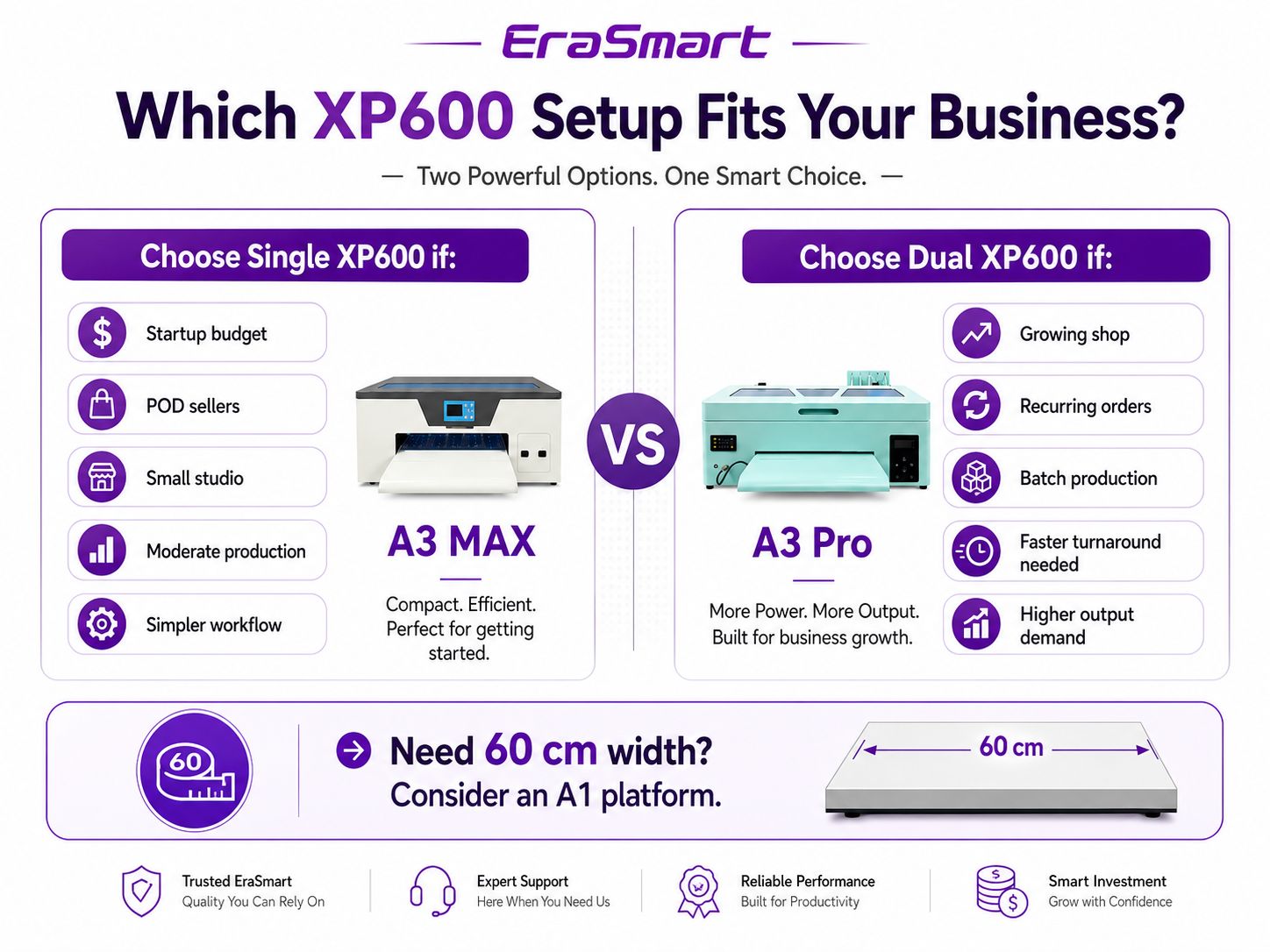
A3 MAX は次の場合に理にかなっています...
- 小規模な POD 操作を開始または拡張しています。
- 現在の注文量では、継続的な印刷は必要ありません。
- あなたは、コンパクトな A3 セットアップと簡単な日常メンテナンスを重視しています。
- 初期設備投資を低く抑えたいと考えています。
- 容量を拡張する前に、DTF プロセスを学習する余地が必要です。
A3 Pro は次のような場合に理にかなっています...
- すでに定期的な注文や予測可能な生産量があります。
- ターンアラウンドタイムはビジネス上の制約になりつつあります。
- 1 回限りのジョブではなく、バッチを頻繁に印刷します。
- より幅広いプラットフォームに移行せずに、より多くの A3 生産能力が必要です。
- チームは、より構造化されたメンテナンス ルーチンをサポートできます。
A3 をスキップして 60 cm A1 プリンタに移行する必要があるのはどのような場合ですか?
場合によっては、答えが A3 MAX でも A3 Pro でもない場合もあります。ビジネス要件がより広範なギャングシートによって推進される場合、 より大きなプロダクション ロールまたは 60 cm クラスのワークフローを使用している場合、A1 プラットフォームに移行することは、A1 プラットフォームとは異なるアップグレード パスです。 XP600 ヘッドをもう 1 つ追加するだけです。
プラットフォームが広いと、ギャングシートの配置方法、メディア全体に収まる転送数、プリンターの動作方法が変わります。 より大きなパウダーシェーカーシステムと統合します。これはプラットフォームの決定であり、シングルヘッドかデュアルヘッドかの決定ではありません。
購入前に尋ねるべき7つの質問
より広範な購入フレームワークについては、 DTF プリンター購入チェックリスト。
よくある質問
デュアル XP600 DTF プリンタは、シングル XP600 の 2 倍の速度ですか?
いいえ。プリントヘッドを 2 つ使用すると生産能力が向上しますが、実際のスループットはプリンタ プラットフォーム、パス モード、RIP 設定、インク構成、アートワーク、およびメディアの処理によって異なります。
デュアル XP600 とは、印刷幅 600 mm を意味しますか?
いいえ。プリントヘッド数と印刷幅は別の仕様です。 EraSmart A3 MAX Single XP600 および A3 Pro Dual XP600 は、どちらも最大幅 350 mm です。 60cmクラスのワークフローにはA1プラットフォームが必要です。
デュアル XP600 の印刷品質は優れていますか?
自動的ではありません。従業員数は主に生産能力によって決まります。最終的な品質は、解像度、RIP セットアップ、インク、フィルム、白下地、硬化、プレス、メンテナンスによって決まります。
小規模な DTF ビジネスには 1 台の XP600 で十分ですか?
多くのスタートアップ、POD 販売者、小規模スタジオにとってはそうです。 1 日あたりの生産量とターンアラウンド要件が中程度の場合、単一の XP600 A3 セットアップが実用的な開始点となります。
いつデュアル XP600 にアップグレードする必要がありますか?
定期的な注文、バッチ作業、約束されたリードタイムの短縮により、より多くの生産能力が常に必要になる場合は、デュアル XP600 を検討してください。
A3 MAXとA3 Proの印刷幅は同じですか?
EraSmart の現在の A3 ラインナップでは、どちらも最大 350 mm の印刷幅に指定されています。ここでの主な違いは、シングル XP600 構成とデュアル XP600 構成、およびそれがサポートする生産戦略です。
代わりに A1 DTF プリンタを選択する必要があるのはどのような場合ですか?
60 cm クラスのメディア幅、より大きなギャング シート、または大量のロール生産が主要な要件である場合は、A1 プラットフォームを選択してください。これは、単にプリントヘッド数の決定ではなく、幅とプラットフォームの決定です。
シングル XP600、デュアル XP600、または A1 のどれが必要かわかりませんか?
EraSmart に、予想される注文量、希望する印刷幅、ワークスペース、成長計画を伝えてください。比較のお手伝いをいたします まずマシンのプラットフォームを選択し、次に生産に適したプリントヘッド構成を選択します。