Производитель малогабаритных планшетных струйных принтеров

86-18566233796 [email protected]

Блог What Is UV Ink? How It Works, Types, Benefits and Applications

What Is UV Ink? How It Works, Types, Benefits and Applications

July 21, 2026 Блог

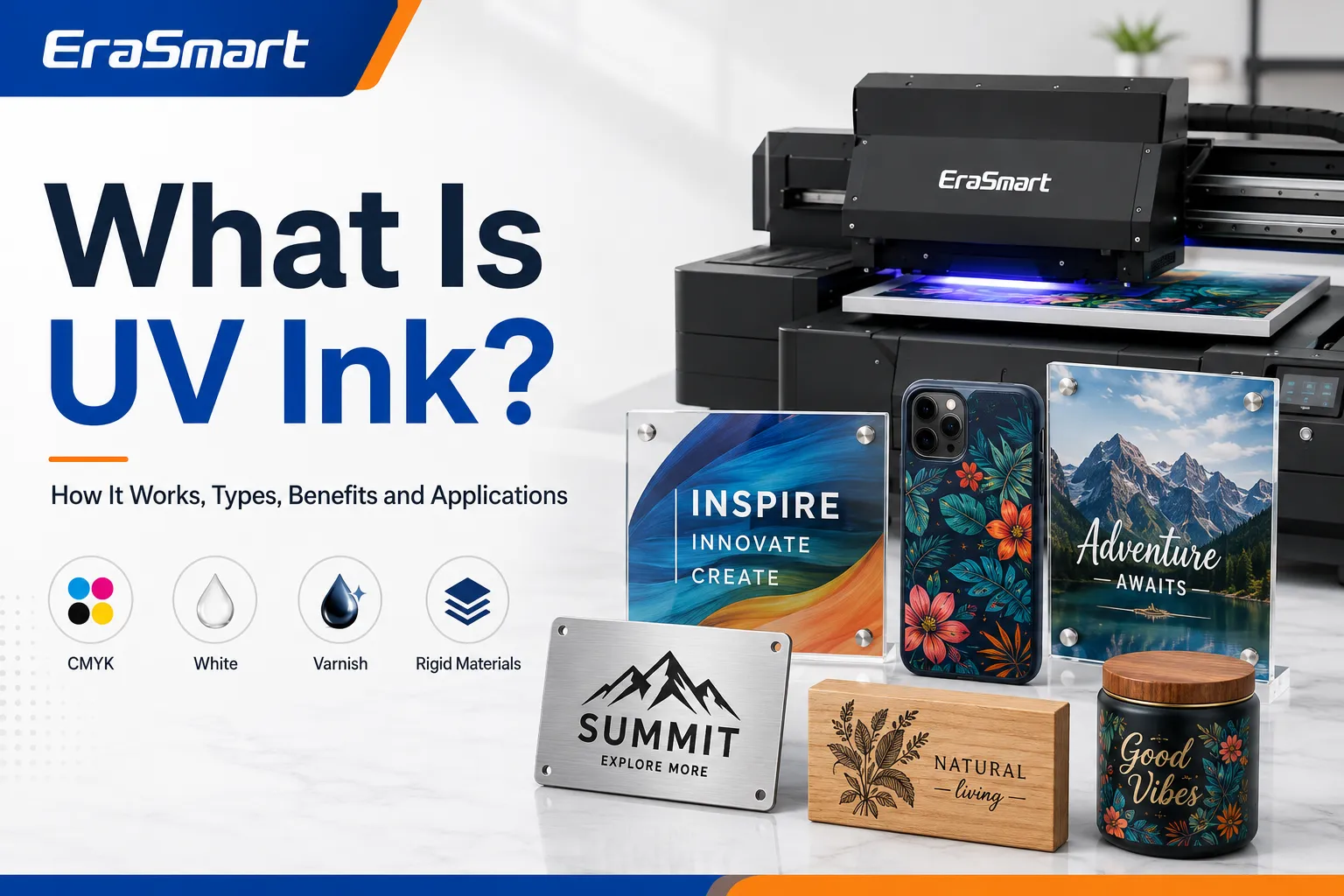
UV ink is a specialized digital printing ink that cures when exposed to ultraviolet light.

Unlike ordinary aqueous or solvent-based ink, UV ink does not rely mainly on absorption or long evaporation times. A compatible UV printer applies the ink directly to the product surface and uses built-in UV LED lamps to cure the printed layer during production.

This printing method makes it possible to decorate many rigid, coated and non-porous products, including:

  • Акриловые знаки
  • Чехлы для телефонов
  • Металлические пластины
  • Wood panels
  • Стеклянные изделия
  • Plastic promotional items
  • Ceramic gifts
  • Product packaging
  • Клавицы
  • Custom labels

Modern UV printing systems may combine CMYK color ink with white ink, clear varnish and, on selected machines, primer. These additional channels allow businesses to print on transparent and dark materials, produce spot-gloss effects and create raised or textured designs.

However, UV ink is not a universal ink that can be used in any printer. The ink must be compatible with the printer, printhead, ink-delivery system, UV curing lamps, RIP software and intended printing materials.

This guide explains what UV ink is, how it works, the main UV ink types, suitable materials, advantages, limitations, maintenance requirements and how to choose the right ink system.

UV Ink at a Glance

ЭлементUV ink characteristics
Метод отвержденияUV LED light
Standard colorsCyan, magenta, yellow and black
Specialty channelsWhite, varnish and primer
Primary applicationsHard and coated products
Common materialsAcrylic, glass, metal, wood and plastic
Метод печатиDirect surface printing
Drying requirementNo separate air-drying stage
Main advantageFast curing and broad product range
Основное ограничениеAdhesion varies between materials
Необходимое оборудованиеCompatible UV printer

For a complete overview of UV printer structures, workflows and applications, see the EraSmart UV printer complete guideПолем

How Does UV Ink Work?

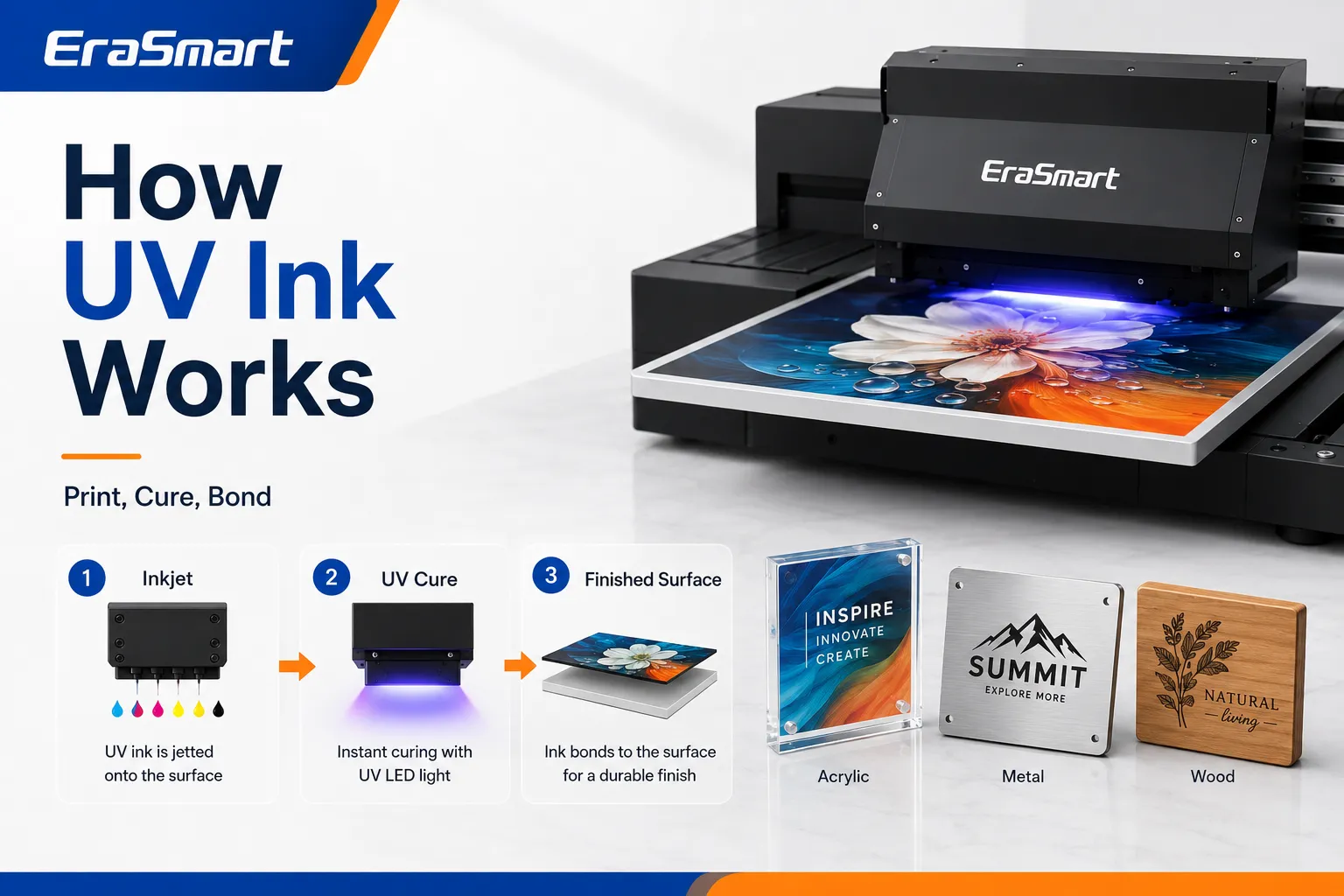
A UV printer uses inkjet printheads to place extremely small droplets of liquid UV ink directly onto the product surface.

The printer’s UV LED lamps then expose the ink to ultraviolet energy. This starts a curing reaction that changes the liquid ink into a fixed printed layer.

A typical UV printing workflow includes:

  1. Preparing the artwork in design or RIP software
  2. Cleaning and positioning the product
  3. Setting the print height and printing parameters
  4. Printing CMYK, white or varnish layers
  5. Curing the ink with UV LED light
  6. Inspecting adhesion, color and surface finish
  7. Removing the finished product from the printer

Because curing happens during printing, products can usually move to inspection, packing or further processing without waiting for a long drying period.

UV curing is different from ordinary ink drying

Traditional ink may dry through:

  • Absorption into paper
  • Water evaporation
  • Solvent evaporation
  • External heating

UV-curable ink behaves differently. It remains mainly on the material surface and becomes a solid ink layer when exposed to the printer’s UV light.

This surface-printing process helps produce:

  • Sharp text
  • Мелкие детали
  • Dense colors
  • White underlayers
  • Gloss highlights
  • Raised textures
  • Multilayer graphics

The final result still depends on the printer settings, lamp output, ink formulation, layer thickness and substrate.

What Is UV Ink Made Of?

UV ink is a carefully formulated chemical system rather than a simple mixture of pigment and water.

Its exact composition varies by manufacturer and ink model, but the main components generally include the following.

Пигменты

Pigments create the visible color.

Standard UV printers commonly use:

  • Голубой
  • Пурпурный
  • Желтый
  • Черный

Depending on the machine configuration, additional colors may include:

  • Белый
  • Light cyan
  • Light magenta
  • красный
  • Orange
  • Прозрачный лак

Reactive monomers and oligomers

These components help create the cured ink film.

They can influence:

  • Адгезия
  • Hardness
  • Гибкость
  • Устойчивость к царапинам
  • Surface texture
  • Chemical resistance
  • Gloss level

Фотоинициаторы

Photoinitiators respond to ultraviolet energy and help begin the curing reaction.

The ink formulation and UV lamp system must work together. An ink designed for one printer should not automatically be considered compatible with another UV system.

Functional additives

Additives may be used to control:

  • Вязкость
  • Поверхностное натяжение
  • Поток чернил
  • Стабильность хранения
  • Wetting behavior
  • Адгезия
  • Блеск
  • Curing performance

Small differences in formulation can significantly affect printhead performance and substrate adhesion.

Main Types of UV Printer Ink

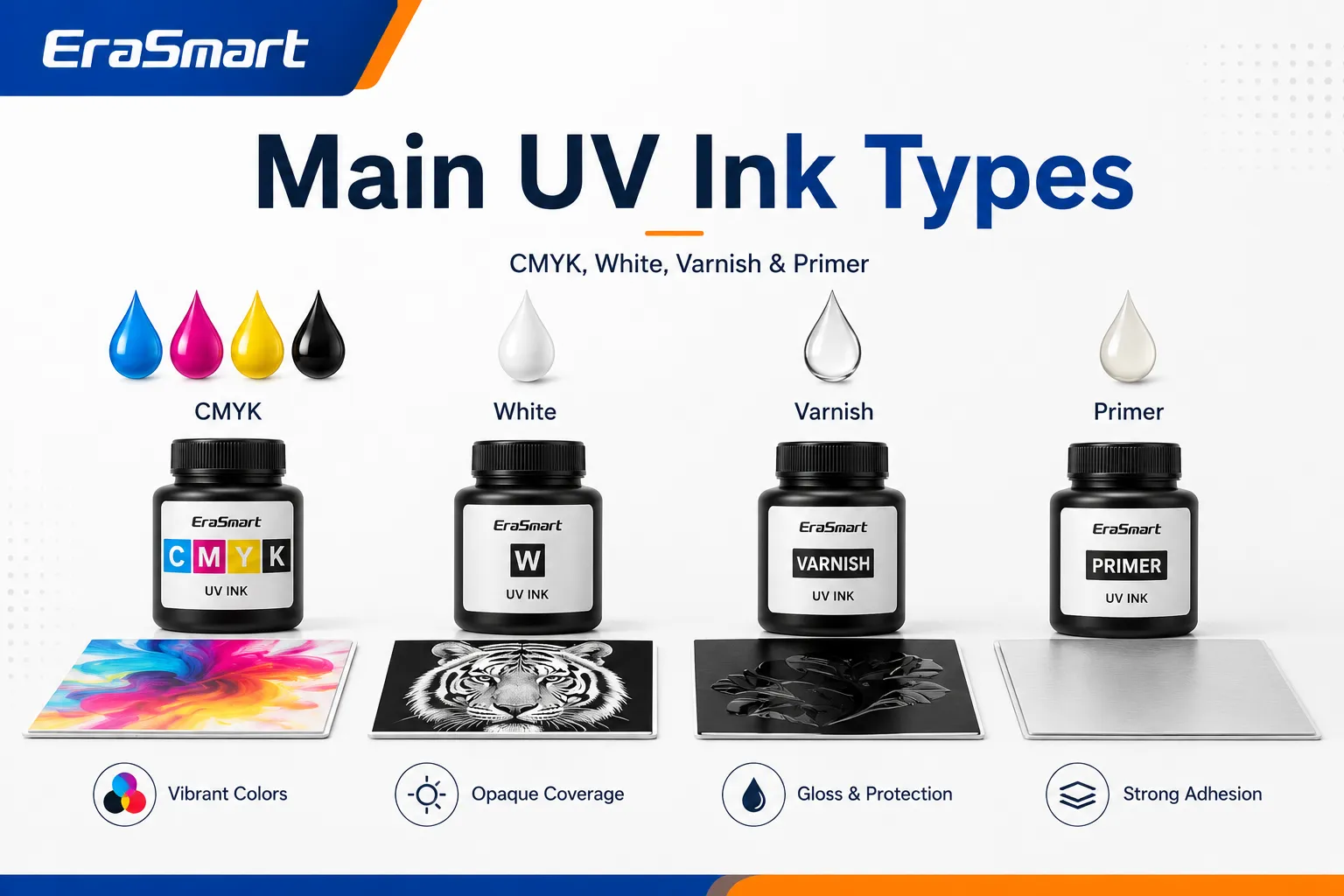
A UV printer may use several different ink channels, each performing a specific function.

CMYK UV Ink

CMYK ink creates the main color image.

The four standard channels are:

  • Голубой
  • Пурпурный
  • Желтый
  • Черный

They are used to reproduce:

  • Logos
  • Photographs
  • Illustrations
  • Product labels
  • Decorative patterns
  • Текст
  • Packaging graphics

The final appearance depends on more than the CMYK values in the artwork. It can also be affected by:

  • Substrate color
  • Surface texture
  • Подложка с белыми чернилами
  • RIP-профиль
  • Разрешение печати
  • Number of passes
  • Ink density
  • Curing settings

Printing the same image on white acrylic, clear acrylic and dark metal can therefore produce different results.

Белые УФ-чернила

White ink is one of the most valuable capabilities of a UV printer.

It allows the printer to produce visible designs on:

  • Transparent acrylic
  • Стакан
  • Dark plastic
  • Colored metal
  • Древесина
  • Dark promotional products

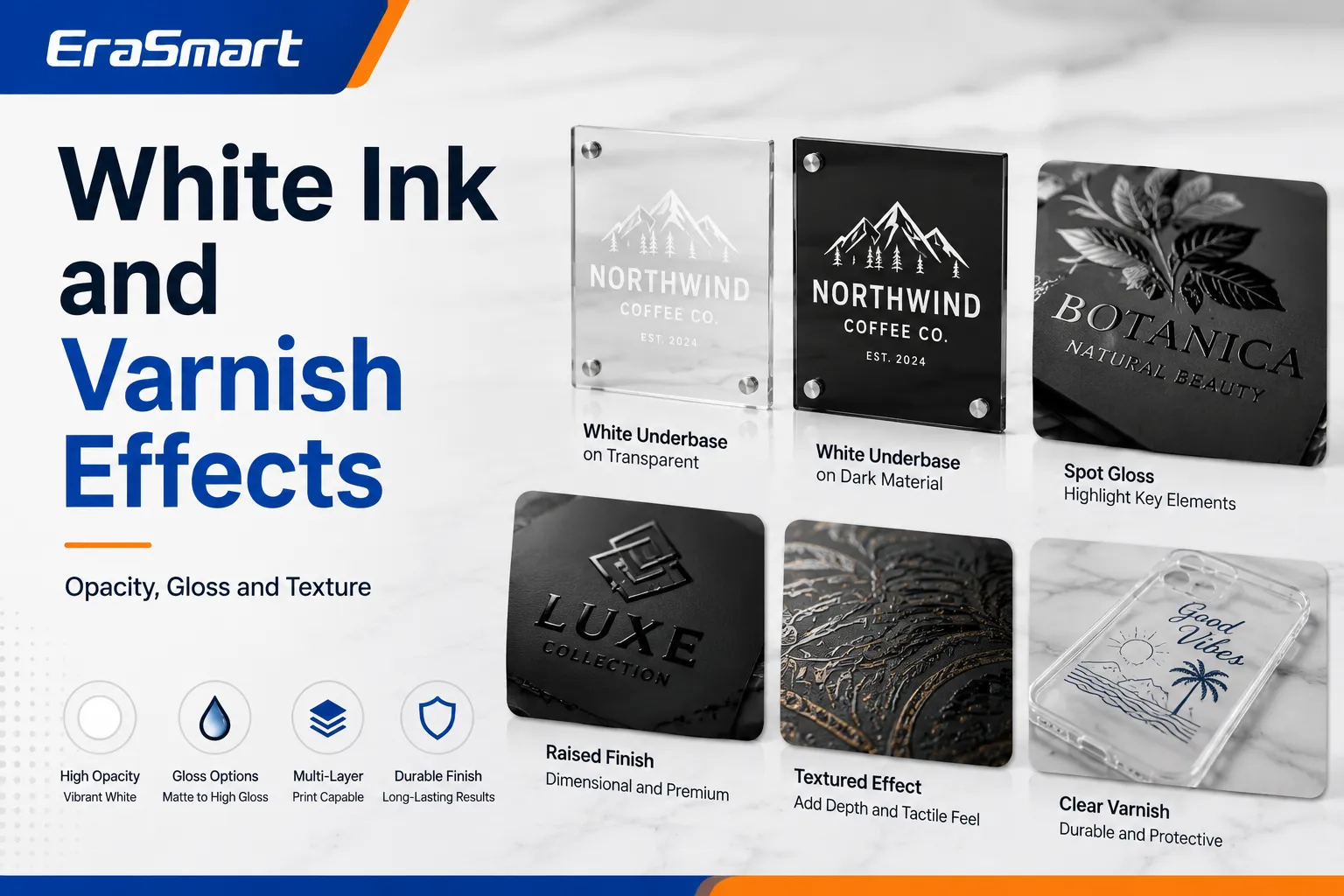
White ink can be used in several ways.

Белое основание

A white layer is printed beneath CMYK to prevent the substrate color from changing the appearance of the design.

This is particularly useful for:

  • Black phone cases
  • Цветной акрил
  • Dark wood
  • Металлические изделия
  • Transparent materials

White backing layer

When printing on the back of transparent acrylic or glass, white ink can be printed behind the color image to improve opacity and visibility from the front.

Standalone white graphics

White ink may also be printed independently for:

  • White logos
  • Текст
  • Decorative patterns
  • Frosted-style effects
  • Minimalist product designs

Multilayer printing

Some UV workflows use several layers, such as:

  • Color + white
  • White + color
  • Color + white + color
  • White + color + varnish

The correct layer order depends on how the finished product will be viewed.

For a deeper explanation of these channels, read the EraSmart UV ink guide for CMYK, white and varnishПолем

Clear Varnish Ink

Varnish is a transparent UV-curable ink used to change the appearance and texture of selected print areas.

It can create:

  • Spot-gloss effects
  • Raised logos
  • Simulated embossing
  • Textured patterns
  • Decorative highlights
  • Tactile lettering
  • Premium product finishes

Varnish is normally printed as an additional layer rather than replacing CMYK or white ink.

The quality of a varnish effect depends on:

  • Подготовка работы
  • Number of printed layers
  • Curing performance
  • Material height
  • Состояние сопла
  • RIP print mode

Raised varnish effects may require multiple passes, which increases production time and ink consumption.

Праймер

Primer is a clear adhesion-support layer that can improve UV ink bonding on selected difficult surfaces.

It may be useful for:

  • Стакан
  • Металл
  • Smooth plastic
  • Керамика
  • Coated promotional products
  • Other low-adhesion materials

Primer can sometimes be applied manually, while selected UV printers support primer as an ink channel.

However, primer does not make every material automatically printable. The product still needs to be:

  • Чистый
  • Сухой
  • Properly positioned
  • Compatible with the primer
  • Tested before full production

Always perform an adhesion test before accepting a large order.

Hard UV Ink vs Flexible UV Ink

UV inks may also be classified according to the flexibility of the cured ink layer.

Hard UV ink

Harder formulations are generally intended for rigid products that do not bend significantly.

Typical applications include:

  • Acrylic panels
  • Металлические пластины
  • Wood boards
  • Стакан
  • Керамическая плитка
  • Rigid plastic products

Potential advantages include:

  • Firm surface
  • Sharp detail
  • Good scratch resistance
  • Strong decorative finish

The limitation is that the ink layer may crack if the product bends or flexes beyond the ink’s capability.

Flexible UV ink

Flexible formulations are designed to tolerate more movement.

Possible applications include:

  • Flexible plastic
  • Фильмы
  • Leather-like products
  • Изогнутые предметы
  • Products with minor bending

Flexible UV ink is still not normally the first choice for stretch garments. Apparel-focused production is generally better suited to DTF or DTG technology.

See the comparison between UV printers and DTF printers when deciding between hard-product and textile printing.

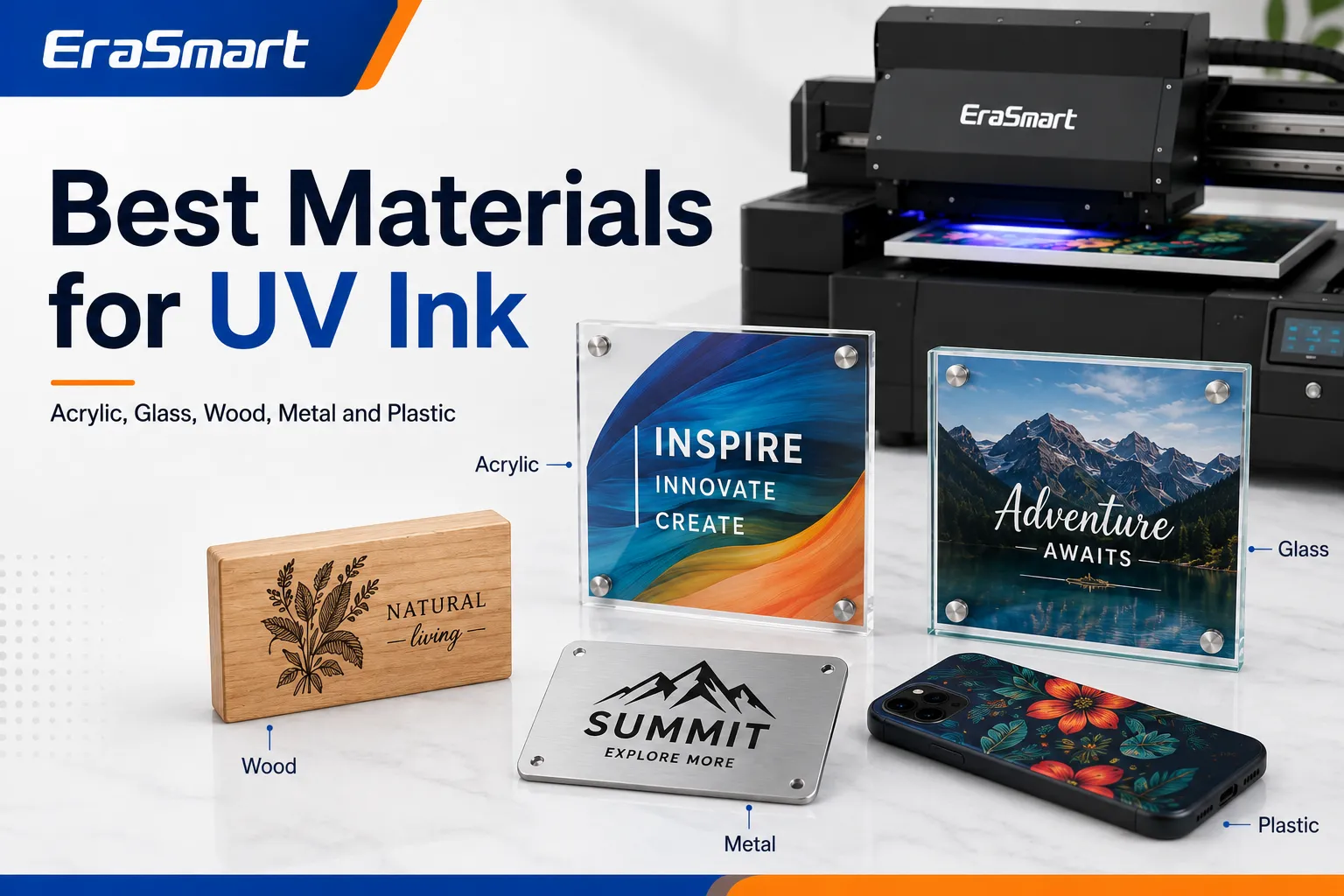
What Materials Can UV Ink Print On?

UV printing supports a broad range of products, but material compatibility should always be tested.

МатериалОбщие продуктыMain consideration
АкрилSigns, photo blocks, awardsWhite ink may be required
СтаканDecorative panels and giftsPrimer may improve adhesion
МеталлNameplates, signs and cardsRemove oil and contamination
ДревесинаOrnaments, signs and décorGrain affects print appearance
ПластикPhone cases and promotional itemsPlastic chemistry varies
КерамикаTiles and coated productsPerform adhesion testing
Leather-like materialsWallets, covers and accessoriesCheck flexibility
ПВХCards, signs and displaysConfirm ink compatibility
CardboardОбразцы упаковкиSurface coating affects adhesion
Coated productsПодарки на заказCoating quality is critical

The phrase “UV printing works on almost anything” should be treated carefully. A material may physically fit inside the printer but still have poor ink adhesion.

For more detailed substrate guidance, read the EraSmart UV printer materials guideПолем

Акрил

Acrylic is one of the most popular UV printing materials.

Его можно использовать для:

  • Business signs
  • Wedding signs
  • Photo blocks
  • Awards
  • Menu boards
  • Desk displays
  • Decorative panels

Transparent acrylic often uses white ink as a backing layer or underbase.

Back-printing can also protect the printed image behind the acrylic surface.

Стакан

UV printing can decorate:

  • Glass panels
  • Bottles
  • Awards
  • Фото товары
  • Decorative items

Glass surfaces are smooth and non-porous, so adhesion testing is essential.

Cleaning, primer or pretreatment may be required depending on the glass and intended use.

Металл

Metal UV printing applications include:

  • Nameplates
  • Product labels
  • Control panels
  • Aluminum signs
  • Business cards
  • Equipment plates

Oil, dust and protective coatings can reduce adhesion. The surface should be cleaned using a method suitable for the material.

Древесина

UV ink can be used on:

  • Деревянные знаки
  • Украшения
  • Gift boxes
  • Decorative boards
  • Furniture components

Natural wood grain may remain visible through the print. White ink can be used to create a more consistent color base.

Пластик

Plastic is widely used for:

  • Чехлы для телефонов
  • USB products
  • Promotional gifts
  • Cards
  • Упаковка
  • Device covers

There are many different plastic formulations. Some accept UV ink easily, while others require primer or surface treatment.

Always test the exact product rather than assuming all plastics behave the same way.

What Products Can Be Made With UV Ink?

A small or commercial UV printer can support many product categories.

Popular applications include:

  • Чехлы для телефонов на заказ
  • Акриловые знаки
  • Nameplates
  • Клавицы
  • Metal cards
  • Product labels
  • Promotional gifts
  • Wood ornaments
  • Образцы упаковки
  • Фотопанели
  • Desk signs
  • Control panels
  • Awards
  • Decorative tiles

You can explore more ideas in EraSmart’s guide to things to print with a UV printerПолем

Advantages of UV Ink

Fast Curing

UV ink is cured during the printing process.

This reduces the need for:

  • Long drying periods
  • Drying racks
  • Separate drying tunnels
  • Heat-transfer processes
  • Extended production waiting time

The completed product can usually move quickly to inspection and packaging.

Прямая печать

UV printers can print directly onto the product surface.

This can eliminate the need for:

  • Transfer paper
  • Adhesive film
  • Тепловое прессование
  • Screen preparation
  • Printing plates

Direct printing can simplify short-run and personalized production.

Broad Product Range

One UV printer may produce several product categories, such as:

  • Акриловые знаки
  • Чехлы для телефонов
  • Деревянные подарки
  • Таблички металлические
  • Рекламная продукция
  • Образцы упаковки

This makes UV printing attractive for small customization studios that want to serve several markets.

White Ink Capability

White ink allows printing on:

  • Dark products
  • Colored materials
  • Transparent acrylic
  • Стакан
  • Backlit graphics

Without white ink, CMYK colors may appear weak or transparent on these products.

Varnish and Texture Effects

Varnish can increase perceived product value through:

  • Spot gloss
  • Raised branding
  • Simulated embossing
  • Tactile patterns
  • Decorative textures

These effects can help a small printing business offer premium product options.

Variable-Data Production

Because UV printing is digital, the artwork can change from one product to the next.

Это полезно для:

  • Customer names
  • Serial numbers
  • Personalized photographs
  • Different company logos
  • Individual product designs
  • Small-batch variations

Limitations of UV Ink

A Dedicated UV Printer Is Required

UV ink should never be added to an ordinary office inkjet printer.

A suitable UV printing system requires:

  • Compatible printheads
  • UV-resistant ink lines
  • Appropriate dampers
  • UV curing lamps
  • RIP Software
  • Safety shielding
  • Maintenance functions

Using incompatible ink may damage the printer.

Adhesion Is Material-Dependent

UV ink can print on many materials, but adhesion is not guaranteed.

Potential problem surfaces include:

  • Untreated glass
  • Silicone-containing products
  • Low-surface-energy plastics
  • Oily metal
  • Flexible materials
  • Contaminated surfaces

Cleaning, primer or professional surface treatment may be necessary.

UV Ink Is Not Ideal for Standard Clothing

UV ink forms a cured layer on top of the surface.

On soft or stretchy clothing, this layer may:

  • Feel stiff
  • Crack
  • Чистить
  • Reduce fabric flexibility

For textile products, DTF or DTG is usually more appropriate.

Product Height Must Be Controlled

A UV flatbed printer requires a safe distance between the printhead and product.

Problems may occur when the product is:

  • Warped
  • Uneven
  • Too tall
  • Poorly secured
  • Positioned incorrectly

Incorrect height can reduce print quality or cause a printhead collision.

White Ink Requires Maintenance

White ink contains dense pigment that can settle over time.

Without correct circulation and maintenance, problems may include:

  • Weak white output
  • Missing nozzles
  • Ink-line deposits
  • Damper blockage
  • Засорение печатающей головки

Ink Cost Is Not the Only Operating Cost

UV printing expenses may also include:

  • Чистящий раствор
  • Waste ink
  • Maintenance parts
  • Праймер
  • Fixtures
  • Неудачные продукты
  • RIP Software
  • Труд
  • Электричество
  • Printhead replacement

Read EraSmart’s guide on how much UV printing costs for a broader cost overview.

UV Ink vs Other Printing Inks

ОсобенностьУФ -чернилаDTF-чернилаСублимационные чернилаЧернила ДТГ
Основная продукцияRigid and coated productsТрансферы из тканиPolyester and coated giftsПрямая печать на одежде
Метод отвержденияUV lightПорошковое отверждение и термопрессованиеHeat transferHeat curing
Белые чернилаCommonCommonNormally unavailableCommon
Лучшие материалыAcrylic, wood, metal, glass and plasticХлопок, полиэстер и смесиPolyester and polymer coatingsPrimarily suitable garments
Ощущение поверхностиCured surface layerГибкий слой переносаDye becomes part of materialInk printed directly onto garment
Varnish optionДоступныйNormally unavailableUnavailableNormally unavailable
Heat press neededНетдадаUsed for curing

UV ink is usually best for direct decoration of hard products.

Sublimation may be better for coated mugs, mousepads and polyester goods. See UV printing vs sublimation for a more detailed comparison.

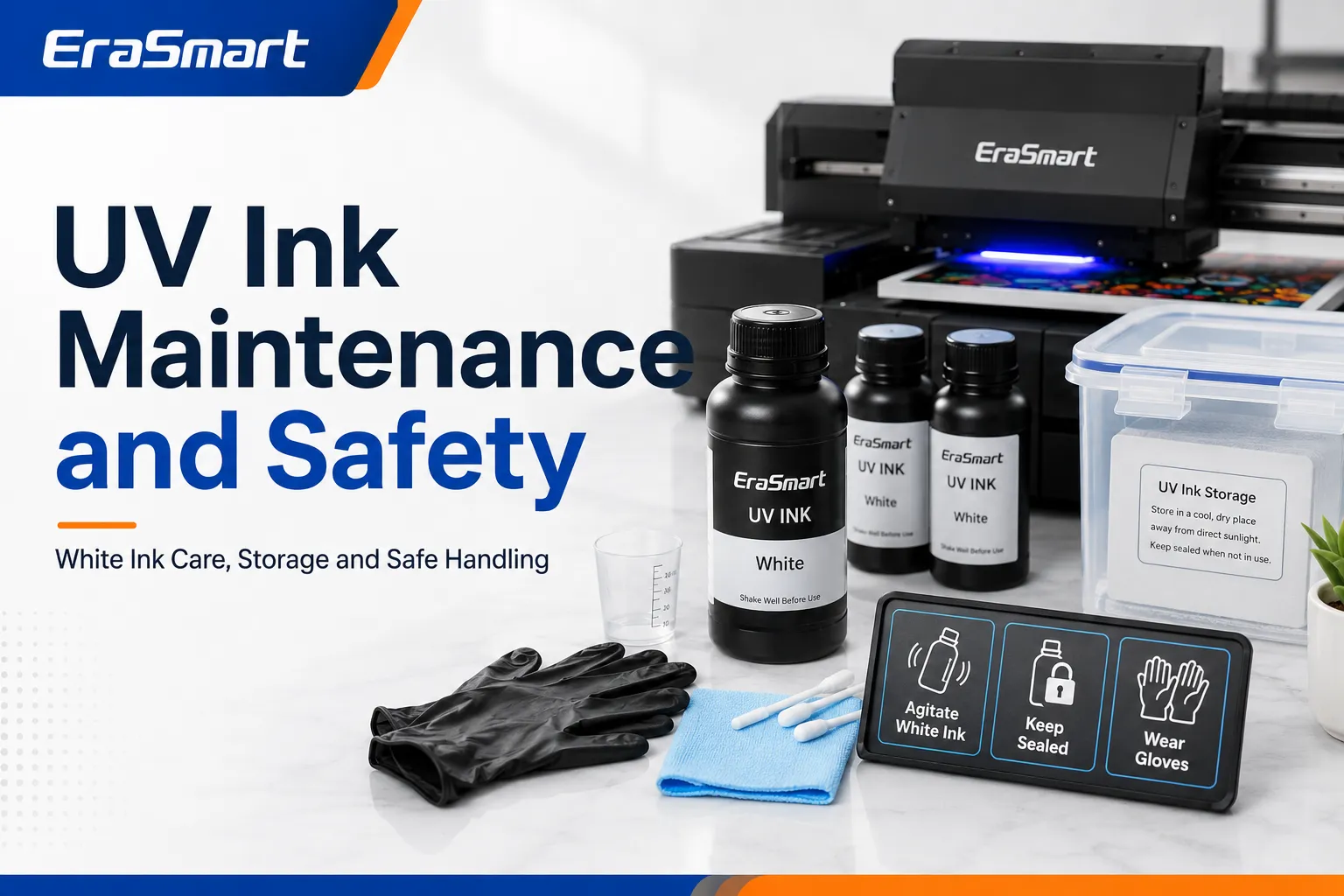
Why White UV Ink Needs Special Maintenance

White UV ink contains a high concentration of opaque pigment.

When the ink remains still for an extended period, the pigment may begin to settle.

This can lead to:

  • Reduced opacity
  • Uneven white output
  • Missing nozzles
  • Заблокированные заслонки
  • Ink-line deposits
  • Printhead damage

Modern UV printers may include:

  • Тираж белых чернил
  • Автоматическое перемешивание
  • Scheduled cleaning
  • Ink refresh functions
  • Automatic nozzle maintenance

These systems reduce risk but do not eliminate the need for regular operator maintenance.

Follow the maintenance routine specified for the printer rather than applying a generic schedule.

В EraSmart UV printer maintenance guide explains daily, weekly and idle-period considerations.

Common UV Ink Problems

UV Ink Does Not Adhere

Возможные причины включают в себя:

  • Dirty material
  • Oil or fingerprints
  • Incompatible plastic
  • Insufficient curing
  • Incorrect ink
  • Отсутствует праймер
  • Low-energy surface

Recommended actions include:

  1. Clean the product correctly.
  2. Confirm that the ink is compatible with the substrate.
  3. Test another print mode.
  4. Apply approved primer if necessary.
  5. Perform an adhesion test before production.

The Print Feels Sticky

Возможные причины включают в себя:

  • Incomplete curing
  • Excessive ink density
  • Incorrect lamp settings
  • Thick varnish layers
  • Несовместимые чернила

Stop production and check the printer, ink and curing settings. Do not assume that repeatedly exposing the product to UV light will always solve the problem.

White Ink Looks Weak

Возможные причины включают в себя:

  • Pigment settling
  • Missing nozzles
  • Low white density
  • Incorrect artwork layers
  • Ink-system contamination

Run the printer’s approved white-ink maintenance process and perform a nozzle check.

Varnish Looks Uneven

Возможные причины включают в себя:

  • Incorrect varnish artwork
  • Потеря сопла
  • Uneven product height
  • Excessive layer thickness
  • Incorrect varnish print mode

Printed Color Does Not Match the Screen

Возможные причины включают в себя:

  • Неправильный профиль ICC
  • Missing white underbase
  • Substrate color
  • Incorrect RIP settings
  • Excessive ink density
  • Different curing behavior

Color should be evaluated using physical printed samples, not only a computer monitor.

Is UV Ink Safe?

Uncured UV ink should be handled as a chemical product.

Possible hazards may include:

  • Skin irritation
  • Eye irritation
  • Allergic reactions
  • Respiratory irritation
  • Environmental hazards

Always follow the Safety Data Sheet supplied with the ink.

Recommended precautions include:

  • Wear suitable protective gloves.
  • Avoid skin and eye contact.
  • Use eye protection when handling spills.
  • Maintain suitable ventilation.
  • Keep ink containers closed.
  • Keep ink away from food and children.
  • Follow local disposal regulations.
  • Clean spills using approved procedures.

Do not automatically assume that a cured UV print is approved for:

  • Direct food contact
  • Medical products
  • Children’s products
  • Skin-contact products
  • Regulated packaging

Suitability depends on the specific ink, product, curing performance and applicable regulations.

How Should UV Ink Be Stored?

Storage instructions vary between ink formulations, so the product label and technical documentation should always take priority.

General practices include:

  • Store ink in the original container.
  • Keep containers sealed.
  • Protect ink from direct sunlight.
  • Avoid excessive heat.
  • Avoid freezing.
  • Запишите дату открытия.
  • Сначала используйте более старые запасы.
  • Keep ink clearly labeled.
  • Do not mix expired and fresh ink.
  • Follow the stated shelf life.

Do not transfer UV ink into an unmarked container.

How to Choose the Right UV Ink

Confirm the Printer Model

Choose ink that is approved or verified for the specific printer.

Проверять:

  • Модель принтера
  • печатающая головка
  • Система подачи чернил
  • Cartridge or bottle type
  • UV lamp system
  • RIP Software
  • Ink-channel configuration

Do not select ink only because the bottle size fits the printer.

Identify Your Main Products

List the products your business intends to print.

Например:

  • Акриловые знаки
  • Чехлы для телефонов
  • Metal cards
  • Стеклянные изделия
  • Деревянные подарки
  • Керамическая плитка
  • Образцы упаковки

The ink formulation should match the intended substrates and required flexibility.

Choose the Correct Ink Configuration

Common UV printer configurations include:

  • CMYK
  • CMYK + Белый
  • CMYK + Белый + Лак
  • CMYK + White + Primer
  • Expanded-color systems

A business printing dark phone cases and transparent acrylic will normally benefit from white ink.

A business offering premium decorative products may also benefit from varnish.

Evaluate White Ink Requirements

White ink expands the range of printable products, but it also increases:

  • Обслуживание
  • Расход чернил
  • Cleaning requirements
  • Production complexity

The benefits should be compared with the products you plan to sell.

Evaluate Varnish Requirements

Varnish may be valuable for:

  • Raised logos
  • Spot-gloss products
  • Textured acrylic
  • Decorative phone cases
  • Premium packaging samples
  • Tactile promotional products

It may not be necessary for a business focused only on standard flat color printing.

Test Ink and Material Compatibility

Before production, print test samples on the exact material.

Evaluate:

  • Адгезия
  • Цвет
  • White opacity
  • Устойчивость к царапинам
  • Гибкость
  • Varnish finish
  • Выклятый
  • Long-term appearance

Do not rely only on a generic material name such as “plastic” or “metal.”

Consider Technical Support

Before selecting a UV ink or printer, confirm the availability of:

  • Чернила
  • Чистящий раствор
  • Waste consumables
  • Capping stations
  • Демпферы
  • Печатающие головки
  • Поддержка RIP
  • Technical service
  • Warranty coverage

A low ink price does not compensate for unstable production or missing technical support.

Is UV Ink Suitable for a Small Custom Printing Business?

UV printing can be a strong choice for small studios focused on custom hard-surface products.

Potential products include:

  • Чехлы для телефонов
  • Акриловые таблички
  • Desk signs
  • Клавицы
  • Metal cards
  • Nameplates
  • Wood ornaments
  • Корпоративные подарки
  • Рекламная продукция
  • Product packaging samples

A compact UV printer allows businesses to produce short runs without screens, printing plates or transfer paper.

However, profitability depends on:

  • Product demand
  • Расход чернил
  • Стоимость материала
  • Fixture preparation
  • Failed-product rate
  • Обслуживание
  • Selling price
  • Эффективность производства

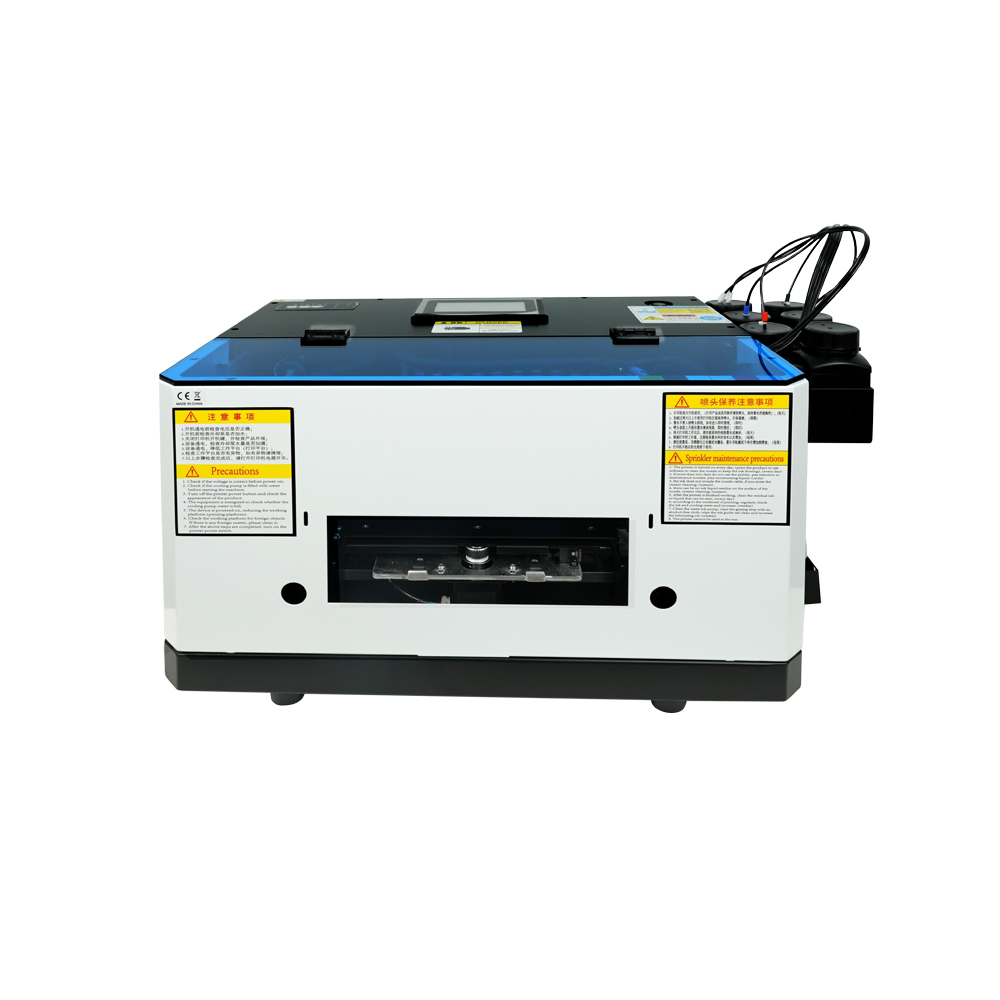
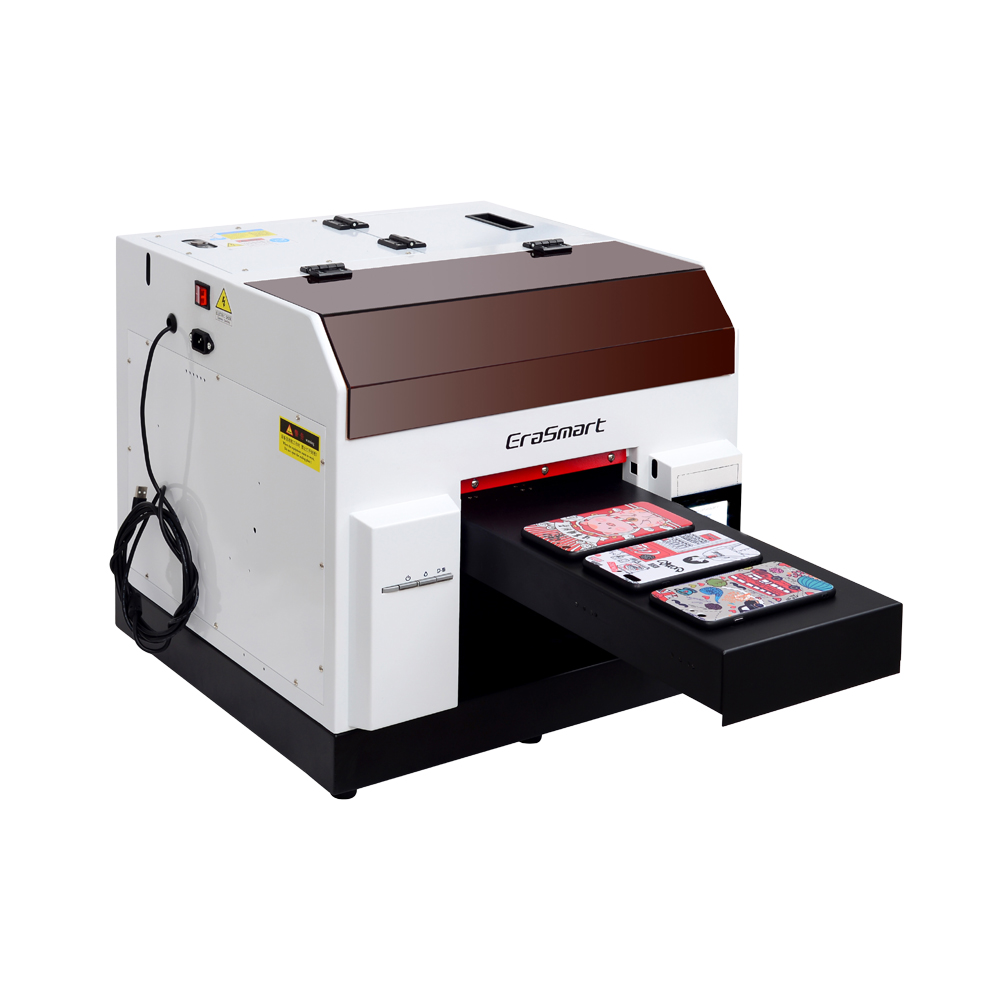
Before purchasing equipment, compare working size, ink channels, material height and production requirements in the EraSmart UV printer rangeПолем

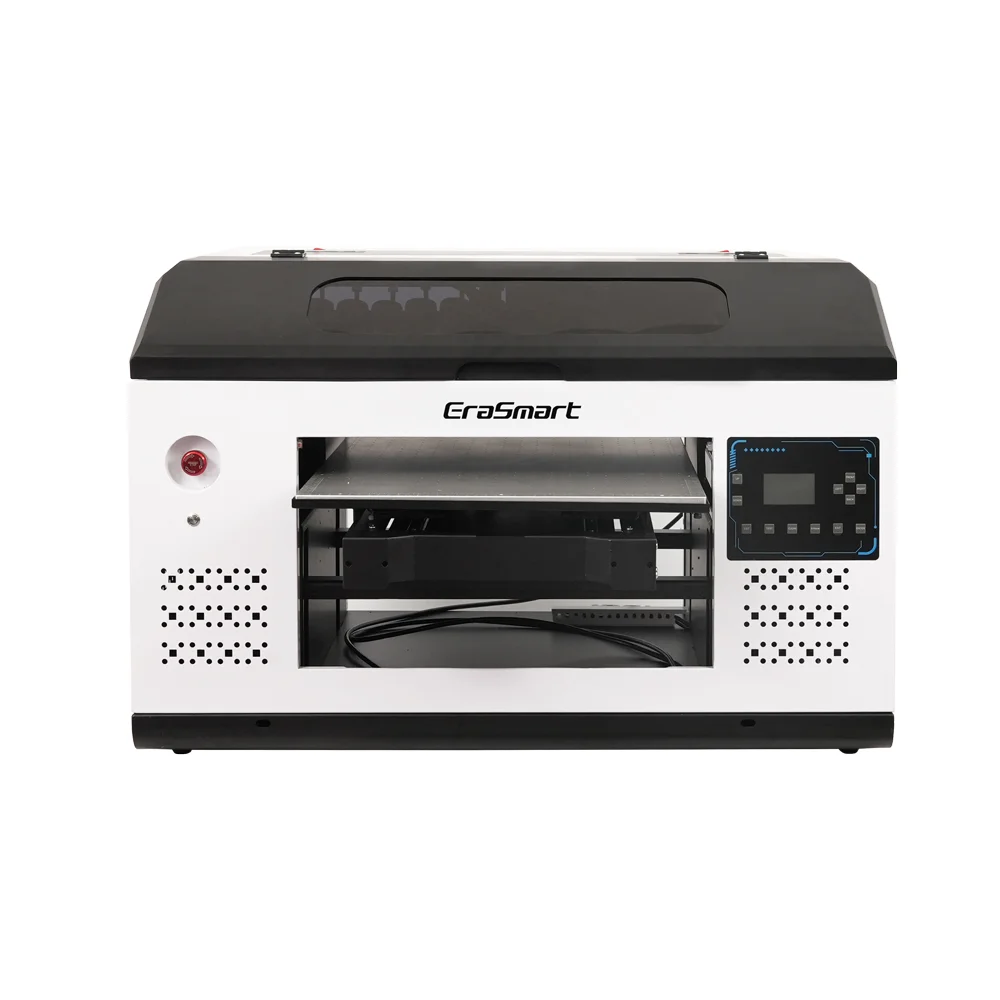
Компактная модель начального уровня с печатающей головкой L800, идеально подходящая для небольших предметов и хобби-проектов (размер печати 120*210 мм).

а4 уф принтер

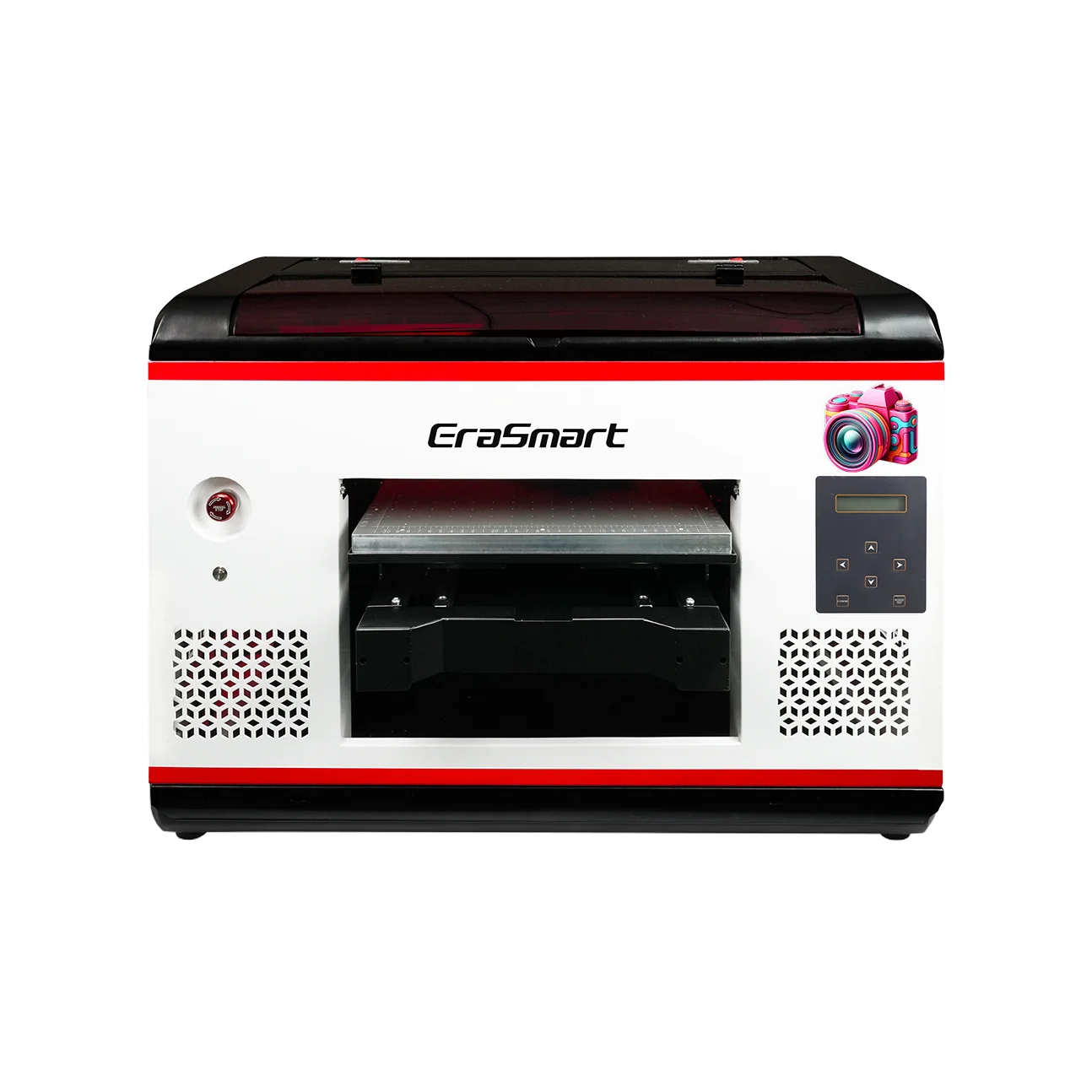
Печатающая головка L800 с размером печати 210*290 мм идеально подходит для малого бизнеса и персонализированных подарков (высота печати 0–130 мм).

УФ-принтер a3 max DX7

Печатающая головка DX7 с размером печати 350*450 мм, присоской и CMYK+WW+VV для крупносерийного производства.

УФ-принтер a3 max XP600

Печатающая головка XP600 с размером печати 350*450 мм, скоростью 5 м²/ч, идеальна для средних и крупных тиражей.

УФ-принтер a3 pro XP600

Двойные печатающие головки XP600 со скоростью 5,5 м²/ч, CMYK+WW+VVVVVV для расширенной цветовой гаммы и производительности.

Двойные печатающие головки XP600 с размером печати 350*450 мм, предназначенные для непрерывного производства промышленного уровня.

Широкоформатный принтер 420*600 мм с двумя головками XP600, идеально подходящий для печати вывесок, панелей и крупных материалов.

Двойные головки XP600 с автоматическим ламинированием, предназначенные для УФ-печати на пленках DTF (шириной до 350 мм).

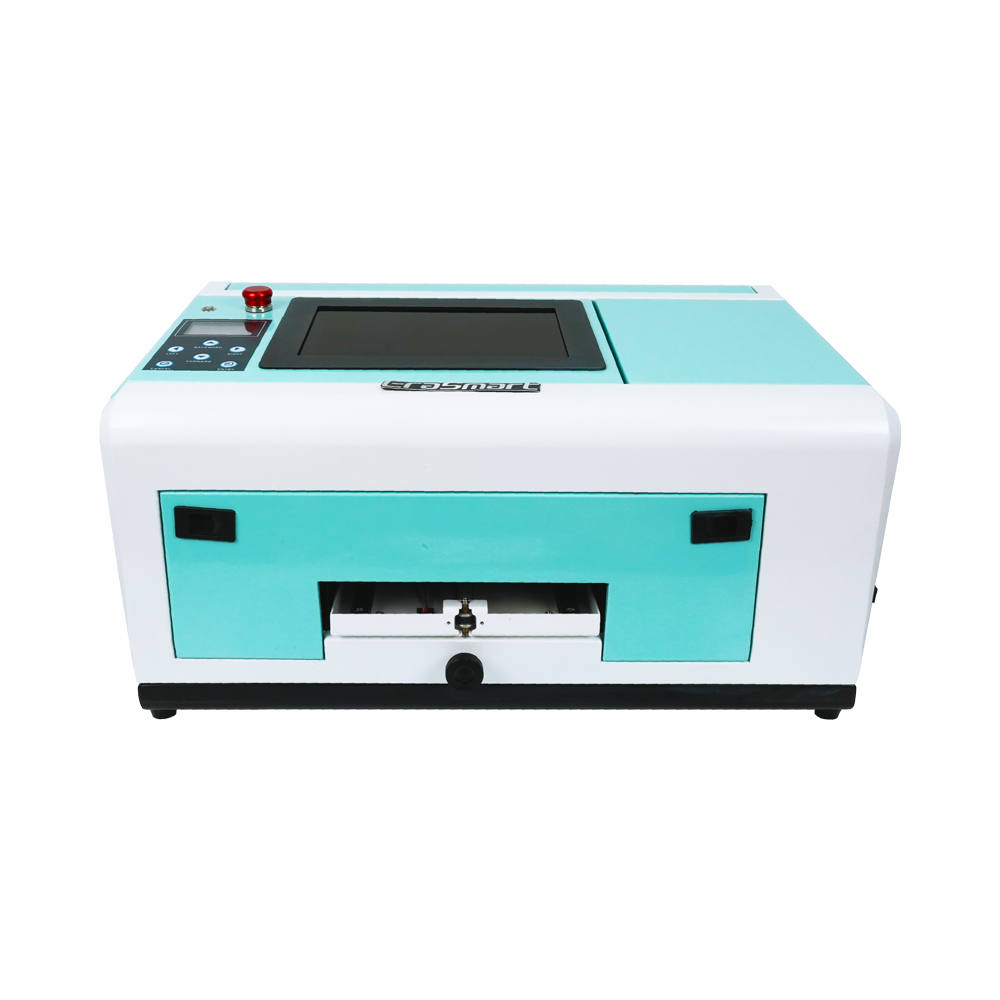
Специально предназначен для чехлов для телефонов (ТПВ/ПВХ/дерево/металл) с 10-дюймовым дисплеем и регулируемой высотой 0–10 мм.

Последние мысли

UV ink is a specialized ink system that cures under ultraviolet light and creates a printed layer directly on a compatible product surface.

Its main advantages include:

  • Fast curing
  • Direct printing
  • Broad hard-material compatibility
  • Белые чернила
  • Varnish and texture effects
  • Short-run customization

Its main limitations include:

  • Need for a dedicated UV printer
  • Material-dependent adhesion
  • White-ink maintenance
  • Chemical-handling requirements
  • Limited suitability for stretch fabrics
  • Possible need for primer and fixtures

The best UV ink is not simply the brightest or least expensive option.

It is the ink that matches:

  • The printer
  • The printhead
  • The UV curing system
  • The RIP software
  • The substrate
  • The required finish
  • The production environment

EraSmart provides compact and commercial Решения для УФ-принтеров for phone cases, acrylic, promotional products, signs, packaging samples and other custom hard-surface applications.

Часто задаваемые вопросы

What is UV ink?

UV ink is a specialized printing ink that cures when exposed to ultraviolet light inside a compatible UV printer.

How does UV ink cure?

The printer’s UV LED lamps expose the freshly printed ink to ultraviolet energy, starting a reaction that converts it into a fixed printed layer.

Does UV ink dry instantly?

UV ink is normally cured quickly during printing. Complete curing still depends on the ink formulation, UV lamp, print mode and layer thickness.

Can UV ink print on glass?

Yes, but some glass products may require cleaning, primer or another pretreatment to achieve reliable adhesion.

Can UV ink print on plastic?

UV ink can print on many plastics, but plastic formulations vary. The exact product should be tested before production.

Can UV ink print on metal?

Yes. Metal should be cleaned to remove oil, dust, fingerprints and surface contamination before printing.

Is UV ink waterproof?

A properly cured UV print may provide good water resistance during normal use. Performance still depends on the substrate, adhesion and intended environment.

Can UV ink be used in a regular inkjet printer?

No. UV ink requires a compatible ink system, printhead and UV curing hardware.

Does UV printing require a heat press?

No. UV ink is cured by UV light rather than being transferred with heat.

Can UV ink print on T-shirts?

UV ink is generally not recommended for standard stretch clothing. DTF or DTG is normally more suitable.

What is white UV ink used for?

White UV ink is used as an underbase, backing layer or standalone white graphic on transparent, dark and colored materials.

What is UV varnish ink?

UV varnish is a clear ink channel used to create gloss, raised and textured effects.

Does UV ink require primer?

Some materials print well without primer. Glass, metal and certain plastics may require primer or pretreatment.

Why does white UV ink need circulation?

White ink contains dense pigment that can settle during idle periods. Circulation and maintenance help keep the pigment distributed and reduce clogging risk.


Может быть, вам тоже нравится

  • Принтер EraSmart

    уф-принтер
    DTF принтер
    Принтер DTG
    Машина горячего прессования
    Рекламный принтер

  • Инструменты для принтера

    DTF печь
    Горячий пресс
    Резьба машина
    Кружка теплопередачи
    Ламинатор

  • Расходные материалы

    Чернила для печати
    Чехол для мобильного телефона
    Стеклянный продукт
    Чистящая жидкость
    Ватный тампон

  • Свяжитесь с нами

    WhatsApp : +8618566233796
    WeChat : +8618566233796
    Мобильный : +8618566233796
    Интернетwww.erasmart.com
    Магазин:www.erasmartmall.com

  • Запросить цитату

    Просто предоставьте несколько деталей, и мы поможем вам получить быстрые цитаты!

    Нужна цена принтера?

    Расскажите нам о своих потребностях в печати. Наша команда ответит в течение 24 часов.