小型平板噴墨打印機製造商
86-18566233796 [email protected]

部落格 How to Start a UV Printing Business: Costs, Equipment & 90-Day Plan

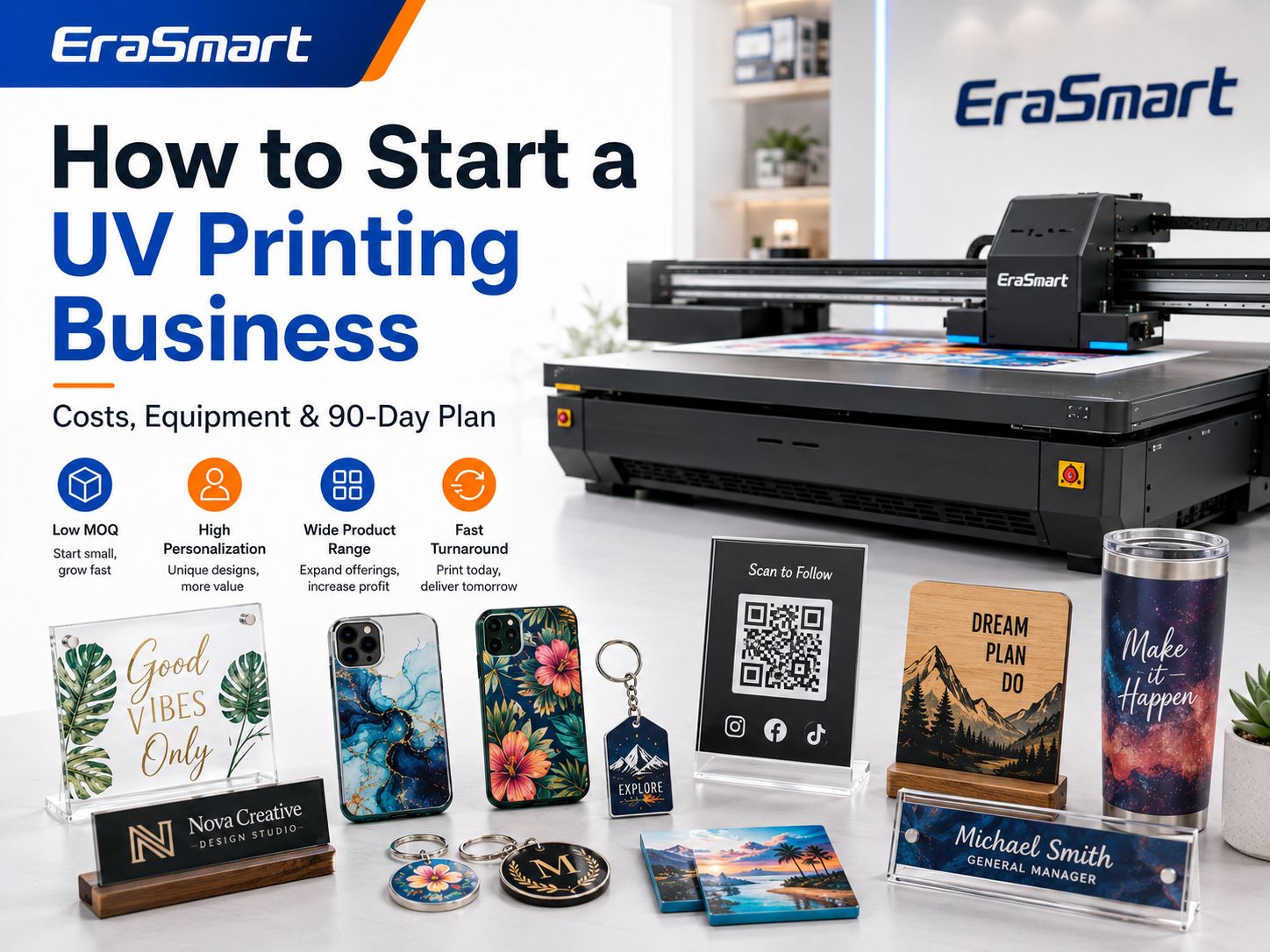
How to Start a UV Printing Business: Costs, Equipment & 90-Day Plan

August 13, 2026 部落格

Starting a UV printing business can be an attractive way to enter the personalized-products market because one printer can support many different product categories.

Depending on the printer, ink configuration and fixtures, you may be able to produce:

  • 亞克力標牌
  • 電話盒
  • 鑰匙扣
  • 木製禮品
  • 金屬卡
  • Business nameplates
  • QR 圖碼顯示
  • 獎項
  • 包裝樣品
  • 促銷產品
  • 婚禮裝飾
  • 照片面板
  • 產品標籤
  • Custom corporate gifts

Unlike traditional printing methods that may require screens, plates or transfer steps, a UV flatbed printer can print full-color graphics directly onto many suitable rigid surfaces and cure the ink during the printing process. EraSmart UV printer systems are designed around applications such as acrylic, phone cases, signs, gifts and other direct-to-object products.

But buying a UV printer does not automatically create a profitable business.

A successful UV printing business requires the right combination of:

  • 客戶需求
  • Product selection
  • 打印機尺寸
  • Ink configuration
  • 可靠的毛坯
  • 定價
  • 生產效率
  • 維護
  • 行銷
  • 重複訂單

The safest way to start is not to buy the largest printer you can afford.

It is to identify a specific market, validate several products, choose equipment that fits those products and expand only after real orders justify additional investment.

This guide walks through the complete process.

UV Printing Business at a Glance

Business DecisionWhat You Need to Determine
Target customerWho will buy your products?
Product nicheWhat will you sell first?
商業模式B2C, local B2B, online, wholesale or mixed
打印機尺寸A5, A4, A3, A2 or larger
Ink configurationCMYK, white, varnish and possibly primer
材料Acrylic, plastic, wood, glass, metal and coated blanks
軟體Design software + RIP software
工作空間Printing, cleaning, storage and packaging areas
定價Blank + ink + labor + waste + fees + profit
行銷Website, local outreach, marketplaces and social media
生長Larger printer, second printer, UV DTF or more automation

A good UV printing business plan starts with the products and customers rather than the machine specification sheet. The U.S. Small Business Administration similarly recommends evaluating market demand, competition and startup costs before committing major capital to a new business.

Is a UV Printing Business Worth Starting?

It can be, but only when the printer supports a product people actually want to buy.

UV printing has several characteristics that make it suitable for small-batch customization.

Low Minimum Quantities

Digital printing allows the artwork to change between products.

您可以生產:

  • One personalized plaque
  • Ten different employee nameplates
  • Twenty custom phone cases
  • Fifty company gifts with variable names

without creating a separate screen or plate for each design.

High Personalization Potential

Customers may pay more for products containing:

  • Their name
  • Their photograph
  • Their logo
  • An event date
  • A QR code
  • A custom message
  • A personalized pattern

The value of the finished product is therefore not determined only by the blank material.

廣泛的產品範圍

A suitable UV printer can support several rigid-product categories instead of forcing a small studio to depend on one item. EraSmart’s UV printer selection guidance emphasizes choosing the printer according to product type, material size, height, white-ink requirements, varnish needs and expected daily volume.

Short-Run Production

UV printing is particularly useful when customers need customized products in quantities that are too small for mass-production methods.

範例包括:

  • Startup product samples
  • Wedding signage
  • 員工名牌
  • Corporate awards
  • Prototype packaging
  • Local-business signs

The opportunity is not simply “UV printing.”

The opportunity is solving small-batch customization problems quickly and profitably

Step 1: Choose Your UV Printing Business Model

Before choosing a printer, decide how the business will make money.

Several models are possible.

Personalized Product Store

You purchase blank products, print them and sell the finished products to consumers.

範例包括:

  • Personalized phone cases
  • 壓克力照片塊
  • Pet gifts
  • 鑰匙扣
  • 婚禮標誌
  • 姓名牌
  • Desk décor

潛在的管道包括:

  • Your own website
  • 埃特西
  • Social media
  • Craft markets
  • Local pickup

This model gives you control over product presentation and retail pricing but also requires more marketing.

Local B2B Printing

Instead of selling individual gifts, you work with businesses.

潛在客戶包括:

  • 餐廳
  • 咖啡廳
  • 飯店
  • 展覽會
  • 學校
  • Clinics
  • Offices
  • Real estate agencies
  • Event companies
  • Manufacturers

可能的產品包括:

  • QR 圖碼標誌
  • 開放時間標誌
  • 辦公桌銘牌
  • 標誌牌
  • 獎項
  • 設備標籤
  • 促銷禮品
  • Product display panels

B2B orders can be attractive because businesses may reorder when they hire new employees, open new locations, update branding or attend another event.

Online Custom Printing Service

Customers upload their artwork and you print their products.

You may specialize in:

  • 丙烯酸纖維
  • 電話盒
  • 金屬
  • 木頭
  • 促銷產品
  • Prototype parts

This model competes more on:

  • 品質
  • Turnaround
  • Minimum quantity
  • Material choice
  • Technical capability

Trade Printing

You print for:

  • 設計師
  • 招牌店
  • 雷射雕刻業務
  • 禮品店
  • 行銷機構
  • Other customization businesses

The trade customer handles the final sale.

Margins per item may be lower, but repeat volume can be more predictable.

Prototype and Sample Printing

Small brands frequently need:

  • 包裝原型
  • 標誌樣本
  • 產品模型
  • 設備蓋
  • 控制面板
  • 品牌外殼

These orders often require more setup work but can be valuable because the customer is buying speed and flexibility rather than mass-production pricing.

UV DTF Transfer Business

UV DTF creates transferable graphics for hard products.

Instead of shipping a finished bottle or cup, you can sell:

  • Logo transfer sheets
  • 杯套
  • 產品標籤
  • 客製化幫派表
  • Small-business branding transfers

If irregular or curved products become a major part of your business, compare direct flatbed UV printing with UV DTF打印 before choosing equipment.

Step 2: Choose a Specific Customer Niche

“Anyone who wants custom products” is not a useful target customer.

Choose one initial market.

範例包括:

婚禮

Products:

  • 歡迎標語
  • 桌號
  • Seating signs
  • 亞克力請柬
  • Name cards
  • Keepsakes

Local Businesses

Products:

  • QR signs
  • 標誌牌
  • 辦公桌標誌
  • 促銷禮品
  • 銘牌

Pet Owners

Products:

  • 照片牌
  • 電話盒
  • 紀念產品
  • 鑰匙扣
  • Desk décor

Corporate Gifts

Products:

  • 獎項
  • 辦公桌產品
  • 金屬卡
  • Branded boxes
  • 員工禮品

Creators and Online Sellers

Products:

  • Private-label gifts
  • Custom accessories
  • UV DTF 傳輸
  • 印刷組件

Product Startups

Products:

  • Prototype packaging
  • 產品外殼
  • 控制面板
  • Branding samples

A narrow niche makes it easier to create samples, photography, landing pages and advertising.

Step 3: Validate Products Before Buying Too Much Equipment

Start with three to five products.

For example, a local-business UV printing startup might test:

  1. Acrylic QR code sign
  2. Desk nameplate
  3. Logo plaque
  4. Metal business card
  5. Branded keychain

Produce real samples.

Then show them to real potential buyers.

Do not evaluate demand only from:

  • Likes
  • Followers
  • Compliments
  • Poll responses

A product is more meaningfully validated when customers are willing to pay for it.

Market research can reduce risk by helping a business assess demand, market size, competition and customer preferences before launch.

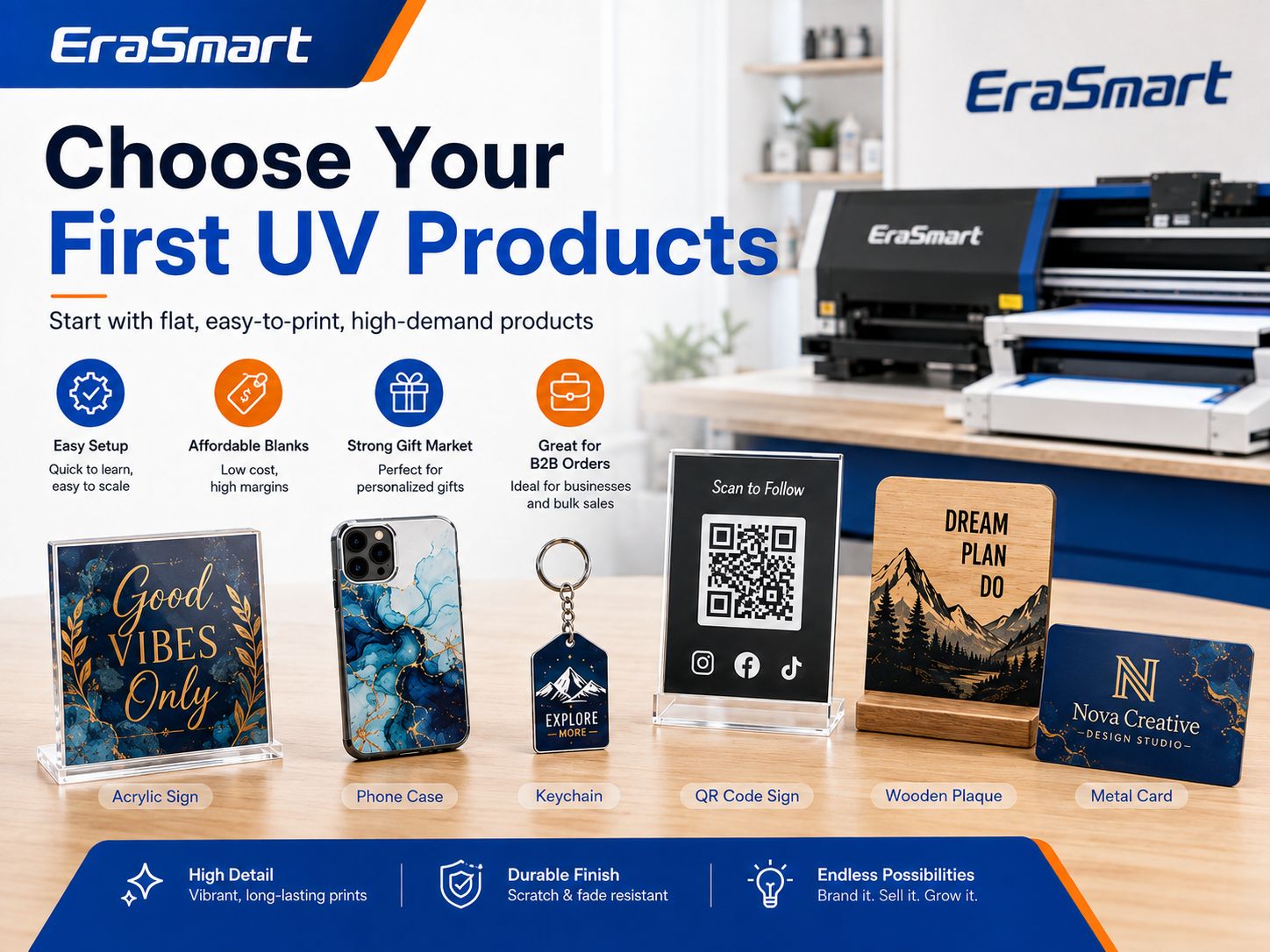
Step 4: Choose Your First UV-Printed Products

A beginner should favor products that are:

  • 平坦的
  • 易於定位
  • Affordable if a print fails
  • Easy to photograph
  • Easy to package
  • Frequently personalized
  • Available from consistent suppliers

Good beginner products include:

產品Difficulty為什麼它有效
Acrylic keychains低的Cheap blanks and easy batch jigs
電話盒Low-MediumStrong personalization demand
Acrylic desk signs低的Flat surface and high perceived value
QR 圖碼顯示低的Good local B2B product
金屬卡Low-MediumPremium appearance
Wood plaques中等的Strong gift market
亞克力獎牌中等的Higher selling value
包裝樣品中等的B2B opportunity
促銷禮品中等的重複訂購潛力
Large acrylic signsMedium-HighHigher order value but larger equipment

想獲得更多產品靈感,請參閱 Things to Print with a UV Printer

Step 5: Choose the Right UV Printer Size

Do not automatically buy the largest machine.

Match the print area to your main products.

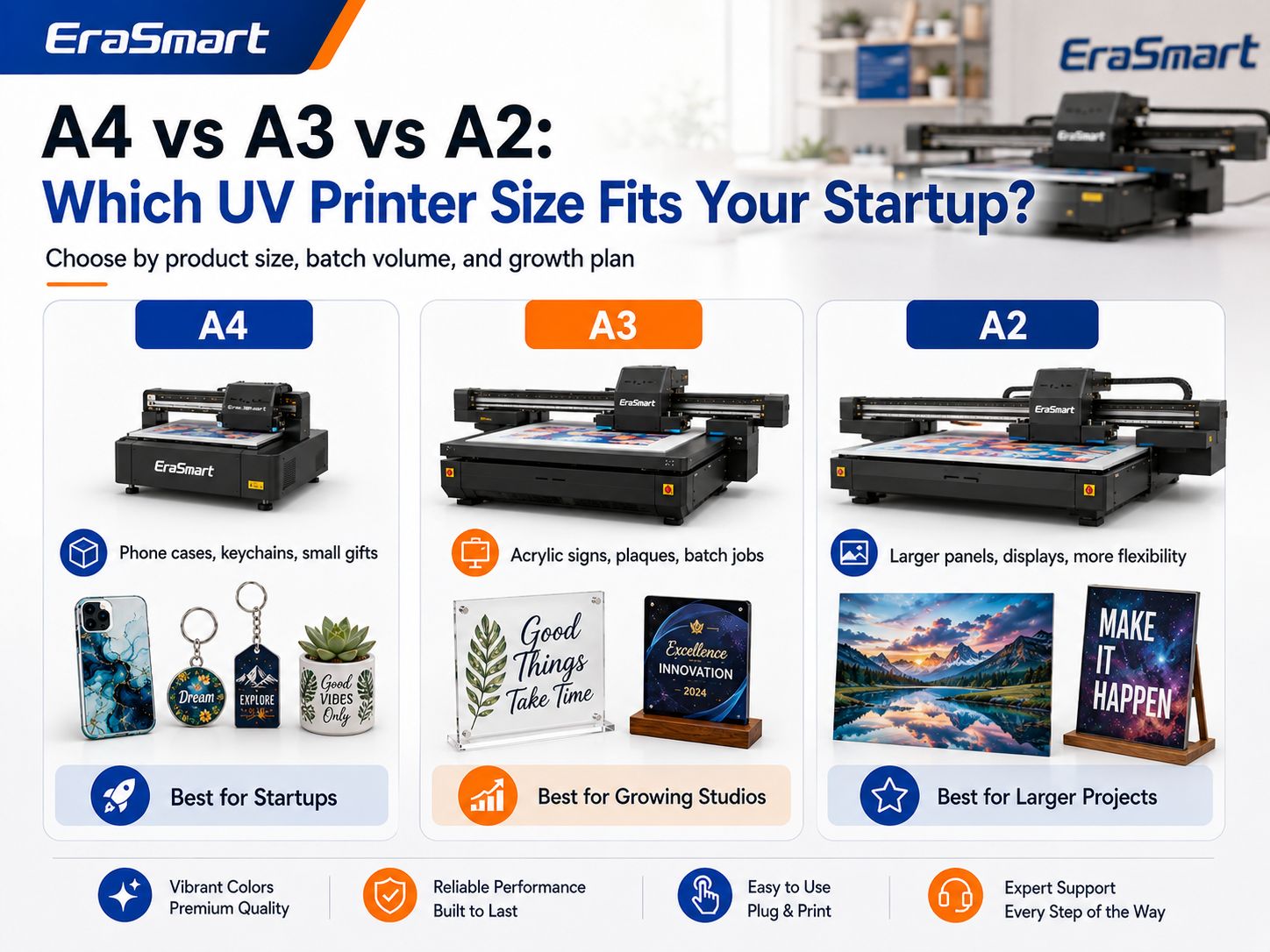
EraSmart’s current UV printer selection framework separates compact A5/A4 systems from broader A3 production and larger A2 applications based on product size and business scale.

A5UV打印機

Best suited to:

  • Samples
  • 小鑰匙扣
  • Small accessories
  • Compact gifts
  • Testing product ideas

優點:

  • Smaller workspace
  • Lower entry complexity
  • Good for testing products

Limitation:

  • Small platform restricts future product size.

A4UV打印機

適合:

  • 電話盒
  • 亞克力牌
  • 鑰匙扣
  • Small signs
  • Gift products
  • 產品樣品

An A4 UV printer can be a practical starting point for a small personalization studio focused on relatively compact products.

A3 UV打印機

適合:

  • 亞克力標牌
  • Multiple phone cases
  • Larger plaques
  • Small panels
  • 大量夾具
  • Broader gift-product ranges

A larger platform can also hold several small products in one jig.

This is useful when your business moves from one-piece personalization to repeated small-batch production.

A2UV打印機

適合:

  • Larger acrylic signs
  • Wall panels
  • Larger boards
  • Commercial display products
  • Multiple products per batch

A2 equipment requires more workspace and makes the most sense when larger products or stable production volume justify the additional platform size.

Quick UV Printer Size Guide

印表機尺寸Best Starting ProductsTypical Business Stage
A5Samples, tiny gifts, accessories測試
A4Phone cases, keychains, plaquesStartup
A3Acrylic signs, gifts, batch jobsGrowing studio
A2Panels, signs, commercial productionEstablished production

The correct question is not:

What is the biggest printer I can afford?

Ask:

What printer can produce my main products repeatedly with enough room to grow?

使用 UV 印表機購買清單 在比較機器之前。

Step 6: Decide Whether You Need White Ink

For most serious customization businesses, white ink is highly useful.

CMYK ink is not fully opaque.

White ink can create a base beneath color when printing on:

  • 透明壓克力
  • Black plastic
  • Dark phone cases
  • 有色材料
  • 玻璃
  • 深色木色
  • 金屬

Without a white base, the color of the product can influence the artwork.

White ink can also be used for:

  • Standalone white text
  • 白色標誌
  • Reverse acrylic printing
  • 多層效果

However, white ink adds:

  • 墨水消耗量
  • 維護
  • 列印時間
  • Workflow complexity

White pigment also requires appropriate circulation, agitation and maintenance. EraSmart’s printer-selection guidance specifically identifies white-ink maintenance as a major factor in long-term machine stability.

Step 7: Decide Whether You Need Varnish

Varnish is a clear UV-curable ink.

它可以創建:

  • 斑點光澤
  • 凸起標誌
  • Textures
  • 裝飾亮點
  • 類比壓花
  • Premium product effects

Varnish can increase perceived value, especially for:

  • 丙烯酸纖維
  • 電話盒
  • 獎項
  • 包裝
  • Premium gifts

But varnish is not mandatory.

A startup selling basic QR code signs may not need the same configuration as a studio selling luxury decorative phone cases.

See the UV油墨指南 when deciding between CMYK, white and varnish configurations.

Step 8: Check Maximum Product Height

Print area receives a lot of attention, but object height can be equally important.

Consider products such as:

  • 禮品盒
  • Thick acrylic blocks
  • 產品外殼
  • Phone cases in fixtures
  • Wooden boxes
  • Assembled promotional products

The total height includes:

Product + Jig + Support Platform

A printer may have enough width and length for the product but still be unable to print it safely if the object is too tall.

確認:

  • Maximum printable height
  • Height-detection method
  • 列印頭間隙
  • Fixture thickness

before purchasing.

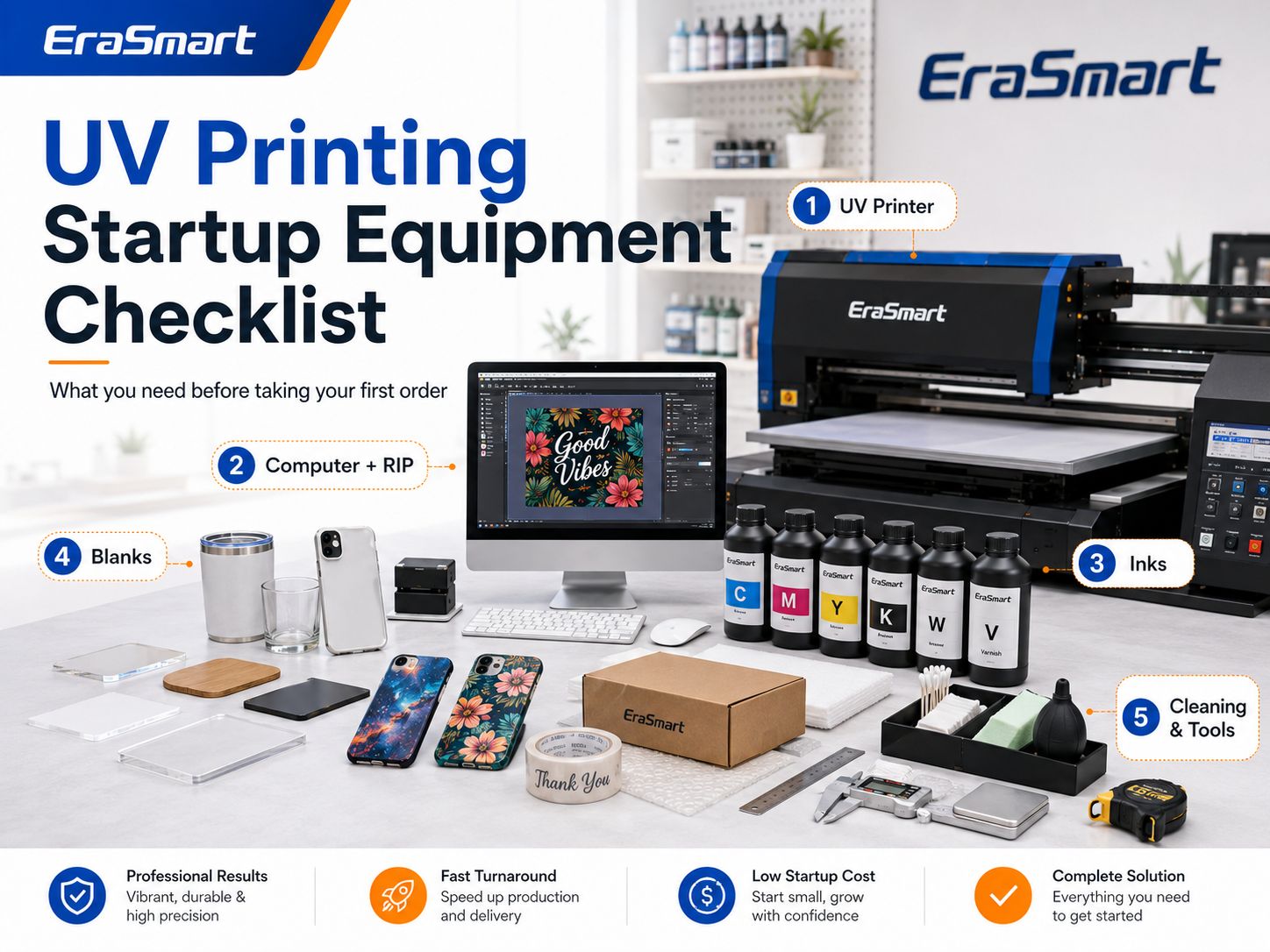
Step 9: Plan Your Startup Equipment

A UV printing business needs more than the printer.

必備設備

  • UV打印機
  • 電腦
  • RIP軟件
  • 設計軟體
  • 穩定的工作台
  • 清潔工具
  • Product alignment tools

Recommended Production Tools

  • Digital caliper
  • Positioning rulers
  • Custom jigs
  • Anti-static cleaning tools
  • 無絨布
  • 丁腈手套
  • Product storage bins
  • Packing table

Optional Equipment

Depending on your product range:

  • Rotary attachment
  • Laser engraver
  • Cutting machine
  • UV DTF打印機
  • Laminator
  • 攝影燈光
  • 標籤印表機

Do not purchase every accessory immediately.

Add equipment when your product catalog actually requires it.

Step 10: Build Your Consumables List

您可能需要:

  • CMYK UV油墨
  • 白色UV油墨
  • 底漆
  • 清潔液
  • 維護拭子
  • 廢棄物容器
  • Replacement dampers
  • Capping components
  • 雨刷
  • Acrylic blanks
  • 電話盒
  • Metal blanks
  • Wood blanks
  • 包裝

Your consumables should be tested as a complete production system.

A cheap blank that causes poor adhesion or frequent failures may cost more than a higher-quality blank.

Step 11: Set Up Your Workspace

A UV printing business can sometimes operate from a relatively compact studio, but the workspace should still be treated as a production area.

Separate the space into zones.

Printer Zone

Keep it:

  • 乾淨的
  • Stable
  • Dust controlled
  • Accessible for maintenance

Blank Storage Zone

Organize materials by:

  • 產品
  • Size
  • Supplier
  • Batch

Cleaning and Preparation Zone

Keep product cleaning away from freshly printed items.

Inspection Zone

Use consistent lighting to inspect:

  • 顏色
  • 灰塵
  • 附著力
  • Surface defects

Packaging Zone

Keep packaging materials clean and away from ink maintenance activities.

Printing inks and cleaning chemicals should be handled according to their safety documentation, and suitable ventilation, work practices and protective equipment should be considered where chemical exposure may occur. NIOSH identifies local exhaust ventilation and appropriate work practices as important controls in printing operations involving chemical vapors.

Always follow the Safety Data Sheet for the exact ink and cleaner you use.

Can You Start a UV Printing Business from Home?

Potentially, yes, if:

  • Local rules allow the business activity.
  • You have enough dedicated workspace.
  • Electrical requirements are met.
  • Ventilation and chemical handling are appropriate.
  • Children and pets cannot access inks or maintenance chemicals.
  • Products can be stored cleanly.
  • Printer noise and workflow are manageable.
  • Shipping and inventory do not overwhelm the space.

A spare bedroom is not automatically an appropriate production area simply because the printer physically fits.

考慮:

  • Ink handling
  • 維護
  • 通風
  • cleaning fluids
  • blank storage
  • packing materials
  • waste handling

before deciding on a home setup.

Step 12: Learn the Basic UV Printing Workflow

A typical direct UV printing workflow is:

  1. Prepare artwork.
  2. Clean the blank.
  3. Position the product.
  4. Set product height.
  5. 運行噴嘴檢查。
  6. Configure CMYK, white and varnish layers.
  7. Print a sample.
  8. Inspect curing and color.
  9. Test adhesion.
  10. Print the production batch.
  11. Inspect each product.
  12. Package the finished order.

EraSmart UV Printing Workflow Guide provides a more detailed production process.

Step 13: Learn to Build Jigs

Jigs can dramatically improve repeat production.

A jig holds products in fixed positions.

For example, an A3 bed might hold several:

  • 鑰匙扣
  • 電話盒
  • 銘牌
  • 金屬卡

instead of requiring the operator to position every item manually.

Jigs improve:

  • 結盟
  • 載入速度
  • 重複性
  • Batch consistency

They can be created using:

  • 丙烯酸纖維
  • MDF
  • Foam
  • CNC-cut materials
  • 3D列印

Save both:

  • The physical jig
  • The matching RIP template

so repeat orders can be reproduced quickly.

Step 14: Calculate Your Real Startup Cost

Do not treat the printer price as the entire startup investment.

The SBA recommends identifying equipment, supplies, inventory, utilities, licenses, insurance, marketing and website costs when estimating a new business’s startup expenses.

For a UV printing business, calculate:

裝置

  • UV打印機
  • 電腦
  • 配件
  • Worktables
  • 固定裝置
  • Storage

消耗品

  • 墨水
  • 清洗液
  • 底漆
  • 毛坯
  • 包裝

業務設定

  • 登記
  • 保險
  • 網站
  • Domain
  • 攝影
  • 會計
  • 行銷

工作空間

  • Electrical work
  • 通風
  • 貨架
  • Lighting
  • Safety equipment

Reserve

Keep money available for:

  • 列印失敗
  • Damaged blanks
  • 維護
  • 更換零件
  • Unexpected shipping
  • 廣告
  • Downtime

Do not spend the entire startup budget on the printer.

A business with a printer but no working capital may struggle to purchase blanks or acquire customers.

UV Printing Startup Cost Worksheet

Cost CategoryYour Estimated Cost
UV打印機
Shipping/import/tax
電腦
RIP/software
Initial ink
清潔用品
毛坯
Jigs/fixtures
Workspace setup
包裝
網站
攝影
行銷
維修儲備
營運資金
全部的

Use real supplier quotations instead of copying a generic online startup number.

Step 15: Calculate the Real Cost Per Product

A common beginner mistake is:

Blank cost + ink = product cost.

That is incomplete.

包括:

  • 空白的
  • 墨水
  • 白墨水
  • 底漆
  • 打掃
  • 機器時間
  • 勞動
  • 藝術品
  • Failed-print allowance
  • 包裝
  • 平台費用
  • 支付費用
  • 廣告
  • 開賣

EraSmart’s existing UV cost guide likewise treats UV printing cost as a combination of blanks, ink coverage, white ink, varnish, labor, maintenance and waste rather than one fixed print price.

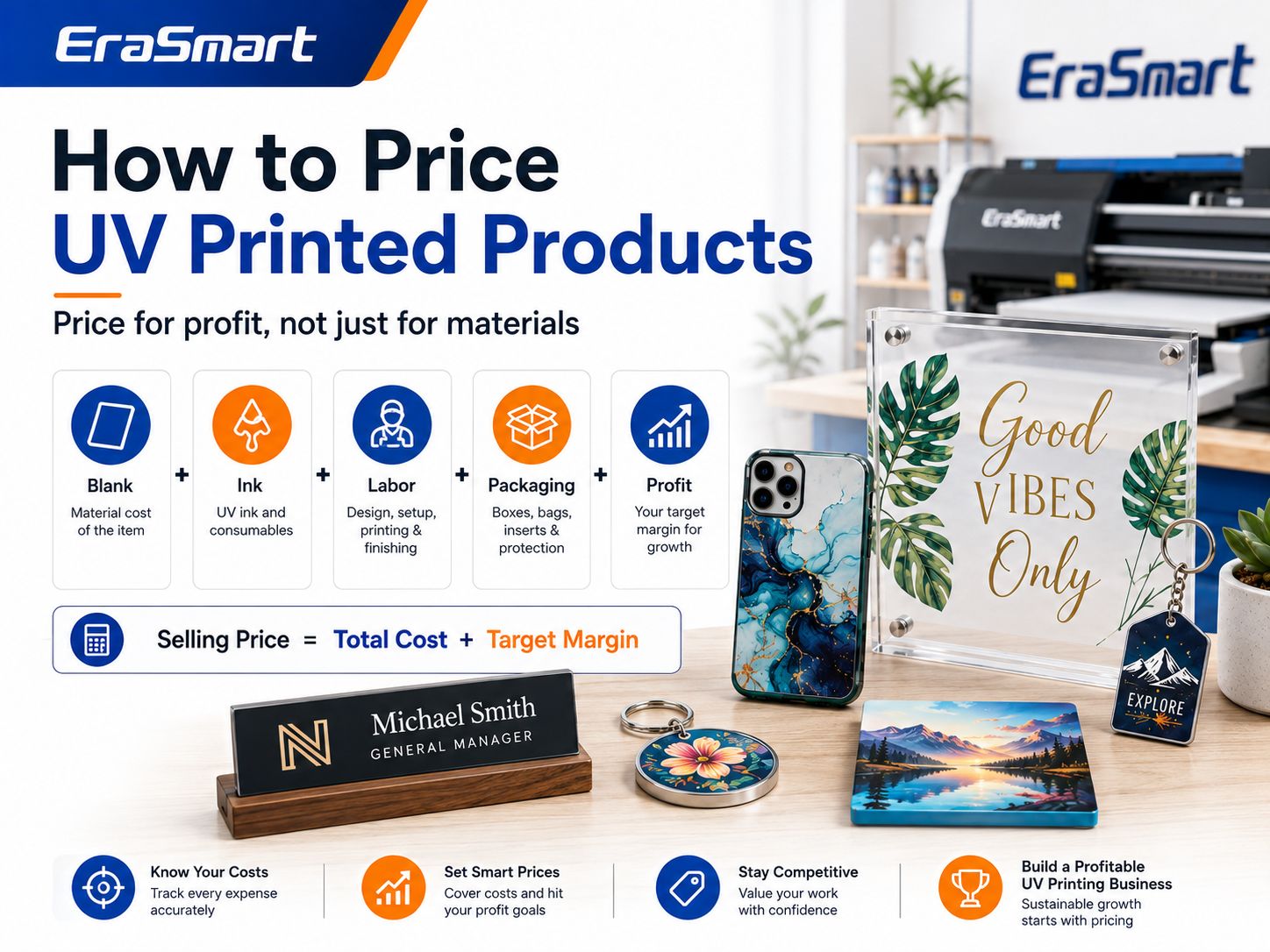
Product Cost Formula

Product Cost = Blank + Printing + Labor + Waste + Packaging + Selling Fees + Allocated Overhead

Then:

Profit = Selling Price − Product Cost

例子

Suppose a personalized acrylic sign requires:

  • 亞克力毛坯
  • CMYK + white printing
  • 藝術品設置
  • Printing labor
  • 包裝

Do not compare the selling price only against the acrylic sheet.

Customer communication and design time may represent a substantial part of a one-piece custom order.

Step 16: Set Your Pricing Structure

Avoid one universal markup.

Different orders require different amounts of work.

One-Piece Custom Price

Higher per-unit price because you must absorb:

  • 客戶溝通
  • 藝術品
  • 設定
  • 印刷
  • Inspection
  • Packing

for one product.

Small-Batch Price

Use quantity discounts when batch production genuinely reduces:

  • Setup time per item
  • Loading time
  • Artwork work
  • 包裝時間

Wholesale Price

Trade customers expect lower prices, but the order should still cover all variable costs and provide enough contribution toward overhead.

Design Fee

Charge separately for:

  • 背景移除
  • 標誌追蹤
  • 照片編輯
  • 客製化插圖
  • Complex layout
  • Excessive revisions

Rush Fee

Urgent jobs may interrupt other production.

Charge for that inconvenience.

Step 17: Calculate Break-Even

Do not evaluate a printer only by:

How much does it cost?

評價:

How many profitable products must I sell to recover the investment?

The standard break-even formula is:

Break-Even Units = Fixed Costs ÷ (Selling Price − Variable Cost per Unit)

The SBA defines break-even as the point where total revenue equals total costs and recommends using the calculation to evaluate financial risk.

For a UV printer, your fixed investment may include:

  • 印表機
  • Initial accessories
  • Workspace setup

Variable costs include:

  • 空白的
  • 墨水
  • 勞動
  • 包裝
  • 銷售費用

You can model these variables using the EraSmart UV Printer ROI Calculator, which accounts for blanks, ink, varnish, labor, packaging, reject rate and monthly overhead.

Step 18: Track Profit per Production Hour

Two products can have the same profit margin but very different business value.

例子:

Product A

Profit: $10
Production time: 5 minutes

Product B

Profit: $20
Production time: 40 minutes

Product B makes more profit per unit.

Product A may make more profit per machine hour.

追蹤:

Profit per machine hour

and:

Profit per operator hour

These metrics reveal which products deserve more marketing.

Step 19: Create a Small Launch Catalog

Do not begin with 100 products.

Start with five to ten.

A practical catalog might include:

Product 1

Custom phone case

Product 2

Acrylic QR code sign

Product 3

Personalized acrylic photo plaque

Product 4

Business desk sign

Product 5

Custom keychain

Product 6

Wedding table sign

Product 7

Logo plaque

Each product should have:

  • Clear photographs
  • Size
  • 材料
  • 個性化選項
  • 生產時間
  • Price
  • 作品要求

Once orders arrive, remove weak products and expand strong categories.

Step 20: Build Product Bundles

Bundles can increase average order value.

Café Branding Kit

  • QR code sign
  • Opening-hours sign
  • 餐桌標誌
  • 員工名牌

Wedding Acrylic Kit

  • 歡迎標語
  • 桌號
  • 菜單標誌
  • 姓名標籤

Business Office Kit

  • Reception sign
  • Logo plaque
  • 辦公桌銘牌
  • 獎項

Creator Starter Kit

  • Custom product samples
  • Logo plaque
  • Branded packaging prototype

Bundles sell an outcome rather than individual printed pieces.

Step 21: Find Local B2B Customers

Local business outreach can be particularly useful during the launch stage.

Choose one industry.

例如:

展覽會

Create samples:

  • QR review sign
  • Price-list display
  • Logo plaque
  • Staff nameplate

Then approach local salons with those specific examples.

Do not say:

We offer UV printing.

Say:

We produce low-minimum custom acrylic signs, QR displays and branded desk products for salons.

The second offer describes a customer solution.

Step 22: Sell Online

Online channels may include:

  • Your own WooCommerce store
  • 購物
  • 埃特西
  • 亞馬遜手工製作
  • Social media

An independent website is particularly useful long term because you can build:

  • SEO traffic
  • Email lists
  • B2B landing pages
  • Product collections
  • Custom quote forms

Instead of one page called “UV Printing,” build pages around products and customers.

範例:

  • Custom Acrylic Signs
  • Personalized Phone Cases
  • Wedding Acrylic Signs
  • Custom QR Code Signs
  • Corporate Awards
  • Custom Metal Cards

These pages match real buying intentions.

Step 23: Use Social Media to Show the Process

UV printing produces visually interesting content.

有用的內容包括:

  • Blank product → finished product
  • 白墨印刷
  • Varnish close-ups
  • 亞克力反面印刷
  • 個性化名字
  • 大量夾具
  • Product peeling or unpacking
  • Customer orders
  • 包裝
  • Maintenance tips

Do not make every post a machine advertisement.

Show what customers can create with the machine.

Step 24: Build Repeat Business

Repeat customers are especially valuable because the initial setup has already been completed.

For every repeat client, save:

  • 藝術品
  • 產品型號
  • Supplier
  • 材料
  • 夾具
  • 列印位置
  • 白密度
  • Varnish settings
  • RIP preset
  • 包裝要求

Then the next order becomes easier and faster.

Step 25: Maintain the UV Printer

UV printers require routine maintenance.

Important areas include:

  • 噴嘴檢查
  • 印字頭清潔
  • 封蓋站
  • 雨刷
  • 白墨循環
  • 廢墨
  • Platform cleaning
  • Environmental conditions

White ink deserves particular attention because the heavier pigment can settle. EraSmart recommends evaluating white-ink circulation, capping, nozzle cleaning and idle protection when choosing a machine.

閱讀 UV Printer Maintenance Guide before planning the operating schedule.

Step 26: Create a Quality-Control Checklist

Before packaging every product, check:

  • Correct customer
  • 正確的藝術作品
  • 正確拼字
  • 正確的方向
  • Correct product
  • 列印位置
  • 顏色
  • 白色不透明
  • 灰塵
  • 附著力
  • 刮痕
  • 包裝

Do not allow “small custom order” to mean “no quality control.”

One defective personalized product may be impossible to resell.

Step 27: Test Every New Material

“Plastic,” “glass,” “wood” and “metal” are broad categories.

Two products that look similar may have different:

  • Coatings
  • Surface energy
  • 質地
  • Protective layers

Before selling a new blank:

  1. Clean it.
  2. Print a sample.
  3. Check curing.
  4. Test adhesion.
  5. Test scratching.
  6. Test real handling.
  7. Save the results.

閱讀 UV印表機材料指南 for a more detailed material-testing framework.

Step 28: Avoid Too Much Inventory

New businesses often get excited and order:

  • 20 phone-case models
  • 10 acrylic sizes
  • 8 wood products
  • 12 keychain styles
  • Multiple metal blanks

before receiving orders.

This ties up cash.

Start with small quantities.

Stock more only when:

  • A product sells consistently.
  • Supplier lead times justify inventory.
  • Bulk purchasing provides meaningful savings.
  • You understand the failure rate.

Step 29: Decide When to Add UV DTF

Direct UV printing is excellent for:

  • Flat products
  • 丙烯酸纖維
  • Plaques
  • Panels
  • 電話盒
  • Rigid gifts

UV DTF becomes useful when customers request:

  • 瓶子
  • 不倒翁
  • 弧形產品
  • Irregular surfaces
  • Transfer sheets
  • 杯套

Do not assume one technology must replace the other.

A growing studio may eventually use:

UV Flatbed → Direct products

UV DTF → Curved products and transfers

Step 30: Decide When to Upgrade Your UV Printer

Upgrade when your current equipment creates a real bottleneck.

Signals include:

  • Orders no longer fit the print area.
  • You regularly turn down larger products.
  • Batch capacity is too small.
  • Delivery times become too long.
  • Customers request products outside your current height range.
  • Outsourcing becomes expensive.
  • A larger printer would clearly improve profit per hour.

Do not upgrade simply because a larger printer exists.

EraSmart’s current buying framework recommends matching equipment to product type, print area, object height, order volume, workflow and ROI rather than purchase price or maximum size alone.

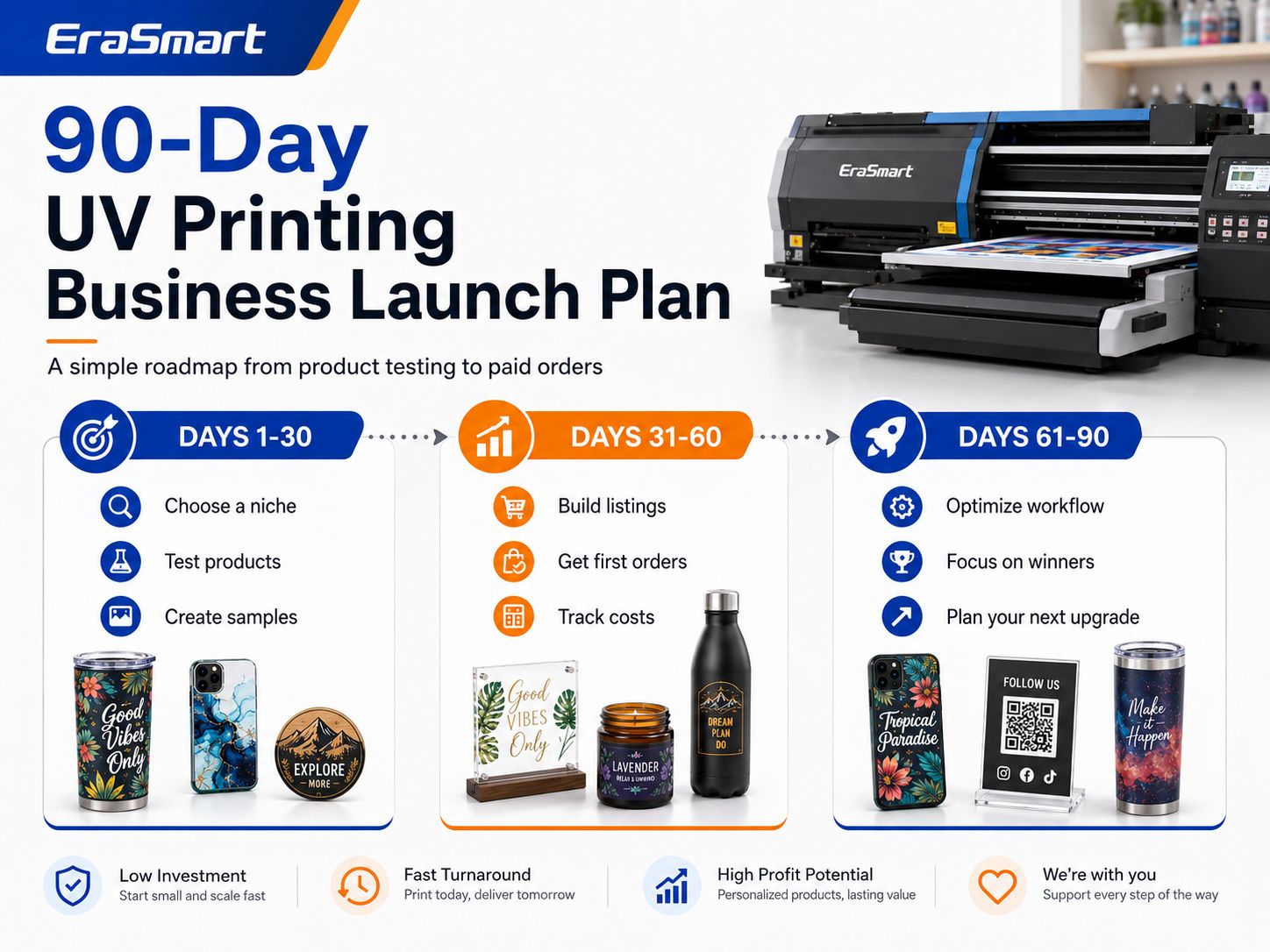
A Practical 90-Day UV Printing Business Launch Plan

Days 1–15: Choose the Market

完全的:

  • Select one customer niche.
  • Research competing products.
  • Identify five potential products.
  • Interview potential buyers.
  • Compare blank suppliers.
  • Define your target selling price.

Goal:

Know what you intend to sell before buying equipment.

Days 16–30: Choose Equipment and Produce Samples

完全的:

  • Compare UV printer sizes.
  • Confirm product height.
  • Confirm white ink requirements.
  • Decide whether varnish is necessary.
  • Order sample blanks.
  • Produce test prints.
  • Test adhesion.
  • Create basic jigs.

Goal:

Produce five professional samples.

Days 31–45: Build the Sales System

完全的:

  • 根據需要註冊企業。
  • Set up payment methods.
  • Build a website or sales page.
  • Photograph products.
  • Create pricing.
  • 編寫客戶政策。
  • Prepare packaging.

Goal:

Be ready to accept paid orders.

Days 46–60: Get the First Customers

完全的:

  • 聯絡當地企業。
  • 發布產品內容。
  • Launch several product pages.
  • Post production videos.
  • Attend a local event if relevant.
  • Collect customer feedback.

Goal:

Get real paid orders, not just engagement.

Days 61–75: Measure Production

追蹤:

  • 平均訂單價值
  • 材料成本
  • 列印時間
  • 勞動時間
  • 列印失敗
  • 包裝時間
  • 客戶提問

Goal:

Understand the actual economics of each product.

Days 76–90: Focus and Scale

Identify:

  • Best-selling product
  • Highest-profit product
  • Easiest product to produce
  • Strongest customer niche
  • 回頭客
  • 生產瓶頸

Then decide whether to:

  • Increase blank inventory
  • Create more jigs
  • Add product sizes
  • Increase local outreach
  • Add UV DTF
  • Upgrade the printer
  • Add another machine

Goal:

Scale what customers have already proven they want.

90-Day Roadmap Summary

Period優先事項Target Result
Days 1–15ResearchClear niche
Days 16–30Equipment + samplesFive tested products
Days 31–45Sales setupReady to sell
Days 46–60獲客首次付款訂單
Days 61–75Cost trackingReal margin data
Days 76–90OptimizationFocused growth plan

Common UV Printing Business Mistakes

Buying the Printer Before Choosing Products

Start with the customer and product.

Then choose the equipment.

Buying the Largest Printer Possible

A large bed does not automatically generate larger profit.

Unused capacity still costs money and space.

提供太多產品

A large catalog creates more:

  • 存貨
  • Jigs
  • 測試
  • 攝影
  • 包裝
  • 客戶支援

Start focused.

忽略白色墨水維護

White ink expands your product range but also requires consistent care.

Printing Untested Materials

A product can look beautiful immediately after printing and still fail an adhesion test.

僅在價格上競爭

A small customization studio cannot always beat mass-production factories on price.

Compete on:

  • 個人化
  • 速度
  • Small quantities
  • Local service
  • 設計
  • 優質精加工

忽視藝術品勞動

Editing a bad logo can take longer than printing the product.

Charge for design.

Ignoring Failed Prints

A failed $1 blank and a failed $40 acrylic award are not the same risk.

Include waste in pricing.

Making Unsupported Durability Claims

Do not promise:

  • Waterproof
  • Outdoor lifetime
  • Dishwasher safe
  • Food safe
  • Medical safe
  • Scratch proof

unless the exact ink and product system has been tested and supports the claim.

Buying Inventory Before Testing Demand

Cash trapped in unsold blanks cannot pay for advertising, ink or maintenance.

推薦設備採購訂單

實際的啟動順序是:

Priority 1 — Buy First

  • Suitable UV printer
  • 電腦
  • RIP軟件
  • Initial ink
  • 清潔用品
  • Core blanks
  • Basic jigs
  • 包裝

Priority 2 — Add After First Orders

  • More professional jigs
  • Better photography setup
  • 標籤印表機
  • 額外儲存空間
  • 更多空白庫存

Priority 3 — Add When Demand Requires It

  • Rotary equipment
  • Laser equipment
  • UV DTF打印機
  • Larger UV printer
  • Second production printer

Do not buy Stage 3 equipment to solve a problem that does not exist yet.

Which EraSmart UV Printer Direction Fits Your Business?

EraSmart currently offers several UV printer sizes for different business stages.

Small Samples and Compact Products

Consider an A5 UV printer if the business focuses on:

  • Samples
  • Small gifts
  • Compact accessories

Home Studio or Small Customization Business

Consider an A4UV印表機 for:

  • 電話盒
  • 鑰匙扣
  • Small acrylic
  • Gift products
  • Personalized products

Growing Small Business

Consider an A3-class UV printer for:

  • 亞克力標牌
  • Multiple-product jigs
  • Broader product catalogs
  • 小批量生產

Larger Commercial Products

Consider an A2 UV printer for:

  • 更大的標誌
  • Boards
  • Panels
  • Higher production flexibility

Explore the complete EraSmart UV Printer range after defining your target products, maximum size and expected daily orders.

最後的想法

Starting a UV printing business is not primarily about buying a printer.

It is about building a profitable product system.

A smart startup process looks like this:

Choose a niche

Select 3–5 products

Validate customer demand

Choose the right UV printer

Test materials

Calculate real cost

Create professional samples

Get paid orders

Standardize production

建立回頭客

Scale equipment

Your first UV printer should fit the business you can realistically build today while leaving enough room for the products you are likely to add next.

For many small studios, that may mean starting with a compact A4 or A3-class printer rather than immediately purchasing a large commercial system. EraSmart’s buying checklist emphasizes the same principle: choose according to product fit, material height, ink configuration, daily workflow, support and realistic ROI.

Before purchasing, use these EraSmart resources:

Then compare the EraSmart UV Printer range according to your product size, materials and production plan.

The goal is not to own the biggest machine.

The goal is to build a UV printing workflow that can repeatedly turn blanks into products customers are willing to buy.

常見問題

Is a UV printing business profitable?

It can be profitable when product prices cover blanks, ink, labor, failed prints, packaging, marketing, maintenance and overhead. Profitability depends more on product demand and production efficiency than on the printer alone.

How much does it cost to start a UV printing business?

There is no universal startup cost. Your budget depends on printer size, ink configuration, shipping, workspace, blanks, accessories, software, marketing and working capital. Calculate using real supplier quotations.

Can I start a UV printing business from home?

Potentially, provided local regulations, electrical capacity, ventilation, chemical handling, workspace and storage requirements can be met safely.

What is the best UV printer size for a beginner?

A5 or A4 can work for compact products and testing. A3 provides more flexibility for acrylic signs, batch fixtures and a broader product range. Choose according to actual products rather than size alone.

What products should a beginner start with?

Good starting options include phone cases, acrylic signs, QR code displays, keychains, nameplates and other relatively flat products that are easy to fixture and inexpensive to test.

我需要白墨水嗎?

White ink is highly useful for transparent, dark and colored products. It creates an opaque base beneath CMYK and also allows visible white graphics.

我需要清漆嗎?

Not necessarily. Varnish is valuable for premium spot-gloss and raised effects but increases production time and maintenance.

What software does a UV printing business need?

You normally need design software plus RIP software. RIP software manages print positioning, color, white ink, varnish and layer order.

Do UV printers need daily maintenance?

Maintenance requirements vary by machine, but nozzle checks, white-ink management, cleaning and capping-system care are important parts of stable operation.

Can a UV printer print on any material?

No. UV printers support many materials, but adhesion depends on the exact surface, coating, cleaning process, ink and curing. Test every new blank.

Should I start with B2C or B2B customers?

Either can work. B2C offers personalization and retail pricing, while B2B can provide larger or repeat orders. Many small studios eventually use both.

How do I price UV-printed products?

Calculate the blank, ink, labor, artwork, failed-print allowance, packaging, selling fees and overhead before adding your target profit.

How long does it take to recover the cost of a UV printer?

The payback period depends on your total investment, contribution margin and order volume. Use real production numbers rather than assumed revenue. The EraSmart UV Printer ROI Calculator can help model the result.

When should I buy a larger UV printer?

Upgrade when current print area, batch capacity or product height consistently prevents you from accepting profitable orders.

When should I add UV DTF?

Consider UV DTF when curved, irregular or transfer-based products become an important part of customer demand.

What is the biggest mistake when starting a UV printing business?

Buying equipment before understanding what customers will buy. Define the products and market first, then choose equipment that supports that business model.


也許你也喜歡

  • Erasmart打印機

    UV打印機
    DTF打印機
    DTG打印機
    熱壓機
    廣告打印機

  • 打印機工具

    DTF烤箱
    熱壓
    雕刻機
    杯傳熱
    層壓機

  • 消耗品

    打印墨水
    手機案例
    玻璃產品
    清潔液
    棉籤

  • 聯繫我們

    WhatsApp:+8618566233796
    微信:+8618566233796
    手機:+8618566233796
    網絡:www.erasmart.com
    店鋪:www.erasmartmall.com

  • 需要印表機價格嗎?

    告訴我們您的列印需求。我們的團隊將在 24 小時內回覆。

    請求報價

    只需提供一些細節,我們將幫助您獲得快速報價!