小型平板噴墨打印機製造商
86-18566233796 [email protected]

部落格 What Is UV Ink? How It Works, Types, Benefits and Applications

What Is UV Ink? How It Works, Types, Benefits and Applications

July 21, 2026 部落格

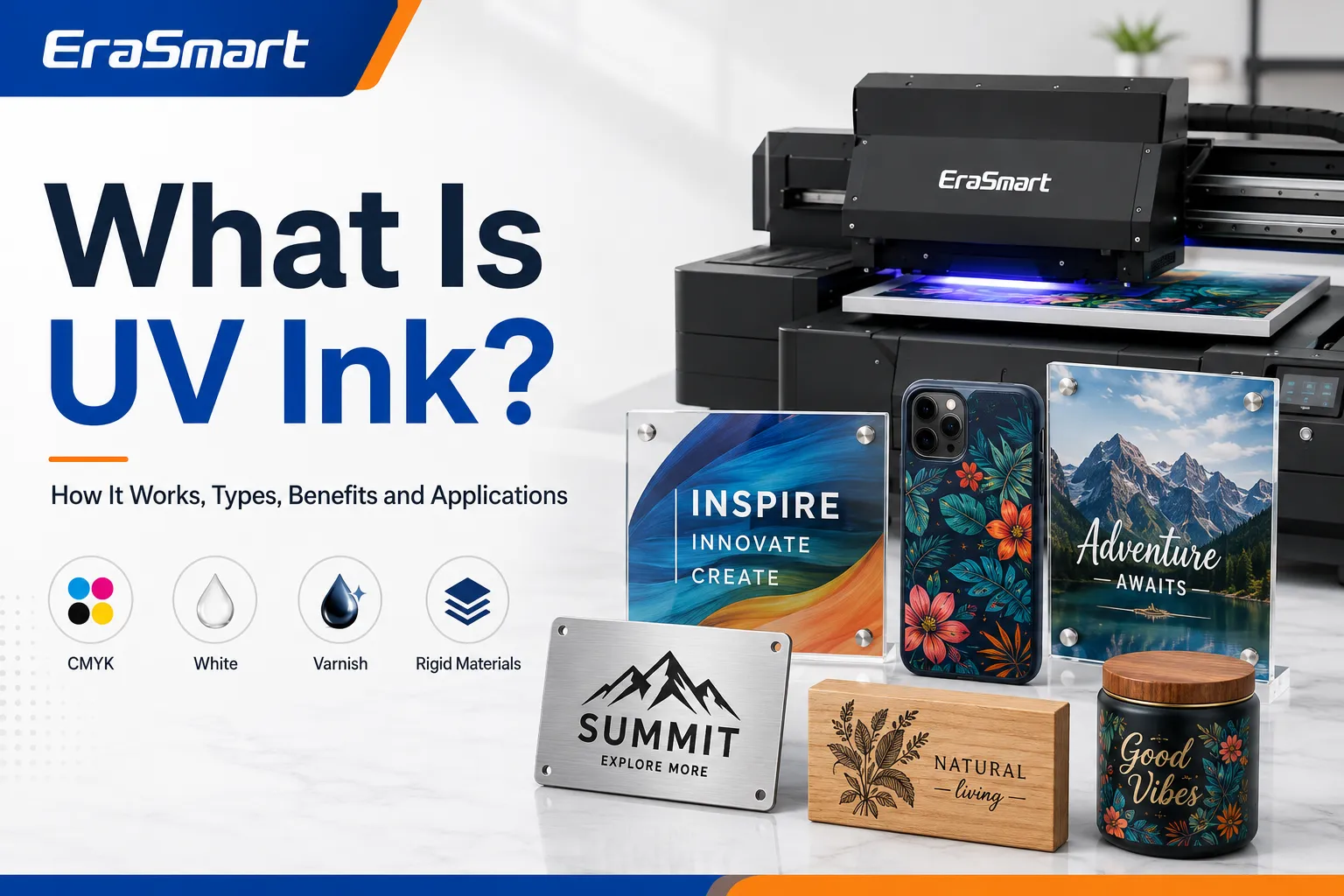
UV ink is a specialized digital printing ink that cures when exposed to ultraviolet light.

Unlike ordinary aqueous or solvent-based ink, UV ink does not rely mainly on absorption or long evaporation times. A compatible UV printer applies the ink directly to the product surface and uses built-in UV LED lamps to cure the printed layer during production.

This printing method makes it possible to decorate many rigid, coated and non-porous products, including:

  • 亞克力標牌
  • 電話盒
  • 金屬板
  • Wood panels
  • 玻璃製品
  • Plastic promotional items
  • Ceramic gifts
  • Product packaging
  • 鑰匙扣
  • Custom labels

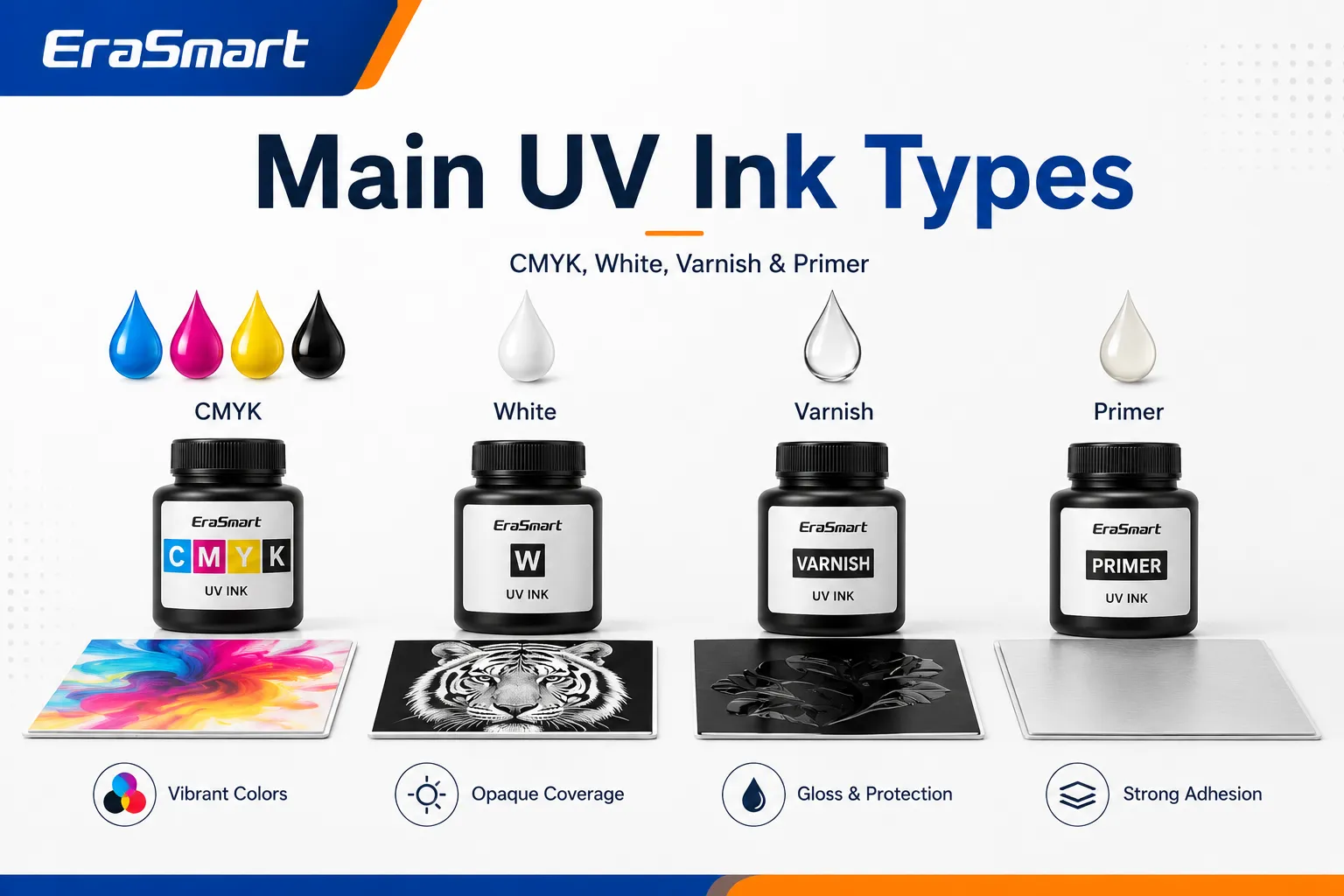
Modern UV printing systems may combine CMYK color ink with white ink, clear varnish and, on selected machines, primer. These additional channels allow businesses to print on transparent and dark materials, produce spot-gloss effects and create raised or textured designs.

However, UV ink is not a universal ink that can be used in any printer. The ink must be compatible with the printer, printhead, ink-delivery system, UV curing lamps, RIP software and intended printing materials.

This guide explains what UV ink is, how it works, the main UV ink types, suitable materials, advantages, limitations, maintenance requirements and how to choose the right ink system.

UV Ink at a Glance

物品UV ink characteristics
固化方式UV LED light
Standard colorsCyan, magenta, yellow and black
Specialty channelsWhite, varnish and primer
Primary applicationsHard and coated products
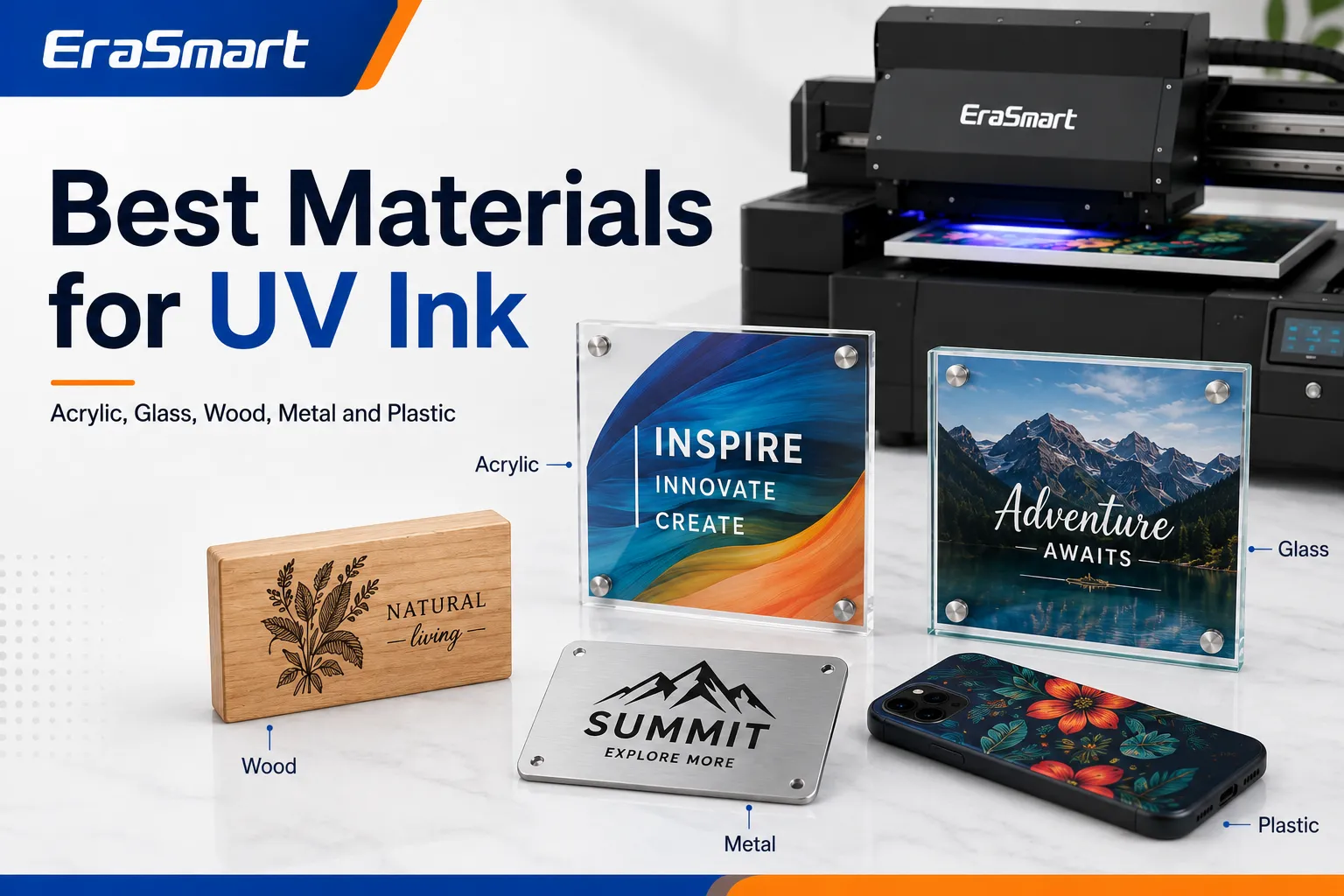
Common materialsAcrylic, glass, metal, wood and plastic
印刷方式Direct surface printing
Drying requirementNo separate air-drying stage
Main advantageFast curing and broad product range
主要限制Adhesion varies between materials
所需設備Compatible UV printer

For a complete overview of UV printer structures, workflows and applications, see the EraSmart UV printer complete guide

How Does UV Ink Work?

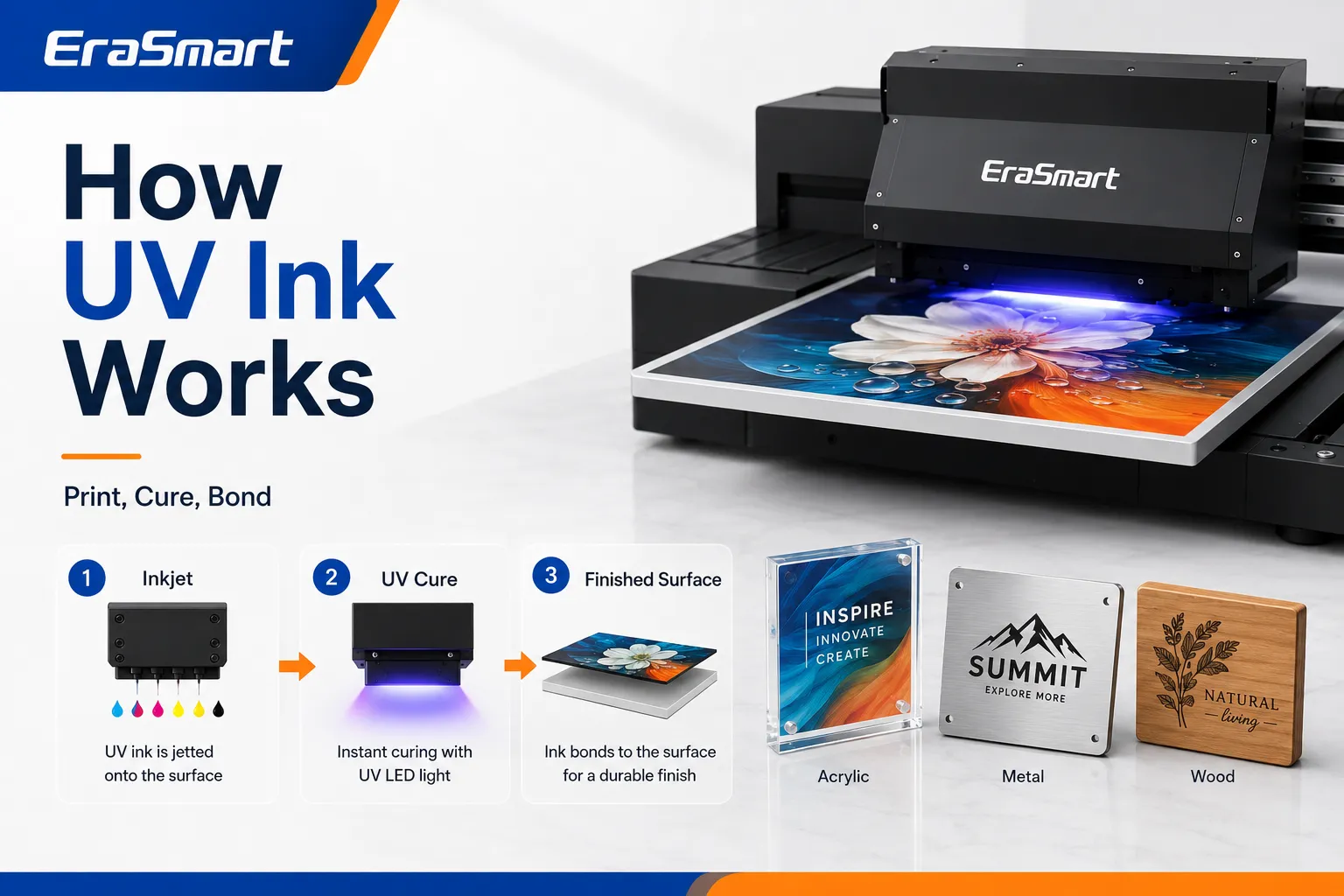
A UV printer uses inkjet printheads to place extremely small droplets of liquid UV ink directly onto the product surface.

The printer’s UV LED lamps then expose the ink to ultraviolet energy. This starts a curing reaction that changes the liquid ink into a fixed printed layer.

A typical UV printing workflow includes:

  1. Preparing the artwork in design or RIP software
  2. Cleaning and positioning the product
  3. Setting the print height and printing parameters
  4. Printing CMYK, white or varnish layers
  5. Curing the ink with UV LED light
  6. Inspecting adhesion, color and surface finish
  7. Removing the finished product from the printer

Because curing happens during printing, products can usually move to inspection, packing or further processing without waiting for a long drying period.

UV curing is different from ordinary ink drying

Traditional ink may dry through:

  • Absorption into paper
  • Water evaporation
  • Solvent evaporation
  • External heating

UV-curable ink behaves differently. It remains mainly on the material surface and becomes a solid ink layer when exposed to the printer’s UV light.

This surface-printing process helps produce:

  • Sharp text
  • 精緻細節
  • Dense colors
  • White underlayers
  • Gloss highlights
  • Raised textures
  • Multilayer graphics

The final result still depends on the printer settings, lamp output, ink formulation, layer thickness and substrate.

What Is UV Ink Made Of?

UV ink is a carefully formulated chemical system rather than a simple mixture of pigment and water.

Its exact composition varies by manufacturer and ink model, but the main components generally include the following.

顏料

Pigments create the visible color.

Standard UV printers commonly use:

  • 青色
  • 品紅
  • 黃色的
  • 黑色的

Depending on the machine configuration, additional colors may include:

  • 白色的
  • Light cyan
  • Light magenta
  • 紅色的
  • Orange
  • 清漆

Reactive monomers and oligomers

These components help create the cured ink film.

They can influence:

  • 附著力
  • Hardness
  • 靈活性
  • 耐刮擦
  • Surface texture
  • Chemical resistance
  • Gloss level

光引髮劑

Photoinitiators respond to ultraviolet energy and help begin the curing reaction.

The ink formulation and UV lamp system must work together. An ink designed for one printer should not automatically be considered compatible with another UV system.

Functional additives

Additives may be used to control:

  • 黏度
  • 表面張力
  • 墨水流量
  • 儲存穩定性
  • Wetting behavior
  • 附著力
  • 光澤度
  • Curing performance

Small differences in formulation can significantly affect printhead performance and substrate adhesion.

Main Types of UV Printer Ink

A UV printer may use several different ink channels, each performing a specific function.

CMYK UV Ink

CMYK ink creates the main color image.

The four standard channels are:

  • 青色
  • 品紅
  • 黃色的
  • 黑色的

They are used to reproduce:

  • Logos
  • Photographs
  • Illustrations
  • Product labels
  • Decorative patterns
  • Text
  • Packaging graphics

The final appearance depends on more than the CMYK values in the artwork. It can also be affected by:

  • Substrate color
  • Surface texture
  • 白墨底色
  • RIP簡介
  • 列印解析度
  • Number of passes
  • Ink density
  • Curing settings

Printing the same image on white acrylic, clear acrylic and dark metal can therefore produce different results.

白色UV油墨

White ink is one of the most valuable capabilities of a UV printer.

It allows the printer to produce visible designs on:

  • Transparent acrylic
  • 玻璃
  • Dark plastic
  • Colored metal
  • 木頭
  • Dark promotional products

White ink can be used in several ways.

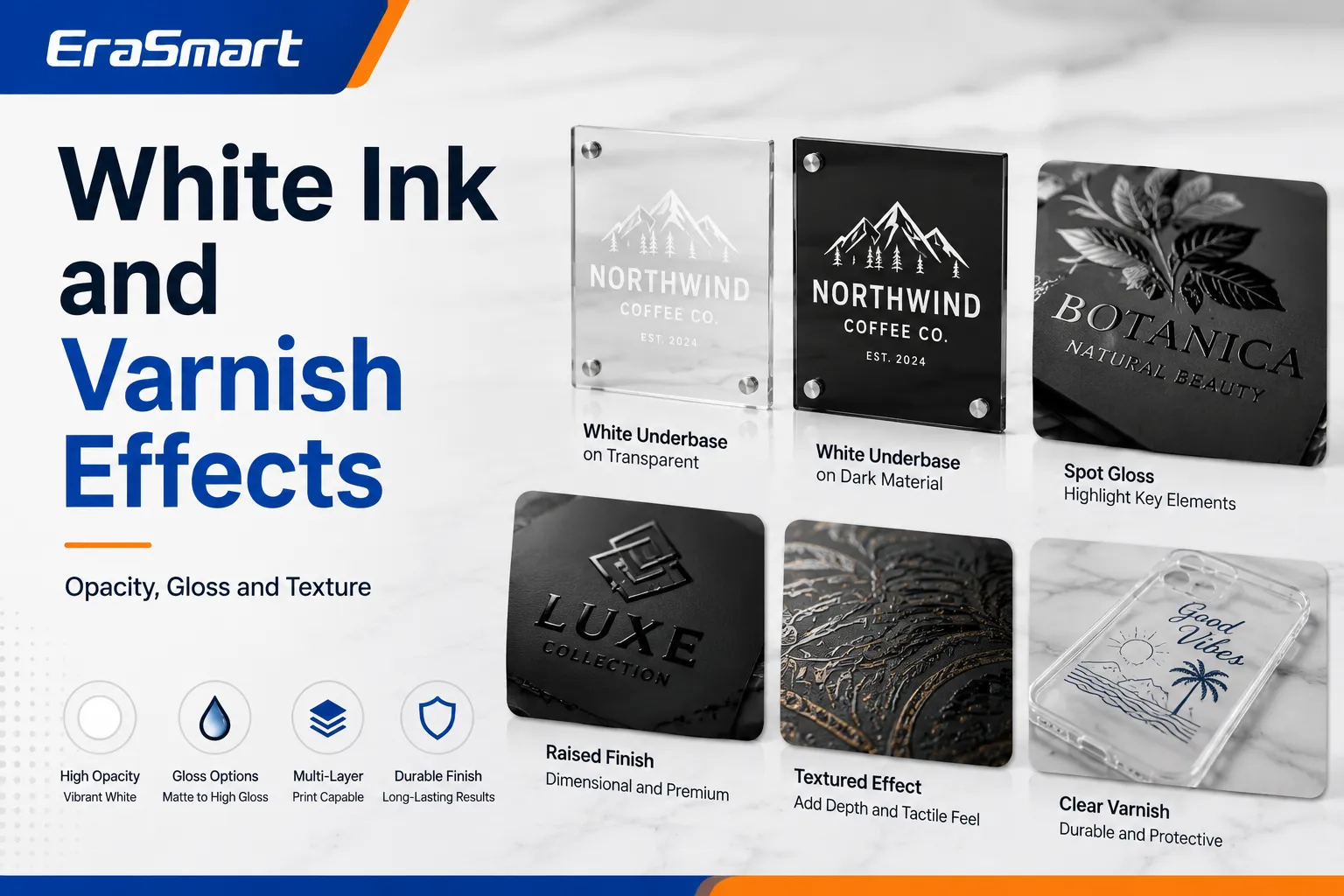
White underbase

A white layer is printed beneath CMYK to prevent the substrate color from changing the appearance of the design.

This is particularly useful for:

  • Black phone cases
  • 彩色壓克力
  • Dark wood
  • 金屬製品
  • Transparent materials

White backing layer

When printing on the back of transparent acrylic or glass, white ink can be printed behind the color image to improve opacity and visibility from the front.

Standalone white graphics

White ink may also be printed independently for:

  • White logos
  • Text
  • Decorative patterns
  • Frosted-style effects
  • Minimalist product designs

Multilayer printing

Some UV workflows use several layers, such as:

  • Color + white
  • White + color
  • Color + white + color
  • White + color + varnish

The correct layer order depends on how the finished product will be viewed.

For a deeper explanation of these channels, read the EraSmart UV ink guide for CMYK, white and varnish

Clear Varnish Ink

Varnish is a transparent UV-curable ink used to change the appearance and texture of selected print areas.

It can create:

  • Spot-gloss effects
  • Raised logos
  • Simulated embossing
  • Textured patterns
  • Decorative highlights
  • Tactile lettering
  • Premium product finishes

Varnish is normally printed as an additional layer rather than replacing CMYK or white ink.

The quality of a varnish effect depends on:

  • 作品準備
  • Number of printed layers
  • Curing performance
  • Material height
  • Nozzle condition
  • RIP print mode

Raised varnish effects may require multiple passes, which increases production time and ink consumption.

底漆

Primer is a clear adhesion-support layer that can improve UV ink bonding on selected difficult surfaces.

It may be useful for:

  • 玻璃
  • 金屬
  • Smooth plastic
  • 陶瓷製品
  • Coated promotional products
  • Other low-adhesion materials

Primer can sometimes be applied manually, while selected UV printers support primer as an ink channel.

However, primer does not make every material automatically printable. The product still needs to be:

  • 乾淨的
  • 乾燥
  • Properly positioned
  • Compatible with the primer
  • Tested before full production

Always perform an adhesion test before accepting a large order.

Hard UV Ink vs Flexible UV Ink

UV inks may also be classified according to the flexibility of the cured ink layer.

Hard UV ink

Harder formulations are generally intended for rigid products that do not bend significantly.

Typical applications include:

  • Acrylic panels
  • 金屬板
  • Wood boards
  • 玻璃
  • 磁磚
  • Rigid plastic products

Potential advantages include:

  • Firm surface
  • Sharp detail
  • Good scratch resistance
  • Strong decorative finish

The limitation is that the ink layer may crack if the product bends or flexes beyond the ink’s capability.

Flexible UV ink

Flexible formulations are designed to tolerate more movement.

Possible applications include:

  • Flexible plastic
  • 電影
  • Leather-like products
  • 彎曲物品
  • Products with minor bending

Flexible UV ink is still not normally the first choice for stretch garments. Apparel-focused production is generally better suited to DTF or DTG technology.

See the comparison between UV printers and DTF printers when deciding between hard-product and textile printing.

What Materials Can UV Ink Print On?

UV printing supports a broad range of products, but material compatibility should always be tested.

材料常用產品Main consideration
丙烯酸纖維Signs, photo blocks, awardsWhite ink may be required
玻璃Decorative panels and giftsPrimer may improve adhesion
金屬Nameplates, signs and cardsRemove oil and contamination
木頭Ornaments, signs and décorGrain affects print appearance
塑膠Phone cases and promotional itemsPlastic chemistry varies
陶瓷製品Tiles and coated productsPerform adhesion testing
Leather-like materialsWallets, covers and accessoriesCheck flexibility
PVCCards, signs and displaysConfirm ink compatibility
Cardboard包裝樣品Surface coating affects adhesion
Coated products客製化禮品Coating quality is critical

The phrase “UV printing works on almost anything” should be treated carefully. A material may physically fit inside the printer but still have poor ink adhesion.

For more detailed substrate guidance, read the EraSmart UV printer materials guide

丙烯酸纖維

Acrylic is one of the most popular UV printing materials.

It can be used for:

  • Business signs
  • Wedding signs
  • Photo blocks
  • Awards
  • Menu boards
  • Desk displays
  • Decorative panels

Transparent acrylic often uses white ink as a backing layer or underbase.

Back-printing can also protect the printed image behind the acrylic surface.

玻璃

UV printing can decorate:

  • Glass panels
  • Bottles
  • Awards
  • 寫真產品
  • Decorative items

Glass surfaces are smooth and non-porous, so adhesion testing is essential.

Cleaning, primer or pretreatment may be required depending on the glass and intended use.

金屬

Metal UV printing applications include:

  • Nameplates
  • Product labels
  • Control panels
  • Aluminum signs
  • Business cards
  • Equipment plates

Oil, dust and protective coatings can reduce adhesion. The surface should be cleaned using a method suitable for the material.

木頭

UV ink can be used on:

  • 木標牌
  • 裝飾品
  • Gift boxes
  • Decorative boards
  • Furniture components

Natural wood grain may remain visible through the print. White ink can be used to create a more consistent color base.

塑膠

Plastic is widely used for:

  • 電話盒
  • USB products
  • Promotional gifts
  • Cards
  • 包裝
  • Device covers

There are many different plastic formulations. Some accept UV ink easily, while others require primer or surface treatment.

Always test the exact product rather than assuming all plastics behave the same way.

What Products Can Be Made With UV Ink?

A small or commercial UV printer can support many product categories.

Popular applications include:

  • 客製化手機殼
  • 亞克力標牌
  • Nameplates
  • 鑰匙扣
  • Metal cards
  • Product labels
  • Promotional gifts
  • Wood ornaments
  • 包裝樣品
  • 照片面板
  • Desk signs
  • Control panels
  • Awards
  • Decorative tiles

You can explore more ideas in EraSmart’s guide to things to print with a UV printer

Advantages of UV Ink

Fast Curing

UV ink is cured during the printing process.

This reduces the need for:

  • Long drying periods
  • Drying racks
  • Separate drying tunnels
  • Heat-transfer processes
  • Extended production waiting time

The completed product can usually move quickly to inspection and packaging.

Direct Printing

UV printers can print directly onto the product surface.

This can eliminate the need for:

  • Transfer paper
  • Adhesive film
  • Heat pressing
  • Screen preparation
  • Printing plates

Direct printing can simplify short-run and personalized production.

Broad Product Range

One UV printer may produce several product categories, such as:

  • 亞克力標牌
  • 電話盒
  • 木製禮品
  • 金屬銘牌
  • 促銷產品
  • 包裝樣品

This makes UV printing attractive for small customization studios that want to serve several markets.

White Ink Capability

White ink allows printing on:

  • Dark products
  • Colored materials
  • Transparent acrylic
  • 玻璃
  • Backlit graphics

Without white ink, CMYK colors may appear weak or transparent on these products.

Varnish and Texture Effects

Varnish can increase perceived product value through:

  • Spot gloss
  • Raised branding
  • Simulated embossing
  • Tactile patterns
  • Decorative textures

These effects can help a small printing business offer premium product options.

Variable-Data Production

Because UV printing is digital, the artwork can change from one product to the next.

這對於:

  • Customer names
  • Serial numbers
  • Personalized photographs
  • Different company logos
  • Individual product designs
  • Small-batch variations

Limitations of UV Ink

A Dedicated UV Printer Is Required

UV ink should never be added to an ordinary office inkjet printer.

A suitable UV printing system requires:

  • Compatible printheads
  • UV-resistant ink lines
  • Appropriate dampers
  • UV curing lamps
  • RIP軟件
  • Safety shielding
  • Maintenance functions

Using incompatible ink may damage the printer.

Adhesion Is Material-Dependent

UV ink can print on many materials, but adhesion is not guaranteed.

Potential problem surfaces include:

  • Untreated glass
  • Silicone-containing products
  • Low-surface-energy plastics
  • Oily metal
  • Flexible materials
  • Contaminated surfaces

Cleaning, primer or professional surface treatment may be necessary.

UV Ink Is Not Ideal for Standard Clothing

UV ink forms a cured layer on top of the surface.

On soft or stretchy clothing, this layer may:

  • Feel stiff
  • Crack
  • 果皮
  • Reduce fabric flexibility

For textile products, DTF or DTG is usually more appropriate.

Product Height Must Be Controlled

A UV flatbed printer requires a safe distance between the printhead and product.

Problems may occur when the product is:

  • Warped
  • Uneven
  • Too tall
  • Poorly secured
  • Positioned incorrectly

Incorrect height can reduce print quality or cause a printhead collision.

White Ink Requires Maintenance

White ink contains dense pigment that can settle over time.

Without correct circulation and maintenance, problems may include:

  • Weak white output
  • Missing nozzles
  • Ink-line deposits
  • Damper blockage
  • 印字頭堵塞

Ink Cost Is Not the Only Operating Cost

UV printing expenses may also include:

  • Cleaning solution
  • Waste ink
  • Maintenance parts
  • 底漆
  • Fixtures
  • 不合格品
  • RIP軟件
  • 勞動
  • Printhead replacement

Read EraSmart’s guide on how much UV printing costs for a broader cost overview.

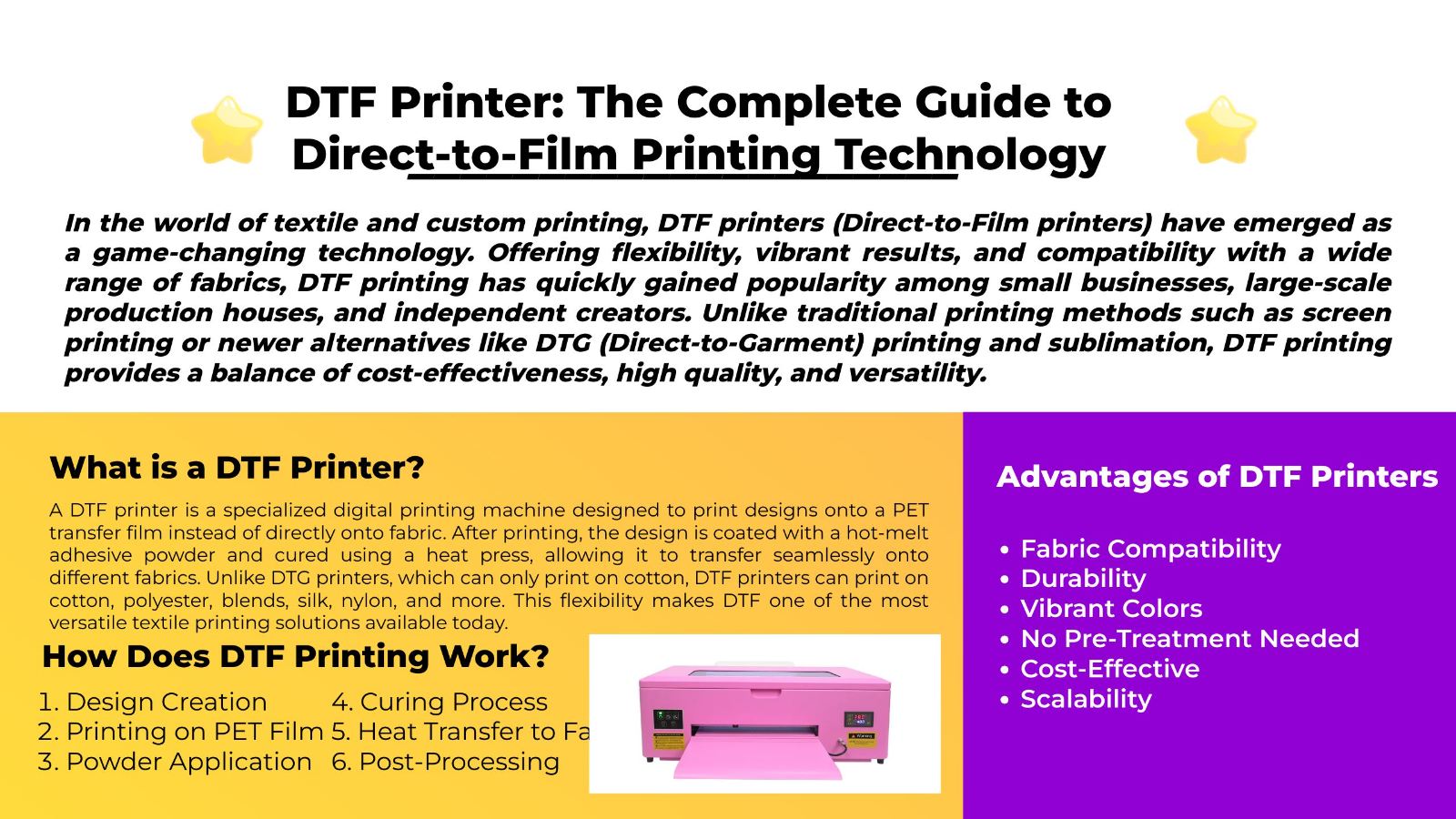
UV Ink vs Other Printing Inks

特徵紫外墨水DTF墨水熱昇華墨水DTG墨水
主要產品Rigid and coated products織物轉移Polyester and coated gifts直接服裝印花
固化方式UV light粉末固化和熱壓Heat transferHeat curing
白墨水CommonCommonNormally unavailableCommon
最好的材料Acrylic, wood, metal, glass and plastic棉、聚酯纖維及其混紡Polyester and polymer coatingsPrimarily suitable garments
表面手感Cured surface layer柔性轉移層Dye becomes part of materialInk printed directly onto garment
Varnish option可用的Normally unavailableUnavailableNormally unavailable
Heat press needed是的是的Used for curing

UV ink is usually best for direct decoration of hard products.

Sublimation may be better for coated mugs, mousepads and polyester goods. See UV printing vs sublimation for a more detailed comparison.

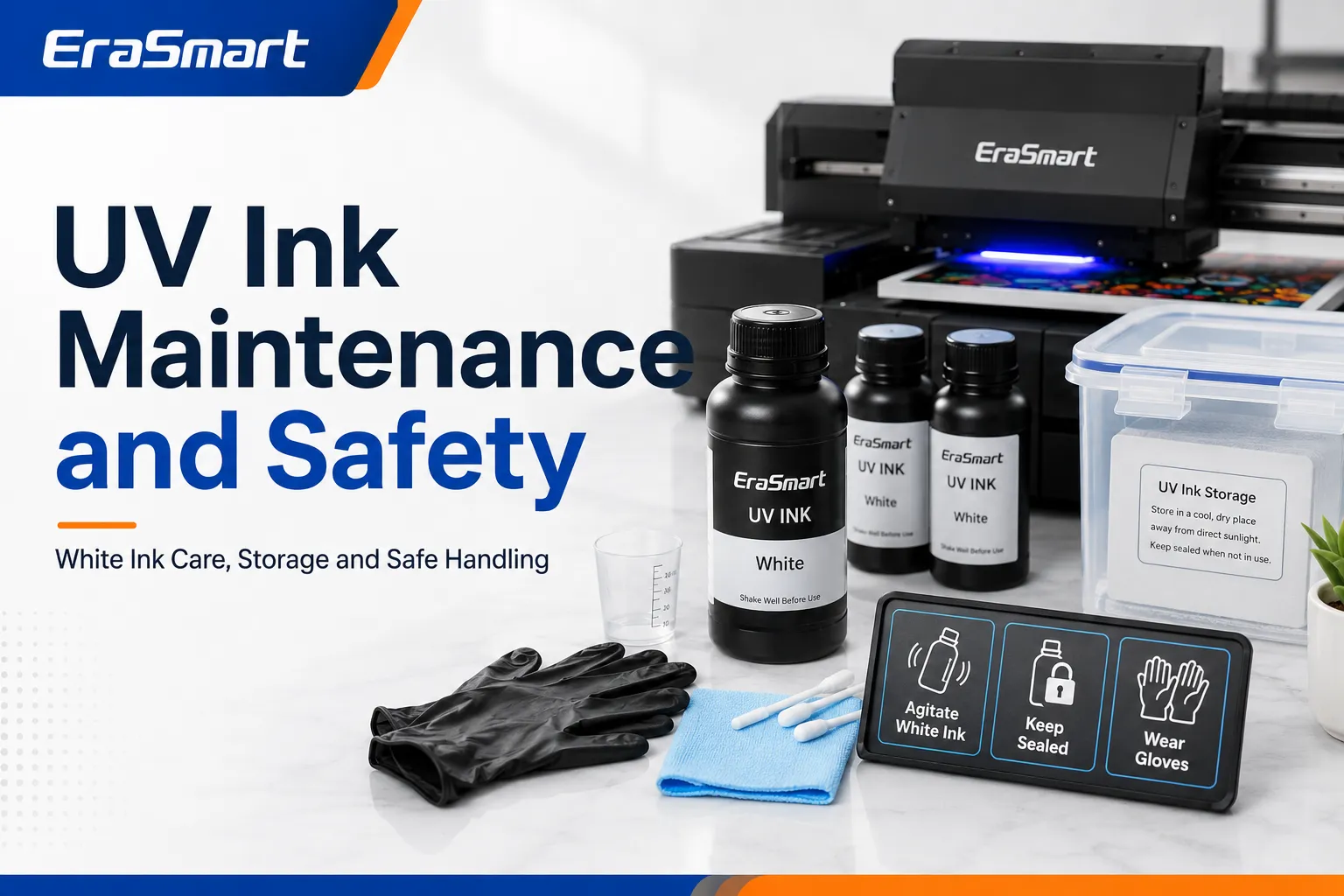
Why White UV Ink Needs Special Maintenance

White UV ink contains a high concentration of opaque pigment.

When the ink remains still for an extended period, the pigment may begin to settle.

This can lead to:

  • Reduced opacity
  • Uneven white output
  • Missing nozzles
  • 阻尼器堵塞
  • Ink-line deposits
  • Printhead damage

Modern UV printers may include:

  • 白墨循環
  • 自動攪拌
  • Scheduled cleaning
  • Ink refresh functions
  • Automatic nozzle maintenance

These systems reduce risk but do not eliminate the need for regular operator maintenance.

Follow the maintenance routine specified for the printer rather than applying a generic schedule.

EraSmart UV printer maintenance guide explains daily, weekly and idle-period considerations.

Common UV Ink Problems

UV Ink Does Not Adhere

可能的原因包括:

  • Dirty material
  • Oil or fingerprints
  • Incompatible plastic
  • Insufficient curing
  • Incorrect ink
  • 缺少底漆
  • Low-energy surface

Recommended actions include:

  1. Clean the product correctly.
  2. Confirm that the ink is compatible with the substrate.
  3. Test another print mode.
  4. Apply approved primer if necessary.
  5. Perform an adhesion test before production.

The Print Feels Sticky

可能的原因包括:

  • Incomplete curing
  • Excessive ink density
  • Incorrect lamp settings
  • Thick varnish layers
  • 不相容的墨水

Stop production and check the printer, ink and curing settings. Do not assume that repeatedly exposing the product to UV light will always solve the problem.

White Ink Looks Weak

可能的原因包括:

  • Pigment settling
  • Missing nozzles
  • Low white density
  • Incorrect artwork layers
  • Ink-system contamination

Run the printer’s approved white-ink maintenance process and perform a nozzle check.

Varnish Looks Uneven

可能的原因包括:

  • Incorrect varnish artwork
  • 噴嘴損失
  • Uneven product height
  • Excessive layer thickness
  • Incorrect varnish print mode

Printed Color Does Not Match the Screen

可能的原因包括:

  • ICC 設定檔不正確
  • Missing white underbase
  • Substrate color
  • Incorrect RIP settings
  • Excessive ink density
  • Different curing behavior

Color should be evaluated using physical printed samples, not only a computer monitor.

Is UV Ink Safe?

Uncured UV ink should be handled as a chemical product.

Possible hazards may include:

  • Skin irritation
  • Eye irritation
  • Allergic reactions
  • Respiratory irritation
  • Environmental hazards

Always follow the Safety Data Sheet supplied with the ink.

Recommended precautions include:

  • Wear suitable protective gloves.
  • Avoid skin and eye contact.
  • Use eye protection when handling spills.
  • Maintain suitable ventilation.
  • Keep ink containers closed.
  • Keep ink away from food and children.
  • Follow local disposal regulations.
  • Clean spills using approved procedures.

Do not automatically assume that a cured UV print is approved for:

  • Direct food contact
  • Medical products
  • Children’s products
  • Skin-contact products
  • Regulated packaging

Suitability depends on the specific ink, product, curing performance and applicable regulations.

How Should UV Ink Be Stored?

Storage instructions vary between ink formulations, so the product label and technical documentation should always take priority.

General practices include:

  • Store ink in the original container.
  • Keep containers sealed.
  • Protect ink from direct sunlight.
  • Avoid excessive heat.
  • Avoid freezing.
  • 記錄開放日期。
  • 首先使用舊庫存。
  • Keep ink clearly labeled.
  • Do not mix expired and fresh ink.
  • Follow the stated shelf life.

Do not transfer UV ink into an unmarked container.

How to Choose the Right UV Ink

Confirm the Printer Model

Choose ink that is approved or verified for the specific printer.

查看:

  • 印表機型號
  • 打印頭
  • 供墨系統
  • Cartridge or bottle type
  • UV lamp system
  • RIP軟件
  • Ink-channel configuration

Do not select ink only because the bottle size fits the printer.

Identify Your Main Products

List the products your business intends to print.

例如:

  • 亞克力標牌
  • 電話盒
  • Metal cards
  • 玻璃製品
  • 木製禮品
  • 磁磚
  • 包裝樣品

The ink formulation should match the intended substrates and required flexibility.

Choose the Correct Ink Configuration

Common UV printer configurations include:

  • CMYK
  • CMYK + 白色
  • CMYK+白+光油
  • CMYK + White + Primer
  • Expanded-color systems

A business printing dark phone cases and transparent acrylic will normally benefit from white ink.

A business offering premium decorative products may also benefit from varnish.

Evaluate White Ink Requirements

White ink expands the range of printable products, but it also increases:

  • 維護
  • 墨水消耗量
  • Cleaning requirements
  • Production complexity

The benefits should be compared with the products you plan to sell.

Evaluate Varnish Requirements

Varnish may be valuable for:

  • Raised logos
  • Spot-gloss products
  • Textured acrylic
  • Decorative phone cases
  • Premium packaging samples
  • Tactile promotional products

It may not be necessary for a business focused only on standard flat color printing.

Test Ink and Material Compatibility

Before production, print test samples on the exact material.

Evaluate:

  • 附著力
  • 顏色
  • White opacity
  • 耐刮擦
  • 靈活性
  • Varnish finish
  • 養護
  • Long-term appearance

Do not rely only on a generic material name such as “plastic” or “metal.”

Consider Technical Support

Before selecting a UV ink or printer, confirm the availability of:

  • 墨水
  • Cleaning solution
  • Waste consumables
  • Capping stations
  • Dampers
  • 列印頭
  • 支援 RIP
  • Technical service
  • Warranty coverage

A low ink price does not compensate for unstable production or missing technical support.

Is UV Ink Suitable for a Small Custom Printing Business?

UV printing can be a strong choice for small studios focused on custom hard-surface products.

Potential products include:

  • 電話盒
  • 亞克力牌
  • Desk signs
  • 鑰匙扣
  • Metal cards
  • Nameplates
  • Wood ornaments
  • 企業禮品
  • 促銷產品
  • Product packaging samples

A compact UV printer allows businesses to produce short runs without screens, printing plates or transfer paper.

However, profitability depends on:

  • Product demand
  • 墨水消耗量
  • 材料成本
  • Fixture preparation
  • Failed-product rate
  • 維護
  • Selling price
  • 生產效率

Before purchasing equipment, compare working size, ink channels, material height and production requirements in the EraSmart UV printer range

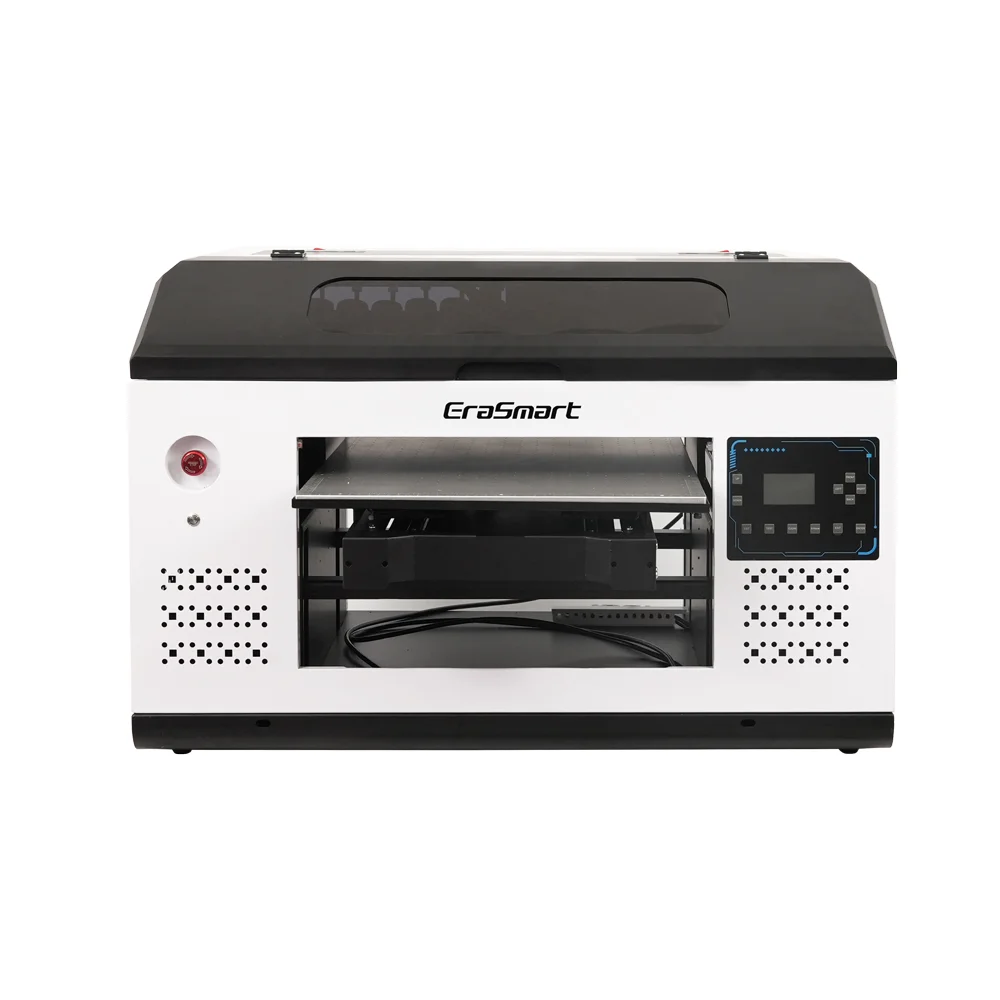
緊湊型入門級型號,配備 L800 打印頭,非常適合小物品和業餘愛好項目(120*210mm 打印尺寸)。

a4 uv打印機

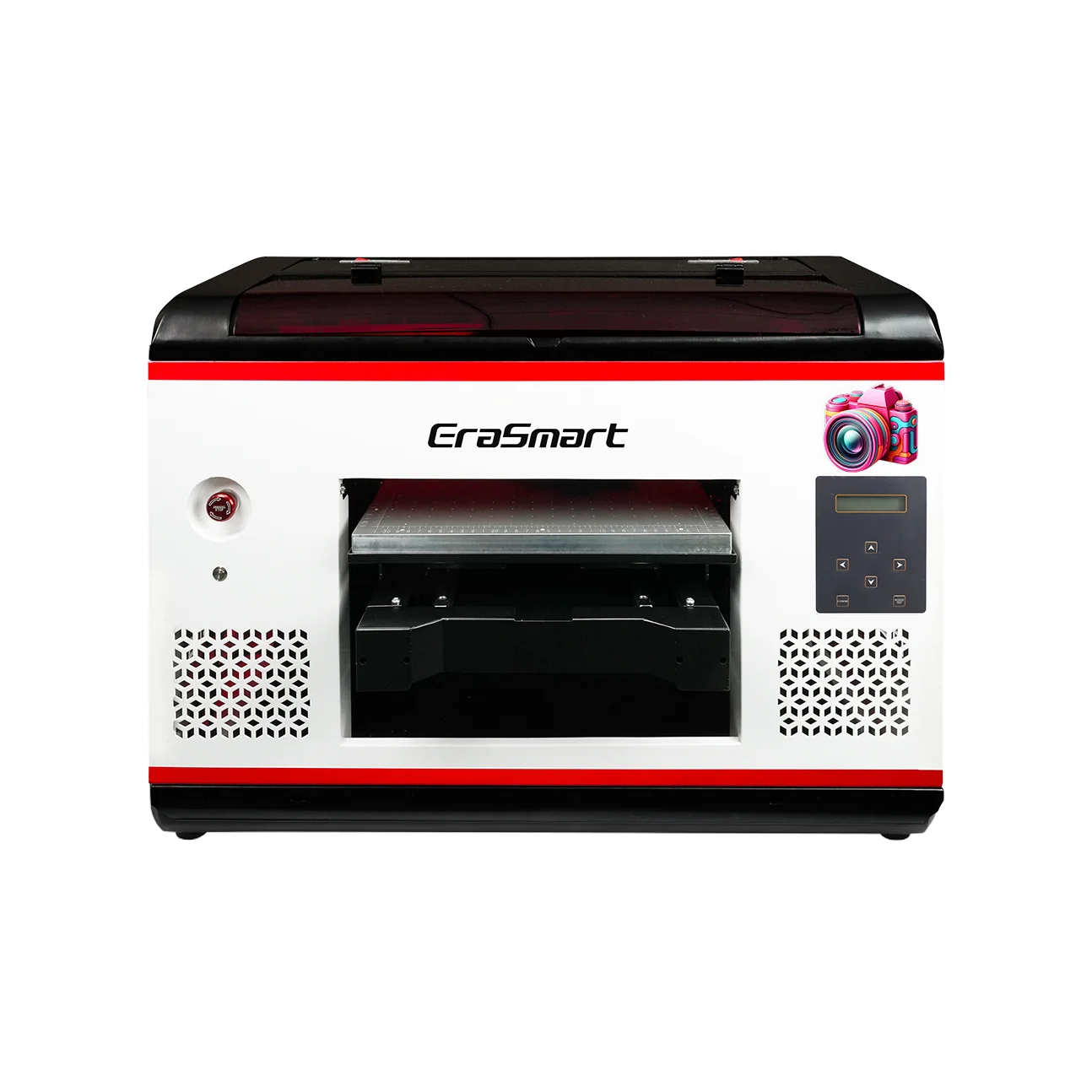
L800打印頭,打印尺寸為210*290mm,非常適合小型企業和個性化禮品(打印高度0-130mm)。

a3 max uv打印機DX7

DX7打印頭,打印尺寸350*450mm,吸風平台,CMYK+WW+VV適合大批量生產。

a3最大uv打印機XP600

XP600噴頭,打印尺寸350*450mm,速度5㎡/小時,適合中大型生產。

a3 pro uv打印機XP600

雙 XP600 打印頭,速度 5.5 平方米/小時,CMYK+WW+VVVVVV,增強色域和生產力。

雙XP600打印頭,打印尺寸350*450mm,專為工業級連續生產而設計。

大幅面 420*600mm 打印機,配備雙 XP600 打印頭,非常適合標牌、面板和大型材料。

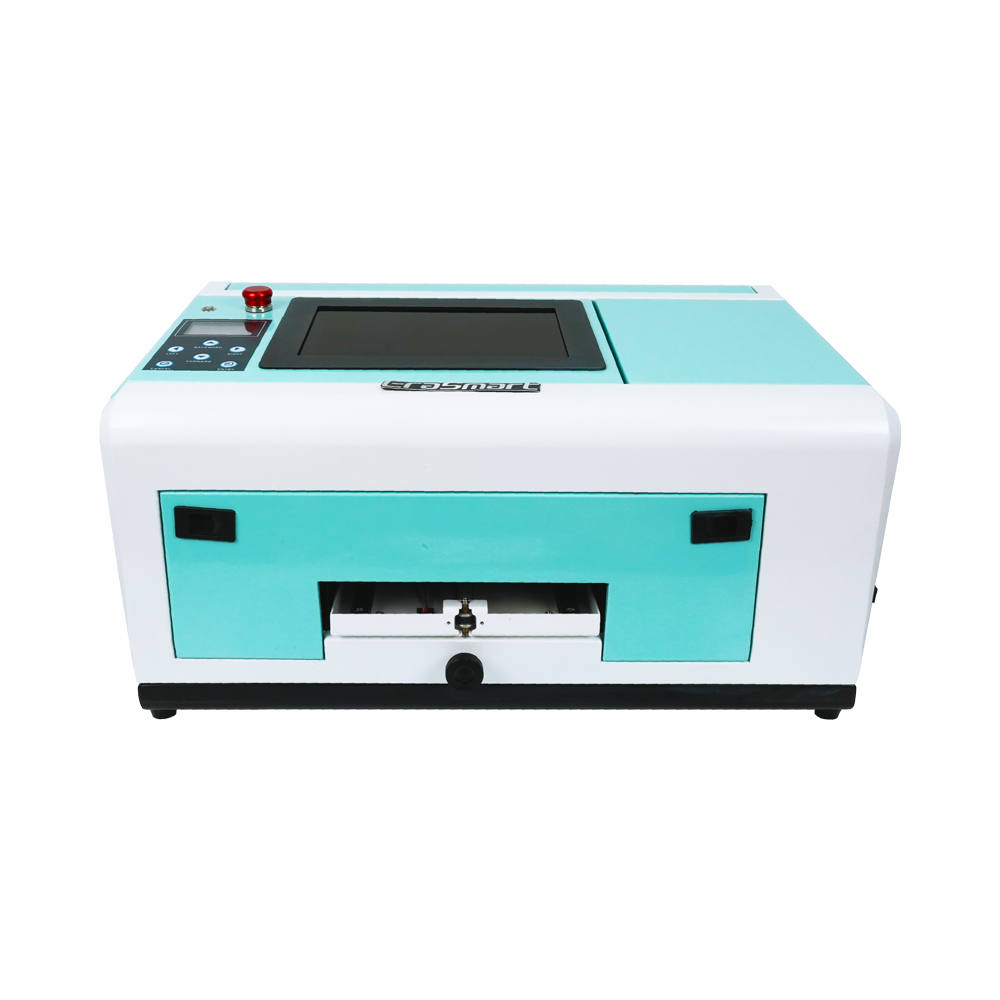
雙XP600頭自動貼合,專門用於UV DTF膠片印刷(寬度可達350mm)。

專用於手機殼(TPV/PVC/木質/金屬),10英寸顯示屏,0-10mm可調高度。

最後的想法

UV ink is a specialized ink system that cures under ultraviolet light and creates a printed layer directly on a compatible product surface.

Its main advantages include:

  • Fast curing
  • Direct printing
  • Broad hard-material compatibility
  • 白墨水
  • Varnish and texture effects
  • Short-run customization

Its main limitations include:

  • Need for a dedicated UV printer
  • Material-dependent adhesion
  • White-ink maintenance
  • Chemical-handling requirements
  • Limited suitability for stretch fabrics
  • Possible need for primer and fixtures

The best UV ink is not simply the brightest or least expensive option.

It is the ink that matches:

  • The printer
  • The printhead
  • The UV curing system
  • The RIP software
  • The substrate
  • The required finish
  • The production environment

EraSmart provides compact and commercial UV printer solutions for phone cases, acrylic, promotional products, signs, packaging samples and other custom hard-surface applications.

常見問題

What is UV ink?

UV ink is a specialized printing ink that cures when exposed to ultraviolet light inside a compatible UV printer.

How does UV ink cure?

The printer’s UV LED lamps expose the freshly printed ink to ultraviolet energy, starting a reaction that converts it into a fixed printed layer.

Does UV ink dry instantly?

UV ink is normally cured quickly during printing. Complete curing still depends on the ink formulation, UV lamp, print mode and layer thickness.

Can UV ink print on glass?

Yes, but some glass products may require cleaning, primer or another pretreatment to achieve reliable adhesion.

Can UV ink print on plastic?

UV ink can print on many plastics, but plastic formulations vary. The exact product should be tested before production.

Can UV ink print on metal?

Yes. Metal should be cleaned to remove oil, dust, fingerprints and surface contamination before printing.

Is UV ink waterproof?

A properly cured UV print may provide good water resistance during normal use. Performance still depends on the substrate, adhesion and intended environment.

Can UV ink be used in a regular inkjet printer?

No. UV ink requires a compatible ink system, printhead and UV curing hardware.

Does UV printing require a heat press?

No. UV ink is cured by UV light rather than being transferred with heat.

Can UV ink print on T-shirts?

UV ink is generally not recommended for standard stretch clothing. DTF or DTG is normally more suitable.

What is white UV ink used for?

White UV ink is used as an underbase, backing layer or standalone white graphic on transparent, dark and colored materials.

What is UV varnish ink?

UV varnish is a clear ink channel used to create gloss, raised and textured effects.

Does UV ink require primer?

Some materials print well without primer. Glass, metal and certain plastics may require primer or pretreatment.

Why does white UV ink need circulation?

White ink contains dense pigment that can settle during idle periods. Circulation and maintenance help keep the pigment distributed and reduce clogging risk.


也許你也喜歡

  • Erasmart打印機

    UV打印機
    DTF打印機
    DTG打印機
    熱壓機
    廣告打印機

  • 打印機工具

    DTF烤箱
    熱壓
    雕刻機
    杯傳熱
    層壓機

  • 消耗品

    打印墨水
    手機案例
    玻璃產品
    清潔液
    棉籤

  • 聯繫我們

    WhatsApp:+8618566233796
    微信:+8618566233796
    手機:+8618566233796
    網絡:www.erasmart.com
    店鋪:www.erasmartmall.com

  • 請求報價

    只需提供一些細節,我們將幫助您獲得快速報價!

    需要印表機價格嗎?

    告訴我們您的列印需求。我們的團隊將在 24 小時內回覆。