
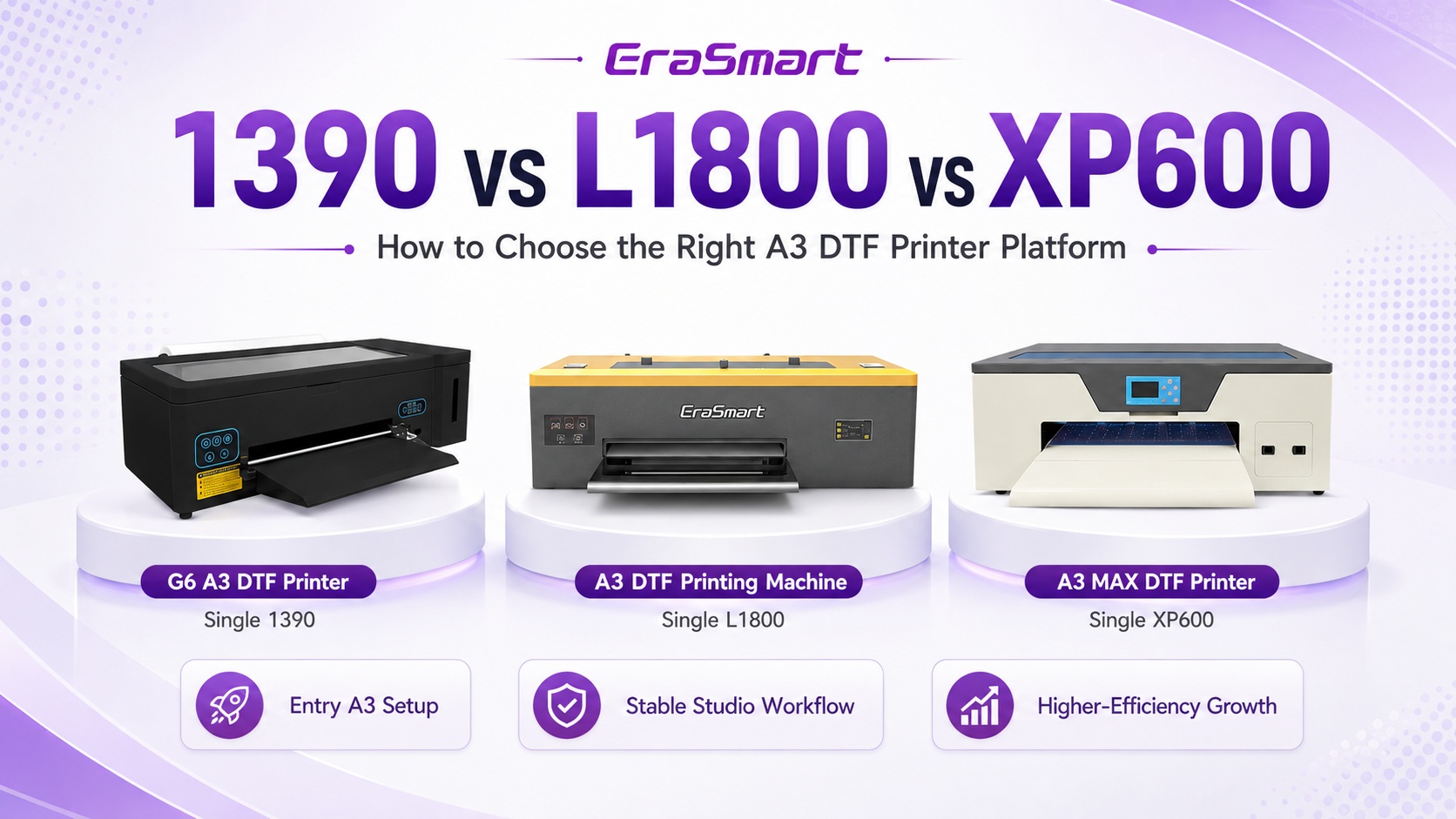
Impresora DTF 1390, L1800 y XP600: ¿Qué plataforma A3 es la adecuada para su negocio?
Si compara una impresora DTF 1390, L1800 y XP600, la verdadera decisión no es simplemente “¿qué cabezal de impresión es mejor?” Está eligiendo una plataforma de producción completa de clase A3: ancho de impresión, gestión de tinta blanca, flujo de trabajo RIP, conectividad, mantenimiento diario, volumen de pedidos esperado y hasta qué punto desea que la máquina escale con su negocio.
La respuesta corta
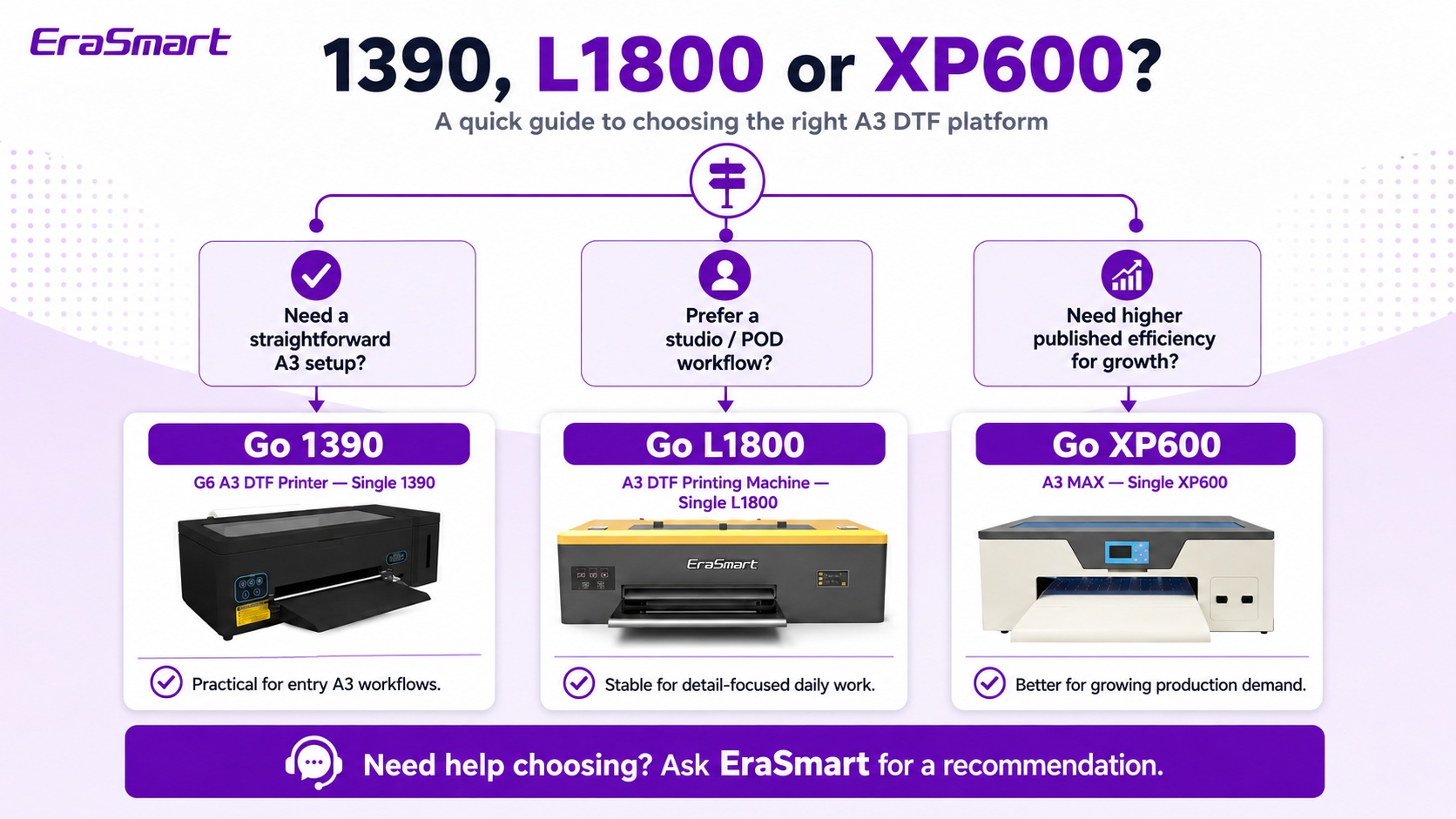
Elige el G6 A3 1390 si desea una configuración sencilla de formato A3+ de 340 mm para creadores, POD y trabajos personalizados de menor volumen. Elija el A3 Sencillo L1800 si su prioridad es un flujo de trabajo de estudio familiar de 340 mm con AcroRip/EraRip y circulación de tinta blanca. Elija el A3 MAX Sencillo XP600 si espera que el volumen de pedidos crezca y desea la plataforma A3 de 350 mm de EraSmart, más orientada a la producción, con control Hoson y conectividad de red.
1390 vs L1800 vs XP600: Comparación rápida
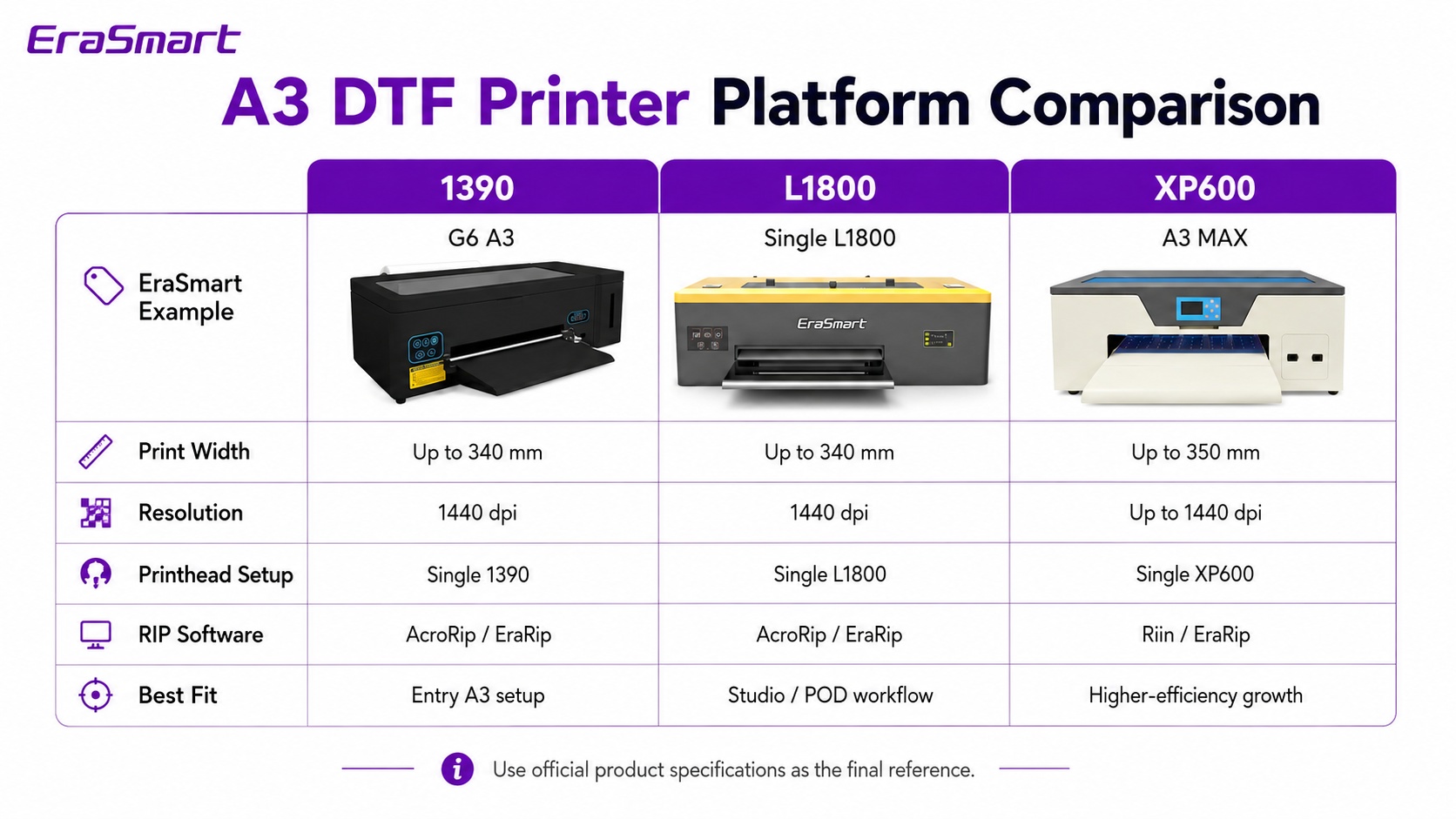
Las tres opciones se encuentran en el segmento compacto A3 DTF, pero están dirigidas a etapas ligeramente diferentes de un negocio de impresión. La siguiente tabla se centra en las especificaciones y las diferencias en el flujo de trabajo que son útiles para una decisión de compra real.
| factor de compra | G6 A3 — 1390 | A3-L1800 | A3 MAX: XP600 individual |
|---|---|---|---|
| Plataforma | A3 / A3+ | A3 | A3 MÁX. |
| Configuración del cabezal de impresión | Soltero 1390 | Plataforma L1800 de un solo cabezal | XP600 único |
| Ancho máximo de impresión | Hasta 340 mm | Hasta 340 mm | Hasta 350 milímetros |
| Resolución | 1440 ppp | 1440 ppp | Hasta 1440 ppp |
| Configuración de tinta | CMYK + WW | CMYK + WW | CMYK + WW |
| Circulación de tinta blanca | sí | sí | sí |
| flujo de trabajo RIP | AcroRip 9.03 / EraRip | AcroRip 9.03 / EraRip | Riin / PrivadoRip |
| Conexión | USB 2.0/3.0 | USB 2.0/3.0 | Interfaz de red |
| potencia nominal | 50W | 50W | 100 vatios |
| Mejor ajuste | Creadores, POD, producción de entrada A3. | Pequeños estudios y trabajo a medida del día a día. | Talleres en crecimiento y trabajo A3 más centrado en la producción |
La velocidad de producción en DTF depende del modo de paso, la cobertura del arte, la configuración de la capa blanca, la configuración de RIP y el flujo de trabajo. Si el rendimiento es un criterio de compra clave, solicite una prueba con la misma obra de arte y el mismo resultado en todos los modelos que esté considerando.
Primero, comprenda qué significan “1390”, “L1800” y “XP600”
Estos nombres se utilizan a menudo como abreviatura cuando los compradores comparan impresoras DTF, pero no describen la máquina completa. Dos impresoras que utilizan un cabezal o plataforma de etiquetas similar pueden diferir en la placa base, el suministro de tinta, la circulación de tinta blanca, el manejo de la película, el diseño de limpieza, el software, la electrónica y el chasis.
Una práctica plataforma de entrada A3
En la gama EraSmart, la G6 utiliza una única configuración 1390 con un ancho de impresión de hasta 340 mm, resolución de 1440 ppp, CMYK + doble blanco y circulación activa de tinta blanca.
Un flujo de trabajo DTF familiar para estudios pequeños
La configuración A3 L1800 de EraSmart está posicionada como una máquina de producción DTF de un solo cabezal de 340 mm con circulación de tinta blanca y soporte AcroRip/EraRip.
Una plataforma A3 más orientada al crecimiento
La A3 MAX Single XP600 pasa a una plataforma basada en Hoson, conectividad de red y un ancho de impresión de hasta 350 mm, a la vez que se mantiene lo suficientemente compacta para una configuración de producción A3.
¿Qué impresora EraSmart A3 DTF se adapta a sus necesidades?
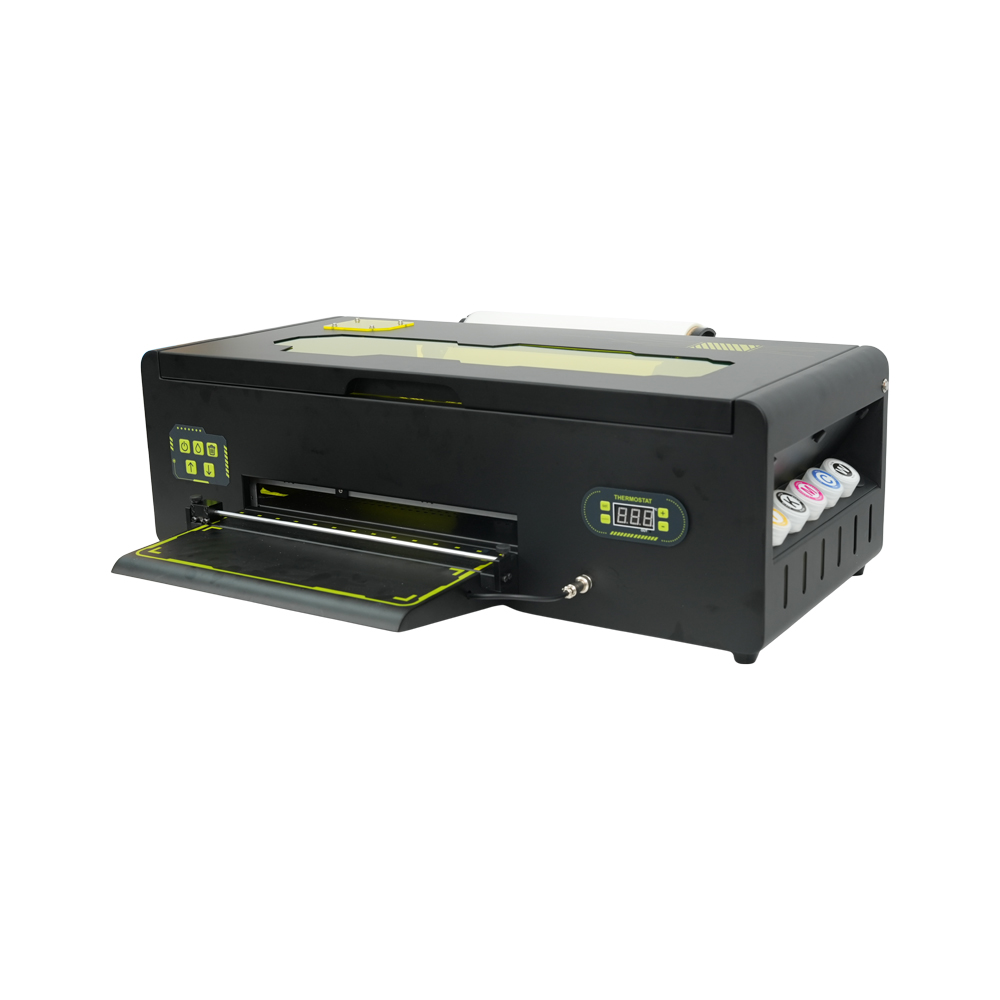
Impresora G6 A3 DTF: única 1390
- Hasta 340 mm de ancho de impresión A3+
- Salida de 1440 ppp
- Configuración de tinta CMYK + WW
- Circulación activa de tinta blanca.
- AcroRip 9.03 / EraRip
- Conexión USB 2.0/USB 3.0
Lo mejor para: creadores, tiendas POD más pequeñas, personalización de prendas locales y empresas que aumentan el volumen de pedidos gradualmente.
Ver G6 A3 1390 →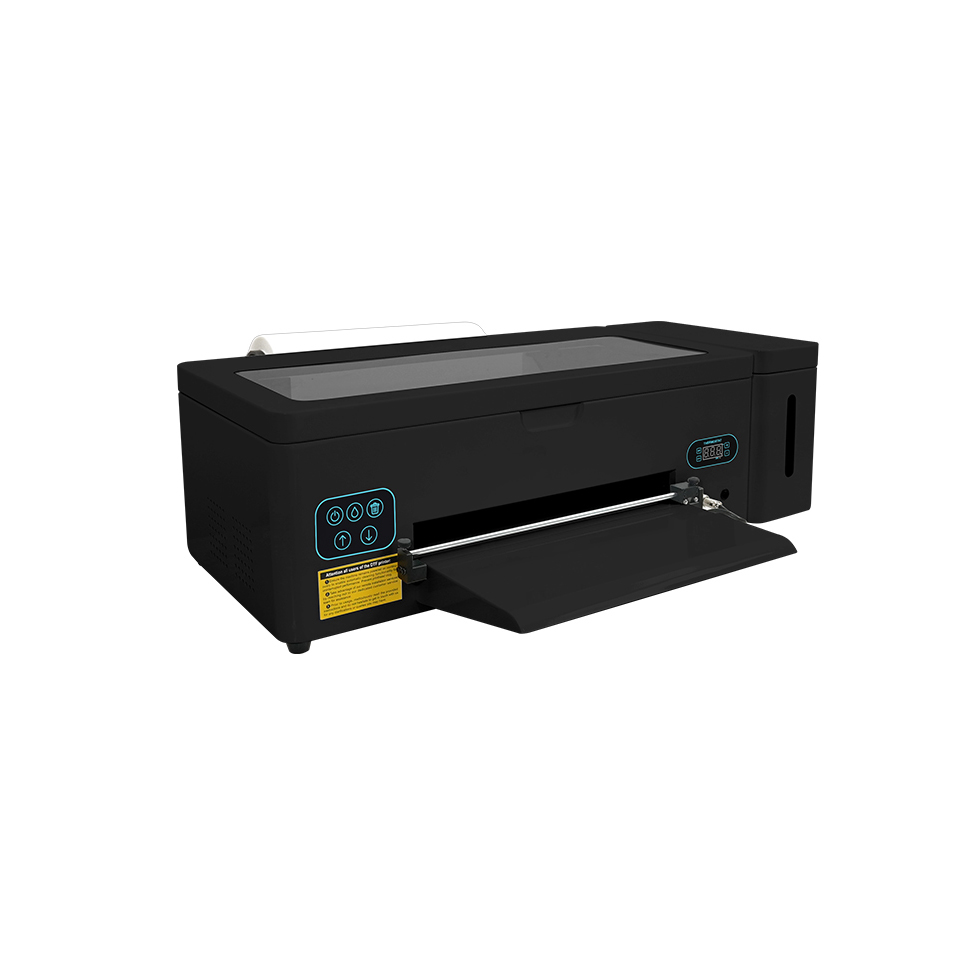
Máquina de impresión A3 DTF: individual L1800
- Hasta 340 mm de ancho de impresión
- Resolución de 1440 ppp
- Flujo de trabajo CMYK + WW DTF
- Circulación de tinta blanca
- AcroRip 9.03 / EraRip
- Conexión USB 2.0/USB 3.0
Lo mejor para: pequeños estudios, equipos POD, tiendas de camisetas personalizadas y compradores que desean un flujo de trabajo A3 compacto del día a día.
Ver A3 Sencillo L1800 →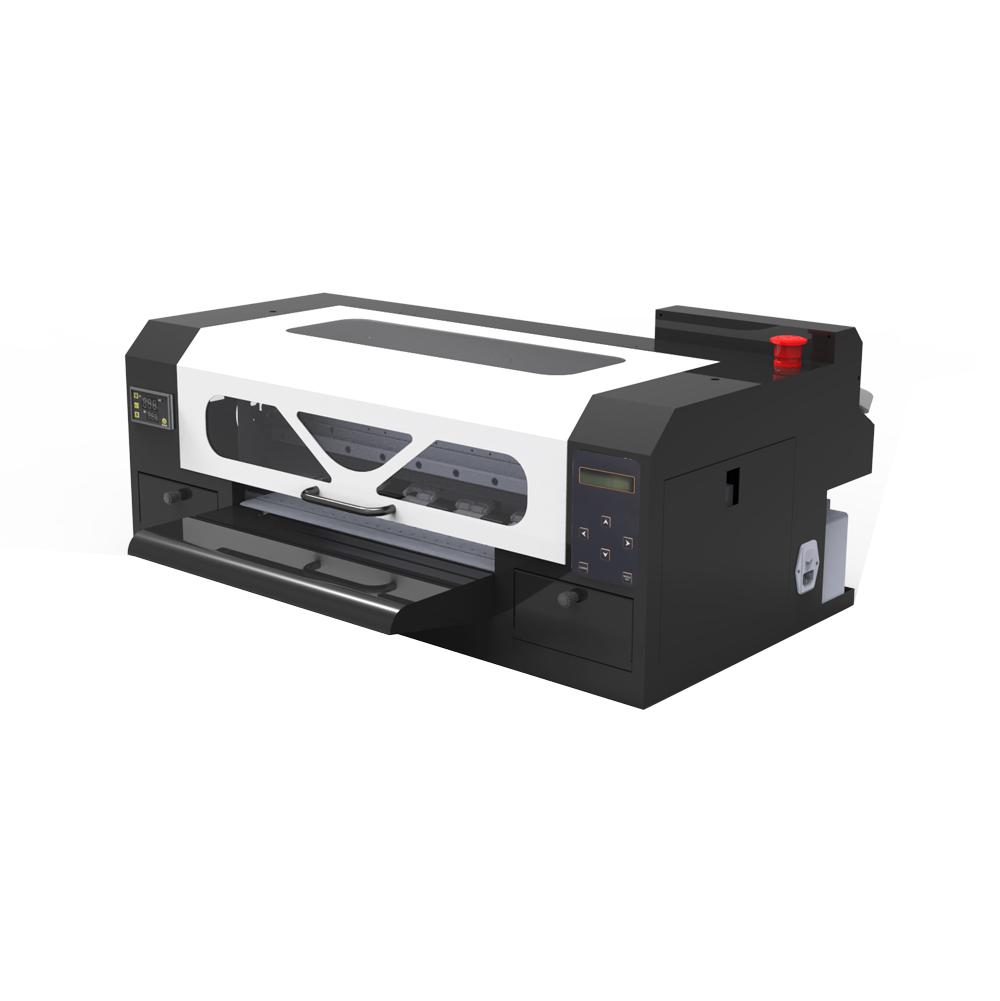
Impresora A3 MAX DTF: única XP600
- Hasta 350 mm de ancho de impresión
- Hasta 1440 ppp
- placa base hoson
- CMYK + WW y circulación de tinta blanca
- Riin / PrivadoRip
- Interfaz de red
Lo mejor para: imprentas en crecimiento que quieren permanecer en la categoría A3 compacto mientras avanzan hacia un flujo de trabajo más orientado a la producción.
Ver A3 MAX Sencillo XP600 →Los 6 factores de compra que importan más que el nombre del modelo
1. Ancho de impresión: 340 mm frente a 350 mm
El G6 1390 y el A3 L1800 tienen hasta 340 mm, mientras que el A3 MAX XP600 tienen hasta 350 mm. Esa diferencia de 10 mm no es una razón en sí misma para actualizar, pero puede ayudar si los gráficos comunes del cofre, los logotipos largos o los diseños de grupos se ubican regularmente cerca del borde de un flujo de trabajo de 340 mm.
2. Volumen de pedidos diario y presión de respuesta
Una pequeña tienda que imprime camisas personalizadas ocasionales tiene necesidades diferentes a las de una empresa que procesa pedidos repetidos del equipo o varios lotes todos los días. La impresora adecuada es aquella que se mantiene al día con su cola real sin crear costos de capital innecesarios ni gastos generales de mantenimiento.
3. Gestión de tinta blanca
La tinta blanca es fundamental para DTF porque forma la base opaca para las transferencias en prendas oscuras. Las tres configuraciones de EraSmart en esta comparación incluyen circulación de tinta blanca. Independientemente del modelo, la circulación constante, la revisión de las boquillas, el cuidado de la estación de taponado y la humedad adecuada siguen siendo parte de la propiedad normal del DTF.
4. Software RIP y método de conexión
Los flujos de trabajo 1390 y L1800 usan AcroRip 9.03 con EraRip disponible, mientras que el A3 MAX XP600 usa Riin/EraRip. La plataforma XP600 también utiliza una interfaz de red en lugar de la conexión USB de las otras dos. Si varias personas preparan trabajos o la impresora se encuentra alejada de la computadora de diseño, la conectividad del flujo de trabajo puede ser importante.
5. Habilidad de mantenimiento y disciplina operativa.
No existe ninguna impresora DTF de tinta blanca que realmente no requiera mantenimiento. Un 1390 o un L1800 en buen estado pueden ser más útiles para un taller pequeño que un XP600 descuidado. Antes de comprar, asegúrese de que su equipo se sienta cómodo con las pruebas de inyectores, el manejo de la película, las rutinas de limpieza, la gestión de la tinta y el mantenimiento de la impresora dentro del rango recomendado de temperatura y humedad.
6. Su próxima actualización, no sólo su primera máquina
Si espera seguir siendo un taller personalizado local, una máquina A3 compacta puede servirle durante mucho tiempo. Si planea vender transferencias al por mayor, aumentar el volumen de hojas sueltas o aceptar pedidos recurrentes más grandes, elija una plataforma que se ajuste a un camino de actualización claro hacia la producción de doble cabezal o de formato más amplio.
¿Cuál deberías comprar? Recomendaciones por escenario empresarial
Iniciar un negocio de camisetas en casa
Lista corta: 1390 o L1800. En esta etapa, el flujo de trabajo predecible, el mantenimiento manejable y el aprendizaje del proceso DTF completo suelen ser más importantes que maximizar la producción. Ambos ofrecen 340 mm de ancho tipo A3 y circulación de tinta blanca.
Administrar una tienda de Etsy, Shopify o POD local
Lista corta: L1800 o XP600. Si los pedidos aún son mixtos e irregulares, el L1800 puede cumplir con el trabajo. Si ya observa lotes repetidos y plazos de envío más ajustados, el A3 MAX XP600 le ofrece una plataforma más orientada al crecimiento.
Impresión de uniformes, clubes y merchandising para eventos.
Inclínese hacia XP600 cuando los lotes repetidos sean comunes. Estos trabajos pueden llegar en ejecuciones urgentes. Un flujo de trabajo diseñado en torno a la producción recurrente suele ser más importante que elegir la máquina inicial de menor costo.
Realización de muestras, prototipos y tiradas cortas personalizadas.
1390 o L1800 pueden ser suficientes. Cuando el negocio está dominado por prototipos, productos únicos personalizados y lotes pequeños, es posible que no se aprovechen plenamente las ventajas de una configuración más centrada en la producción.
Pasando de pedidos ocasionales a producción diaria
A3 MAX Single XP600 es la opción más sólida de estos tres. Sigue siendo compacto pero traslada el flujo de trabajo hacia el control Hoson, la conectividad de red y una plataforma ligeramente más ancha de 350 mm.
Planeo vender transfers al por mayor
Piense más allá de estos tres antes de comprar. Si su plan depende de hojas largas y un alto rendimiento sostenido, puede que sea mejor comparar una plataforma A3 Pro de doble cabezal o una plataforma DTF A1 de 60 cm en lugar de comprar una máquina A3 básica y reemplazarla rápidamente.
1390 vs L1800: ¿Cuál es la diferencia práctica?
Esta es una de las preguntas más comunes porque ambas están muy juntas en ancho, resolución y flujo de trabajo básico. En la gama A3 actual de EraSmart, ambas son configuraciones DTF de un solo cabezal de 340 mm con 1440 ppp, CMYK + WW y circulación de tinta blanca.
Eso significa que su decisión no debe basarse en la suposición de que un nombre produce automáticamente un mejor color o un mantenimiento más fácil. En su lugar, compare el paquete exacto de la máquina que está comprando: chasis, controles, software, soporte de piezas de repuesto, asistencia de configuración, consumibles y la rutina de producción que prefiera.
XP600 vs L1800/1390: ¿Cuándo tiene sentido la actualización?
La elección de la XP600 tiene más sentido cuando su empresa comienza a sentirse limitada por el flujo de trabajo en lugar de solo por la calidad de impresión. Si los pedidos llegan todos los días, necesita un manejo del trabajo más rápido, está creando trabajos B2B repetidos o desea una plataforma de control más orientada a la producción, el A3 MAX XP600 se vuelve más fácil de justificar.
Ligeramente más ancho de trabajo que las plataformas 1390/L1800 de 340 mm.
Lleva el A3 MAX a una arquitectura de máquina más centrada en la producción.
Útil cuando la preparación del trabajo y la impresora no están conectadas a una estación de trabajo USB.
Diseñado para compradores que desean permanecer compactos mientras se preparan para una producción más frecuente.
No compare el precio de la impresora únicamente: compare el flujo de trabajo DTF completo
Una impresora DTF es sólo una parte del sistema. Su costo operativo real proviene del flujo de trabajo completo de impresión a transferencia, y ahí es donde dos máquinas con precios de compra similares pueden comportarse de manera muy diferente en la práctica.
Consumibles
- tinta DTF
- Película de transferencia de mascotas
- Polvo termofusible
- Solución de limpieza y toallitas.
Equipo de acabado
- Horno de curado o agitador/secador de polvo
- prensa de calor
- Ventilación/tratamiento de aire según sea necesario
- Espacio de trabajo y almacenamiento
Gastos operativos
- tiempo del operador
- Impresiones y reimpresiones fallidas
- Piezas de mantenimiento de rutina
- Tiempo de inactividad y soporte técnico
Si está calculando la recuperación de la inversión en lugar de simplemente elegir el hardware, utilice la Calculadora de retorno de la inversión DTF y calcule su precio de venta promedio, costo de consumibles, tiempo de producción y volumen de pedido mensual realista.
Mantenimiento: ¿Con qué plataforma es más fácil vivir?
Para muchos compradores, el mantenimiento es más importante que la velocidad máxima teórica. DTF utiliza tinta blanca con muchos pigmentos, por lo que cada plataforma necesita una rutina constante. El objetivo no es encontrar una máquina que nunca necesite atención; es elegir un sistema que su equipo pueda mantener correctamente.
Una rutina práctica de mantenimiento debe incluir
- Comprobaciones periódicas de las boquillas antes de ciclos de producción importantes.
- Mantener la circulación de tinta blanca funcionando según lo recomendado.
- Limpieza de la estación de taponado, el limpiador y el área de impresión circundante.
- Mantener el camino de la película PET libre de polvo, polvo y escombros.
- Mantener el rango de temperatura y humedad recomendado.
- Uso de tinta, película y polvo compatibles como un flujo de trabajo probado.
Para una rutina más profunda, consulte el Guía de mantenimiento de la impresora DTF y el guía de obstrucción de tinta blanca.
Consejo de compra
Pregunte qué soporte está disponible después de la instalación: configuración de RIP, guía de perfil/ICC, solución de problemas de boquillas, piezas de repuesto, diagnóstico remoto y capacitación en mantenimiento. Para una primera máquina DTF, el soporte puede ser tan importante como la especificación del hardware.
Calidad de impresión: ¿Verá alguna diferencia en la camiseta terminada?
Las tres configuraciones de EraSmart en esta comparación se publican a 1440 ppp o hasta 1440 ppp. En la producción real, la transferencia final se ve afectada por algo más que la resolución del título: la calidad del arte, la configuración de RIP, la compatibilidad de tinta/película, la base blanca, la aplicación de polvo, los parámetros de curado y prensado en caliente contribuyen al resultado final.
Por esa razón, una buena prueba de compra es una muestra de la camiseta terminada con obras de arte similares a las que vendes. Observe el texto fino, los degradados, los tonos de piel, la opacidad de las prendas oscuras, la definición de los bordes y el rendimiento del lavado. Una imagen de prueba en una película de PET por sí sola no cuenta toda la historia.
¿Cuándo debería ir más allá de una impresora DTF A3 de un solo cabezal?
1390, L1800 y Single XP600 son opciones útiles de clase A3, pero no son el paso final para todas las empresas. Si su cola diaria se vuelve continua, vende hojas en grupo o el tiempo de entrega se está convirtiendo en un cuello de botella, la siguiente pregunta suele ser la productividad del cabezal doble o la producción de formato más amplio.
A3 Pro: doble XP600
La A3 Pro utiliza dos cabezales XP600 y sigue siendo una plataforma de clase A3 con un ancho de impresión de hasta 350 mm. Doble cabezal no significa automáticamente una máquina de 60 cm; El número de cabezales y el ancho de impresión son especificaciones independientes.
A1 — clase de producción de 60 cm
Si realmente necesita un rollo más ancho para hojas en grupo más largas y una producción de transferencia de mayor volumen, pase a la plataforma A1 en lugar de asumir que una impresora A3 de doble cabezal se vuelve más ancha.
Lista de verificación previa a la compra: qué preguntar antes de realizar el pedido
Pregunta por la maquina
- Ancho de impresión exacto y formato de película PET admitido
- Configuración del cabezal de impresión y placa base
- Sistema de limpieza y circulación de tinta blanca.
- Software RIP y requisitos de Windows
- Método de conexión: USB o red
- Disponibilidad de consumibles y piezas de repuesto
Pregunta sobre el flujo de trabajo
- Combinación recomendada de tinta, película y polvo.
- Método de curado y requisitos de prensado en caliente.
- Procedimiento de mantenimiento diario/semanal.
- Configuración remota y soporte técnico
- Impresión de muestra con su propia obra de arte
- Ruta de actualización si su volumen crece
Para un marco de evaluación más amplio, utilice el Cómo elegir una guía de impresora DTF y el Lista de verificación de compra de impresoras DTF.
Recomendación final
Si está comprando su primera impresora A3 DTF y el volumen de su pedido aún está aumentando, la 1390 y L1800 son los puntos de partida lógicos para comparar. Si ya sabe que la máquina admitirá pedidos comerciales regulares y desea tener más espacio para crecer sin tener que pasar a una impresora de 60 cm, la A3 MAX Individual XP600 es el que mejor encaja entre estos tres.
El punto más importante es adaptar la impresora a su modelo de negocio real. Una máquina que sea un poco más rápida o más avanzada en papel no es automáticamente la mejor inversión si sus pedidos no utilizan esa capacidad. Del mismo modo, una máquina de entrada puede resultar costosa si crea un cuello de botella en la producción seis meses después.
Preguntas frecuentes
¿Es XP600 mejor que L1800 para DTF?
XP600 generalmente es la mejor opción en la gama A3 de EraSmart cuando desea una plataforma más orientada a la producción y espera que el volumen de pedidos crezca. El L1800 sigue siendo una opción práctica para estudios más pequeños y flujos de trabajo POD. La elección correcta depende de la carga de trabajo, la rutina de mantenimiento, el software y el presupuesto, no sólo del nombre del director.
¿Cuál es la diferencia entre las impresoras DTF 1390 y L1800?
En la gama EraSmart, ambas son configuraciones DTF A3 de un solo cabezal de 340 mm con 1440 ppp, CMYK + WW y circulación de tinta blanca. La elección práctica debe considerar el paquete completo de la máquina, los controles, el soporte, el software y el flujo de trabajo en lugar de asumir que el nombre de un modelo es automáticamente superior.
¿Cuál es el más ancho: 1390, L1800 o XP600?
El EraSmart A3 MAX Single XP600 tiene hasta 350 mm. El G6 1390 y el A3 L1800 tienen hasta 340 mm.
¿Cuál es mejor para una pequeña empresa de camisetas?
Para un taller nuevo o de menor volumen, comience comparando el G6 1390 y el A3 L1800. Para un taller que ya procesa pedidos frecuentes o planea un crecimiento más rápido, el A3 MAX Single XP600 es la opción más centrada en la producción.
¿Una impresora XP600 dual significa un ancho de impresión de 60 cm?
No. El número de cabezales de impresión y el ancho de la máquina son especificaciones diferentes. El A3 Pro de EraSmart utiliza cabezales XP600 duales y mantiene un ancho de hasta 350 mm. La clase de 60 cm pertenece a la plataforma A1.
¿Estas impresoras necesitan mantenimiento con tinta blanca?
Sí. Los tres utilizan tinta blanca para las transferencias DTF, y la tinta blanca requiere circulación, revisión de boquillas y limpieza de rutina. Cada una de estas configuraciones de EraSmart incluye circulación de tinta blanca, pero el operador aún debe seguir una rutina de mantenimiento.
¿Puedo utilizar estas impresoras A3 DTF para algodón y poliéster?
DTF se utiliza para aplicaciones de transferencia de calor en materiales de prendas de vestir comunes, incluidos algodón, poliéster y mezclas. Valide siempre la película, el polvo, la temperatura de prensado y el tipo de prenda antes de realizar una producción.
¿Qué otro equipo necesito además de la impresora?
Necesitará tinta DTF, película de PET, polvo termofusible, un método de curado como un horno o agitador/secador y una prensa térmica. Una computadora con Windows que ejecuta un software RIP compatible también forma parte del flujo de trabajo.
¿No estás seguro de elegir 1390, L1800 o XP600?
Indique a EraSmart el tamaño promedio de su obra de arte, los pedidos diarios esperados, los tipos de prendas, el espacio de trabajo y el presupuesto objetivo. Podemos recomendar la configuración A3 DTF más adecuada.