
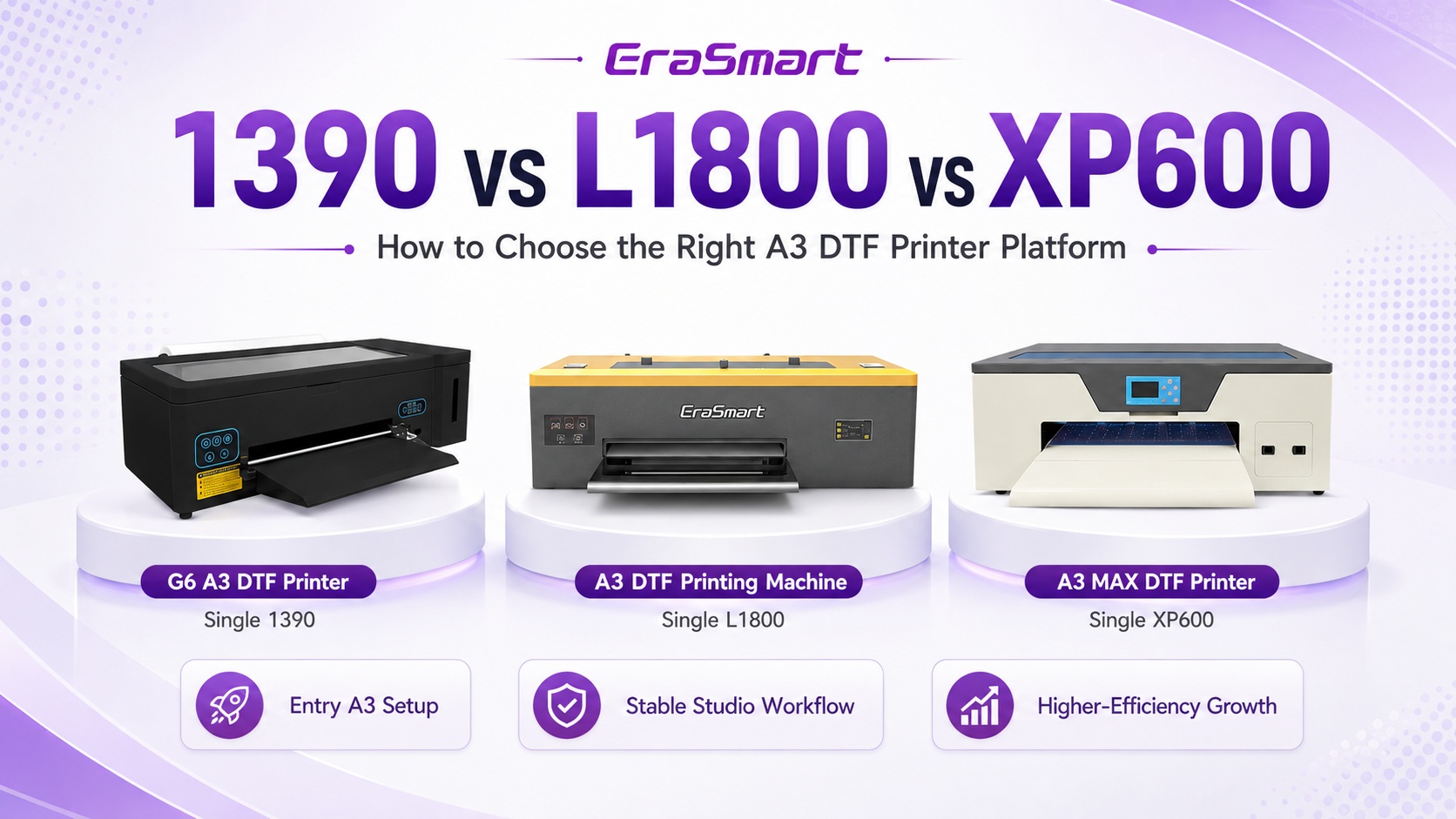
1390 vs L1800 vs XP600 DTF 프린터: 귀하의 비즈니스에 적합한 A3 플랫폼은 무엇입니까?
1390, L1800 및 XP600 DTF 프린터를 비교하는 경우 실제 결정은 단순히 "어떤 프린트 헤드가 가장 좋은가?"가 아닙니다. 귀하는 인쇄 가능 폭, 화이트 잉크 관리, RIP 워크플로, 연결성, 일일 유지 관리, 예상 주문량 및 비즈니스에 맞게 기계를 확장하려는 정도 등 완전한 A3급 생산 플랫폼을 선택하고 있습니다.
짧은 대답
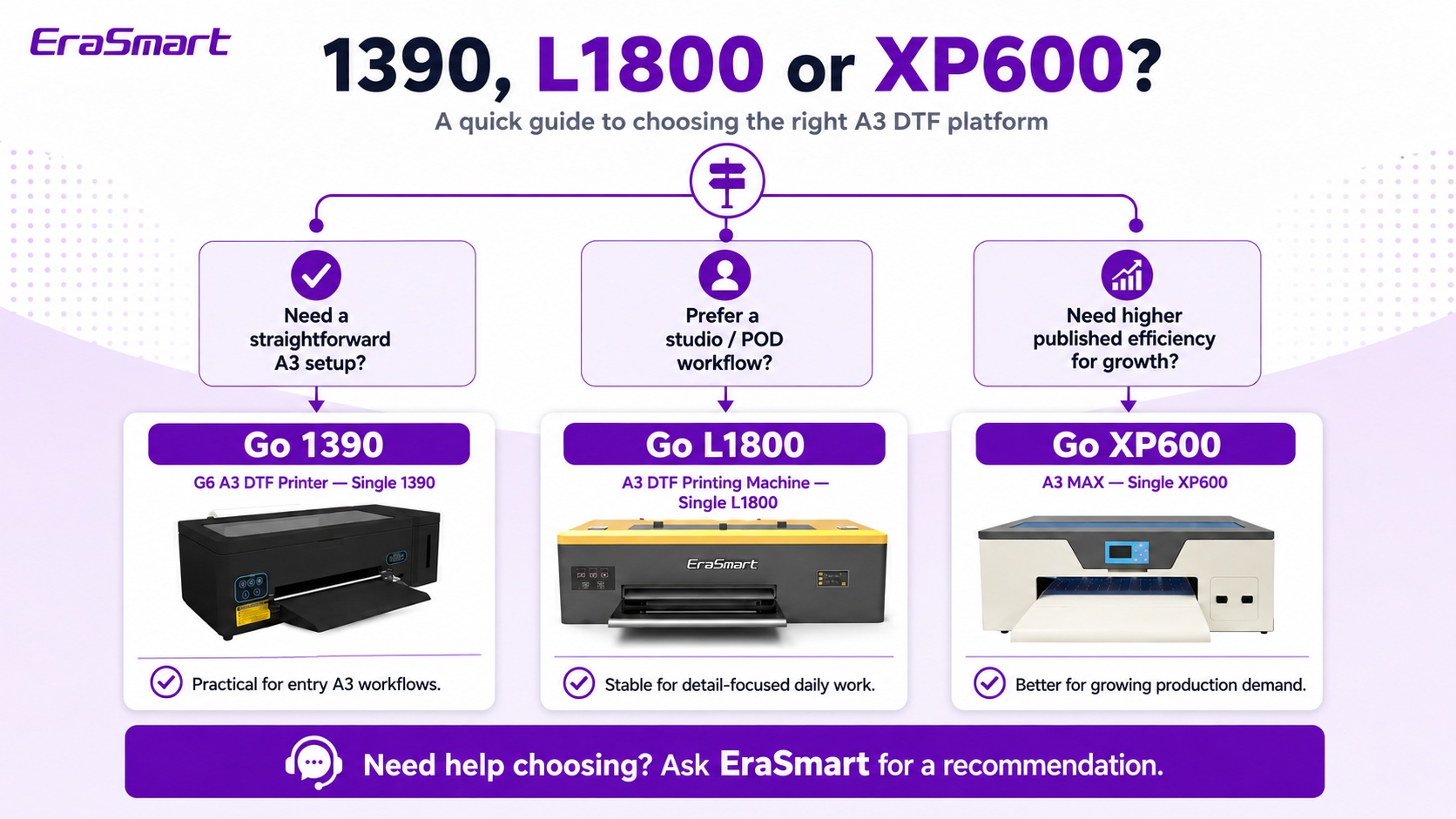
G6 A3 1390을 선택하세요 크리에이터, POD 및 소량 맞춤형 작업을 위한 간단한 340mm A3+ 설정을 원하는 경우. A3 싱글 L1800을 선택하세요 AcroRip/EraRip 및 화이트 잉크 순환 기능을 갖춘 친숙한 340mm 스튜디오 워크플로우를 우선시하는 경우. A3 MAX 싱글 XP600을 선택하세요 주문량이 증가할 것으로 예상하고 Hoson 제어 및 네트워크 연결 기능을 갖춘 보다 생산 지향적인 EraSmart의 350mm A3 플랫폼을 원하는 경우.
1390 vs L1800 vs XP600: 빠른 비교
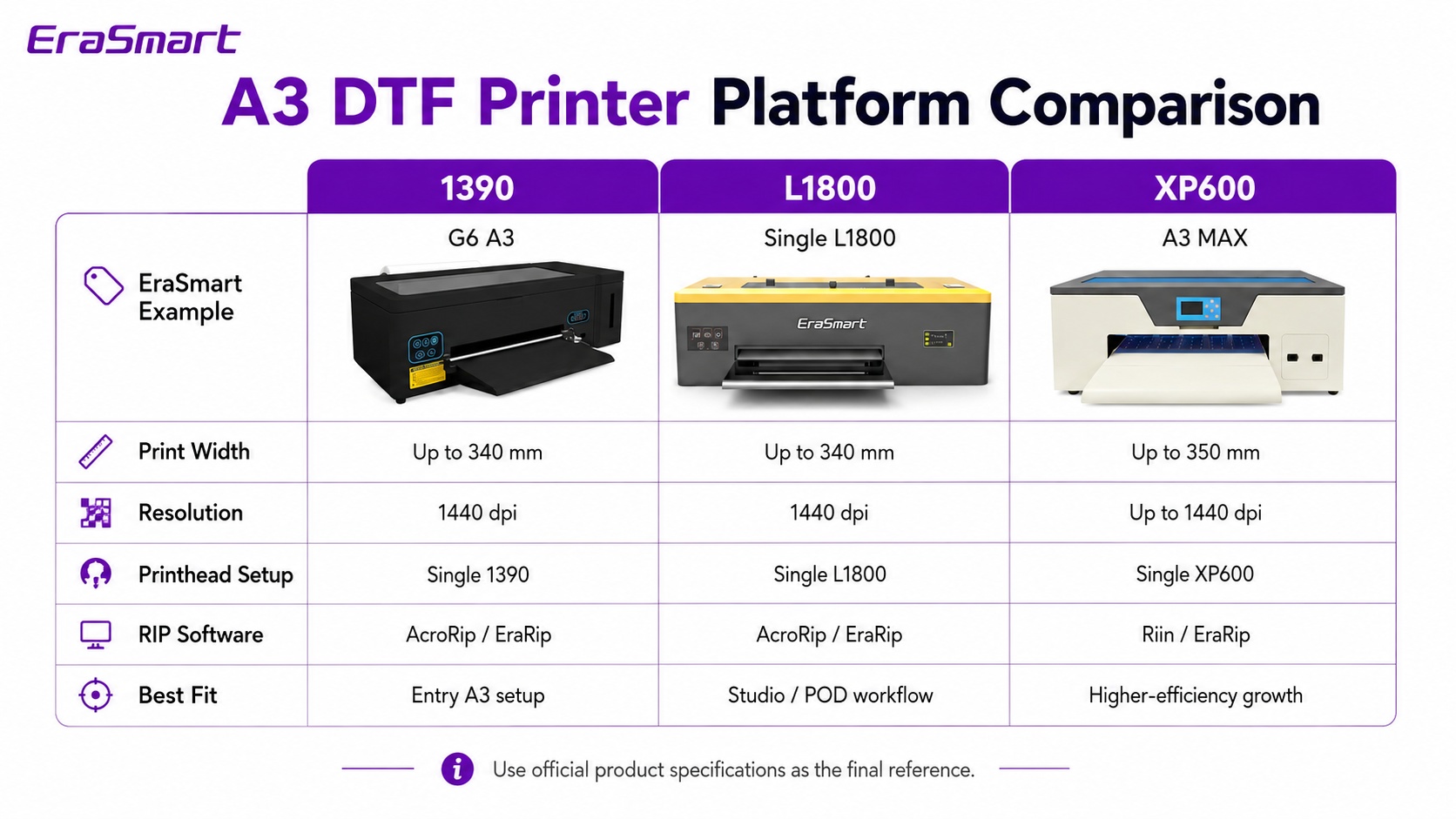
세 가지 옵션 모두 소형 A3 DTF 부문에 속하지만 인쇄 비즈니스의 약간 다른 단계를 목표로 합니다. 아래 표에서는 실제 구매 결정에 유용한 사양 및 작업 흐름 차이점을 중점적으로 설명합니다.
| 구매 요인 | G6 A3 — 1390 | A3 — L1800 | A3 MAX — 단일 XP600 |
|---|---|---|---|
| 플랫폼 | A3 / A3+ | A3 | A3 맥스 |
| 프린트헤드 구성 | 싱글 1390 | 단일 헤드 L1800 플랫폼 | 싱글 XP600 |
| 최대 인쇄 너비 | 최대 340mm | 최대 340mm | 최대 350mm |
| 해결 | 1440dpi | 1440dpi | 최대 1440dpi |
| 잉크 구성 | CMYK + WW | CMYK + WW | CMYK + WW |
| 흰색 잉크 순환 | 예 | 예 | 예 |
| RIP 작업 흐름 | 아크로립 9.03 / 에라립 | 아크로립 9.03 / 에라립 | 리인 / PrivateRip |
| 연결 | USB 2.0 / 3.0 | USB 2.0 / 3.0 | 네트워크 인터페이스 |
| 정격 출력 | 50W | 50W | 100W |
| 최적의 핏 | 크리에이터스, POD, 엔트리 A3 제작 | 소규모 스튜디오와 일상적인 맞춤 작업 | 매장 성장 및 생산 중심의 A3 작업 증가 |
DTF의 제작 속도는 통과 모드, 아트워크 적용 범위, 화이트 레이어 설정, RIP 구성 및 작업 흐름에 따라 달라집니다. 처리량이 주요 구매 기준인 경우 고려 중인 모델 전체에 걸쳐 동일한 아트웍, 동일한 통과 테스트를 요청하십시오.
먼저 "1390", "L1800" 및 "XP600"의 의미를 이해하십시오.
이러한 이름은 구매자가 DTF 프린터를 비교할 때 약칭으로 사용되는 경우가 많지만 전체 기계를 설명하지는 않습니다. 유사한 헤드 또는 플랫폼 라벨을 사용하는 두 프린터는 메인보드, 잉크 전달, 화이트 잉크 순환, 필름 처리, 청소 디자인, 소프트웨어, 전자 장치 및 섀시가 여전히 다를 수 있습니다.
실용적인 A3 엔트리 플랫폼
EraSmart 제품군에서 G6는 최대 340mm 인쇄 너비, 1440dpi 해상도, CMYK + 듀얼 흰색 및 활성 흰색 잉크 순환 기능을 갖춘 단일 1390 구성을 사용합니다.
친숙한 소규모 스튜디오 DTF 워크플로우
EraSmart의 A3 L1800 구성은 화이트 잉크 순환 및 AcroRip/EraRip 지원 기능을 갖춘 340mm 단일 헤드 DTF 생산 기계로 포지셔닝됩니다.
더욱 성장 지향적인 A3 플랫폼
A3 MAX Single XP600은 Hoson 기반 플랫폼, 네트워크 연결성 및 최대 350mm 인쇄 폭으로 이동하면서 A3 생산 설정에 적합한 컴팩트함을 유지합니다.
어떤 EraSmart A3 DTF 프린터가 귀하에게 적합합니까?
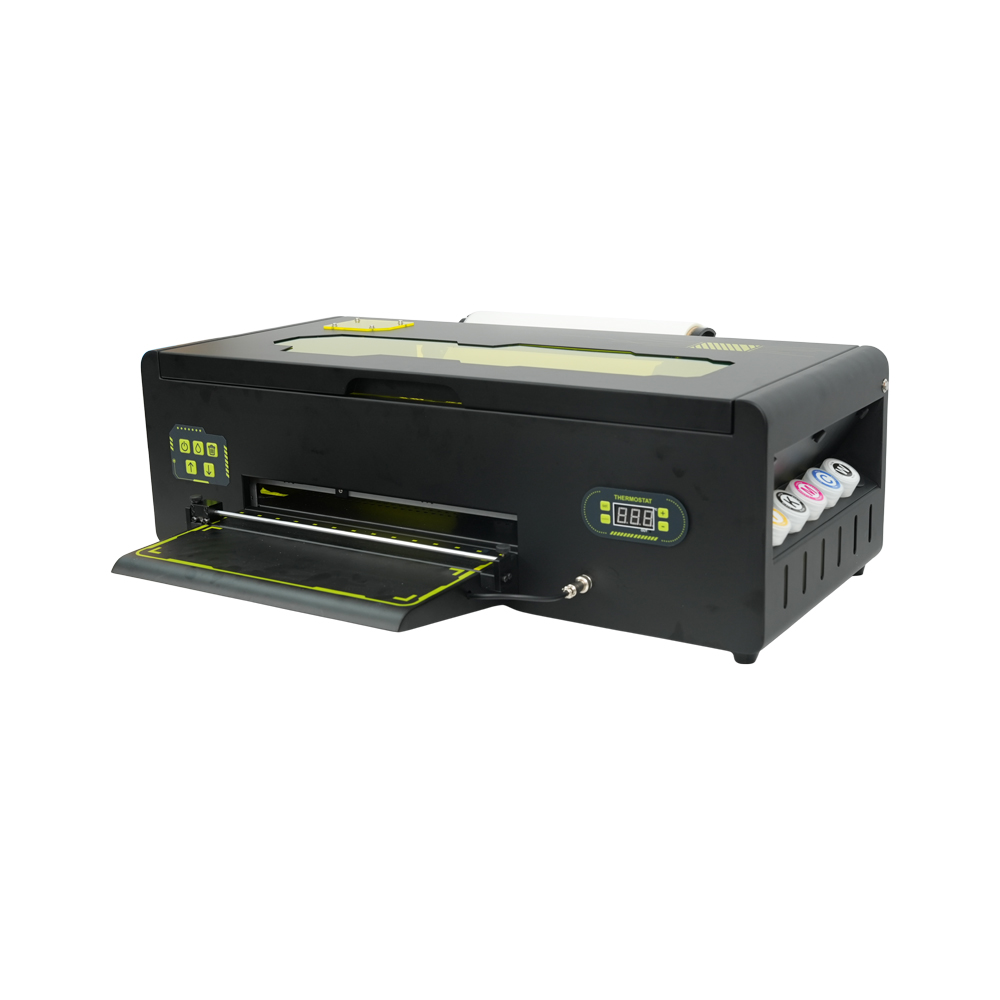
G6 A3 DTF 프린터 - 단일 1390
- 최대 340mm A3+ 인쇄 너비
- 1440dpi 출력
- CMYK + WW 잉크 구성
- 활성 흰색 잉크 순환
- 아크로립 9.03 / 에라립
- USB 2.0 / USB 3.0 연결
가장 적합한 대상: 크리에이터, 소규모 POD 상점, 현지 의류 맞춤화 및 비즈니스 주문량이 점차 증가하고 있습니다.
G6 A3 1390 보기 →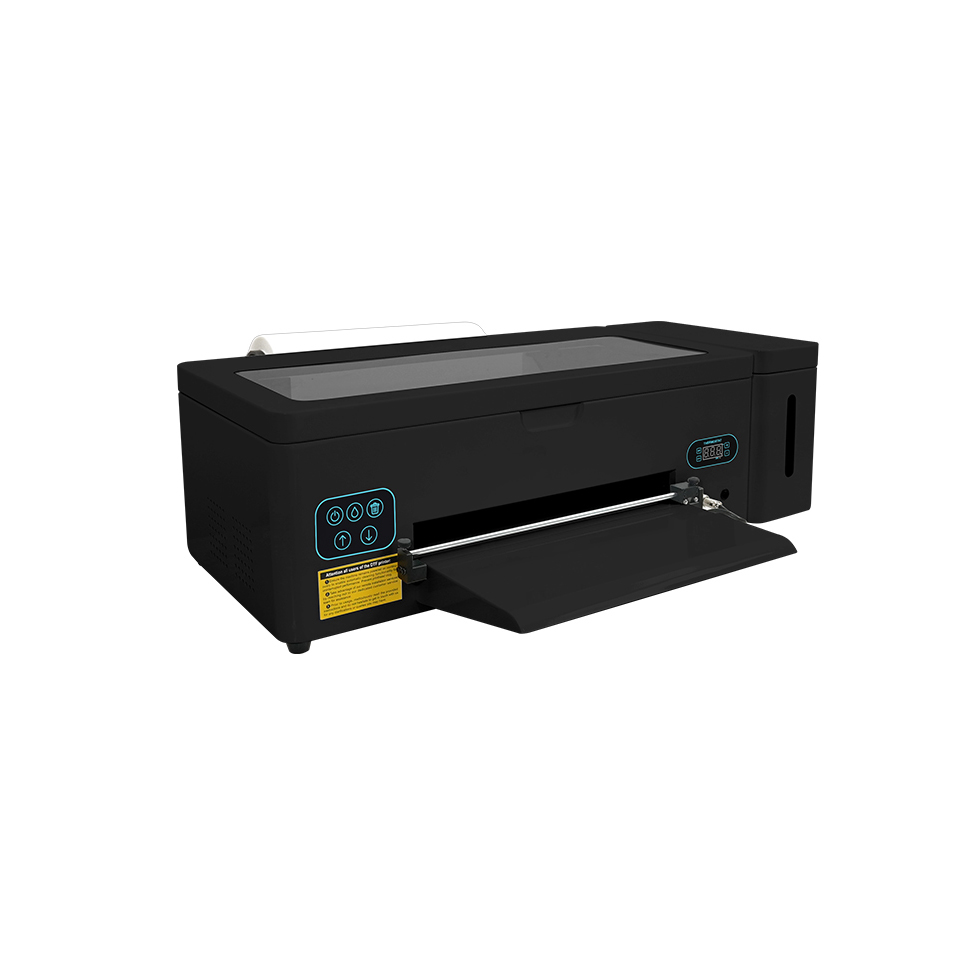
A3 DTF 인쇄기 - 단일 L1800
- 최대 인쇄 너비 340mm
- 1440dpi 해상도
- CMYK + WW DTF 작업 흐름
- 흰색 잉크 순환
- 아크로립 9.03 / 에라립
- USB 2.0 / USB 3.0 연결
가장 적합한 대상: 소규모 스튜디오, POD 팀, 맞춤형 티셔츠 상점 및 컴팩트한 일상적인 A3 워크플로우를 원하는 구매자.
A3 싱글 L1800 보기 →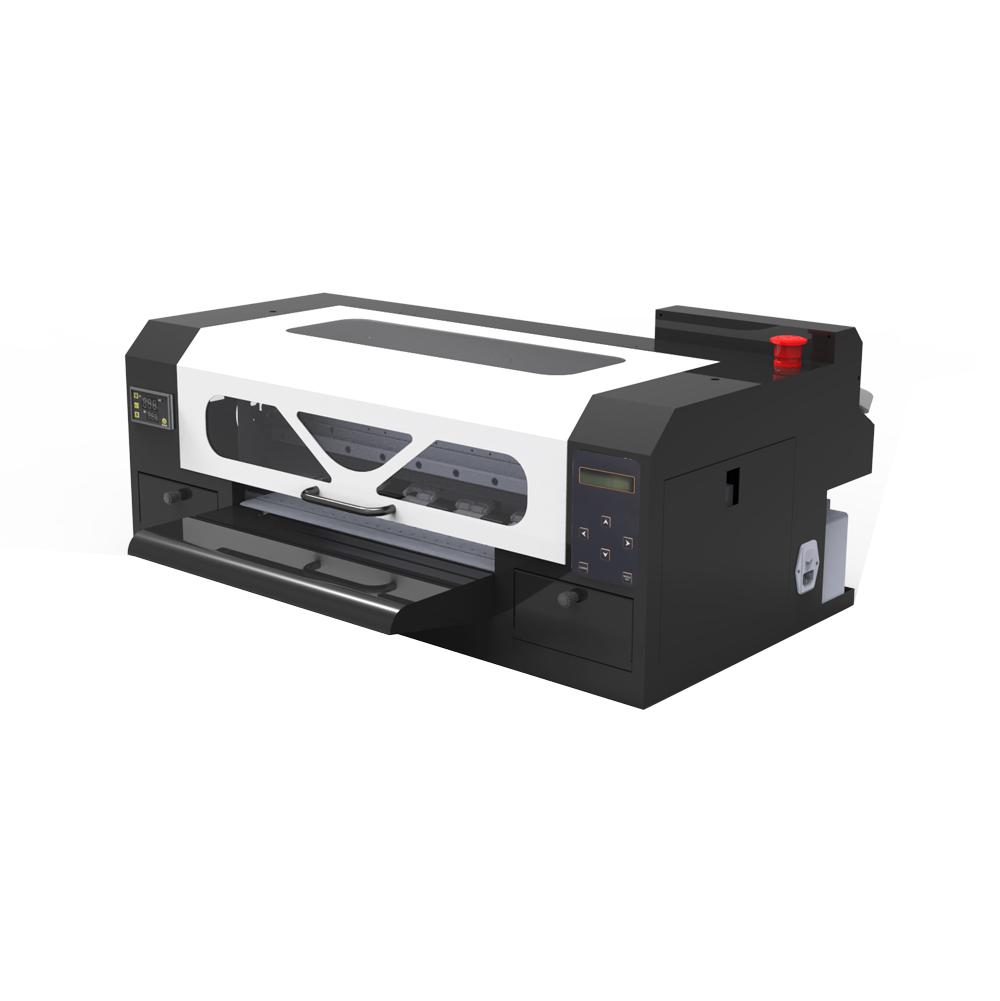
A3 MAX DTF 프린터 - 단일 XP600
- 최대 인쇄 너비 350mm
- 최대 1440dpi
- 호손 메인보드
- CMYK + WW 및 흰색 잉크 순환
- 리인 / PrivateRip
- 네트워크 인터페이스
가장 적합한 대상: 보다 생산 지향적인 워크플로로 이동하면서 컴팩트한 A3 범주에 머물기를 원하는 인쇄소가 성장하고 있습니다.
A3 MAX 싱글 XP600 보기 →모델명보다 중요한 6가지 구매 요소
1. 인쇄 너비: 340mm 대 350mm
G6 1390 및 A3 L1800은 최대 340mm이고 A3 MAX XP600은 최대 350mm입니다. 10mm 차이가 그 자체로 업그레이드할 이유는 아니지만 일반적인 가슴 그래픽, 긴 로고 또는 갱 레이아웃이 정기적으로 340mm 작업 흐름의 가장자리 근처에 있는 경우 도움이 될 수 있습니다.
2. 일일 주문량 및 처리 압력
가끔 맞춤 셔츠를 인쇄하는 소규모 상점은 팀 주문을 반복적으로 처리하거나 매일 여러 배치를 처리하는 비즈니스와 요구 사항이 다릅니다. 올바른 프린터는 불필요한 자본 비용이나 유지 관리 오버헤드를 발생시키지 않고 실제 대기열을 따라갈 수 있는 프린터입니다.
3. 화이트잉크 관리
흰색 잉크는 어두운 옷에 전사할 때 불투명한 바탕을 형성하기 때문에 DTF의 핵심입니다. 이 비교에서 세 가지 EraSmart 구성에는 모두 흰색 잉크 순환이 포함됩니다. 모델에 관계없이 일관된 순환, 노즐 점검, 캡핑 스테이션 관리 및 적절한 습도는 일반적인 DTF 소유의 일부로 남아 있습니다.
4. RIP 소프트웨어 및 연결 방법
1390 및 L1800 워크플로우는 EraRip을 사용할 수 있는 AcroRip 9.03을 사용하는 반면, A3 MAX XP600은 Riin/EraRip을 사용합니다. XP600 플랫폼은 또한 다른 두 플랫폼의 USB 중심 연결 대신 네트워크 인터페이스를 사용합니다. 여러 사람이 작업을 준비하거나 프린터가 디자인 컴퓨터에서 멀리 떨어져 있는 경우 작업 흐름 연결이 중요할 수 있습니다.
5. 유지보수 기술 및 운영 규율
실제로 유지 관리가 필요 없는 흰색 잉크 DTF 프린터는 없습니다. 잘 관리된 1390이나 L1800은 방치된 XP600보다 작은 상점에 더 유용할 수 있습니다. 구매하기 전에 팀이 노즐 검사, 필름 처리, 청소 루틴, 잉크 관리 및 프린터를 권장 온도 및 습도 범위 내로 유지하는 방법에 대해 숙지하고 있는지 확인하십시오.
6. 첫 번째 시스템뿐만 아니라 다음 업그레이드도 가능합니다.
현지 맞춤 상점으로 남아 있기를 원한다면 소형 A3 기계가 오랫동안 귀하를 섬길 수 있습니다. 전송을 도매로 판매하거나 대량 시트 볼륨을 구축하거나 대규모 반복 주문을 받을 계획이라면 듀얼 헤드 또는 더 넓은 형식의 생산을 향한 명확한 업그레이드 경로에 맞는 플랫폼을 선택하십시오.
어느 것을 구매해야 합니까? 비즈니스 시나리오별 추천
홈 기반 티셔츠 사업 시작
후보 목록: 1390 또는 L1800. 이 단계에서는 예측 가능한 워크플로, 관리 가능한 유지 관리 및 전체 DTF 프로세스 학습이 일반적으로 출력 최대화보다 더 중요합니다. 둘 다 340mm A3급 너비와 흰색 잉크 순환을 제공합니다.
Etsy, Shopify 또는 지역 POD 매장 운영
후보 목록: L1800 또는 XP600. 주문이 여전히 혼합되어 있고 불규칙한 경우에는 L1800이 해당 작업에 적합할 수 있습니다. 이미 반복되는 배치와 촉박한 파견 기한을 겪고 계시다면 A3 MAX XP600은 더욱 성장 지향적인 플랫폼을 제공합니다.
유니폼, 클럽 및 이벤트 상품 인쇄
반복 배치가 일반적인 경우에는 XP600을 선택하세요. 이러한 작업은 시간에 민감한 실행으로 도착할 수 있습니다. 반복적인 생산을 중심으로 설계된 작업 흐름은 일반적으로 가장 저렴한 진입 기계를 선택하는 것보다 더 중요합니다.
샘플, 프로토타입 제작 및 단기 맞춤형 실행
1390이나 L1800이면 충분합니다. 비즈니스가 프로토타입, 개인화된 일회성 제품 및 소규모 배치에 의해 지배되는 경우, 보다 생산에 초점을 맞춘 설정의 이점이 완전히 활용되지 않을 수 있습니다.
수시주문에서 일일생산으로 성장
A3 MAX 싱글 XP600은 이 세 가지 중 가장 잘 맞는 제품입니다. 컴팩트한 상태를 유지하면서 워크플로우를 Hoson 제어, 네트워크 연결 및 약간 더 넓은 350mm 플랫폼으로 이동합니다.
이체 도매 판매 계획
구매하기 전에 이 세 가지 이상을 생각해보세요. 귀하의 계획이 긴 갱 시트와 지속적인 높은 출력에 달려 있다면 보급형 A3 기계를 구입하여 신속하게 교체하는 것보다 듀얼 헤드 A3 Pro 또는 60cm A1 DTF 플랫폼을 비교하는 것이 더 나을 수 있습니다.
1390과 L1800: 실질적인 차이점은 무엇입니까?
너비, 해상도 및 보급형 워크플로가 서로 밀접하게 연관되어 있기 때문에 이는 가장 일반적인 질문 중 하나입니다. EraSmart의 현재 A3 제품군에서는 둘 다 1440dpi, CMYK + WW 및 화이트 잉크 순환을 갖춘 340mm급 단일 헤드 DTF 구성입니다.
이는 하나의 이름이 자동으로 더 나은 색상을 생성하거나 유지 관리가 더 쉽다는 가정에 기초하여 결정을 내려서는 안 된다는 것을 의미합니다. 대신 섀시, 제어 장치, 소프트웨어, 교체 부품 지원, 설정 지원, 소모품 및 선호하는 생산 루틴 등 구매하려는 정확한 기계 패키지를 비교하십시오.
XP600 대 L1800/1390: 언제 업그레이드가 적합합니까?
XP600 선택은 귀하의 비즈니스가 인쇄 품질보다는 작업 흐름으로 인해 제약을 받기 시작할 때 가장 적합합니다. 매일 주문이 도착하거나, 더 빠른 작업 처리가 필요하거나, 반복적인 B2B 작업을 구축하거나, 보다 생산 지향적인 제어 플랫폼을 원하는 경우 A3 MAX XP600은 정당화하기가 더 쉽습니다.
340mm 1390/L1800 플랫폼보다 작업 폭이 약간 더 넓습니다.
A3 MAX를 보다 생산 중심적인 기계 아키텍처로 이동합니다.
작업 준비와 프린터가 하나의 USB 워크스테이션에 연결되어 있지 않은 경우에 유용합니다.
보다 빈번한 생산을 준비하면서 컴팩트함을 유지하려는 구매자를 위해 설계되었습니다.
프린터 가격만 비교하지 마십시오: 전체 DTF 작업흐름을 비교하십시오
DTF 프린터는 시스템의 한 부분일 뿐입니다. 실제 운영 비용은 인쇄에서 전송까지의 전체 작업 흐름에서 발생하며, 이는 구매 가격이 유사한 두 기계가 실제로 매우 다르게 작동할 수 있는 부분입니다.
소모품
- DTF 잉크
- 애완 동물 이송 영화
- 핫멜트 분말
- 세척액 및 물티슈
마무리 장비
- 경화 오븐 또는 분말 셰이커/건조기
- 열프레스
- 필요에 따라 환기/공기 처리
- 작업 공간 및 스토리지
운영 간접비
- 운영자 시간
- 실패한 인쇄 및 재인쇄
- 정기 유지보수 부품
- 다운타임 및 기술 지원
단순히 하드웨어를 선택하는 것이 아니라 투자 회수액을 계산하려는 경우 다음을 사용하십시오. DTF ROI 계산기 평균 판매 가격, 소모품 비용, 생산 시간 및 실제 월별 주문량을 추정합니다.
유지 관리: 어떤 플랫폼이 사용하기 더 쉬운가요?
많은 구매자에게는 이론적 최고 속도보다 유지 관리가 더 중요합니다. DTF는 색소가 많은 흰색 잉크를 사용하므로 모든 플랫폼에는 일관된 루틴이 필요합니다. 목표는 주의가 전혀 필요하지 않은 기계를 찾는 것이 아닙니다. 팀이 올바르게 유지할 수 있는 시스템을 선택하는 것입니다.
실용적인 유지 관리 루틴에는 다음이 포함되어야 합니다.
- 중요한 생산이 실행되기 전에 정기적으로 노즐을 점검합니다.
- 권장대로 흰색 잉크 순환을 유지하십시오.
- 캡핑 스테이션, 와이퍼 및 주변 인쇄 영역을 청소합니다.
- PET 필름 경로에 먼지, 분말, 잔해물이 없도록 유지합니다.
- 권장 온도 및 습도 범위를 유지합니다.
- 테스트를 거친 하나의 작업 흐름으로 호환 가능한 잉크, 필름 및 파우더를 사용합니다.
더 자세한 루틴은 다음을 참조하세요. DTF 프린터 유지 관리 안내서 그리고 흰색 잉크 막힘 가이드.
구매팁
설치 후 어떤 지원이 제공되는지 문의하세요. RIP 설정, ICC/프로파일 안내, 노즐 문제 해결, 교체 부품, 원격 진단 및 유지 관리 교육. 첫 번째 DTF 시스템의 경우 지원은 하드웨어 사양만큼 중요할 수 있습니다.
인쇄 품질: 완성된 셔츠에서 차이가 보이나요?
이 비교에서 세 가지 EraSmart 구성은 모두 1440dpi 또는 최대 1440dpi로 게시되었습니다. 실제 제작에서 완성된 전사는 헤드라인 해상도 이상의 영향을 받습니다. 아트워크 품질, RIP 설정, 잉크/필름 호환성, 흰색 베이스, 파우더 도포, 경화 및 열압착 매개변수가 모두 최종 결과에 영향을 미칩니다.
따라서 좋은 구매 테스트는 판매하는 것과 유사한 예술 작품을 사용하여 완성된 셔츠 샘플입니다. 미세한 텍스트, 그라데이션, 피부 톤, 어두운 의류의 불투명도, 가장자리 정의 및 세탁 성능을 살펴보세요. PET 필름의 테스트 이미지만으로는 전체 내용을 알 수 없습니다.
언제 싱글 헤드 A3 DTF 프린터를 넘어서야 합니까?
1390, L1800 및 Single XP600은 모두 유용한 A3급 선택이지만 모든 비즈니스의 마지막 단계는 아닙니다. 일일 대기열이 계속되거나, 갱 시트를 판매하거나, 처리 시간이 병목 현상을 일으키고 있는 경우, 다음 질문은 일반적으로 듀얼 헤드 생산성 또는 더 넓은 형식의 제작입니다.
A3 Pro — 듀얼 XP600
A3 Pro는 최대 350mm 인쇄 너비를 갖춘 A3급 플랫폼을 유지하면서 듀얼 XP600 헤드를 사용합니다. 듀얼 헤드는 ~ 아니다 자동으로 60cm 기계를 의미합니다. 헤드 수와 인쇄 너비는 별도의 사양입니다.
A1 — 60cm 생산 클래스
더 긴 갱 시트와 더 많은 양의 전사 생산을 위해 실제로 더 넓은 롤이 필요한 경우 듀얼 헤드 A3 프린터가 더 넓어질 것이라고 가정하기보다는 A1 플랫폼으로 이동하십시오.
구매 전 체크리스트: 주문하기 전에 물어봐야 할 사항
기계에 대해 물어보세요
- 정확한 인쇄 너비 및 지원되는 PET 필름 형식
- 프린트헤드 구성 및 메인보드
- 백색 잉크 순환 및 세척 시스템
- RIP 소프트웨어 및 Windows 요구 사항
- 연결 방법: USB 또는 네트워크
- 소모품 및 교체 부품 가용성
작업흐름에 대해 물어보세요
- 권장 잉크, 필름, 파우더 조합
- 경화 방법 및 열 프레스 요구 사항
- 일일/주간 유지보수 절차
- 원격 설정 및 기술 지원
- 자신의 작품을 사용한 샘플 인쇄
- 볼륨이 증가하는 경우 업그레이드 경로
더 광범위한 평가 프레임워크를 사용하려면 다음을 사용하세요. DTF 프린터 가이드를 선택하는 방법 그리고 DTF 프린터 구매 체크리스트.
최종 권고사항
처음으로 A3 DTF 프린터를 구입하고 있고 주문량이 계속 늘어나고 있는 경우, 1390 및 L1800 비교할 논리적 시작점입니다. 기계가 정기적인 상업 주문을 지원한다는 것을 이미 알고 있고 60cm 프린터로 이동하지 않고도 더 많은 공간을 확장하려는 경우, A3 MAX 싱글 XP600 이 세 가지 중에서 가장 강한 적합성이 있습니다.
가장 중요한 점은 프린터를 실제 비즈니스 모델과 일치시키는 것입니다. 종이에서 약간 더 빠르거나 더 발전된 기계는 주문이 해당 용량을 사용하지 않는 경우 자동으로 더 나은 투자가 아닙니다. 마찬가지로, 6개월 후에 생산 병목 현상이 발생하면 엔트리 머신의 가격이 높아질 수 있습니다.
자주 묻는 질문
DTF에서는 XP600이 L1800보다 낫습니까?
XP600은 일반적으로 보다 생산 지향적인 플랫폼을 원하고 주문량이 증가할 것으로 예상되는 경우 EraSmart의 A3 제품군에 더 적합합니다. L1800은 소규모 스튜디오와 POD 워크플로우를 위한 실용적인 선택으로 남아 있습니다. 올바른 선택은 헤드 이름만이 아니라 작업량, 유지 관리 루틴, 소프트웨어 및 예산에 따라 달라집니다.
1390과 L1800 DTF 프린터의 차이점은 무엇입니까?
EraSmart 제품군에서는 둘 다 1440dpi, CMYK + WW 및 화이트 잉크 순환 기능을 갖춘 340mm급 단일 헤드 A3 DTF 구성입니다. 실용적인 선택에서는 하나의 모델 이름이 자동으로 우수하다고 가정하기보다는 전체 기계 패키지, 제어, 지원, 소프트웨어 및 작업 흐름을 고려해야 합니다.
1390, L1800 또는 XP600 중 가장 넓은 것은 무엇입니까?
EraSmart A3 MAX Single XP600은 최대 350mm입니다. G6 1390 및 A3 L1800은 최대 340mm입니다.
소규모 티셔츠 사업에 가장 적합한 것은 무엇입니까?
신규 매장이나 소규모 매장의 경우 먼저 G6 1390과 A3 L1800을 비교해 보세요. 이미 빈번한 주문을 처리하고 있거나 더 빠른 성장을 계획하고 있는 매장의 경우 A3 MAX Single XP600이 보다 생산에 초점을 맞춘 옵션입니다.
듀얼 XP600 프린터는 인쇄 너비가 60cm를 의미합니까?
아니요. 프린트 헤드 수와 기계 너비는 사양이 다릅니다. EraSmart의 A3 Pro는 듀얼 XP600 헤드를 사용하며 너비는 최대 350mm로 유지됩니다. 60cm 클래스는 A1 플랫폼에 속합니다.
이 프린터에 흰색 잉크 유지 관리가 필요합니까?
예. 세 가지 모두 DTF 전사에 흰색 잉크를 사용하며 흰색 잉크는 정기적인 순환, 노즐 점검 및 청소가 필요합니다. 이러한 각 EraSmart 구성에는 흰색 잉크 순환이 포함되어 있지만 작업자는 여전히 유지 관리 루틴을 따라야 합니다.
면과 폴리에스터에 A3 DTF 프린터를 사용할 수 있습니까?
DTF는 면, 폴리에스터, 혼방 등 일반적인 의류 소재 전반에 걸쳐 열 전달 용도로 사용됩니다. 생산을 시작하기 전에 항상 필름, 파우더, 프레싱 온도 및 의류 유형을 확인하십시오.
프린터 외에 어떤 다른 장비가 필요합니까?
DTF 잉크, PET 필름, 핫멜트 파우더, 오븐이나 셰이커/드라이어 등의 경화 방법, 열 프레스가 필요합니다. 호환되는 RIP 소프트웨어를 실행하는 Windows 컴퓨터도 작업 흐름의 일부입니다.
1390, L1800 또는 XP600 중 무엇을 선택해야 할지 모르시나요?
EraSmart에 평균 작품 크기, 예상 일일 주문량, 의류 유형, 작업 공간 및 목표 예산을 알려주세요. 가장 적합한 A3 DTF 설정을 추천해 드립니다.