작은 크기의 플랫 베드 잉크젯 프린터 제조업체
86-18566233796 [email protected]

UV DTF Printers for Crystal Stickers & Hard-Surface Transfers

Explore EraSmart UV DTF printers for crystal stickers, labels, product decoration and hard-surface transfer applications. Compare the A2 Desktop and A3 models, understand the UV DTF workflow, and choose a machine based on print width, configuration and production needs.
UV DTF Printer Models

Choose an EraSmart UV DTF Printer

EraSmart now provides multiple UV DTF formats instead of a single A3 model. Use the category page to compare model-level differences, then open each product page for detailed specifications and configuration information.

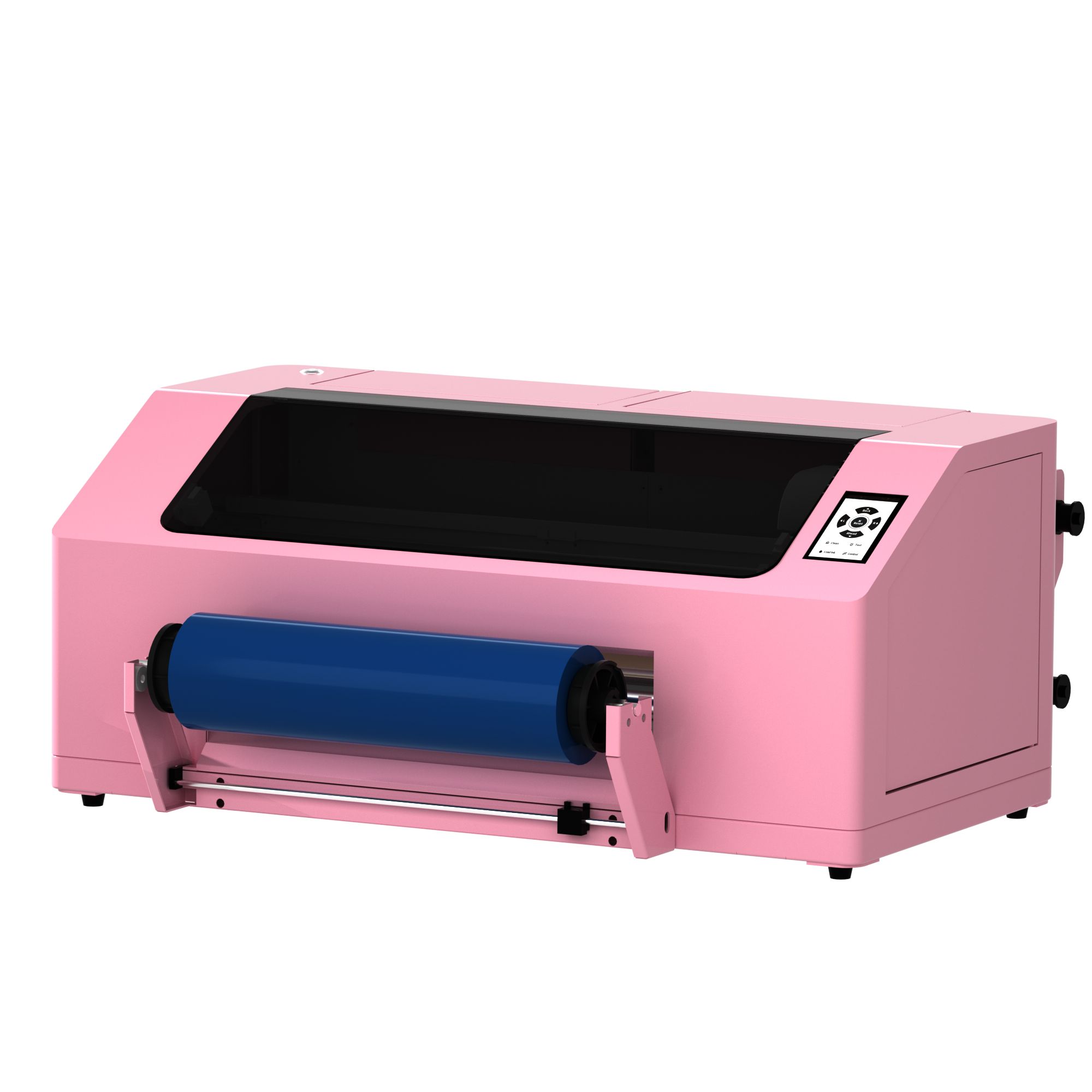
EraSmart A2 UV DTF Printer 420mm desktop model
A2 데스크탑

EraSmart A2 Desktop UV DTF Printer

A desktop UV DTF model with listed printing width up to 420mm and three available printhead configurations.

인쇄 크기 폭 최대 420mm
Printhead Options XP600 / DX7 / I3200
마더 보드 호손
소프트웨어 라인강
View A2 UV DTF Printer
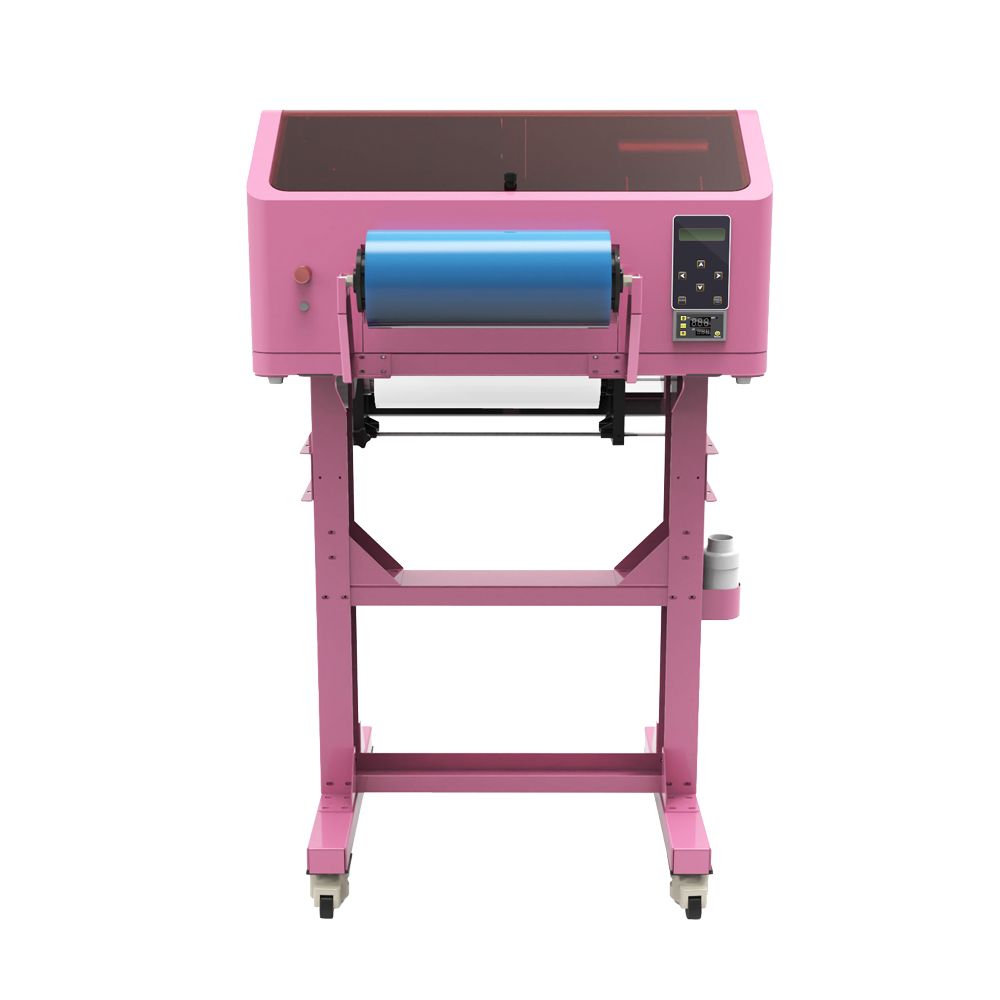
EraSmart A3 UV DTF 프린터
A3 UV DTF

EraSmart A3 UV DTF 프린터

EraSmart's existing A3 UV DTF model for film-transfer production, with a listed print width up to 350mm.

인쇄 폭 최대 350mm
잉크 채널 CMYK + 흰색 + 바니시
해결 최대 1440dpi
작업 흐름 A/B UV DTF Films
View A3 UV DTF Printer
Model Comparison

A2 vs A3 UV DTF Printer

The two pages target different product-level search intent. Compare the published model information before opening the detailed product page.

특징 A2 Desktop UV DTF Printer A3 UV DTF 프린터
체재 A2 데스크탑 A3
인쇄 너비 폭 최대 420mm 최대 350mm
Printhead Information XP600 / DX7 / I3200 configurations See A3 product page
Ink / Color Information Varies by A2 configuration; see A2 product page CMYK + 흰색 + 바니시
해결 Varies by A2 configuration; see A2 product page 최대 1440dpi
영화 작업 흐름 Roll UV DTF Film; Automatic Integrated A film stripping and B film lamination A/B UV DTF films
Product Page A2 UV DTF 프린터 A3 UV DTF 프린터
UV DTF 기술

UV DTF 프린터란 무엇입니까?

A UV DTF printer is a digital printing system that creates graphics on specialized transfer film rather than printing directly onto the final object. UV-curable ink is printed and cured on the film, the transfer is prepared through an A/B film workflow, and the finished graphic is then applied to a suitable hard surface.

This makes UV DTF different from a UV flatbed printer, which normally prints directly onto the object, and different from textile DTF, which is designed for fabric transfer workflows.

01

필름으로 인쇄

The artwork is printed onto UV DTF transfer film instead of the finished product.

02

UV 경화

UV light cures the UV ink during the printing process.

03

옮기다

The prepared graphic is transferred from film to a suitable hard-surface item.

How UV DTF printer technology works
Printing Workflow

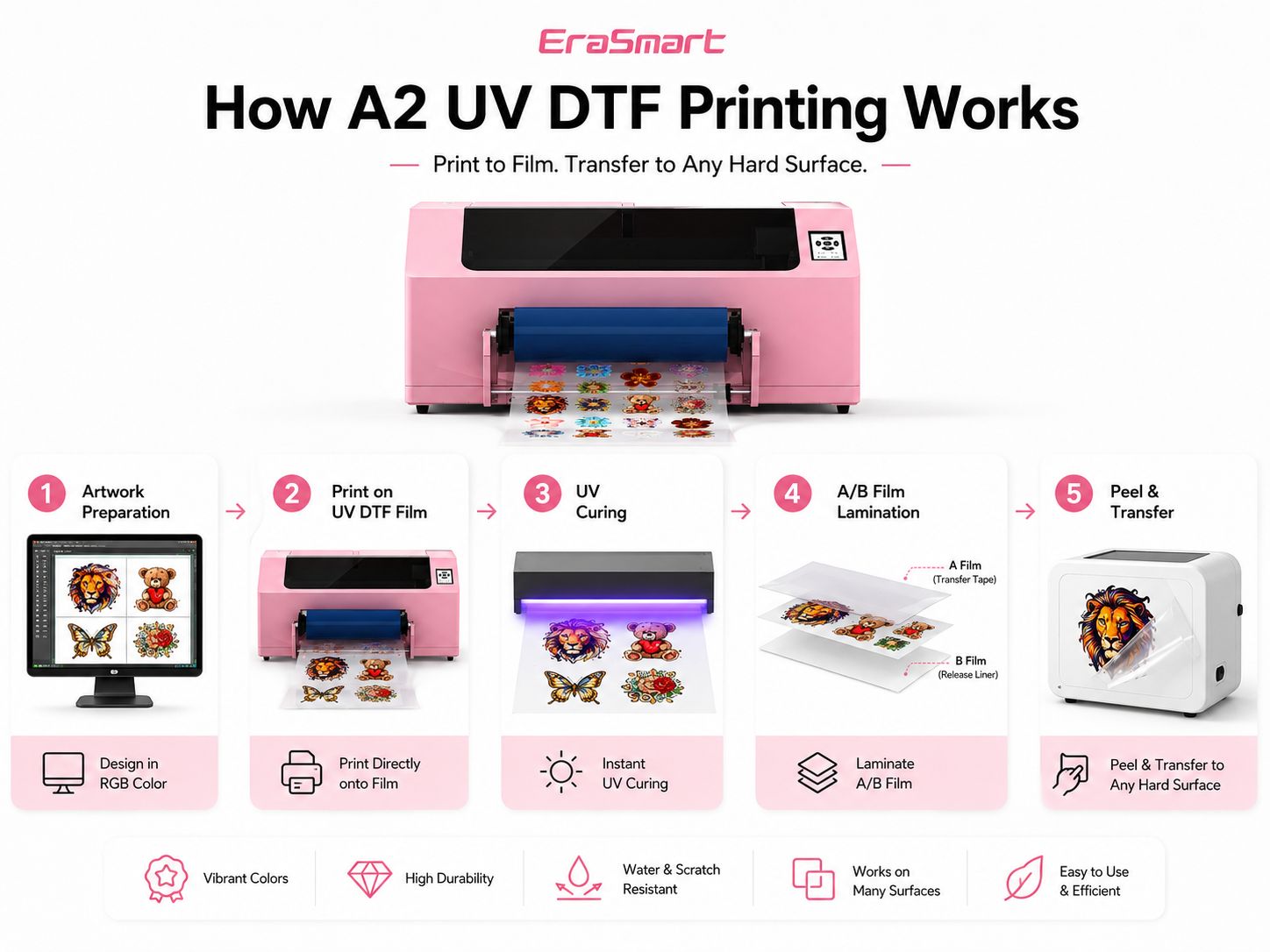
How UV DTF Printing Works

The exact machine configuration can differ by model, but the general UV DTF workflow follows the same print-to-film and transfer principle.

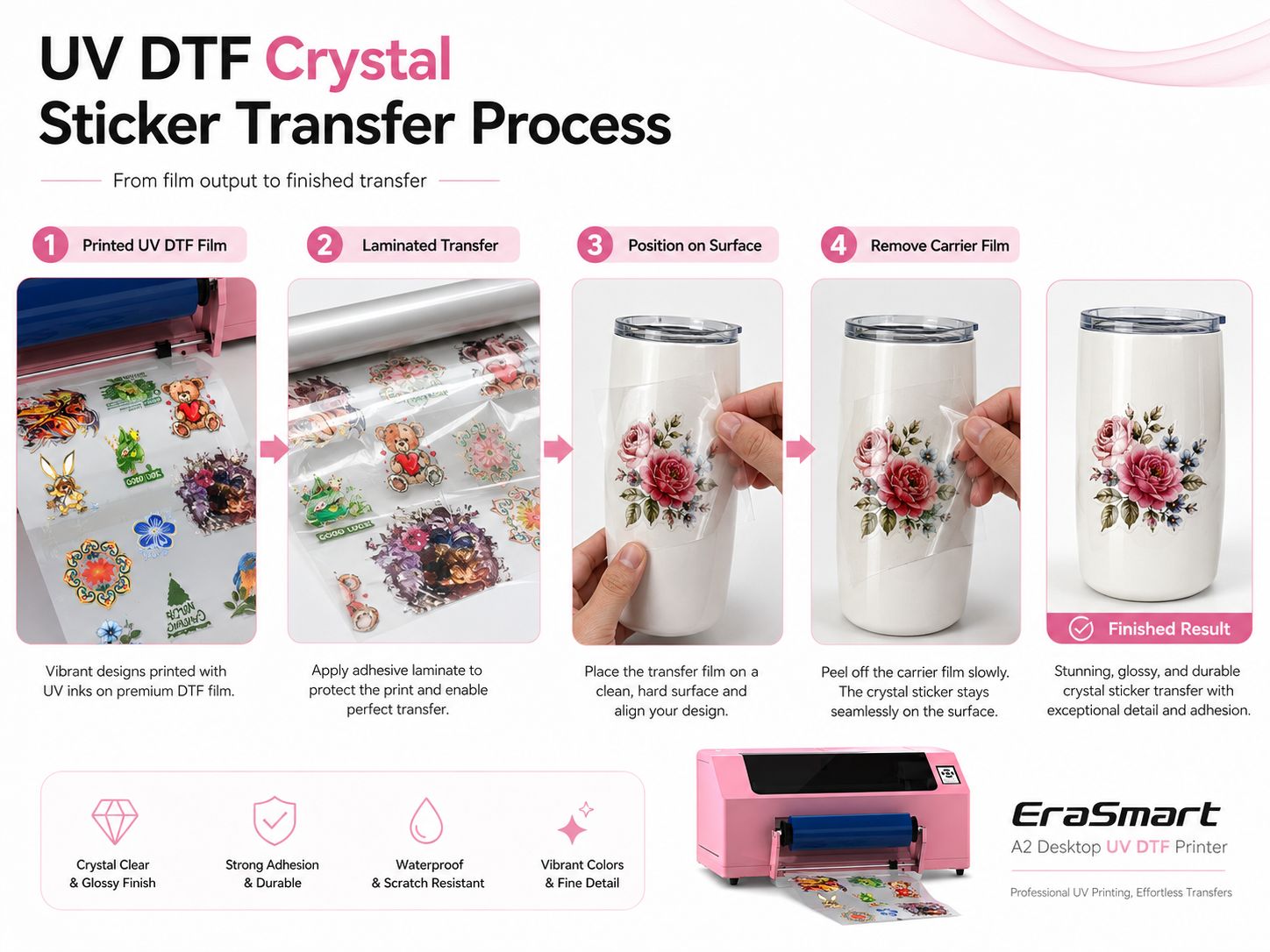
UV DTF crystal sticker printing and transfer process
STEP 01

작품 준비

Prepare the graphic and required print layers in the printing workflow.

STEP 02

필름에 인쇄

Output the design onto the UV DTF printing film.

STEP 03

UV 경화

UV light cures the printed UV ink during production.

STEP 04

A/B Film Workflow

Prepare the printed graphic using the UV DTF film lamination workflow.

STEP 05

Apply Transfer

Position the finished transfer on the target hard surface and remove the carrier film.

UV DTF Applications

UV DTF 프린터로 무엇을 만들 수 있나요?

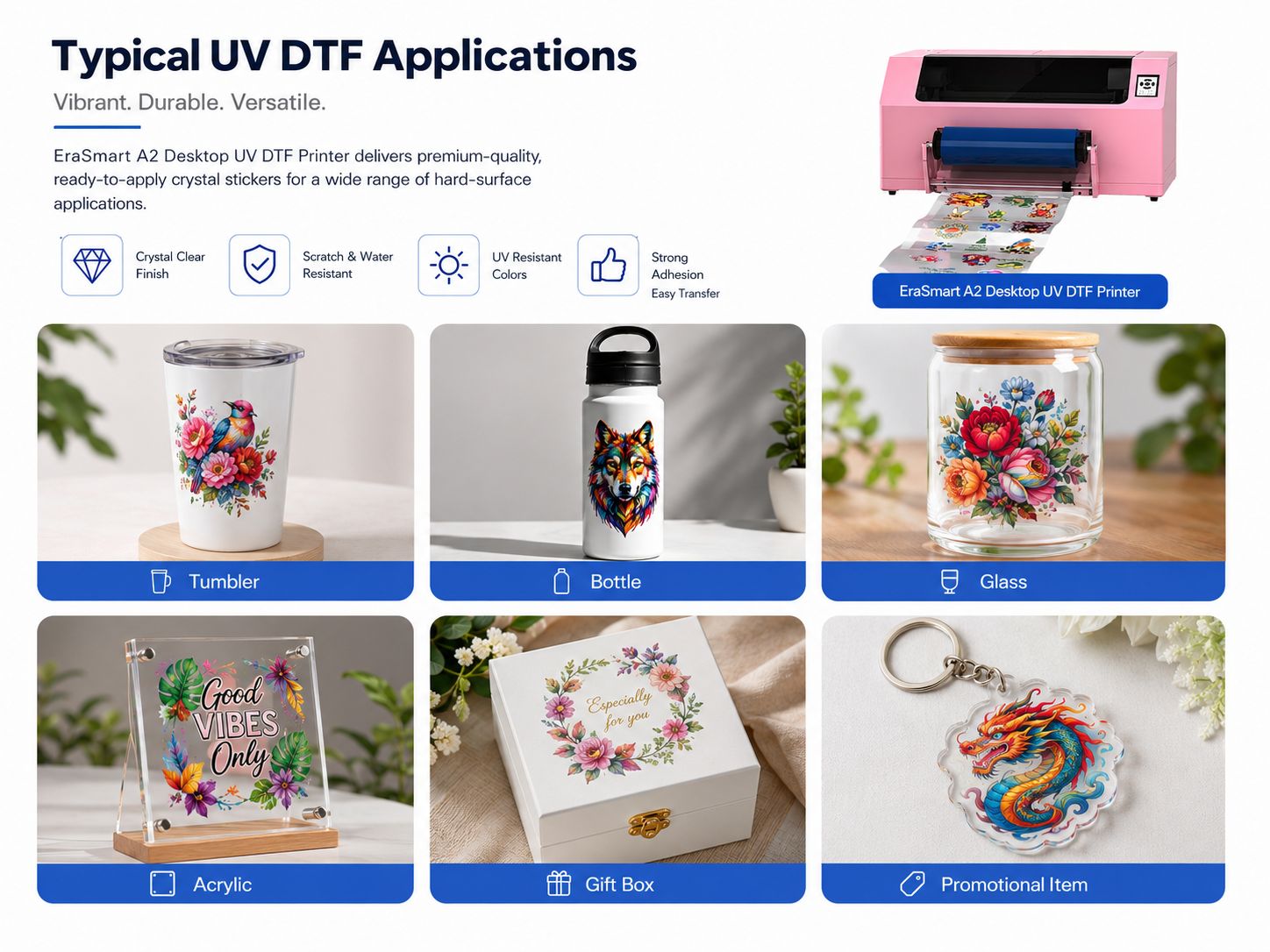
Typical UV DTF applications include crystal stickers, decorative transfers, logos and product labels for suitable hard-surface products.

UV DTF printer applications including tumblers bottles glass acrylic gifts and promotional items

Common application categories include tumblers, bottles, glass, acrylic, gift boxes and promotional items. Actual adhesion and surface compatibility should be tested for the final product material and finish.

Hard-Surface Transfer

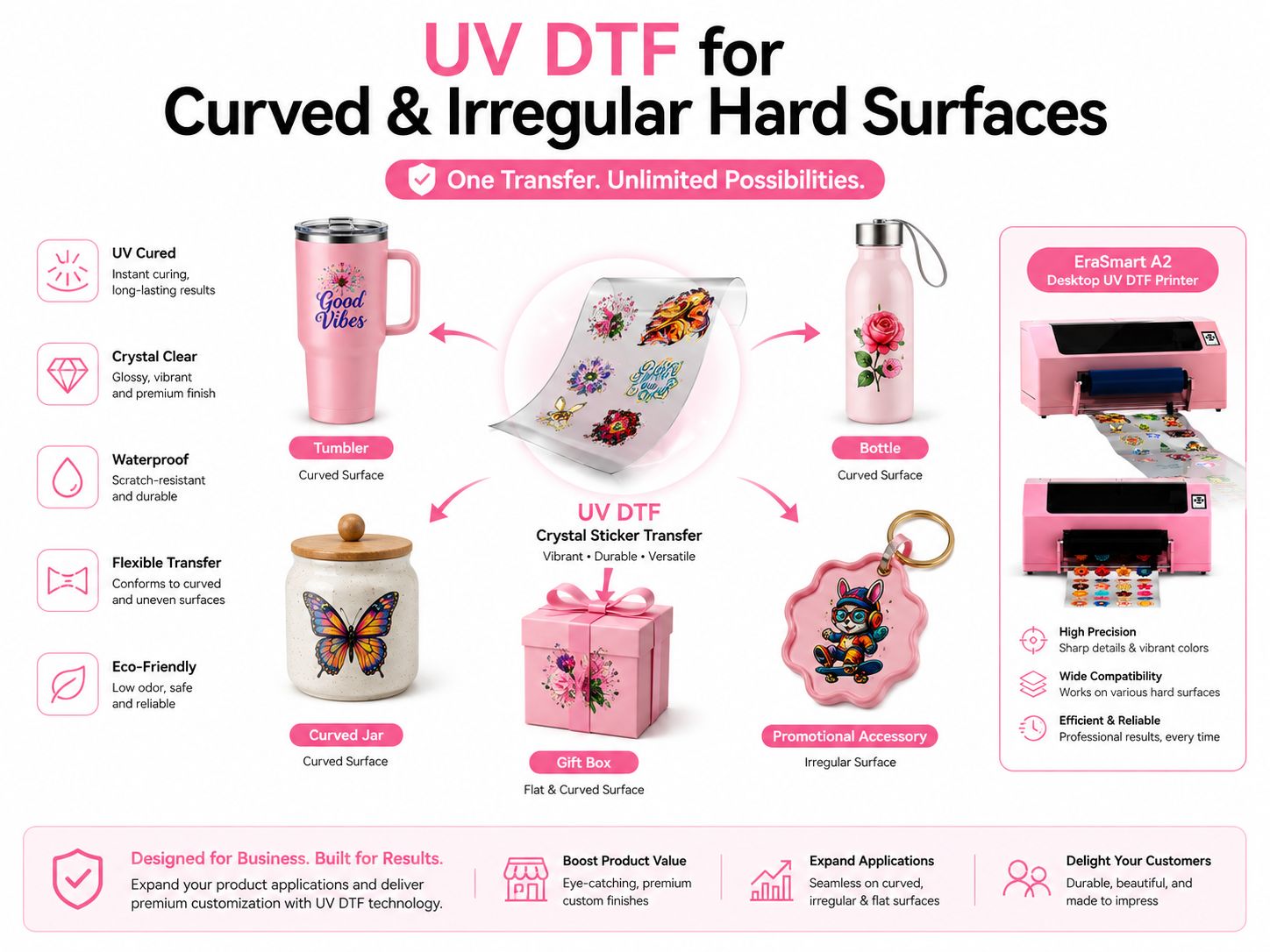
UV DTF for Curved and Irregular Products

One reason businesses consider UV DTF is that the design is created on film first. The finished transfer can then be positioned on selected products that may be inconvenient to place directly on a flatbed printing platform.

Common examples include bottles, tumblers, curved containers, gift packaging and selected irregular promotional items.

UV DTF transfers for curved and irregular hard surfaces
Technology Comparison

UV DTF vs UV Printer vs DTF Printer

These three technologies serve different decoration workflows. Choose based on whether you need a hard-surface transfer, direct-to-object printing, or textile transfer printing.

특징 UV DTF 프린터 UV 프린터 DTF 프린터
Main Workflow Print to UV DTF film, prepare transfer, apply to hard surface Print directly onto compatible object / material Print to film and transfer to textile with a heat-transfer workflow
Typical Target Hard-surface transfer decoration Rigid or compatible objects and panels Garments and textile products
영화 UV DTF transfer film Normally direct-to-object DTF 전사 필름
Curved / Irregular Items Transfer workflow can suit selected curved or irregular hard surfaces Depends on printer platform, fixture and object geometry Not the target workflow
Explore EraSmart Current Page UV 프린터 DTF 프린터
구매 가이드

UV DTF 프린터를 선택하는 방법

Compare the model around your actual workflow rather than choosing only by printer size.

1. Start with Print Width

Decide the maximum transfer width you need. EraSmart's A2 Desktop lists width up to 420mm, while the existing A3 model lists width up to 350mm.

2. Compare Printhead Configuration

The new A2 Desktop offers XP600, DX7 and I3200 configurations. Review the detailed A2 product table for head quantity, resolution and listed speed.

3. Review the Film Workflow

Confirm how printing, curing and A/B film lamination are handled on the exact model you are considering.

4. Match Your Applications

Identify whether your orders focus on crystal stickers, bottles, tumblers, packaging, gifts or other hard-surface transfer products.

5. Check Software & File Workflow

Review the product-specific RIP software, supported operating system and accepted file formats before purchase.

6. Compare the Exact Product Specification

Use the model product page for technical parameters. Avoid assuming that specifications from one UV DTF machine apply to another.

자주 묻는 질문

UV DTF Printer FAQ

Quick answers to common UV DTF printer, crystal sticker and model-selection questions.

What printer is used for UV DTF?

UV DTF production uses a printer configured for UV-curable ink and UV DTF transfer film. The workflow prints the graphic onto film before the design is transferred to the final hard surface.

Do I need a special printer for UV DTF?

Yes. UV DTF requires equipment configured for the UV DTF film workflow, UV-curable ink and UV curing rather than a standard office or textile printer.

How do I print UV DTF?

The general process is to prepare the artwork, print it onto UV DTF film, cure the UV ink, prepare the transfer through the A/B film workflow, then apply the finished graphic to a suitable hard surface.

What is a UV DTF crystal sticker?

A UV DTF crystal sticker is a finished transfer graphic created through the UV DTF film workflow. The design is transferred from film to the target hard surface rather than being printed directly onto the object.

UV DTF를 텀블러나 병에도 사용할 수 있나요?

Tumblers and bottles are common UV DTF application categories because the transfer workflow can be used on selected curved hard surfaces. Test adhesion and compatibility on the actual product material and finish.

Can I make UV DTF stickers at home?

Desktop-format UV DTF equipment can fit smaller workspaces, but it is still printing equipment using UV ink and UV curing. Follow the machine instructions, ink handling guidance, ventilation requirements and UV safety precautions for the exact setup.

What is the difference between UV DTF and DTF?

UV DTF is designed for transfer decoration on suitable hard surfaces. Standard DTF is designed primarily for textile transfer applications such as garments.

UV DTF와 UV 평판 프린터의 차이점은 무엇입니까?

UV DTF prints the design to transfer film first. A UV flatbed printer normally prints directly onto the compatible object or material placed on the printer platform.

What is the difference between the EraSmart A2 and A3 UV DTF printers?

The A2 Desktop lists printing width up to 420mm and offers XP600, DX7 and I3200 configurations. The existing A3 UV DTF product page lists print width up to 350mm. Review each product page for complete model-specific information.

Which EraSmart UV DTF printer should I choose?

Start with required print width, then compare the exact printhead configuration, printing parameters, film workflow, software and target applications. Use the A2 and A3 product pages for model-specific data.

Related EraSmart Resources

Continue Your UV DTF Research

Use product pages for technical specifications and the EraSmart Guide Center for broader printing workflow and buying information.

A2 UV DTF 프린터

Review the 420mm A2 Desktop model and XP600, DX7 and I3200 configurations.

View A2 Model →

A3 UV DTF 프린터

Review the existing A3 UV DTF model and its current product information.

View A3 Model →

Printer Guides & Resources

Explore EraSmart guides covering DTF, UV printing and UV DTF transfer workflows.

Open Guide Center →

Need Help Choosing a UV DTF Printer?

Tell EraSmart your target products, required printing width and preferred production workflow so the team can match you with a suitable model.

샘플 및 가격을 확인할 준비가 되셨나요?

Tell us your target products and finishes. We’ll send sample prints and a coverage-based cost sheet for the A2 and A3 UV DTF setup.

  • 에라스마르트 프린터

    UV 프린터
    DTF 프린터
    DTG 프린터
    열 프레스 머신
    광고 프린터

  • 프린터 도구

    DTF 오븐
    핫 프레스
    조각 기계
    머그잔 열전달
    라미네이팅 머신

  • 소모품

    인쇄 잉크
    핸드폰 케이스
    유리 제품
    청소 유체
    면봉

  • 저희에게 연락하십시오

    whatsapp : +8618566233796
    WeChat : +8618566233796
    모바일 : +8618566233796
    편물:www.erasmart.com
    가게:www.erasmartmall.com

  • 견적을 요청하십시오

    몇 가지 세부 정보 만 제공하면 빠른 인용문을 얻을 수 있도록 도와 드리겠습니다!

    다운론

    이메일을 남겨주시고 다운로드 URL을 이메일로 보내주세요.

    프린터 가격이 필요하십니까?

    귀하의 인쇄 요구 사항을 알려주십시오. 우리 팀이 24시간 이내에 답변을 드릴 것입니다.