Ink is not simply a colored liquid added to a printer.
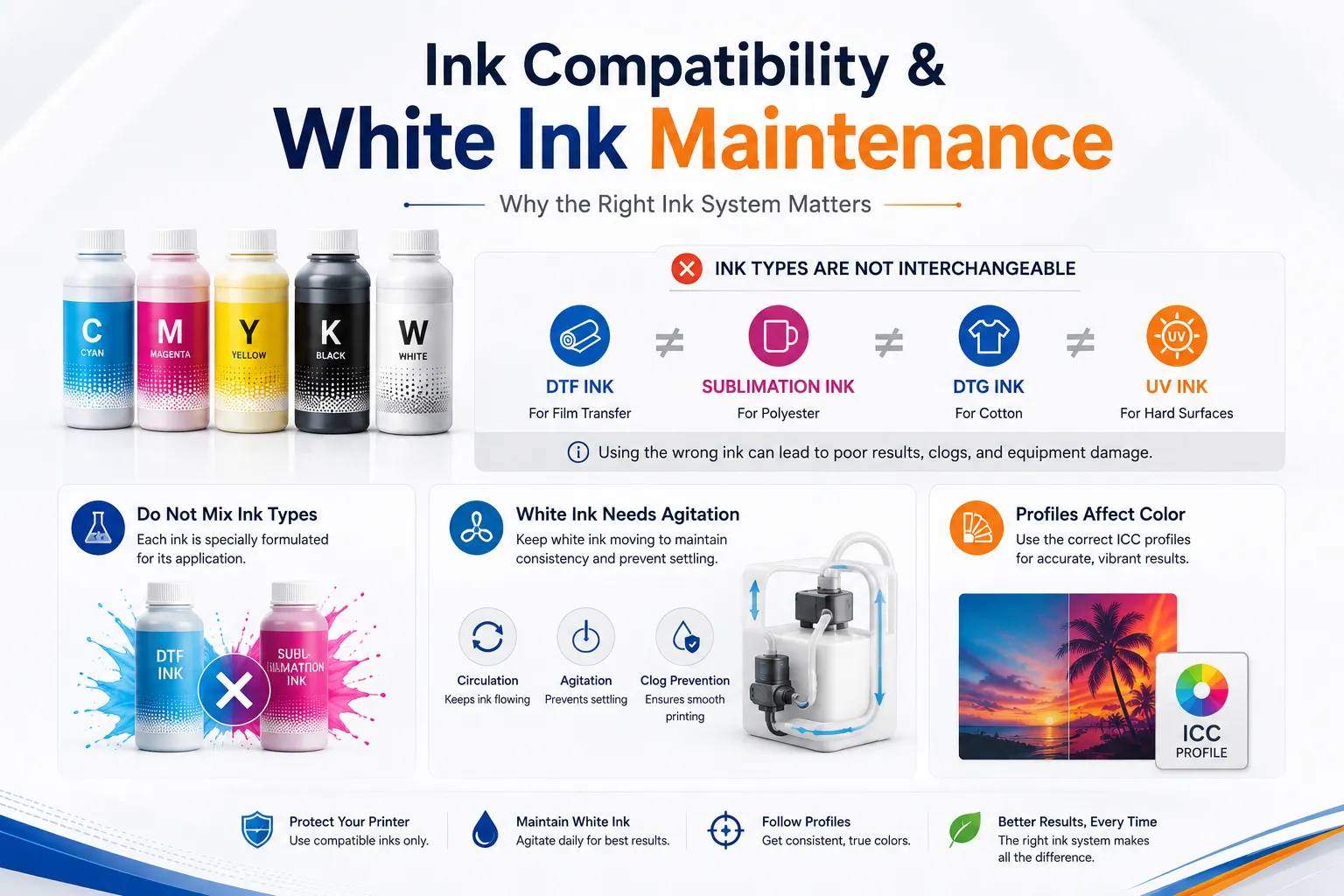
Every printing process requires an ink formulation designed for a specific printhead, printing surface, curing method and production workflow. DTF ink, sublimation ink, DTG ink and UV ink may all produce full-color images, but they cannot be used interchangeably.
Using the wrong ink can cause:
Poor color output
Weak adhesion
Printhead clogging
Ink separation
Failed curing
Damaged ink lines
Short product life
Permanent printer damage
For a custom printing business, choosing the correct ink is therefore just as important as choosing the printer itself.
This guide explains how the main types of digital printing ink work, which materials they support, why white ink requires special maintenance and why printer ink, media, RIP software and color profiles must be treated as one complete system.
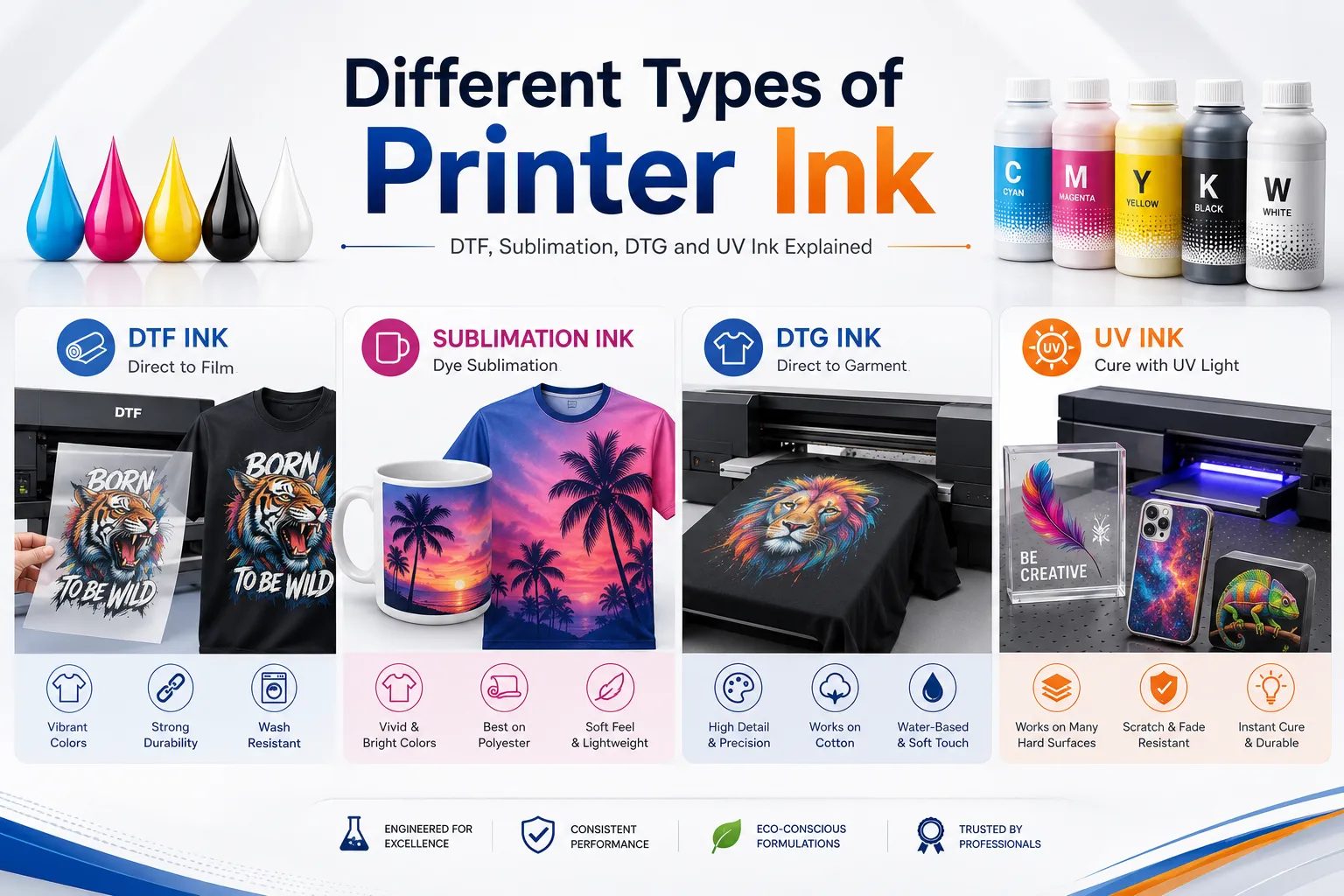
| 잉크 종류 | Main printing process | Typical colorant or curing method | 최고의 애플리케이션 |
|---|---|---|---|
| DTF 잉크 | Direct-to-film transfer | Heat-transfer pigment ink | Cotton, polyester, blends and dark apparel |
| 승화 잉크 | Dye-sublimation transfer | Disperse dye | Polyester and polymer-coated products |
| DTG ink | Direct-to-garment printing | Water-based pigment ink | Cotton garments and selected treated fabrics |
| UV 잉크 | UV flatbed and UV DTF printing | UV 경화형 잉크 | Acrylic, glass, metal, plastic, wood and coated surfaces |
| Standard dye ink | Documents and photographs | Water-soluble dye | Paper and photo media |
| Standard pigment ink | Documents and fine-art printing | Pigment particles | Paper, labels and archival prints |
| Solvent ink | Sign and graphics printing | Solvent-carried colorant | Vinyl, banners and outdoor signage |
The four most relevant types for a personalized printing business are DTF, sublimation, DTG and UV ink.
Although formulations differ, inkjet ink usually contains several functional components.
The colorant creates the visible color.
It may be:
Pigment particles
Dissolved dyes
Disperse dyes
UV-curable color components
Pigments remain as very small solid particles in the formulation. Dyes are dissolved or dispersed and interact differently with the final material.
The carrier helps move the ink through the ink system and printhead.
Depending on the ink technology, the carrier may be primarily:
Water
Solvents
Glycols
UV-curable liquid components
Binders help the colorant attach to the printing surface.
They influence:
부착
유연성
Gloss
Scratch resistance
세탁 저항
표면 느낌
Additives control properties such as:
Surface tension
Viscosity
Drying behavior
Foam control
Ink flow
Storage stability
Nozzle performance
Small formulation differences can significantly affect how an ink behaves inside a printhead. This is one reason inks from different systems should not be mixed casually.

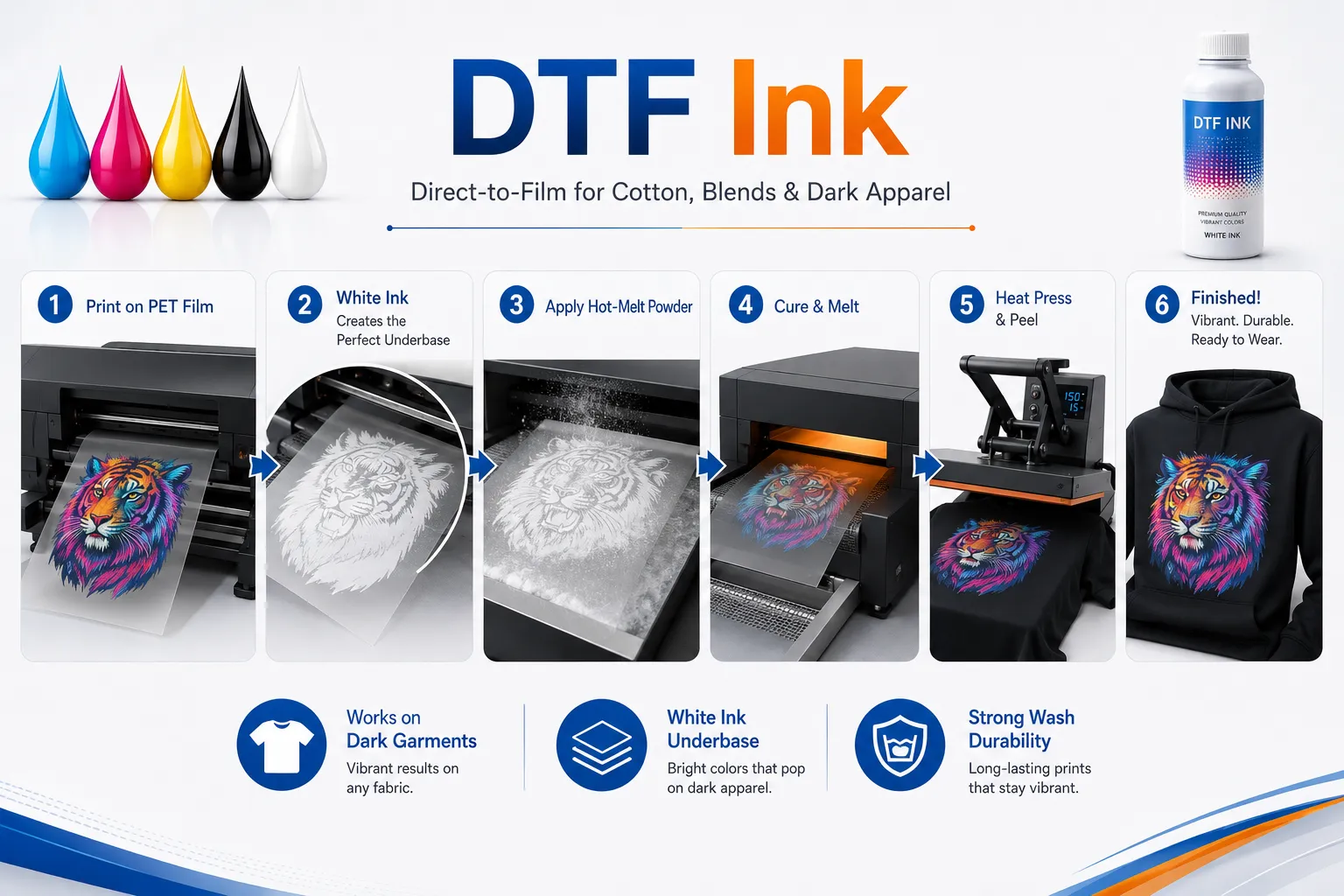
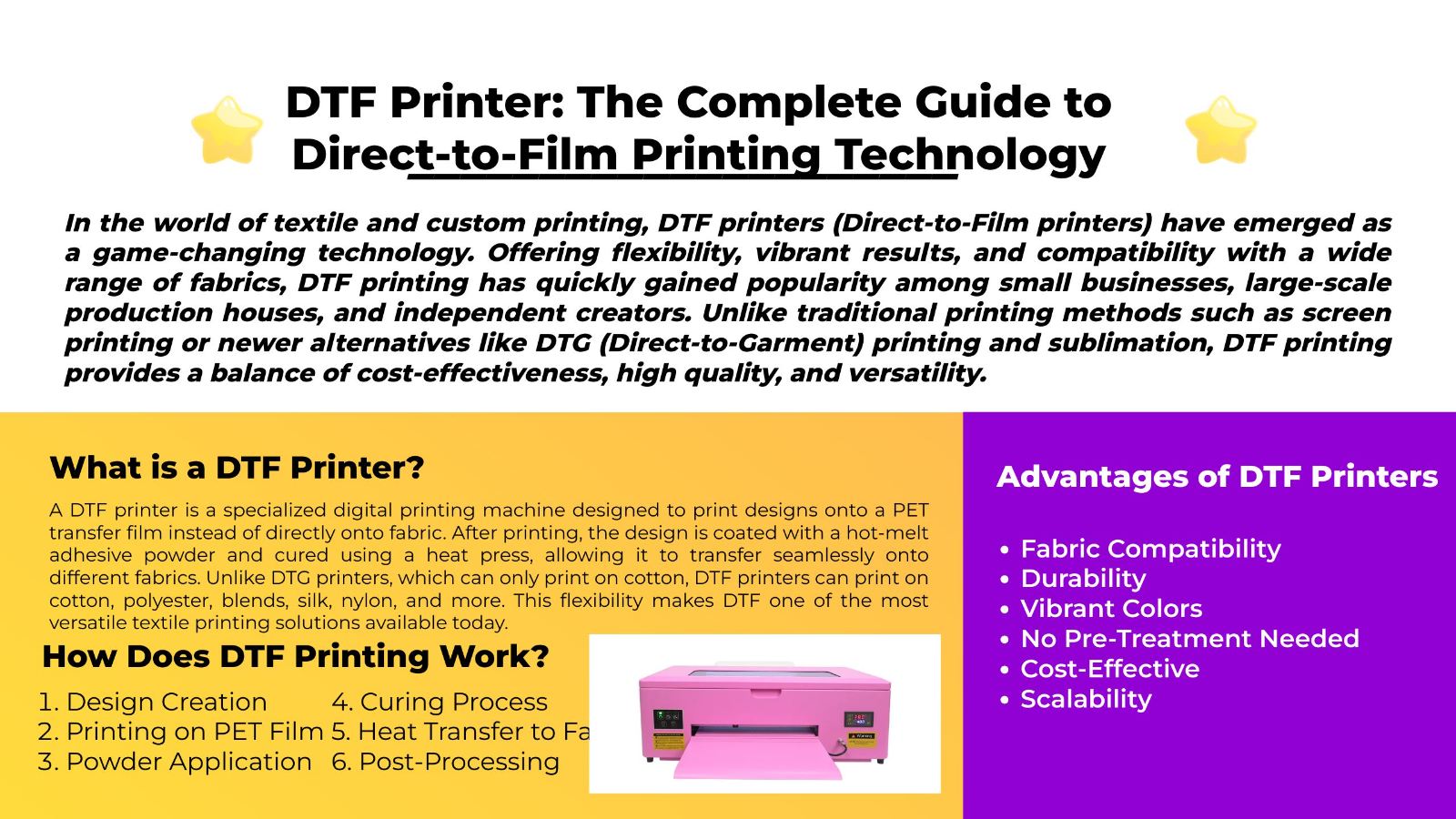
DTF ink is designed for direct-to-film transfer printing.
The ink is printed onto a specially coated PET film rather than directly onto the garment. After printing, hot-melt adhesive powder is applied and cured. The completed design is then transferred to the fabric using a heat press.
Professional DTF systems commonly use five ink channels:
청록색
마젠타
노란색
검은색
하얀색
일반적인 DTF 작업 흐름에는 다음이 포함됩니다.
Printing the color layer onto coated PET film
Printing a white ink layer
핫멜트 접착 파우더 도포
Curing the powder
Positioning the transfer on the garment
Heat pressing the transfer
캐리어 필름 박리
Completing a finishing press when required
The ink, film, adhesive powder and pressing conditions must work together.
You can learn more about the complete material system in EraSmart’s DTF 소모품 가이드.
DTF transfers can commonly be used on:
면
폴리에스테르
면-폴리에스테르 혼방
캔버스
양털
청
가벼운 의류
어두운 옷
The white ink underbase allows the color layer to remain visible on black, navy, red and other dark fabrics.
DTF ink supports:
Full-color graphics
White printing
Dark garment decoration
미세한 디테일
Small-batch production
Multiple fabric types
Custom gang sheets
Flexible apparel workflows
DTF ink also introduces several challenges:
White ink requires circulation and maintenance.
Ink must match the PET film and powder.
Incorrect curing can weaken adhesion.
Poor-quality ink may increase nozzle problems.
Large solid designs may produce a more noticeable surface feel.
The printer should not remain idle without proper maintenance.

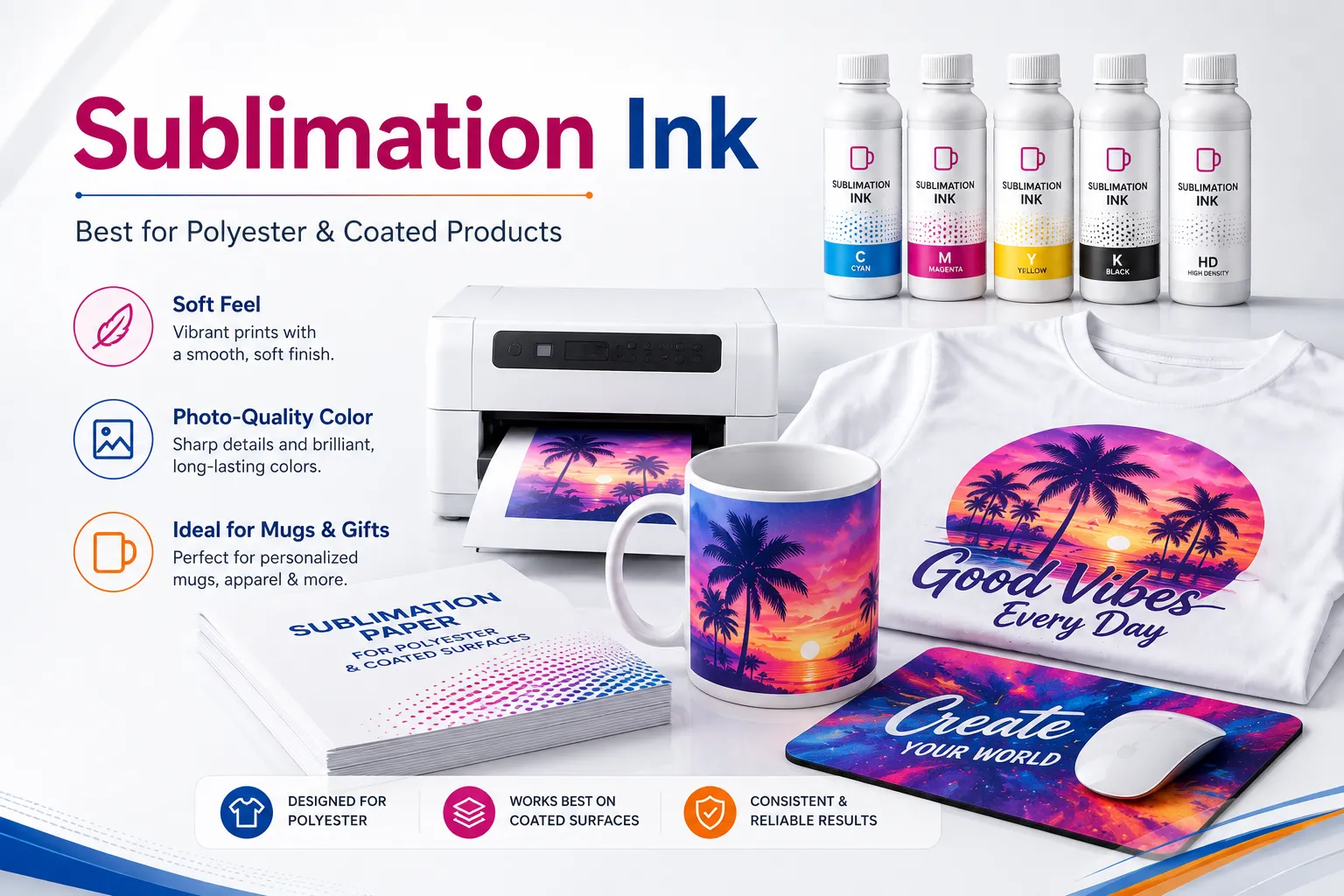
Sublimation ink is a dye-based ink formulated for heat transfer onto polyester or polymer-coated products.
The design is first printed onto sublimation paper. During heat pressing, the disperse dye becomes mobile and enters the polyester fiber or compatible coating. After cooling, the color becomes part of the material.
The basic process includes:
Printing a mirrored design onto sublimation paper
Positioning the paper on the product
Fixing it with heat-resistant tape
Applying the required heat, time and pressure
Removing the transfer paper
Allowing the product to cool
The exact pressing conditions depend on the ink, paper, blank, coating and heat press. There is no single universal setting for every sublimation product.
승화는 다음에서 가장 잘 작동합니다.
흰색 폴리에스테르 셔츠
Light-colored polyester garments
Coated ceramic mugs
코팅 텀블러
마우스패드
Phone case inserts
폴리에스테르 베개 커버
Coated aluminum panels
키 체인
코스터
Photo gifts
Sublimation dye needs polyester or a compatible polymer coating.
Ordinary cotton does not provide the same dye-binding structure. A sublimated design on untreated cotton may appear weak and may not provide acceptable wash durability.
Sublimation ink is transparent and normally does not include white ink.
The color of the product remains visible underneath the design. This is why sublimation performs best on white or light surfaces.
Sublimation can provide:
부드러운 그라디언트
Photo-quality output
No raised transfer layer
Strong durability on compatible materials
Full-color gift products
Low material consumption
Easy personalization
Its limitations include:
Restricted material compatibility
Poor visibility on dark products
No white ink
Dependence on coating quality
Potential ghosting if paper moves
Color variation caused by incorrect ICC profiles or pressing conditions
For a more detailed business comparison, see DTF 인쇄와 승화 인쇄.
DTF and sublimation are both heat-transfer processes, but the inks behave differently.
| 비교 | DTF 잉크 | 승화 잉크 |
|---|---|---|
| Ink category | Heat-transfer pigment ink | Disperse dye ink |
| Printing medium | Coated PET film | 승화 종이 |
| 흰색 잉크 | 예 | 아니요 |
| 접착성 분말 | 필수의 | 필요하지 않습니다 |
| Best fabrics | 면, 폴리에스테르 및 혼방 | 폴리에스테르 |
| 어두운 옷 | Suitable | Generally unsuitable |
| Coated hard products | 제한된 | Highly suitable |
| 표면 느낌 | 전사층이 남아있습니다 | Dye becomes part of the material |
| Printer maintenance | Higher because of white ink | Generally lower |
| Main products | 의복 | Apparel and personalized gifts |
The correct choice depends more on the product than on which ink is “better.”
Choose DTF for dark cotton apparel, hoodies, uniforms and tote bags. Choose sublimation for polyester garments, mugs, mousepads and coated photo gifts.

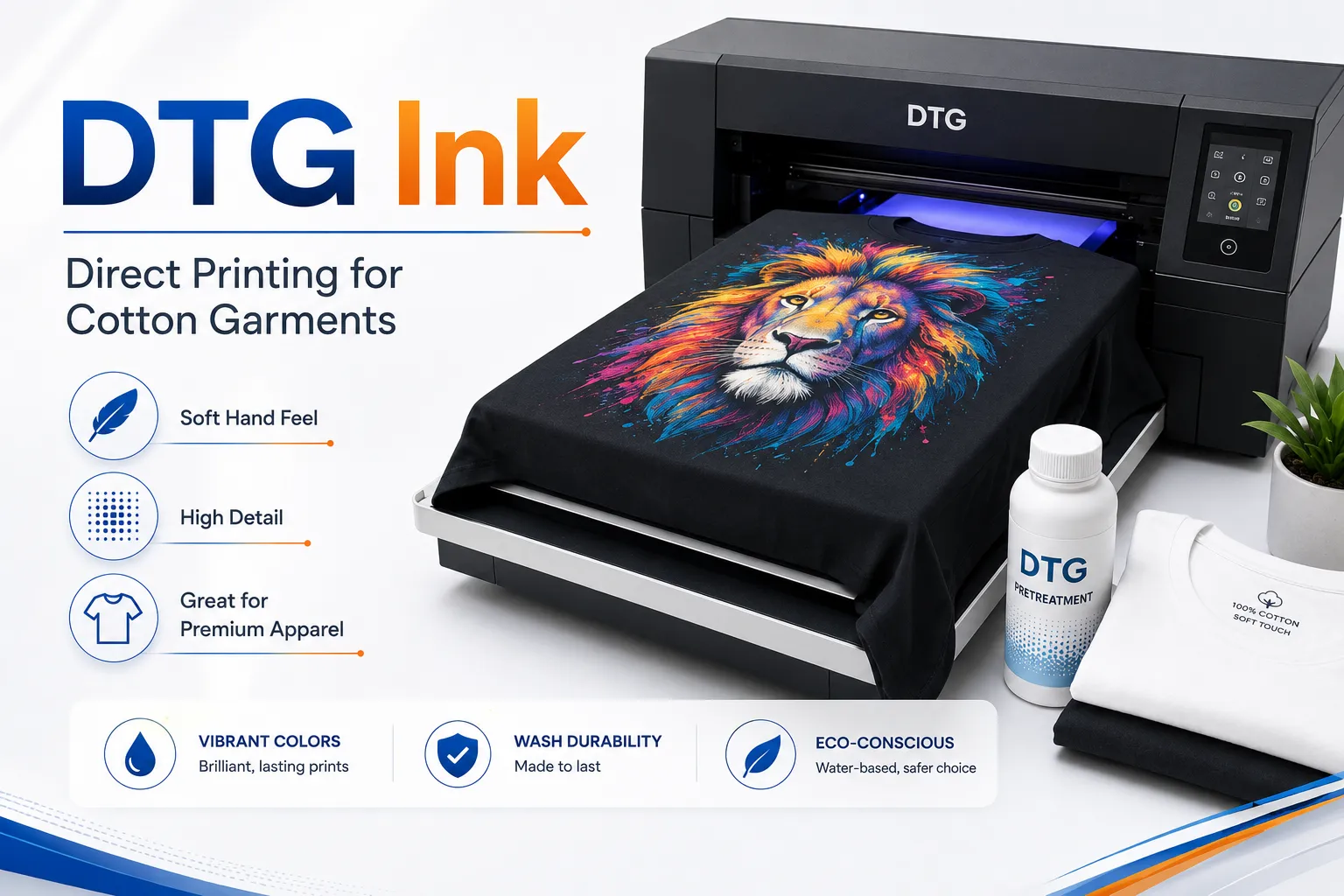
DTG stands for direct-to-garment printing.
Unlike DTF, DTG ink is printed directly onto the garment. The printed fabric is then heat-cured to fix the ink.
DTG systems commonly use water-based pigment inks in:
청록색
마젠타
노란색
검은색
하얀색
A typical DTG workflow includes:
Preparing the garment
Applying pretreatment when required
Drying or pressing the pretreatment
Loading the garment onto the platen
Printing directly onto the fabric
Heat curing the printed garment
DTG is commonly used for:
Premium cotton T-shirts
Detailed artwork
Photographic shirt printing
One-off custom garments
Small-batch fashion products
Designs requiring a softer feel on cotton
| 비교 | DTF 잉크 | DTG ink |
|---|---|---|
| Printed onto | 애완동물 영화 | 외피 |
| 접착성 분말 | 필수의 | 필요하지 않습니다 |
| Pretreatment | Usually not applied to the garment | Often required |
| Fabric range | Broad | Strongest on suitable cotton |
| 작업 흐름 | Transfer production and pressing | Direct printing and curing |
| Storage of prints | Transfers can be produced in advance | Garment is printed directly |
| Fine cotton feel | 좋은 | Often softer on suitable garments |
You can explore the differences further in EraSmart’s DTG printer vs DTF printer guide.

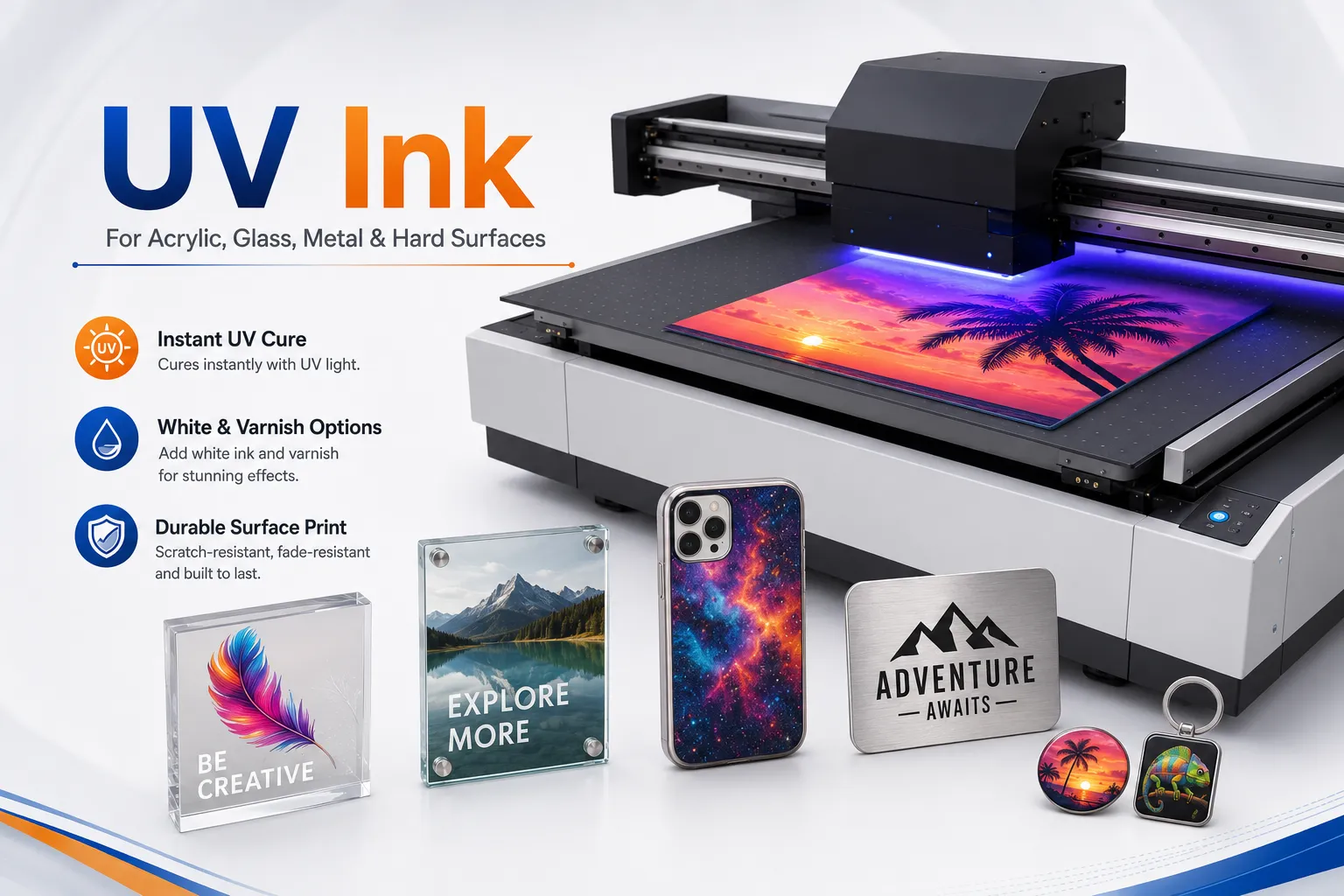
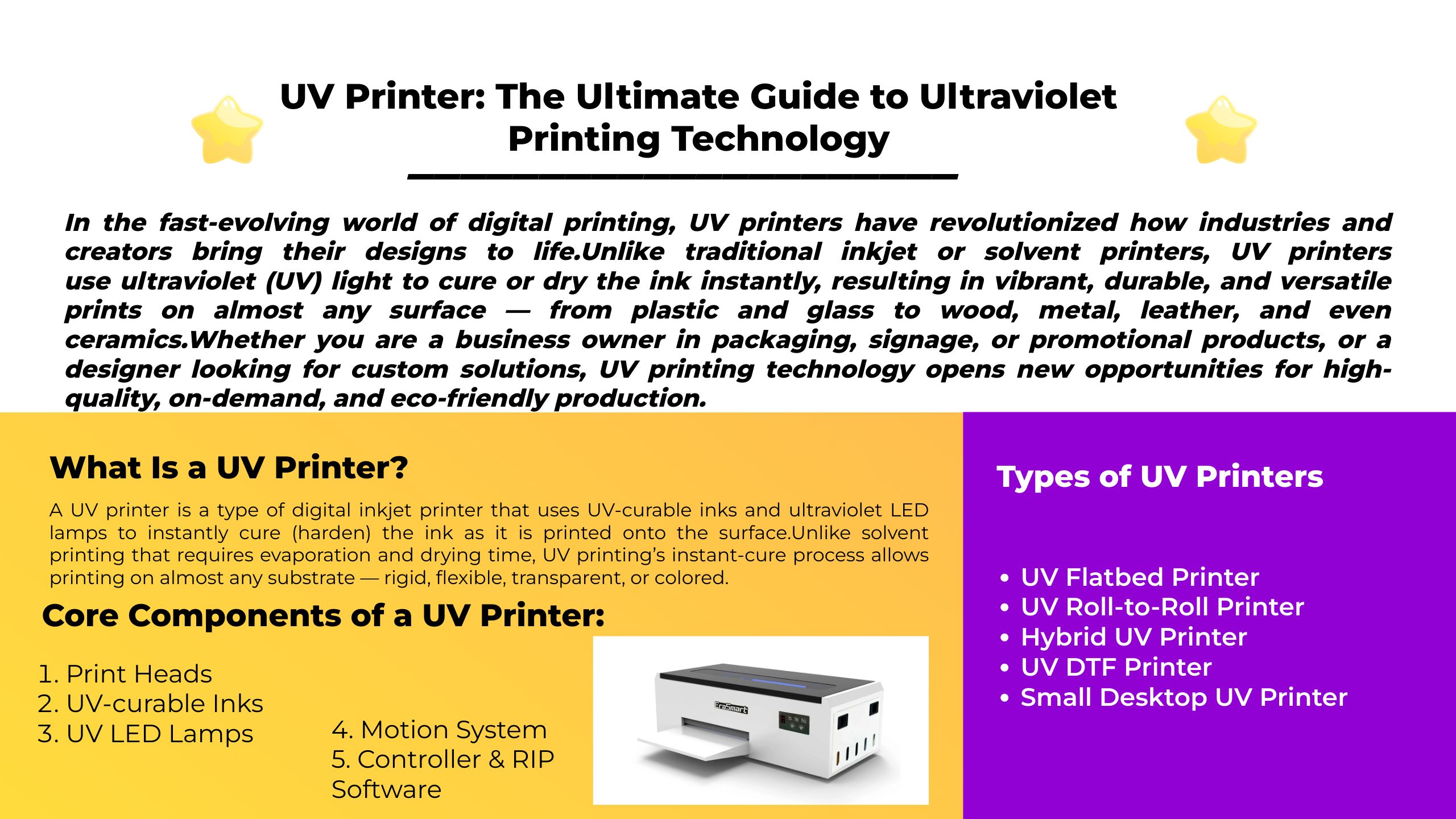
UV ink is designed to cure under ultraviolet light.
Instead of drying primarily through evaporation or being heat-transferred into a fabric, UV-curable ink changes into a solid printed layer when exposed to the printer’s UV LED lamps.
Mimaki explains that UV ink cures and adheres directly to the substrate under UV radiation. UV systems can print on non-absorbent materials such as plastic, glass and metal, and different hard or flexible formulations are available for different applications.
A UV printer may use:
청록색
마젠타
노란색
검은색
하얀색
Varnish or clear ink
Primer in supported systems
Light cyan and light magenta in some configurations
Depending on the printer and fixture, UV ink may be used on:
아크릴
유리
금속
목재
플라스틱
가죽
세라믹
전화 케이스
판촉물
Signs
포장
평면 패널
White UV ink can be used as:
An underbase beneath color
A backing layer on transparent material
A standalone white design
Part of multilayer printing
Clear or varnish ink can create:
Gloss effects
Spot highlights
Textured surfaces
Raised details
Protective visual effects
Read EraSmart’s UV ink guide for CMYK, white and varnish for a more detailed explanation.
DTF and UV printing are designed for different product categories.
| 비교 | DTF 잉크 | UV 잉크 |
|---|---|---|
| Primary products | Fabric and apparel | Hard and semi-rigid products |
| 경화방법 | Powder curing and heat pressing | UV LED curing |
| Transfer medium | 애완동물 영화 | Usually direct printing |
| 흰색 잉크 | 예 | Commonly available |
| 광택 | Normally no | Available on supported systems |
| Cotton garments | Suitable through transfer | Generally not the main application |
| Acrylic and metal | Not the main use | Suitable |
| 표면 느낌 | Flexible transfer layer | Cured ink film |
UV DTF is a separate process that uses UV ink to print onto an adhesive film system before transferring the graphic to a hard product.
To avoid confusing these technologies, see UV DTF vs textile DTF vs UV flatbed printing.

White ink behaves differently from standard CMYK ink.
White formulations contain dense pigment to create opacity. These particles are more likely to settle when the printer remains idle or when the ink is not circulated correctly.
Potential problems include:
Reduced white density
Nozzle loss
Ink separation
Uneven underbase
White ink mist
Deflected droplets
Clogged ink paths
Printer manufacturers therefore use features such as:
흰색 잉크 순환
Automatic stirring
Scheduled head refresh
Cartridge or ink-pack agitation
Guided cleaning cycles
The correct procedure depends on the printer model. Follow the machine manual rather than applying a generic maintenance schedule.
For practical prevention steps, read how to prevent white ink clogging.
Two ink bottles may appear to contain the same CMYK colors, but their formulations may differ in:
Viscosity
Surface tension
Pigment size
Dye concentration
Resin chemistry
Drying behavior
Curing requirements
pH
Printhead compatibility
Mixing incompatible inks may cause:
Chemical reactions
Sediment
Gel formation
Ink separation
Color shifts
Blocked dampers
Damaged printheads
Unstable white ink
Never combine:
DTF ink and sublimation ink
UV ink and water-based ink
DTG ink and UV ink
Cleaning solution and ink without an approved procedure
Different brands merely because the colors appear similar
Even two products labeled “DTF ink” may not be suitable for mixing.
Before changing ink, confirm whether the printer requires:
Complete draining
Flushing solution
New dampers
New ink lines
New ICC profiles
Printer recalibration
EraSmart의 DTF 잉크 호환성 가이드 explains the checks that should be completed before switching ink.
An ICC profile or RIP ink curve controls how color data is converted into printer output.
The final result depends on the combination of:
인쇄기
프린트 헤드
잉크
메디아
해결
Pass mode
흰색 잉크 농도
RIP 설정
Curing or pressing conditions
Changing the ink can change:
색상 밀도
Gray balance
Total ink limit
Black generation
Saturation
Drying behavior
White underbase requirements
A profile created for one ink, film and printer combination may not reproduce the same colors after any component is changed.
This is why apparently identical CMYK values can produce different printed results.
For additional color-management guidance, see 올바른 색상을 인쇄하는 방법.
First identify whether the machine is:
DTF
승화
DTG
UV 평판
UV DTF
Eco-solvent
Standard aqueous inkjet
Do not select ink based only on bottle size or color.
확인하다:
Printer model
Printhead model
Ink channel configuration
Ink delivery system
Manufacturer specifications
A compatible printhead does not automatically mean the entire printer is compatible with the ink.
Choose the ink based on what you intend to produce.
Use DTF ink for:
면 의류
어두운 옷
후드티
토트백
Fabric transfers
Use sublimation ink for:
폴리에스테르 셔츠
머그
텀블러
마우스패드
Coated photo products
Use DTG ink for:
Direct garment printing
Premium cotton T-shirts
Detailed one-off apparel
Use UV ink for:
아크릴
유리
금속
플라스틱
전화 케이스
Rigid promotional products
For DTF, verify compatibility among:
잉크
애완동물 영화
접착성 분말
RIP 프로필
경화 장비
열 프레스 설정
For sublimation, verify:
잉크
종이
ICC 프로필
블랭크 코팅
Pressing settings
For UV printing, verify:
Ink hardness or flexibility
Substrate
Primer
흰색 잉크
광택
UV lamp settings
Always follow the label, user manual and safety data sheet supplied with the ink.
General best practices include:
Store ink in its original sealed container.
Keep it away from direct sunlight.
Avoid extreme heat or freezing.
Keep the bottle clean before opening.
Do not return used ink to the original container.
Record the opening date.
Use older stock first.
Follow the stated expiration date.
Wear suitable protective equipment.
Keep ink away from children and food areas.
Review the relevant safety data sheet.
Do not apply one universal shelf-life rule to every ink. Storage life varies by formulation, packaging and manufacturer.
가능한 원인은 다음과 같습니다.
Dried ink
Settled white pigment
Air in the ink line
Expired ink
Contaminated dampers
Incorrect maintenance
가능한 원인은 다음과 같습니다.
잘못된 ICC 프로필
Low ink density
Incorrect media
Poor curing
Low-quality coating
Settled pigment
Incorrect print mode
가능한 원인은 다음과 같습니다.
Wrong ink technology
Incompatible surface
Missing primer
Incorrect curing
Incorrect film coating
Contaminated material
가능한 원인은 다음과 같습니다.
Different pigment or dye characteristics
Old ink remaining in the system
잘못된 ICC 프로필
Changed white ink density
Different media response
가능한 원인은 다음과 같습니다.
Incompatible ink
Poor storage
Mixed formulations
Long idle periods
Insufficient white ink circulation
Incorrect cleaning solution
Contamination
A matched ink system usually provides the lowest operational risk because the printer, ink delivery system, RIP profile and maintenance procedure have been tested together.
This can help improve:
색상 일관성
Nozzle stability
White ink performance
부착
기술지원
문제 해결
Warranty clarity
The lowest-priced ink is not necessarily the lowest-cost ink to operate.
A cheaper bottle can become expensive if it causes:
Failed prints
Wasted film
Damaged garments
Excessive cleaning
Shortened printhead life
Production downtime
Evaluate ink by total production cost rather than bottle price alone.
DTF, sublimation, DTG and UV ink are different chemical and production systems.
DTF ink is a heat-transfer pigment system designed for PET film, adhesive powder and fabric pressing.
Sublimation ink uses disperse dye to color polyester fibers and polymer-coated products.
DTG ink is printed directly onto prepared garments and then heat-cured.
UV ink cures under UV LED light and creates a durable printed layer on many rigid or non-absorbent materials.
None of these inks should be substituted based only on color or appearance.
Before purchasing ink, confirm:
Printer technology
Printer model
프린트 헤드
Ink channel configuration
메디아
경화방법
RIP 프로필
애플리케이션
Supplier support
The best ink is not simply the one that produces the brightest test print. It is the ink that provides stable jetting, predictable color, reliable adhesion and repeatable production throughout the life of the printer.
EraSmart provides DTF, DTG, UV and UV DTF printing solutions for different custom printing workflows. Explore the EraSmart DTF printer range or review the UV printer guide to choose a printing system suited to your materials and business model.
No. DTF ink is a heat-transfer pigment ink used with coated PET film and adhesive powder. Sublimation ink uses disperse dye and is transferred from paper into polyester or a polymer coating.
No. Sublimation ink does not provide the white underbase, film behavior or adhesive workflow required for textile DTF production.
No. DTF pigment ink is not designed to diffuse into polyester in the same way as sublimation dye.
Commercial DTF inks are commonly formulated as aqueous heat-transfer pigment inks, but users should confirm the specification and safety data sheet of the exact product.
White ink creates an opaque underbase beneath CMYK colors, allowing designs to remain vivid on dark and colored garments.
Sublimation relies on transparent dyes entering polyester or a polymer coating. White areas normally come from the white product surface itself.
White ink contains dense pigment for opacity. The pigment can settle when the ink is not circulated or agitated according to the printer’s maintenance requirements.
Mixing is not recommended unless compatibility has been explicitly confirmed. Differences in chemistry, viscosity and pigment behavior can cause instability or printhead damage.
It often does. Different ink formulations can alter color density, gray balance, saturation and total ink limits.
Choose according to your products:
DTF for cotton and dark apparel
Sublimation for polyester and coated gifts
DTG for direct premium garment printing
UV for hard and promotional products
DTF 오븐
핫 프레스
조각 기계
머그잔 열전달
라미네이팅 머신
인쇄 잉크
핸드폰 케이스
유리 제품
청소 유체
면봉
whatsapp : +8618566233796
WeChat : +8618566233796
모바일 : +8618566233796
편물:www.erasmart.com
가게:www.erasmartmall.com
WhatsApp에 우리
귀하의 인쇄 요구 사항을 알려주십시오. 우리 팀이 24시간 이내에 답변을 드릴 것입니다.
몇 가지 세부 정보 만 제공하면 빠른 인용문을 얻을 수 있도록 도와 드리겠습니다!