
Ghid de întreținere a imprimantei UV: curățare zilnică, îngrijire a cernelii albe și stabilitate pe termen lung
O imprimantă UV poate produce produse personalizate de mare valoare, dar o producție stabilă depinde de întreținerea regulată. Acest ghid explică curățarea zilnică, circulația cernelii albe, verificările duzelor, îngrijirea stației de acoperire, curățarea platformei, inspecția lămpii UV, protecția la ralanti lung și greșelile comune de întreținere pe care cumpărătorii și operatorii ar trebui să le evite.
Priorități de întreținere
Înainte de imprimare
Zilnic
Săptămânal
Long Idle
Protejați capul de imprimare
Verificările duzelor, îngrijirea stației de acoperire și rutinele de curățare reduc riscul de înfundare.
Mențineți cerneala albă
Cerneala albă necesită circulație, amestecare și verificări regulate ale producției pentru stabilitate.
Păstrați platforma curată
Praful, reziduurile de cerneală și amplasarea neuniformă pot afecta calitatea imprimării și aderența.
Preveniți daunele de mers în gol
Oprirea corectă și îngrijirea în gol ajută la reducerea problemelor de uscare, sedimentare și pornire.
Bazele întreținerii
De ce întreținerea imprimantei UV este diferită de tipărirea obișnuită
Imprimantele UV folosesc cerneală cu întărire UV care este întărită de lumina UV în timpul imprimării. Acest lucru oferă imprimării UV o flexibilitate puternică a materialului și un potențial de producție rapid, dar înseamnă, de asemenea, că operatorii trebuie să controleze cu atenție starea cernelii, starea duzelor, curățarea platformei, performanța de întărire și pregătirea materialului.
Cerneala albă este deosebit de importantă în imprimarea UV, deoarece acceptă materiale transparente, întunecate și colorate. Cu toate acestea, cerneala albă necesită, de asemenea, mai multă atenție, deoarece pigmentul se poate depune dacă sistemul de cerneală nu este întreținut corespunzător. Pentru fiabilitatea pe termen lung, întreținerea trebuie tratată ca parte a fluxului de lucru de producție, nu ca o etapă de reparație de urgență.
Regula simplă
O imprimantă UV trebuie verificată înainte de imprimare, curățată după producție, întreținută săptămânal și protejată cu atenție înainte de perioade lungi de inactivitate. Rutinele zilnice mici previn de obicei problemele mai mari de nefuncționare.
Program de întreținere
Tabel cu program de întreținere a imprimantei UV
Utilizați acest program de întreținere ca un cadru practic. Rutina exactă ar trebui să urmeze manualul mașinii și configurația sistemului de cerneală.
| Frecvenţă | Sarcina de întreținere | De ce contează | Sfat operator |
|---|---|---|---|
| Înainte de imprimare | Testul duzei, verificarea platformei, curățarea suprafeței materialului, confirmarea înălțimii | Previne formarea benzilor, ieșirea neclară, lovirea capului și aderența slabă | Nu începeți producția înainte de a verifica modelul duzei. |
| În timpul imprimării | Monitorizați fluxul de cerneală, culoarea de ieșire, stabilitatea platformei și rezultatul întăririi | Detectează probleme înainte ca un lot complet să fie irosit | Inspectați prima piesă finită înainte de a continua producția în masă. |
| După imprimare | Curățați platforma, îndepărtați reziduurile de cerneală, verificați zona de acoperire, organizați fișierele | Păstrează imprimanta pregătită pentru următoarea lucrare | Nu lăsați niciodată praf de material sau piese libere pe platformă. |
| Zilnic | Verificați starea cernelii albe, nivelul de deșeuri de cerneală, starea duzei și sigiliul capacului | Protejează stabilitatea cernelii albe și starea capului de imprimare | Cerneala albă trebuie tratată ca o prioritate de întreținere zilnică. |
| Săptămânal | Curățați ștergătorul, stația de acoperire, șinele, senzorii și zonele de cerneală din jur | Reduce problemele mecanice și legate de cerneală | Programați întreținerea săptămânală chiar și atunci când producția este ușoară. |
| Long Idle | Urmați protecția la oprire, îngrijirea capului, îngrijirea căii de cerneală și verificările de repornire | Previne uscarea, sedimentarea și eșecul de pornire | Nu lăsați o imprimantă UV inactivă fără pregătire. |
Înainte de imprimare
Lista de verificare pentru întreținere înainte de tipărire
O lucrare stabilă de imprimare UV începe înainte ca butonul de imprimare să fie apăsat. Întreținerea înainte de imprimare ajută la prevenirea problemelor duzei, a aderenței slabe, înălțimii incorecte și a defectelor legate de material.
Efectuați o verificare a duzei
Înainte de producție, verificați dacă canalele CMYK, cerneala albă și lacurile sunt afișate corect. Lipsa liniilor poate duce la benzi, acoperire slabă albă sau lac neuniform.
Curățați suprafața materialului
Praful, uleiul, amprentele digitale și reziduurile de acoperire pot reduce aderența și pot face ca produsul finit să pară inconsecvent.
Verificați înălțimea obiectului
Înălțimea incorectă poate cauza imprimare neclară, precizie slabă sau coliziunea capului de imprimare. Confirmați distanța înainte de a imprima produse groase sau neregulate.
Confirmați setările RIP
Verificați ordinea straturilor, setarea cernelii albe, stratul de lac, modul de trecere și profilul materialului înainte de a începe lucrarea.
Întreținere zilnică
Rutină zilnică de întreținere a imprimantei UV
Întreținerea zilnică este cel mai important obicei pentru stabilitatea imprimantei UV. Nu trebuie să fie complicat, dar ar trebui să fie consecvent. Scopul este de a menține sistemul de cerneală, capul de imprimare, zona de acoperire, platforma și fluxul de lucru de manipulare a materialelor curate și previzibile.
| Punct de control zilnic | Ce să fac | Problemă pe care o ajută la prevenirea |
|---|---|---|
| Model duze | Rulați o imprimare de test și confirmați că toate canalele sunt complete | Benzi, linii lipsă, culoare slabă, cerneală albă neuniformă |
| Sistem de cerneală albă | Verificați starea de circulație, agitare și ieșire a cernelii albe | Sediment de cerneală albă, înfundare, opacitate instabilă |
| Stația de plafonare | Inspectați zona de etanșare și îndepărtați reziduurile vizibile | Uscarea capului de imprimare și recuperare slabă după timpul de inactivitate |
| Platformă | Îndepărtați praful, reziduurile, resturile și părțile libere | Erori de pozitionare, zgarieturi, probleme de inaltime |
| Deșeuri de cerneală | Verificați recipientul de deșeuri de cerneală sau nivelul sistemului de deșeuri | Debordare, contaminare, proces de curățare instabil |
Îngrijirea cernelii albe
Întreținere cerneală albă pentru imprimante UV
Cerneala albă este unul dintre principalele motive pentru care cumpărătorii aleg o imprimantă UV profesională. Permite imprimarea pe acril transparent, sticlă, huse de telefon închise la culoare, substraturi colorate și produse premium. Dar cerneala albă are nevoie și de o rutină de întreținere disciplinată, deoarece pigmentul este mai greu decât cerneala de culoare standard.
Dacă cerneala albă nu este circulată, amestecată sau imprimată în mod regulat, aceasta poate deveni instabilă. Acest lucru poate duce la o opacitate slabă, lipsa liniilor albe, înfundarea duzei, sedimente sau rezultate inconsecvente într-un lot.
Circulaţie
Circulația cernelii albe ajută la reducerea sedimentelor și menține calea cernelii mai stabilă în timpul utilizării.
Agitaţie
Agitarea sau agitarea rezervorului de cerneală ajută la menținerea pigmentului distribuit mai uniform.
Ieșire obișnuită
Imprimarea sau verificarea regulată a cernelii albe ajută la identificarea problemelor înainte de începerea producției.
Protecție cap de imprimare
Întreținerea capului de imprimare, a stației de acoperire și a ștergătoarelor
Capul de imprimare este una dintre cele mai importante și sensibile părți ale unei imprimante UV. O bună rutină de întreținere protejează capul de imprimare prin menținerea suprafeței duzei curată, a stației de acoperire sigilată și a zonei de ștergere fără cerneală uscată sau resturi.
| Componentă | Focus de întreținere | Dacă este ignorat | Sfatul operatorului |
|---|---|---|---|
| CHEAD | Test duze, curățare adecvată, control sigur al înălțimii | Banding, linii lipsă, lovirea capului, ieșire instabilă | Nu imprimați niciodată dacă înălțimea obiectului este incertă. |
| Stația de plafonare | Stare de etanșare, curățenie, protecție împotriva umezelii | Uscarea duzei și recuperare dificilă după timpul de inactivitate | Verificați dacă capacul se etanșează corect când este în gol. |
| Ștergător | Îndepărtați reziduurile de cerneală și verificați uzura | Rezultat slab de curățare și contaminare a duzei | Păstrați ștergătorul curat și înlocuiți-l atunci când este necesar. |
| Calea cernelii | Flux stabil de cerneală, fără probleme de aer sau sedimente | Ieșire intermitentă, slăbiciune a culorii, instabilitate a duzei | Urmăriți modificările bruște ale producției în timpul producției. |
Îngrijirea platformei
Curățarea platformei și manipularea materialelor
Întreținerea platformei este adesea trecută cu vederea, dar afectează direct precizia de poziționare, înălțimea de imprimare, claritatea imprimării și siguranța produsului. Praful, șuruburile, resturile de film, reziduurile de cerneală sau dispozitivele de fixare neuniforme pot crea defecte de imprimare sau chiar pot crește riscul de coliziune a capului de imprimare.
Păstrați patul plat curat
Îndepărtați praful, reziduurile de cerneală, urmele adezive și resturile de produs după fiecare lucrare. O platformă curată acceptă o poziționare mai bună și o imprimare mai sigură.
Utilizați dispozitive stabile
Jig-urile și șabloanele pot îmbunătăți repetabilitatea pentru husele de telefon, cadourile mici, etichetele și producția în loturi.
Controlați înălțimea obiectului
Confirmați că obiectul este plat și stabil. Evitați imprimarea pe produse instabile care se pot mișca sau se ridică în timpul imprimării.
Curățați suprafața materialului
Amprentele, uleiul, praful și reziduurile de acoperire pot reduce aderența și pot face imprimarea mai puțin durabilă.
Întărire UV
Lampă UV și întreținere de întărire
Întărirea UV este ceea ce transformă cerneala UV imprimată într-un strat solid pe suprafața materialului. Dacă întărirea este prea slabă, cerneala poate rămâne moale sau se poate zgâria ușor. Dacă întărirea este prea puternică pentru un anumit material sau setare, rezultatul poate deveni fragil, neuniform sau inconsecvent vizual.
| Punct de control pentru vindecare | Ce să urmărești | Problemă posibilă |
|---|---|---|
| Stare lampa UV | Verificați dacă întărirea rămâne consistentă în timpul producției | Cerneală moale, aderență slabă, finisaj slab de lac |
| Forța de întărire | Potriviți rezistența la întărire cu materialul și modul de imprimare | Supraîntărire, subîntărire, finisaj neuniform |
| Finisaj cu lac | Verificați luciul, textura și consistența suprafeței | Lacul nu este suficient de lucios sau textură neuniformă |
| Sensibilitatea materialului la căldură | Unele materiale plastice sau produse acoperite pot reacționa diferit | Deformare, deformare, rezultat slab al suprafeței |
Întreținere săptămânală
Lista de verificare săptămânală pentru întreținerea imprimantei UV
Curățați șinele și zonele de mișcare
Praful și reziduurile de cerneală pot afecta stabilitatea mișcării și performanța mecanică pe termen lung.
Inspectați capacul și piesele ștergătoarelor
Verificați dacă există cerneală uscată, suprafețe uzate, etanșare slabă și performanță de curățare.
Verificați sistemul de deșeuri de cerneală
Acumularea de deșeuri de cerneală poate crea probleme de contaminare și curățare dacă este ignorată.
Examinați mostre de calitate a imprimării
Comparați rezultatele în timp pentru a identifica schimbarea culorii, benzile, cerneala albă slabă sau modificările lacului.
Long Idle Care
Ce să faceți dacă o imprimantă UV va rămâne inactivă
Multe întreprinderi mici nu folosesc o imprimantă UV în fiecare zi. Dacă imprimanta va sta inactivă, operatorii ar trebui să o pregătească corect în loc să o oprească pur și simplu și să o lase. Timpul lung de inactivitate poate crește riscul de uscare a duzei, sediment de cerneală albă, randament slab la pornire și recuperare dificilă.
| Perioada de inactivitate | Focalizare recomandată | Risc dacă este ignorat |
|---|---|---|
| 1 zi | Curățați platforma, acoperiți corect capul de imprimare, verificați starea cernelii înainte de următoarea utilizare | Probleme minore de pornire dacă zona de acoperire este murdară |
| 2-3 zile | Acordați o atenție sporită cernelii albe, sigiliului capacului și verificării duzelor la repornire | Instabilitatea cernelii albe și pierderea parțială a duzei |
| Aproximativ 1 saptamana | Urmați protecția inactivă recomandată de furnizor și reporniți rutina | Uscarea duzei, sedimente, ieșire slabă de cerneală albă |
| Depozitare mai lungă | Folosiți instrucțiuni oficiale de oprire/depozitare bazate pe mașină și sistemul de cerneală | Înfundare gravă sau recuperare dificilă |
Avertisment important
Nu lăsați o imprimantă UV inactivă câteva zile fără a înțelege procesul corect de oprire și repornire. Cerneala albă, starea de acoperire și protecția duzelor sunt principalele zone de risc.
Depanare de întreținere
Probleme de întreținere și ce înseamnă acestea de obicei
Multe probleme de imprimare UV sunt legate de întreținere. Tabelul de mai jos ajută operatorii să conecteze simptomele cu zonele de întreținere probabile.
| Problemă | Cauză posibilă de întreținere | Ce să verificați mai întâi | Ghid aferent |
|---|---|---|---|
| Benzi sau linii lipsă | Înfundarea duzei, curățare slabă, flux instabil de cerneală | Testarea duzei și rutina de curățare | Ghid de depanare |
| Cerneală albă slabă | Sediment, circulație slabă, setări greșite ale stratului alb | Circulația cernelii albe și configurarea stratului RIP | Ghid de cerneală UV |
| Cerneala se zgârie | Curățarea slabă a materialului sau nepotrivirea de întărire | Curățarea suprafețelor și rezistența la întărire UV | Ghid de materiale |
| Lac nu lucios | Strat de lac, întărire sau stare incorectă a suprafeței | Setarea lacului și rezultatul întăririi | Ghid de cerneală UV |
| Imagine neclară | Înălțime incorectă sau plasare instabilă a platformei | Înălțimea de imprimare și stabilitatea dispozitivului de fixare | Ghid de depanare |
Calea modelului EraSmart
Ce configurație de imprimantă UV ar trebui să luați în considerare?
Când comparați imprimantele UV EraSmart, luați în considerare materialele țintă, dacă aveți nevoie de cerneală albă, dacă efectele de lac fac parte din valoarea produsului și ce dimensiune de imprimare necesită produsele dvs.
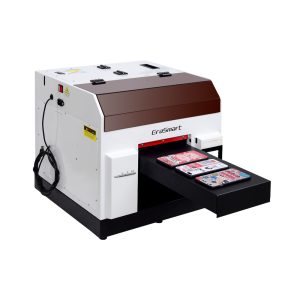
O alegere practică pentru huse de telefon, accesorii, produse acrilice mici și fluxuri de lucru de personalizare a cadourilor.
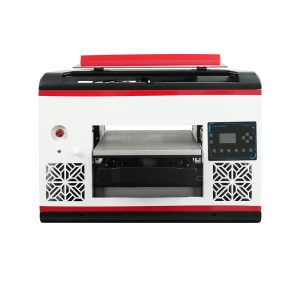
Potrivit pentru utilizatorii care au nevoie de o suprafață plată mai mare și o acoperire mai largă a materialului.
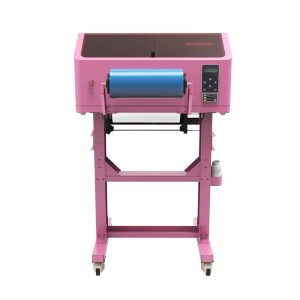
Mai bine pentru decalcomanii UV DTF, împachetări pentru cupe, autocolante, sticle și aplicații de transfer pe suprafețe dure.
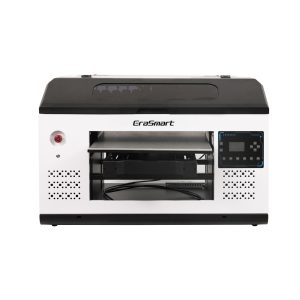
O potrivire mai bună pentru panouri, semne, panouri și echipe de producție mai mari care au nevoie de mai mult spațiu pe platformă.
Greșeli comune
Greșeli de întreținere a imprimantei UV de evitat
Imprimarea fără verificarea duzelor
Omiterea testului duzei poate risipi materiale și poate produce benzi, culori lipsă sau cerneală albă slabă.
Ignorarea circulației cernelii albe
Cerneala albă necesită mai multă atenție decât cerneala colorată. Îngrijirea slabă a cernelii albe poate provoca sedimente și opacitate instabilă.
Lăsând platforma murdară
Praful, reziduurile și obiectele libere pot afecta poziționarea, înălțimea de imprimare și siguranța capului de imprimare.
Lăsarea imprimantei inactivă fără pregătire
Perioadele lungi de inactivitate cresc riscul de uscare și înfundare, mai ales dacă stația de acoperire sau sistemul de cerneală nu sunt pregătite corespunzător.
Întrebări frecvente privind întreținerea imprimantei UV
-
1. Cât de des ar trebui să întrețin o imprimantă UV?
O imprimantă UV trebuie verificată înainte de fiecare sesiune de imprimare, curățată zilnic în timpul utilizării regulate, inspectată săptămânal și pregătită cu atenție înainte de perioade lungi de inactivitate.
-
2. De ce cerneala albă necesită întreținere specială?
Cerneala albă conține pigment mai greu decât cerneala color standard, așa că are nevoie de circulație, amestecare, verificări ale duzelor și acoperire adecvată pentru a menține o ieșire stabilă.
-
3. Ar trebui să efectuez o verificare a duzelor înainte de fiecare lucrare?
Da. O verificare a duzelor ajută la identificarea liniilor lipsă, a înfundarii sau a ieșirii slabe de cerneală înainte de a risipi materiale într-o lucrare de producție completă.
-
4. Ce cauzează înfundarea duzei imprimantei UV?
Cauzele obișnuite includ acoperirea slabă, cerneala uscată, curățarea insuficientă, sedimentul de cerneală albă, timpul lung de inactivitate și fluxul instabil de cerneală.
-
5. Cum pot preveni aderența slabă la imprimarea UV?
Curățați suprafața materialului, testați substratul exact, utilizați setările de întărire adecvate și verificați dacă materialul necesită un pretratare sau un flux de lucru diferit.
-
6. Ce ar trebui să fac dacă o imprimantă UV nu va fi folosită câteva zile?
Urmați rutina de protecție la inactiv recomandată de furnizor. Acordați o atenție deosebită acoperirii capului de imprimare, stabilității cernelii albe, stării căii de cerneală și reporniți verificările duzelor.
-
7. Este dificilă întreținerea imprimantei UV?
Întreținerea este gestionabilă atunci când este efectuată în mod constant. Cele mai mari probleme provin, de obicei, de la omiterea verificărilor duzelor, îngrijirea slabă a cernelii albe, zonele de acoperire murdare și perioadele lungi de inactivitate fără pregătire.
-
8. Lacul necesită întreținere specială?
Ieșirea lacului trebuie verificată ca și alte canale de cerneală. Dacă lacul devine neuniform, nu este lucios sau este prost plasat, verificați starea duzei, setarea stratului RIP, rezistența la întărire și suprafața materialului.
Seria de imprimante EraSmart


High-quality UV Printers for metal, acrylic, glass, wood & more. Instant curing, vivid 1440dpi prints, versatile for diverse materials.

Imprimați autocolante vii, în relief, cu **CMYK + Alb + Lac** într-o singură trecere. Fara pulbere. Fără cuptor. Curățați și lipiți articolele plate sau curbate în câteva minute.
Nu ai putut găsi un ghid potrivit? Obțineți suport tehnic gratuit acum!
Oferiți doar câteva detalii și vă vom ajuta să obțineți citate rapide!
Imprimantă Erasmart
imprimantă UV
Imprimantă DTF
Imprimantă DTG
Mașină de presă de căldură
Imprimantă publicitară
Instrumente pentru imprimantă
Cuptor DTF
Presă fierbinte
Mașină de sculptură
Transfer de căldură cu cană
Mașină de laminare
Consumabile
Cerneală tipografică
Carcasă pentru telefonul mobil
Produs de sticlă
Curățarea lichidului
Tampon de bumbac
Contactaţi-ne
WhatsApp : +8618566233796
WeChat : +8618566233796
Mobile : +8618566233796
Web:www.erasmart.com
Magazin:www.erasmartmall.com
WhatsApp-ne
Solicitați o ofertă
Oferiți doar câteva detalii și vă vom ajuta să obțineți citate rapide!
downlond
Lăsați-vă un e-mail și trimiteți adresa URL de descărcare pe e-mail.
Aveți nevoie de preț pentru imprimantă?
Spuneți-ne nevoile dvs. de imprimare. Echipa noastră va răspunde în 24 de ore.