
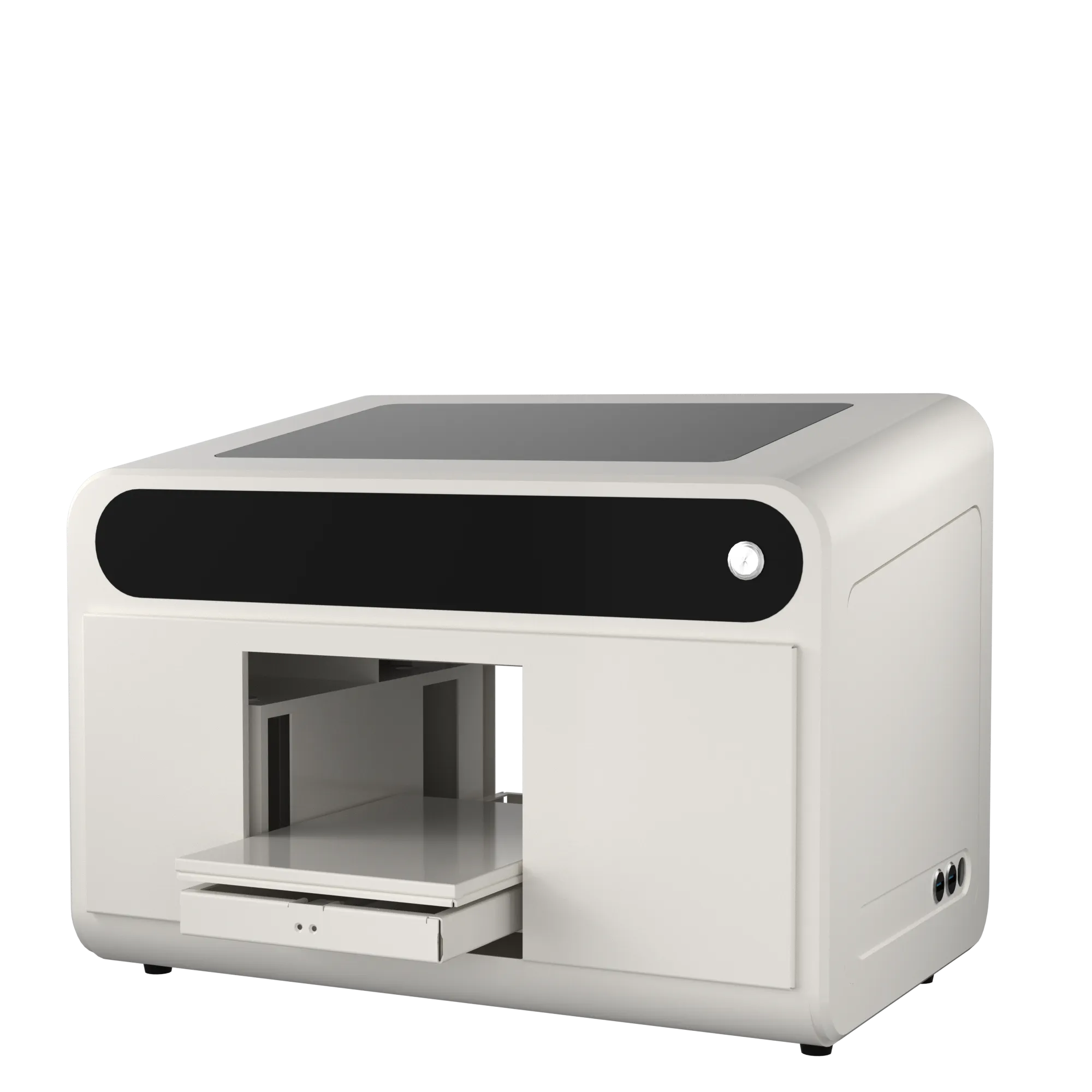
Key A4 UV Printer Specifications at a Glance
The following highlights are taken directly from the supplied A4 XP600 product specification.
Single XP600 Printhead
Print Head: XP600
No. Of Print heads: Single Print Head
CMYK+WW
Printing Color: CMYK+WW
Ink Type: UV Ink
720*1440dpi
Printing Resolusion: 720*1440dpi
RIIN Software
Software: RIIN
Operation System: Windows XP/7/8/10/11
Auto Cleaning
Print Head Cleaning: Auto Cleaning
Network Interface
USB Interface: Network Interface
What Is an A4 UV Flatbed Printer?
An A4 UV flatbed printer is a compact direct-to-object printer designed for small rigid or compatible items. Instead of printing a transfer first, the target material is placed on the printer platform and UV ink is printed directly onto the surface.
Place the Product
Position a compatible item within the available platform and printing area.
Print Directly
The artwork is printed directly onto the target material with UV Ink.
UV-Curable Workflow
UV printing uses UV-curable ink, allowing direct decoration of compatible hard-surface products.
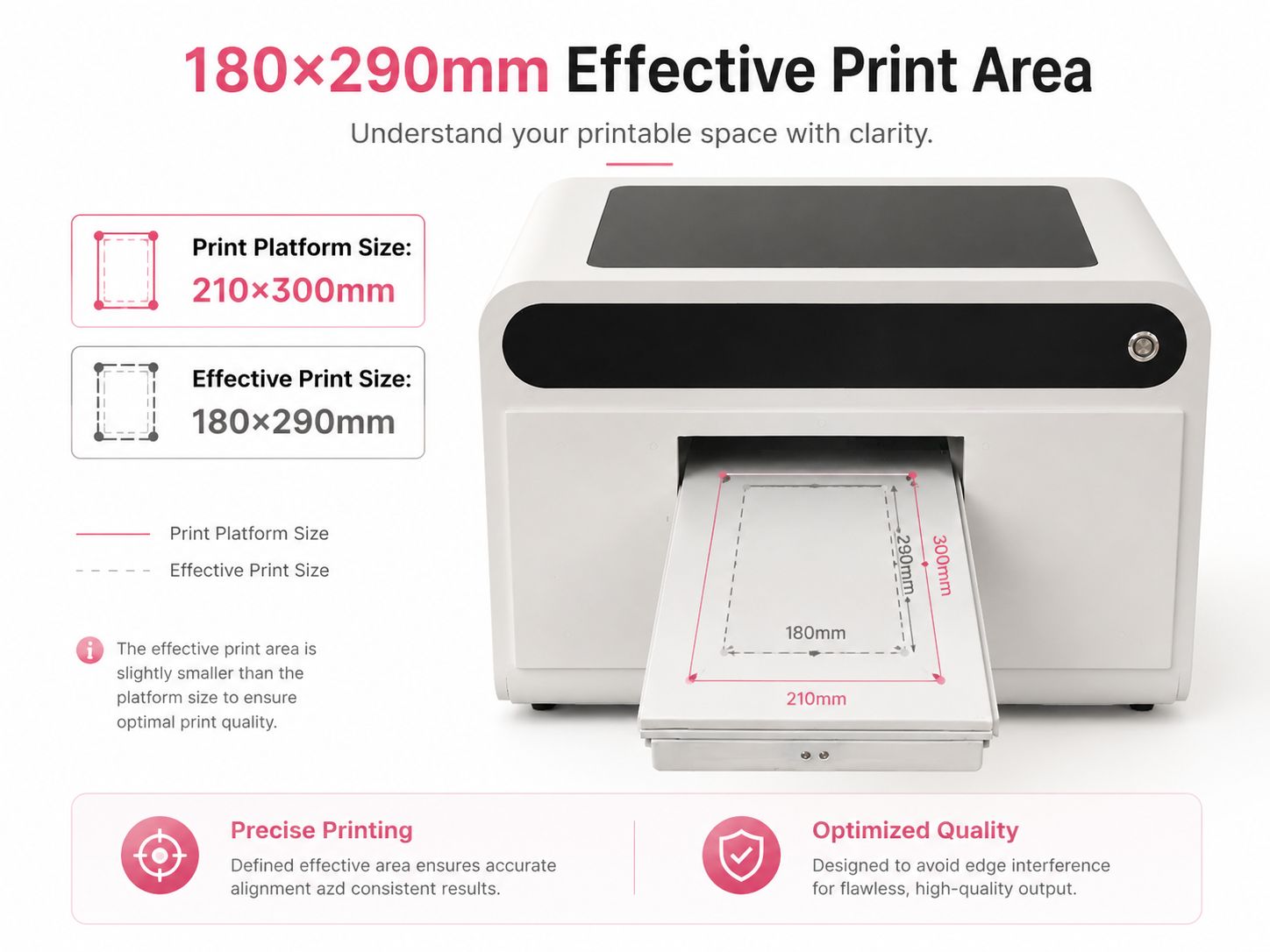
210*300mm Platform with 180*290mm Effective Print Size
The supplied specification separates the physical print platform size from the effective printable area. The listed Print Platform Size is 210*300mm, while the Effective Print Size is 180*290mm.
When preparing artwork, jigs or product placement, use the effective print size as the reference for the actual printable area.
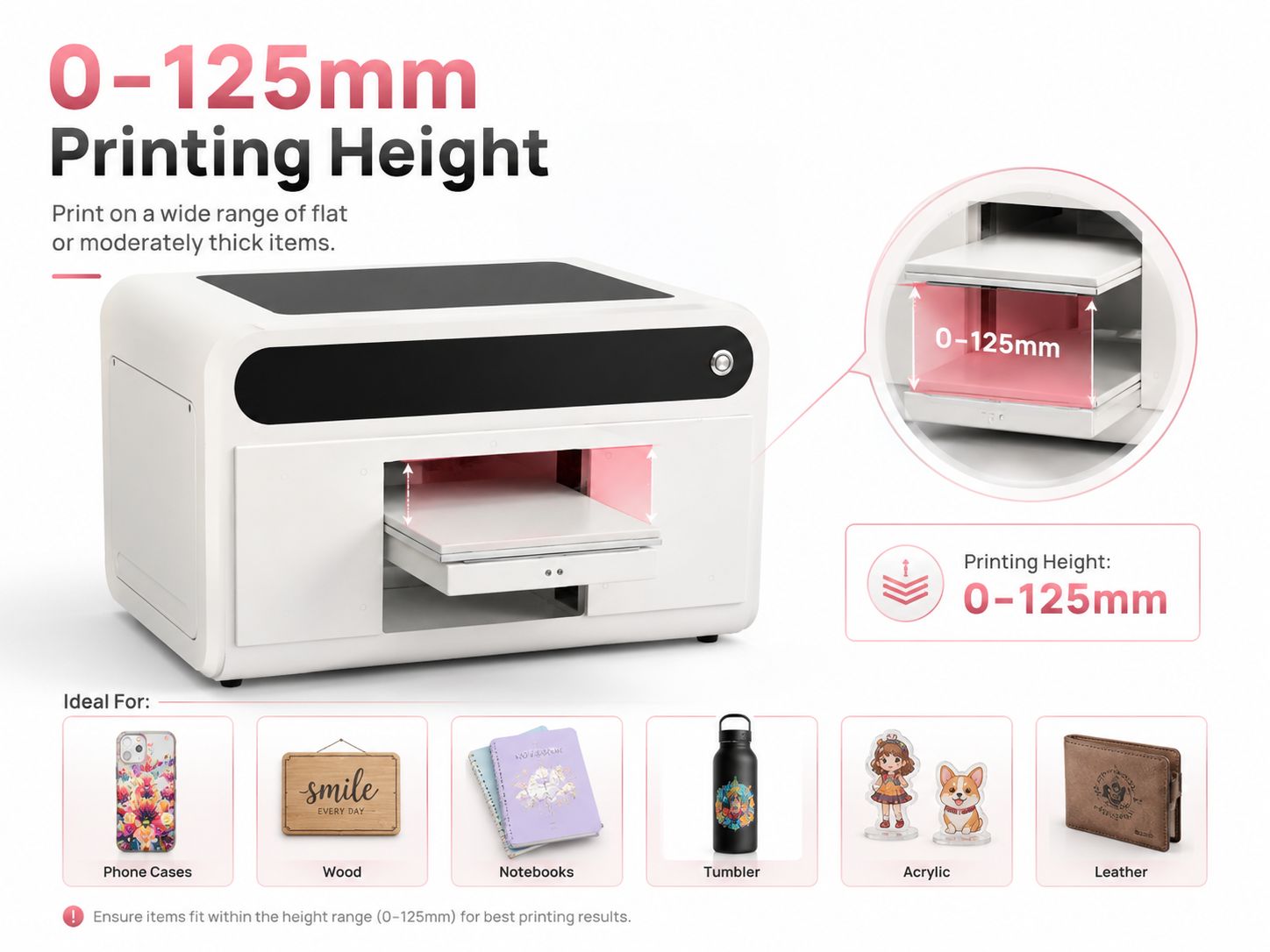
0-125mm Listed Printing Height
The A4 XP600 specification lists a printing height range of 0-125mm. This height range is relevant when evaluating thicker items and product blanks for direct UV printing.
The supplied specification does not state that height measurement is automatic, so no automatic height-detection claim is made on this page.
What Can the A4 UV Printer Be Used For?
The A4 XP600 is positioned for compact direct UV printing on compatible small-format products. The examples and material categories below are aligned with the supplied specification.
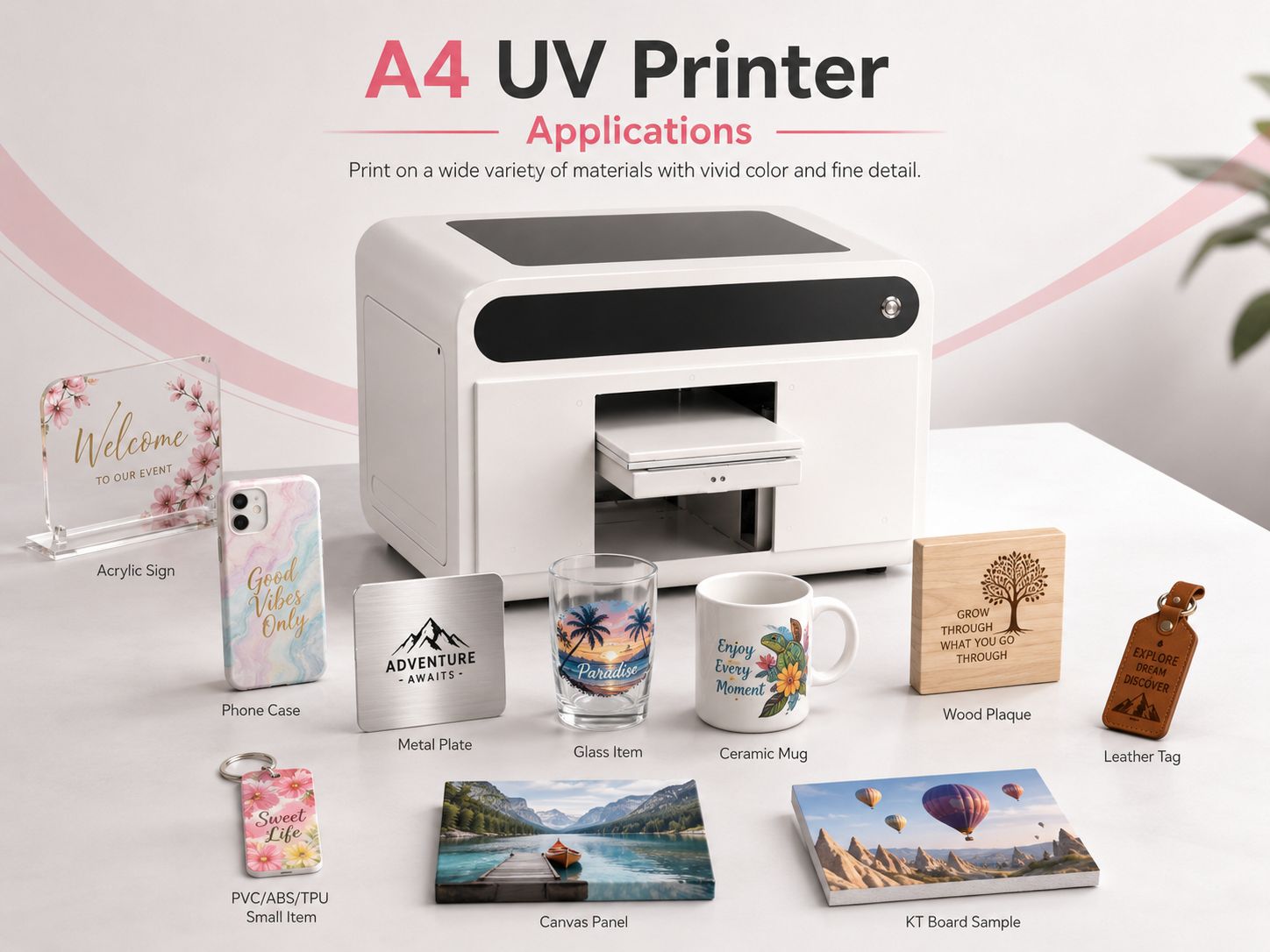
Listed Printing Material Categories
- Metal
- Acrylic
- Glass
- Wood
- Plastic
- Ceramics
- Leather
- KT Board
- Canvas
- ABS
- PVC
- TPU
Actual adhesion and print performance should be tested for the exact material, coating and surface finish used in production.
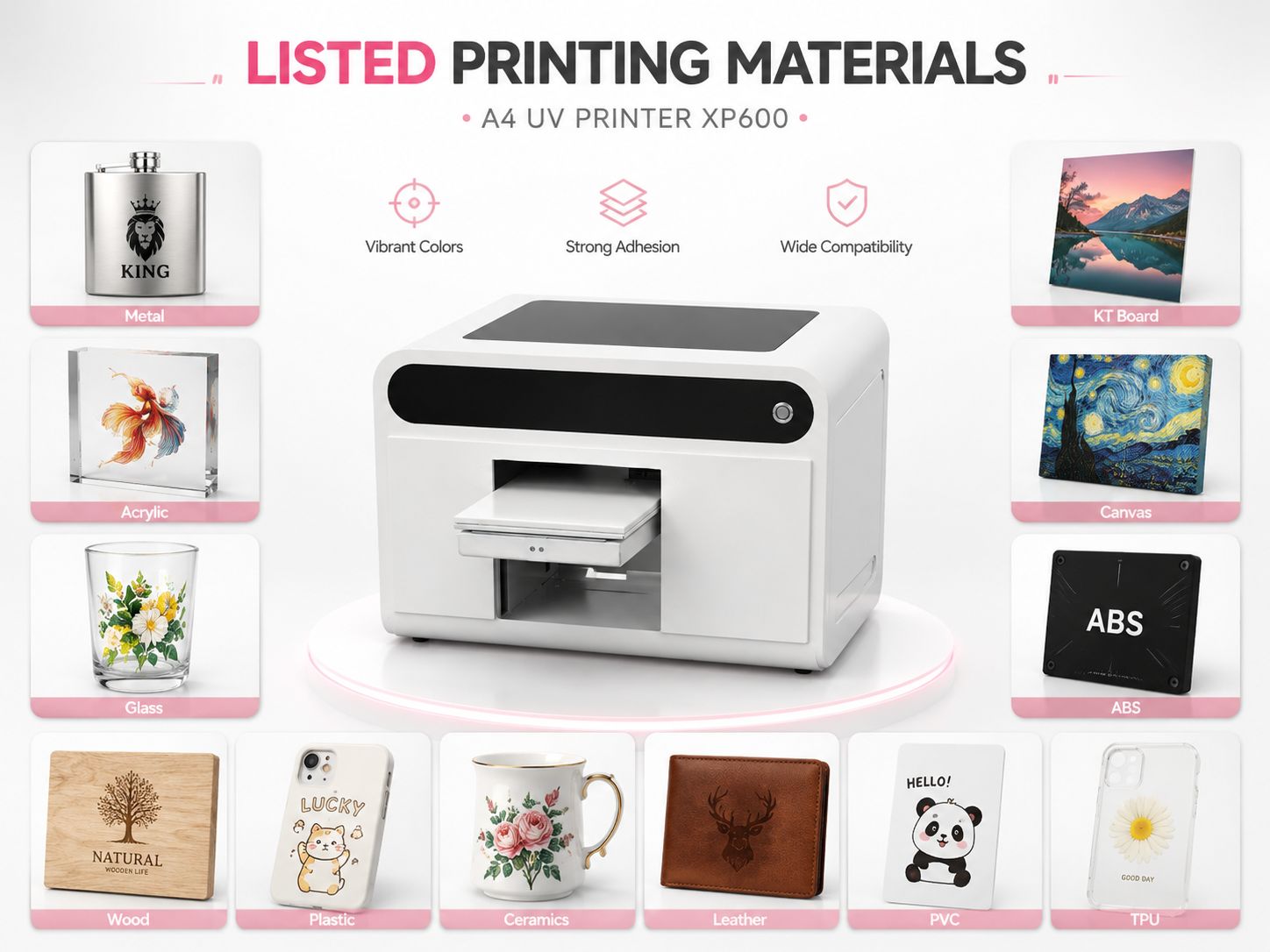
Plastic, ABS and TPU are included in the supplied material list, making this category highly relevant for A4-format customization.
Acrylic is included in the supplied printing-material list, supporting small-format personalization and display-product workflows.
Metal and Wood are included in the supplied material list for direct UV printing applications.
Glass and Ceramics are listed material categories. Surface preparation requirements can vary by blank.
The A4-format effective print area is suited to evaluating small flat products, test samples and custom panels within the available dimensions.
The compact A4 format can support personalized product workflows where multiple small SKUs are produced rather than one large-format item.
How an A4 UV Flatbed Printing Workflow Works
The exact production settings depend on the artwork, material and surface, but a typical direct UV workflow follows these steps.
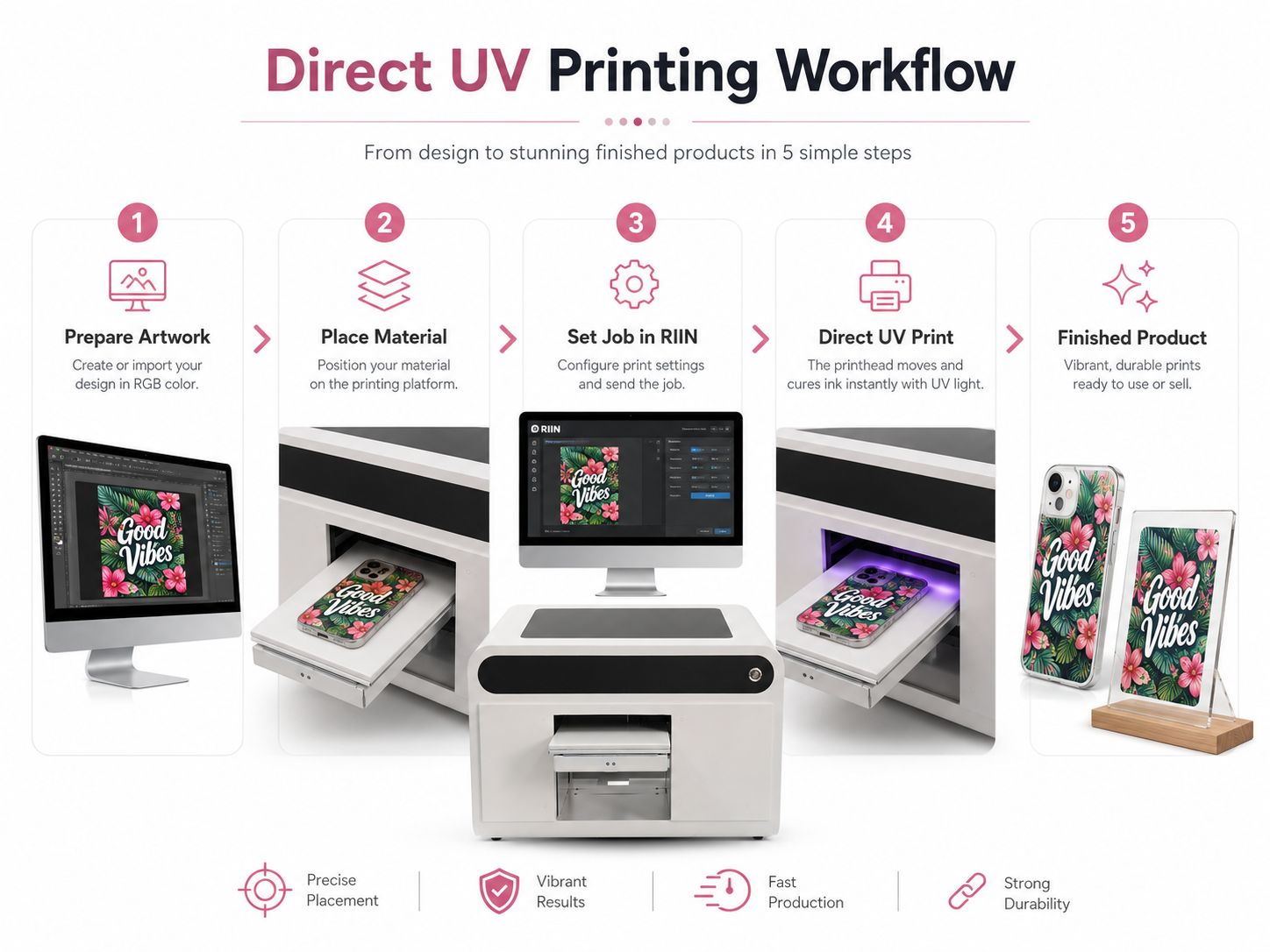
Prepare Artwork
Prepare the image and required print layers for the job.
Place Material
Position the compatible item within the effective printing area.
Set the Job
Prepare the print file in the RIIN software workflow.
Direct UV Print
Print the artwork directly onto the product using UV Ink.
Inspect Output
Check the finished print and material compatibility before batch production.
6 Pass and 8 Pass Printing Speed
The supplied A4 XP600 specification lists two printing-speed ranges.
8 Pass
0.4 - 0.5 ㎡/H
6 Pass
0.5-0.6 ㎡/H
Printing Resolusion
720*1440dpi
The values above are reproduced from the supplied product specification and should be used as the model-specific reference data.
A4 UV Printer vs UV DTF Printer
Both technologies use UV-curable ink, but they solve different customization workflows.
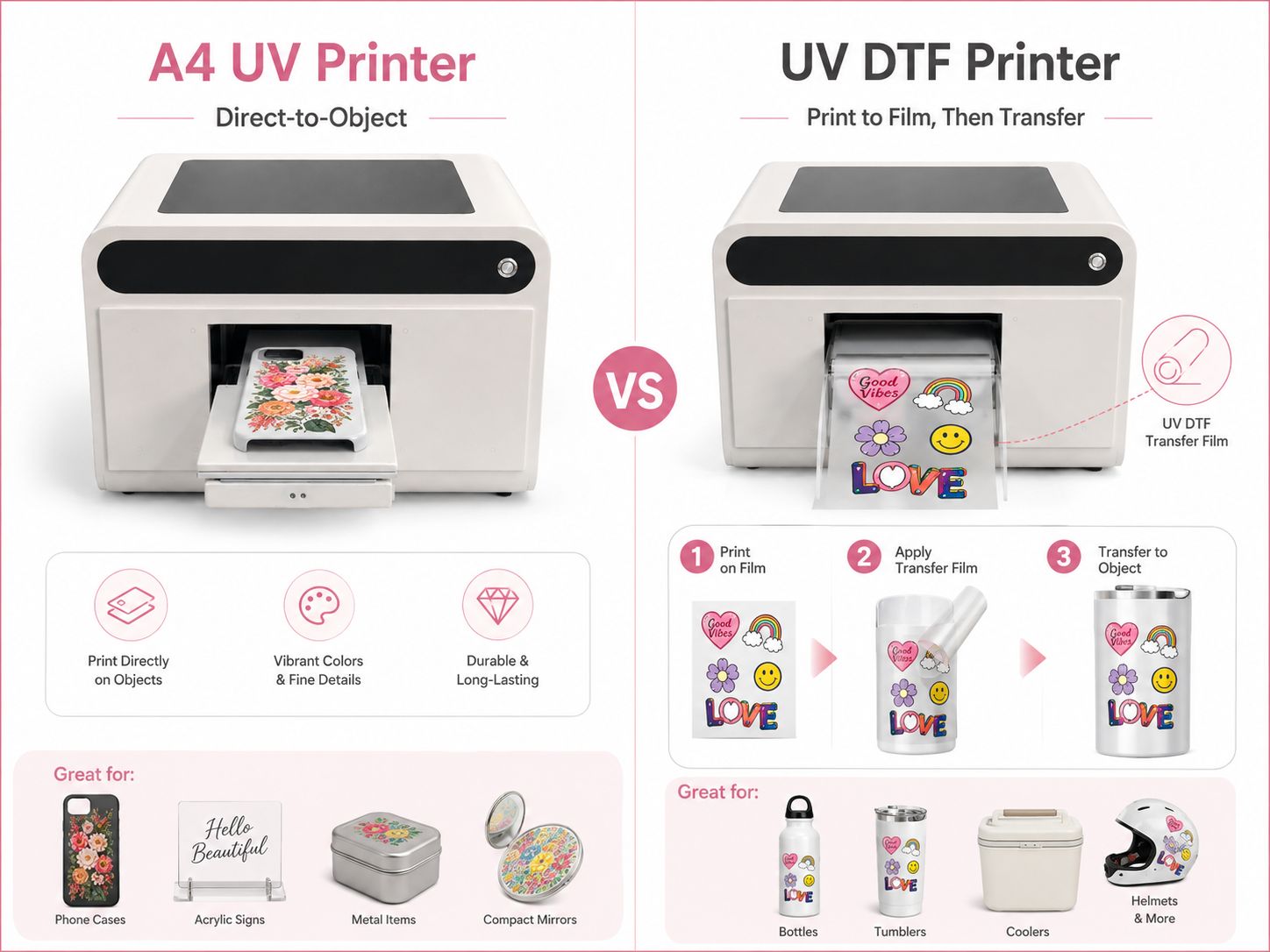
| Comparison | A4 UV Flatbed Printer | UV DTF Printer |
|---|---|---|
| Main Method | Print directly onto the compatible object or material | Print onto UV DTF film, then transfer the graphic to the product |
| Best Workflow Fit | Products that can be positioned within the printer platform and height range | Selected hard-surface products where a film-transfer workflow is preferred |
| Transfer Film | Not required for the normal direct-print workflow | Required |
| EraSmart Category | UV Printers | UV DTF Printers |
EraSmart A4 UV Printer XP600 Specifications
Machine-specific values below follow the customer-provided A4 product spreadsheet.
| Parameter | Specification |
|---|---|
| Product Name | A4 UV Printer |
| Model | A4 |
| Motherboard | Hoson |
| Print Head | XP600 |
| No. Of Print heads | Single Print Head |
| Printing Color | CMYK+WW |
| Print Platform Size | 210*300mm |
| Effective Print Size | 180*290mm |
| Printing Height | 0-125mm |
| Software | RIIN |
| Operation System | Windows XP/7/8/10/11 |
| Print Head Cleaning | Auto Cleaning |
| Printing Resolusion | 720*1440dpi |
| Printing Speed | 8 pass 0.4 - 0.5 ㎡/H 6 pass 0.5-0.6 ㎡/H |
| Suction Platform | No |
| Ink Type | UV Ink |
| USB Interface | Network Interface |
| Printing Environment | 15-30℃ |
| Relative Humidity | 40-60% |
| Voltage | 220V/110V |
| Rated Power | 150W |
| Ink Tank Capacity | 260ml |
| File Format | tiff/jpeg/jpg/png/pdf |
| Printing Material | Metal/Acrylic/Glass/Wood/Plastic/Ceramics/Leather/KT Board/Canvas/ABS/PVC/TPU, etc. |
| Equipment Size | 59*50*45cm |
Equipment Weight, Package Size and Package Weight are not displayed because those fields are blank in the supplied specification.
A4 UV Printer XP600 FAQ
Product-specific answers use the supplied A4 XP600 specification. General answers explain standard UV flatbed workflows.
What printhead does the EraSmart A4 UV Printer use?
The supplied specification lists a single XP600 printhead.
What is the effective printing size?
The Print Platform Size is listed as 210*300mm and the Effective Print Size is 180*290mm.
What is the maximum listed printing height?
The supplied specification lists a Printing Height of 0-125mm.
What printing colors does this model use?
The listed Printing Color is CMYK+WW.
Does the A4 XP600 printer have a suction platform?
No. The supplied specification lists Suction Platform: No.
Which RIP software does the A4 UV Printer use?
The listed software is RIIN.
Which operating systems are supported?
Windows XP/7/8/10/11.
What materials are listed for printing?
The supplied specification lists Metal/Acrylic/Glass/Wood/Plastic/Ceramics/Leather/KT Board/Canvas/ABS/PVC/TPU, etc. Actual surface compatibility and adhesion should be tested for the specific blank and finish.
Can an A4 UV printer be used for phone cases?
A4 UV flatbed printers are commonly used for small personalized hard-surface products including compatible phone cases. This model's supplied material list includes Plastic, ABS and TPU. Test the actual case material and surface before production.
What is the listed printing speed?
8 pass: 0.4 - 0.5 ㎡/H. 6 pass: 0.5-0.6 ㎡/H.
What is the difference between this A4 UV printer and UV DTF?
This A4 UV flatbed workflow prints directly onto a compatible object or material. UV DTF prints onto transfer film first and then transfers the graphic to the target hard surface.
Is the A4 XP600 UV Printer Right for Your Products?
Send EraSmart your target product material, dimensions and expected production workflow so the team can help you evaluate the appropriate UV printer model.