Small Size Flatbed Inkjet Printer Manufacturer

How to Prevent White Ink Clogging | EraSmart DTF Maintenance Guide
March 26, 2026 Blog
At EraSmart, white ink clogging is one of the first maintenance topics we address with new DTF users, because it is also one of the most common causes of unstable output, wasted ink, and unnecessary downtime. White ink behaves differently from CMYK ink: its opacity comes from heavier pigment particles, and those particles begin settling much faster when the ink path is left still. Current DTF maintenance guidance identifies titanium dioxide settling as the main reason white channels clog when printers sit idle.
That is exactly why DTF maintenance cannot be treated as an occasional cleanup job. Preventing white ink clogging depends on daily circulation, regular agitation, stable room conditions, clean maintenance parts, and a printer designed to support that routine.
Why White Ink Clogs More Easily
White ink is not “bad ink.” It is simply a heavier, more maintenance-sensitive ink. Epson’s garment-print maintenance documentation states that white pigment particles settle in cartridges and tubes over time, and that idle periods commonly lead to nozzle loss unless the system is maintained and the particles are re-suspended.
Once settling starts, the next problems usually appear in sequence: thicker white ink in the line, weak flow at the printhead, missing nozzles on the nozzle check, extra cleaning cycles, and eventually clogged dampers or damaged printheads. That is why prevention is always cheaper than recovery.
1. Keep White Ink Moving Every Day
The most important rule is simple: do not let white ink stay still for long periods. Current maintenance guidance recommends daily agitation of white ink and daily activation of the white ink circulation system to prevent settling and clogging. It also recommends printing a small test pattern if the printer has been idle for more than two days.
This is why EraSmart DTF printers are built with white ink management systems. Our A3 DTF product highlights an advanced ink system with agitation, circulation, and auto-clean. The A3 MAXL is described with automated maintenance, including auto head cleaning and white ink circulation. The A4 L805 highlights white ink mix and circulation, and the A1 XP600 highlights a circulation-plus-stirring dual system to keep white ink active.
2. Agitate White Ink Properly
Even with automatic circulation, white ink still needs attention. A current DTF maintenance guide recommends gently shaking or rotating white ink containers for about 30 to 60 seconds if the system does not fully automate circulation, while Epson’s white-ink maintenance guide says white cartridges should be shaken every 24 hours and notes that regular circulation helps re-suspend settled particles.
In day-to-day shop use, that means the white channel should never be treated as passive. If the machine is idle, agitate the white ink. If the machine has circulation, confirm that the system is actually running. If the printer has been inactive for a weekend or holiday, agitate before the first job instead of assuming the ink is still ready.
3. Run a Nozzle Check Before Production
A nozzle check is one of the easiest ways to prevent small white-ink problems from becoming large ones. Current maintenance guidance recommends a nozzle check before daily production, and Epson’s maintenance schedule also advises printing a nozzle check and using selective light cleanings as required.
For production shops, the nozzle check should be treated as a control step, not an optional step. Missing white nozzles are usually an early warning. Catching them before the first customer print saves film, ink, powder, pressing time, and customer service problems later.
4. Avoid Over-Cleaning the Printhead
Cleaning cycles are necessary, but too many aggressive cleanings create their own problems. Recent maintenance guidance warns that repeated heavy cleanings can waste ink and increase wear, and recommends starting with light or selective cleaning when the nozzle check shows missing white channels.
The right sequence is usually: agitate the white ink, run a nozzle check, use a light cleaning if needed, then check again. Jumping directly into multiple heavy cleanings is rarely the best first move. Prevention and controlled maintenance always work better than panic maintenance.
5. Keep the Capping Station and Wiper Clean
White ink clogging is not only an ink issue. It is also a maintenance-station issue. Epson’s maintenance documentation explains that dried ink buildup on the suction cap reduces the cap’s ability to seal properly against the printhead, which weakens cleaning effectiveness and contributes to nozzle loss. Current DTF maintenance guides also recommend regular cleaning of the capping station, wiper blade, waste film area, and nearby ink residue.
For practical shop maintenance, this means the printhead can only stay healthy if the cap, wiper, and surrounding area stay clean. A circulation system helps, but it cannot compensate for a dirty maintenance station.
6. Control Humidity and Temperature
Room conditions matter more than many beginners expect. Our DTF maintenance guide recommends an environment around 40 to 60 percent relative humidity and roughly 20 to 26°C, noting that low humidity dries ink at the nozzle plate while high humidity can create condensation and powder problems. We recommended operating environment of 15 to 30°C and 40 to 60 percent relative humidity.
That means a stable room is part of white-ink maintenance. Very dry air makes nozzle drying happen faster. Large temperature swings can change ink viscosity and stability. Good DTF output starts with a controlled environment, not just a good printer.
7. Do Not Let the Printer Sit Too Long Without Activity
Idle time is one of the fastest ways to invite white-ink problems. If a printer is idle for more than two days, a small test pattern should be printed to keep ink circulating, and other current guidance recommends a nozzle check or light activity every 48 to 72 hours during downtime.
For most shops, a practical rule is to keep the machine plugged in if it has automatic circulation, agitate white ink daily during slow periods, and run a nozzle check or small test print every few days. Weekend downtime is normal in business; unmanaged weekend downtime is what causes trouble.
Related Read: What to Do If a DTF Printer Will Sit Idle for 7 Days | EraSmart Maintenance Guide
8. Use the Right Cleaning Solution
Not every cleaning liquid is safe for DTF white ink. DTF maintenance guidance specifically warns against using alcohol-based cleaners on DTF ink systems because they can worsen clogging by accelerating solvent evaporation. It recommends using the cleaning solution specified by the printer or ink supplier.
For a professional workflow, that means maintenance materials should match the ink system. Improvised cleaning fluids may look like a shortcut, but they often increase risk instead of reducing it.
9. Keep Ink Levels Healthy and Watch for Air Bubbles
White ink problems are not always caused by dried pigment alone. Low ink levels and air entering the line can also create unstable white output. Do not allow the ink level to drop too low, as visible air bubbles can cause printing failures and inconsistencies, and discolored white lines may indicate ink sedimentation.
That is why white-ink prevention should include visual checks of the lines, ink level, and flow—not only the printhead itself. A healthy white channel depends on the whole fluid path.
10. Choose a Printer Designed to Reduce White-Ink Risk
Prevention is easier when the printer is built for it. Across the EraSmart DTF range, we emphasize features that directly support white-ink stability: circulation, mixing, stirring, auto-cleaning, and reliable film transport. The A3 DTF highlights agitation, circulation, and auto-clean; the A3 MAXL highlights auto head cleaning and white ink circulation; the A4 L805 highlights white ink mix and circulation; and the A1 XP600 highlights a circulation-plus-stirring dual system.
For buyers comparing DTF systems, this matters. Print width and speed are important, but a printer that helps keep white ink stable is often the better long-term machine for real production use.
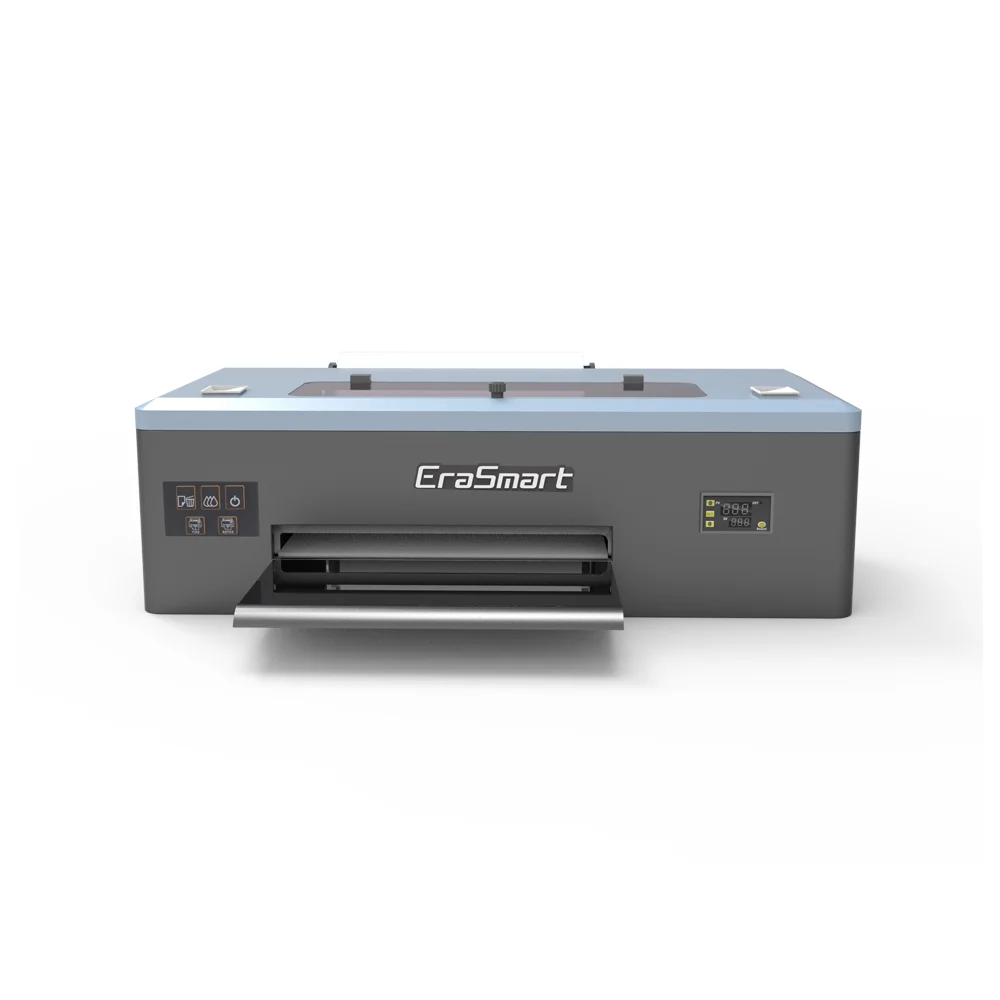
Standard A3 model with 250ml ink tanks for consistent daily operation.
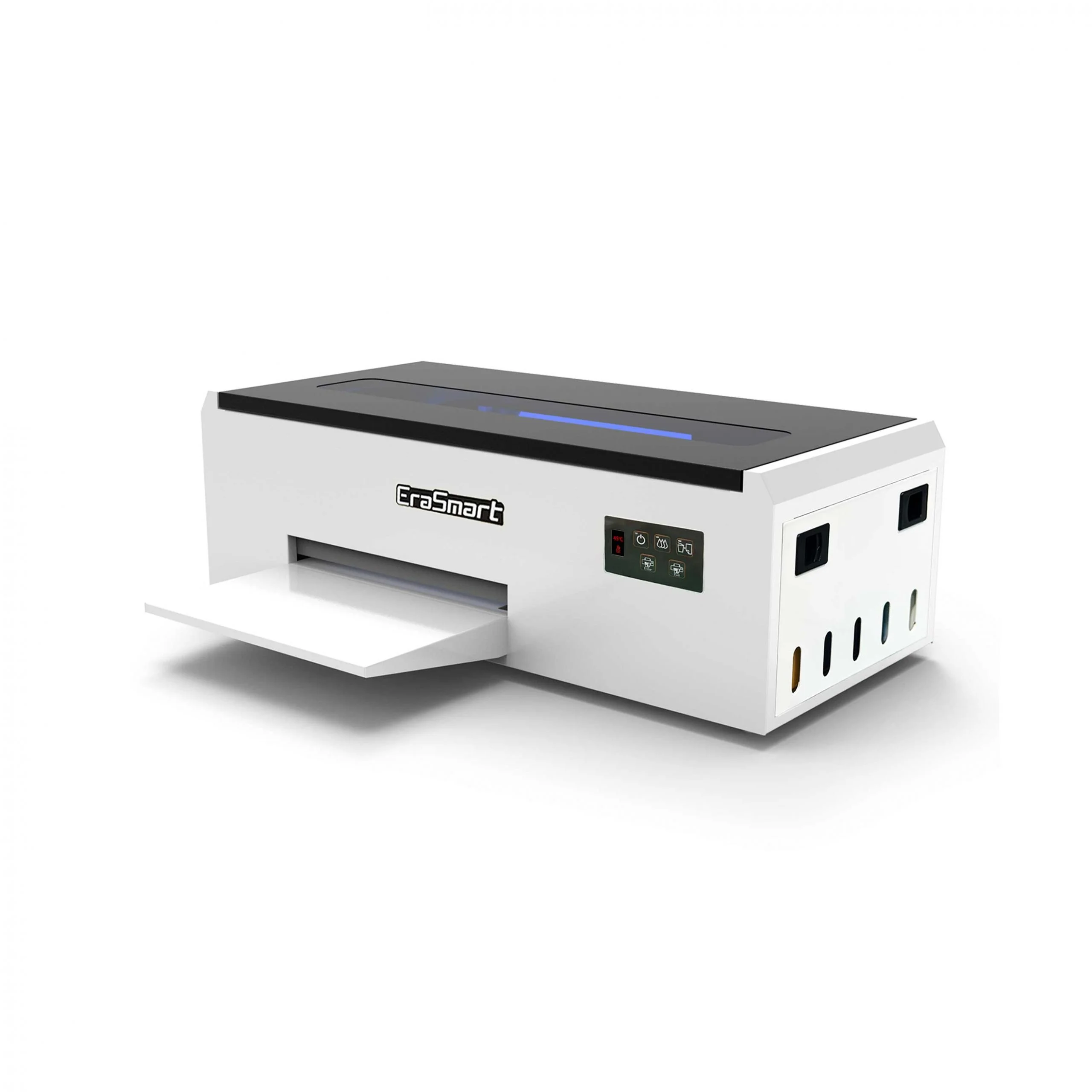
Compact entry-level model perfect for startups and small batch production.
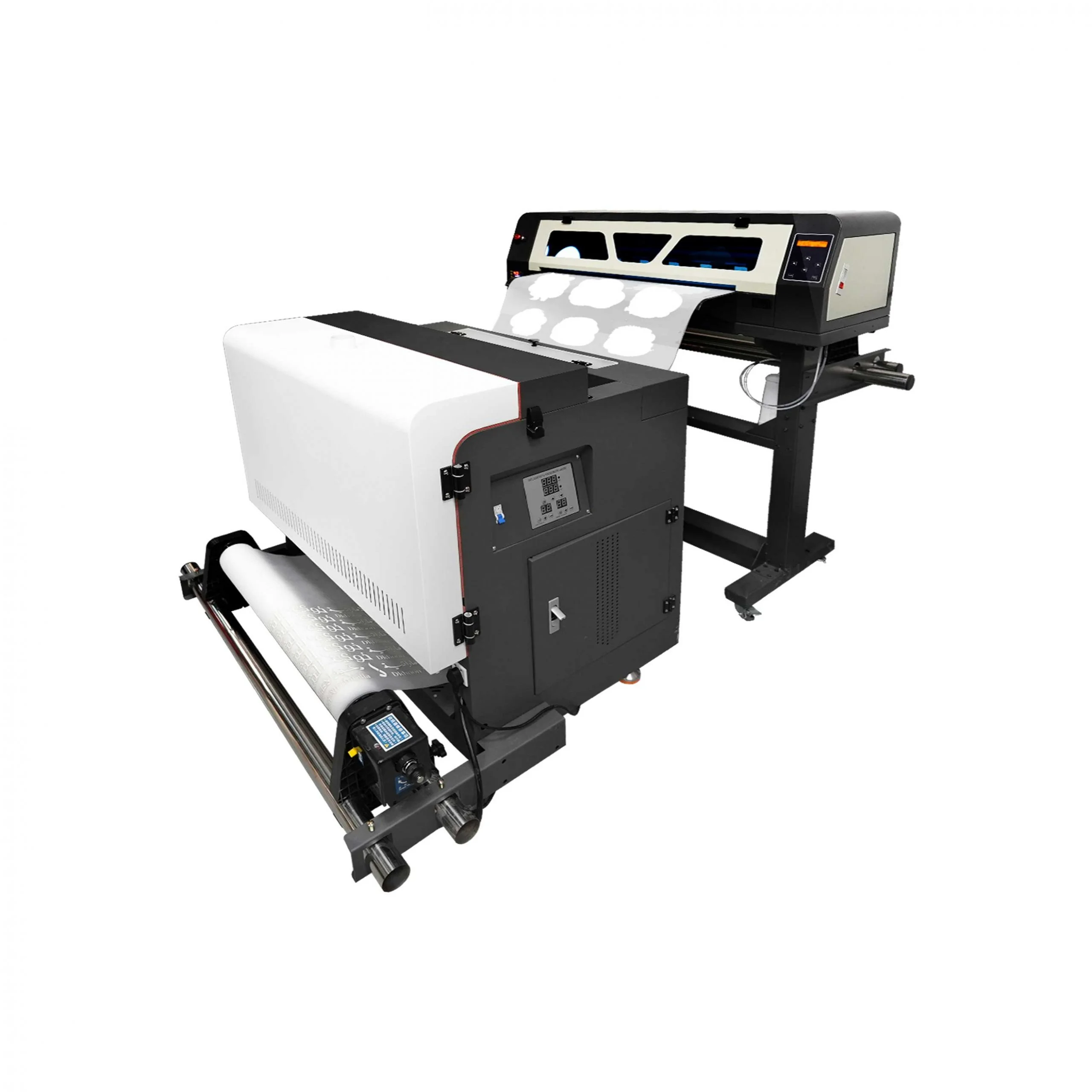
Industrial wide-format printer with dual XP600 heads (620mm width).
A Simple White-Ink Prevention Routine
A practical daily routine looks like this: agitate white ink or confirm circulation is active, run a nozzle check before production, keep the capping station and wiper clean, and maintain stable room humidity. A practical weekly routine includes deeper cleaning of the cap and maintenance area, checking lines for bubbles or discoloration, and reviewing whether the printer has had too much idle time.
FAQ
What causes white ink clogging in DTF printing?
The main cause is pigment settling. White ink contains heavier titanium dioxide particles, and those particles settle much faster than CMYK pigments when the printer sits idle.
How often should white ink be agitated?
Current guidance recommends daily agitation or daily activation of the white ink circulation system, with extra attention during idle periods.
Is a nozzle check really necessary every day?
Yes. Current maintenance guidance recommends a nozzle check before daily production because it catches missing white nozzles early, before they affect live jobs.
What humidity is best for preventing white ink clogging?
A practical target is 40 to 60 percent relative humidity. EraSmart’s A3 DTF operating range uses that same humidity band, and current maintenance guidance also recommends it.
Which EraSmart printers help reduce white ink clogging?
Multiple EraSmart DTF models highlight white-ink management features, including the A3 DTF, A3 MAXL, A4 L805, and A1 XP600.
Conclusion
Preventing white ink clogging is not about one trick. It is about building the right routine: keep white ink moving, check nozzle health before production, maintain the cap and wiper, control humidity, avoid long idle periods, and use a printer designed to support those habits.
MAY BE YOU LIKE ALSO



EraSmart Printer
uv printer
DTF printer
DTG printer
Heat press machine
Advertising printer
Printer tools
DTF oven
Hot Press
Carving machine
Mug heat transfer
Laminating machine
Consumables
Printing INK
Cellphone case
Glass product
Cleaning fluid
Cotton swab
Contact Us
WhatsApp:+8618566233796
WeChat: +8618566233796
Mobile: +8618566233796
Web:www.erasmart.com
Shop:www.erasmartmall.com
Copyright 2020 © EraSmart. | Sitemap
WhatsApp us
Request A Quote
Just provide a few details and we will help you get quick quotes!