Small Size Flatbed Inkjet Printer Manufacturer

What to Do If a DTF Printer Will Sit Idle for 7 Days | EraSmart Maintenance Guide
March 25, 2026 Blog
At EraSmart, we treat a 7-day idle period as a maintenance event, not just a pause in production. In DTF printing, white ink is the most sensitive part of the system because the pigment can settle quickly when the printer is not used regularly. That is why a one-week shutdown needs a controlled routine before, during, and after the idle period.
For most shops, the goal is simple: keep white ink stable, protect the printhead, keep the maintenance station clean, and restart the printer carefully before taking live orders. When these steps are followed, a 7-day shutdown is usually manageab
What to Do Before the Printer Sits Idle
The first step is to end the last production day properly. Before shutting the printer down, run a nozzle check and confirm that the pattern is acceptable. If nozzles are already missing before the idle period begins, the problem will usually be worse after 7 days.
Next, clean the maintenance area. That includes the capping station, wiper, nearby ink residue, and any powder or dust around the film path. A clean maintenance station helps the printhead seal properly during downtime and reduces the chance of dried ink buildup around the nozzle plate.
Then, focus on white ink. Agitate the white ink thoroughly, and make sure the circulation system is functioning before the machine enters its idle period. If the printer supports automatic circulation or automatic maintenance, those features should remain part of the shutdown plan rather than being ignored.
Keep the Printer in the Right Environment
A DTF printer should not spend 7 idle days in a room that is too dry, too cold, or constantly changing temperature. EraSmart’s published operating range is 15–30°C with 40–60% relative humidity, and current maintenance guidance also recommends roughly the same humidity range to reduce nozzle drying, condensation, and white ink instability.
In practice, this means the printer, film, powder, and ink should stay in a stable room with controlled humidity. Very dry air increases nozzle drying and clogging risk, while high humidity can create condensation and powder-handling issues.
What to Do During the 7 Idle Days
A one-week pause should not mean zero activity. The safest routine is to keep white ink moving. If the machine has built-in circulation, leave that maintenance support available. If it does not, manually agitate the white ink each day. Multiple DTF maintenance guides recommend daily white ink movement specifically to prevent settling and clog formation.
For additional protection, run a nozzle check, a small test print, or a light maintenance cycle every 2 to 3 days during the idle week. Current guidance recommends this kind of periodic activity because even minimal printing helps keep ink flowing and reduces the chance that the white channel dries out completely.
In other words, for a 7-day shutdown, the most practical routine is:
keep circulation active if the machine supports it,
agitate white ink daily,
perform a nozzle check or light test output every 48–72 hours,
and keep the room conditions stable.
How to Restart the Printer After 7 Days
When the printer comes back into service, do not go directly into customer production. Start by agitating the white ink again, then run a nozzle check. If the white channel shows missing lines, begin with a light cleaning cycle and check again before doing anything more aggressive. Current troubleshooting guidance recommends light, controlled cleaning instead of repeated heavy cleanings, because excessive cleaning wastes ink and can do more harm than good.
Once the nozzle pattern is stable, print a small test image on PET film before taking real jobs. This confirms white density, ink flow, and general print stability after the idle period. Only after the printer has passed that test should it return to normal production.
If the Printer May Sit Longer Than 7 Days
A one-week idle period is manageable with circulation, agitation, and periodic checks. A longer shutdown is different. Current DTF maintenance guidance says that when downtime extends beyond about 7–10 days, shops should prepare for a more advanced storage procedure and should not rely on a normal short-break routine.
For that reason, if a shop expects seasonal downtime, long holidays, or inventory pauses, it makes sense to build the workflow around a printer with stronger maintenance-assist features from the beginning. That is one reason our DTF lineup emphasizes white ink management systems instead of treating them as optional extras.
Why Built-In Maintenance Features Matter
At EraSmart, we design beginner-friendly and production-ready DTF systems with white ink stability in mind. Our A3 DTF model highlights agitation, circulation, and auto-clean as core ink-system features, not cosmetic selling points. These functions are directly connected to uptime, especially after weekends, holidays, or slower sales periods.
For shops choosing a DTF printer, print width and printhead type matter, but maintenance support matters just as much. A machine that helps keep white ink stable is easier to live with in real commercial use than a machine that looks attractive on paper but becomes difficult after every idle period.
7-Day Idle Checklist
Before the shutdown
Run a final nozzle check, clean the capping and wiping area, agitate white ink thoroughly, confirm circulation is working, and keep the printer in a room around 15–30°C and 40–60% RH.
During the shutdown
Keep white ink moving daily, leave automatic circulation active if the machine supports it, and run a nozzle check or small test print every 2–3 days.
When restarting
Agitate white ink again, run a nozzle check first, use light cleaning only if necessary, and print a small test job before live production.
FAQ
Can a DTF printer sit idle for 7 days?
Yes, but it should be managed carefully. White ink settling is the main risk, so circulation, agitation, nozzle checks, and controlled restart steps are important.
Is white ink the biggest issue during idle time?
Yes. Current maintenance guidance repeatedly identifies white ink settling as the main source of clogging risk during downtime.
How often should a DTF printer be exercised during downtime?
A practical recommendation is every 2–3 days, even if that only means a nozzle check or a small test print.
Which printer features help most during a 7-day shutdown?
White ink agitation, circulation, and auto-cleaning are among the most useful features because they directly reduce pigment settling and clog risk.
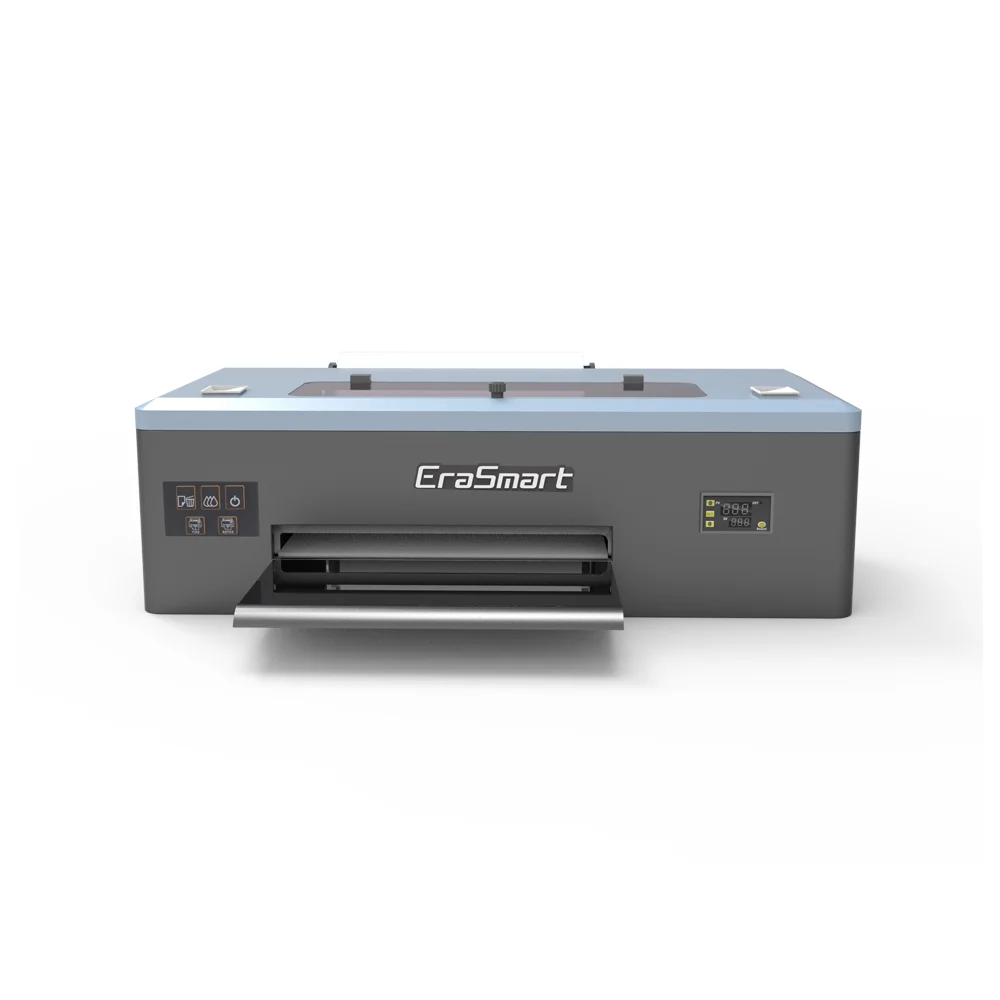
A3 DTF Printer for T-Shirt, Hoodies, Hat, Jeans & Shoes
Unleash vivid, durable transfers with a compact A3 DTF system. Powered by a reliable 1390 print head, it delivers 1440dpi CMYK+White output on cotton, polyester, leather, canvas and more—ideal for DIY creators and small businesses.
- Advanced ink system: agitation, circulation, auto-clean
- Air-suction film feed: smooth transport, fewer jams
- 1440dpi CMYK+WW: sharp, vivid images with strong whites
- Versatile fabrics: cotton, polyester, leather & more
Conclusion
A DTF printer can handle a 7-day idle period successfully when the shutdown is planned correctly. The right approach is straightforward: protect the white ink system, keep the maintenance area clean, maintain stable room conditions, and restart with a nozzle-check-first routine. For commercial shops, that is not just maintenance advice. It is part of protecting print quality, reducing waste, and preserving printhead life.
At EraSmart, this is exactly why we emphasize white ink circulation, agitation, and auto-cleaning in our DTF printer design. A printer should not only perform when it is busy. It should also recover reliably after real-world downtime.
MAY BE YOU LIKE ALSO



EraSmart Printer
uv printer
DTF printer
DTG printer
Heat press machine
Advertising printer
Printer tools
DTF oven
Hot Press
Carving machine
Mug heat transfer
Laminating machine
Consumables
Printing INK
Cellphone case
Glass product
Cleaning fluid
Cotton swab
Contact Us
WhatsApp:+8618566233796
WeChat: +8618566233796
Mobile: +8618566233796
Web:www.erasmart.com
Shop:www.erasmartmall.com
Copyright 2020 © EraSmart. | Sitemap
WhatsApp us
Request A Quote
Just provide a few details and we will help you get quick quotes!