Small Size Flatbed Inkjet Printer Manufacturer

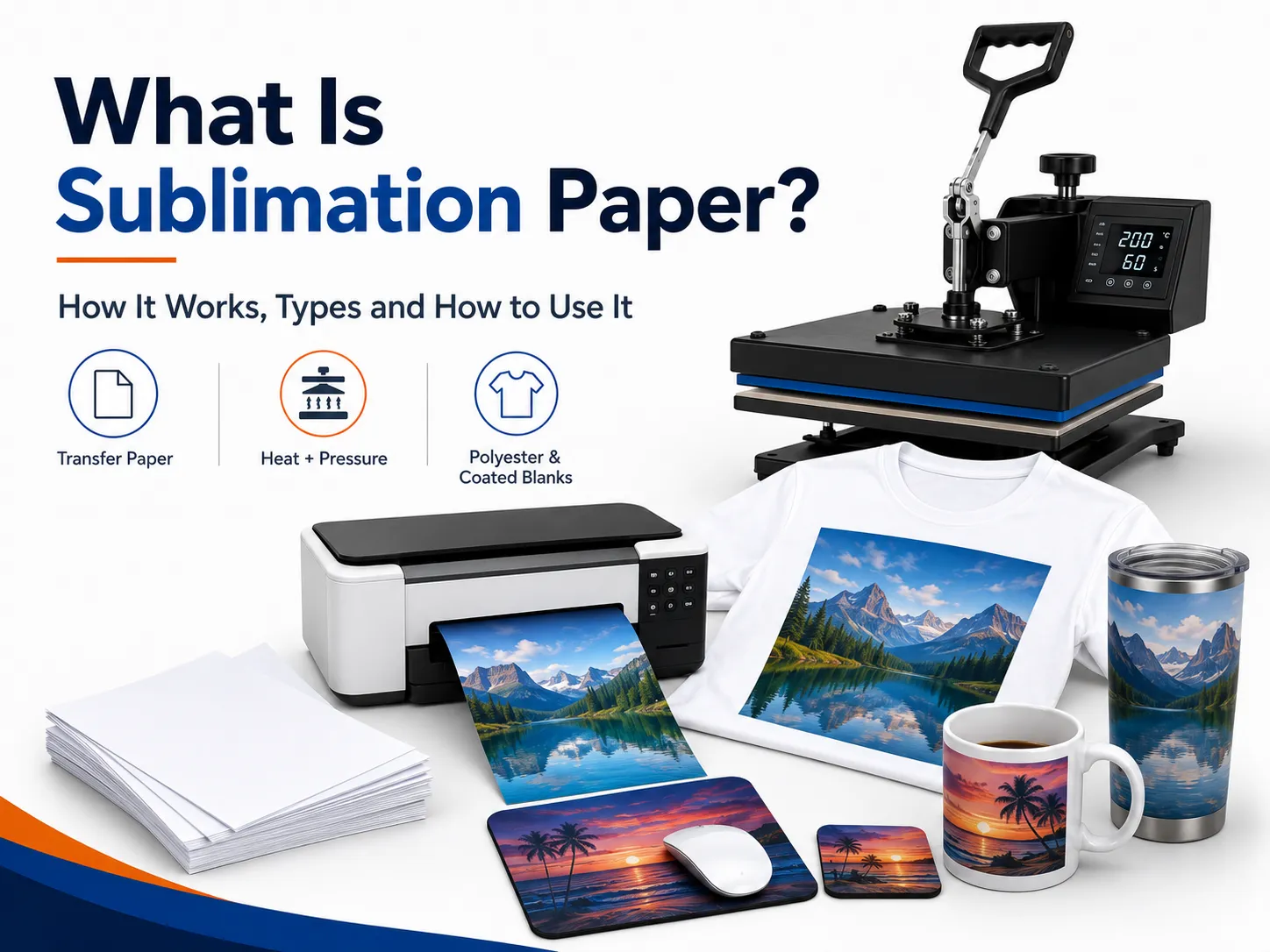
What Is Sublimation Paper? How It Works, Types and How to Use It
How Does Sublimation Paper Work?
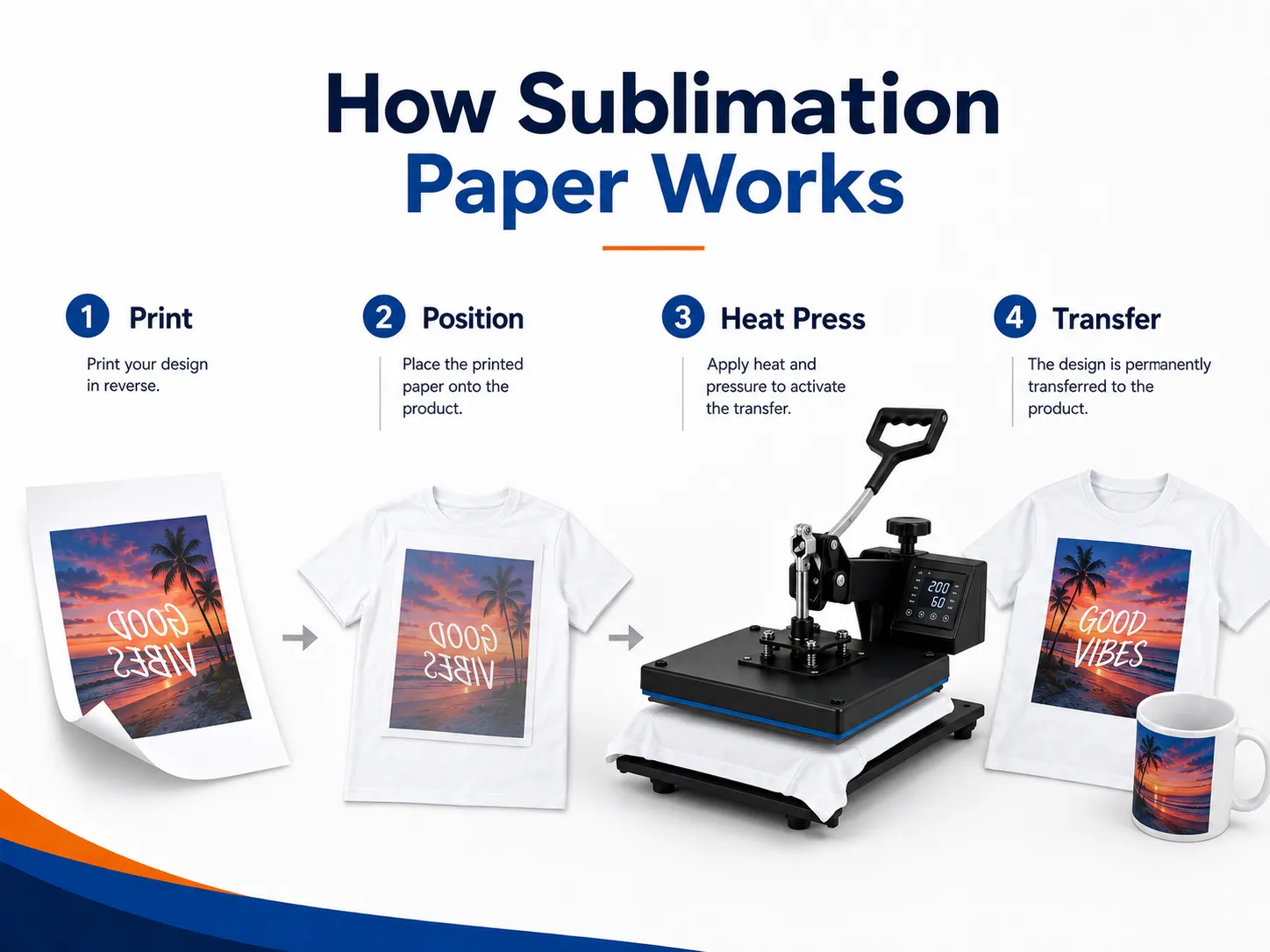
The sublimation process begins by printing a mirrored design onto the coated side of the paper using dye-sublimation ink.
The printed paper is positioned against a compatible blank and placed in a heat press. During pressing, heat activates the dye and helps it move from the transfer paper into the polyester fibers or polymer coating.
After the product cools, the dye remains within the material rather than sitting as a detachable layer on top.
A basic workflow is:
- Prepare the artwork.
- Mirror the design.
- Print it onto sublimation paper.
- Position the paper against the blank.
- Secure it to prevent movement.
- Apply the required heat, time and pressure.
- Remove the transfer paper.
- Allow the product to cool.
- Inspect the color and alignment.
Printed sublimation paper often looks dull before pressing. This is normal. The color generally becomes stronger when the dye transfers into the compatible product.
Sublimation Paper vs Regular Paper
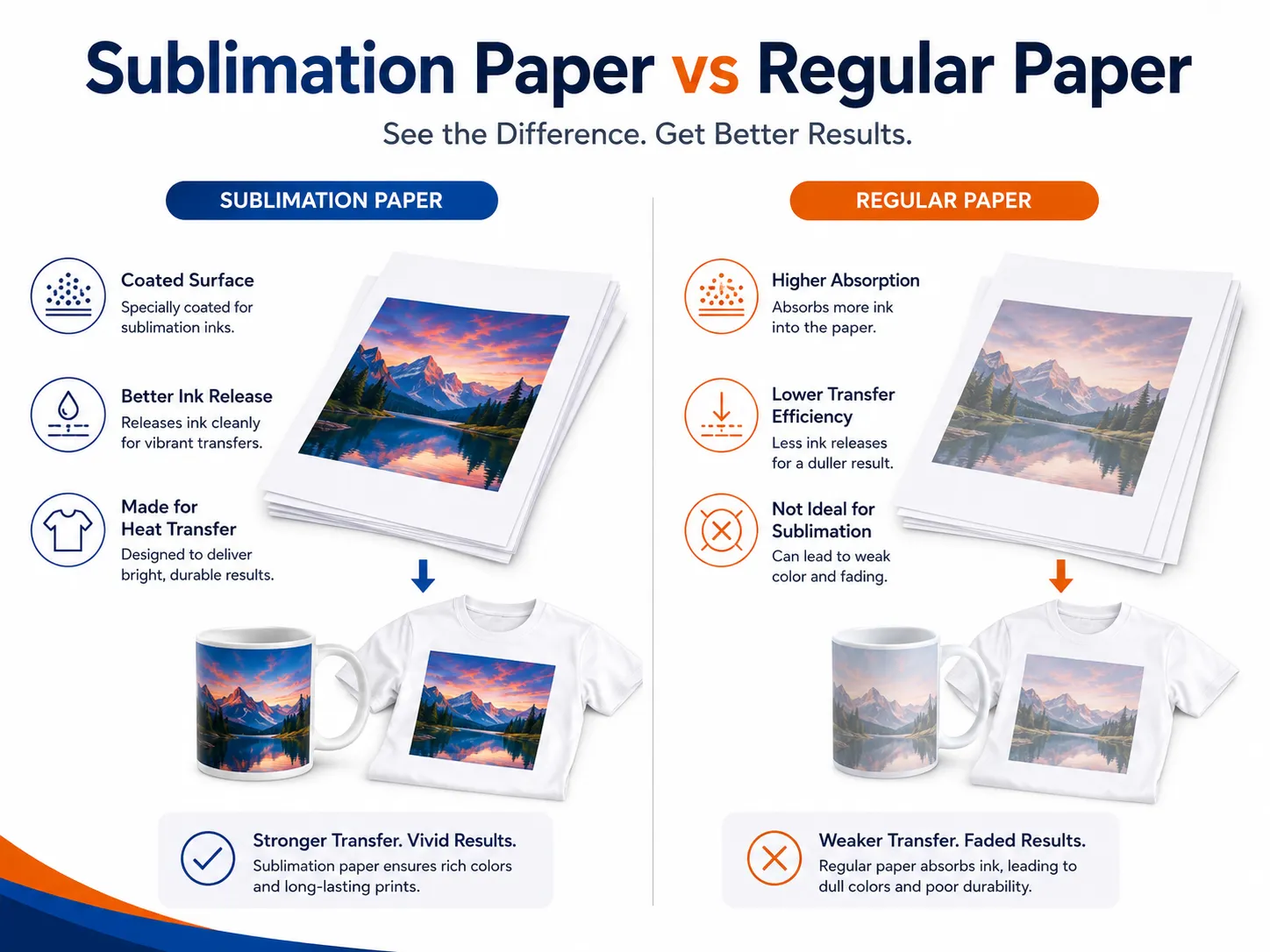
| Feature | Sublimation paper | Regular copy paper |
|---|---|---|
| Surface coating | Designed for sublimation ink | Designed for document printing |
| Ink behavior | Holds ink near the surface | Absorbs ink into paper fibers |
| Dye release | High when correctly pressed | Lower and less predictable |
| Color output | Designed for vibrant transfers | Often weaker |
| Fine detail | Better controlled | May bleed or soften |
| Heat resistance | Designed for transfer use | Not specifically designed for it |
| Production consistency | Higher | Lower |
| Recommended for business use | Yes | No |
What Materials Work With Sublimation Paper?
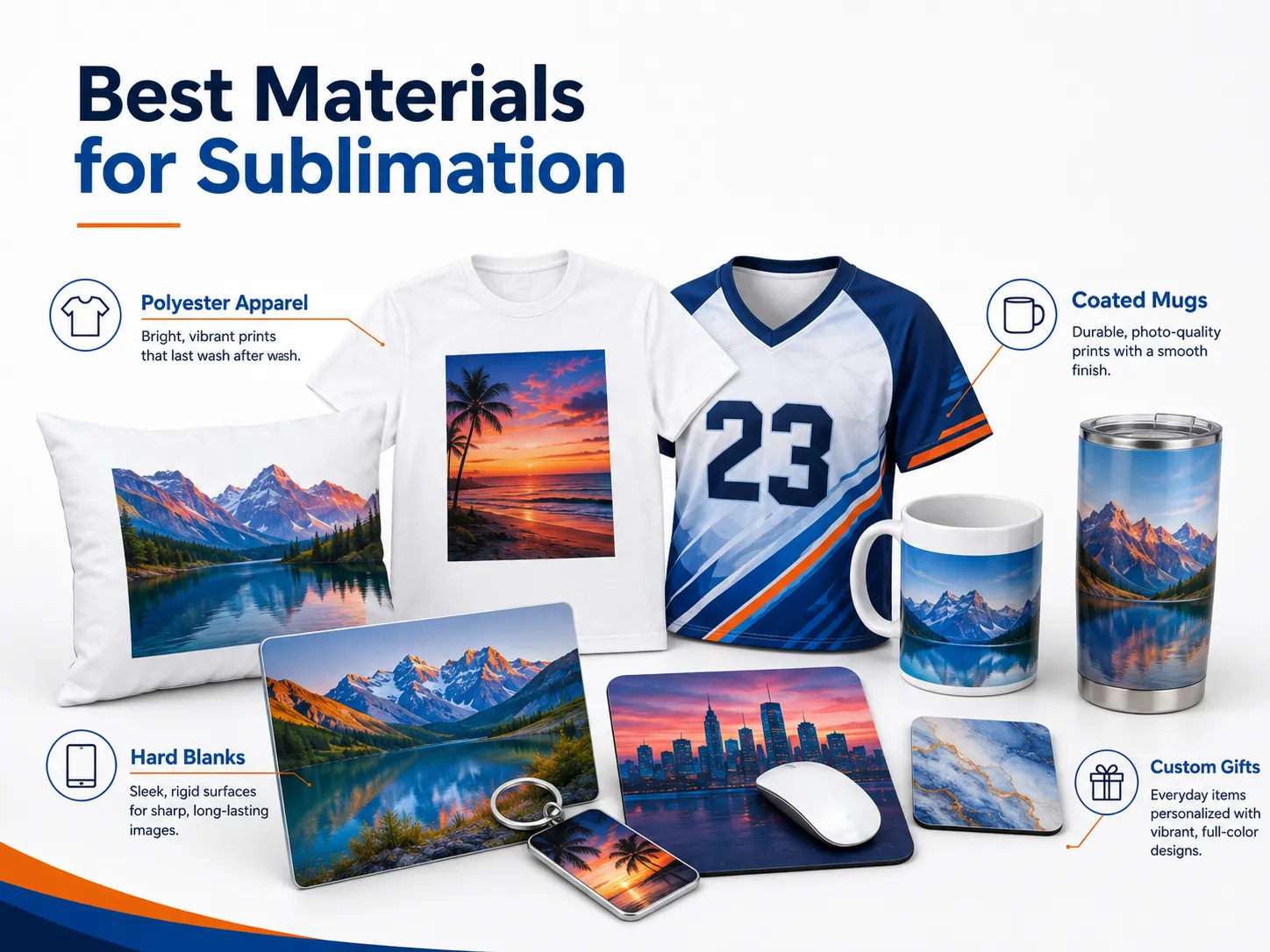
Sublimation paper alone does not make a product compatible.
The receiving material must contain polyester or have a suitable polymer coating.
Polyester Apparel
Common textile applications include:
- Sports jerseys
- Performance shirts
- Leggings
- Socks
- Polyester tote bags
- Pillow covers
- Flags
- Soft signage
- Polyester canvas
A higher polyester content generally produces stronger and more saturated color.
Blended fabrics may still accept some dye, but untreated cotton fibers will not retain standard sublimation dye in the same way. The final result may appear softer, faded or intentionally vintage.
For the strongest color, use white or light-colored products with high polyester content.
Can Sublimation Paper Be Used on Dark Shirts?
Traditional sublimation is not suitable for normal dark shirts.
Sublimation dye is transparent and does not include white ink. The garment color remains visible beneath the transferred image.
On a black shirt, most sublimation colors would be difficult or impossible to see.
For dark apparel, consider:
- DTF printing
- DTG printing with white ink
- Screen printing
- Heat transfer vinyl
- White-toner transfer
The difference is explained in EraSmart’s DTF, DTG, screen printing and HTV comparison.
Main Types of Sublimation Paper
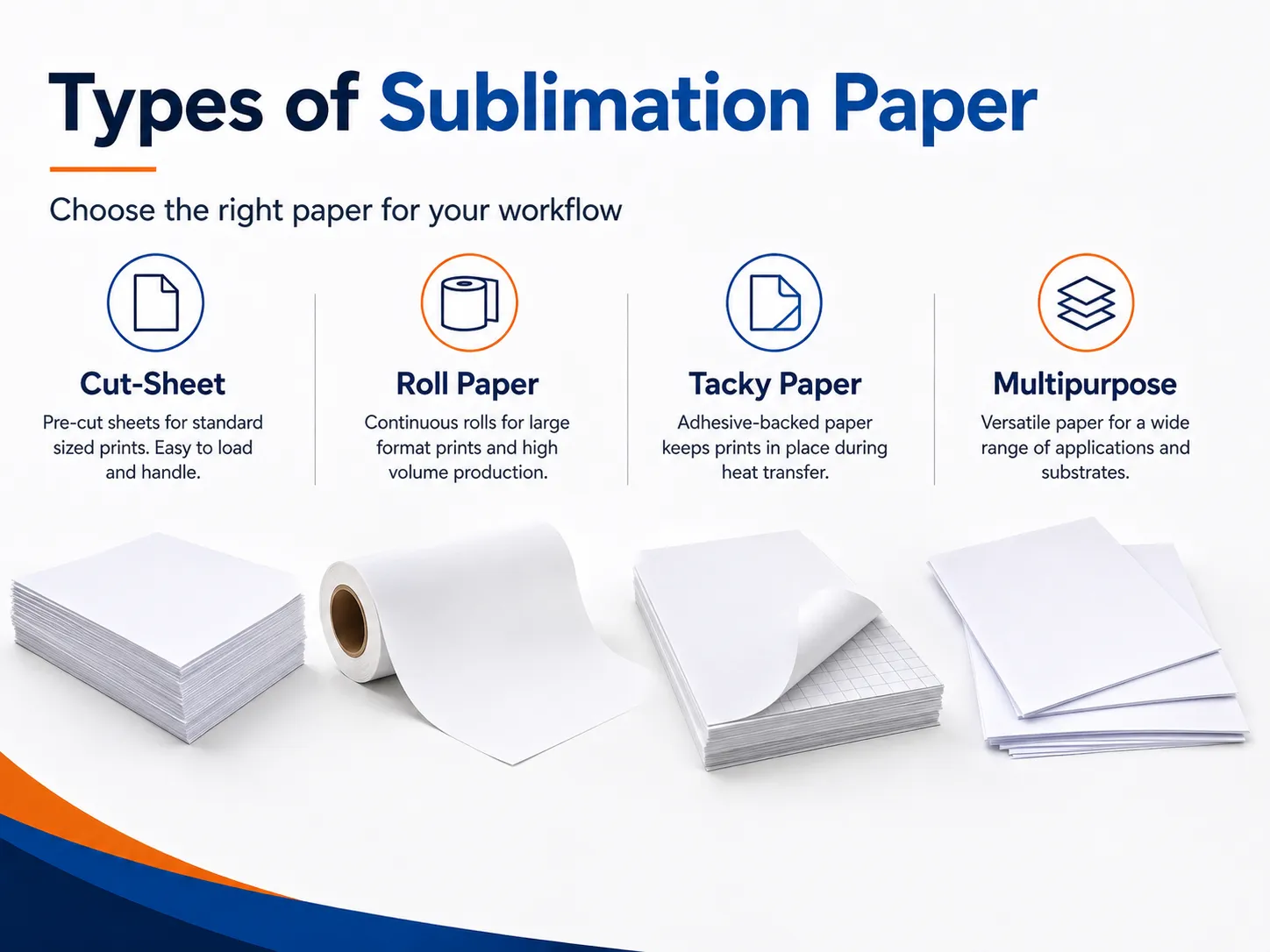
Not all sublimation papers are designed for the same printer or application.
Desktop Cut-Sheet Sublimation Paper
Desktop paper is commonly supplied in:
- A4
- Letter
- Legal
- A3
- A3+
It is suitable for:
- Mugs
- Mousepads
- Small apparel graphics
- Keychains
- Coasters
- Phone cases
- Small gift products
Desktop paper should feed reliably through the printer without excessive curling, ink smearing or wheel marks.
How to Use Sublimation Paper Step by Step
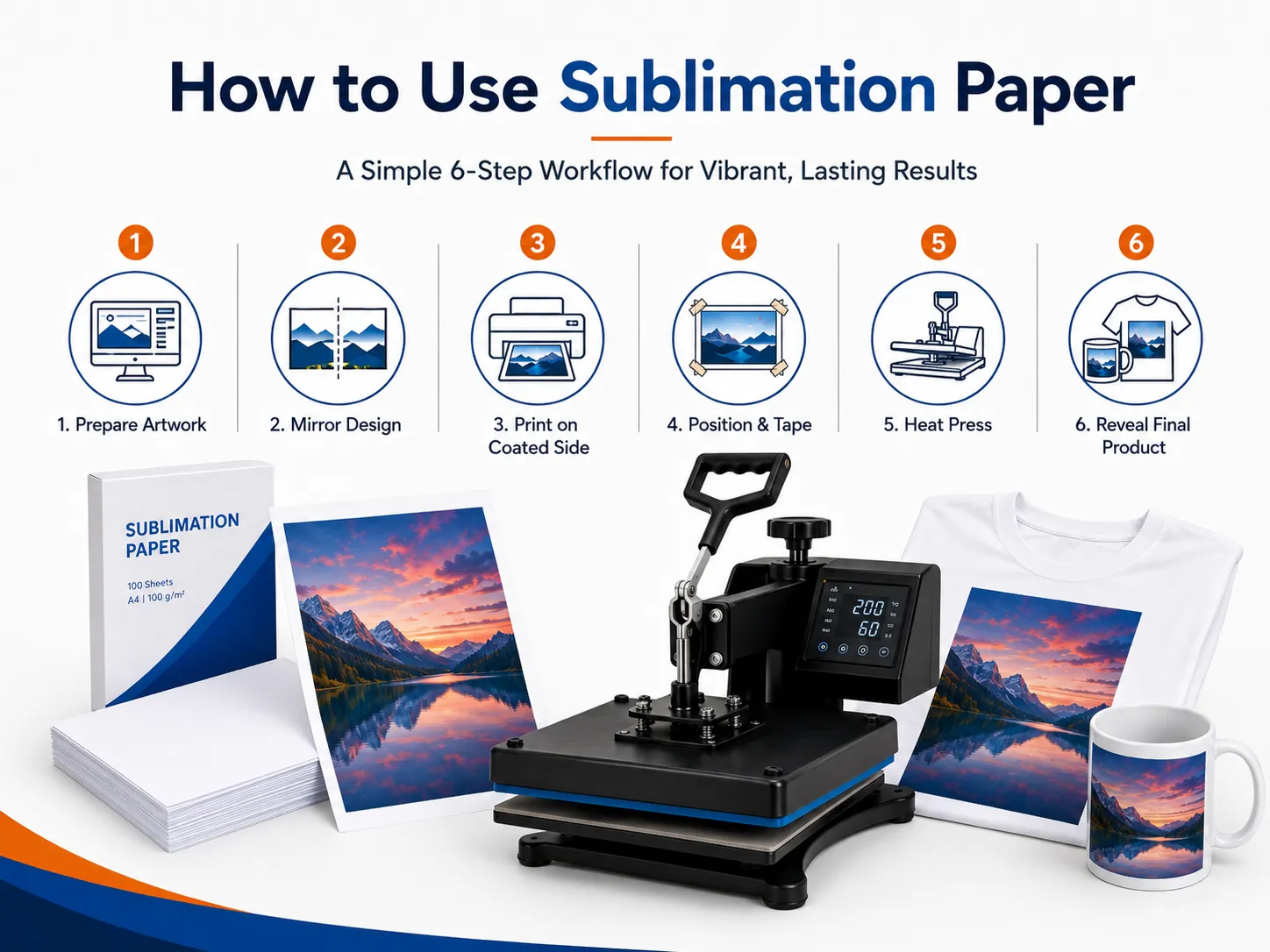
Step 1: Select a Compatible Blank
Confirm that the product is:
- Polyester
- High-polyester blend
- Polymer coated
- Specifically sold for sublimation
Do not assume that an ordinary mug, metal sheet or phone case will accept sublimation dye.
Step 2: Prepare the Artwork
Create the design at the intended print dimensions.
Check:
- Resolution
- Aspect ratio
- Bleed
- Safe area
- Text
- Spelling
- Orientation
- Color profile
Avoid using small screenshots or heavily compressed internet images.
EraSmart’s guide to the best DPI for printing explains how source resolution affects final output.
Step 3: Mirror the Design
Mirror the image horizontally when required.
Confirm that:
- Text appears reversed on the printed paper.
- The software has not already mirrored it.
- Variable names and numbers are correct.
Step 4: Identify the Coated Side
Load the paper so the printer places ink on the coated surface.
Paper orientation depends on the printer’s feed path. The printable side may face upward or downward in the tray.
Step 5: Select the Correct Print Settings
Use settings designed for the combination of:
- Printer
- Ink
- Paper
- Product
- Color profile
Avoid selecting the maximum ink or highest-quality setting automatically.
Excessive ink may cause:
- Slow drying
- Smearing
- Cockling
- Roller marks
- Blurred edges
Step 6: Print the Design
After printing:
- Keep the sheet flat.
- Avoid touching the printed area.
- Allow the ink to stabilize or dry as required.
- Check for banding or missing colors.
- Confirm the design size.
The printed colors may appear muted before heat transfer.
Step 7: Prepare the Product
For fabric:
- Remove lint.
- Remove wrinkles.
- Pre-press when recommended.
- Remove excess moisture.
- Position the product flat.
For hard blanks:
- Remove protective film.
- Clean the surface.
- Remove dust and fingerprints.
- Confirm the coated side.
- Check that the blank is not damaged.
Step 8: Position and Secure the Transfer
Place the printed side against the product.
Use heat-resistant tape to prevent movement.
For apparel, tape can help maintain alignment.
For mugs and curved items, secure the paper evenly so it remains in full contact with the surface.
Step 9: Protect the Heat Press
Place clean protective paper where stray sublimation dye could reach:
- Upper platen
- Lower platen
- Pressing pad
- Product reverse side
Uncoated butcher paper is commonly used because it can absorb stray dye.
Replace contaminated protective paper rather than reusing it on another product.
Step 10: Apply Heat, Time and Pressure
Use the settings supplied by the blank, paper or complete sublimation-system provider.
There is no universal sublimation temperature suitable for every product.
Different settings may be required for:
- Polyester shirts
- Mugs
- Tumblers
- Mousepads
- Metal panels
- Ceramic tiles
- MDF products
- Phone cases
The actual platen temperature may also differ from the value displayed by the heat press, so commercial studios should periodically verify heat distribution.
Step 11: Remove the Paper Carefully
Follow the blank supplier’s removal instructions.
Depending on the product, the paper may need to be removed:
- Immediately
- While warm
- After a short pause
- After cooling
Do not slide the paper across the surface. Sliding can create a shadow or ghost image.
Step 12: Inspect the Product
Check:
- Color
- Alignment
- Fine details
- White gaps
- Ghosting
- Scorching
- Surface damage
- Press marks
- Coating defects
Record successful settings for each product model.
Why Does the Printed Sublimation Paper Look Dull?
A sublimation print is not intended to display its final color while it remains on the transfer paper.
The full result is revealed after heat activates the dye and transfers it into the polyester or polymer coating.
A dull paper print is normal when:
- The nozzle check is complete.
- The correct profile is being used.
- The correct side has been printed.
- The finished product becomes vibrant after pressing.
If the final product remains dull, investigate the paper, ink, blank, profile and press settings.
For further color guidance, see how to print the correct colors.
Common Sublimation Paper Problems
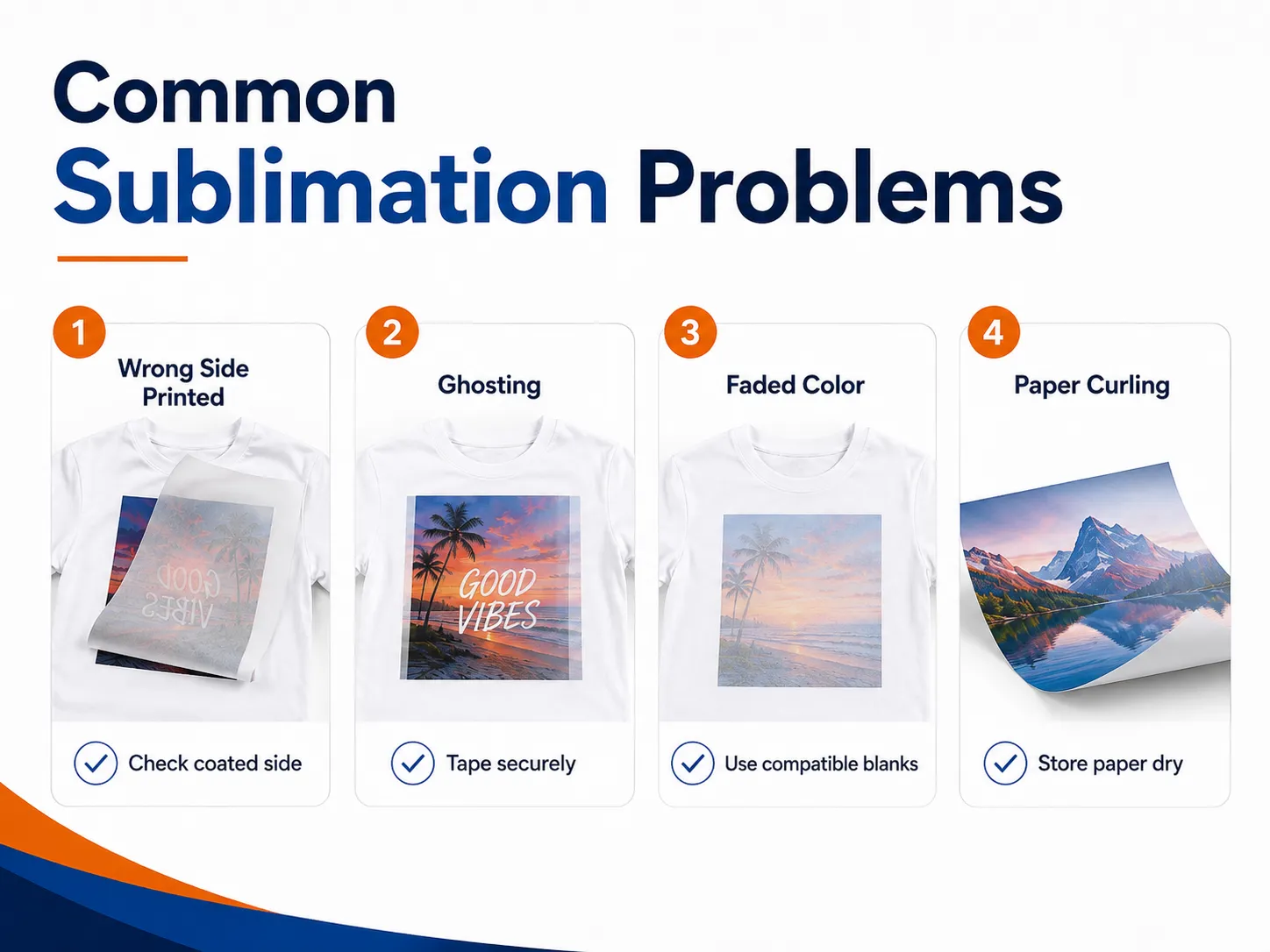
| Problem | Possible cause | Recommended action |
|---|---|---|
| Finished print is faded | Wrong paper side, incompatible blank or insufficient transfer | Confirm coated side and blank compatibility |
| Image is blurry | Paper moved or excessive ink spread | Secure with tape and review settings |
| Double image or ghosting | Paper shifted during pressing or removal | Fix paper securely and lift it straight away |
| Paper curls | Humidity, excessive ink or unsuitable paper | Store paper correctly and reduce ink load |
| Roller marks | Ink remains wet or paper cannot handle coverage | Use suitable paper and review print settings |
| Ink smears | Slow drying or touching the print too soon | Allow drying and reduce excessive ink |
| White dots on fabric | Lint or loose fibers | Lint-roll and pre-press the garment |
| Colors are incorrect | Wrong profile, ink or paper setting | Match the complete printing system |
| Image is reversed | Artwork was not mirrored correctly | Mirror before printing |
| Black areas bleed | Excessive ink load or unsuitable paper | Reduce ink and test another paper |
| Transfer is uneven | Inconsistent pressure or warped blank | Check platen and blank flatness |
| Paper sticks to product | Coating or press settings are incompatible | Stop production and verify the material system |
Heavy ink coverage and high humidity can contribute to wet prints, roller marks and color bleeding. Paper should be compatible with the printer and allowed to acclimate to the production environment.
MAY BE YOU LIKE ALSO

Copyright 2020 © EraSmart. | Sitemap