
L1800 DTF Printer Cost Guide: Startup, Running Costs & What to Budget
If you are researching Epson L1800 DTF printer cost, the most useful number is not the printer price alone. A real DTF budget includes the printer, transfer equipment, consumables, workspace, routine maintenance and enough working capital to handle test prints, rejected transfers and early production learning.
The 30-second answer
An L1800-based A3 DTF setup can be a practical entry point for POD sellers, custom-apparel startups and small studios, but the printer should be treated as only one part of the investment. Your complete startup budget needs to cover printing, powder/curing, heat pressing, software, consumables and operating reserve.
For ongoing profitability, track cost per transfer rather than ink cost alone. Film, powder, power, labor and waste all belong in the calculation.
- Your expected order volume
- Whether A3 / 340 mm class width is enough
- How you will cure powder and heat press transfers
- Who will perform daily maintenance
- How much cash reserve you want for consumables and waste
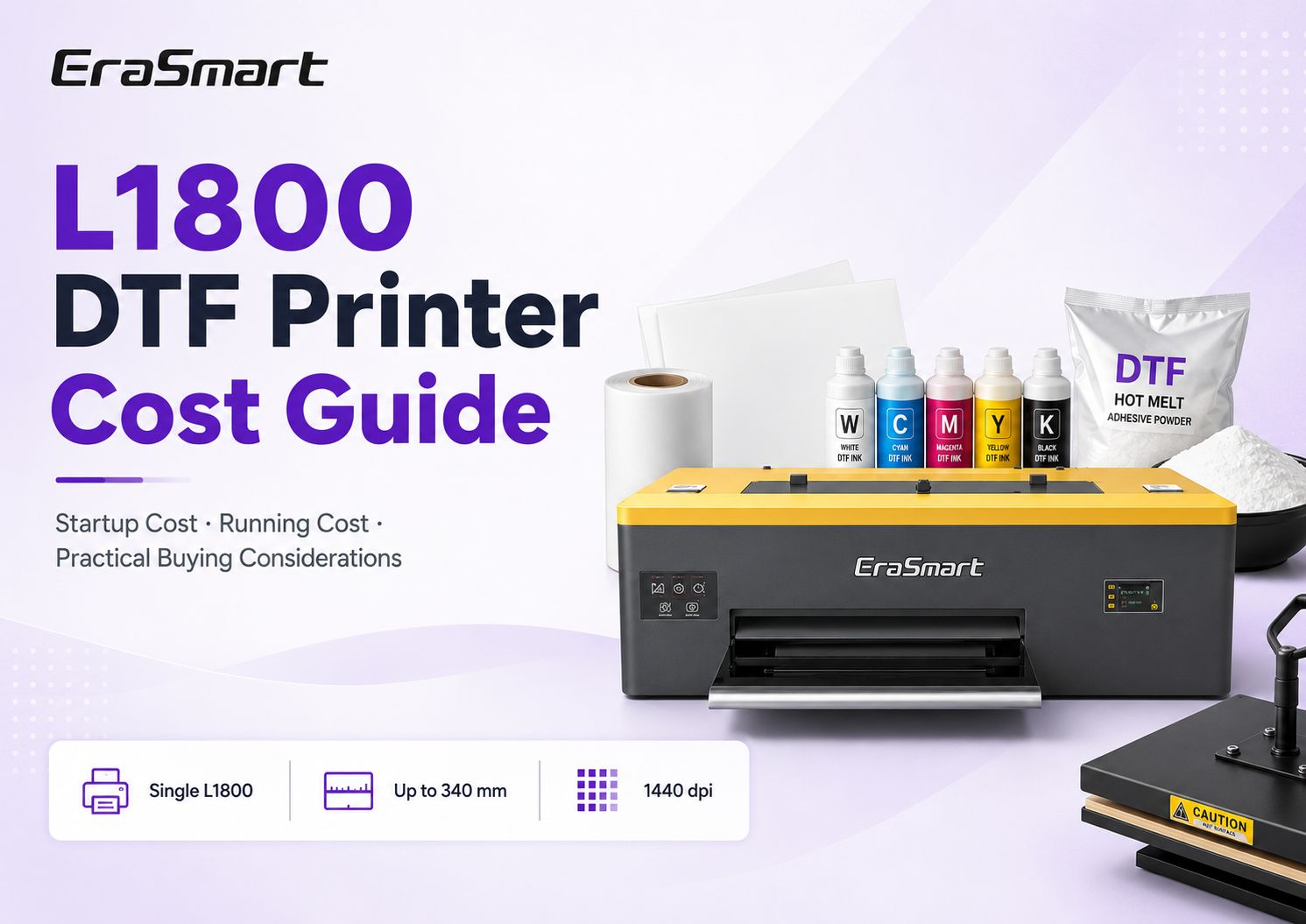
What Are You Actually Buying with an L1800 DTF Setup?
The easiest budgeting mistake is to compare only machine prices. DTF is a production workflow, so the real purchase is a small printing system. The printer creates the ink layer on PET film, but you still need adhesive powder, curing, a heat press, software and a clean operating routine before that film becomes a sellable transfer.
1Core equipment
Printer, curing method and heat press form the physical production line.
2Consumables
PET film, CMYK + white ink, hot-melt powder and cleaning materials fund every production cycle.
3Operating reserve
Keep room in the budget for test prints, waste, spare supplies and unexpected downtime.
EraSmart Single L1800: The A3 Platform Behind This Guide
This page focuses on the EraSmart 13 Inch DTF Printing Machine — Single L1800, an A3-class DTF solution designed for small studios, POD teams and customized-product workflows. It uses PET film, CMYK plus dual-white channels, white-ink circulation and AcroRip / EraRip workflow support.
Compact A3 DTF production for small-business workflows
Build the Startup Budget in 7 Cost Buckets
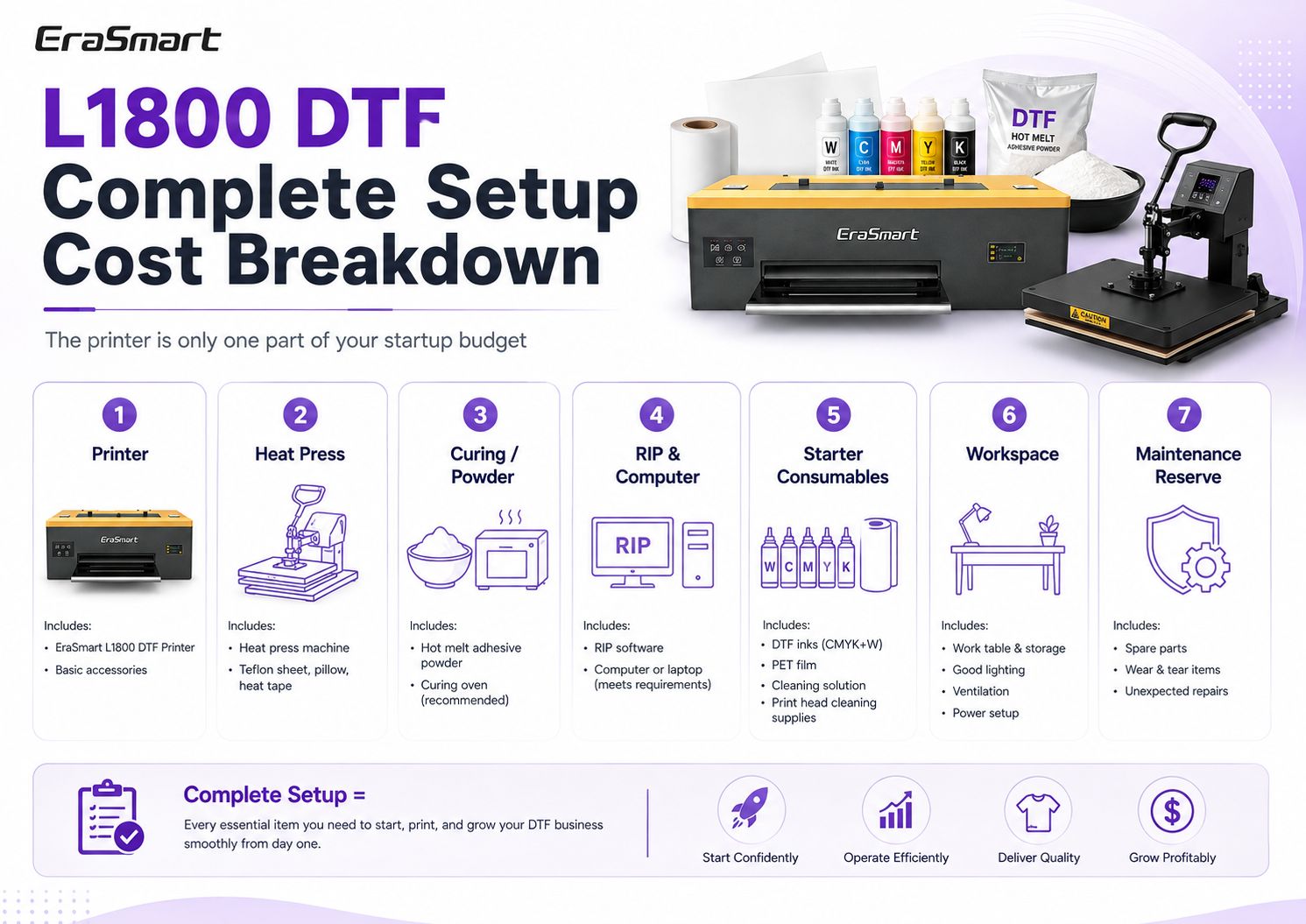
Instead of chasing one universal package price, build your own budget from seven buckets. This makes quotations easier to compare because you can see what is included, what is optional and what you still need to buy separately.
| Budget category | What it covers | Why it matters |
|---|---|---|
| 1. Printer | L1800 DTF printer and included basic accessories | The printing platform is the core asset, but it does not finish transfers by itself. |
| 2. Heat press | Press machine, protective sheet/paper, heat tape and press accessories | Transfers need controlled temperature, time and pressure to bond to garments. |
| 3. Powder & curing | Manual powder handling, curing oven or matched finishing equipment | The curing method affects labor, workspace and production consistency. |
| 4. RIP & computer | RIP software plus a suitable Windows computer | Color management and white-ink output depend on the RIP workflow. |
| 5. Starter consumables | Ink, PET film, powder and cleaning materials | You need enough stock to learn, test and produce without stopping after the first few jobs. |
| 6. Workspace | Work table, storage, lighting, ventilation and power setup | The full workflow occupies more space than the printer footprint alone. |
| 7. Maintenance reserve | Cleaning supplies, wear items, spare consumables and contingency | A reserve reduces the financial impact of waste or unexpected downtime. |
Shipping, import duties, taxes and local electrical or ventilation requirements vary by destination and should be added separately when applicable.
Running Cost: What You Pay Every Time You Print
Once the equipment is installed, the important question changes from “What did the printer cost?” to “What does a sellable transfer cost me to produce?” This is where film, ink, powder, waste and labor become more useful than the purchase price.
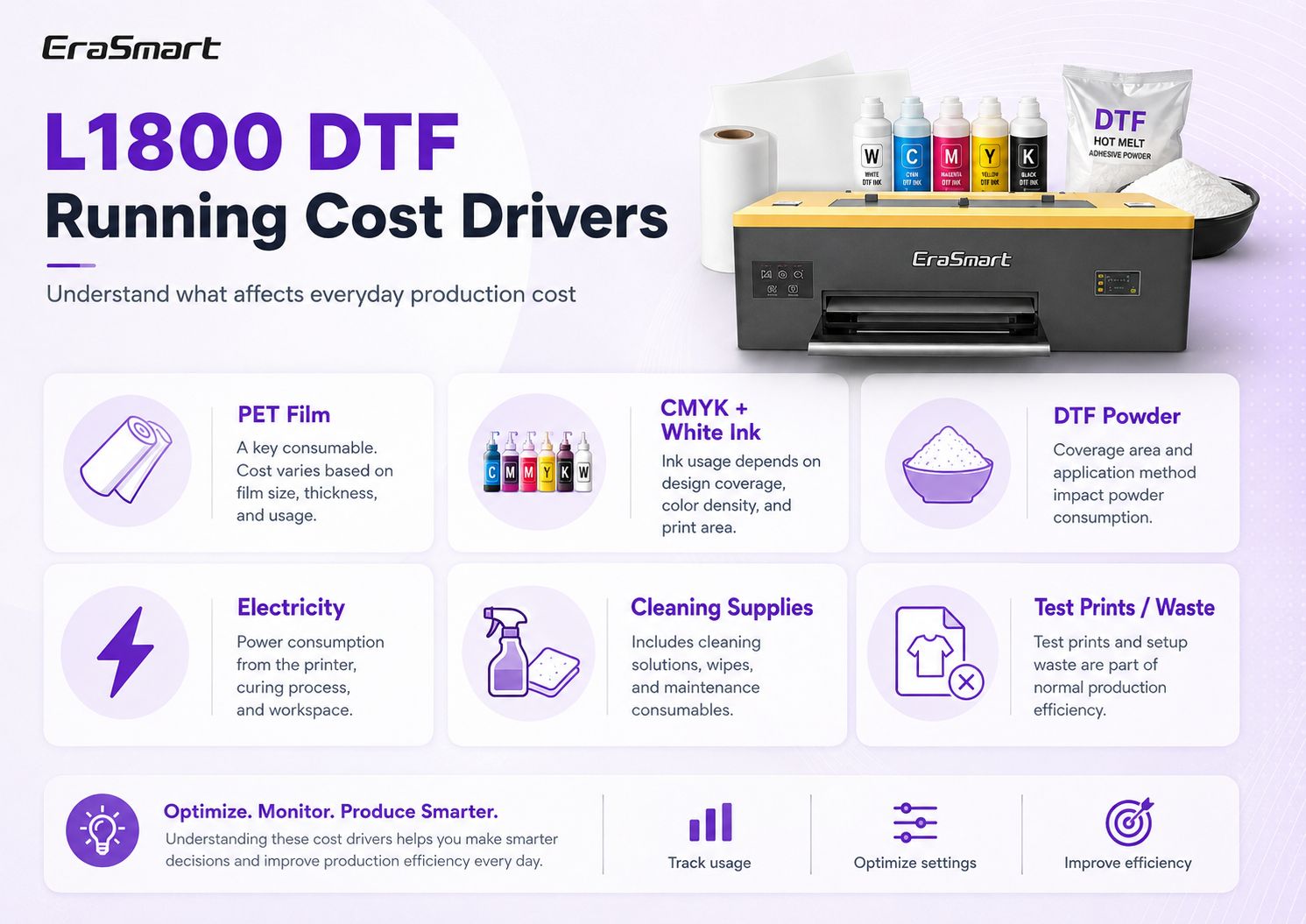
PET film
Film cost depends on sheet or roll format, usable print area, gang-sheet efficiency and how much blank area is wasted between jobs.
CMYK + white ink
Ink usage changes with artwork coverage. Large white underbases and dense graphics consume more than small logos or light designs.
Hot-melt powder
Powder consumption depends on coverage, application method and how effectively excess powder is recovered or reused where appropriate.
Power
Electricity includes more than the printer. Curing equipment, heat pressing, climate control and ventilation can all contribute.
Cleaning supplies
Cleaning solution, wipes and maintenance consumables should be treated as routine production inputs, not surprises.
Test prints and waste
Nozzle checks, setup tests, color corrections and failed transfers create real cost even though they are not sold to customers.
For a deeper look at the consumable side, see the DTF Consumables Guide.
How to Calculate L1800 DTF Cost per Transfer
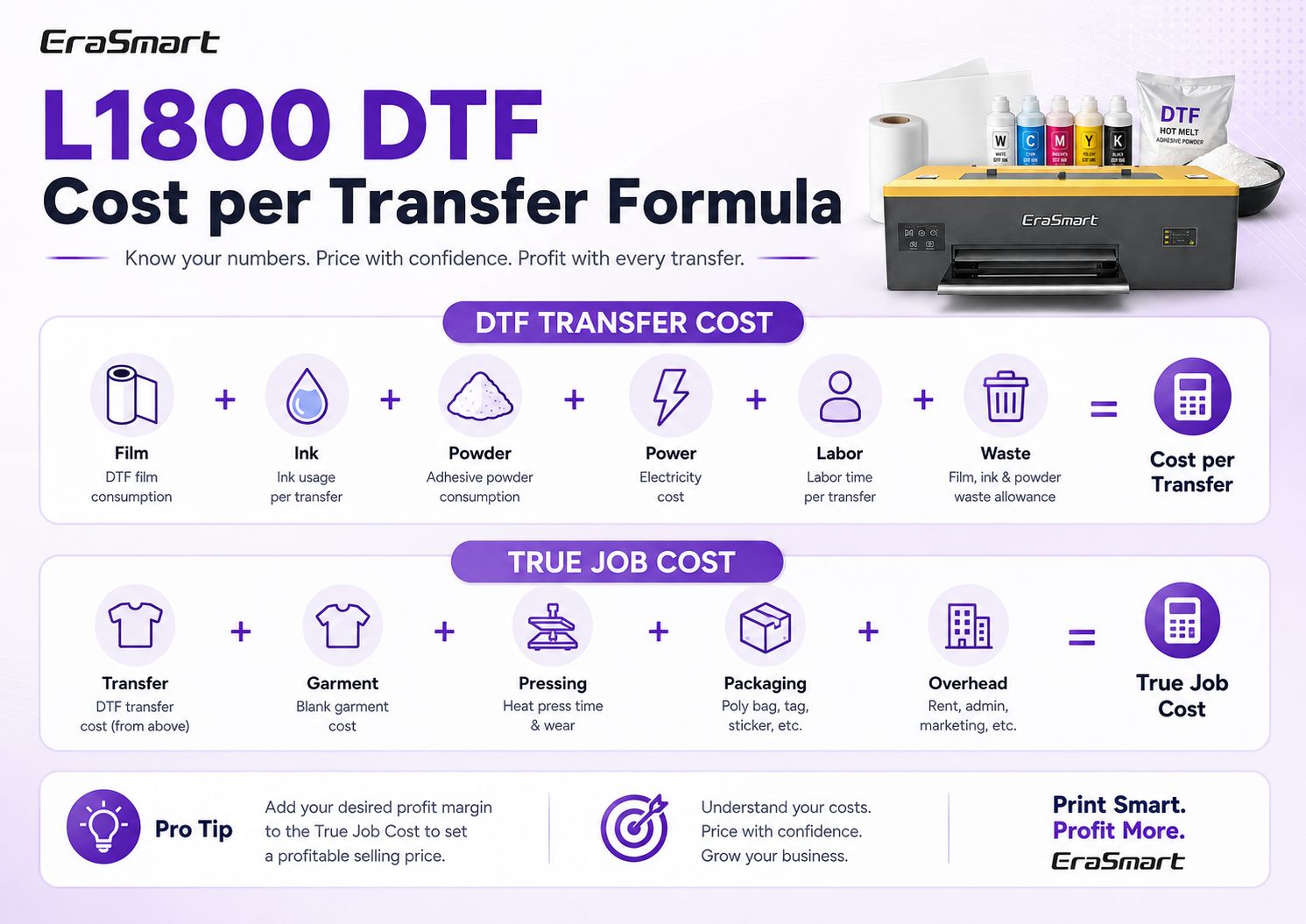
A fixed “cost per print” published online can be misleading because local material prices, artwork coverage, labor rates and reject rates vary. A better method is to calculate your own production cost using the components you actually pay for.
Why White Ink Deserves Its Own Cost Line
White ink is central to DTF because it creates the underbase that allows colorful artwork to transfer onto dark and mixed-color garments. It is also one of the parts of the workflow that needs the most disciplined daily management.
The EraSmart Single L1800 includes white-ink circulation, which helps support the white-ink workflow. Even with circulation, good operating habits still matter: keep the ink system active, follow cleaning procedures, perform nozzle checks and avoid long unmanaged idle periods.
From a costing perspective, do not bury white ink inside a generic “ink” estimate if your artwork often uses large opaque underbases. Tracking artwork coverage helps explain why two transfers of the same physical size can have different ink costs.
Maintenance Is a Cost Even When Nothing Is Broken
Maintenance cost is not limited to replacement parts. Time spent cleaning, running nozzle checks, correcting a clogged nozzle, reprinting a rejected job or waiting through downtime all affect your real production economics.
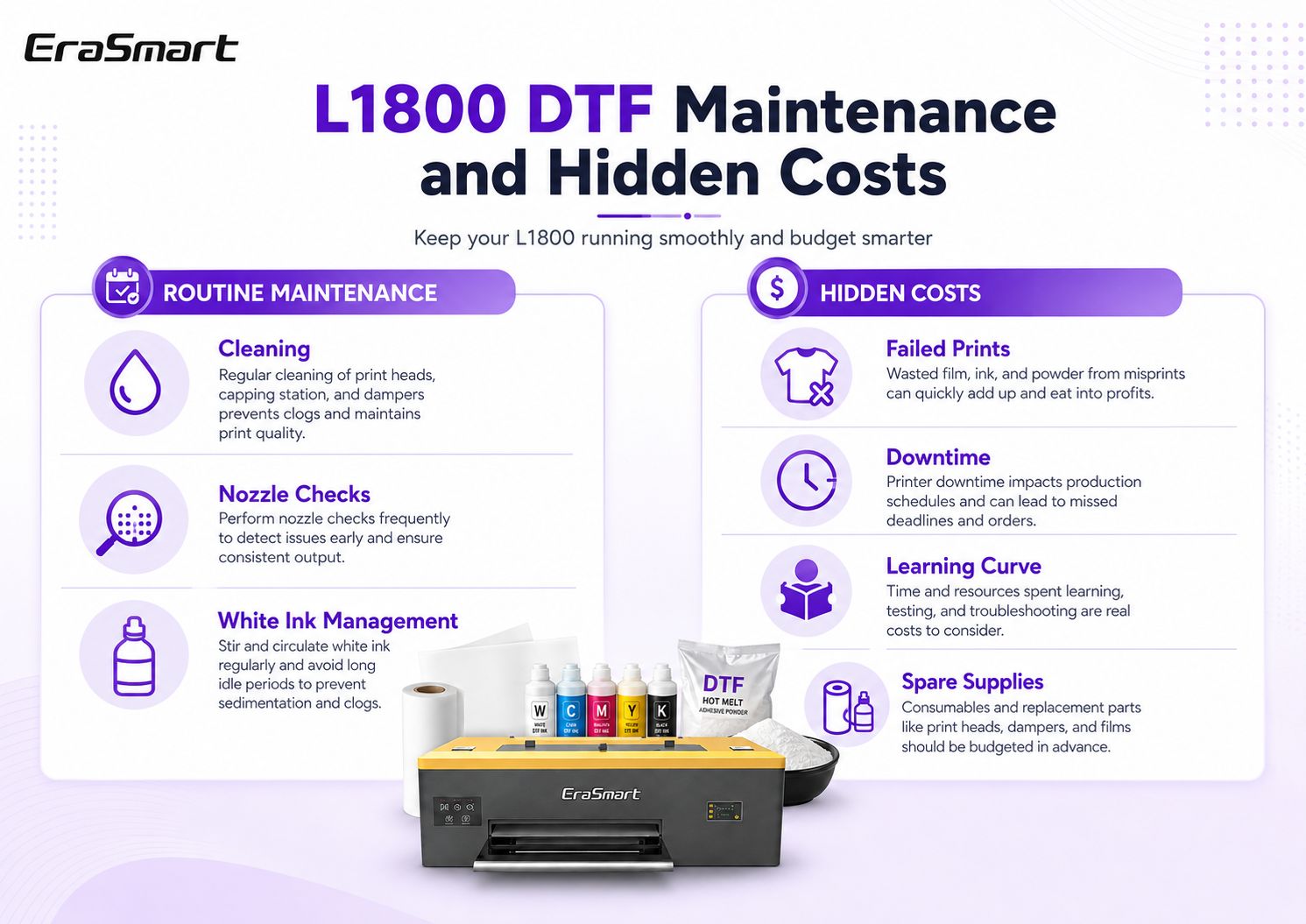
Routine maintenance
- Nozzle checks and test prints
- Printhead and capping-area cleaning
- White-ink circulation monitoring
- Keeping the PET film path clean
- Checking ink supply and waste handling
Hidden operating costs
- Failed transfers and misprints
- Production downtime
- Learning and operator training time
- Spare supplies and emergency consumables
- Jobs delayed by poor inventory planning
Use the DTF Maintenance Guide to build a repeatable routine rather than treating maintenance as an emergency task.
Hidden Startup Costs First-Time Buyers Often Miss
The biggest budgeting surprises are often outside the machine itself. A small studio may have enough money for the printer but still be unprepared for workspace preparation, inventory or the finishing process.
How to Think About L1800 DTF ROI
ROI should not be reduced to a claim such as “the machine pays for itself in three months.” Payback depends on how many sellable orders you actually produce, your selling price, your true job cost and how consistently the equipment is used.
For a more detailed calculation, use the EraSmart DTF ROI Calculator. It is more useful to model your own order volume and margin than to copy somebody else's payback claim.
Is an L1800 DTF Printer Worth It for a Small Business?
For the right workload, yes. The Single L1800 makes the most sense when a business wants an A3-class production path without immediately moving into a higher-output or 60 cm platform. The question is whether its workflow matches the order pattern you actually expect.
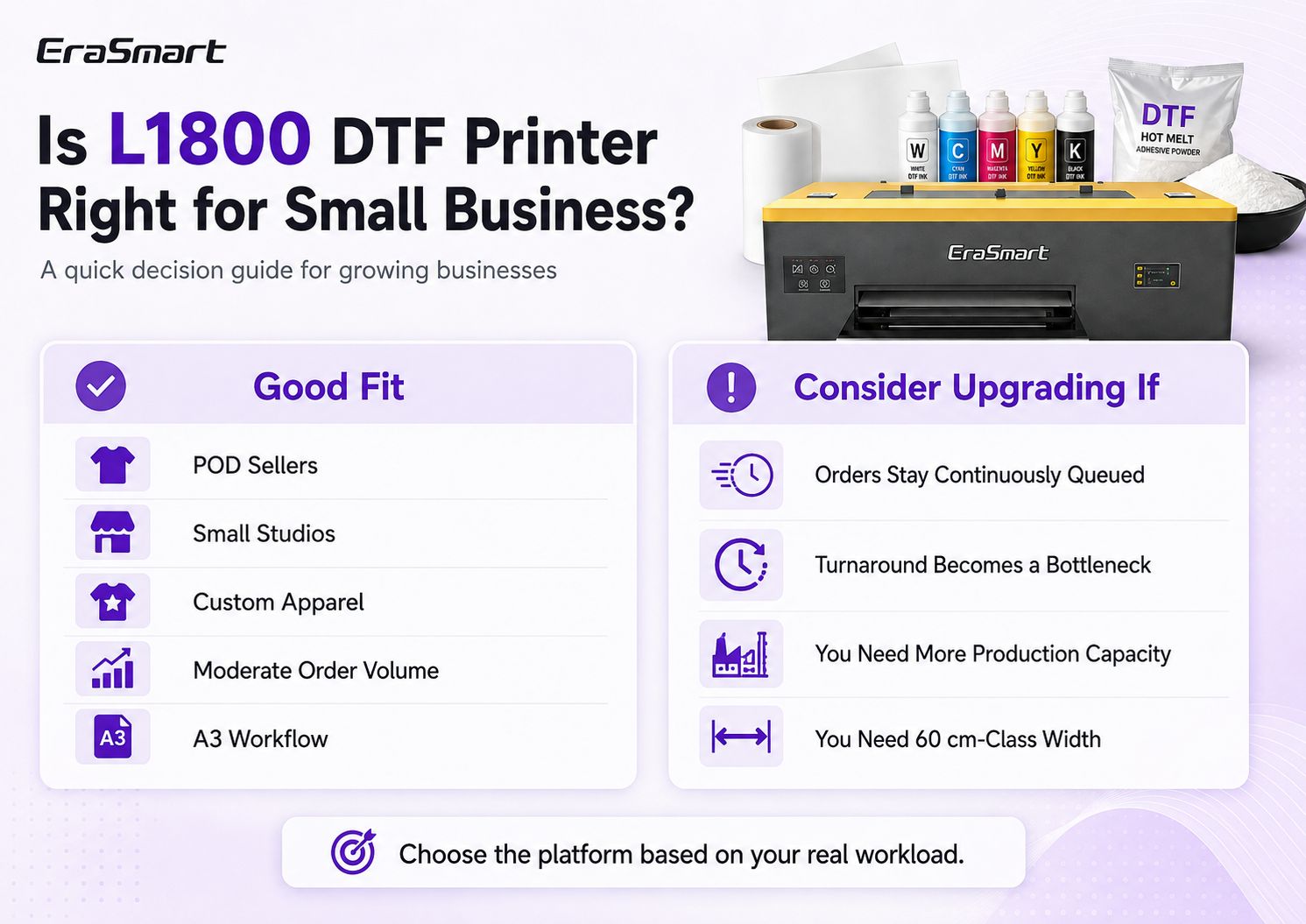
Good fit when...
- You run a POD or personalized-product business.
- You operate a small studio or one-person production setup.
- You mainly produce custom apparel in small to moderate batches.
- A3 / up to 340 mm width fits your normal artwork and gang sheets.
- You prefer manageable equipment investment over maximum capacity.
Consider upgrading when...
- Jobs remain continuously queued and printer capacity limits dispatch.
- Customers require faster batch turnaround than the current workflow can comfortably support.
- You need more sustained production capacity.
- Your business requires 60 cm-class media width or larger gang-sheet workflow.
- The cost of under-capacity becomes greater than the cost of upgrading.
When Should You Move Beyond L1800?
Upgrading is not simply about buying a “better” printer. Each step should remove a specific business constraint. If you are satisfied with A3 width but need stronger production efficiency, an XP600-based A3 platform may be the next logical comparison. If width is the constraint, moving to an A1 platform solves a different problem.
| Your constraint | Better direction to compare | Why |
|---|---|---|
| Current A3 volume is manageable | Stay with Single L1800 | Avoid paying for capacity you do not yet need. |
| Need stronger A3 production efficiency | A3 MAX Single XP600 | Keeps the business in a compact A3 direction while moving to another production tier. |
| Recurring A3 batch orders are growing | A3 Pro Dual XP600 | Useful when more A3 production capacity becomes commercially valuable. |
| Need 60 cm-class width | A1 Dual XP600 platform | Width is a machine-platform decision, not simply a printhead-count decision. |
For the difference between one and two XP600 heads, see Single vs Dual XP600 DTF Printer.
L1800 DTF Buying Checklist
Before accepting a final quotation, make sure the machine price is not hiding missing workflow costs.
You can also use the full DTF Printer Buying Checklist before placing an order.
Frequently Asked Questions
How much does an L1800 DTF printer cost?
The machine price depends on configuration, package, shipping destination and current quotation. For budgeting, focus on total setup cost rather than the printer alone: include curing, a heat press, RIP/computer, consumables, workspace and a maintenance reserve.
What else do I need besides an L1800 DTF printer?
At minimum, plan for PET film, DTF ink, hot-melt powder, a curing method, heat press, RIP workflow, cleaning supplies and a suitable work area. The exact finishing setup depends on your production volume.
How do I calculate DTF ink cost per print?
Track actual ink usage across repeated jobs and divide the ink cost by sellable transfers. Artwork coverage matters: a large white underbase and dense full-color graphic will use more ink than a small logo.
What is the biggest ongoing DTF cost?
There is no universal answer because film, ink, powder, labor and waste vary by job and region. The best approach is to track all variable inputs and calculate cost per transfer rather than focusing on one consumable.
Is L1800 DTF good for a small business?
It can be a strong fit for POD sellers, custom-apparel startups and small studios that need an A3-class workflow and moderate production capacity. If jobs remain constantly queued or you need 60 cm width, compare a higher-capacity platform.
Does the EraSmart Single L1800 have white-ink circulation?
Yes. The EraSmart Single L1800 configuration covered in this guide includes white-ink circulation as part of its DTF workflow.
When should I upgrade from L1800 to XP600?
Compare XP600 options when your current A3 workflow is commercially constrained by production capacity or turnaround. Upgrade because the business needs the capacity, not simply because a different printhead name appears more advanced.
Can an L1800 DTF printer be profitable?
Profitability depends on selling price, true job cost, waste rate, order volume and equipment utilization. Use your own contribution margin and startup investment to calculate break-even rather than relying on a generic payback promise.
Build the Right L1800 DTF Budget Before You Buy
Tell EraSmart what you plan to print, your expected order volume, workspace and preferred workflow. We can help you compare the Single L1800 with other A3 or A1 options and build a quotation around the equipment you actually need.