Fabricante de impresoras de inyección de tinta planas de tamaño pequeño
86-18566233796 [email protected]

Blog How to Start a UV Printing Business: Costs, Equipment & 90-Day Plan

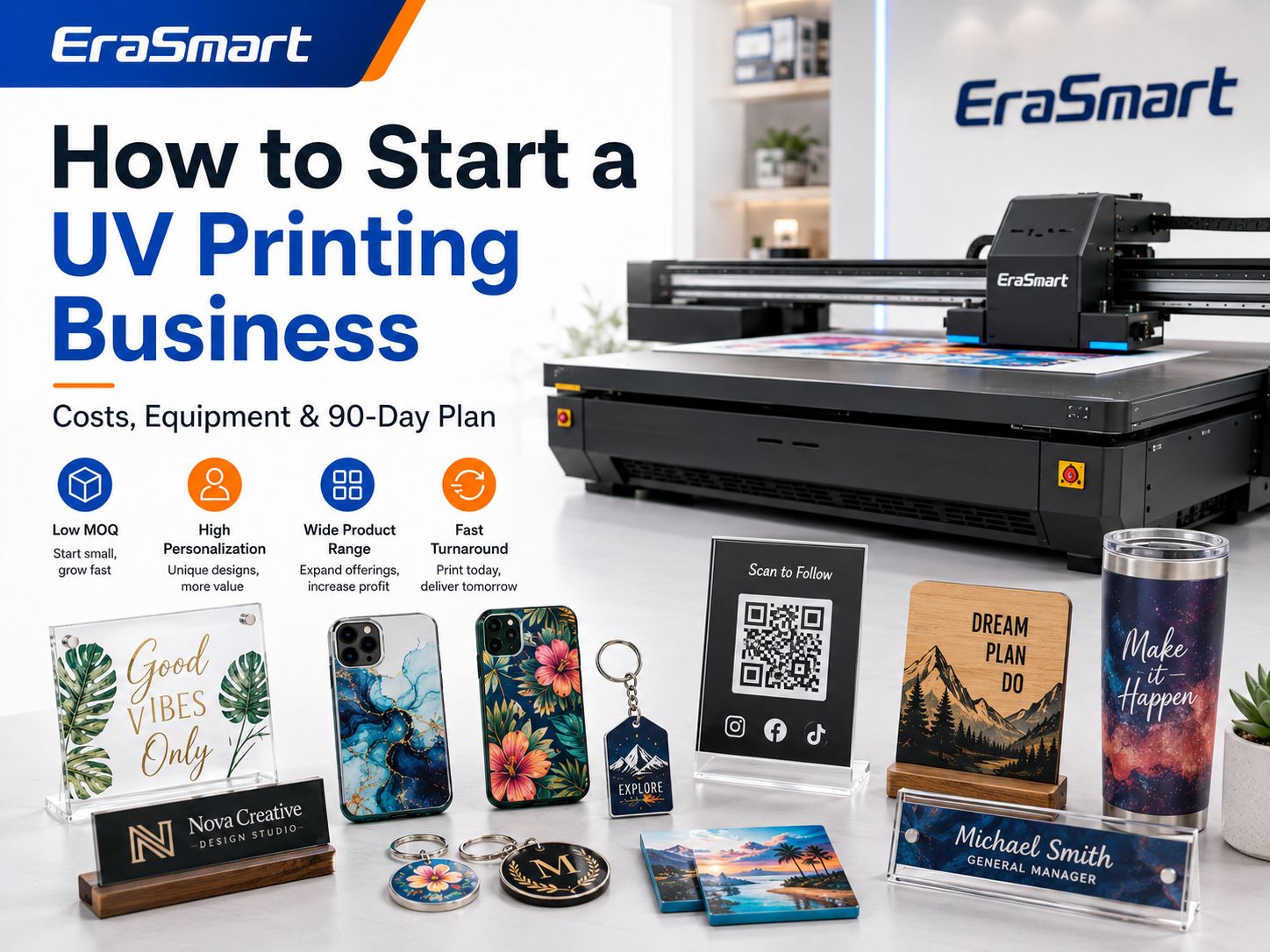
How to Start a UV Printing Business: Costs, Equipment & 90-Day Plan

August 13, 2026 Blog

Starting a UV printing business can be an attractive way to enter the personalized-products market because one printer can support many different product categories.

Depending on the printer, ink configuration and fixtures, you may be able to produce:

  • Letreros acrílicos
  • Cajas del teléfono
  • Keychains
  • Regalos de madera
  • Tarjetas metálicas
  • Business nameplates
  • Visualizaciones de códigos QR
  • Premios
  • Muestras de embalaje
  • Productos promocionales
  • decoración de boda
  • Paneles de fotos
  • Etiquetas de productos
  • Custom corporate gifts

Unlike traditional printing methods that may require screens, plates or transfer steps, a UV flatbed printer can print full-color graphics directly onto many suitable rigid surfaces and cure the ink during the printing process. EraSmart UV printer systems are designed around applications such as acrylic, phone cases, signs, gifts and other direct-to-object products.

But buying a UV printer does not automatically create a profitable business.

A successful UV printing business requires the right combination of:

  • Demanda del cliente
  • Product selection
  • Tamaño de la impresora
  • Ink configuration
  • Espacios en blanco confiables
  • Precios
  • Eficiencia de producción
  • Mantenimiento
  • Marketing
  • repetir pedidos

The safest way to start is not to buy the largest printer you can afford.

It is to identify a specific market, validate several products, choose equipment that fits those products and expand only after real orders justify additional investment.

This guide walks through the complete process.

UV Printing Business at a Glance

Business DecisionWhat You Need to Determine
Target customerWho will buy your products?
Product nicheWhat will you sell first?
modelo de negocioB2C, local B2B, online, wholesale or mixed
Tamaño de la impresoraA5, A4, A3, A2 or larger
Ink configurationCMYK, white, varnish and possibly primer
MaterialesAcrylic, plastic, wood, glass, metal and coated blanks
SoftwareDesign software + RIP software
Espacio de trabajoPrinting, cleaning, storage and packaging areas
PreciosBlank + ink + labor + waste + fees + profit
MarketingWebsite, local outreach, marketplaces and social media
CrecimientoLarger printer, second printer, UV DTF or more automation

A good UV printing business plan starts with the products and customers rather than the machine specification sheet. The U.S. Small Business Administration similarly recommends evaluating market demand, competition and startup costs before committing major capital to a new business.

Is a UV Printing Business Worth Starting?

It can be, but only when the printer supports a product people actually want to buy.

UV printing has several characteristics that make it suitable for small-batch customization.

Low Minimum Quantities

Digital printing allows the artwork to change between products.

Puedes producir:

  • One personalized plaque
  • Ten different employee nameplates
  • Twenty custom phone cases
  • Fifty company gifts with variable names

without creating a separate screen or plate for each design.

High Personalization Potential

Customers may pay more for products containing:

  • Their name
  • Their photograph
  • Their logo
  • An event date
  • A QR code
  • A custom message
  • A personalized pattern

The value of the finished product is therefore not determined only by the blank material.

Amplia gama de productos

A suitable UV printer can support several rigid-product categories instead of forcing a small studio to depend on one item. EraSmart’s UV printer selection guidance emphasizes choosing the printer according to product type, material size, height, white-ink requirements, varnish needs and expected daily volume.

Short-Run Production

UV printing is particularly useful when customers need customized products in quantities that are too small for mass-production methods.

Los ejemplos incluyen:

  • Startup product samples
  • Wedding signage
  • Placas de identificación del personal
  • Corporate awards
  • Prototype packaging
  • Local-business signs

The opportunity is not simply “UV printing.”

The opportunity is solving small-batch customization problems quickly and profitably.

Step 1: Choose Your UV Printing Business Model

Before choosing a printer, decide how the business will make money.

Several models are possible.

Personalized Product Store

You purchase blank products, print them and sell the finished products to consumers.

Los ejemplos incluyen:

  • Personalized phone cases
  • Bloques de fotos de acrílico
  • Pet gifts
  • Keychains
  • Signos de boda
  • placas de nombre
  • Desk décor

Los canales potenciales incluyen:

  • Your own website
  • Etsy
  • Social media
  • Craft markets
  • Local pickup

This model gives you control over product presentation and retail pricing but also requires more marketing.

Local B2B Printing

Instead of selling individual gifts, you work with businesses.

Los clientes potenciales incluyen:

  • Restaurantes
  • cafeterías
  • Hoteles
  • Ferias
  • Escuelas
  • Clinics
  • Offices
  • Real estate agencies
  • Event companies
  • Manufacturers

Los posibles productos incluyen:

  • signos de código qr
  • Señales de horario de apertura
  • Placas de escritorio
  • Placas con logotipo
  • Premios
  • Etiquetas de equipos
  • Regalos promocionales
  • Product display panels

B2B orders can be attractive because businesses may reorder when they hire new employees, open new locations, update branding or attend another event.

Online Custom Printing Service

Customers upload their artwork and you print their products.

You may specialize in:

  • Acrílico
  • Cajas del teléfono
  • Metal
  • Madera
  • Productos promocionales
  • Prototype parts

This model competes more on:

  • Calidad
  • Turnaround
  • Minimum quantity
  • Material choice
  • Technical capability

Trade Printing

You print for:

  • Diseñadores
  • Tiendas de letreros
  • Empresas de grabado láser.
  • Tiendas de regalos
  • agencias de marketing
  • Other customization businesses

The trade customer handles the final sale.

Margins per item may be lower, but repeat volume can be more predictable.

Prototype and Sample Printing

Small brands frequently need:

  • Prototipos de embalaje
  • Muestras de logotipos
  • Maquetas de productos
  • Fundas para dispositivos
  • Paneles de control
  • Cerramientos de marca

These orders often require more setup work but can be valuable because the customer is buying speed and flexibility rather than mass-production pricing.

UV DTF Transfer Business

UV DTF creates transferable graphics for hard products.

Instead of shipping a finished bottle or cup, you can sell:

  • Logo transfer sheets
  • Envolturas de copas
  • Etiquetas de productos
  • Hojas grupales personalizadas
  • Small-business branding transfers

If irregular or curved products become a major part of your business, compare direct flatbed UV printing with Impresión UVDTF before choosing equipment.

Step 2: Choose a Specific Customer Niche

“Anyone who wants custom products” is not a useful target customer.

Choose one initial market.

Los ejemplos incluyen:

Bodas

Products:

  • carteles de bienvenida
  • Números de mesa
  • Seating signs
  • Invitaciones acrílicas
  • Name cards
  • Keepsakes

Local Businesses

Products:

  • QR signs
  • Placas con logotipo
  • Letreros de escritorio
  • Regalos promocionales
  • Placas de identificación

Pet Owners

Products:

  • Placas fotográficas
  • Cajas del teléfono
  • Productos conmemorativos
  • Keychains
  • Desk décor

Corporate Gifts

Products:

  • Premios
  • Productos de escritorio
  • Tarjetas metálicas
  • Branded boxes
  • Regalos para empleados

Creators and Online Sellers

Products:

  • Private-label gifts
  • Custom accessories
  • Transferencias UV DTF
  • Componentes impresos

Product Startups

Products:

  • Prototype packaging
  • Carcasas de productos
  • Paneles de control
  • Branding samples

A narrow niche makes it easier to create samples, photography, landing pages and advertising.

Step 3: Validate Products Before Buying Too Much Equipment

Start with three to five products.

For example, a local-business UV printing startup might test:

  1. Acrylic QR code sign
  2. Desk nameplate
  3. Logo plaque
  4. Metal business card
  5. Branded keychain

Produce real samples.

Then show them to real potential buyers.

Do not evaluate demand only from:

  • Likes
  • Followers
  • Compliments
  • Poll responses

A product is more meaningfully validated when customers are willing to pay for it.

Market research can reduce risk by helping a business assess demand, market size, competition and customer preferences before launch.

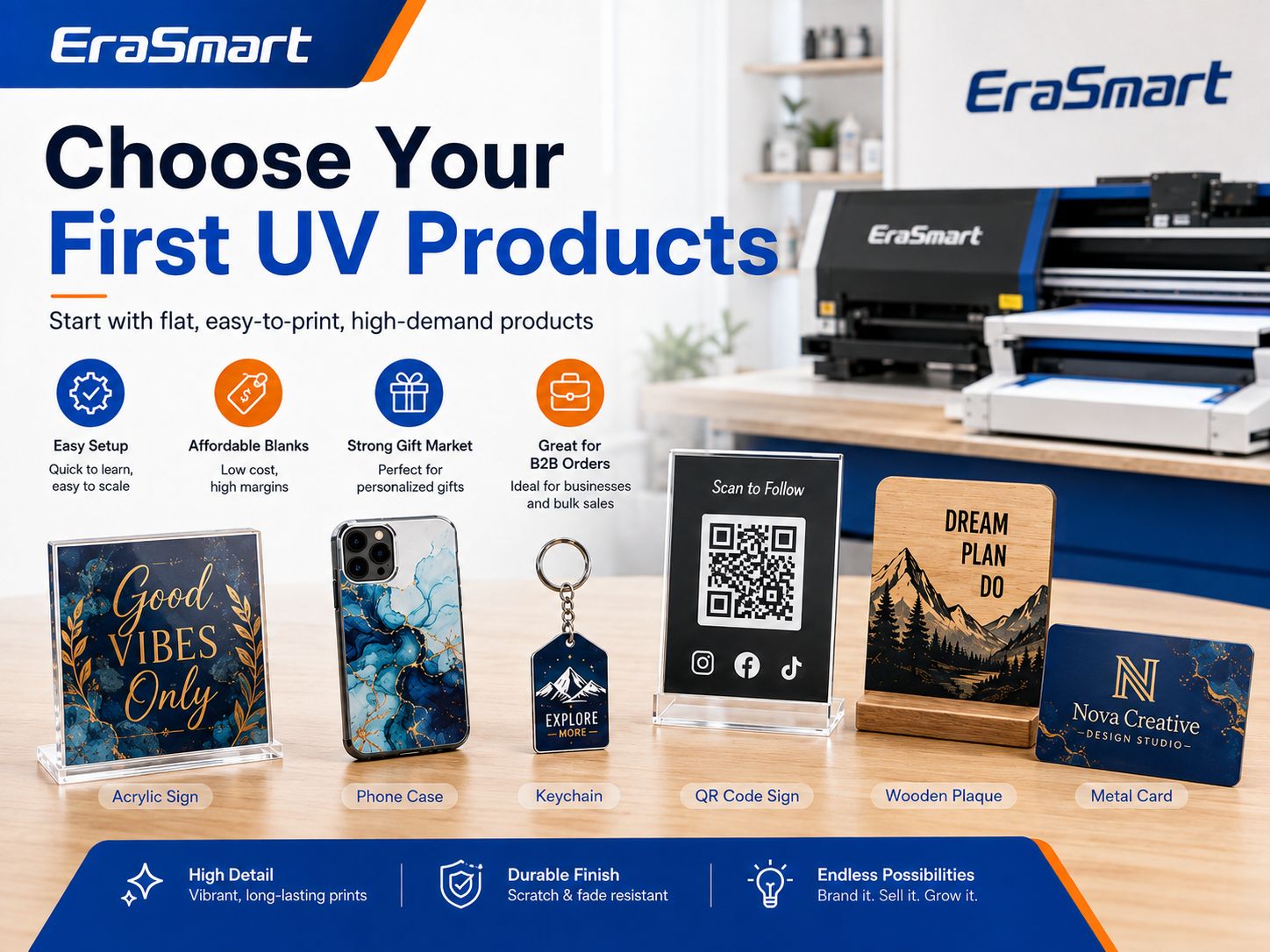
Step 4: Choose Your First UV-Printed Products

A beginner should favor products that are:

  • Departamento
  • Fácil de colocar
  • Affordable if a print fails
  • Easy to photograph
  • Easy to package
  • Frequently personalized
  • Available from consistent suppliers

Good beginner products include:

ProductoDifficultyPor qué funciona
Acrylic keychainsBajoCheap blanks and easy batch jigs
Cajas del teléfonoLow-MediumStrong personalization demand
Acrylic desk signsBajoFlat surface and high perceived value
Visualizaciones de códigos QRBajoGood local B2B product
Tarjetas metálicasLow-MediumPremium appearance
Wood plaquesMedioStrong gift market
Premios acrílicosMedioHigher selling value
Muestras de embalajeMedioB2B opportunity
Regalos promocionalesMedioPotencial de repetición de orden
Large acrylic signsMedium-HighHigher order value but larger equipment

Para obtener más inspiración sobre productos, consulte Things to Print with a UV Printer.

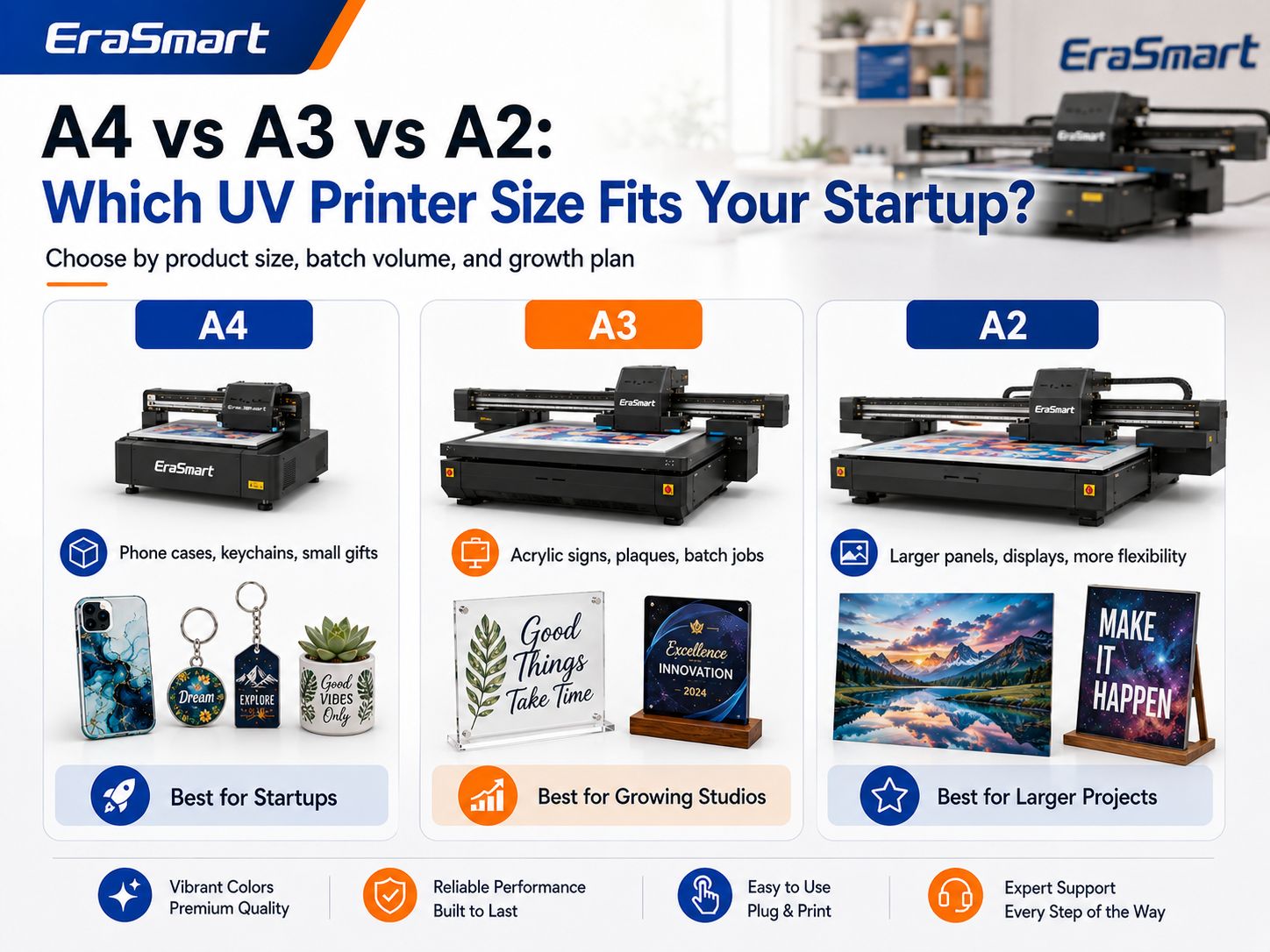
Step 5: Choose the Right UV Printer Size

Do not automatically buy the largest machine.

Match the print area to your main products.

EraSmart’s current UV printer selection framework separates compact A5/A4 systems from broader A3 production and larger A2 applications based on product size and business scale.

Impresora UV A5

Best suited to:

  • Samples
  • Llaveros pequeños
  • Small accessories
  • Compact gifts
  • Testing product ideas

Ventajas:

  • Smaller workspace
  • Lower entry complexity
  • Good for testing products

Limitation:

  • Small platform restricts future product size.

Impresora UV A4

Adecuado para:

  • Cajas del teléfono
  • Placas acrílicas
  • Keychains
  • Small signs
  • Gift products
  • Muestras de productos

An A4 UV printer can be a practical starting point for a small personalization studio focused on relatively compact products.

Impresora UV A3

Adecuado para:

  • Letreros acrílicos
  • Multiple phone cases
  • Larger plaques
  • Small panels
  • Accesorios por lotes
  • Broader gift-product ranges

A larger platform can also hold several small products in one jig.

This is useful when your business moves from one-piece personalization to repeated small-batch production.

Impresora UV A2

Adecuado para:

  • Larger acrylic signs
  • Wall panels
  • Larger boards
  • Commercial display products
  • Multiple products per batch

A2 equipment requires more workspace and makes the most sense when larger products or stable production volume justify the additional platform size.

Quick UV Printer Size Guide

Tamaño de la impresoraBest Starting ProductsTypical Business Stage
A5Samples, tiny gifts, accessoriesPruebas
A4Phone cases, keychains, plaquesStartup
A3Acrylic signs, gifts, batch jobsGrowing studio
A2Panels, signs, commercial productionEstablished production

The correct question is not:

What is the biggest printer I can afford?

Ask:

What printer can produce my main products repeatedly with enough room to grow?

Utilice el Lista de verificación de compra de impresoras UV antes de comparar máquinas.

Step 6: Decide Whether You Need White Ink

For most serious customization businesses, white ink is highly useful.

CMYK ink is not fully opaque.

White ink can create a base beneath color when printing on:

  • Acrílico transparente
  • Black plastic
  • Dark phone cases
  • Materiales de colores
  • Vidrio
  • madera oscura
  • Metal

Without a white base, the color of the product can influence the artwork.

White ink can also be used for:

  • Standalone white text
  • Logotipos blancos
  • Reverse acrylic printing
  • Efectos multicapa

However, white ink adds:

  • Consumo de tinta
  • Mantenimiento
  • tiempo de impresión
  • Workflow complexity

White pigment also requires appropriate circulation, agitation and maintenance. EraSmart’s printer-selection guidance specifically identifies white-ink maintenance as a major factor in long-term machine stability.

Step 7: Decide Whether You Need Varnish

Varnish is a clear UV-curable ink.

Puede crear:

  • Brillo puntual
  • Logotipos en relieve
  • Textures
  • Destacados decorativos
  • Estampado simulado
  • Premium product effects

Varnish can increase perceived value, especially for:

  • Acrílico
  • Cajas del teléfono
  • Premios
  • Embalaje
  • Premium gifts

But varnish is not mandatory.

A startup selling basic QR code signs may not need the same configuration as a studio selling luxury decorative phone cases.

See the Guía de tinta UV when deciding between CMYK, white and varnish configurations.

Step 8: Check Maximum Product Height

Print area receives a lot of attention, but object height can be equally important.

Consider products such as:

  • Cajas de regalo
  • Thick acrylic blocks
  • Carcasas de productos
  • Phone cases in fixtures
  • Wooden boxes
  • Assembled promotional products

The total height includes:

Product + Jig + Support Platform

A printer may have enough width and length for the product but still be unable to print it safely if the object is too tall.

Confirmar:

  • Maximum printable height
  • Height-detection method
  • Espacio libre del cabezal de impresión
  • Fixture thickness

before purchasing.

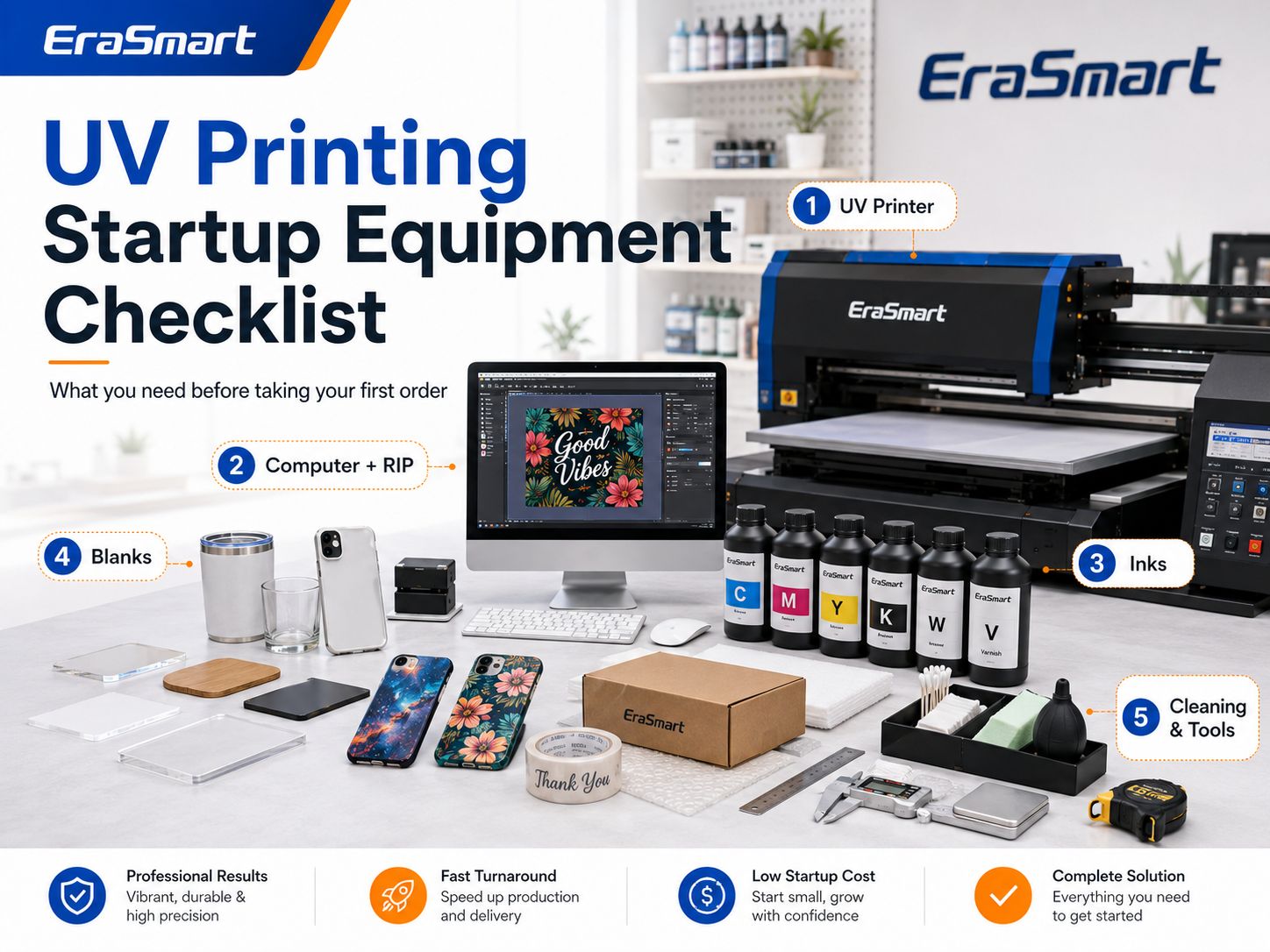
Step 9: Plan Your Startup Equipment

A UV printing business needs more than the printer.

Equipo esencial

  • impresora ultravioleta
  • Computadora
  • Software
  • software de diseño
  • Mesa de trabajo estable
  • herramientas de limpieza
  • Product alignment tools

Recommended Production Tools

  • Digital caliper
  • Positioning rulers
  • Custom jigs
  • Anti-static cleaning tools
  • Paños sin pelusa
  • guantes de nitrilo
  • Product storage bins
  • Packing table

Optional Equipment

Depending on your product range:

  • Rotary attachment
  • Laser engraver
  • Cutting machine
  • Impresora UV DTF
  • Laminator
  • Iluminación de fotografía
  • Impresora de etiquetas

Do not purchase every accessory immediately.

Add equipment when your product catalog actually requires it.

Step 10: Build Your Consumables List

Es posible que necesites:

  • Tinta UV CMYK
  • Tinta UV blanca
  • Barniz
  • Cebador
  • Líquido de limpieza
  • Hisopos de mantenimiento
  • Contenedores de basura
  • Replacement dampers
  • Capping components
  • limpiaparabrisas
  • Acrylic blanks
  • Cajas del teléfono
  • Metal blanks
  • Wood blanks
  • Embalaje

Your consumables should be tested as a complete production system.

A cheap blank that causes poor adhesion or frequent failures may cost more than a higher-quality blank.

Step 11: Set Up Your Workspace

A UV printing business can sometimes operate from a relatively compact studio, but the workspace should still be treated as a production area.

Separate the space into zones.

Printer Zone

Keep it:

  • Limpio
  • Stable
  • Dust controlled
  • Accessible for maintenance

Blank Storage Zone

Organize materials by:

  • Producto
  • Tamaño
  • Supplier
  • Batch

Cleaning and Preparation Zone

Keep product cleaning away from freshly printed items.

Inspection Zone

Use consistent lighting to inspect:

  • Color
  • Polvo
  • Adhesión
  • Surface defects

Packaging Zone

Keep packaging materials clean and away from ink maintenance activities.

Printing inks and cleaning chemicals should be handled according to their safety documentation, and suitable ventilation, work practices and protective equipment should be considered where chemical exposure may occur. NIOSH identifies local exhaust ventilation and appropriate work practices as important controls in printing operations involving chemical vapors.

Always follow the Safety Data Sheet for the exact ink and cleaner you use.

Can You Start a UV Printing Business from Home?

Potentially, yes, if:

  • Local rules allow the business activity.
  • You have enough dedicated workspace.
  • Electrical requirements are met.
  • Ventilation and chemical handling are appropriate.
  • Children and pets cannot access inks or maintenance chemicals.
  • Products can be stored cleanly.
  • Printer noise and workflow are manageable.
  • Shipping and inventory do not overwhelm the space.

A spare bedroom is not automatically an appropriate production area simply because the printer physically fits.

Considerar:

  • Ink handling
  • Mantenimiento
  • ventilación
  • cleaning fluids
  • blank storage
  • packing materials
  • waste handling

before deciding on a home setup.

Step 12: Learn the Basic UV Printing Workflow

A typical direct UV printing workflow is:

  1. Prepare artwork.
  2. Clean the blank.
  3. Position the product.
  4. Set product height.
  5. Ejecute una prueba de inyectores.
  6. Configure CMYK, white and varnish layers.
  7. Print a sample.
  8. Inspect curing and color.
  9. Test adhesion.
  10. Print the production batch.
  11. Inspect each product.
  12. Package the finished order.

los EraSmart UV Printing Workflow Guide provides a more detailed production process.

Step 13: Learn to Build Jigs

Jigs can dramatically improve repeat production.

A jig holds products in fixed positions.

For example, an A3 bed might hold several:

  • Keychains
  • Cajas del teléfono
  • Placas de identificación
  • Tarjetas metálicas

instead of requiring the operator to position every item manually.

Jigs improve:

  • Alineación
  • Velocidad de carga
  • Repetibilidad
  • Batch consistency

They can be created using:

  • Acrílico
  • MDF
  • Foam
  • CNC-cut materials
  • impresión 3D

Save both:

  • The physical jig
  • The matching RIP template

so repeat orders can be reproduced quickly.

Step 14: Calculate Your Real Startup Cost

Do not treat the printer price as the entire startup investment.

The SBA recommends identifying equipment, supplies, inventory, utilities, licenses, insurance, marketing and website costs when estimating a new business’s startup expenses.

For a UV printing business, calculate:

Equipo

  • impresora ultravioleta
  • Computadora
  • Accesorios
  • Worktables
  • Accesorios
  • Storage

Consumibles

  • Tinta
  • Solución limpiadora
  • Cebador
  • espacios en blanco
  • Embalaje

Configuración empresarial

  • Registro
  • Seguro
  • Sitio web
  • Domain
  • Fotografía
  • Contabilidad
  • Marketing

Espacio de trabajo

  • Electrical work
  • Ventilación
  • Estantería
  • Lighting
  • Safety equipment

Reserve

Keep money available for:

  • Impresiones fallidas
  • Damaged blanks
  • Mantenimiento
  • Piezas de repuesto
  • Unexpected shipping
  • Publicidad
  • Downtime

Do not spend the entire startup budget on the printer.

A business with a printer but no working capital may struggle to purchase blanks or acquire customers.

UV Printing Startup Cost Worksheet

Cost CategoryYour Estimated Cost
impresora ultravioleta
Shipping/import/tax
Computadora
RIP/software
Initial ink
Artículos de limpieza
espacios en blanco
Jigs/fixtures
Workspace setup
Embalaje
Sitio web
Fotografía
Marketing
Reserva de mantenimiento
Capital de explotación
Total

Use real supplier quotations instead of copying a generic online startup number.

Step 15: Calculate the Real Cost Per Product

A common beginner mistake is:

Blank cost + ink = product cost.

That is incomplete.

Incluir:

  • Blanco
  • Tinta
  • tinta blanca
  • Barniz
  • Cebador
  • Limpieza
  • tiempo de la máquina
  • Mano de obra
  • Obra de arte
  • Failed-print allowance
  • Embalaje
  • Tarifas de plataforma
  • Tarifas de pago
  • Publicidad
  • Arriba

EraSmart’s existing UV cost guide likewise treats UV printing cost as a combination of blanks, ink coverage, white ink, varnish, labor, maintenance and waste rather than one fixed print price.

Product Cost Formula

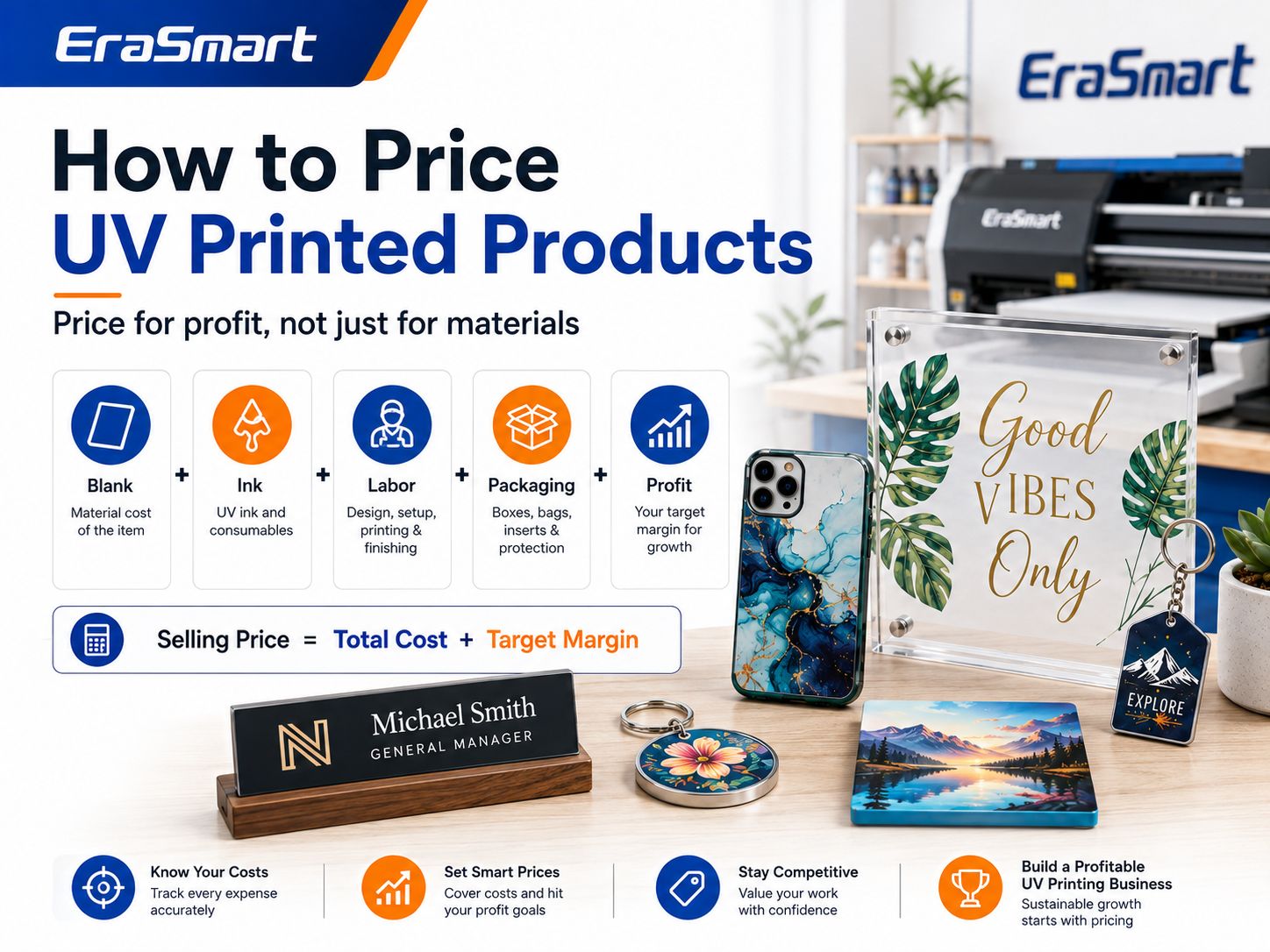
Product Cost = Blank + Printing + Labor + Waste + Packaging + Selling Fees + Allocated Overhead

Then:

Profit = Selling Price − Product Cost

Ejemplo

Suppose a personalized acrylic sign requires:

  • Acrílico en blanco
  • CMYK + white printing
  • Configuración de ilustraciones
  • Printing labor
  • Embalaje

Do not compare the selling price only against the acrylic sheet.

Customer communication and design time may represent a substantial part of a one-piece custom order.

Step 16: Set Your Pricing Structure

Avoid one universal markup.

Different orders require different amounts of work.

One-Piece Custom Price

Higher per-unit price because you must absorb:

  • Comunicación con el cliente
  • Obra de arte
  • Configuración
  • Impresión
  • Inspection
  • Embalaje

for one product.

Small-Batch Price

Use quantity discounts when batch production genuinely reduces:

  • Setup time per item
  • Loading time
  • Artwork work
  • tiempo de embalaje

Wholesale Price

Trade customers expect lower prices, but the order should still cover all variable costs and provide enough contribution toward overhead.

Design Fee

Charge separately for:

  • Eliminación de fondo
  • Seguimiento del logotipo
  • edición de fotos
  • Ilustración personalizada
  • Complex layout
  • Excessive revisions

Rush Fee

Urgent jobs may interrupt other production.

Charge for that inconvenience.

Step 17: Calculate Break-Even

Do not evaluate a printer only by:

How much does it cost?

Evaluar:

How many profitable products must I sell to recover the investment?

The standard break-even formula is:

Break-Even Units = Fixed Costs ÷ (Selling Price − Variable Cost per Unit)

The SBA defines break-even as the point where total revenue equals total costs and recommends using the calculation to evaluate financial risk.

For a UV printer, your fixed investment may include:

  • Impresora
  • Initial accessories
  • Workspace setup

Variable costs include:

  • Blanco
  • Tinta
  • Mano de obra
  • Embalaje
  • Tarifas de venta

You can model these variables using the EraSmart UV Printer ROI Calculator, which accounts for blanks, ink, varnish, labor, packaging, reject rate and monthly overhead.

Step 18: Track Profit per Production Hour

Two products can have the same profit margin but very different business value.

Ejemplo:

Product A

Profit: $10
Production time: 5 minutes

Product B

Profit: $20
Production time: 40 minutes

Product B makes more profit per unit.

Product A may make more profit per machine hour.

Pista:

Profit per machine hour

and:

Profit per operator hour

These metrics reveal which products deserve more marketing.

Step 19: Create a Small Launch Catalog

Do not begin with 100 products.

Start with five to ten.

A practical catalog might include:

Product 1

Custom phone case

Product 2

Acrylic QR code sign

Product 3

Personalized acrylic photo plaque

Product 4

Business desk sign

Product 5

Custom keychain

Product 6

Wedding table sign

Product 7

Logo plaque

Each product should have:

  • Clear photographs
  • Tamaño
  • Material
  • Opciones de personalización
  • tiempo de producción
  • Price
  • Requisitos de arte

Once orders arrive, remove weak products and expand strong categories.

Step 20: Build Product Bundles

Bundles can increase average order value.

Café Branding Kit

  • QR code sign
  • Opening-hours sign
  • Señales de mesa
  • Placas de identificación del personal

Wedding Acrylic Kit

  • cartel de bienvenida
  • Números de mesa
  • Señales de menú
  • Etiquetas de nombre

Business Office Kit

  • Reception sign
  • Logo plaque
  • Placas de escritorio
  • Premios

Creator Starter Kit

  • Custom product samples
  • Logo plaque
  • Branded packaging prototype

Bundles sell an outcome rather than individual printed pieces.

Step 21: Find Local B2B Customers

Local business outreach can be particularly useful during the launch stage.

Choose one industry.

Por ejemplo:

Ferias

Create samples:

  • QR review sign
  • Price-list display
  • Logo plaque
  • Staff nameplate

Then approach local salons with those specific examples.

Do not say:

We offer UV printing.

Say:

We produce low-minimum custom acrylic signs, QR displays and branded desk products for salons.

The second offer describes a customer solution.

Step 22: Sell Online

Online channels may include:

  • Your own WooCommerce store
  • comprar
  • Etsy
  • Amazon hecho a mano
  • Social media

An independent website is particularly useful long term because you can build:

  • SEO traffic
  • Email lists
  • B2B landing pages
  • Product collections
  • Custom quote forms

Instead of one page called “UV Printing,” build pages around products and customers.

Ejemplos:

  • Custom Acrylic Signs
  • Personalized Phone Cases
  • Wedding Acrylic Signs
  • Custom QR Code Signs
  • Corporate Awards
  • Custom Metal Cards

These pages match real buying intentions.

Step 23: Use Social Media to Show the Process

UV printing produces visually interesting content.

El contenido útil incluye:

  • Blank product → finished product
  • Impresión en tinta blanca
  • Varnish close-ups
  • Impresión inversa acrílica
  • Nombres personalizados
  • Accesorios por lotes
  • Product peeling or unpacking
  • Customer orders
  • Embalaje
  • Maintenance tips

Do not make every post a machine advertisement.

Show what customers can create with the machine.

Step 24: Build Repeat Business

Repeat customers are especially valuable because the initial setup has already been completed.

For every repeat client, save:

  • Obra de arte
  • Modelo de producto
  • Supplier
  • Material
  • Plantilla
  • Posición de impresión
  • Densidad blanca
  • Varnish settings
  • RIP preset
  • Requisitos de embalaje

Then the next order becomes easier and faster.

Step 25: Maintain the UV Printer

UV printers require routine maintenance.

Important areas include:

  • Comprobaciones de boquillas
  • Limpieza del cabezal de impresión
  • Estación de taponado
  • limpiaparabrisas
  • Circulación de tinta blanca
  • Tinta de desecho
  • Platform cleaning
  • Environmental conditions

White ink deserves particular attention because the heavier pigment can settle. EraSmart recommends evaluating white-ink circulation, capping, nozzle cleaning and idle protection when choosing a machine.

Lea el UV Printer Maintenance Guide before planning the operating schedule.

Step 26: Create a Quality-Control Checklist

Before packaging every product, check:

  • Correct customer
  • Obra correcta
  • ortografía correcta
  • Orientación correcta
  • Correct product
  • Posición de impresión
  • Color
  • Opacidad blanca
  • Barniz
  • Polvo
  • Adhesión
  • Arañazos
  • Embalaje

Do not allow “small custom order” to mean “no quality control.”

One defective personalized product may be impossible to resell.

Step 27: Test Every New Material

“Plastic,” “glass,” “wood” and “metal” are broad categories.

Two products that look similar may have different:

  • Coatings
  • Surface energy
  • Textura
  • Protective layers

Before selling a new blank:

  1. Clean it.
  2. Print a sample.
  3. Check curing.
  4. Test adhesion.
  5. Test scratching.
  6. Test real handling.
  7. Save the results.

Lea el Guía de materiales para impresoras UV for a more detailed material-testing framework.

Step 28: Avoid Too Much Inventory

New businesses often get excited and order:

  • 20 phone-case models
  • 10 acrylic sizes
  • 8 wood products
  • 12 keychain styles
  • Multiple metal blanks

before receiving orders.

This ties up cash.

Start with small quantities.

Stock more only when:

  • A product sells consistently.
  • Supplier lead times justify inventory.
  • Bulk purchasing provides meaningful savings.
  • You understand the failure rate.

Step 29: Decide When to Add UV DTF

Direct UV printing is excellent for:

  • Flat products
  • Acrílico
  • Plaques
  • Panels
  • Cajas del teléfono
  • Rigid gifts

UV DTF becomes useful when customers request:

  • botellas
  • Vasos
  • Productos curvos
  • Irregular surfaces
  • Transfer sheets
  • Envolturas de copas

Do not assume one technology must replace the other.

A growing studio may eventually use:

UV Flatbed → Direct products

UV DTF → Curved products and transfers

Step 30: Decide When to Upgrade Your UV Printer

Upgrade when your current equipment creates a real bottleneck.

Signals include:

  • Orders no longer fit the print area.
  • You regularly turn down larger products.
  • Batch capacity is too small.
  • Delivery times become too long.
  • Customers request products outside your current height range.
  • Outsourcing becomes expensive.
  • A larger printer would clearly improve profit per hour.

Do not upgrade simply because a larger printer exists.

EraSmart’s current buying framework recommends matching equipment to product type, print area, object height, order volume, workflow and ROI rather than purchase price or maximum size alone.

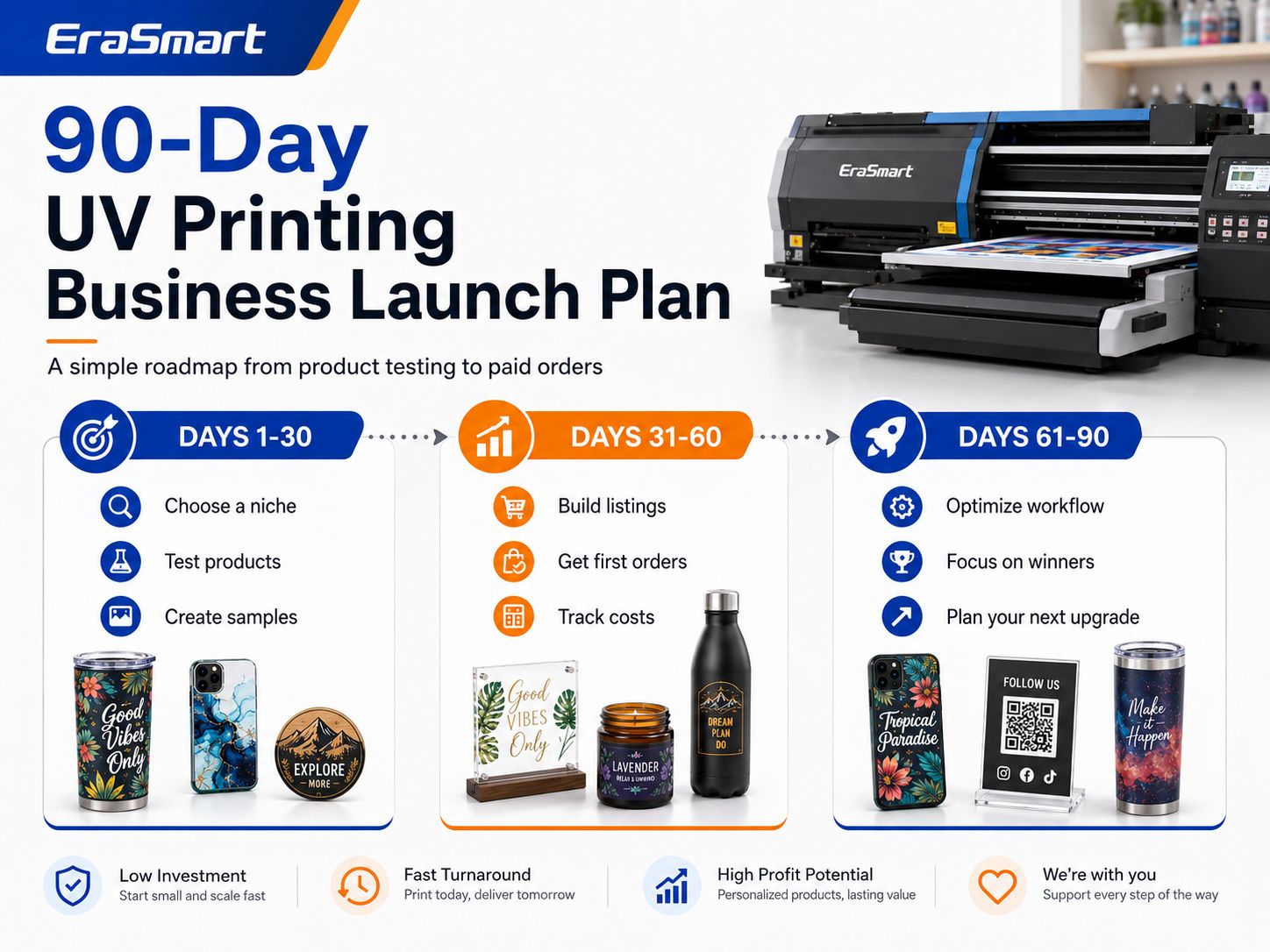
A Practical 90-Day UV Printing Business Launch Plan

Days 1–15: Choose the Market

Completo:

  • Select one customer niche.
  • Research competing products.
  • Identify five potential products.
  • Interview potential buyers.
  • Compare blank suppliers.
  • Define your target selling price.

Goal:

Know what you intend to sell before buying equipment.

Days 16–30: Choose Equipment and Produce Samples

Completo:

  • Compare UV printer sizes.
  • Confirm product height.
  • Confirm white ink requirements.
  • Decide whether varnish is necessary.
  • Order sample blanks.
  • Produce test prints.
  • Test adhesion.
  • Create basic jigs.

Goal:

Produce five professional samples.

Days 31–45: Build the Sales System

Completo:

  • Registrar el negocio cuando sea necesario.
  • Set up payment methods.
  • Build a website or sales page.
  • Photograph products.
  • Create pricing.
  • Redactar políticas de clientes.
  • Prepare packaging.

Goal:

Be ready to accept paid orders.

Days 46–60: Get the First Customers

Completo:

  • Póngase en contacto con empresas locales.
  • Publicar contenido del producto.
  • Launch several product pages.
  • Post production videos.
  • Attend a local event if relevant.
  • Collect customer feedback.

Goal:

Get real paid orders, not just engagement.

Days 61–75: Measure Production

Pista:

  • Valor medio del pedido
  • Costo de materiales
  • tiempo de impresión
  • tiempo de trabajo
  • Impresiones fallidas
  • tiempo de embalaje
  • Preguntas del cliente

Goal:

Understand the actual economics of each product.

Days 76–90: Focus and Scale

Identify:

  • Best-selling product
  • Highest-profit product
  • Easiest product to produce
  • Strongest customer niche
  • Clientes habituales
  • Cuellos de botella en la producción

Then decide whether to:

  • Increase blank inventory
  • Create more jigs
  • Add product sizes
  • Increase local outreach
  • Add UV DTF
  • Upgrade the printer
  • Add another machine

Goal:

Scale what customers have already proven they want.

90-Day Roadmap Summary

PeriodPrioridadTarget Result
Days 1–15ResearchClear niche
Days 16–30Equipment + samplesFive tested products
Days 31–45Sales setupReady to sell
Days 46–60Adquisición de clientesPrimeros pedidos pagados
Days 61–75Cost trackingReal margin data
Days 76–90OptimizationFocused growth plan

Common UV Printing Business Mistakes

Buying the Printer Before Choosing Products

Start with the customer and product.

Then choose the equipment.

Buying the Largest Printer Possible

A large bed does not automatically generate larger profit.

Unused capacity still costs money and space.

Ofreciendo demasiados productos

A large catalog creates more:

  • Inventario
  • Jigs
  • Pruebas
  • Fotografía
  • Embalaje
  • Atención al cliente

Start focused.

Ignorar el mantenimiento de la tinta blanca

White ink expands your product range but also requires consistent care.

Printing Untested Materials

A product can look beautiful immediately after printing and still fail an adhesion test.

Compitiendo sólo en precio

A small customization studio cannot always beat mass-production factories on price.

Compete on:

  • Personalización
  • Velocidad
  • Small quantities
  • Local service
  • Diseño
  • Acabado de primera calidad

Ignorar el trabajo artístico

Editing a bad logo can take longer than printing the product.

Charge for design.

Ignoring Failed Prints

A failed $1 blank and a failed $40 acrylic award are not the same risk.

Include waste in pricing.

Making Unsupported Durability Claims

Do not promise:

  • Waterproof
  • Outdoor lifetime
  • Dishwasher safe
  • Food safe
  • Medical safe
  • Scratch proof

unless the exact ink and product system has been tested and supports the claim.

Buying Inventory Before Testing Demand

Cash trapped in unsold blanks cannot pay for advertising, ink or maintenance.

Orden de compra de equipo recomendado

Una secuencia de inicio práctica es:

Priority 1 — Buy First

  • Suitable UV printer
  • Computadora
  • Software
  • Initial ink
  • Artículos de limpieza
  • Core blanks
  • Basic jigs
  • Embalaje

Priority 2 — Add After First Orders

  • More professional jigs
  • Better photography setup
  • Impresora de etiquetas
  • Almacenamiento adicional
  • Más inventario en blanco

Priority 3 — Add When Demand Requires It

  • Rotary equipment
  • Laser equipment
  • Impresora UV DTF
  • Larger UV printer
  • Second production printer

Do not buy Stage 3 equipment to solve a problem that does not exist yet.

Which EraSmart UV Printer Direction Fits Your Business?

EraSmart currently offers several UV printer sizes for different business stages.

Small Samples and Compact Products

Consider an A5 UV printer if the business focuses on:

  • Samples
  • Small gifts
  • Compact accessories

Home Studio or Small Customization Business

Consider an Impresora UV A4 for:

  • Cajas del teléfono
  • Keychains
  • Small acrylic
  • Gift products
  • Personalized products

Growing Small Business

Consider an A3-class UV printer for:

  • Letreros acrílicos
  • Multiple-product jigs
  • Broader product catalogs
  • Producción en lotes pequeños

Larger Commercial Products

Consider an A2 UV printer for:

  • Señales más grandes
  • Boards
  • Panels
  • Higher production flexibility

Explore the complete EraSmart UV Printer range after defining your target products, maximum size and expected daily orders.

Pensamientos finales

Starting a UV printing business is not primarily about buying a printer.

It is about building a profitable product system.

A smart startup process looks like this:

Elige un nicho

Select 3–5 products

Validate customer demand

Choose the right UV printer

Test materials

Calculate real cost

Create professional samples

Get paid orders

Standardize production

Construya clientes recurrentes

Scale equipment

Your first UV printer should fit the business you can realistically build today while leaving enough room for the products you are likely to add next.

For many small studios, that may mean starting with a compact A4 or A3-class printer rather than immediately purchasing a large commercial system. EraSmart’s buying checklist emphasizes the same principle: choose according to product fit, material height, ink configuration, daily workflow, support and realistic ROI.

Before purchasing, use these EraSmart resources:

Then compare the EraSmart UV Printer range according to your product size, materials and production plan.

The goal is not to own the biggest machine.

The goal is to build a UV printing workflow that can repeatedly turn blanks into products customers are willing to buy.

Preguntas frecuentes

Is a UV printing business profitable?

It can be profitable when product prices cover blanks, ink, labor, failed prints, packaging, marketing, maintenance and overhead. Profitability depends more on product demand and production efficiency than on the printer alone.

How much does it cost to start a UV printing business?

There is no universal startup cost. Your budget depends on printer size, ink configuration, shipping, workspace, blanks, accessories, software, marketing and working capital. Calculate using real supplier quotations.

Can I start a UV printing business from home?

Potentially, provided local regulations, electrical capacity, ventilation, chemical handling, workspace and storage requirements can be met safely.

What is the best UV printer size for a beginner?

A5 or A4 can work for compact products and testing. A3 provides more flexibility for acrylic signs, batch fixtures and a broader product range. Choose according to actual products rather than size alone.

What products should a beginner start with?

Good starting options include phone cases, acrylic signs, QR code displays, keychains, nameplates and other relatively flat products that are easy to fixture and inexpensive to test.

¿Necesito tinta blanca?

White ink is highly useful for transparent, dark and colored products. It creates an opaque base beneath CMYK and also allows visible white graphics.

¿Necesito barniz?

Not necessarily. Varnish is valuable for premium spot-gloss and raised effects but increases production time and maintenance.

What software does a UV printing business need?

You normally need design software plus RIP software. RIP software manages print positioning, color, white ink, varnish and layer order.

Do UV printers need daily maintenance?

Maintenance requirements vary by machine, but nozzle checks, white-ink management, cleaning and capping-system care are important parts of stable operation.

Can a UV printer print on any material?

No. UV printers support many materials, but adhesion depends on the exact surface, coating, cleaning process, ink and curing. Test every new blank.

Should I start with B2C or B2B customers?

Either can work. B2C offers personalization and retail pricing, while B2B can provide larger or repeat orders. Many small studios eventually use both.

How do I price UV-printed products?

Calculate the blank, ink, labor, artwork, failed-print allowance, packaging, selling fees and overhead before adding your target profit.

How long does it take to recover the cost of a UV printer?

The payback period depends on your total investment, contribution margin and order volume. Use real production numbers rather than assumed revenue. The EraSmart UV Printer ROI Calculator can help model the result.

When should I buy a larger UV printer?

Upgrade when current print area, batch capacity or product height consistently prevents you from accepting profitable orders.

When should I add UV DTF?

Consider UV DTF when curved, irregular or transfer-based products become an important part of customer demand.

What is the biggest mistake when starting a UV printing business?

Buying equipment before understanding what customers will buy. Define the products and market first, then choose equipment that supports that business model.


Puede ser como tú también

  • Impresora EraSmart

    impresora uv
    Impresora DTF
    Impresora DTG
    Máquina de prensa de calor
    Impresora publicitaria

  • Herramientas de impresora

    Horno DTF
    Revista de actualidad
    Máquina de tallado
    Taza de transferencia de calor
    Maquina laminadora

  • Consumibles

    Tinta de impresión
    Estuche para celular
    Producto de vidrio
    Líquido de limpieza
    Bastoncillo de algodón

  • Contáctenos

    WhatsApp: +8618566233796
    WeChat: +8618566233796
    Móvil: +8618566233796
    Web:www.erasmart.com
    Comercio:www.erasmartmall.com

  • ¿Necesita precio de impresora?

    Cuéntanos tus necesidades de impresión. Nuestro equipo responderá dentro de las 24 horas.

    Solicitar una cotización

    ¡Solo proporcione algunos detalles y lo ayudaremos a obtener cotizaciones rápidas!