ผู้ผลิตเครื่องพิมพ์อิงค์เจ็ทขนาดเล็ก

How to Make UV DTF Stickers at Home: Step-by-Step Guide
UV DTF stickers are a practical way to add full-color graphics, white ink and decorative varnish effects to many smooth, hard surfaces without printing directly onto the final object.
ขั้นตอนการทำงาน UV DTF ทั่วไปมีลักษณะดังนี้:
Prepare artwork → Print on Film A → UV cure during printing → Laminate with Film B → Trim → Apply to product → Peel carrier
Unlike textile DTF, UV DTF does not use hot-melt powder or a heat press.
Instead, UV-curable ink is printed onto film, cured by UV light, laminated with a transfer film and then applied to compatible hard surfaces.
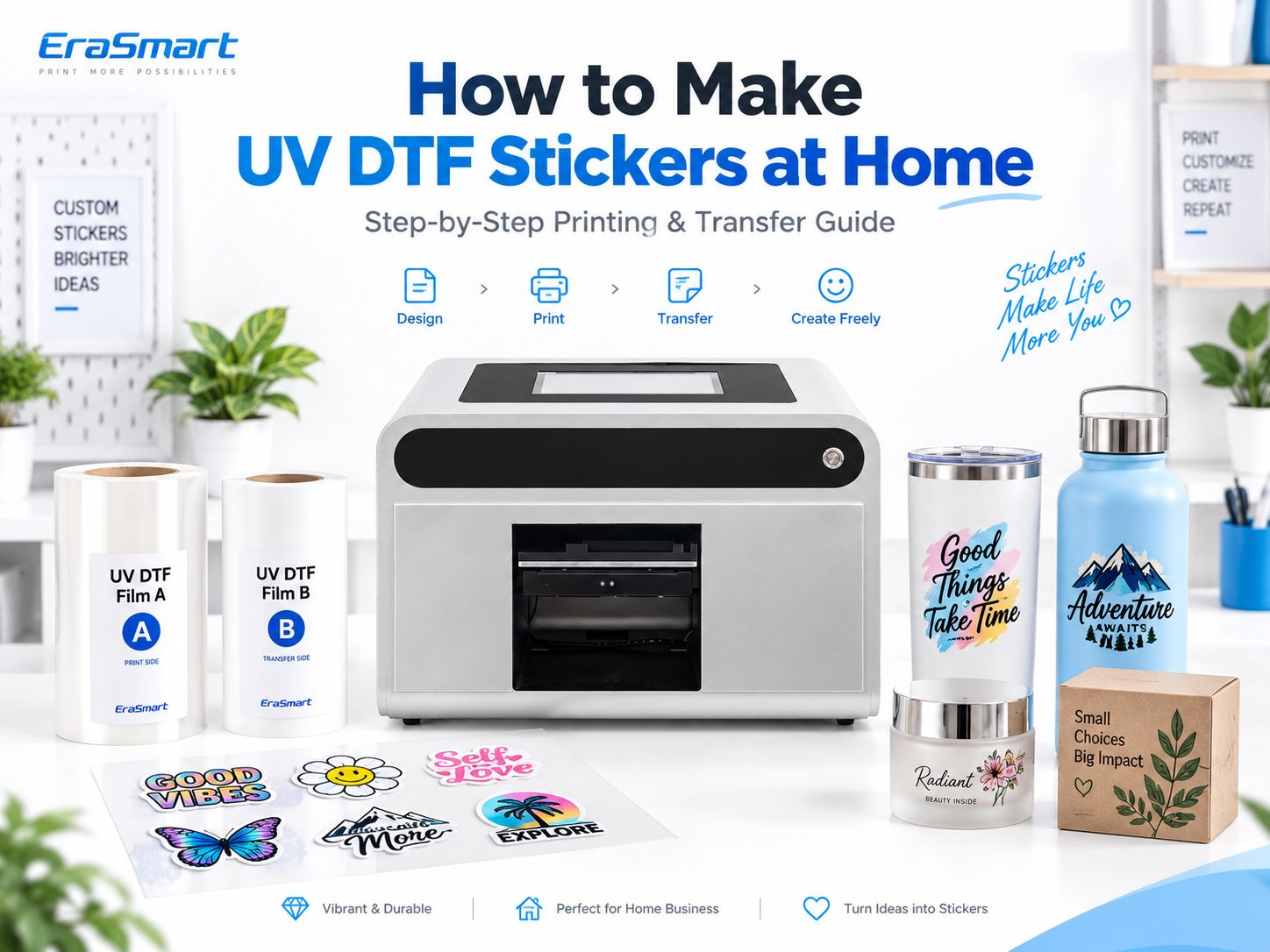
For small businesses, UV DTF can be used to customize products such as:
- ขวด
- แก้วน้ำ
- ไห
- glassware
- อะคริลิก
- metal products
- ceramic items
- ผลิตภัณฑ์พลาสติก
- ไม้เคลือบ
- บรรจุภัณฑ์
- ของขวัญส่งเสริมการขาย
But successful UV DTF production depends on more than simply pressing Print.
Film quality, white ink, varnish, lamination, surface preparation and final adhesion all affect the result.
Quick Answer: How Do You Make UV DTF Stickers?
กระบวนการคือ:
- เตรียมงานศิลปะ.
- Load UV DTF Film A.
- Configure CMYK, white and varnish in RIP software.
- Print onto Film A.
- UV cure the ink during printing.
- Laminate the printed film with Film B.
- Trim the transfer.
- Clean the target product surface.
- Apply the transfer.
- Press and burnish.
- Peel the carrier film slowly.
- Inspect the finished result.
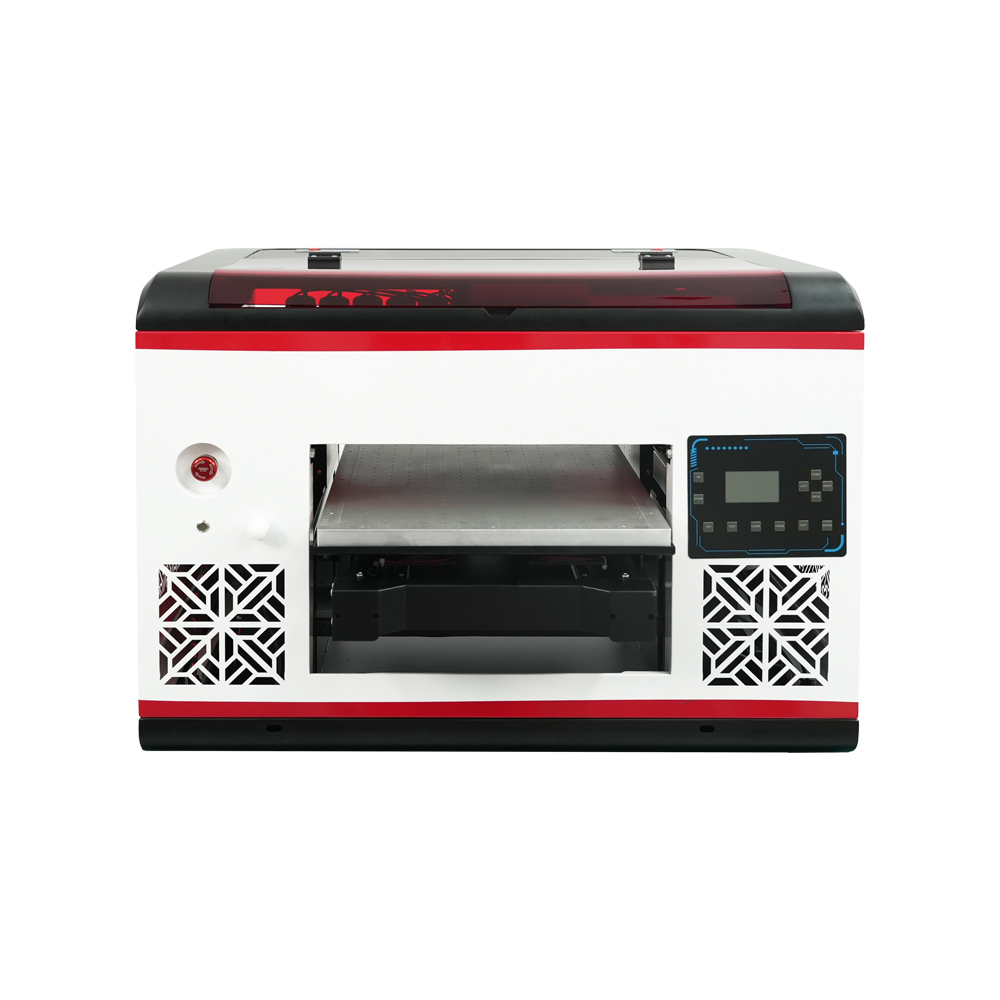
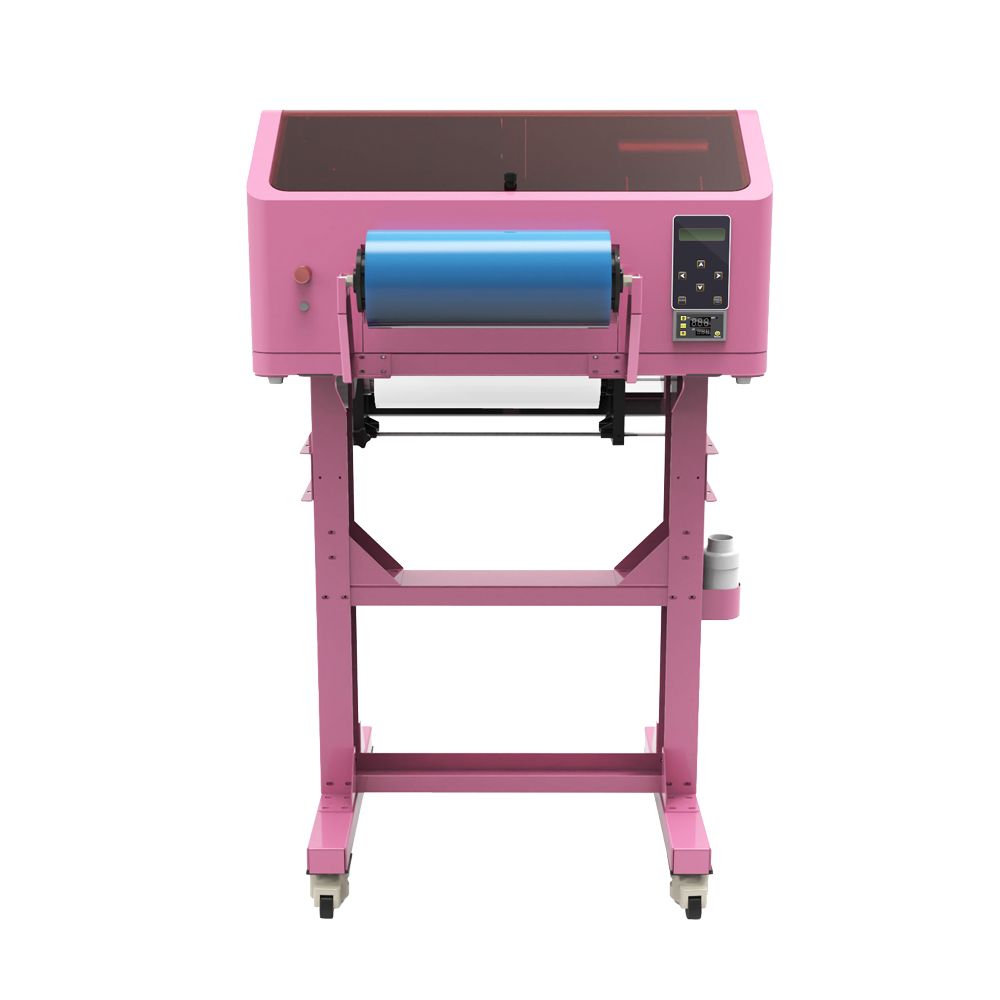
For a production machine designed for this workflow, see the เครื่องพิมพ์ EraSmart UV DTF พิสัย.
What Do You Need to Make UV DTF Stickers?
Before printing, prepare the complete workflow rather than only the printer.
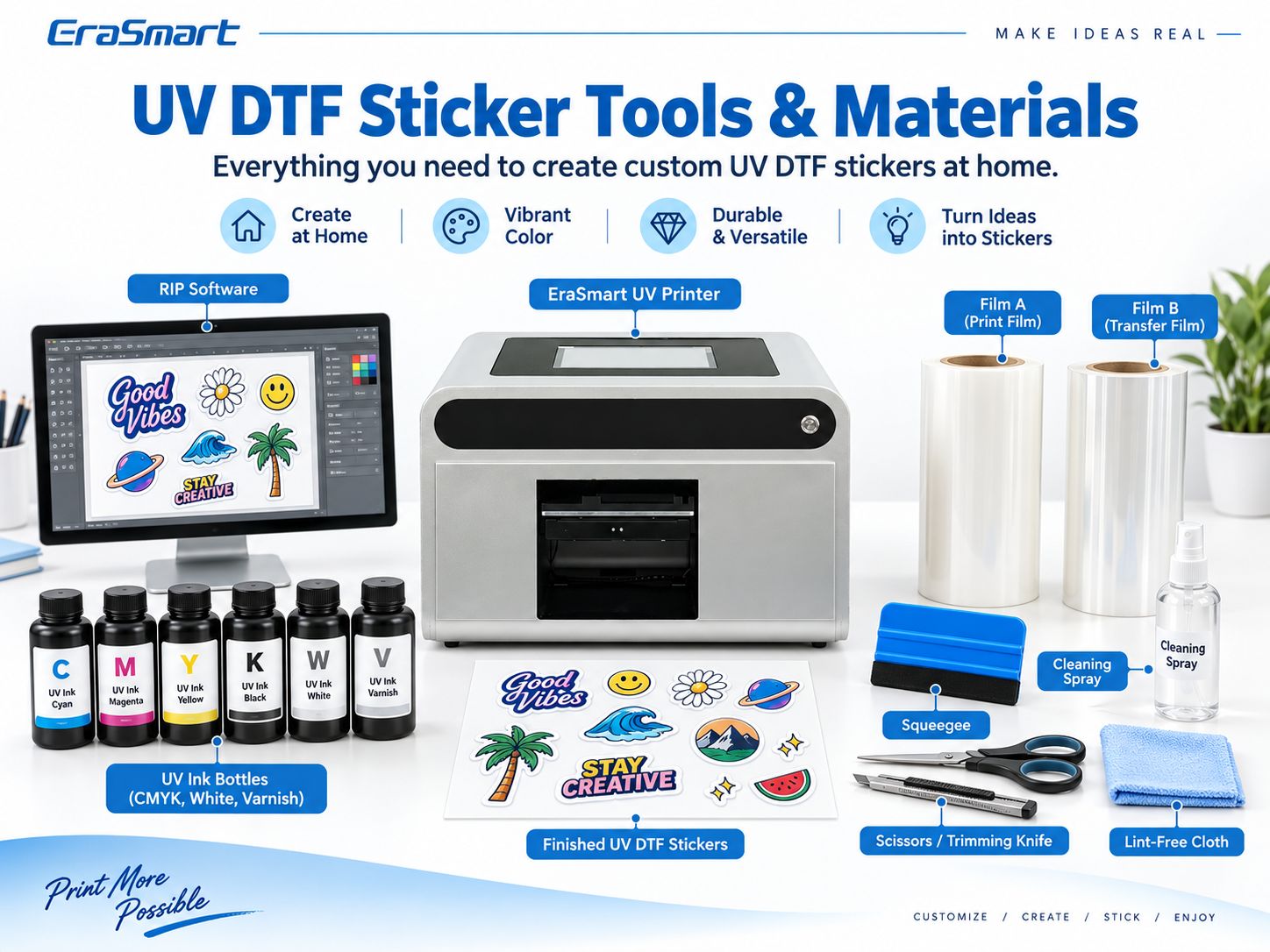
Typical requirements include:
- เครื่องพิมพ์ UV DTF
- หมึกยูวีซีเอ็มวายเค
- หมึกยูวีสีขาว
- วานิช
- ภาพยนตร์ ก
- หนังบี
- ซอฟต์แวร์ RIP
- ระบบเคลือบ
- squeegee or scraper
- trimming tools
- ผ้าไม่เป็นขุย
- suitable cleaning supplies
- test products
เครื่องพิมพ์ UV DTF
A UV DTF printer prints the artwork onto Film A using UV-curable inks.
Depending on the machine configuration, the workflow can include:
- CMYK
- หมึกสีขาว
- วานิช
- การบ่มด้วยรังสียูวี
- integrated or separate lamination
EraSmart offers dedicated เครื่องพิมพ์ยูวี DTF for this type of transfer production.
ภาพยนตร์ ก
Film A is the print film.
The ink layers are printed onto its printable surface.
เก็บไว้:
- ทำความสะอาด
- แบน
- free from fingerprints
- ปราศจากฝุ่น
Contamination can become visible in the finished transfer.
หนังบี
Film B is used during the lamination and transfer process.
After Film A has been printed, Film B is laminated to the printed transfer so the design can later be moved to the final product.
For UV DTF film products, see the EraSmart เอ/บี ฟิล์ม พิสัย.
หมึก UV
The typical ink system includes:
- CMYK
- white
- วานิช
Each layer has a different purpose.
For a deeper explanation of UV-curable inks, see หมึกยูวีคืออะไร?-
ซอฟต์แวร์ RIP
การควบคุมซอฟต์แวร์ RIP:
- ขนาดการพิมพ์
- layer order
- หมึกสีขาว
- วานิช
- โหมดการพิมพ์
- color management
The correct RIP setup is essential because UV DTF is not simply a standard CMYK print job.
Cleaning and Application Tools
อุปกรณ์เสริมที่มีประโยชน์ได้แก่:
- ผ้าไม่เป็นขุย
- scraper
- squeegee
- scissors
- trimming knife
- suitable surface cleaner
A clean application surface is critical.
Step 1: Prepare Your Artwork
Good UV DTF production starts with the file.
Prepare the artwork at the final size you intend to transfer.
Use High-Quality Artwork
For raster images, use sufficient resolution at final size.
Around 300 DPI is a practical starting point for close-view artwork.
For:
- โลโก้
- ข้อความ
- ไอคอน
- รหัส QR
- กราฟิกเส้น
vector artwork is preferable.
Use Transparent Backgrounds Where Appropriate
If the final transfer should contain only the design rather than a rectangular printed background, prepare the artwork accordingly.
Check Small Details
Very thin lines and extremely small text can be difficult to transfer cleanly.
Always test fine artwork physically instead of judging only from the monitor.
Check QR Codes
If the design contains a QR code:
- create the final-size artwork
- print a test
- apply the transfer
- scan the finished product with multiple phones
Do not approve a production run based only on the digital file.
Step 2: Load Film A
Before loading Film A:
- identify the correct printable side
- avoid touching the printable area
- check for dust
- confirm film alignment
- make sure the film tracks correctly
Poor alignment can create:
- skewed printing
- lamination problems
- wasted film
- inconsistent transfer quality
Step 3: Configure CMYK, White and Varnish
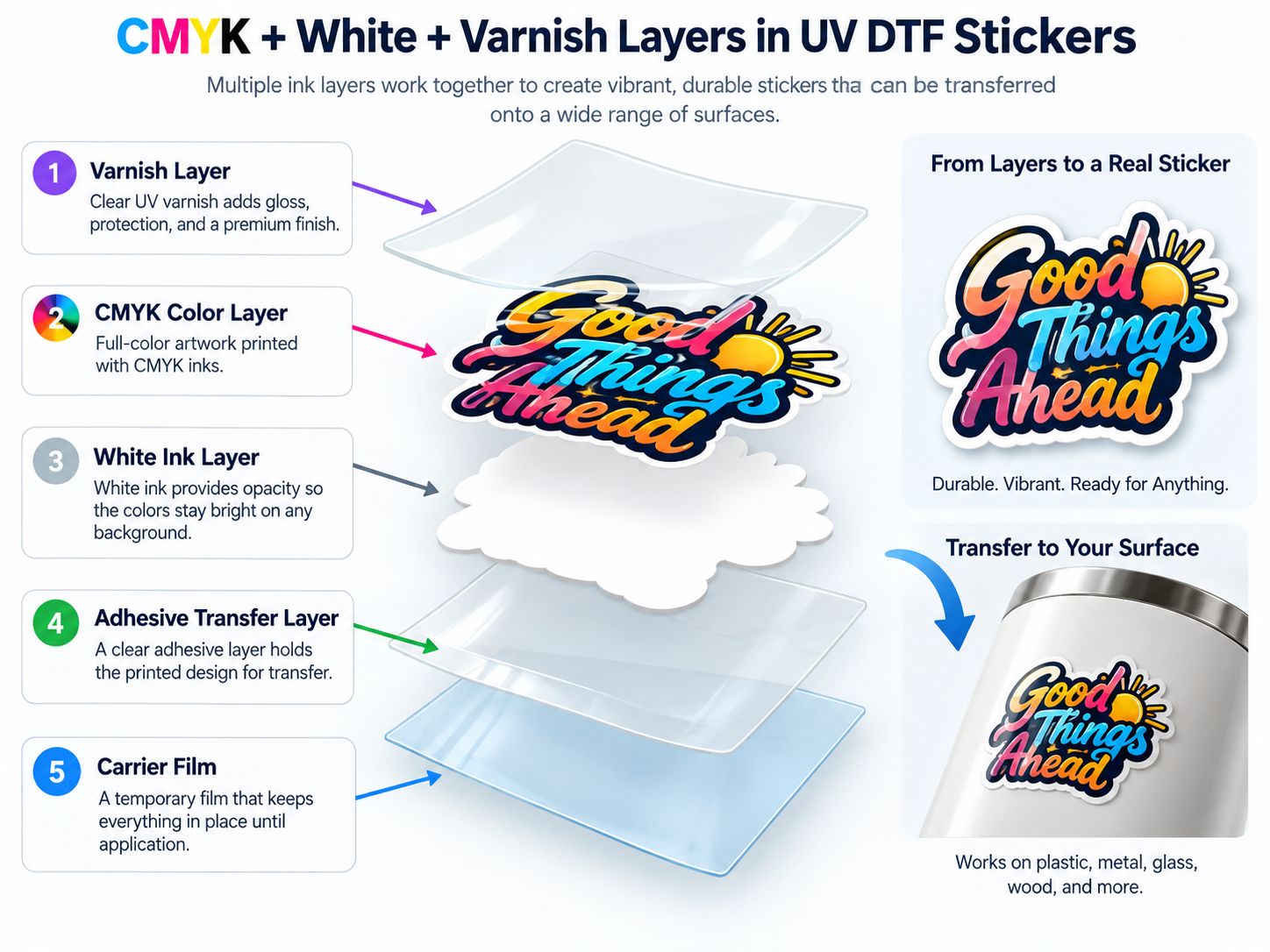
UV DTF stickers are built from multiple functional layers.
CMYK
CMYK creates the full-color artwork.
It controls:
- ภาพถ่าย
- การไล่ระดับสี
- ภาพประกอบ
- โลโก้
- colored text
หมึกขาว
White provides opacity.
This is especially important because the finished transfer may be applied to:
- black
- silver
- colored
- โปร่งใส
products.
Without white backing, the color underneath the transfer can influence the final appearance.
วานิช
วานิชสามารถเพิ่ม:
- ความมันวาว
- tactile effect
- พื้นผิวตกแต่ง
- selected highlights
But varnish should be treated as a design effect, not as a universal industrial protective coating.
For a more detailed explanation, see the EraSmart คู่มือหมึก UV: CMYK, สีขาวและวานิช-
Step 4: Print on Film A and UV Cure the Ink
The printer jets the UV-curable ink onto Film A.
UV light cures the ink as part of the printing process.
This is an important difference from textile DTF.
UV DTF does ไม่ require:
- ผงละลายร้อน
- powder shaker
- curing oven for powder
- garment heat press
The workflow is based on:
UV ink + UV curing + A/B transfer film
Check the Print Before Lamination
ตรวจสอบ:
- สี
- white coverage
- วานิช
- ข้อความที่ดี
- หัวฉีดหายไป
- แถบ
- การจัดตำแหน่ง
- dust contamination
Fix printing issues before continuing.
Lamination will not correct a poor print.
Step 5: Laminate with Film B
After printing, Film B is laminated onto the printed Film A.
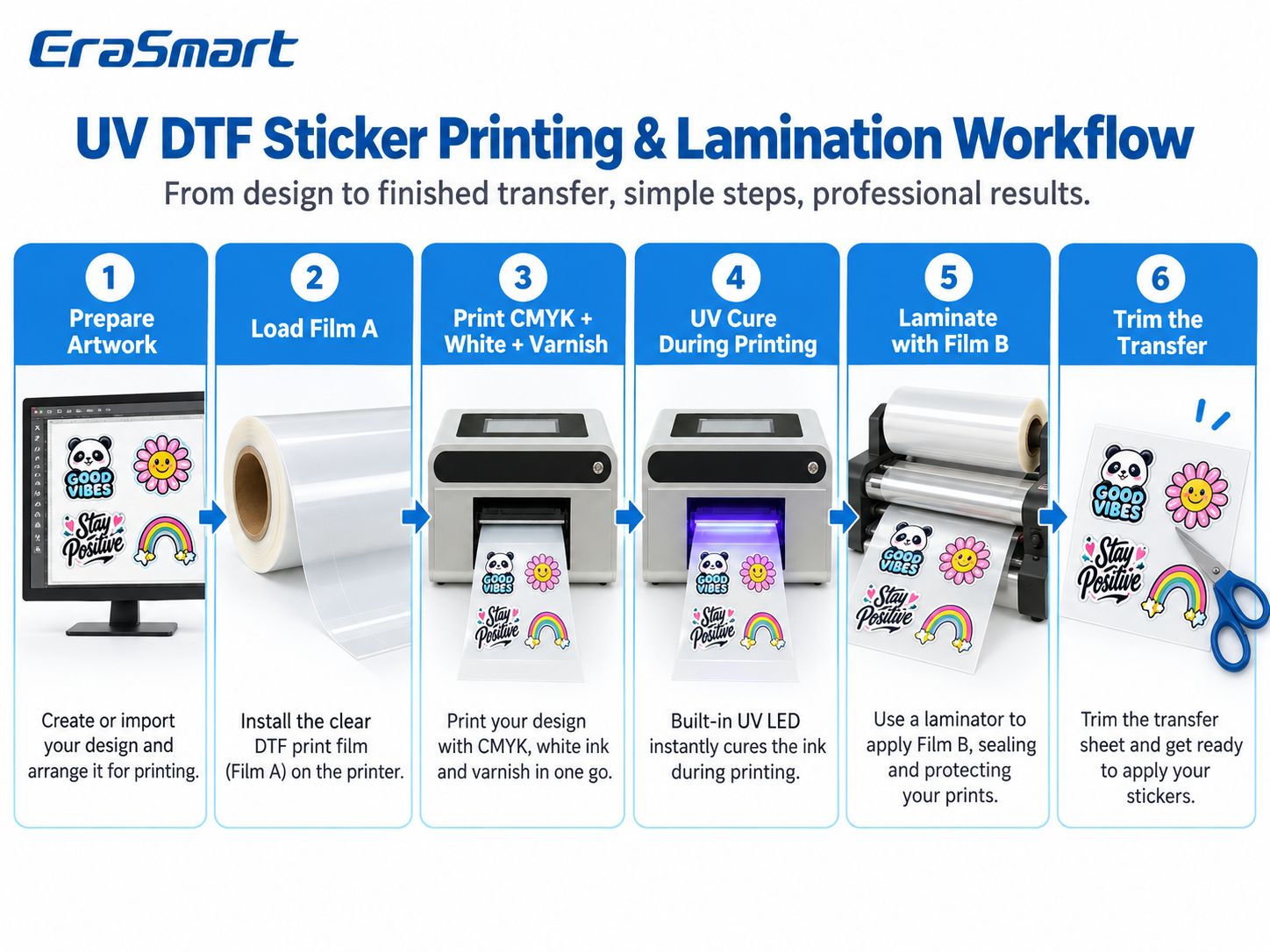
A simplified workflow is:
Artwork → Film A → CMYK/White/Varnish Print → UV Cure → Film B → Lamination → Finished Transfer
Why Lamination Quality Matters
Poor lamination can create:
- bubbles
- wrinkles
- incomplete transfer
- damaged fine details
- การยึดเกาะที่ไม่สอดคล้องกัน
- ของเสีย
Keep the lamination area:
- ทำความสะอาด
- stable
- ปราศจากฝุ่น
Use consistent alignment and pressure according to the machine and film system.
Integrated vs Separate Lamination
Some UV DTF systems integrate printing and lamination into one workflow.
Others may use a separate laminating process.
The principle remains the same:
the printed design must be transferred cleanly between the functional films before application.
Step 6: Trim the Finished UV DTF Transfer
Once laminated, trim the transfer sheet into manageable pieces.
You do not always need the same type of precise contour cutting used for traditional printable vinyl stickers.
That is one practical advantage of many UV DTF transfer workflows.
However, leave enough carrier area around the design to:
- position it accurately
- hold the transfer
- peel the carrier cleanly
Avoid cutting through critical design details.
Step 7: Prepare the Product Surface
Surface preparation is one of the most important steps in the entire workflow.
A perfect UV DTF transfer can still fail if the product surface is unsuitable.
The basic preparation process is:
Clean → Degrease → Dry → Test
Remove Dust
Dust can prevent proper contact between the adhesive layer and the product.
Remove Oil and Fingerprints
This is especially important on:
- กระจก
- โลหะ
- อะคริลิก
- coated plastic
Let the Surface Dry
Do not apply the transfer over:
- ความชื้น
- cleaning fluid
- oily residue
Test the Exact Product
Do not assume that because one bottle works well, every bottle will behave the same.
Coatings and resin types vary.
Step 8: Apply the UV DTF Sticker
The application process should be slow and controlled.
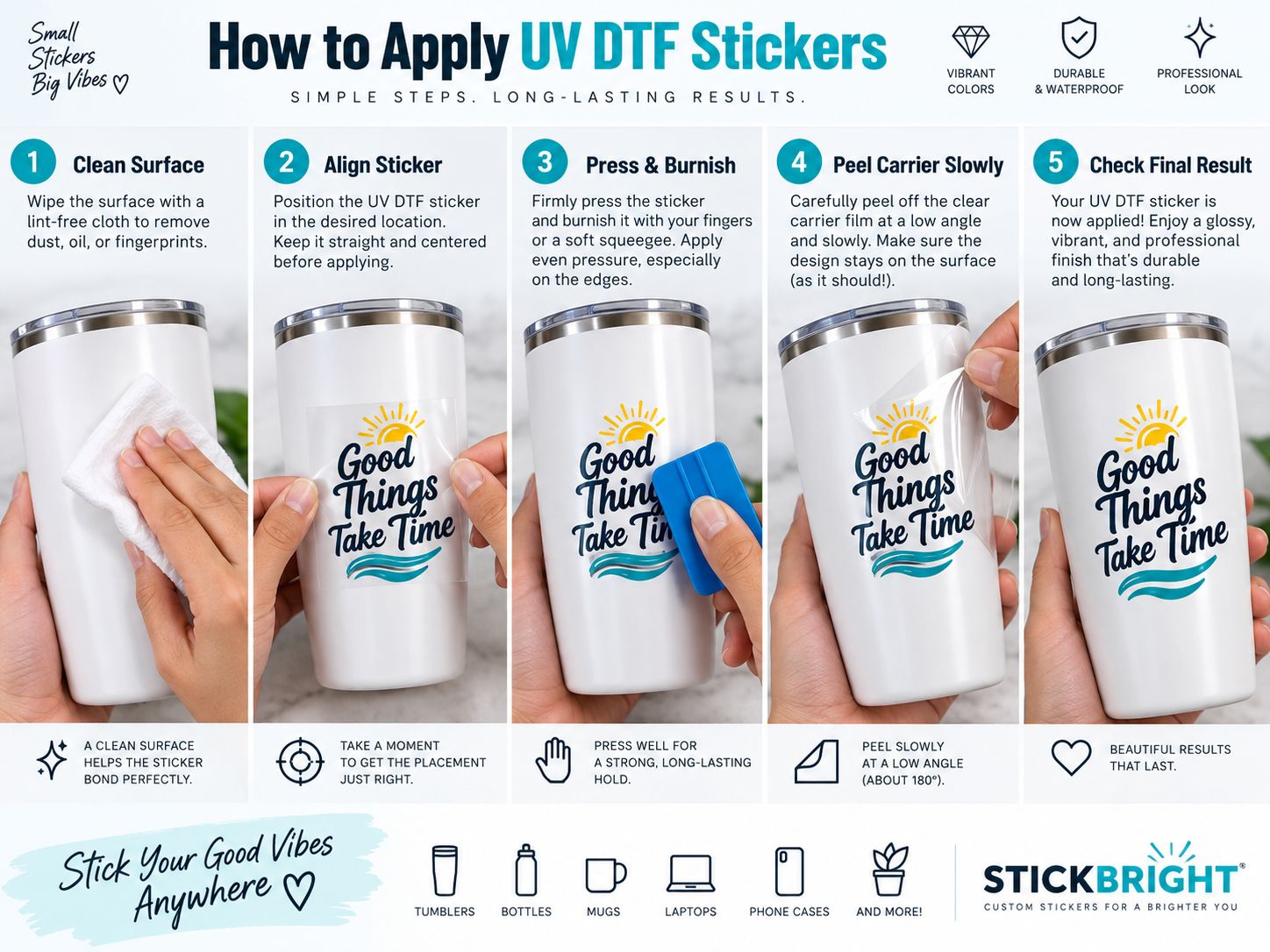
1. Clean the Surface
Make sure it is:
- ทำความสะอาด
- แห้ง
- free from oil
- free from fingerprints
2. Position the Transfer
Before pressing down fully, confirm:
- ปฐมนิเทศ
- การจัดตำแหน่ง
- distance from edges
- visual position
Once the adhesive makes full contact, repositioning may be difficult.
3. Press and Burnish
Press the transfer evenly.
ใช้:
- fingers
- squeegee
- soft scraper
depending on the product.
Work across the entire design, especially:
- corners
- thin lines
- ข้อความขนาดเล็ก
4. Peel Slowly
Peel the carrier film slowly and carefully.
A low peeling angle is often easier for fine details, but the exact technique should follow the film system and transfer behavior.
If part of the design begins lifting:
- stop
- lay the carrier back down
- burnish again
- peel more slowly
5. Inspect the Result
ตรวจสอบ:
- edges
- ข้อความขนาดเล็ก
- fine graphics
- bubbles
- incomplete transfer
Do this before packaging or delivery.
Step 9: Test Before Selling the Product
A transfer looking good immediately after application does not automatically prove it will perform adequately in real use.
Test according to the actual product.
Possible checks include:
- การจัดการ
- rubbing
- เกา
- edge lifting
- การทำความสะอาดการสัมผัส
- การสัมผัสกับความชื้น
Avoid universal claims such as:
- waterproof
- เครื่องล้างจานปลอดภัย
- permanent outdoor
- ทนต่อสารเคมี
unless the complete film, ink, substrate and finished-product combination has actually been tested for that use.
What Surfaces Work with UV DTF Stickers?
UV DTF is generally best suited to suitable smooth, hard surfaces.
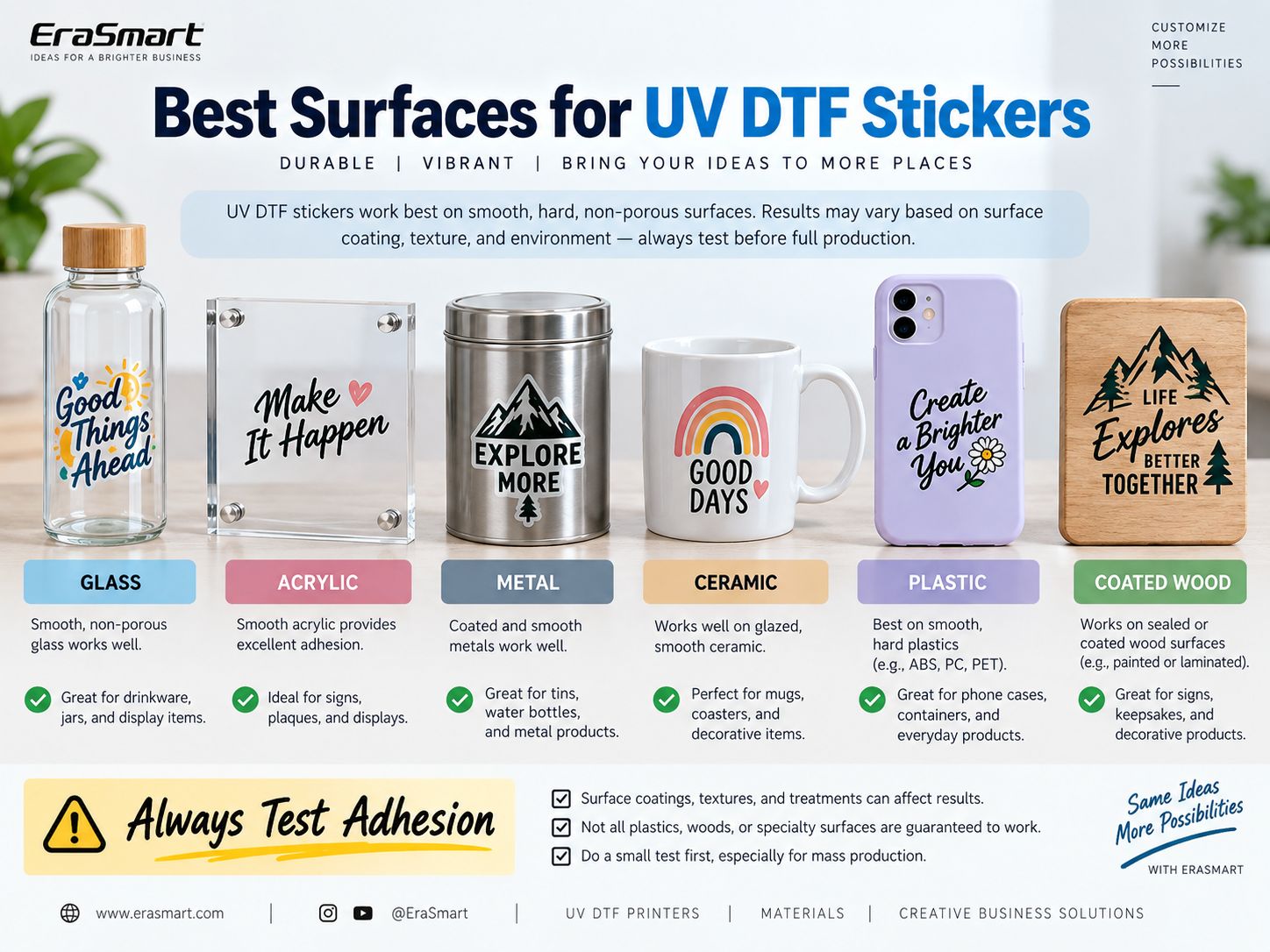
วัสดุทั่วไป ได้แก่ :
กระจก
ผลิตภัณฑ์ทั่วไป:
- ขวด
- ไห
- decorative glass
- drinkware
Glass should be clean and free from oil.
อะคริลิก
มีประโยชน์สำหรับ:
- สัญญาณ
- displays
- โล่ประกาศเกียรติคุณ
- สินค้าส่งเสริมการขาย
โลหะ
Suitable applications may include:
- แก้วน้ำ
- ขวด
- tins
- สินค้าส่งเสริมการขาย
Surface coatings still affect adhesion.
เซรามิค
ผลิตภัณฑ์ที่เป็นไปได้:
- แก้ว
- decorative objects
- glazed products
Always test the actual glaze.
พลาสติก
Plastic requires more caution because not all plastics behave alike.
ABS, PC and some PET products may be workable.
PP and PE are more challenging low-surface-energy plastics.
See our detailed guide to การพิมพ์ยูวีบนพลาสติก-
ไม้เคลือบ
Smooth, sealed or coated wood can sometimes work well.
Rough raw wood is much less suitable for transfer-style applications.
For direct wood printing, see วิธีการพิมพ์บนไม้-
Always Test Adhesion
Surface:
- การเคลือบ
- เนื้อสัมผัส
- เรซิน
- finish
- การปนเปื้อน
can change performance significantly.
Which Surfaces Should You Be Careful With?
Take extra care with:
- rough surfaces
- heavily textured surfaces
- oily surfaces
- dusty surfaces
- silicone-treated products
- waxed products
- low-surface-energy plastics
- flexible surfaces
- ผ้า
UV DTF is mainly a hard-surface transfer technology.
For textiles, use a textile-oriented process such as การพิมพ์ DTF-
How to Make Raised or Textured UV DTF Stickers
UV varnish can be used to create additional visual and tactile effects in supported workflows.
ผลกระทบที่อาจเกิดขึ้นได้แก่:
- raised logos
- glossy text
- textured highlights
- selected decorative areas
The exact result depends on:
- การตั้งค่า RIP
- varnish passes
- printer configuration
- หมึกยูวี
- ฟิล์ม
- งานศิลปะ
Do not apply a universal varnish-layer thickness or height setting from another printer.
Use the settings validated for your EraSmart machine and consumable combination.
UV DTF Stickers vs Printable Vinyl Stickers
These are different production systems.
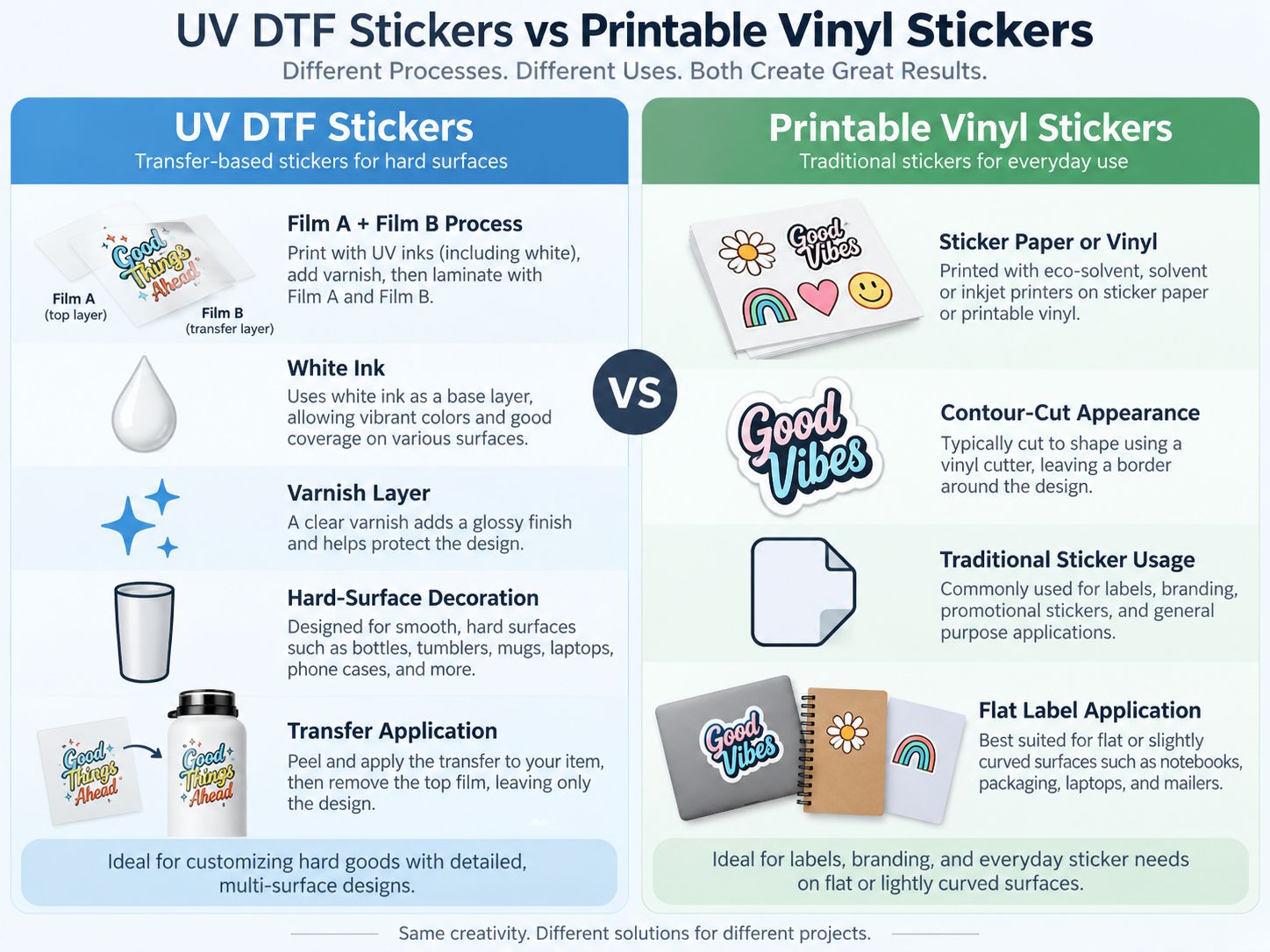
| คุณสมบัติ | สติ๊กเกอร์ยูวี DTF | Printable Vinyl Stickers |
|---|---|---|
| Main process | A/B film transfer | Print onto sticker/vinyl media |
| หมึกยูวี | ใช่ | Depends on printer |
| หมึกขาว | ทั่วไป | Depends on system |
| วานิช | เป็นไปได้ | Usually separate |
| Contour cutting | Often not required in the same way | Frequently used |
| ฟิล์มถ่ายโอน | ใช่ | Depends on workflow |
| Main application | Hard-surface decoration | Labels and traditional stickers |
| สินค้าโค้ง | Useful on suitable surfaces | Depends on material |
| Textile application | เลขที่ | เลขที่ |
When UV DTF Makes More Sense
Choose UV DTF for:
- การตกแต่งผลิตภัณฑ์
- แก้วน้ำ
- ขวด
- ไห
- สินค้าส่งเสริมการขาย
- hard-surface logos
- small-batch customization
When Printable Vinyl Makes More Sense
Traditional vinyl can be better for:
- flat product labels
- ฉลากบรรจุภัณฑ์
- paper-based stickers
- large sticker sheets
- removable graphics
- conventional label workflows
Neither method is universally better.
They serve different products.
UV DTF Sticker vs Direct UV Printing
UV DTF also differs from direct UV flatbed printing.
การพิมพ์ยูวีโดยตรง
The object goes directly onto the printer.
เหมาะที่สุดสำหรับ:
- flat products
- โล่ประกาศเกียรติคุณ
- เคสโทรศัพท์
- แผง
- flat gifts
ดู เครื่องพิมพ์ UV EraSmart พิสัย.
ยูวี ดีทีเอฟ
The graphic is produced first and then transferred.
Useful when the object is:
- curved
- irregular
- finished
- difficult to position under a flatbed printhead
For many small custom-printing businesses, the two technologies can complement each other.
Common UV DTF Sticker Problems
Design Does Not Transfer Completely
สาเหตุที่เป็นไปได้:
- insufficient burnishing
- difficult surface
- การปนเปื้อน
- fine artwork
- incorrect peeling technique
Press again and peel more slowly.
Sticker Edges Lift
ตรวจสอบ:
- น้ำมัน
- ฝุ่น
- การเคลือบ
- พลังงานพื้นผิว
- curvature
- film compatibility
Bubbles Appear During Application
สาเหตุที่เป็นไปได้:
- uneven pressure
- poor positioning
- การปนเปื้อน
- wrinkles in the transfer
Apply from one direction and work outward.
Small Text Lifts with the Carrier
พยายาม:
- stronger burnishing
- slower peel
- lower peel angle
- slightly more robust artwork
Color Looks Weak
ตรวจสอบ:
- ชั้นสีขาว
- สภาพหัวฉีด
- ความหนาแน่นของหมึก
- งานศิลปะ
- การกำหนดค่า RIP
หมึกสีขาวดูไม่สม่ำเสมอ
ตรวจสอบ:
- การไหลเวียนของหมึกสีขาว
- สภาพหัวฉีด
- การซ่อมบำรุง
- RIP white layer
Lamination Has Wrinkles
ตรวจสอบ:
- film alignment
- film tension
- roller pressure
- cleanliness
Can You Make UV DTF Stickers Without a Printer?
Yes—but in that case, you are not manufacturing the printed UV DTF transfer yourself.
You need to purchase:
- ready-made transfers
- แผ่นแก๊งค์
- pre-printed UV DTF graphics
and then apply them to your products.
We have a separate guide explaining this workflow:
How to Use UV DTF Type B Film Without a Printer
This can be a practical way to test a product idea before investing in your own production equipment.
When Should You Buy Your Own UV DTF Printer?
Outsourcing can make sense when:
- order volume is low
- you are testing the market
- designs change infrequently
Owning a UV DTF printer becomes more attractive when you need:
- faster turnaround
- frequent customization
- การผลิตชุดเล็ก
- control over artwork
- control over white and varnish
- in-house sampling
- สั่งซ้ำ
For a printer specifically focused on decal and sticker production, see:
EraSmart UV DTF Printer for Stickers
Can UV DTF Stickers Become a Small Business?
ใช่.
Possible product categories include:
- custom bottle decals
- tumbler graphics
- business-logo transfers
- สติ๊กเกอร์งานแต่งงาน
- cosmetic packaging decoration
- สินค้าส่งเสริมการขาย
- small-business branding kits
- ของขวัญส่วนตัว
- ready-to-apply transfer sheets
You can sell:
Finished Products
ตัวอย่างเช่น:
- customized bottle
- decorated tumbler
- branded jar
Ready-to-Apply Transfers
Customers apply the transfer themselves.
Gang Sheets
Multiple designs arranged on one film area.
B2B Logo Transfers
Useful for local:
- คาเฟ่
- salons
- ร้านขายของที่ระลึก
- event businesses
- packaging companies
How to Reduce Waste When Printing UV DTF Stickers
Arrange multiple designs efficiently on one Film A layout.
This is often called a gang sheet.
Group:
- โลโก้
- ไอคอนขนาดเล็ก
- ชื่อลูกค้า
- repeated designs
to make better use of film.
Also keep records of:
- film type
- หมึก
- RIP ที่ตั้งไว้ล่วงหน้า
- lamination settings
- substrate test results
Repeatable production is more valuable than repeatedly experimenting from zero.
Final Answer: How Do You Make UV DTF Stickers at Home?
The complete workflow is:
Design → Film A → CMYK + White + Varnish → UV Cure → Film B → Laminate → Trim → Clean Product → Apply → Burnish → Peel → Inspect
The three most important factors are:
1. Good artwork
Fine details must be suitable for transfer.
2. Good lamination
Poor lamination can damage an otherwise perfect print.
3. Good surface preparation
A transfer cannot bond reliably to a dirty or incompatible substrate.
For businesses producing UV DTF stickers regularly, an เครื่องพิมพ์ EraSmart UV DTF provides an in-house workflow for customized hard-surface transfers.
If your main goal is stickers and decals, also see the EraSmart UV DTF Printer for Stickers-
คำถามที่พบบ่อย
What is a UV DTF sticker?
A UV DTF sticker is a hard-surface transfer produced using UV-curable ink and an A/B film workflow. The printed graphic is transferred from the carrier film onto a compatible product surface.
Do UV DTF stickers need a heat press?
No. UV DTF is not a heat-transfer textile process.
Do UV DTF stickers use powder?
No. UV DTF does not use the hot-melt adhesive powder associated with textile DTF printing.
What are Film A and Film B?
Film A is used during printing. Film B is laminated with the printed film and helps create the transfer workflow used to apply the design to the final object.
Can UV DTF stickers use white ink?
Yes. White ink provides opacity and helps full-color artwork remain vivid on dark, colored or transparent products.
Can UV DTF stickers use varnish?
Yes, depending on the printer and RIP setup. Varnish can create gloss and selected textured effects.
What surfaces work best with UV DTF?
Smooth, hard surfaces such as suitable glass, acrylic, metal, ceramic and certain plastics are common applications.
Can UV DTF stick to PP or PE plastic?
Results can be difficult because PP and PE are low-surface-energy plastics. Test the exact product before production.
Are UV DTF stickers waterproof?
Do not assume universal waterproof performance. Water resistance depends on the film, ink, adhesive, substrate, application and exposure conditions.
Are UV DTF stickers dishwasher safe?
Do not make a universal dishwasher-safe claim unless the complete finished product has been specifically tested for that use.
Can I put UV DTF stickers on mugs?
Potentially, if the mug surface is compatible. Avoid direct food- or mouth-contact areas unless the complete system is qualified for that use.
Do UV DTF stickers need contour cutting?
Many UV DTF workflows do not require the same contour-cutting process used for traditional printable vinyl, although the finished transfer sheet still needs to be trimmed into usable pieces.
Can I make UV DTF stickers without owning a printer?
Yes. You can purchase ready-made UV DTF transfers and apply them yourself.
Which EraSmart printer is suitable for UV DTF stickers?
ดู เครื่องพิมพ์ EraSmart UV DTF range and the dedicated เครื่องพิมพ์ UV DTF สำหรับสติ๊กเกอร์ page for sticker-focused production.
Start Your UV DTF Sticker Workflow
If you are planning to produce UV DTF transfers, tell EraSmart:
- expected sticker size
- monthly production volume
- target products
- วัสดุ
- roll or sheet workflow
- ไม่ว่าคุณต้องการเอฟเฟกต์เคลือบเงาหรือไม่
- whether you plan to sell finished products or transfers
เราช่วยคุณเปรียบเทียบความเหมาะสมได้ เครื่องพิมพ์ EraSmart UV DTF and A/B film workflow.
อาจเป็นเช่นเดียวกับคุณด้วย

ลิขสิทธิ์ 2020 © Erasmart - แผนผังไซต์