ผู้ผลิตเครื่องพิมพ์อิงค์เจ็ทขนาดเล็ก

How to Print on a Mug: UV DTF, Sublimation & UV Guide | EraSmart
Custom mug printing is one of the most popular ways to turn photographs, names, illustrations and company logos into personalized products.
From a single birthday gift to hundreds of branded coffee mugs, businesses and individuals use mug printing for:
- ของขวัญส่วนบุคคล
- แก้วรูปถ่าย
- ของชำร่วยงานแต่งงาน
- Corporate merchandise
- Coffee shop branding
- Event giveaways
- สินค้าส่งเสริมการขาย
- Custom drinkware businesses
However, not every mug is printed in the same way.
A white sublimation-coated ceramic mug, a transparent glass cup and a stainless steel travel mug may require completely different printing workflows.
Three of the main methods are UV DTF printing, sublimation printing and direct UV printing-

Each method has advantages, limitations and equipment requirements.
For many businesses working with different types of finished drinkware, UV DTF provides a practical way to apply full-color graphics without placing the entire mug inside a printer or using a heat press.
This guide explains how the three methods work, how to choose compatible mugs, how to measure and apply UV DTF transfers, and how to avoid common production problems.
Quick Answer: How Do You Print on a Mug?
There are three common methods.
1. UV DTF Printing
Print a design onto UV DTF transfer film, prepare it through the A/B film workflow, then apply the finished transfer to a compatible mug surface.
2. Sublimation Printing
Print the mirrored design onto sublimation paper using sublimation ink, then transfer it onto a specially coated mug using a suitable mug heat press.
3. Direct UV Printing
Use a UV printer equipped with an appropriate rotary printing system to print UV-curable ink directly onto a compatible mug surface.
| วิธี | Best Starting Application | Heat Press Required? | Main Requirement |
|---|---|---|---|
| ยูวี ดีทีเอฟ | Compatible curved mugs and drinkware | เลขที่ | UV DTF transfer and suitable surface |
| การระเหิด | Sublimation-coated mugs | ใช่ | Polymer-coated blank and heat-transfer equipment |
| ยูวีโดยตรง | Suitable mugs with dedicated rotary printing equipment | เลขที่ | Compatible UV printer, rotary system and substrate |
For businesses customizing multiple mug types in small batches, UV DTF is often a flexible option worth evaluating.
For high-volume photo printing onto standardized sublimation-coated ceramic mugs, sublimation can be a particularly practical choice.
UV DTF vs Sublimation vs Direct UV: Which Mug Printing Method Is Best?
Before buying equipment, compare the actual production workflows.

UV DTF Mug Printing
UV DTF stands for UV Direct to Film.
Instead of printing onto the mug itself, a dedicated printer produces a graphic on special UV DTF film.
The finished transfer is then applied to the product.
ข้อดีได้แก่:
- No mug heat press required
- Suitable for many compatible curved hard surfaces
- White ink for opacity
- Varnish effects on supported systems
- Convenient personalization
- Ability to prepare transfers before receiving the finished mugs
The main limitation is adhesion.
The transfer must bond reliably to the actual mug surface and coating.
Sublimation Mug Printing
Sublimation transfers dye into a suitable polymer coating using heat.
It is widely used for photo mugs and personalized ceramic drinkware.
ข้อดีได้แก่:
- Smooth printed appearance
- No separate raised sticker layer
- Strong photographic applications
- Repeatable workflows with standardized blanks
The main limitation is material compatibility.
A conventional uncoated ceramic mug is not automatically suitable for sublimation.
For more details about sublimation paper and the heat-transfer process, read What Is Sublimation Paper?-
Direct UV Mug Printing
Direct UV printing deposits UV-curable ink directly onto a compatible mug.
Because mugs are cylindrical or curved, this usually requires an appropriate rotary attachment or dedicated cylindrical UV printing system.
A standard flatbed UV printer should not be assumed to support full-circumference mug printing.
ข้อดีอาจรวมถึง:
- Direct-to-object printing
- White ink on compatible systems
- Selective varnish effects
- No separate transfer-film application
The main considerations include:
- Rotary equipment compatibility
- Mug shape
- การยึดเกาะพื้นผิว
- ระยะห่างของหัวพิมพ์
- Ink system
- Intended durability
For general UV printing technology, explore the เครื่องพิมพ์ UV EraSmart พิสัย.
What Mug Materials Can You Print On?
Mug material is one of the most important factors in choosing a printing method.

| Mug Material | ยูวี ดีทีเอฟ | การระเหิด | ยูวีโดยตรง |
|---|---|---|---|
| เคลือบเซรามิก | Possible after testing | Requires sublimation coating | Requires compatible rotary setup |
| กระจก | Possible after testing | Requires suitable coating | Requires compatible rotary setup |
| Stainless steel | Depends on surface finish | Requires sublimation coating | Requires compatible rotary setup |
| พลาสติก | Depends strongly on polymer/coating | Requires compatible coating and heat tolerance | Depends on material and equipment |
| Enamel-coated metal | Depends on enamel surface | Requires compatible sublimation coating | Requires compatible rotary setup |
These are general application directions, not universal compatibility guarantees.
แก้วเซรามิค
Ceramic mugs are popular because they are:
- Widely available
- Suitable for personalized gifts
- Offered in many shapes and colors
- Familiar to consumers
For UV DTF, the most important consideration is the glazed surface and how well the transfer adheres to it.
For sublimation, use a ceramic mug manufactured or coated specifically for sublimation.
For direct UV printing, ensure the printer and rotary equipment are compatible.
Learn more about ceramic material preparation in การพิมพ์ยูวีบนเซรามิก-
Glass Mugs
Glass mugs can create an attractive transparent appearance.
UV DTF transfers may be used on suitable smooth glass after adhesion testing.
White ink can provide an opaque backing so that printed colors remain visible against different backgrounds.
For direct UV printing, glass may require appropriate cleaning, pretreatment and testing.
See our การพิมพ์ยูวีบนไกด์แก้ว-
Stainless Steel Mugs
Stainless steel is common in:
- แก้วมัคท่องเที่ยว
- Coffee cups
- แก้วน้ำ
- Promotional drinkware
However, many stainless steel products have additional coatings.
สิ่งเหล่านี้อาจรวมถึง:
- Powder coating
- Paint
- Decorative coatings
- Protective finishes
For UV DTF, adhesive compatibility with the actual finish is critical.
For sublimation, a compatible sublimation coating is required.
For more about surface preparation, see การพิมพ์ยูวีบนโลหะ-
Plastic Mugs
Plastic requires special attention.
Different polymers have different surface and heat-resistance properties.
Some low-surface-energy plastics, including certain PP and PE formulations, can be difficult for adhesives to bond to reliably.
Do not assume that every plastic mug is suitable for UV DTF.
For sublimation, also consider whether the product is designed to tolerate the required transfer conditions.
อ่าน การพิมพ์ยูวีบนพลาสติก for material-specific guidance.
Enamel Mugs
Enamel-coated metal mugs are popular for camping and outdoor-themed gifts.
Their printable behavior depends on the enamel finish and any additional coating.
UV DTF may be considered after surface-adhesion testing.
For sublimation, use specifically compatible blanks.
Method 1: How to Print on a Mug with UV DTF
For EraSmart customers, this is the main workflow we recommend understanding first.
UV DTF separates the printing process from the final mug.
The graphic is manufactured on film and then transferred to a suitable product surface.
The complete process has two stages:
Stage A: Produce the UV DTF Transfer
Artwork → Film A → UV Ink Printing → UV Curing → Film B Lamination
Stage B: Apply the Transfer to the Mug
Clean → Measure → Align → Apply → Burnish → Peel → Inspect
What Equipment Do You Need?
เตรียมตัว:
- UV DTF printer or finished UV DTF transfer
- UV DTF Film A and Film B, if producing in-house
- Compatible UV-curable ink
- ซอฟต์แวร์ RIP
- Lamination system
- Blank mug
- Lint-free cleaning cloth
- Suitable surface cleaner
- เทปวัด
- Squeegee or soft scraper
- Trimming tools
If you do not own a UV DTF printer, you can start by purchasing ready-to-apply UV DTF transfers.
A blank piece of Film B alone is not enough to produce a printed graphic.
For the complete transfer-manufacturing process, see How to Make UV DTF Stickers and Transfers at Home-
Step 1: Prepare the Mug Design
Start with the intended print dimensions.
Common mug designs include:
- รูปถ่าย
- ชื่อ
- โลโก้บริษัท
- Floral illustrations
- Wedding graphics
- รหัส QR
- Promotional artwork
For raster artwork, approximately 300 DPI at final printed size is a useful starting point for close-view graphics.
For text and logos, vector artwork is often preferable.
ยืนยัน:
- การสะกดคำ
- Design dimensions
- ปฐมนิเทศ
- สี
- อัตรากำไรขั้นต้นที่ปลอดภัย
- Position relative to the handle
A mug design should be prepared for the actual available surface, not an assumed universal mug template.
Step 2: Produce the UV DTF Transfer
With a compatible EraSmart UV DTF printer, the design is printed onto the appropriate UV DTF film using UV-curable inks.
The ink system can include:
CMYK: กราฟิกสีเต็มรูปแบบ
White Ink: Opacity and color backing
Varnish: Gloss or decorative tactile effects
The ink is UV-cured during printing.
The printed film then passes through the required A/B film preparation or lamination workflow.
Exact print-layer orientation, film handling and lamination steps depend on the machine and consumables.
Follow the validated workflow for your EraSmart configuration.
For consumables, see ฟิล์ม A/B สำหรับการพิมพ์ UV DTF-
Step 3: Measure the Mug
Before applying the design, determine the real printable area.
ตรวจสอบ:
- Body circumference
- Usable height
- Handle clearance
- Curvature
- Taper
- พื้นผิว
A straight cylindrical mug is easier to wrap than a tapered or heavily curved mug.
Do not assume one design width fits every mug labeled 11 oz or 15 oz.
Step 4: Clean the Mug Surface
ลบ:
- ฝุ่น
- น้ำมัน
- ลายนิ้วมือ
- น้ำ
- สารตกค้างจากการผลิต
Use a cleaning method compatible with the actual mug material and coating.
ปล่อยให้พื้นผิวแห้งสนิท
Do not apply the transfer over a damp or oily surface.
Step 5: Position the Transfer
Hold the transfer against the mug before removing its application backing.
ตรวจสอบว่า:
- The artwork is level.
- The design is centered as intended.
- The handle does not interfere.
- The graphic avoids the drinking rim.
- The transfer is not forced across an unsuitable compound curve.
Once an adhesive transfer makes full contact, repositioning can be difficult.
Step 6: Apply the Transfer
Start applying from one edge and progress across the mug surface.
Use controlled pressure rather than immediately pressing the entire sheet flat.
For a curved mug, work gradually to reduce trapped air.
Step 7: Burnish the Design
Use a squeegee or soft scraper compatible with the transfer and mug.
Press across:
- Large printed areas
- ขอบ
- Corners
- Fine lettering
- Small decorative details
Maintain even pressure.
Avoid scraping so aggressively that the graphic or mug finish is damaged.
Step 8: Peel the Carrier Film
Peel slowly according to the film supplier’s application instructions.
If a small detail begins lifting with the carrier:
- Stop peeling.
- Lay the carrier back down.
- Burnish that area again.
- Resume peeling carefully.
Step 9: Inspect the Finished Mug
ตรวจสอบ:
- Complete transfer
- No missing details
- Correct alignment
- No visible bubbles
- No lifting edges
- Suitable adhesion
Do not immediately approve the entire production batch based only on the appearance of one freshly applied transfer.
How to Apply UV DTF to a Mug: Visual Guide
The following diagram summarizes the application stage.

The key application sequence is:
Clean → Measure → Align → Apply → Burnish → Peel
One of the biggest advantages of UV DTF for drinkware customization is that the finished transfer can be applied without using a garment heat press.
However, different films and surfaces may require different handling and conditioning procedures.
Use the instructions supplied with your specific UV DTF film system.
How to Measure a Mug for a Full Wrap
Incorrect measurements are a common cause of misaligned or poorly fitted mug graphics.

Measure the Circumference
For a simple cylindrical mug without considering the handle, the approximate circumference is:
Circumference = π × Diameter
However, for a typical handled mug, the usable wrap area is smaller than the complete circumference.
Use a flexible measuring tape to determine the actual area available between the handle attachments.
Measure the Printable Height
Do not simply use the full mug height.
Allow suitable space near:
- Drinking rim
- Bottom edge
- Curved transitions
- สันเขาตกแต่ง
The usable design height depends on the mug geometry.
Leave Space Around the Handle
A handled mug interrupts the printable wrap area.
Decide whether the design should:
- Appear only on the front
- Appear on both sides
- Extend around most of the body
- Stop before the handle
Do not force a single transfer across handle attachments.
Check Whether the Mug Is Tapered
A straight cylindrical mug and a tapered mug do not have the same surface geometry.
If the diameter changes between the top and bottom, a rectangular transfer may wrinkle or distort.
For tapered products, evaluate:
- Shape-corrected artwork
- Smaller graphic sections
- Reduced wrap coverage
- Different transfer dimensions
Test with a Paper Template
Before printing expensive transfers, create a paper mockup at the intended dimensions.
Wrap it around the mug.
ตรวจสอบ:
- ความกว้าง
- ความสูง
- การจัดตำแหน่ง
- Handle clearance
- Seam position
This simple step can reduce film waste significantly.
สำคัญ: The dimensions shown in the illustration are examples for explaining measurement. They are not universal specifications for every 11 oz mug or every UV DTF film.
Method 2: How to Print on a Mug with Sublimation
Sublimation is another widely used mug customization method.
It requires a compatible sublimation-coated mug.
อุปกรณ์ที่จำเป็น
- เครื่องพิมพ์ระเหิด
- หมึกระเหิด
- กระดาษซับลิเมชั่น
- Sublimation-coated mug
- Mug heat press
- เทปทนความร้อน
- Appropriate protective supplies
- Artwork software
Step 1: Select a Sublimation Mug
Use a blank specifically designed for sublimation.
Ordinary ceramic mugs without a suitable coating will not provide the same transfer result.
Step 2: Prepare and Mirror the Artwork
Prepare the artwork at the intended size.
Mirror the design when required by the transfer workflow.
Confirm that the printer software has not already applied mirroring.
Step 3: Print on Sublimation Paper
Print onto the appropriate coated side using sublimation ink.
The image may appear less vivid on the paper than after transfer.
Step 4: Position the Paper
Wrap the design around the mug.
Keep it aligned and secure using suitable heat-resistant tape.
Step 5: Apply Heat and Pressure
Use the correct mug press settings for the:
- ว่างเปล่า
- หมึกระเหิด
- กระดาษถ่ายโอน
- Press equipment
Do not apply one universal temperature or pressing time to every mug.
Step 6: Remove the Transfer Paper
Follow the consumable and press instructions for safe removal and cooling.
Step 7: Inspect the Final Print
ตรวจสอบ:
- สี
- การจัดตำแหน่ง
- ความคม
- ผี
- Missing areas
- Surface quality
For more details about sublimation transfer media, read What Is Sublimation Paper?-
Method 3: How to Print Directly on a Mug with UV Ink
Direct UV mug printing differs from UV DTF.
The artwork is deposited directly onto the mug surface.
What Equipment Is Required?
Usually, a compatible system needs:
- เครื่องพิมพ์ยูวี
- Suitable rotary printing mechanism
- หมึกยูวีรักษาได้
- White ink if required
- Compatible RIP software
- Correct mug fixture
- Validated surface preparation
How Does It Work?
ขั้นตอนการทำงานที่เรียบง่ายคือ:
- Choose a suitable mug.
- Clean and prepare the surface.
- Create the artwork.
- Configure printing layers.
- Mount the mug in the rotary system.
- Set print height and positioning.
- Print directly onto the mug.
- UV cure according to the machine process.
- Inspect and test adhesion.
Can a Regular UV Flatbed Printer Print Around a Mug?
ไม่จำเป็น.
A standard UV flatbed printer is primarily designed for objects or surfaces positioned beneath its printhead.
Printing around a cylindrical mug requires an appropriate rotary system and validated equipment compatibility.
Do not assume a machine can print full-circumference mugs simply because it can print flat ceramic tiles.
UV DTF vs Sublimation Mug Printing
Both methods can produce attractive personalized mugs, but their physical structures are different.

| คุณสมบัติ | ยูวี ดีทีเอฟ | การระเหิด |
|---|---|---|
| Image creation | UV ink on transfer film | Sublimation ink on paper |
| Transfer process | Adhesive transfer | ความร้อนและความดัน |
| Main mug requirement | Compatible hard surface | Suitable polymer coating |
| หมึกขาว | รองรับ | ไม่ใช่ส่วนหนึ่งของการระเหิดสีย้อมแบบธรรมดา |
| วานิช | พร้อมใช้งานบนระบบที่รองรับ | ไม่ธรรมดา |
| กดความร้อน | เลขที่ | ใช่ |
| ความรู้สึกพื้นผิว | Separate applied graphic layer | Dye incorporated into coating |
| Best starting use | Mixed compatible drinkware, decals, small batches | Standard coated photo mugs |
| ความท้าทายหลัก | Adhesion and application | Coating and heat-transfer control |
เมื่อ UV DTF มีความหมายมากขึ้น
Consider UV DTF when you need:
- Different mug and bottle shapes
- Hard-surface promotional decals
- ความทึบของหมึกสีขาว
- Selected varnish effects
- Short-run personalized products
- A transfer-first production model
เมื่อการระเหิดมีความหมายมากขึ้น
Consider sublimation when you need:
- Standard photo mugs
- Compatible coated ceramic products
- A smooth surface finish
- Repeatable production using standardized blanks
Which Method Is More Durable?
ไม่มีคำตอบที่เป็นสากล
ความทนทานขึ้นอยู่กับระบบการผลิตที่สมบูรณ์
For UV DTF:
Ink + Film + Adhesive + Surface + Application + Exposure
For sublimation:
Ink + Coating + Pressing Conditions + Mug + Exposure
A well-produced sublimation mug and a well-applied UV DTF mug may serve different applications.
Do not claim that either process is always more durable.
How to Print a Photo on a Mug
Photo mugs are popular because customers can personalize them with meaningful images.
Common examples include:
- Family portraits
- Pet photographs
- ความทรงจำการเดินทาง
- ภาพถ่ายงานแต่งงาน
- Graduation pictures
Choose a High-Quality Photo
ตรวจสอบ:
- Image resolution
- Focus
- Exposure
- สี
- Crop
- อัตราส่วนภาพ
A blurry photo will not become sharp simply because it is printed at high resolution.
Use the Mug’s Actual Design Area
Do not crop important faces across:
- The handle
- A seam
- A heavily curved section
- The bottom of the mug
Choose the Printing Method
For standard sublimation-coated photo mugs, sublimation is a natural option.
For compatible drinkware where a decorative transfer is preferred, UV DTF may be appropriate.
Print a Sample
Photographs are sensitive to differences in:
- White backing
- Ink color
- Material color
- Transfer opacity
- การเคลือบผิว
- พิมพ์โปรไฟล์
Test before producing a full customer order.
How to Print Names and Logos on Mugs
Names and logos are common in corporate and personalized drinkware.
For Names
Use readable typography.
Avoid extremely thin lettering if the transfer may be difficult to apply.
For Company Logos
Vector artwork is preferable.
Check that the logo remains recognizable at the final print size.
For Dark Mugs
An appropriate white backing can help a UV DTF graphic remain visible.
For QR Code Mugs
Make sure the QR code is:
- Large enough
- High contrast
- Unobstructed
- Readable on the curved surface
Always scan the completed mug with real phones before approving production.
Common Mug Printing Problems and Solutions
The cause of a problem depends on the printing method.

1. Bubbles Under a UV DTF Transfer
สาเหตุที่เป็นไปได้:
- Poor application technique
- การปนเปื้อนพื้นผิว
- Uneven pressure
- Transfer wrinkles
- Unsuitable curvature
What to do:
Work from one edge toward the other and use controlled, even pressure.
Do not rely on increasing heat or heat-press time to fix UV DTF application bubbles.
2. UV DTF Transfer Edges Lift
สาเหตุที่เป็นไปได้:
- น้ำมันหรือลายนิ้วมือ
- Incompatible coating
- พลังงานพื้นผิวต่ำ
- Poor burnishing
- Excessive curvature
- Transfer-film mismatch
What to do:
Recheck the actual mug surface and film compatibility.
If the material consistently fails adhesion testing, use another compatible blank rather than continuing to increase pressure without investigating the cause.
3. Design Is Misaligned
สาเหตุที่เป็นไปได้:
- Incorrect measurement
- Poor positioning
- Handle interference
- Moving the transfer during application
What to do:
Use a paper template and mark the intended starting position before applying the transfer.
4. UV DTF Design Does Not Transfer Completely
สาเหตุที่เป็นไปได้:
- Insufficient burnishing
- รายละเอียดดี
- เทคนิคการลอกที่ไม่ถูกต้อง
- การปนเปื้อนพื้นผิว
- Film issues
What to do:
Stop peeling if details remain on the carrier. Reapply pressure and follow the film-specific peeling instructions.
5. Sublimation Print Looks Faded
สาเหตุที่เป็นไปได้:
- Incorrect coated blank
- Inappropriate color profile
- Incorrect pressing conditions
- Poor paper or ink compatibility
What to do:
Check the complete sublimation workflow instead of simply increasing the pressing temperature.
6. Sublimation Print Has Ghosting
สาเหตุที่เป็นไปได้:
- Transfer paper movement
- Poor securing
- Incorrect handling after pressing
What to do:
Improve transfer positioning and follow the recommended paper-removal procedure.
7. UV DTF Graphic Scratches or Peels
สาเหตุที่เป็นไปได้:
- การยึดเกาะที่อ่อนแอ
- Abrasion
- พื้นผิวที่เข้ากันไม่ได้
- Unsuitable end-use conditions
What to do:
Perform realistic durability testing and change the substrate or transfer system where required.
Are UV DTF Printed Mugs Dishwasher Safe?
Do not automatically assume so.
A UV DTF transfer may remain attractive during normal handling but behave differently under:
- Hot water
- Detergent
- Repeated washing
- Abrasion
- Dishwasher cycles
- Moisture exposure
Dishwasher resistance must be established through testing of the complete finished product.
Without specific validation, do not market a UV DTF-decorated mug as dishwasher safe.
For customer-facing care instructions, a conservative hand-washing recommendation may be appropriate, but even that does not replace validation of the actual product.
Are UV DTF Printed Mugs Microwave Safe?
Do not assume microwave compatibility.
The mug substrate, transfer film, adhesive and decoration may behave differently under microwave exposure.
Only make microwave-safe claims when the complete finished product has been specifically evaluated for that use.
Is UV DTF Safe for Drinking Mugs?
Drinkware requires particular care because it may come into contact with food, beverages and the user’s mouth.
For ordinary decorative UV DTF transfers:
- Avoid placing graphics on direct food-contact surfaces.
- Avoid decorating the inside of mugs.
- Avoid the drinking rim and areas intended for direct lip contact.
- Do not claim food-contact compliance without suitable testing and certification.
- Follow the applicable requirements for the finished product and intended market.
A mug being made of food-safe ceramic or glass does not automatically make an added decorative transfer food-contact safe.
How to Choose a Mug Printing Method for Your Business
The best method depends on what you plan to sell.
Personalized Photo Mug Business
If the main product is standardized white ceramic photo mugs with sublimation-compatible coatings, sublimation can be an efficient starting point.
Mixed Drinkware Customization
If you want to customize compatible:
- แก้วน้ำ
- แก้วน้ำ
- ขวด
- Jars
- Promotional drinkware
UV DTF deserves consideration.
Corporate Logo Gifts
UV DTF transfers can be useful for placing logos on compatible finished drinkware.
Large-Scale Direct Cylindrical Printing
If you need direct printing around mug bodies, evaluate equipment specifically designed for rotary UV production.
Small-Batch Custom Gifts
If you are starting with limited order volume, purchasing ready-to-apply transfers can help test customer demand before investing in an in-house UV DTF system.
For an introduction to this approach, see วิธีใช้ฟิล์ม UV DTF Type B โดยไม่ต้องใช้เครื่องพิมพ์-
Which EraSmart Printer Is Suitable for Mug and Cup Wrap Production?
For businesses focusing on UV DTF transfers for drinkware, the เครื่องพิมพ์ EraSmart UV DTF range provides relevant production options.
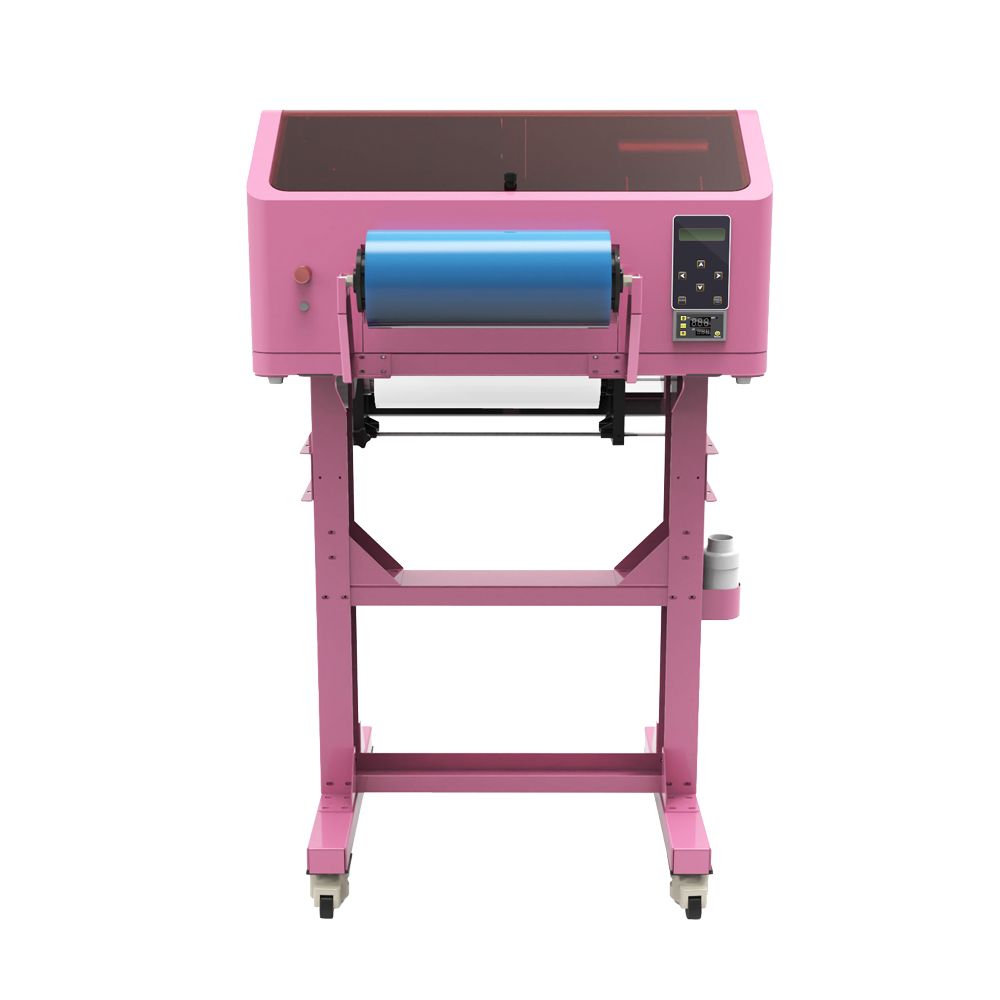
เครื่องพิมพ์ EraSmart A3 UV DTF
ที่ เครื่องพิมพ์ EraSmart A3 UV DTF is one option for sticker, label and cup-wrap production.
Key published specifications include:
| ข้อมูลจำเพาะ | เครื่องพิมพ์ EraSmart A3 UV DTF |
|---|---|
| Maximum Print Width | สูงสุด 350 มม |
| ช่องหมึก | CMYK + ขาว + วานิช |
| ปณิธาน | ความละเอียดสูงสุด 1440 dpi |
| Printing Process | หมึกยูวีรักษาได้ |
| กระบวนการถ่ายโอน | ฟิล์ม A/B UV DTF |
| การใช้งานทั่วไป | Cup wraps, decals, labels and hard-surface transfers |
The printer creates the transfer on film.
It does not need to print directly onto the curved mug.
That distinction is one of the main reasons UV DTF is useful for drinkware customization.
What About Other EraSmart UV DTF Models?
EraSmart also offers different UV DTF formats and configurations.
Printer choice should depend on:
- Required transfer width
- Print volume
- การกำหนดค่าหัวพิมพ์
- Film handling
- Lamination workflow
- ข้อกำหนดงานศิลปะ
- Production budget
Compare current options in the เครื่องพิมพ์ EraSmart UV DTF category.
For a cup-wrap-focused overview, see เครื่องพิมพ์ EraSmart UV DTF สำหรับการห่อถ้วย-
Can You Start a Custom Mug Printing Business?
Yes. Custom mug printing can be a product category for:
- ร้านขายของที่ระลึก
- Print studios
- ผู้ขายออนไลน์
- Corporate merchandise suppliers
- Event businesses
- Wedding suppliers
- บริษัทส่งเสริมการขายผลิตภัณฑ์
However, production success depends on more than owning a printer.
A profitable workflow also requires:
- Reliable mug blanks
- Tested printing materials
- Consistent artwork preparation
- Repeatable production
- การควบคุมคุณภาพ
- บรรจุภัณฑ์
- การสื่อสารกับลูกค้า
- Realistic costing
Custom Mug Business Ideas
Popular product directions include:
Personalized Photo Mugs
Family photographs, pets and travel memories.
Name Mugs
Individual names, initials and special messages.
Wedding Mugs
Couple names, dates and coordinated artwork.
Corporate Mugs
Company logos, event graphics and employee gifts.
Coffee Shop Merchandise
Branded drinkware and limited-edition merchandise.
Tourist Souvenirs
Local illustrations, landmarks and city artwork.
Artist Merchandise
Original illustrations, patterns and limited collections.
How Much Does a Custom Printed Mug Cost to Make?
Calculate the real production cost rather than looking only at ink consumption.
For UV DTF:
Blank Mug + UV DTF Transfer + Labor + Packaging + Waste + Equipment Overhead
For sublimation:
Coated Mug + Sublimation Ink + Paper + Heat Press Labor + Packaging + Waste + Equipment Overhead
Additional expenses may include:
- Design work
- ซอฟต์แวร์
- ไฟฟ้า
- การซ่อมบำรุง
- การส่งสินค้า
- การตลาด
- Replacements and reprints
Production cost varies with order quantity and workflow.
A small production test is the best way to establish realistic figures for your business.
How to Improve Mug Printing Consistency
For repeat production, create a standard procedure.
Standardize Mug Blanks
Keep records of:
- ผู้จัดหา
- วัสดุ
- การเคลือบผิว
- Dimensions
- พื้นที่ที่สามารถพิมพ์ได้
Save Artwork Templates
Organize templates by mug type and size.
Use Approved Transfers
For UV DTF, retain information about:
- ประเภทฟิล์ม
- Ink system
- RIP ที่ตั้งไว้ล่วงหน้า
- Lamination settings
- Application procedure
Test New Surfaces
Do not assume a new mug supplier uses the same coating as your previous supplier.
Inspect Every Batch
ตรวจสอบ:
- สี
- การจัดตำแหน่ง
- Transfer completeness
- การยึดเกาะของขอบ
- ข้อบกพร่องพื้นผิว
- Packaging quality
Record Production Problems
Track recurring failures so you can distinguish material problems from artwork or application problems.
Final Answer: What Is the Best Way to Print on a Mug?
The best mug printing method depends on the product, surface and intended use.
Choose UV DTF when:
You want to decorate different compatible hard-surface mugs and drinkware using ready-to-apply transfers.
Choose sublimation when:
You want smooth photo printing on suitable polymer-coated mugs with a heat-transfer workflow.
Choose direct UV printing when:
You have a validated rotary UV setup designed to print directly onto the desired mug.
For UV DTF, remember the core process:
Prepare Artwork → Print Transfer → Laminate → Measure Mug → Clean → Align → Apply → Burnish → Peel → Inspect
And remember three production rules:
1. Measure the actual mug.
Do not assume every mug has the same wrap dimensions.
2. Test the actual surface.
Glazed ceramic, coated metal, glass and plastics may have different adhesion behavior.
3. Validate durability.
Do not assume universal dishwasher, microwave or food-contact compatibility.
For custom drinkware businesses, the เครื่องพิมพ์ EraSmart UV DTF range can support an in-house transfer-production workflow for suitable mugs, tumblers, bottles and other hard-surface products.
คำถามที่พบบ่อย
What is the easiest way to print on a mug?
For beginners, applying a ready-made UV DTF transfer to a compatible mug or using a standard sublimation-coated mug with suitable transfer equipment can be practical starting options. The easier choice depends on what equipment and blanks you already have.
Can I print on a mug at home?
Yes. You can use a suitable sublimation setup or apply purchased UV DTF transfers. Producing UV DTF transfers in-house requires dedicated equipment and appropriate ventilation and ink-handling procedures.
Can you print directly on a ceramic mug?
Yes, with suitable direct UV rotary printing equipment and a compatible ceramic surface. A standard flatbed printer does not automatically support full-circumference mug printing.
Can I put UV DTF on ceramic mugs?
Potentially, yes. Smooth glazed ceramic can be suitable for UV DTF transfer applications, but the actual glaze and transfer system must be tested.
Can UV DTF be used on glass mugs?
Yes, on suitable glass surfaces after cleaning and adhesion testing. Do not assume that every glass coating behaves identically.
Can UV DTF be used on stainless steel mugs?
UV DTF can be used on compatible stainless steel or coated drinkware, but adhesion depends on the actual surface finish.
Do I need a heat press for UV DTF mugs?
No. The standard UV DTF application workflow uses prepared adhesive transfers rather than conventional mug heat pressing.
Do I need a special mug for sublimation?
Yes. The mug needs a coating compatible with sublimation dye transfer.
Can I sublimate on an ordinary ceramic mug?
Not reliably with a conventional sublimation workflow. Use a suitable sublimation-coated blank.
Do I need white ink for UV DTF mugs?
White ink is commonly used to provide opacity and help colors remain visible on dark, colored or transparent surfaces.
How do I measure a mug for a wrap?
Measure the usable width and height on the actual mug. Account for the handle, rim, bottom edge, taper and curvature before creating the transfer artwork.
Can I wrap a design around the entire mug?
Sometimes, depending on the mug geometry and printing method. Handles, taper and compound curves can limit the practical wrap area.
Why is my UV DTF transfer lifting from the mug?
Possible causes include contamination, incompatible coating, inadequate burnishing, curvature or poor adhesive compatibility. Inspect the actual substrate and transfer system.
Why does my UV DTF transfer have bubbles?
Bubbles may result from uneven application, wrinkles, trapped air or an unsuitable surface shape. Apply gradually using controlled pressure.
Are UV DTF mugs dishwasher safe?
Do not assume so. Dishwasher resistance requires testing of the complete finished mug and transfer system.
Are UV DTF mugs microwave safe?
Do not assume microwave compatibility without testing and qualification of the complete finished product.
Can I make mug transfers without owning a printer?
Yes. You can purchase ready-made UV DTF transfers and apply them to compatible mugs. You cannot manufacture printed transfers from blank Film B alone.
Which EraSmart printer is suitable for mug wraps?
ที่ เครื่องพิมพ์ EraSmart A3 UV DTF is one option for producing UV DTF cup wraps. Compare print width, ink configuration, film handling and production needs before selecting a model.
Start Your Custom Mug Printing Workflow with EraSmart
If you are planning a custom mug or drinkware printing business, tell EraSmart:
- What types of mugs you want to customize
- Mug materials and coatings
- Typical mug dimensions
- Whether the products are cylindrical or tapered
- Expected daily or monthly production
- Whether you want to print transfers or finished mugs
- Whether you require white ink or varnish effects
- Your intended sales channels
We can help you evaluate the appropriate UV DTF equipment and workflow.
สำรวจ:
เครื่องพิมพ์ EraSmart UV DTF สำหรับการห่อถ้วย
How to Make UV DTF Stickers and Transfers
ฟิล์ม A/B สำหรับการพิมพ์ UV DTF
Choose the right mug. Choose the right printing method. Test the finished product. Build a repeatable customization business.
อาจเป็นเช่นเดียวกับคุณด้วย
ลิขสิทธิ์ 2020 © Erasmart - แผนผังไซต์