Small Size Flatbed Inkjet Printer Manufacturer

86-18566233796 [email protected]

Blog What Is Sublimation Paper? How It Works, Types and How to Use It
What Is Sublimation Paper? How It Works, Types and How to Use It

July 31, 2026     Blog

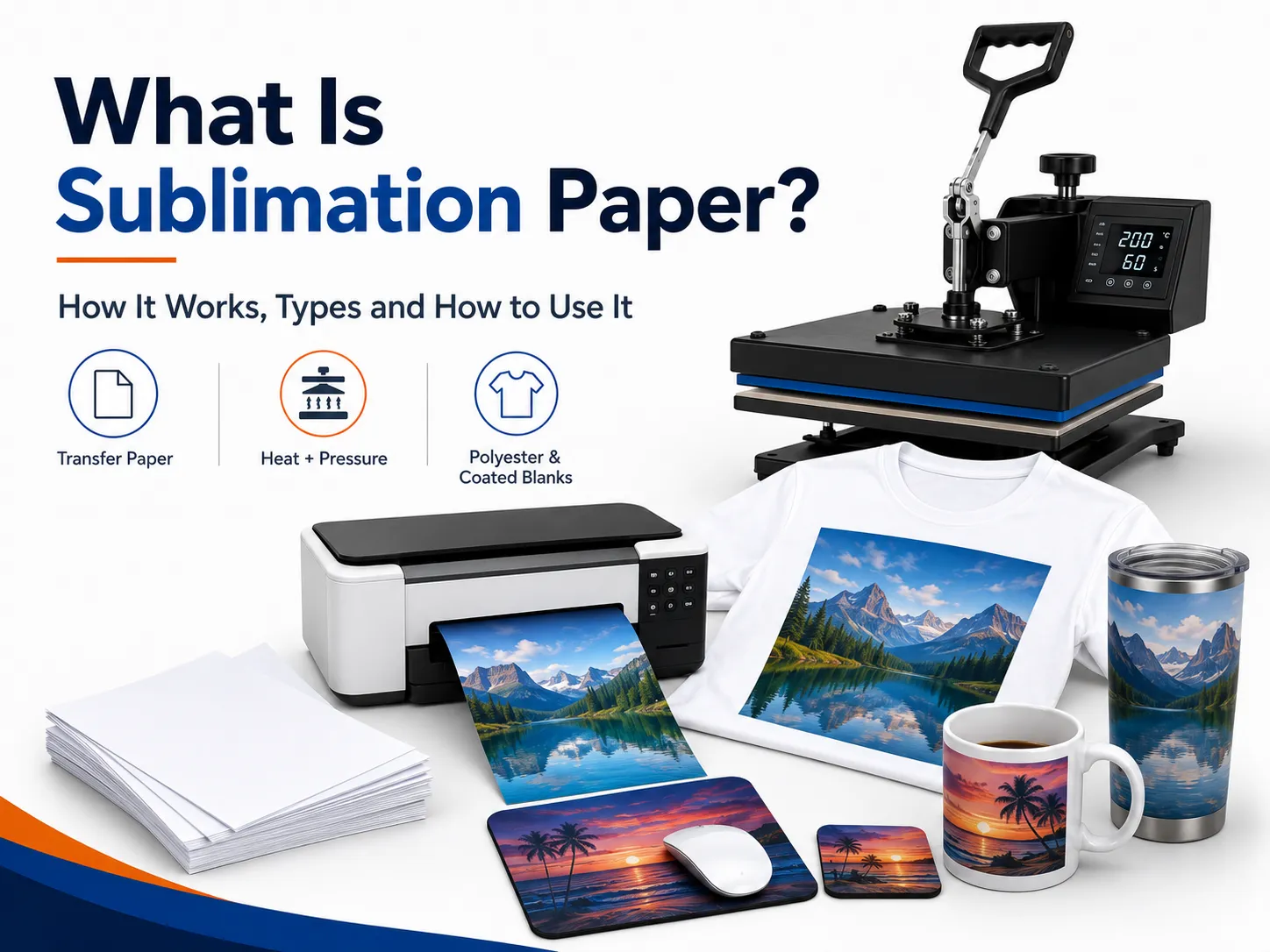
Sublimation paper is a specially coated transfer paper designed to temporarily hold dye-sublimation ink and release it onto a compatible product when heat and pressure are applied.

It is used to decorate products such as:

  • Polyester T-shirts
  • Sports jerseys
  • Mugs
  • Tumblers
  • Mousepads
  • Coasters
  • Keychains
  • Phone case inserts
  • Photo panels
  • Polyester canvas
  • Coated metal signs
  • Personalized gifts

Unlike ordinary copy paper, sublimation paper is engineered to prevent too much ink from soaking deeply into the paper fibers. Its coated printing surface holds the dye near the paper so that more of it can be released during heat transfer.

Sublimation paper does not become part of the finished product. After pressing, the paper is removed while the dye remains inside the polyester fibers or polymer coating.

This produces a smooth result without a separate vinyl or transfer-film layer on the surface.

Professional sublimation systems use transfer paper together with sublimation ink, heat and pressure. The process is intended primarily for polyester textiles and polymer-coated hard products.

Sublimation Paper at a Glance

ItemSublimation paper characteristics
Main purposeCarry sublimation ink from the printer to the product
Printing methodInkjet printing with dye-sublimation ink
Printable surfaceSpecially coated side
Transfer methodHeat and pressure
Best textilesWhite or light-colored polyester
Best hard productsPolymer-coated sublimation blanks
White inkNot used
Final surface feelNo separate raised transfer layer
Common formatsA4, A3, cut sheets and rolls
ReusableNo, normally single-use
Regular ink compatibleNo
Ordinary copy paper replacementNot recommended

The paper is only one part of the production system. Good results depend on matching:

  • Printer
  • Sublimation ink
  • Transfer paper
  • Color profile
  • Heat press
  • Blank product
  • Time
  • Temperature
  • Pressure

How Does Sublimation Paper Work?

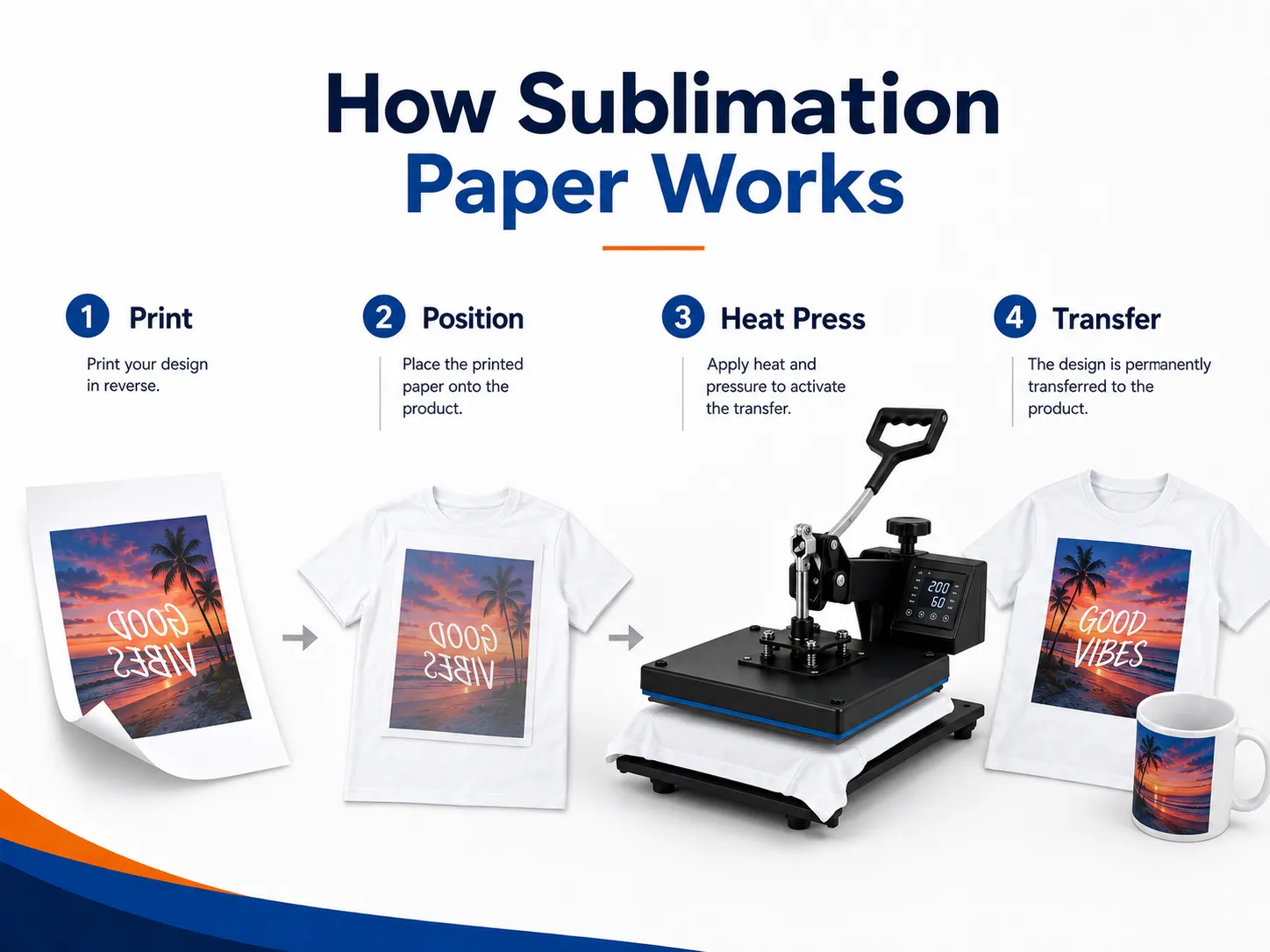
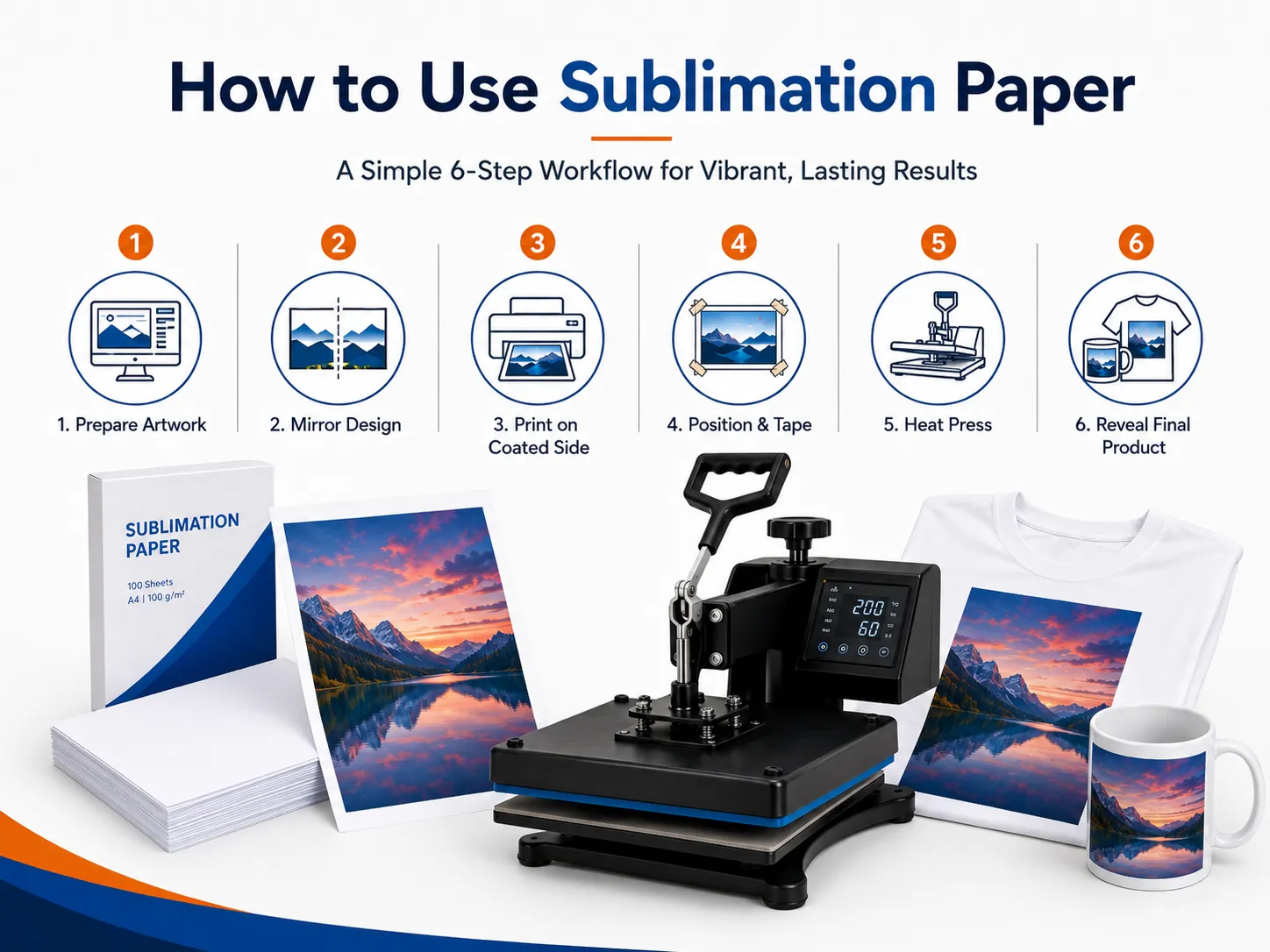
The sublimation process begins by printing a mirrored design onto the coated side of the paper using dye-sublimation ink.

The printed paper is positioned against a compatible blank and placed in a heat press. During pressing, heat activates the dye and helps it move from the transfer paper into the polyester fibers or polymer coating.

After the product cools, the dye remains within the material rather than sitting as a detachable layer on top.

A basic workflow is:

  1. Prepare the artwork.
  2. Mirror the design.
  3. Print it onto sublimation paper.
  4. Position the paper against the blank.
  5. Secure it to prevent movement.
  6. Apply the required heat, time and pressure.
  7. Remove the transfer paper.
  8. Allow the product to cool.
  9. Inspect the color and alignment.

Printed sublimation paper often looks dull before pressing. This is normal. The color generally becomes stronger when the dye transfers into the compatible product.

What Is the Coating on Sublimation Paper?

The exact coating formulation varies between paper manufacturers and product models.

In general, the coating is designed to:

  • Receive water-based sublimation ink
  • Control ink spreading
  • Prevent excessive absorption
  • Support fine details
  • Reduce ink waste
  • Dry consistently
  • Withstand heat pressing
  • Release dye efficiently during transfer

It is not accurate to assume that every sublimation paper uses one fixed percentage of silica, binder or another coating component.

Different coatings are developed for different purposes, including:

  • Desktop printing
  • High-speed printing
  • Heavy ink coverage
  • Textile production
  • Hard-surface products
  • Stretch fabrics
  • Roll-to-roll production

Commercial paper specifications commonly emphasize ink transfer efficiency, drying speed, low cockling and dimensional stability rather than one universal coating formula.

Why Can’t You Use Regular Copy Paper?

Ordinary copy paper is designed to absorb ink for document printing.

Sublimation paper has a different job. It needs to hold the dye temporarily and release as much of it as possible during heat pressing.

Using ordinary paper may cause:

  • Weak colors
  • Reduced ink transfer
  • Blurry details
  • Increased ink absorption
  • Uneven solid areas
  • Paper curling
  • Unpredictable transfer results
  • More ink remaining in the paper

Copy paper may produce some visible transfer in an informal test, but it does not provide the consistency expected for commercial production.

Sublimation paper is formulated to survive printer feeding and heat pressing while releasing dye efficiently into the product.

Sublimation Paper vs Regular Paper
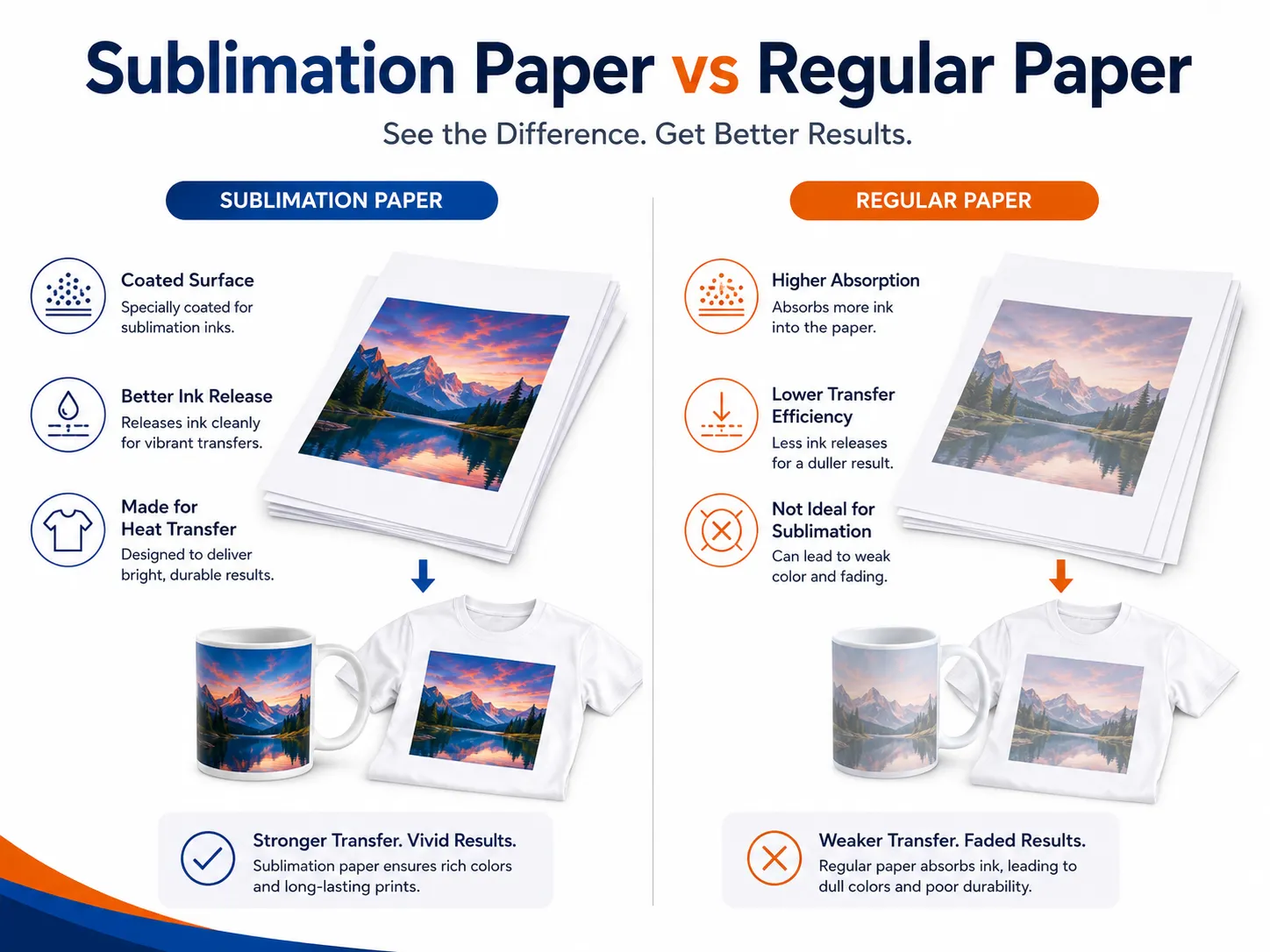
FeatureSublimation paperRegular copy paper
Surface coatingDesigned for sublimation inkDesigned for document printing
Ink behaviorHolds ink near the surfaceAbsorbs ink into paper fibers
Dye releaseHigh when correctly pressedLower and less predictable
Color outputDesigned for vibrant transfersOften weaker
Fine detailBetter controlledMay bleed or soften
Heat resistanceDesigned for transfer useNot specifically designed for it
Production consistencyHigherLower
Recommended for business useYesNo

Sublimation Paper vs Heat Transfer Paper

Sublimation paper and heat transfer paper are not the same product.

Sublimation Paper

Sublimation paper carries dye into polyester or a polymer coating.

The finished print:

  • Has no separate film layer
  • Feels smooth
  • Does not normally peel
  • Works best on white or light products
  • Requires polyester or polymer coating
  • Does not print white

Heat Transfer Paper

Heat transfer paper generally applies a printed coating or transfer layer onto the material.

Depending on the paper type, it may support:

  • Cotton
  • Polyester
  • Light garments
  • Dark garments

The transferred layer remains on the surface and may have a more noticeable feel.

DTF Film

DTF uses coated PET film rather than paper.

A DTF transfer normally includes:

  • CMYK pigment ink
  • White ink
  • Hot-melt adhesive powder
  • PET carrier film

DTF works on a wider range of fabric colors and compositions, including black cotton shirts. Sublimation is better suited to light polyester garments and polymer-coated gift products.

For a broader comparison, read DTF printing vs sublimation printing.

What Materials Work With Sublimation Paper?
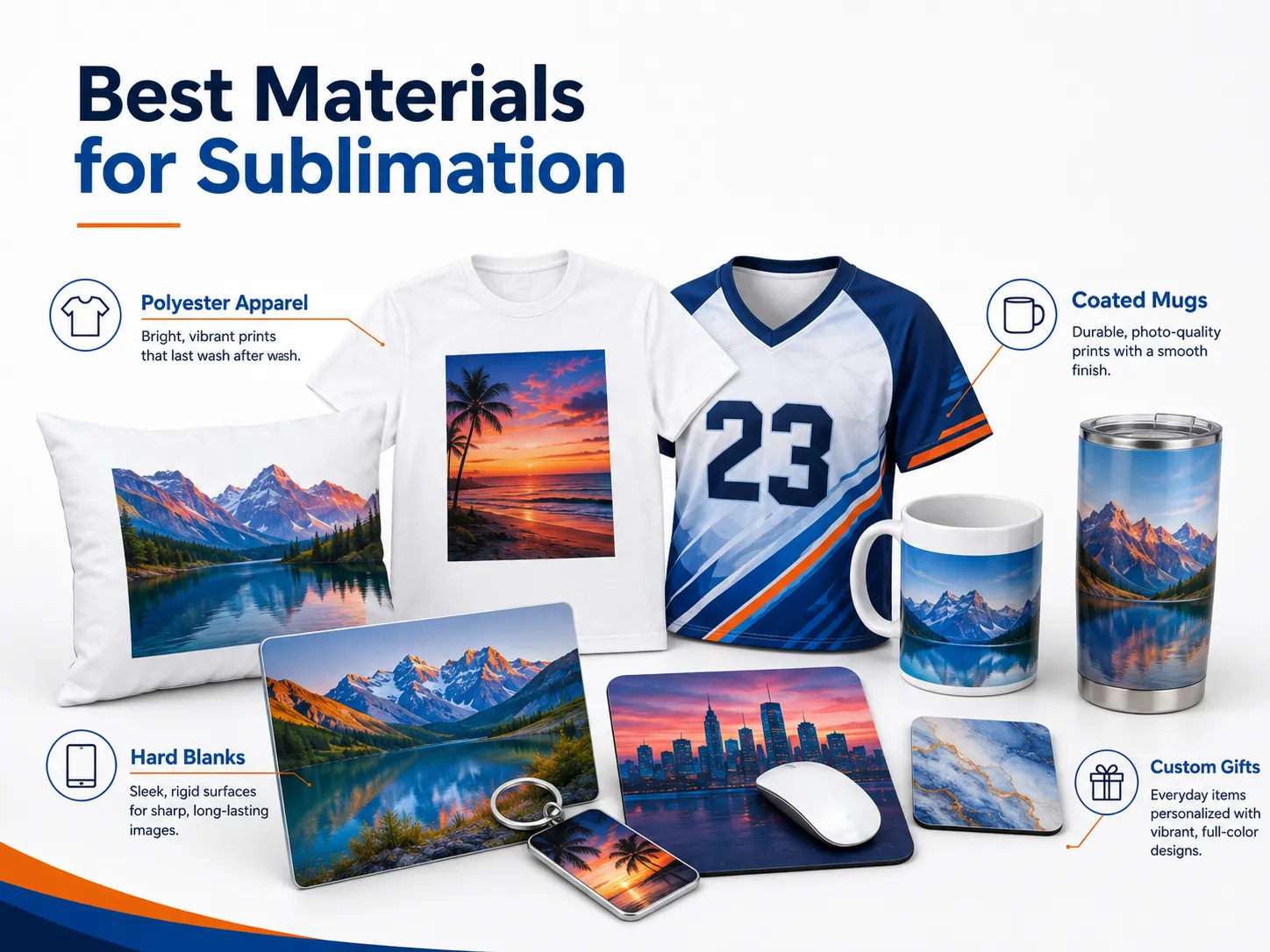
Sublimation paper alone does not make a product compatible.

The receiving material must contain polyester or have a suitable polymer coating.

Polyester Apparel

Common textile applications include:

  • Sports jerseys
  • Performance shirts
  • Leggings
  • Socks
  • Polyester tote bags
  • Pillow covers
  • Flags
  • Soft signage
  • Polyester canvas

A higher polyester content generally produces stronger and more saturated color.

Blended fabrics may still accept some dye, but untreated cotton fibers will not retain standard sublimation dye in the same way. The final result may appear softer, faded or intentionally vintage.

For the strongest color, use white or light-colored products with high polyester content.

Sublimation-Coated Mugs and Drinkware

Suitable products include:

  • Ceramic mugs
  • Travel mugs
  • Tumblers
  • Water bottles
  • Sports bottles

An ordinary mug is not automatically sublimation-compatible.

The surface needs a polymer coating designed to accept the dye. A product may look identical to a sublimation blank while using a coating that does not transfer correctly.

Polymer-Coated Hard Products

Other compatible products may include:

  • Aluminum photo panels
  • Coasters
  • Keychains
  • Phone case inserts
  • MDF ornaments
  • Ceramic tiles
  • Photo plaques
  • Luggage tags
  • Desk accessories
  • Coated acrylic products

Always confirm that the blank is sold for dye-sublimation printing.

What Materials Do Not Work With Standard Sublimation?

Standard sublimation is generally unsuitable for:

  • Untreated cotton
  • Black cotton shirts
  • Dark polyester without a suitable workaround
  • Uncoated ceramic
  • Uncoated glass
  • Ordinary wood
  • Standard metal
  • Uncoated plastic
  • Heat-sensitive products

Special coatings and alternative transfer systems exist, but they should not be confused with standard dye-sublimation printing.

Can Sublimation Paper Be Used on Dark Shirts?

Traditional sublimation is not suitable for normal dark shirts.

Sublimation dye is transparent and does not include white ink. The garment color remains visible beneath the transferred image.

On a black shirt, most sublimation colors would be difficult or impossible to see.

For dark apparel, consider:

  • DTF printing
  • DTG printing with white ink
  • Screen printing
  • Heat transfer vinyl
  • White-toner transfer

The difference is explained in EraSmart’s DTF, DTG, screen printing and HTV comparison.

Main Types of Sublimation Paper
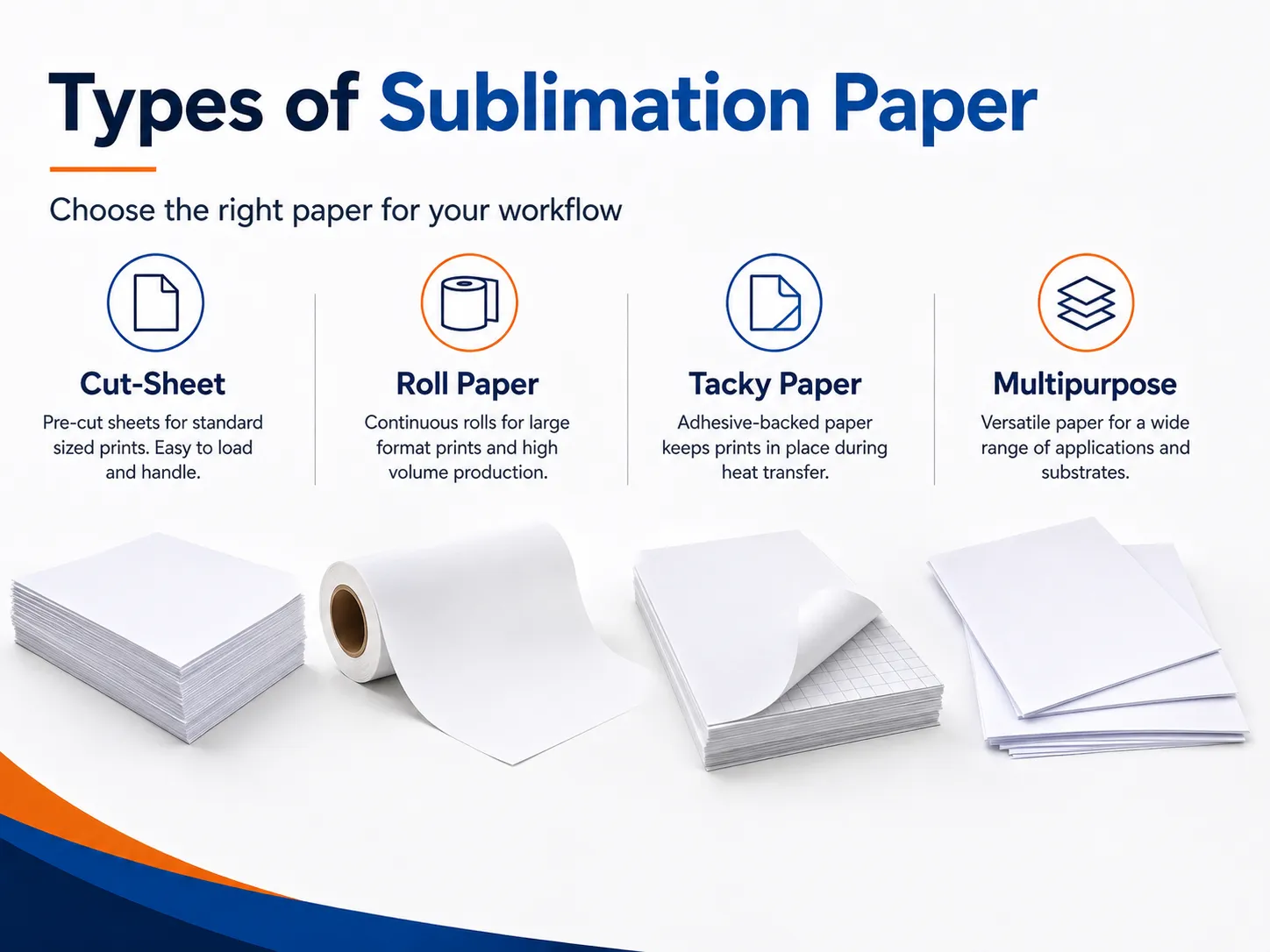
Not all sublimation papers are designed for the same printer or application.

Desktop Cut-Sheet Sublimation Paper

Desktop paper is commonly supplied in:

  • A4
  • Letter
  • Legal
  • A3
  • A3+

It is suitable for:

  • Mugs
  • Mousepads
  • Small apparel graphics
  • Keychains
  • Coasters
  • Phone cases
  • Small gift products

Desktop paper should feed reliably through the printer without excessive curling, ink smearing or wheel marks.

Roll Sublimation Paper

Roll paper is used by larger printers for:

  • Sportswear
  • Flags
  • Soft signage
  • Large fabric panels
  • Home textiles
  • High-volume production
  • Calendar heat-transfer systems

When selecting a roll, confirm:

  • Printer width
  • Core size
  • Maximum roll diameter
  • Paper weight
  • Paper thickness
  • Ink load
  • Take-up system
  • Heat-calender compatibility

Printer manufacturers recommend testing a sample before purchasing paper in large quantities because media quality directly affects output.

High-Release Sublimation Paper

High-release paper is designed to transfer a large proportion of the printed dye into the product.

It can be useful for:

  • Bright graphics
  • Detailed photographs
  • Solid color areas
  • Hard products
  • Premium personalized gifts

However, high release alone does not guarantee better results. The paper still needs to match the ink load, printer and blank.

Fast-Drying Sublimation Paper

Fast-drying paper is useful for:

  • High-speed printers
  • Heavy production schedules
  • Designs with large dark areas
  • Reducing smudging
  • Roll-to-roll operation

Commercial fast-drying papers are designed to maintain sharp details while reducing smearing, offsetting and cockling at higher production speeds.

Tacky or Adhesive Sublimation Paper

Tacky sublimation paper develops a temporary bond with the fabric during heat transfer.

It is useful for:

  • Stretch textiles
  • Sportswear
  • Leggings
  • Elastic fabrics
  • Large fabric panels
  • Products vulnerable to ghosting

The temporary adhesion helps reduce movement between the paper and fabric during pressing.

Tacky paper is primarily a textile-production solution and may not be necessary for mugs or other rigid blanks.

Multipurpose Sublimation Paper

Multipurpose paper is intended to support several types of sublimation blanks.

It may be practical for a small studio producing a mixture of:

  • Apparel
  • Mugs
  • Mousepads
  • Photo panels
  • Coasters
  • Promotional products

Before using one paper for every product, test transfer efficiency, drying and color on each blank category.

How to Choose the Right Sublimation Paper

Consider the complete production setup rather than choosing paper only by price.

Confirm Printer Compatibility

Check:

  • Printer model
  • Ink formulation
  • Maximum paper thickness
  • Sheet or roll support
  • Paper-feed path
  • Recommended media setting
  • Print profile

A paper that performs well in one printer may cause feeding, drying or ink-load problems in another.

Consider the Product

For apparel, prioritize:

  • Dimensional stability
  • Consistent release
  • Low ghosting
  • Fabric compatibility
  • Optional tack

For hard products, prioritize:

  • Fine detail
  • High transfer efficiency
  • Smooth solid colors
  • Reliable handling
  • Suitable drying speed

Consider Ink Coverage

Designs with large black or dark areas place more ink onto the paper.

A paper that cannot handle the ink load may develop:

  • Cockling
  • Smearing
  • Roller marks
  • Slow drying
  • Blurred edges
  • Ink offsetting

Check Drying Speed

The printed sheet should be dry enough to handle without smearing before it is placed against the product.

Drying speed is affected by:

  • Paper coating
  • Ink load
  • Print quality
  • Temperature
  • Humidity
  • Airflow
  • Printer settings

Evaluate Transfer Efficiency

After pressing, inspect how much dye remains visible on the paper.

Some residual color is normal. However, weak product color combined with a strongly colored used sheet may indicate inefficient transfer or incorrect pressing.

Test Before Purchasing in Bulk

Produce samples using:

  • Skin tones
  • Neutral grays
  • Bright colors
  • Fine text
  • Gradients
  • Solid black
  • Small details

Evaluate both the printed paper and finished product before purchasing cartons or large rolls.

Which Side of Sublimation Paper Do You Print On?

Print on the coated side.

Depending on the brand, the printable side may appear:

  • Brighter
  • Whiter
  • Smoother
  • Slightly tacky
  • Less visibly textured

The reverse side may include:

  • A watermark
  • Printed grid
  • Brand logo
  • Different color
  • Rougher texture

However, appearance varies. Always follow the paper packaging or supplier instructions.

For some products, the white unmarked side is the printable side. Printing on the wrong side can produce faded, speckled or poorly controlled output.

How to Test the Printable Side

When the sides look similar:

  1. Check the packaging.
  2. Look for a watermark on the reverse.
  3. Compare surface brightness under angled light.
  4. Print a small color patch on each side.
  5. Transfer both patches onto identical test blanks.
  6. Mark the correct printer-loading orientation.

Keep a labeled sample near the printer so operators consistently load the paper correctly.

Does the Design Need to Be Mirrored?

Most sublimation designs should be mirrored before printing because the printed side is placed face down against the product.

After transfer, the design appears in the correct orientation.

Mirroring is especially important for:

  • Text
  • Logos
  • Numbers
  • Directional artwork
  • Photographs with recognizable orientation

Some printing software automatically mirrors sublimation jobs. Confirm the software setting to avoid mirroring the image twice.

Equipment Needed to Use Sublimation Paper

A basic setup includes:

  • Sublimation printer
  • Dye-sublimation ink
  • Sublimation transfer paper
  • Computer
  • Design software
  • Color profile or print utility
  • Heat press
  • Heat-resistant tape
  • Protective paper
  • Compatible blanks
  • Lint roller
  • Heat-resistant gloves
  • Measuring and alignment tools

Additional equipment may include:

  • Mug press
  • Tumbler press
  • Cap press
  • Sublimation oven
  • Calendar heat press
  • Heat gun
  • Shrink sleeves
  • Silicone wraps

Epson identifies design software, transfer paper, a heat press and compatible blanks as core parts of a small dye-sublimation setup.

How to Use Sublimation Paper Step by Step
Step 1: Select a Compatible Blank

Confirm that the product is:

  • Polyester
  • High-polyester blend
  • Polymer coated
  • Specifically sold for sublimation

Do not assume that an ordinary mug, metal sheet or phone case will accept sublimation dye.

Step 2: Prepare the Artwork

Create the design at the intended print dimensions.

Check:

  • Resolution
  • Aspect ratio
  • Bleed
  • Safe area
  • Text
  • Spelling
  • Orientation
  • Color profile

Avoid using small screenshots or heavily compressed internet images.

EraSmart’s guide to the best DPI for printing explains how source resolution affects final output.

Step 3: Mirror the Design

Mirror the image horizontally when required.

Confirm that:

  • Text appears reversed on the printed paper.
  • The software has not already mirrored it.
  • Variable names and numbers are correct.

Step 4: Identify the Coated Side

Load the paper so the printer places ink on the coated surface.

Paper orientation depends on the printer’s feed path. The printable side may face upward or downward in the tray.

Step 5: Select the Correct Print Settings

Use settings designed for the combination of:

  • Printer
  • Ink
  • Paper
  • Product
  • Color profile

Avoid selecting the maximum ink or highest-quality setting automatically.

Excessive ink may cause:

  • Slow drying
  • Smearing
  • Cockling
  • Roller marks
  • Blurred edges

Step 6: Print the Design

After printing:

  • Keep the sheet flat.
  • Avoid touching the printed area.
  • Allow the ink to stabilize or dry as required.
  • Check for banding or missing colors.
  • Confirm the design size.

The printed colors may appear muted before heat transfer.

Step 7: Prepare the Product

For fabric:

  • Remove lint.
  • Remove wrinkles.
  • Pre-press when recommended.
  • Remove excess moisture.
  • Position the product flat.

For hard blanks:

  • Remove protective film.
  • Clean the surface.
  • Remove dust and fingerprints.
  • Confirm the coated side.
  • Check that the blank is not damaged.

Step 8: Position and Secure the Transfer

Place the printed side against the product.

Use heat-resistant tape to prevent movement.

For apparel, tape can help maintain alignment.

For mugs and curved items, secure the paper evenly so it remains in full contact with the surface.

Step 9: Protect the Heat Press

Place clean protective paper where stray sublimation dye could reach:

  • Upper platen
  • Lower platen
  • Pressing pad
  • Product reverse side

Uncoated butcher paper is commonly used because it can absorb stray dye.

Replace contaminated protective paper rather than reusing it on another product.

Step 10: Apply Heat, Time and Pressure

Use the settings supplied by the blank, paper or complete sublimation-system provider.

There is no universal sublimation temperature suitable for every product.

Different settings may be required for:

  • Polyester shirts
  • Mugs
  • Tumblers
  • Mousepads
  • Metal panels
  • Ceramic tiles
  • MDF products
  • Phone cases

The actual platen temperature may also differ from the value displayed by the heat press, so commercial studios should periodically verify heat distribution.

Step 11: Remove the Paper Carefully

Follow the blank supplier’s removal instructions.

Depending on the product, the paper may need to be removed:

  • Immediately
  • While warm
  • After a short pause
  • After cooling

Do not slide the paper across the surface. Sliding can create a shadow or ghost image.

Step 12: Inspect the Product

Check:

  • Color
  • Alignment
  • Fine details
  • White gaps
  • Ghosting
  • Scorching
  • Surface damage
  • Press marks
  • Coating defects

Record successful settings for each product model.

Why Does the Printed Sublimation Paper Look Dull?

A sublimation print is not intended to display its final color while it remains on the transfer paper.

The full result is revealed after heat activates the dye and transfers it into the polyester or polymer coating.

A dull paper print is normal when:

  • The nozzle check is complete.
  • The correct profile is being used.
  • The correct side has been printed.
  • The finished product becomes vibrant after pressing.

If the final product remains dull, investigate the paper, ink, blank, profile and press settings.

For further color guidance, see how to print the correct colors.

Common Sublimation Paper Problems
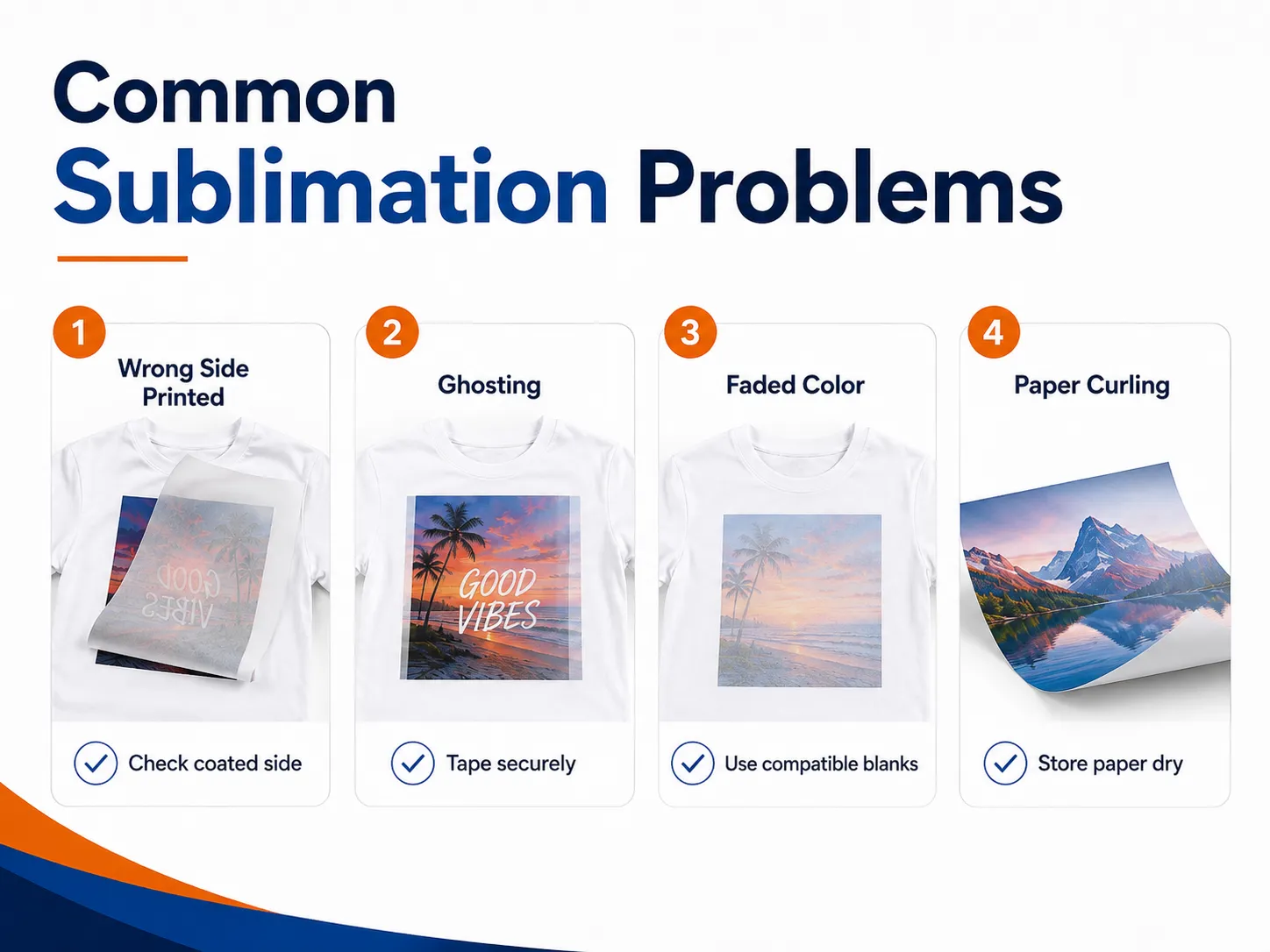
ProblemPossible causeRecommended action
Finished print is fadedWrong paper side, incompatible blank or insufficient transferConfirm coated side and blank compatibility
Image is blurryPaper moved or excessive ink spreadSecure with tape and review settings
Double image or ghostingPaper shifted during pressing or removalFix paper securely and lift it straight away
Paper curlsHumidity, excessive ink or unsuitable paperStore paper correctly and reduce ink load
Roller marksInk remains wet or paper cannot handle coverageUse suitable paper and review print settings
Ink smearsSlow drying or touching the print too soonAllow drying and reduce excessive ink
White dots on fabricLint or loose fibersLint-roll and pre-press the garment
Colors are incorrectWrong profile, ink or paper settingMatch the complete printing system
Image is reversedArtwork was not mirrored correctlyMirror before printing
Black areas bleedExcessive ink load or unsuitable paperReduce ink and test another paper
Transfer is unevenInconsistent pressure or warped blankCheck platen and blank flatness
Paper sticks to productCoating or press settings are incompatibleStop production and verify the material system

Heavy ink coverage and high humidity can contribute to wet prints, roller marks and color bleeding. Paper should be compatible with the printer and allowed to acclimate to the production environment.

How to Prevent Ghosting

Ghosting appears as a faint duplicate edge around the design.

It usually occurs when the transfer paper moves while the dye remains active.

To reduce ghosting:

  • Secure the paper with heat-resistant tape.
  • Use tacky paper for suitable stretch textiles.
  • Avoid moving the press during the cycle.
  • Open the heat press smoothly.
  • Lift the paper straight away.
  • Do not slide the paper over the product.
  • Use a stable pressing surface.
  • Check that curved blanks are wrapped tightly.

How to Store Sublimation Paper

Paper absorbs moisture from the surrounding environment.

Poor storage can contribute to:

  • Curling
  • Cockling
  • Slow drying
  • Feeding problems
  • Color inconsistency
  • Ink smearing
  • Uneven transfers

Recommended practices include:

  • Keep paper in its original packaging.
  • Store it in a clean, dry area.
  • Keep sheets flat.
  • Protect rolls from damaged edges.
  • Avoid direct sunlight.
  • Avoid excessive heat and humidity.
  • Allow cold paper to acclimate before opening.
  • Reseal unused paper.
  • Do not place paper directly on the floor.
  • Use older stock first.

Commercial paper manufacturers recommend retaining rolls in the original packaging and storing them in a clean, dry environment.

How Does Paper Affect Sublimation Color?

Paper influences how much ink remains available for transfer.

It can affect:

  • Color density
  • Fine detail
  • Ink release
  • Solid-color uniformity
  • Drying
  • Image sharpness
  • Ghosting
  • Paper deformation

However, color should not be evaluated by paper alone.

The complete output depends on:

  • Printer
  • Sublimation ink
  • Paper
  • ICC profile
  • Blank coating
  • Heat
  • Time
  • Pressure

Changing the paper may require new testing or a different media/profile selection.

Can the Same Sublimation Paper Be Used for Every Product?

A multipurpose paper may perform well across several applications, but no paper should be assumed ideal for every production workflow.

A paper optimized for high-speed textile printing may not be the best option for a small desktop mug printer.

A tacky paper designed for stretch fabric may be unnecessary for metal panels.

Test based on:

  • Ink coverage
  • Product type
  • Required detail
  • Printer speed
  • Sheet handling
  • Transfer efficiency
  • Production volume

How to Compare Sublimation Paper Quality

When comparing two papers, use the same:

  • Printer
  • Ink
  • Artwork
  • Profile
  • Blank
  • Heat press
  • Time
  • Temperature
  • Pressure

Then evaluate:

  1. Printer feeding
  2. Drying speed
  3. Paper flatness
  4. Ink smearing
  5. Fine detail
  6. Color density
  7. Solid-color uniformity
  8. Transfer efficiency
  9. Ghosting
  10. Cost per successful product

The cheapest paper per sheet may not be the lowest-cost paper in production if it causes failed products or inconsistent color.

Is Sublimation Paper Suitable for a Small Printing Business?

Yes. A compact sublimation system can support personalized products such as:

  • Mugs
  • Mousepads
  • Keychains
  • Polyester shirts
  • Phone cases
  • Coasters
  • Tumblers
  • Photo panels
  • Ornaments
  • Pillow covers

Sublimation works particularly well alongside DTF printing.

A small studio can use:

  • DTF for cotton and dark garments
  • Sublimation for polyester and coated gifts

This allows the business to offer apparel and personalized gift products using complementary workflows.

For product ideas, see creative printing projects for small business.

Final Thoughts

Sublimation paper is a coated transfer medium designed to carry dye-sublimation ink from a printer to polyester or a polymer-coated product.

A reliable result depends on more than choosing a paper labeled “sublimation.”

You should also:

  • Match the paper to the printer and ink.
  • Print on the coated side.
  • Mirror the artwork when required.
  • Use compatible polyester or coated blanks.
  • Control ink coverage.
  • Secure the paper before pressing.
  • Follow product-specific heat settings.
  • Prevent paper movement.
  • Store paper in a clean and dry environment.
  • Test before purchasing large quantities.

Avoid relying on one universal polyester percentage, temperature, pressing time or paper-removal method.

The correct workflow depends on the complete combination of ink, paper, product and equipment.

Sublimation is a strong choice for light polyester apparel and personalized gifts. For dark garments and cotton products, compare it with DTF printing before selecting your production process.

Frequently Asked Questions

What is sublimation paper?

Sublimation paper is a coated transfer paper that holds dye-sublimation ink and releases it onto polyester or a polymer-coated product under heat and pressure.

Which side of sublimation paper do you print on?

Print on the coated side. It is often brighter or whiter, while the reverse may contain a watermark. Follow the paper supplier’s instructions because appearance varies.

Do you need special ink for sublimation paper?

Yes. Use dye-sublimation ink. Ordinary inkjet ink may print onto the paper but will not produce a proper sublimation transfer.

Can you use a regular printer with sublimation paper?

The printer must be compatible with sublimation ink. A dedicated sublimation printer is generally the safest option. Never mix ordinary ink and sublimation ink in the same system without an approved conversion and flushing process.

Can you use regular copy paper for sublimation?

Copy paper may produce weak experimental transfers, but it is not recommended for consistent commercial results. Sublimation paper is designed for controlled ink holding and dye release.

Does sublimation paper need to be mirrored?

Most designs should be mirrored because the printed side is placed against the product. Check whether your printing software mirrors the job automatically.

Can sublimation paper be used on cotton?

Standard sublimation does not provide durable, vibrant results on untreated cotton. It works best with polyester or polymer-coated materials.

Can sublimation paper be used on black shirts?

Traditional sublimation is not suitable for normal black shirts because sublimation ink is transparent and does not contain white ink.

Can sublimation paper be reused?

No. The majority of the usable dye is released during the first transfer, so the paper should be treated as single-use.

Why does the image look faded on the paper?

Sublimation colors commonly appear muted before pressing. They become stronger when the dye transfers into a compatible product.

What temperature should be used for sublimation paper?

There is no universal temperature. Follow the instructions for the exact blank, ink, paper and heat press, then verify the result with a test.

Should sublimation paper be removed hot or cold?

It depends on the blank and transfer system. Some products require immediate removal, while others benefit from a short pause or cooling period.

Can parchment paper protect the heat press?

Protection materials should follow the blank supplier’s recommendation. Clean uncoated butcher paper is commonly used because it absorbs stray sublimation dye and can be replaced after contamination.

Why does sublimation paper curl?

Common causes include moisture, excessive ink coverage, unsuitable paper, incorrect storage and environmental humidity.

Does better sublimation paper use less ink?

A paper with good release efficiency can transfer more of the available dye, but total ink use is also controlled by the print profile and artwork. Evaluate finished product quality rather than paper appearance alone.


MAY BE YOU LIKE ALSO

  • EraSmart Printer

    uv printer
    DTF printer
    DTG printer
    Heat press machine
    Advertising printer

  • Printer tools

    DTF oven
    Hot Press
    Carving machine
    Mug heat transfer
    Laminating machine

  • Consumables

    Printing INK
    Cellphone case
    Glass product
    Cleaning fluid
    Cotton swab

  • Contact Us

    WhatsApp:+8618566233796
    WeChat: +8618566233796
    Mobile: +8618566233796
    Web:www.erasmart.com
    Shop:www.erasmartmall.com

  • Need Printer Price?

    Tell us your printing needs. Our team will reply within 24 hours.

    Request A Quote

    Just provide a few details and we will help you get quick quotes!