Small Size Flatbed Inkjet Printer Manufacturer

How to Make Acrylic Keychains with a UV Printer | EraSmart
Custom acrylic keychains are a practical starting point for a personalized-products business. They are small, easy to ship, available in many shapes, and suitable for pet portraits, event souvenirs, custom names, artwork, and company gifts. With a UV flatbed printer, you can decorate suitable acrylic blanks in full color without setting up screens or ordering hundreds of identical pieces.
The simplest way to get started is to buy pre-cut, pre-drilled acrylic keychain blanks, print your designs directly onto them, and attach the key rings. You do not need a laser cutter for that workflow. A laser cutter becomes useful when you want to make your own custom outlines from acrylic sheets.
This guide covers both approaches, from artwork and white ink to batch production, finishing, costing, and choosing an appropriate EraSmart UV printer.

Can You Make Acrylic Keychains with a UV Printer?
Yes. A UV flatbed printer can print designs onto compatible flat acrylic surfaces using UV-curable ink. The ink is cured during the print process, so there is no separate heat press or traditional drying stage. You can print an individual personalized design or arrange multiple blanks on the bed for a short production run.
There are two common production routes:
| Production route | What you need | Best suited to | Main consideration |
|---|---|---|---|
| Pre-cut acrylic blanks | UV printer, compatible ink, pre-cut and pre-drilled blanks, key rings, positioning jig | Beginners, gift stores, custom orders, small batches | Blank shapes and sizes are limited to what suppliers offer |
| Custom-cut acrylic sheets | UV printer, suitable acrylic sheet, a compatible laser cutter or cutting service, alignment workflow, hardware | Original character shapes, brand-specific outlines, repeat production | Requires cutting expertise, material checks, ventilation, and print-to-cut registration |
For a first-time operator, pre-cut blanks usually provide the shortest path from a customer order to a finished keychain. You can validate demand before investing in another production process.
What Do You Need to Make Custom Acrylic Keychains?
Start with a small set of dependable materials rather than stocking every shape immediately.
| Item | Purpose | Practical buying tip |
|---|---|---|
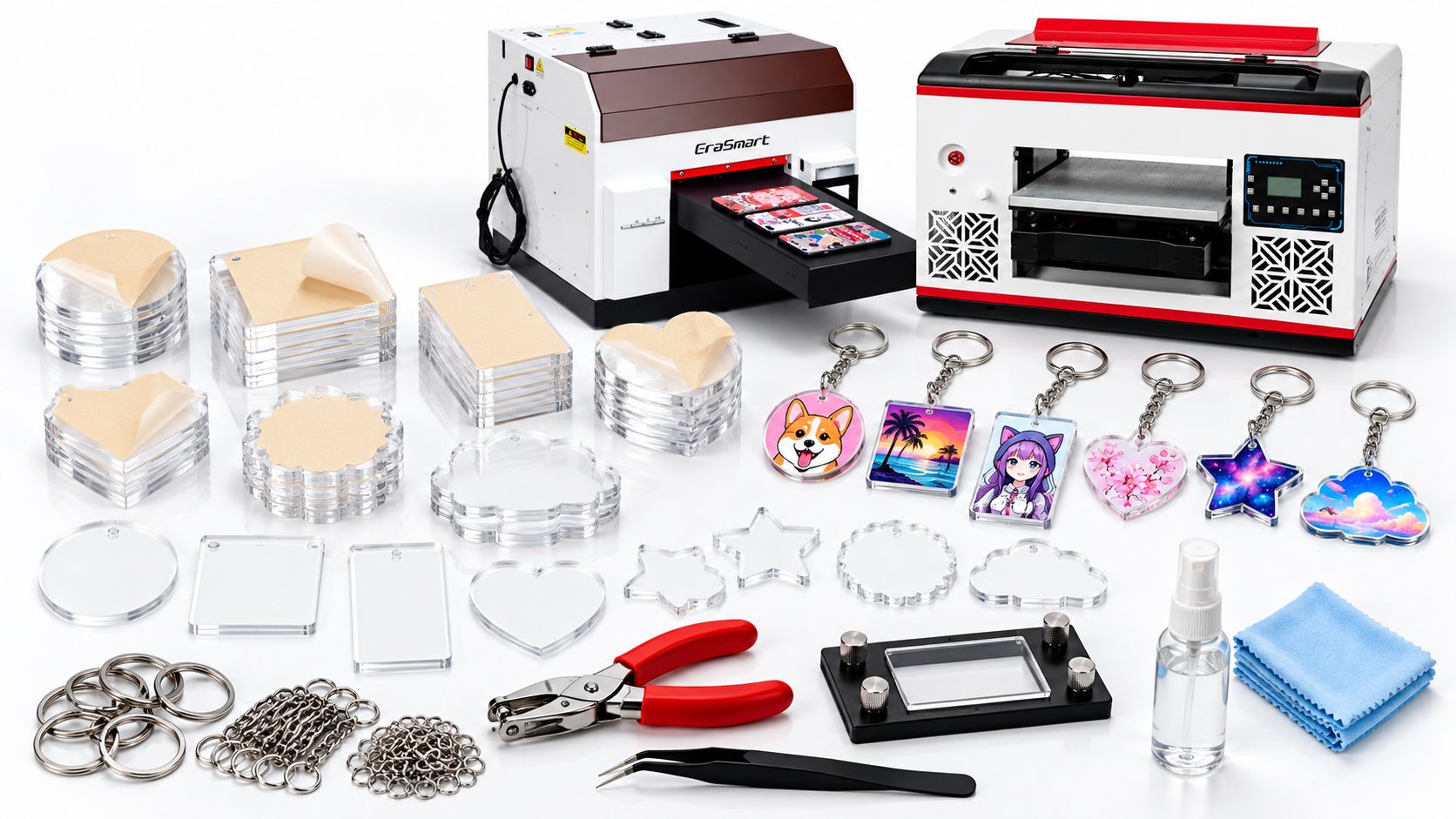
| UV flatbed printer with white ink | Prints the design onto acrylic | Confirm printable area, layer control, material thickness, and support |
| Clear or colored acrylic blanks | The body of the keychain | Choose consistent thickness and clean edges; pre-drilled blanks save labor |
| RIP software | Controls position, color, white-ink mask, and print layers | Learn your exact printer profile before accepting paid orders |
| Positioning jig or template | Holds multiple blanks in fixed locations | Use repeatable slots and keep the printable surface level |
| Lint-free cloth and approved cleaner | Removes dust, oil, and fingerprints | Test cleaners on acrylic; aggressive solvents can damage the surface |
| Key rings, jump rings, and short chains | Connects the acrylic piece to keys or bags | Test attachment strength and the distance from the hole to the edge |
| Small pliers and packing supplies | Assembly and fulfillment | Use protective sleeves or backing cards to reduce scratches |
| Sample and inspection materials | Check color, adhesion, and finish | Retain an approved sample for repeat orders |
Which acrylic blanks are best for beginners?
Round, rectangular, and heart-shaped pre-drilled blanks are easy to position and usually leave enough room for a simple logo, name, or portrait. Clear acrylic creates a bright, glass-like result, while white or colored blanks change how the artwork appears.
Before placing a large order, ask your blank supplier about the actual material, surface coating, protective film, dimensional tolerances, and whether the product is intended for UV printing. Acrylic products can have different surface finishes, and one successful print does not guarantee that every supplier’s blanks will behave the same way.
Avoid starting with tiny, intricate outlines. Small loops, sharp internal corners, and thin sections around the hardware hole can be harder to assemble and more prone to damage.
How to Make Acrylic Keychains with a UV Printer: Step by Step
The following workflow is designed for ready-cut acrylic blanks and can be adapted for one-off gifts or repeat orders.
Step 1: Choose the finished size and artwork
Measure the actual printable area of the blank, not just its outside dimensions. Leave room around the hardware hole and a clear border where appropriate. For a pet portrait, remove the unwanted photo background and retain enough detail for the face to remain recognizable at keychain size.
Create the artwork at its final production dimensions. Use a high-resolution source image, check small lettering at real size, and include a cutting or blank outline on your design template. Keep the printable artwork separate from alignment guides so those guides are not accidentally printed.
Step 2: Prepare the white-ink layer
Color printed directly onto transparent acrylic can look translucent. A selective white layer behind the design is often what makes pet faces, names, and logos look vivid and opaque.
Decide which parts of the artwork should remain clear and which should have white backing. Use the white-ink mask or spot-color workflow supported by your RIP software. Do not assume that a white shape visible on your computer screen will automatically be printed with white ink.
For detailed layer planning, read our white ink printing guide.
Step 3: Remove the protective film and clean the acrylic
Remove the film from the surface to be printed. Clear away fingerprints, lint, adhesive residue, and static-attracted dust with a suitable lint-free cloth and an acrylic-safe cleaning method. Handle cleaned blanks by their edges whenever possible.
Test your cleaner first. Certain solvents and aggressive cleaning methods can cause acrylic crazing, cloudiness, or surface damage. A clean appearance alone does not confirm that the surface is compatible with the chosen ink.
Step 4: Position the blanks on the print bed
For one keychain, place the blank on the bed and use the printer’s normal positioning procedure. For multiple pieces, use a jig with slots or locating features that hold every blank in the same orientation.
Keep the top surfaces level, check that no key-ring hardware is attached yet, and confirm the printhead clearance using the printer’s specified height-setting method. Do not let blanks, clamps, or fixture pins interfere with carriage movement.
Step 5: Set the print direction and ink sequence
Choose front-surface printing for artwork applied to the side facing the customer. Choose reverse or second-surface printing when the design is applied to the back of clear acrylic and viewed through its smooth front surface.
The choice changes whether the artwork must be mirrored and how white and CMYK layers should be stacked. Check the exact RIP preview and print a sample before using an unfamiliar preset.
Step 6: Print and inspect one sample
Run a single sample or a small test group before printing the entire batch. Check color accuracy, white opacity, border spacing, print registration, curing, and adhesion. Examine the sample over both light and dark backgrounds.
If you are qualifying a new blank supplier, include a suitable adhesion and handling test after the print has fully met the ink supplier’s recommended cure and conditioning requirements. Record the successful settings.
Step 7: Print the batch
Once the sample is approved, load the blanks into the saved jig positions and print the batch. Batch production is most repeatable when all items have the same thickness and a consistent top-surface height.

Step 8: Attach the key rings and pack the order
Inspect every finished piece for scratches, incomplete graphics, ink lifting, and damaged holes. Attach the jump ring or short chain without forcing the acrylic hole. Test the connection, then pack the keychain in a protective sleeve, on a backing card, or in a small gift box.
If you sell personalized goods, check the spelling, artwork version, quantity, and customer order reference before sealing the package.
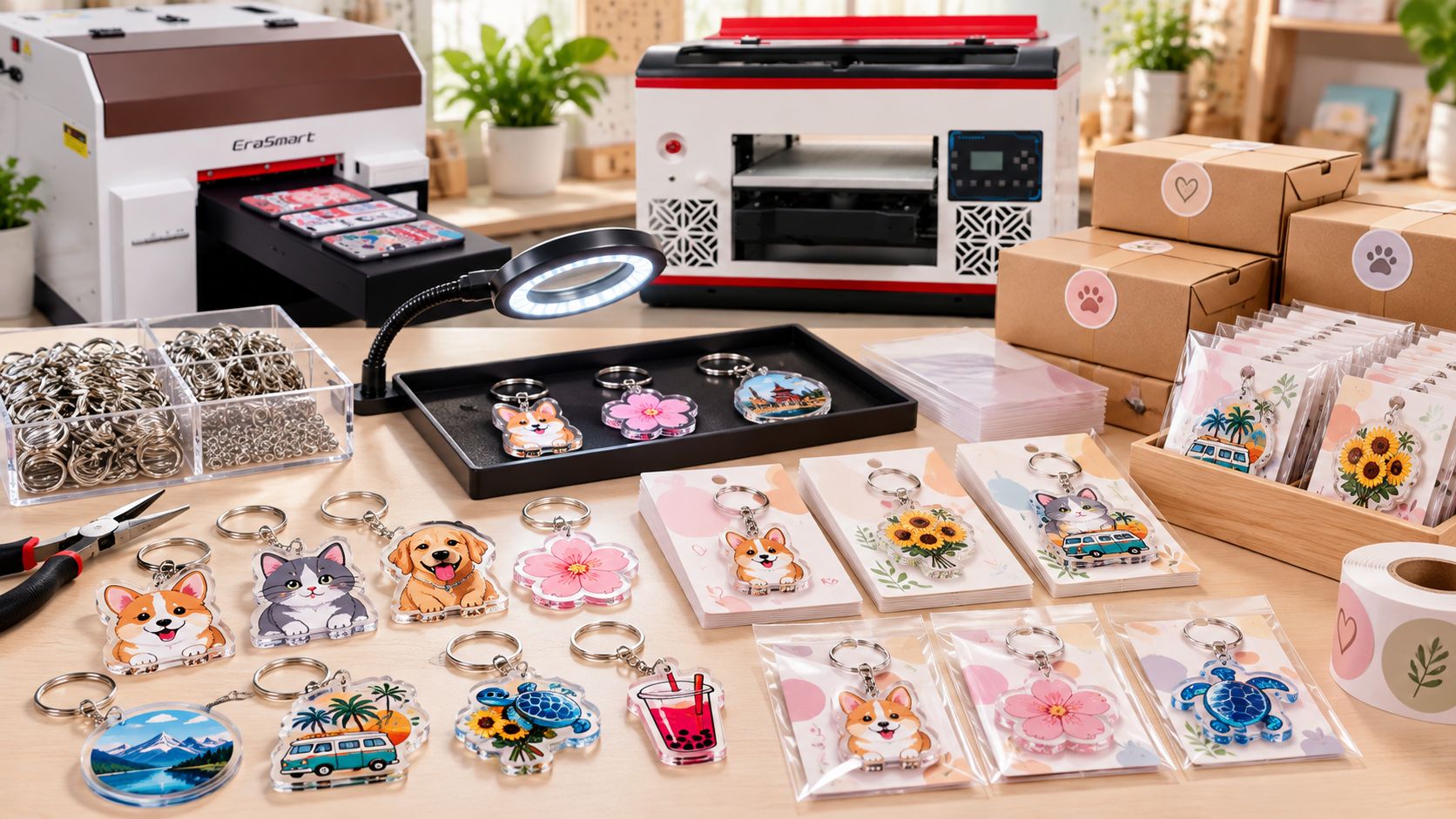
Front Printing vs. Reverse Printing on Clear Acrylic
These two methods create different visual and handling characteristics.
| Feature | Front-surface UV printing | Reverse/second-surface UV printing |
|---|---|---|
| Viewing direction | Directly at the printed surface | Through the clear acrylic from the opposite side |
| Artwork orientation | Normal orientation for the viewing side | Artwork is typically mirrored |
| Typical layer concept | Acrylic → white underbase → CMYK for opaque full-color artwork | Viewer → acrylic → CMYK → white backing |
| Visual effect | Direct printed color; optional tactile finish if supported | Smooth acrylic face with perceived image depth |
| Main risk to manage | Direct abrasion and surface adhesion | Correct mirroring, layer order, reverse-side protection, adhesion |
| Typical use | Logos, colored blanks, front-facing graphics | Clear pet-photo charms, name designs, premium-looking keepsakes |

The layer descriptions above explain the finished visual stack, not a universal software button or print pass order. A given printer’s actual white/CMYK sequence depends on its printhead configuration and RIP settings.
Reverse printing is often attractive for a clean front face, but the ink remains on the back of the keychain. It should not automatically be treated as scratchproof. For frequently handled products, evaluate the back-side durability and any compatible protective finishing step.
For a broader overview of clear and colored substrates, explore UV printing on acrylic.
How to Make Custom-Shaped Acrylic Keychains
Pre-cut blanks work well for standard shapes. If your business needs a custom silhouette—for example, a mascot outline, brand icon, or an unusual product shape—you can add a separate cutting workflow.
A typical process is:
- Design the artwork and its cut contour in separate, accurately aligned layers.
- Select a sheet of acrylic that is confirmed compatible with both your UV ink process and the proposed cutting method.
- Make an alignment test to determine the best order of printing and cutting for your equipment.
- UV-print the sheet, or cut the outlines first and UV-print individual shapes using a jig; both are viable workflows when properly registered.
- If cutting after printing, evaluate heat effects, fume extraction, printed-layer damage, and edge quality on a test sheet.
- Finish any edges and holes as required, inspect every part, and assemble the hardware.
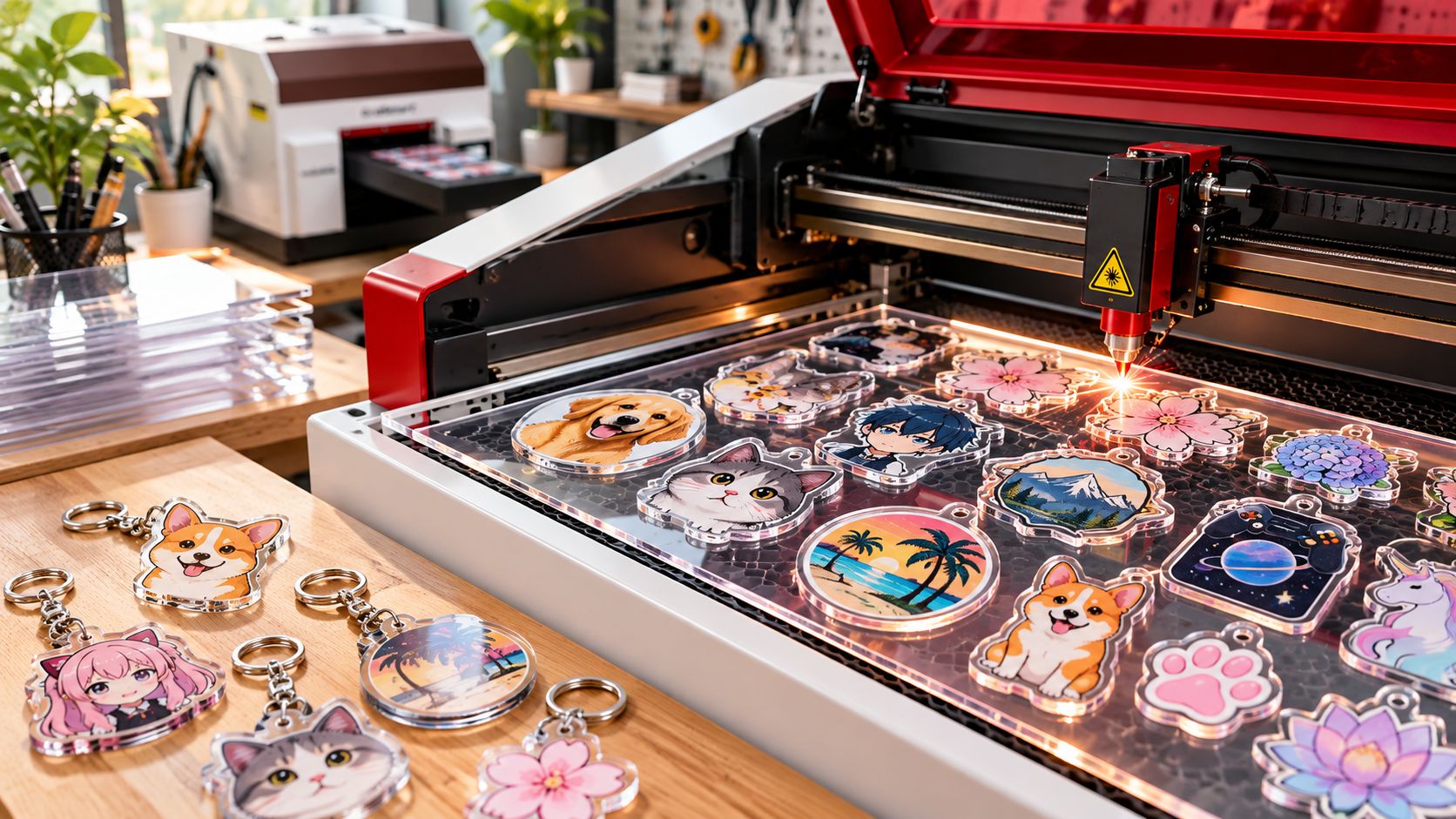
Safety matters: Use only verified laser-compatible material and a properly enclosed, ventilated cutting system operated according to the manufacturer’s instructions. Do not cut unknown plastics, PVC, vinyl, or unidentified coated materials. Acrylic cutting creates fumes and a fire hazard; never leave an active laser cutter unattended. UV printing does not make an otherwise unsuitable material safe to laser cut.
If you do not want to buy a laser cutter, a local cutting service can provide custom pre-cut blanks while you handle the printing and order fulfillment.
Common Acrylic UV Printing Problems and How to Fix Them
| Problem | Likely area to investigate | Practical first action |
|---|---|---|
| Ink rubs off or peels | Surface contamination, wrong ink or coating, curing, substrate mismatch | Clean and qualify a new sample; test a compatible primer if recommended |
| Color looks washed out on clear acrylic | Missing or weak white backing | Check white mask coverage and opacity |
| Artwork appears backward | Incorrect orientation for reverse printing | Confirm customer viewing side; mirror the file when required |
| White halo around a design | White/CMYK registration or mask settings | Check alignment, RIP white-choke settings, and fixture stability |
| Designs shift between blanks | Poor jig positioning, changing blank dimensions | Improve mechanical registration and sort blanks by thickness |
| Small lettering is difficult to read | Artwork too detailed for the physical size | Simplify text and inspect at actual keychain dimensions |
| Acrylic is scratched or cloudy | Incompatible cleaner, rough handling, removed film too early | Test safe cleaning methods and use protective handling |
| Keychain cracks near the hole | Weak geometry, poor hole location, stressed assembly | Increase edge distance and check hardware sizing |
Avoid solving every adhesion problem by increasing UV exposure. Ink, surface chemistry, film residue, and curing must be considered together. A documented sample process is more dependable than guessing at settings during a paid production run.
Which EraSmart UV Printer Is Best for Acrylic Keychains?
For this application, choose a printer according to usable bed area, reliable white-ink production, fixture layout, and your product mix—not solely by the largest headline speed or highest stated resolution.
| Printer | Official listed printing area | Relevant features | Suitable business stage |
|---|---|---|---|
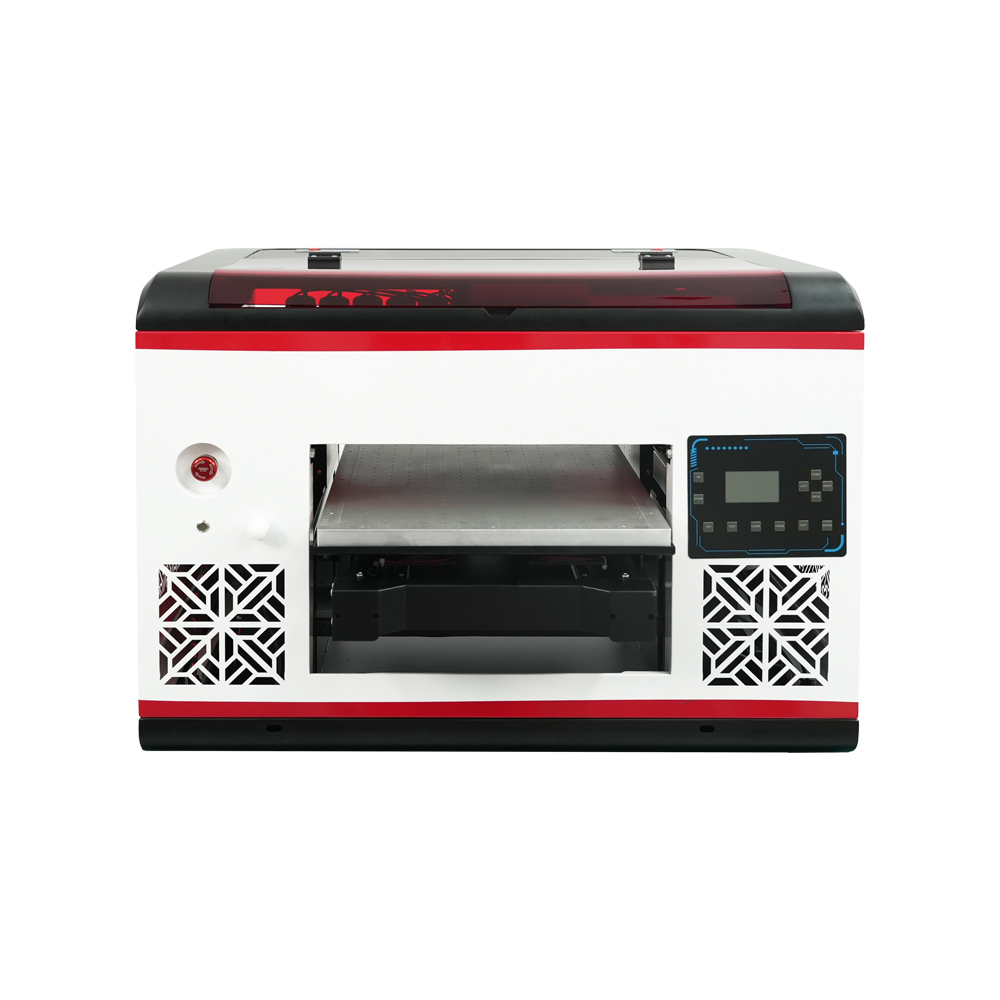
| EraSmart A4 UV Printer | 180 × 290 mm effective area | L800 printhead; CMYK + WW; white ink circulation; infrared height measurement | Personalization startup, sample orders, compact gift production |
| EraSmart A3 MAX UV Printer (XP600) | 300 × 450 mm | Single XP600 printhead; integrated suction platform; white/color printing | Larger jig layouts, more product variety, growing short-run production |
A larger bed can hold more blanks per setup, but it does not determine a guaranteed number of finished keychains per hour. Actual throughput depends on design coverage, color/white passes, print quality settings, blank spacing, jig changeovers, inspection, and assembly.
For a new gift shop producing occasional names and pet portraits, the compact EraSmart A4 UV Printer is worth evaluating first. If you routinely group more blanks per job or want to add larger acrylic plaques and phone cases, compare the EraSmart A3 MAX XP600 and the complete UV printer range.
When requesting a quotation, share your blank dimensions, target order sizes, whether you plan to print on the front or reverse side, and photographs of the acrylic blanks. That makes it easier to recommend a suitable print area and workflow.
How Much Does It Cost to Make Acrylic Keychains?
The cost of a custom acrylic keychain includes more than the plastic blank and ink. Hardware, cleaning, setup, artwork preparation, rejects, assembly, and packaging can add up—particularly with one-off personalized orders.
Here is a hypothetical costing example, not a supplier quotation or verified market price:
| Cost item | Example cost per keychain (USD) |
|---|---|
| Pre-cut acrylic blank | $0.30 |
| Split ring and connector hardware | $0.10 |
| Estimated ink and cleaning consumables | $0.05 |
| Packaging | $0.12 |
| Direct labor allocation | $0.35 |
| Scrap allowance and allocated operating expenses | $0.18 |
| Illustrative production cost | $1.10 |
At an example selling price of $3.50, the gross contribution after these listed costs is $2.40, or approximately 68.6% of revenue. This is a model for understanding pricing—not a prediction of profit.
Actual figures vary by country, blank quality, order size, customer artwork, sales channel, and equipment utilization. Check whether your allocated expenses already cover printer depreciation, electricity, maintenance, payment processing, marketing, shipping, and taxes; include any missing costs before treating the remainder as profit.
For repeatable quotes, use a simple formula:
Quoted price = material and hardware + ink and consumables + production labor + packaging + scrap allowance + allocated overhead + target profit.
You may also add a separate setup or design fee for a one-piece order. For larger orders, lower per-unit setup time can justify a different price tier, but a discount should still preserve your desired margin.
10 Custom Acrylic Keychain Ideas You Can Sell
The best product is not necessarily the most complicated design. Choose a few recognizable themes, create strong sample photographs, and test which customer groups actually place repeat orders.

1. Pet portrait keychains
Turn customer-supplied dog or cat photographs into personalized keepsakes. Clear artwork approval and a realistic preview can reduce rework.
2. Custom name keychains
Offer names, initials, or short phrases using easy-to-read lettering. Provide a limited font and color menu to speed up production.
3. Wedding and party favors
Create date-and-name designs, floral monograms, or guest gifts. These are well suited to multi-piece orders using one standardized blank.
4. Travel souvenirs
Use original local illustrations, landmarks you are licensed to depict, and distinctive color palettes for gift shops and tourism businesses.
5. Corporate promotional keychains
Print approved client logos or event graphics for business giveaways, employee gifts, and conference merchandise. Obtain the customer’s artwork and usage permission.
6. School and club merchandise
Design graduation keepsakes, club symbols, and team-themed charms. Use authorized marks and make orders easy to personalize in batches.
7. Cute original character charms
Illustrated animals, food characters, and original mascots are suitable for shaped blanks. Avoid using unlicensed animation characters, commercial logos, or copied artwork.
8. Couple and friendship keychains
Offer matching two-piece sets using coordinated colors, initials, or complementary illustrations.
9. Small-business branding gifts
Coffee shops, salons, and boutiques may want affordable merchandise tied to their visual identity. Pair a simple logo keychain with branded backing cards.
10. Seasonal and holiday gifts
Create limited collections for birthdays, Mother’s Day, local festivals, Christmas, and other occasions. Plan the production schedule around actual order deadlines.
For more custom product categories you could add later, see 35 things to print with a UV printer.
How to Start a Small Acrylic Keychain Printing Business
An effective launch can be simple. Rather than buying many materials at once, begin with a limited catalog and build a repeatable order process.
Start with three product families
Choose one highly personal product (pet portraits), one simple personalized product (names), and one repeat-order product (corporate or event keychains). Make a few physical samples of each before advertising.
Standardize the ordering details
Ask buyers for their chosen blank shape, size, print orientation, design or photo, spelling, quantity, delivery destination, and required date. For logos and artwork, confirm that the customer has the right to use the content.
Sell through the channels that match your product
A local gift shop can demonstrate material quality in person. A social or online storefront can capture personalized requests. Event planners and small businesses may order in batches. Choose your sales channels based on fees, fulfillment expectations, and where your target customers already shop.
Track the real production numbers
Record the number of usable keychains per batch, print time, setup time, rejected parts, assembly time, and actual material costs. After several paid orders, use these figures to refine your pricing and decide whether a larger printer or custom cutting service is worthwhile.
Expand only after the workflow works
Once your keychains sell consistently, you can add products that reuse the same artwork and customer base: acrylic plaques, desk signs, magnets, and personalized phone cases. Our UV printing business guide explores equipment planning and broader startup considerations.
Frequently Asked Questions About UV-Printed Acrylic Keychains
Do I need a laser cutter to make acrylic keychains?
No. If you purchase pre-cut and pre-drilled acrylic blanks, a UV printer can handle the image printing, and you can assemble the metal hardware afterward. A separate cutter or cutting service is useful when you want your own custom shapes.
Can a UV printer print directly onto clear acrylic?
Yes, when the acrylic surface, UV ink, and printer setup are compatible. Test surface cleanliness, white-ink coverage, curing, and adhesion before production.
Do I need white ink for acrylic keychains?
Not every design needs it. Transparent effects may deliberately use CMYK without white. For vivid, opaque graphics on clear acrylic, white backing is often helpful. The correct layer order depends on the viewing side.
Can I print on both sides of an acrylic keychain?
It may be possible, but double-sided artwork requires careful registration, a suitable fixture, and a verified ink-layer workflow. Test the finished appearance and wear resistance before offering it as a standard product.
How many keychains can an A4 UV printer make per hour?
There is no universal number. Output depends on blank dimensions, spacing, print mode, white-ink passes, artwork coverage, loading, and inspection. Make a sample jig layout and time a complete real production cycle before quoting capacity to a customer.
Is reverse printing better than front printing?
Neither method is best for every application. Reverse printing through clear acrylic gives a smooth viewing surface and a sense of depth, while front printing can be appropriate for direct graphics and supported tactile finishes. Your design, ink system, and durability requirements should determine the choice.
Can UV DTF replace direct UV printing for acrylic keychains?
UV DTF can decorate suitable finished surfaces with transferred graphics, but it has a different consumables, transfer, edge-finish, and durability workflow. For consistently flat, pre-cut acrylic blanks, direct UV flatbed printing is a straightforward method to evaluate. Compare application requirements before buying either system.
Does UV ink become permanent immediately after printing?
UV curing happens during printing, but final adhesion and resistance to scratching depend on ink chemistry, surface preparation, curing conditions, and finishing. Validate the specific blank and ink combination rather than assuming every cured print is permanently bonded.
Start Your Acrylic Keychain Printing Workflow with EraSmart
Custom acrylic keychains can be a manageable first product for a small personalization business: start with consistent pre-cut blanks, create a reliable white-ink workflow, use a repeatable positioning jig, and maintain quality checks for every batch.
If you are evaluating equipment, browse the EraSmart UV printer collection, compare the A4 UV Printer with the A3 MAX XP600, and share your intended keychain size, material, and daily order target with our team to discuss an appropriate configuration.
MAY BE YOU LIKE ALSO
Copyright 2020 © EraSmart. | Sitemap