Small Size Flatbed Inkjet Printer Manufacturer

UV Printing Business Ideas for Gift Shops and Souvenir Stores
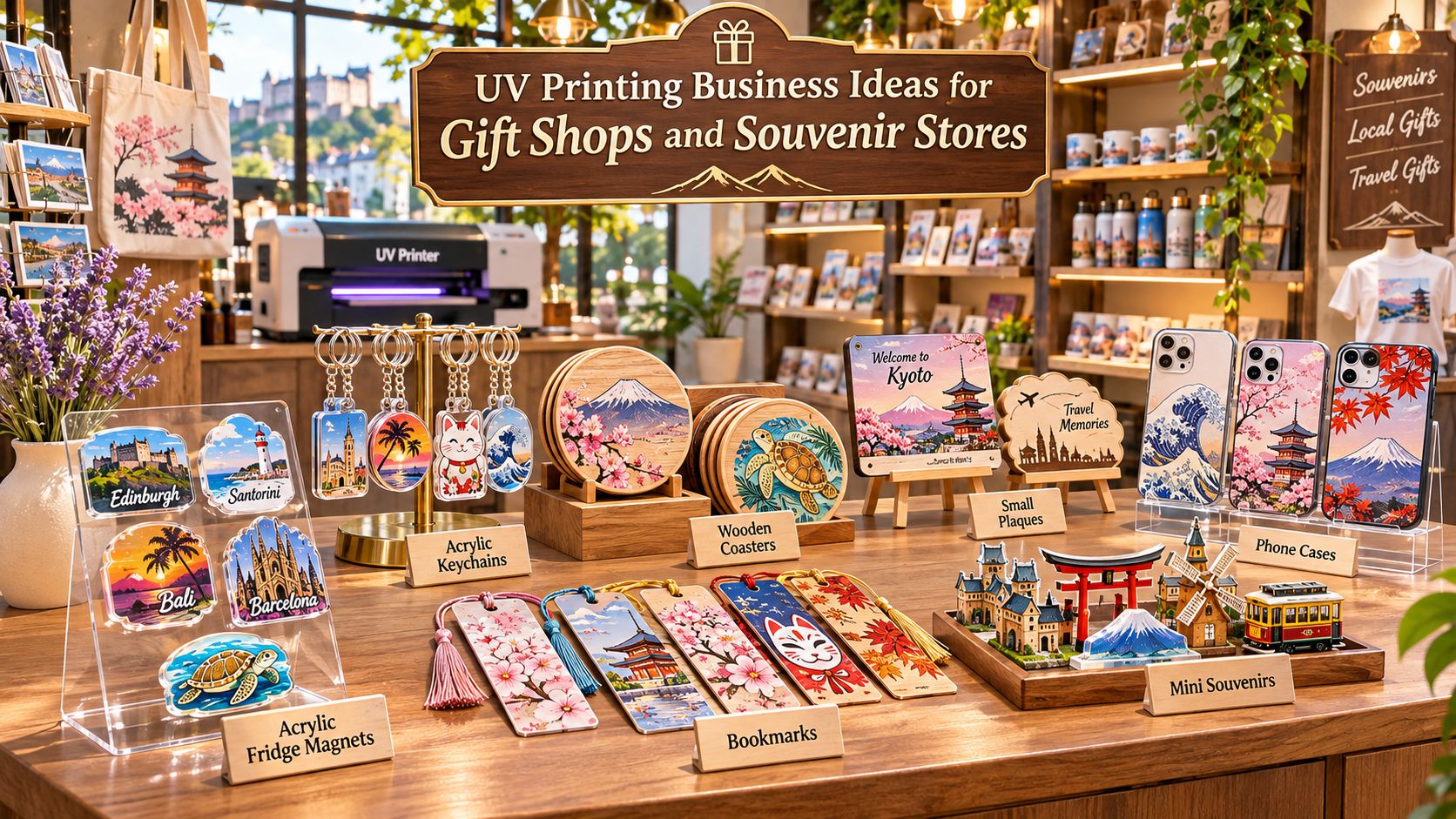
A visitor finds a beautiful city-themed magnet but wishes it had a different landmark. Another customer wants their name added to a keychain. A local hotel needs 30 branded welcome gifts by next week. These are different orders, but they have something in common: the products can begin as ready-to-decorate blanks and be personalized in relatively small batches.
UV printing offers gift shops and souvenir stores a way to add full-color designs directly to compatible acrylic, wood, coated metal, plastic and other hard-surface items without ordering a large quantity of every finished design. It can support both everyday souvenir collections and made-to-order gifts—provided the retailer chooses appropriate materials, tests the process and prices production realistically.
The opportunity is not simply to put a UV printer inside a shop. It is to build a practical product system: reusable artwork, reliable blanks, repeatable fixtures, controlled inventory and clear customer offers.
This guide looks at three business models, 12 gift and souvenir ideas, product-collection planning, in-store workflows, cost calculations and how to select an EraSmart UV printer for the products you actually intend to sell.
Why UV Printing Makes Sense for Gift Shops
Traditional souvenir purchasing often requires a store to commit to finished stock in advance. If one design sells slowly while another runs out, cash can remain tied up in unsold items. Direct-to-object UV printing changes part of that equation: a shop can keep selected blank products in stock and decorate them as customers order or as best-selling designs need replenishment.
This is particularly useful for businesses handling many designs but relatively small quantities per design. A store may have six local landmarks, three product shapes and several personalization options without needing to stock every combination as a finished product.
For suitable products, UV printing can provide:
- Small-batch flexibility: print a short run of several designs without preparing screens or plates.
- Personalization: change a name, date, image or approved logo from one order to the next.
- Colorful product decoration: reproduce illustrations, photographs and graphic branding directly on suitable surfaces.
- Collection building: adapt a shared visual identity across multiple blank products.
- Responsive replenishment: remake proven designs based on actual sales rather than speculative orders.
These benefits have limits. UV ink adhesion varies by substrate, coating, pretreatment and curing conditions. Unusual shapes may need custom fixtures, a cutting operation or a different printing method. Printing is only one part of the total retail cost; design, staff time, materials, maintenance, rejected products and packaging still matter.
Three UV Printing Business Models for Gift Retailers
A shop does not have to operate all three models. Choosing one main model makes equipment selection, staffing and promotion easier.
1. In-store personalized gifts
Customers select an eligible blank, choose a design and request a name, date, initials or photo. The operator prepares the file, confirms the preview, prints a test when needed and completes the order within a stated production window.
Good starting products include small acrylic plaques, name signs, keychains, phone cases and selected coated gift items. Offer a short menu of fonts, colors and blanks rather than unlimited options. The shop can advertise a clear turnaround time after confirming its real workload and material availability.
Best fit: existing gift boutiques, personalization counters, events and retail studios that serve customers who value a one-of-a-kind gift.
2. Pre-designed local souvenir collections
A store creates artwork around local architecture, landscapes, food, wildlife or cultural traditions. It prints small batches of magnets, coasters, bookmarks, plaques and keychains, then replenishes designs according to sell-through.
The goal is consistent brand presentation across several products, not a random assortment of graphics. This model works particularly well when the store has reliable access to local visitors but wants to reduce the risk of ordering large quantities of fully finished souvenirs.
Best fit: tourism shops, museums, visitor centers, hotel gift corners and destination retailers.
3. B2B souvenir and gift supply
A print studio supplies several independent stores, hotels, cafés, tour operators or event companies. Instead of waiting for individual shoppers, it receives purchase orders with approved artwork, quantities, specifications and delivery dates.
Saved artwork, fixtures and production settings are especially valuable here. The next order can be produced using an established process rather than starting from zero.
Best fit: gift wholesalers, small production workshops, designers and retailers expanding into local trade supply.
| Business model | Typical order | Main operational priority | Sales channel |
|---|---|---|---|
| In-store personalization | One to several customized items | Artwork approval and turnaround | Shop counter, website, events |
| Souvenir collections | Small batches of repeated designs | Design consistency and replenishment | Tourist shops, museum stores |
| B2B supply | Multi-SKU purchase orders | Repeatability, QC and fulfillment | Hotels, gift stores, attractions |
12 UV-Printed Products Gift Shops Can Sell
Choose products that match the printer’s actual printable area and height, have a stable supplier and can be tested on the exact surface finish. Start with a few strong categories rather than ordering blanks for everything below.
1. Acrylic fridge magnets
Small, lightweight souvenir magnets can feature local skylines, regional food, landscapes or original landmark illustrations. Print on a suitable acrylic blank and attach a tested magnetic backing; the UV printer does not make the product magnetic by itself. Transparent blanks may benefit from reverse printing with a correctly arranged white-ink layer.
Retail idea: a six-landmark city magnet series with coordinated packaging.
2. Personalized acrylic keychains
Keychains work for travel souvenirs, school gifts and simple name personalization. Pre-cut, pre-drilled acrylic blanks simplify startup because the UV printer handles decoration rather than cutting. For a more detailed production walkthrough, see how to make acrylic keychains with a UV printer.
Retail idea: one illustrated local landmark with several name and color options.
3. Wooden souvenir plaques
Small wooden display plaques bring a natural feel to national-park, forest, mountain and heritage collections. Smooth, properly prepared blanks are easier to print consistently than rough or highly porous surfaces. Surface treatments and print adhesion should be tested before an item is added to the catalog.
Retail idea: a coordinated set of regional landscape illustrations on wood.
4. Personalized photo blocks
An acrylic photo block can become a meaningful souvenir when the customer supplies their own authorized image. Prepare files for the actual display size and choose front or reverse print construction according to the blank and desired finish. Confirm image orientation before printing.
Retail idea: family vacation photos with a modest location-and-date design option.
5. Custom phone cases
A suitable phone-case blank can carry an original illustration, a tourist landmark or a personalized photograph. Because case dimensions and camera openings differ by model, hold inventory in a limited selection of proven models and use dedicated positioning fixtures.
Retail idea: destination-themed case designs for the most frequently requested models.
6. UV-printed coasters
Flat coasters are practical and easy to merchandise as pairs or sets. Wood, acrylic and compatible coated blanks offer different visual appearances and different durability considerations. Assess how the exact ink-and-substrate combination responds to moisture, heat and repeated use before making care claims.
Retail idea: four-coaster sets based on local cafés, coastlines, maps or architecture.
7. Seasonal ornaments
Flat ornaments can use original winter, holiday, local festival or event illustrations. Personalized dates and names allow the same core design to support multiple orders. Provide appropriate hanging holes or use finished blanks that already include them.
Retail idea: a limited annual destination ornament with the year printed on it.
8. Small name signs and desk décor
Acrylic name signs, desk plaques and miniature decorative panels work for birthdays, teachers, hotels and weddings. These products often require careful positioning and clean edges to maintain a premium appearance.
Retail idea: a short selection of nameplate shapes with two fonts and three color palettes.
9. Museum-inspired bookmarks
Flat bookmarks can feature artwork inspired by collections, architecture or educational themes. Use artwork that the shop owns or is permitted to reproduce; being able to photograph an exhibit does not automatically grant commercial reproduction rights.
Retail idea: a three-piece educational bookmark set with matching backing cards.
10. Metal luggage and gift tags
Coated metal tags can offer a more durable-feeling gift aesthetic, but the exact coating must be compatible with the ink and any surface preparation used. Test legibility, color, adhesion and abrasion resistance before selling luggage tags intended for frequent handling.
Retail idea: travel tags featuring an original destination icon plus optional initials.
11. Small acrylic awards
Small recognition plaques support school groups, clubs, competitions and tourism events. They are especially suitable for variable names and dates. Their selling value depends on design quality and finishing, not on the printed area alone.
Retail idea: event awards with a shared design and individually printed recipient names.
12. Branded flat gift-box components
Compatible rigid inserts, tags, box lids and decorative panels can extend a gift product into a complete branded presentation. Not all finished boxes can be placed on a flatbed safely; use suitably sized flat components, or print before assembly when necessary.
Retail idea: themed packaging for a magnet-and-keychain gift set.
For more potential categories beyond gift retail, explore 35 things to print with a UV printer. The key is to select the items that make sense for your particular shop, not to launch all 35 at once.
Build One Local Design into a Complete Souvenir Collection
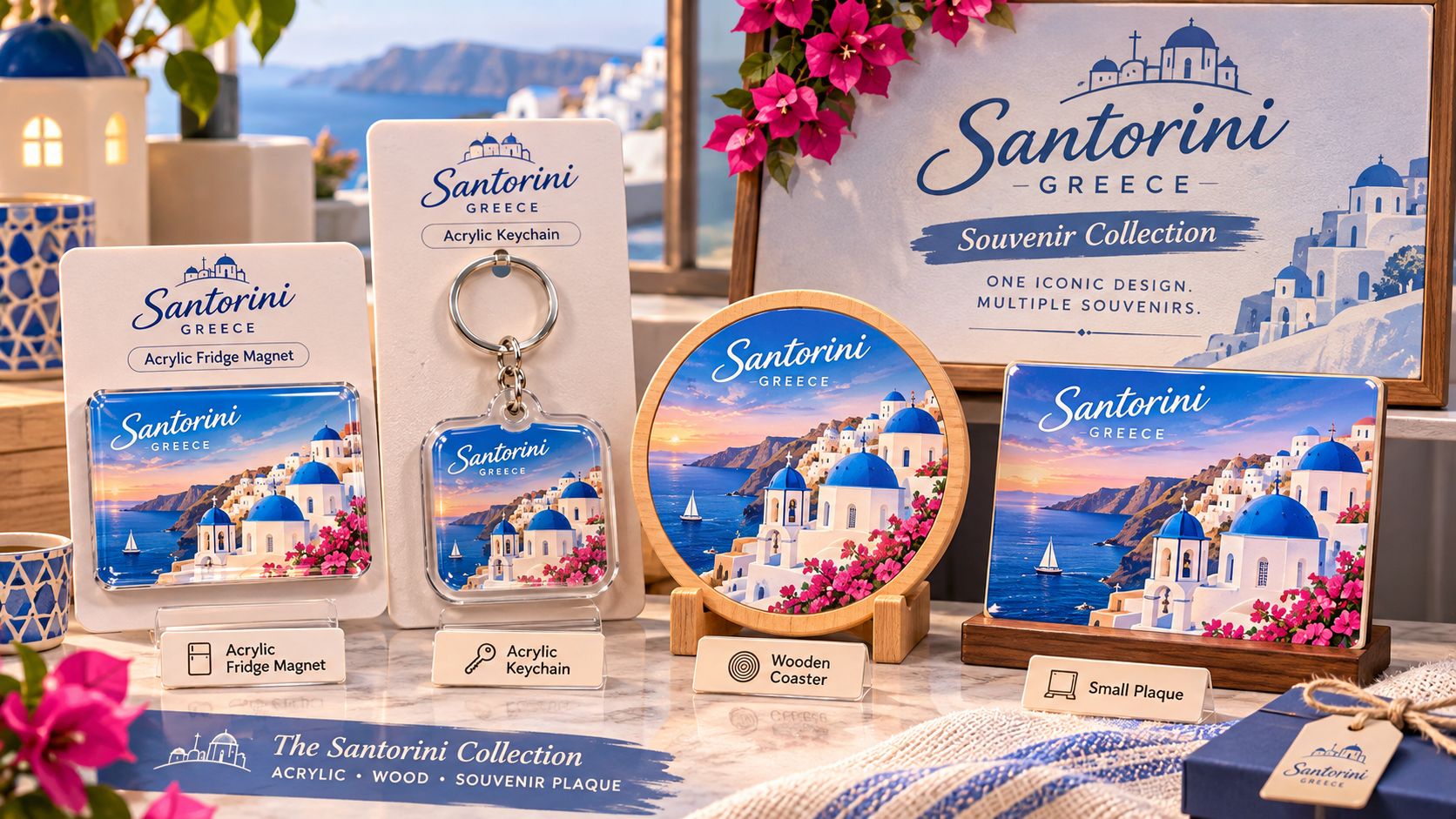
A local souvenir range becomes easier to develop when artwork is treated as a reusable asset rather than a one-off print file.
Imagine a coastal destination with six original designs:
- Harbor at sunset
- Historic lighthouse
- Traditional waterfront houses
- Local flowers and wildlife
- A regional food illustration
- A simplified illustrated map
Apply each design to three suitable products: a fridge magnet, an acrylic keychain and a wooden coaster. This gives six designs × three product types = 18 potential product variations. It does not mean the shop must manufacture or stock all 18 immediately.
Start by producing one sample of each promising combination. Select a smaller launch range based on presentation quality, material cost and feedback from actual shoppers.
Keep the collection visually consistent
Use a repeatable design system: a limited color palette, recognizable illustration style, common destination name treatment and a consistent packaging family. Save master artwork separately from the product-specific print layout.
For each SKU, record:
- Product name and blank supplier
- Material, thickness and dimensions
- Final print area and artwork scale
- File version and personalization field
- White-ink or other layer settings, if applicable
- Fixture position and RIP preset
- Packaging type and unit cost
This makes it easier to reproduce a successful product months later without trying to reconstruct its setup from memory.
Different customers, different collections
A museum may favor educational, conservation or historical themes. A national park may prefer wildlife and landscape illustrations. A seaside gift shop can sell beach-inspired artwork. A hotel may want a small selection of elegant destination gifts with approved branding.
The store’s commercial advantage comes from understanding its visitors and designing relevant products, not merely from owning a printer.
In-Store Personalization vs. Pre-Printed Stock
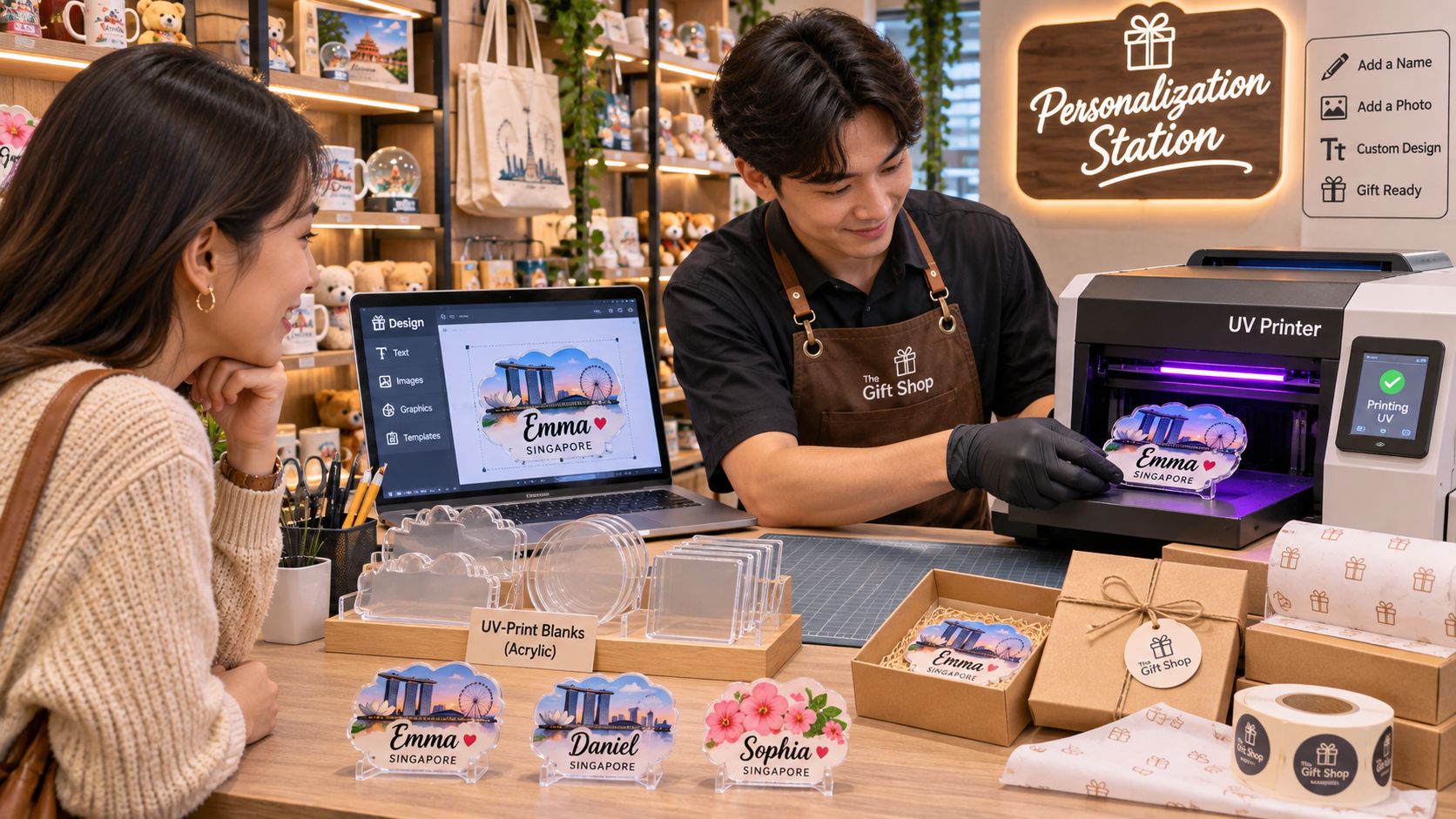
Both approaches can work within the same business, but they should have different order promises and inventory rules.
| Decision | Made-to-order personalization | Pre-printed souvenir stock |
|---|---|---|
| Customer choice | Names, dates, approved images | Ready-to-buy fixed designs |
| Blank inventory | Higher share of undecorated blanks | Higher share of finished products |
| Staff workload | Artwork approval and individual jobs | Batch printing and replenishment |
| Turnaround | Depends on queue and complexity | Immediate if stocked |
| Best use | Higher-personalization requests | Proven best sellers and tourist impulse purchases |
| Main risk | Workflow interruptions and order errors | Unsold finished inventory |
For many retailers, a hybrid setup is practical: keep the most successful magnets and coasters available for immediate purchase, while offering names or photos on a smaller set of customizable blanks.
Set a clear customer process:
- The customer selects an eligible product and personalization option.
- Staff confirm the spelling, date and artwork rights.
- The design preview is approved before production.
- The operator confirms the blank and fixture are suitable.
- The item is printed, inspected and packaged.
- The order is handed over or collected at the promised time.
For photos or customer artwork, obtain permission for the specific commercial use. Avoid unlicensed characters, sports logos, trademarks or copied destination illustrations.
Set Up a Small UV Printing Workspace
A compact retail production area should be planned around workflow and safety, not simply the dimensions of the printer.
Artwork station: one computer for file preparation, variable text and print-ready previews. Maintain templates and a consistent naming convention for each SKU and order.
Material preparation area: clean, inspect and sort blanks away from finished products. Store protective films, cleaning materials, replacement blanks and simple fixtures together.
Printing area: place the UV printer on a stable surface with sufficient clearance for operation, ventilation and maintenance. Verify electrical, environmental and operator requirements for the actual model.
Quality-control and packaging area: use consistent lighting for inspecting color, placement, surface defects and finishing. Keep packing materials away from ink handling and maintenance activity.
UV inks and cleaning products require proper handling. Read the Safety Data Sheets for the exact consumables, follow the printer manufacturer’s procedures and evaluate suitable ventilation and protective equipment for the workspace. The U.S. National Institute for Occupational Safety and Health describes the importance of exposure controls in printing operations. A storefront accessible to customers should keep chemicals and moving production equipment separated from public areas.
How to Produce Small-Batch Souvenirs with Repeatable Quality
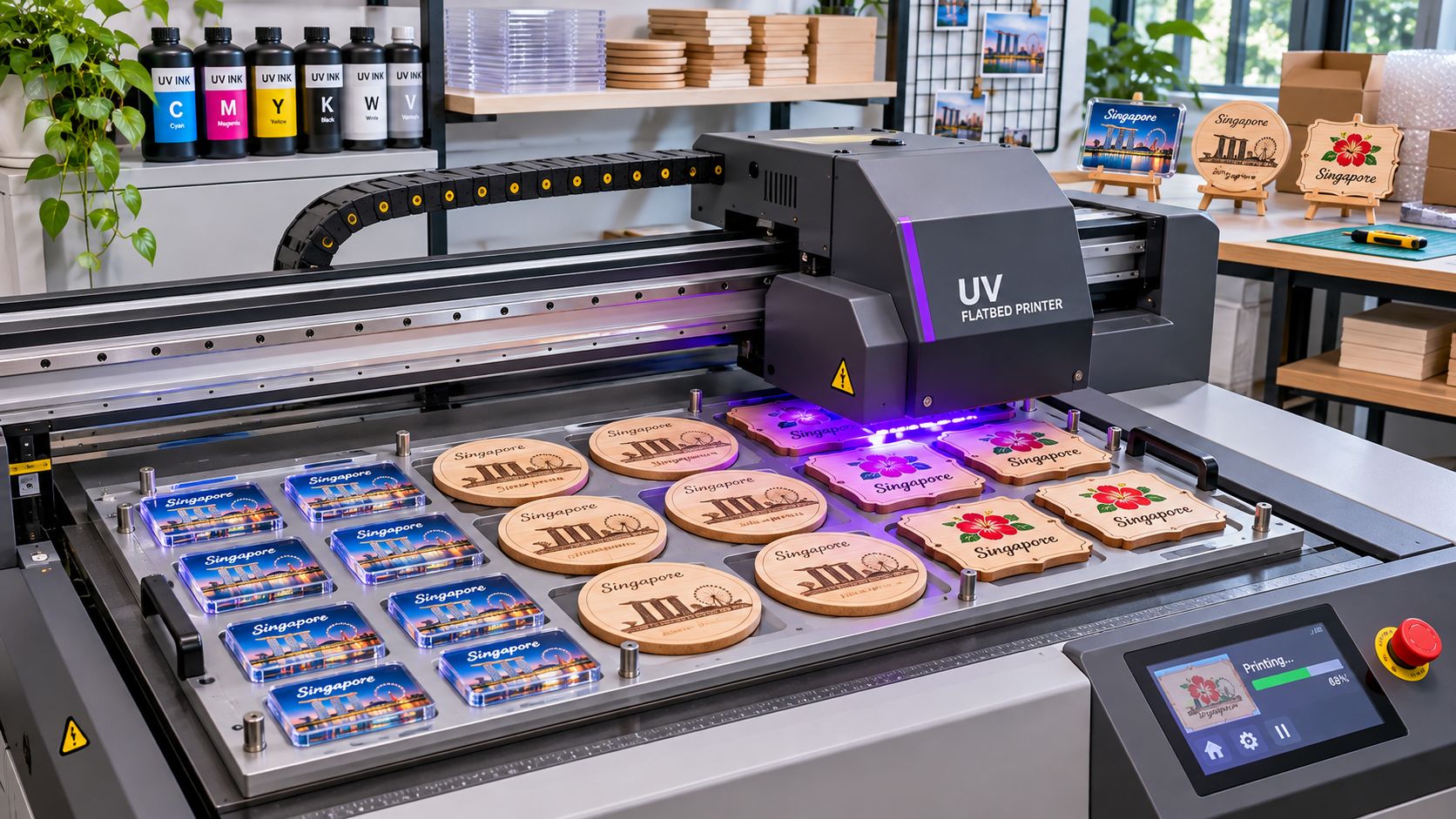
A repeatable batch process is more valuable than simply printing as quickly as possible. One misplaced blank can cause a rejected item, and a poorly saved file can make the next order difficult to reproduce.
Step 1: Prepare the product artwork
Use the correct physical dimensions and keep fine text legible at the actual output size. For personalized products, separate fixed artwork from the fields that change, such as names and dates. Obtain approval before running a batch with customer-supplied branding.
Step 2: Select and inspect the blanks
Check for scratches, warped surfaces, contamination and coating differences. Test new materials and supplier batches rather than assuming that a previous print result applies to every surface.
Step 3: Build a repeatable positioning fixture
A jig holds identical blanks in known locations. Its design must fit within the printer’s effective printable area, account for the product height and avoid any printhead collision. Label each fixture and save the matching layout file or RIP preset.
Step 4: Configure and test the print
Use the appropriate color, white-ink and optional finish settings supported by the selected model. White ink is often needed for clear or dark blanks, but actual layer order depends on whether the artwork is front-printed or reverse-printed. Run a sample first and check registration, appearance, cure and adhesion.
Step 5: Produce the batch and record results
Keep a simple job sheet with product SKU, artwork version, quantity, accepted units, rejected units, operator and production date. That information becomes useful when a shop reorders the same design.
Step 6: Finish and package
Some items require additional assembly, such as attaching a magnetic backing or a keyring. Inspect both the print and the assembled product before packaging. UV curing does not remove the need for material-specific adhesion or wear testing.
Packaging and Display Are Part of the Product
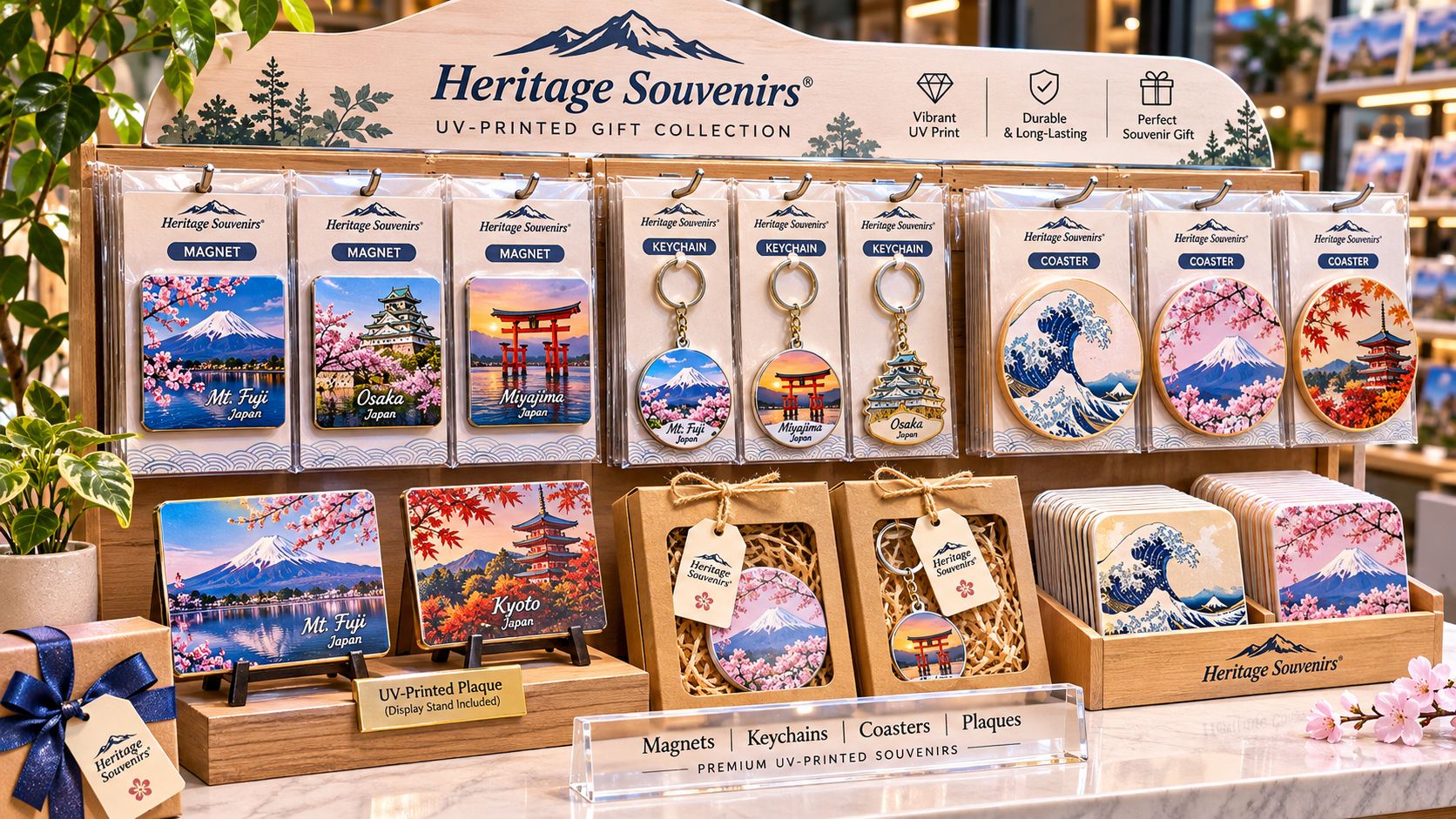
A small souvenir becomes a more convincing retail product when its presentation explains what it is, where it comes from and why it makes a memorable gift.
Coordinate packaging across a collection through shared typography, logo placement and colors. For example, use hanging backing cards for magnets and keychains, small kraft sleeves for coasters and protective boxes for delicate acrylic plaques.
Useful packaging details include:
- Product name and destination or collection name
- Material and basic care information
- SKU or barcode, where needed for retail stock control
- Country-of-origin or other required product labeling, as applicable
- A consistent space for the retailer’s own brand
Be careful with claims such as waterproof, scratchproof, dishwasher-safe, food-safe or permanent. They should only appear where the exact finished product has been tested and supports them. UV-printed decorative products should not automatically be marketed for food-contact surfaces.
For independent gift shops, a compact stand of six coherent designs may communicate more value than a crowded assortment of unrelated items. Display a few completed products alongside a simple sign explaining which products can be personalized.
How to Price Custom Gifts and Souvenirs
Retail pricing should reflect the finished item, not just the amount of ink on it. A useful pricing model separates product costs, production labor, selling expenses and fixed overhead.
Illustrative costing example: one personalized acrylic souvenir magnet (USD). These figures are hypothetical planning inputs, not current supplier prices or expected market selling prices.
| Cost component | Example per unit |
|---|---|
| Acrylic blank | $0.90 |
| Magnetic backing and adhesive | $0.20 |
| Ink and routine consumables | $0.15 |
| Direct labor | $1.10 |
| Packaging | $0.35 |
| Allowance for rejected items | $0.25 |
| Allocated equipment and workspace cost | $0.70 |
| Transaction or sales-channel fees | $0.35 |
| Estimated total allocated cost | $4.00 |
| Illustrative selling price | $9.00 |
| Illustrative surplus before other unallocated costs and taxes | $5.00 |
At the assumed $9 selling price, that leaves approximately 55.6% of revenue after the listed allocations. This is not a guaranteed margin or net profit: marketing, financing, shipping, refunds, taxes and other expenses may still apply. Actual costs will differ significantly by region, design complexity, run size and production efficiency.
Quote small-batch B2B orders separately
For wholesale buyers, calculate both the per-unit production cost and the order-level work. A 50-piece order with one approved design may require less setup time than 50 different names. Create clear rules for artwork changes, proof approval, rush production, packaging and shipping.
Rather than applying the same retail discount to every wholesale quote, determine the price required for that particular order to cover setup, handling, production and the margin you need.
Measure production time, not just printing time
The UV printer’s advertised output speed is only one factor. Record time spent preparing artwork, positioning blanks, cleaning surfaces, checking prints, assembling hardware and packing completed items. Repeatable fixtures and saved templates can reduce this additional work.
For a broader financial planning framework, see how to start a UV printing business. When evaluating a new store or new product range, the U.S. Small Business Administration’s business planning guidance also emphasizes understanding target customers and competitors before investing heavily.
On-Demand Souvenir Printing Workflow
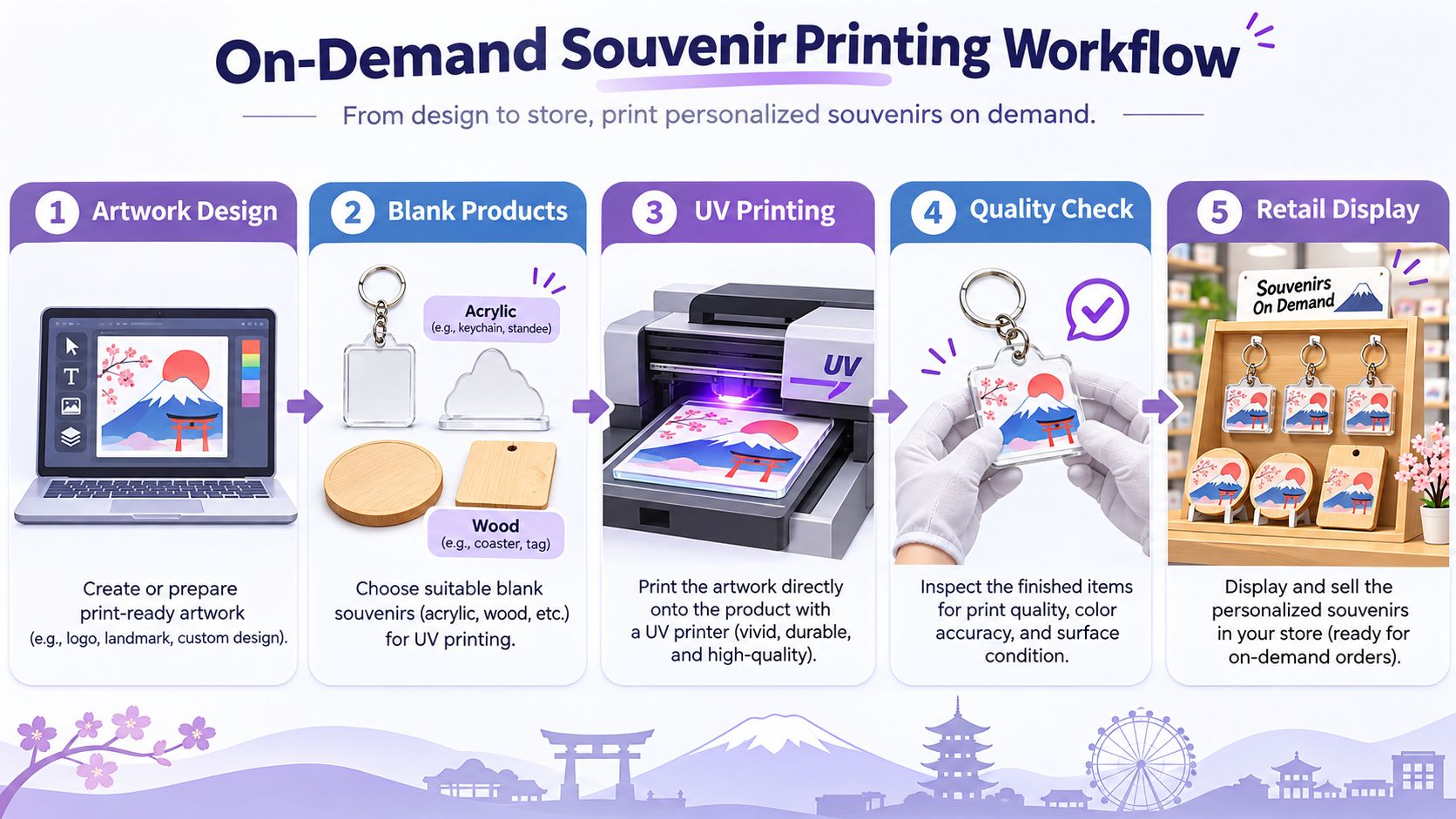
A straightforward process gives staff a common standard for both one-off orders and repeat small batches.
Artwork → Approved Blank → UV Printing → Quality Check → Retail Display or Packing
The stages are simple, but each needs a clear pass/fail decision:
| Stage | What to confirm |
|---|---|
| Artwork | Correct design version, size, spelling, permissions |
| Blank | Correct material, shape, coating and condition |
| Printing | Correct jig, height, color and layer settings |
| Quality check | Placement, color, adhesion, surface finish, assembly |
| Handover | Correct SKU, count, packaging and delivery information |
If an order fails inspection, record why. Common categories include material defect, artwork error, positioning error, print quality issue, coating incompatibility and assembly failure. The goal is to identify the cause rather than simply print another item and hope it works.
Choose the Right EraSmart UV Printer for a Gift Shop
Printer selection starts with the largest product you realistically plan to make, the types of blanks you will use, their height and how often you need to repeat small batches.
EraSmart A4 UV Printer XP600 — compact personalized products
The EraSmart A4 UV Printer XP600 uses one XP600 printhead with CMYK + white ink. The product specification lists a 210 × 300 mm platform, 180 × 290 mm effective print area and a 0–125 mm printing-height range. It does not list a suction platform.
For a shop concentrating on small acrylic gifts, keychains, compact signs and sample products, the A4 configuration may fit both the product dimensions and available workspace. Use dedicated fixtures where necessary, and assess how many blanks can be loaded safely within the effective print area.
EraSmart A3 MAX UV Printer XP600 — wider product mix and batch fixtures
The EraSmart A3 MAX UV Printer XP600 lists a 300 × 450 mm print area, 0–130 mm printing height, integrated suction platform and one XP600 printhead.
The larger bed is useful when a store wants to produce larger plaques, hold multiple small blanks in fixtures or handle a broader assortment of products. The actual number of items per batch will depend on their dimensions, spacing, jig design and print settings—not just the nominal print-bed dimensions.
| Buying question | A4 XP600 | A3 MAX XP600 |
|---|---|---|
| Main use | Compact gifts and personalization | Broader gift sizes and repeated batches |
| Effective / listed print area | 180 × 290 mm | 300 × 450 mm |
| Listed maximum product height | 125 mm | 130 mm |
| Vacuum/suction bed | No, per product specification | Integrated suction platform |
| Most important check | Does the largest product and fixture fit? | Does the larger platform improve your actual workflow? |
A larger printer is not automatically the better investment. A busy gift shop also needs dependable blank suppliers, artwork management, maintenance routines, ventilation and a clear sales plan. Use the EraSmart UV printer buying guide to compare requirements before requesting a quote.
What about bottles, curved cups and irregular shapes?
Flatbed UV printing is especially relevant to suitable flat or accessible direct-print surfaces. Curved products may require specialized fixtures, rotation or another method. If your business will focus on cup wraps, bottle decoration and transferable decals, compare a separate UV DTF printer workflow instead of assuming that a standard flatbed can handle every curved item.
Questions to send when requesting an equipment quote
Provide the material and size of your three main products, the thickness or height of each item, whether white ink is required, the typical batch quantity, intended daily order volume and any planned expansion. This helps narrow the recommendation to an actual workflow instead of a vague machine-size comparison.
Find Customers Beyond Walk-In Retail
A gift store’s first sales may come from visitors, but nearby organizations can create repeat demand.
Hotels and guesthouses: request a sample welcome gift featuring approved hotel branding and a local destination illustration. Offer a few tested product formats rather than an unlimited catalog.
Visitor centers and museums: present a coordinated collection with original or licensed designs, packaging and realistic small-batch replenishment terms. Museums may have specific licensing and product-approval requirements.
Tour guides and attractions: develop a souvenir with an event date, tour name or location. Batch production is useful when the same design can be reused across multiple dates.
Cafés and independent shops: offer printed coasters, small branded gifts and retail-ready merchandise, using approved logos and coatings tested for intended use.
Schools, clubs and event organizers: supply personalized plaques, keepsakes or small recognition gifts where variable names and repeated events make a saved production template useful.
Present a compact sample kit: a magnet, keychain, coaster and small plaque using a consistent visual identity. Include product dimensions, material choices, minimum-order policy, artwork requirements and estimated lead-time assumptions. Confirm final terms in a written quote.
How to Handle Repeat Wholesale Souvenir Orders
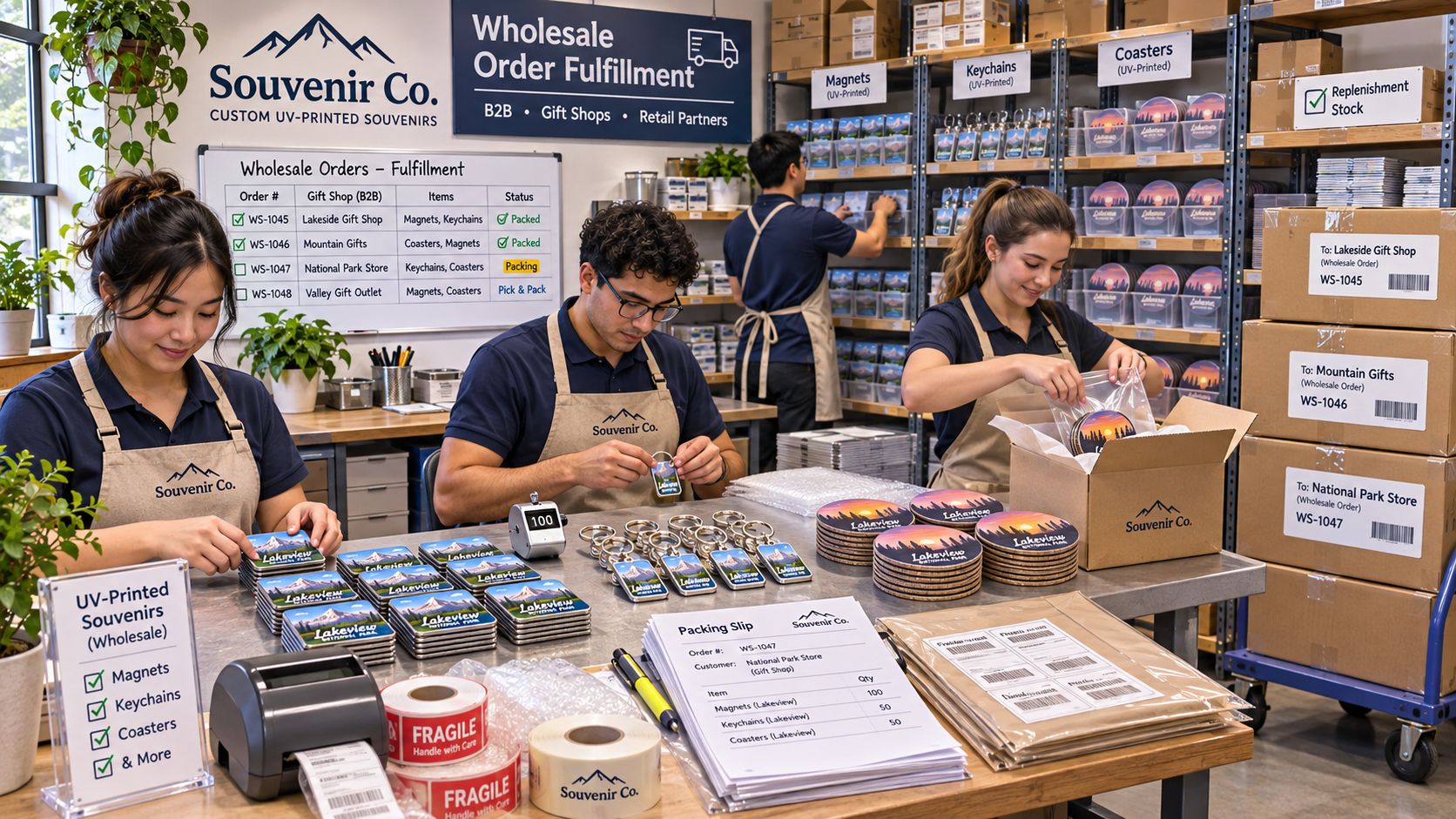
For B2B supply, repeatability is the product. Buyers want the next shipment to match the previous approved version.
Maintain a record for each client that includes:
- Approved artwork files and version numbers
- Product dimensions and materials
- Blank supplier and acceptable substitutes
- Printing layout, jig and RIP configuration
- Expected color appearance and inspection standard
- Packaging, labeling and packing quantity
- Reorder quantity, lead time and delivery requirements
A simple order flow is: purchase order received, artwork/version checked, blanks reserved, production scheduled, QC completed, items counted, packed and dispatched.
Do not overpromise same-day replenishment before you have measured the time required for artwork revisions, material procurement, printing, inspection and packing. Reliability can matter more than offering the shortest possible turnaround.
A Practical 30-Day Launch Plan for Gift Retailers
You can begin testing a focused product collection before expanding to a large catalog. Treat the following as a planning framework rather than a guaranteed sales timeline.
Week 1: Study the store and select products
Observe which gifts customers already buy, ask staff about frequent personalization requests and identify nearby competitors. Choose one target customer group and three to five suitable product types. Contact suppliers for samples and compare sizes, finishes and material consistency.
Target outcome: a short list of customer needs and blank-product candidates.
Week 2: Build samples and test the workflow
Prepare original or licensed artwork. Produce samples using tested UV settings, build basic fixtures and inspect color, adhesion, assembly and packaging. Create product photos only after the real samples meet your standards.
Target outcome: a small, consistent sample collection and reliable production instructions.
Week 3: Launch a controlled retail offer
Offer a limited assortment with clear personalization rules, prices and turnaround times. Track how often visitors ask about each design and record actual production costs, order errors and rejected items. Avoid buying large quantities of unproven finished stock.
Target outcome: data from real buying behavior and a process staff can follow.
Week 4: Improve and approach trade buyers
Reorder the blanks for the most promising products, remove low-interest variations and refine packaging. Bring a sample kit and simple wholesale price structure to relevant hotels, attractions or independent retailers. Save every approved design for future reorders.
Target outcome: a clearer retail range, better cost information and the beginning of a repeat-order pipeline.
Common Mistakes to Avoid
Buying the printer before choosing products
A printer may appear affordable but still be unsuitable for the dimensions, coating or object height of your target gifts. Work backward from real products and their required production process.
Treating every substrate as printable without testing
Acrylic, wood, metal and plastic are not single uniform materials. Different coatings, finishes and preparations can produce different adhesion results. Test every important blank and supplier batch.
Offering unlimited personalization
Too many font, color and format options can overwhelm the shop counter and introduce errors. Start with a controlled set of templates and add options only when orders justify them.
Overstocks of finished souvenirs
A popular design today may not remain popular next season. Use actual sell-through to determine what to print in batches and what to keep as blank inventory.
Ignoring artwork permissions
Landmarks, character art, sports marks, brand logos and museum objects can involve different intellectual-property rights. Use your own work or artwork you are authorized to sell commercially.
Confusing UV flatbed with UV DTF transfer printing
A directly printed acrylic plaque and a pre-printed decal applied to a curved tumbler have different workflows. Choose the technology based on the final item and surface rather than assuming one method fits everything.
Mistaking gross margin for net profit
Ink consumption alone does not determine profitability. Include staff time, failed prints, packaging, shop overhead, service costs, customer acquisition and any outsourced finishing.
Frequently Asked Questions
Can a gift shop use one UV printer for different products?
Yes, if the selected blanks fit the machine’s effective printable area, height and supported workflow, and the exact material/ink combination has been tested. Acrylic signs, keychains, flat coasters and coated gift accessories can be good categories to evaluate. Different products may need different jigs and settings.
Is UV printing suitable for a small tourist souvenir shop?
It can be a useful option for local collections and short production runs. The economics depend on visitor demand, finished-product price, blank cost, staffing, equipment uptime and the store’s ability to sell and replenish successful designs.
Do I need a laser cutter to make souvenir keychains or magnets?
Not if you purchase suitable pre-cut and, where needed, pre-drilled blanks. Custom-shaped products made from full sheets may require a separate cutting process or an outside supplier. UV flatbed printing itself is not a cutting operation.
Can I print on clear acrylic?
Transparent acrylic can be a suitable UV-printing substrate after compatibility testing. White ink is commonly used to create opacity, and reverse printing requires correct image mirroring and layer order. Verify the result with the specific printer, RIP and blank.
Can a shop offer same-day personalized gifts?
Potentially, for an established short product menu and manageable workload. A dependable promise should be based on actual design approval, queue time, print checks, finishing and packaging, not on printer speed alone.
Which products are easiest to start with?
Relatively flat, inexpensive, repeatable blanks are often more manageable than complicated assembled objects. Acrylic keychains, compact plaques, selected coasters and souvenir magnets are useful candidates for sample testing.
What is the difference between A4 and A3 UV printing for souvenir production?
A4 takes less space and can serve smaller product formats; an A3-class machine gives more room for larger products and multi-item jigs. Compare specific model specifications, not just the labels “A4” and “A3,” because effective print areas differ among machines.
Can a UV printer print directly on mugs or bottles?
Some equipment and fixtures support particular curved objects, but a standard flatbed is not automatically suited to all drinkware. UV DTF transfer printing is another option for compatible hard-surface curved products. Care and safety claims require testing of the complete product system.
How should a souvenir store decide what to stock?
Track actual product sales, personalization requests, seasonal changes and reorder lead times. Stock more of proven finished designs and keep selected blanks for slower or highly customized variants. Do not assume every product idea deserves equal inventory.
How can a shop start selling wholesale?
Create a small sample collection, define order quantities and approval steps, save repeatable production files and approach nearby retailers or hospitality businesses with a specific offer. Quote each order using actual materials, labor, packaging and fulfillment requirements.
Turn Souvenir Ideas into a Repeatable Business
A successful UV-printed gift collection starts with a clear audience and ends with a repeatable production system. Choose a few blank products, design a collection shoppers will recognize, test materials, standardize print settings and let actual orders determine what to replenish.
A compact printer may be enough for small personalized gifts, while a larger platform can support bigger plaques and more flexible batch layouts. The best choice is the one that fits your planned products, workspace and realistic order demand.
Explore the EraSmart UV printer range or compare models using the UV printer buying guide. Share your product materials, maximum size, expected quantity and any need for white ink or specialty finishing so the EraSmart team can help you evaluate a suitable configuration.
MAY BE YOU LIKE ALSO
Copyright 2020 © EraSmart. | Sitemap